Prusa CORE One vs Prusa MK4S
Same extruder, same nozzle, same ceilings — the difference is the box around them. What the enclosure buys a UK buyer, and what converting later costs.
Independent and reader-funded. We earn a commission if you buy through our links, at no extra cost to you. How this works.
Prusa CORE One vs Prusa MK4S starts with a point of order: the CORE One most comparisons describe is not the one on sale. The current model is the CORE One+ (Gen 2), and that is the printer specified and priced throughout this page.
These are not a capable machine and a compromised one. Prusa's own tables give them the same extruder, nozzle and temperature ceilings. The MK4S is the open-frame bed slinger, where the bed travels on Y; the CORE One+ is the enclosed CoreXY, where two motors share both horizontal axes and the bed only rises.
So the question is not which prints better, but what the box around the printhead is worth: roughly two hundred pounds at a UK reseller, a third less bench space, and the difference between printing ABS as sold and buying an enclosure to get there.
| Specification | 1 Prusa CORE One+ (Gen 2) Cleared for engineering plastics | 2 Original Prusa MK4S Cheaper, lighter, simpler |
|---|---|---|
| Best for | Engineering materials without a second purchase | Lowest entry price and easiest access |
| Frame and motion | Enclosed CoreXY, fixed bed | Open frame, bed slinger |
| Chamber heating | Yes — active control to 55 °C | No |
| Materials as sold | Includes ABS, ASA, HIPS, PA | ABS, ASA, HIPS, PA need the Enclosure and filtration add-on |
| Build volume | 250 × 220 × 270 mm | 250 × 210 × 220 mm |
| Extruder and nozzle | Nextruder 10:1, high-flow brass CHT 0.4 mm | Nextruder 10:1, high-flow brass CHT 0.4 mm |
| Max nozzle / bed temperature | 290 °C / 120 °C | 290 °C / 120 °C |
| Layer range | 0.05–0.30 mm | 0.05–0.30 mm |
| Max print speed | Not published by Prusa | Not published by Prusa |
| Outer dimensions | 415 × 444 × 555 mm | 500 × 550 × 400 mm |
| Weight | 22.5 kg | 7 kg |
| Typical power, PLA / ABS | 90 W / 110 W | 80 W / 120 W |
| UK warranty | 1 year | 1 year |
| UK price band, assembled | £1,150–£1,300 | £900–£1,000 |
| UK availability | UK reseller stock and direct from Prusa | UK reseller stock and direct; one retailer has dropped it |
How these two were compared
No printing was done for this page. The Prusa CORE One compared with the Prusa MK4S is desk research, and every specification below comes from Prusa's own parameter tables for the two named variants, which publish both against the same row labels — so where the tables differ, the difference is the manufacturer's own.
Where Prusa publishes nothing, this page gives nothing. Neither product page states a maximum print speed or acceleration, a noise level or a dimensional accuracy figure, so there is no speed table, no noise comparison and no tolerance claim here.
The same printhead in two different boxes
Read the two specification tables side by side and the list of identical things is longer than the list of differences.
Both carry the Nextruder — Prusa's direct-drive extruder, with the motor above the hotend, which is what makes flexibles practical — geared through the same planetary reduction at 10:1. Both mount the same high-flow brass CHT nozzle at 0.4 mm, a geometry that splits the melt stream so more plastic heats in the same space — which is where fast printing comes from, rather than the frame.
The ceilings match at 290 °C on the nozzle and 120 °C on the bed, as does the layer range at 0.05 to 0.30 mm. Both use a magnetic heatbed with removable PEI spring steel sheets, the same 32-bit xBuddy board with Trinamic 2130 drivers, and PrusaSlicer.
That is the entire extrusion system, print surface and control board, common to both — so on a PLA or PETG part that fits either machine, nothing in the published specifications would make one produce a better object. Everything below is about the frame, the footprint and the money.
What the enclosure actually buys you
One thing, mostly, and it is a big one: materials that shrink as they cool.
ABS, ASA, polycarbonate and nylon contract measurably as they cool. In open air the base of a tall part pulls in while the top is still hot, and the corners lift; walls keep the air warm enough that the part cools evenly. The CORE One+ is fully enclosed CoreXY with active chamber control to 55 °C — a managed temperature, not a heater aimed at the part.
The CORE One+ lists ABS, ASA, HIPS and nylon as supported as it comes; the MK4S lists them only when the Original Prusa Enclosure with the filtration add-on is fitted. That is the most important line in this comparison and the one most often quoted without its condition: two further purchases, and the cheaper machine stops being cheaper.
There is an honest complication the other way, on which the manufacturer and the owners disagree. Prusa describes the chamber as printing anything from PLA with the door closed through to PA11 nylon. Owner reports on the Prusa forum repeatedly describe PLA heat-creep clogs in the enclosed chamber, particularly in warm rooms, with opening the door or vent for PLA the commonly shared remedy. Heat creep is softening above the nozzle, and a warm chamber makes it likelier. The printer opens its top vent by itself for PLA and PETG, so it is manageable — but if PLA is nearly all you print, the enclosure solves a problem you do not have.
Build volume, bench space, and the bit that surprises people
The enclosed machine takes up less room. That reads like a mistake and it is not.
The MK4S measures 500 × 550 × 400 mm on the bench without a spool; the CORE One+ measures 415 × 444 × 555 mm. The enclosed printer is taller and its desk area roughly a third smaller, because CoreXY keeps the bed still — a bed slinger must leave room for the plate to travel, and that swept area is dead space. It gains build volume at the same time: 250 × 210 × 220 mm against 250 × 220 × 270 mm, so 50 mm more height, the axis people run out of first.
Prusa's own claim is 30% less overall space and 30% more print volume than an MK4S, and 50% less space than an MK4S inside the Enclosure. Note which comparison the bigger number belongs to; other write-ups repeat the 50% without that condition. The trade is weight: 22.5 kg against 7 kg.
Speed, and what is actually published about it
You will read that the CORE One is 15 to 20% faster. The figure is real but it is not a test result: it is Prusa's own claim from the launch announcement, given as a reduction in print time depending on the project. Treat it as the manufacturer's estimate, because neither product page publishes a speed or acceleration figure to check it against. The mechanism is believable: CoreXY accelerates a light toolhead rather than a heavy plate, and does not slow as the object grows top-heavy.
The clearer edge is slicer maturity: Prusa's balanced profiles arrived first for the CORE One with the 0.4 mm high-flow nozzle, and the surface-finish work in PrusaSlicer 2.9.3 is stated to improve the MK4 and MK4S too.
One caution against the enclosed machine, which belongs here rather than buried. A recurring theme in Prusa's own CORE One forum is fine vertical banding on flat walls that shows up on glossy filament and is hidden by matte, with belt tension and idler changes reported as helping only partly; the manufacturer has acknowledged the thread and points to slicer and firmware work, so this is a moving picture rather than a settled fault. Support forums collect faults rather than representative samples, so this is not a failure rate — but it is a reason to buy where the returns process suits you.
Where the MK4S still wins
It is cheaper by a margin that matters in this bracket. It weighs 7 kg against 22.5 kg, so it can be carried one-handed, shelved, or moved out when someone needs the room. And an open frame puts every component within reach, with no case to come apart first.
That last point is the one owners raise themselves. Owners who have kept a bed-slinger rather than converting describe easier access to parts and the ability to move a light printer single-handed as the reasons, although this comes from a small number of reports rather than a broad sample. It is a maintenance argument rather than a print-quality one, and it is the honest case for spending less.
Two things are not differences, despite appearing in comparisons as though they were. Connectivity: Prusa's table lists Ethernet for the MK4S just as it does for the CORE One+. And obsolescence: Prusa states in writing that the CORE One is designed to live alongside the MK4S, is not its successor, and that the MK4S continues to be manufactured and supported.
The third option: converting an MK4S later
Almost every comparison of these two leaves this out, and it changes the shape of the decision. Prusa sells a kit that rebuilds an MK4S as a CORE One+ (Gen 2), and your existing print sheets, hotends and nozzles carry straight over — as they would, given both use the same sheets and nozzle.
So the tempting plan is to buy cheap now and upgrade if ABS ever comes up. Two hard blockers first: the kit fits the MK4S only — not an MK4, not an MK3.9S — and Prusa states the silver power supply is incompatible, so the xLCD version must be checked before ordering.
Then the arithmetic, where the plan usually dies. The assembled machines sit roughly two hundred pounds apart: the MK4S in the £900 to £1,000 band, the CORE One+ in the £1,150 to £1,300 band. The kit sits in the £500 to £600 band — something like two and a half times what the enclosed machine would have cost extra on day one, before an evening spent rebuilding a working printer. The kit is the right answer if you already own an MK4S. It does not make "start cheap, upgrade later" the economical route for someone buying new.
What each one costs to run in the UK
Less than almost everyone expects — and the enclosed machine is the cheaper of the two on the materials it exists for.
Prusa publishes typical draw, not just a supply rating. The CORE One+ is given as about 90 W on PLA and 110 W on ABS; the MK4S as 80 W on PLA settings and 120 W on ABS settings. The open machine is leaner on PLA and thirstier on ABS, and the enclosure is why: warm air held around the part is heat the bed does not have to keep replacing.
Worked at the Ofgem price cap unit rate of 26.32 pence per kWh for October to December 2026, over forty hours of printing in a month:
- PLA — the MK4S costs about 84p a month in electricity, the CORE One+ about 95p.
- ABS or ASA — the CORE One+ costs about £1.16 a month, the MK4S about £1.26.
These are estimates. Typical draw is an average across a print, and a cold garage costs more than a heated room. Electricity will not decide between these two — and Prusa's MK4S ABS figure describes a machine that needs the separately sold enclosure before it is cleared for ABS at all.
UK price, availability, warranty and support
Prusa CORE One versus Prusa MK4S in the UK is a different comparison from the one written in dollars: the purchase route changes the price, stock moves by the week, and the warranty is shorter here than most buyers assume.
What they cost, and where they are in stock
The assembled MK4S sits in the £900 to £1,000 band at a UK reseller, the assembled CORE One+ (Gen 2) in the £1,150 to £1,300 band. The self-assembly MK4S kit is several hundred pounds below that. Check stock first, because it moved during research for this page: one reseller had both machines and the kit, while another had the CORE One+ out of stock with a bulky-goods surcharge on top and had stopped selling the MK4S altogether.
Buying direct from Prusa is the other route, in sterling, and the listed price is not what lands: above a threshold, UK VAT, duty and a courier fee are collected before delivery. Buyers who have ordered direct from overseas repeatedly describe the same two surprises: a carrier handling charge on top of the VAT, and time in customs clearance on top of the transit time, although the quoted lead times are often met.
Warranty, support and spares
One year on both machines. Prusa gives two years to consumers in the EU, Liechtenstein, Switzerland, Norway and Iceland and one year to the rest of the world, where the UK now sits. It is set by region rather than model, so there is no protection premium in the dearer machine.
Prusa sells parts at component level, its spare-parts catalogue listing 773 items organised by model when checked. A recurring theme among Prusa owners is that repairability and the upgrade path are what they are paying for, rather than headline features.
Common mistakes buyers make with these two
The CORE One or MK4S decision goes wrong in four predictable ways.
Treating the MK4S as the budget option — Prusa clears it for ABS, ASA and nylon only with the Enclosure and filtration add-on fitted, and adding those stops it being cheaper.
Quoting the 50% space saving — Prusa's figure against a bare MK4S is 30%. Measure your bench against the published dimensions instead.
Paying the difference for connectivity or a better printhead — both list Ethernet, and the extruder and nozzle are common to both.
Buying on a speed figure nobody published.
And one that is not really a mistake: neither page publishes a noise figure, so if the printer is going in a bedroom or shared office, plan on testing your own tolerance.
Which one to buy
Prusa MK4S vs Prusa CORE One stops being difficult once you stop asking which is the better printer. They share a printhead; one has walls.
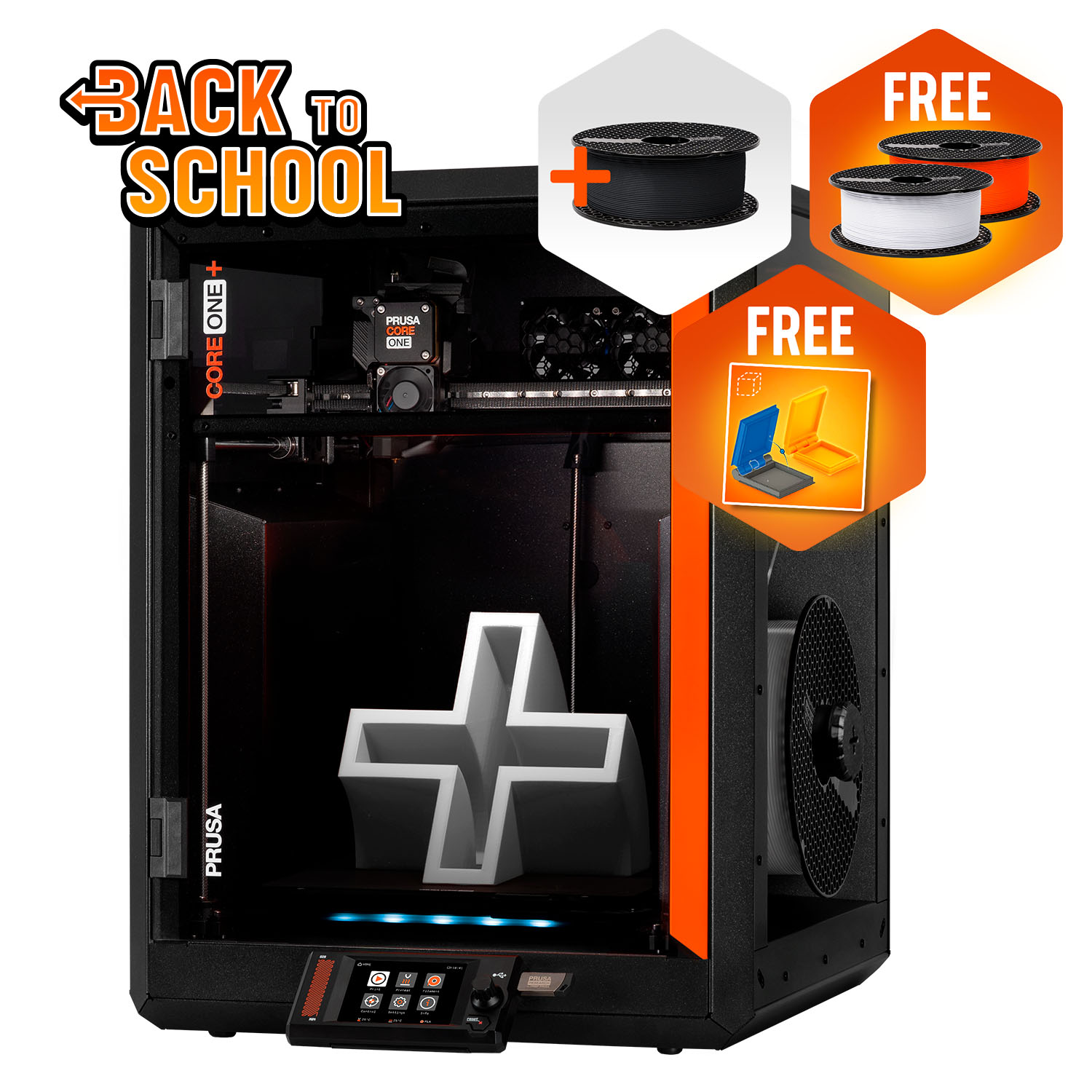
Prusa CORE One+ (Gen 2)
CORE One+ (Gen 2), assembled
Cleared for ABS, ASA and nylon as sold, in an actively controlled 55 °C chamber, and in less bench space than the open machine.
- Build volume
- 250 × 220 × 270 mm
- Technology
- FDM
- Max speed
- Not stated on manufacturer product page - Unverified
- Enclosed
- Yes (fully enclosed CoreXY; active chamber heating up to 55 °C)
- Multi-colour
- Optional (MMU3 5-filament unit or INDX tool-changer up to 8 tools, sold separately)
- Auto levelling
- Yes (fully automatic load-cell first-layer calibration)
What we like
- Cleared for ABS, ASA, HIPS and nylon as it comes, where the MK4S needs a separately sold enclosure and filtration add-on before Prusa lists those materials at all
- An actively controlled chamber to 55 °C rather than just walls, which is what stops warping-prone plastics lifting off the plate
- 415 × 444 mm of bench space against the MK4S's 500 × 550 mm, because a fixed bed needs no room to travel
- 50 mm more Z height than the MK4S, which is the axis people run out of first on anything printed standing up
What we don’t
- Fine vertical banding on flat walls is a recurring theme in Prusa's own CORE One forum, and belt and idler changes are reported as helping only partly
- A warm chamber makes PLA heat-creep clogs likelier, so the vent opens for the material most owners print most of the time
- 22.5 kg against the MK4S's 7 kg — it stays wherever two hands put it
- Prusa publishes no maximum print speed, acceleration or noise figure, so its own 15 to 20% claim cannot be checked against anything
Buy the CORE One+ if ABS, ASA, polycarbonate or nylon is on your list, because it is cleared for them as it comes while the MK4S needs an enclosure first; or if bench depth is your constraint rather than budget.
Skip the CORE One+ if you print PLA and PETG and nothing else — you would be paying for a chamber you will vent open anyway, and taking on the banding reports above for nothing.
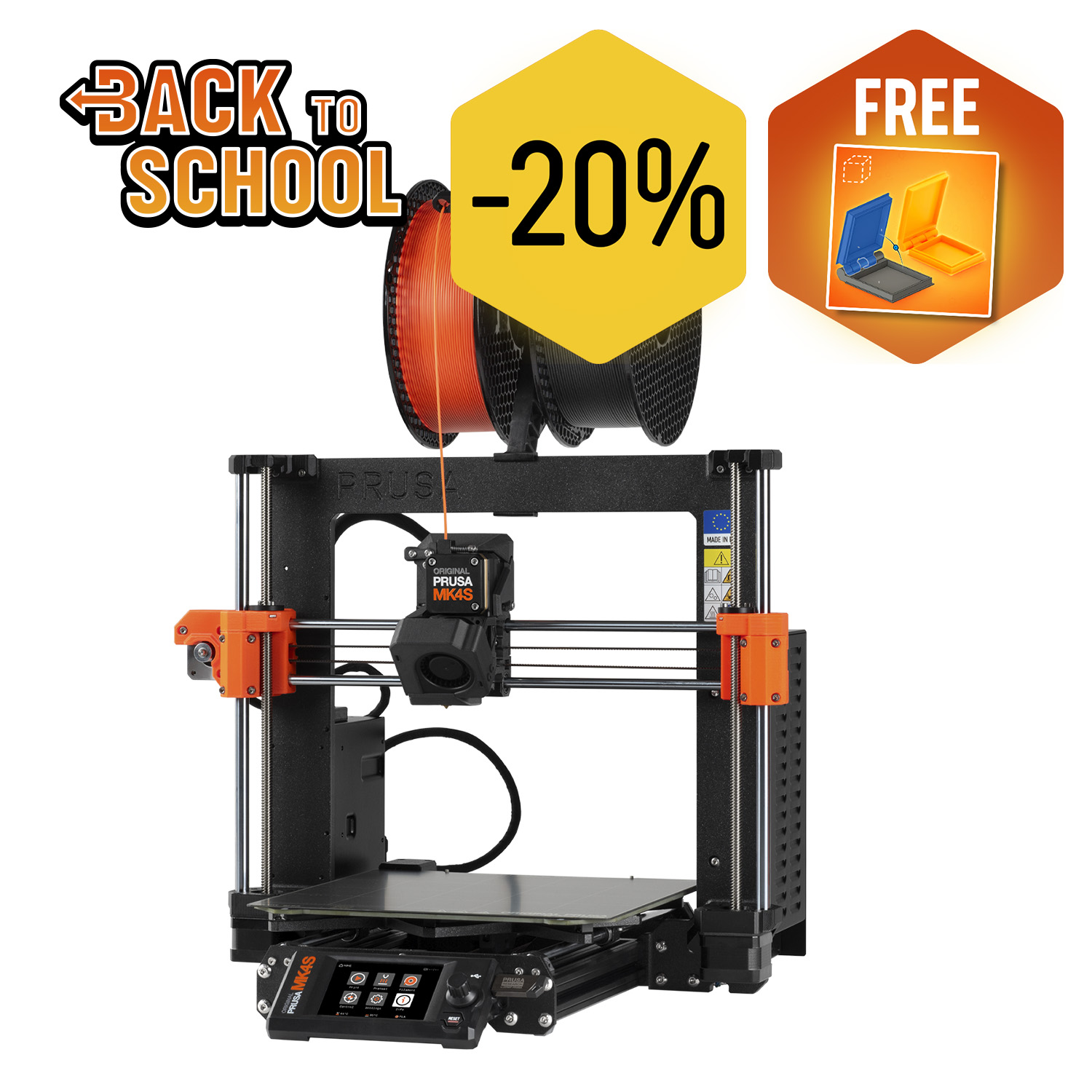
Original Prusa MK4S
Original Prusa MK4S (assembled; not the kit, not the MK3.9S, not CORE One)
The same printhead and the same ceilings for a few hundred pounds less, at 7 kg and with every part reachable — unless you need the materials that need an enclosure.
- Build volume
- 250 × 210 × 220 mm
- Technology
- FDM
- Max speed
- Unverified (Prusa publishes no single maximum toolhead speed on the product page)
- Enclosed
- No (open frame; Original Prusa Enclosure sold separately)
- Multi-colour
- Optional (Prusa MMU3, sold separately)
- Auto levelling
- Yes (automatic mesh bed levelling over the print area)
What we like
- The same Nextruder, the same high-flow brass CHT nozzle and the same 290 °C and 120 °C ceilings as the enclosed machine, for a few hundred pounds less
- 7 kg and open on all sides, so it can be carried one-handed and every part is reachable without dismantling a case
- The self-assembly kit is several hundred pounds below the assembled machine and the cheapest route onto Prusa's platform
- Prusa states in writing that it is not superseded by the CORE One and continues to be manufactured and supported
What we don’t
- ABS, ASA, HIPS and nylon only with the Original Prusa Enclosure and the filtration add-on fitted — two further purchases on top of the price
- A larger desk footprint than the enclosed machine, because the plate has to travel forwards and backwards
- 220 mm of Z height against the CORE One+'s 270 mm, and height is the dimension that runs out
- One UK retailer has stopped selling it altogether, so the stock position is thinner than it was
Buy the MK4S if PLA, PETG and flexibles cover your work; if you want the cheapest route onto the platform, especially as the self-assembly kit; or if it has to be carried, stored, or maintained without dismantling a case.
Skip the MK4S if engineering plastics are anywhere in your plans: the enclosure route costs more than the price gap, and converting later costs more still.
If neither is right, the best FDM printers roundup covers the brackets either side of these two.
There is no universal winner here because Prusa did not build one. The company says outright that these machines are meant to sit alongside each other, and their shared extruder, nozzle, ceilings, plates and control board say the same.
So the criterion is materials, and after that, space. If your filament list stays at PLA and PETG, the MK4S does identical work for less. The moment ABS, ASA or nylon appears on it, the cheaper machine needs an enclosure and a filtration add-on, stops being cheaper, and the CORE One+ becomes the better buy on day one rather than after an evening of rebuilding.
- Buy it if
- You will print ABS, ASA or nylon, or bench depth is your limit: take the CORE One+ (Gen 2).
- Skip it if
- You print PLA and PETG and want the cheapest, lightest way onto the platform: take the MK4S.
How this article was researched
This comparison is research-based. No printing, measurement or photography was carried out, and nothing here is a test result.
Specifications come from Prusa's own parameter tables for the two named variants, assembled. Warranty terms come from Prusa's warranty article, which sets the term by region rather than model, and the conversion details from Prusa's page for the kit. A maximum print speed, an acceleration figure and a noise level are absent because Prusa publishes none of them for either machine.
Owner-reported patterns were researched from threads in Prusa's own community forum, summarised in our own words and labelled where they appear. No customer review is quoted and no rating reproduced.
UK prices and stock were checked at two UK resellers and Prusa's sterling storefront on 27 September 2026 and are given as bands. During that check the MK4S band previously recorded on this site was found to be too high and has been corrected.
Common questions
- Which is better, Prusa CORE One or Prusa MK4S?
- Neither, in the abstract — and that is not a dodge, it is what Prusa's own specification tables say. The two share the Nextruder extruder with its 10:1 gearbox, the same high-flow brass CHT 0.4 mm nozzle, a 290 °C nozzle ceiling, a 120 °C bed, a 0.05 to 0.30 mm layer range, the same PEI spring steel sheets and the same xBuddy control board. On a PLA or PETG part that fits both machines, nothing in the published specifications separates them. The CORE One+ (Gen 2) is the better machine on one axis that matters enormously if it applies to you and not at all if it does not: it is cleared for ABS, ASA, HIPS and nylon as sold, because it is fully enclosed with chamber control to 55 °C, while the MK4S is cleared for those materials only once the separately sold Original Prusa Enclosure and filtration add-on are fitted. So the question to answer is not which is better but which materials you will use in your first year.
- Which has better print quality and reliability?
- Print quality cannot be separated on paper, because the entire extrusion system, print surface and control board are common to both, and Prusa publishes no dimensional accuracy figure for either. Reliability cannot be called from research at all: no printing was done for this page and neither machine was in our hands. What can be reported is where owner discussion clusters, and it points in an unexpected direction. Threads in Prusa's own CORE One forum return repeatedly and at length to fine vertical banding on flat walls, with the manufacturer engaged and pointing at firmware and slicer work; the equivalent MK4S discussion is much thinner. That is not a failure rate — support forums collect faults, not representative samples, and the newer machine attracts more scrutiny. But it does mean the more expensive machine is not automatically the safer one, and it is worth buying either from a seller whose returns process you are happy with.
- Which offers better value for UK buyers?
- The MK4S, unless engineering plastics are on your list — at which point the answer inverts completely. Assembled, the MK4S sits roughly two hundred pounds below the CORE One+ at a UK reseller, and the self-assembly kit is several hundred pounds below that again. Running costs do not separate them: worked at the current price cap unit rate, the difference is about ten pence a month either way, and the enclosed machine is actually the cheaper of the two on high-temperature materials because the chamber holds heat the bed would otherwise replace. Warranty does not separate them either, because Prusa sets it by region rather than by model — one year in the UK against the two years EU and EEA consumers get, on both machines. What does decide it is the enclosure. The MK4S needs one, plus a filtration add-on, before Prusa lists it for ABS or nylon, and that costs more than the gap between the two machines. Converting an MK4S with Prusa's kit afterwards costs more still — well over twice the day-one difference — so buying cheap with a plan to upgrade is the one route that is not good value.