Best Resin Printers UK 2026
The best resin 3D printers you can buy in the UK, from £210 to £800 — with the ventilation, cold-room and consumable costs the spec sheets leave out.
Independent and reader-funded. We earn a commission if you buy through our links, at no extra cost to you. How this works.
For most UK buyers, the best resin printer available today is the ELEGOO Saturn 4 Ultra in its 12K form: a plate-sized machine with automatic levelling and a tilting vat, at a price that is easier to justify before you know how far you will take the hobby. If you have never printed resin before, start smaller with the Mars 5 Ultra. If size is the whole reason you are here, the Jupiter 2 is the only machine on this page that solves it.
Before any of that, one thing the specification sheets bury: resin is a workflow, not just a printer, and the machine needs somewhere ventilated to live. Decide where it goes before you order, not after.
How we chose these resin printers
No first-hand laboratory testing was involved. Where a figure could not be confirmed from a primary source, it was omitted. How this site reaches a recommendation in general is set out in our review methodology; what follows is only what changes when the machine is a resin printer.
Seven things decide the order, and only one of them is a headline figure:
- XY resolution, not the K number — machines are ranked on published micron size, not panel rating, which is why a 14-inch 16K printer sits below a 10-inch 12K one for fine detail.
- Build area measured against the job, because a bigger plate costs money in resin per plate, desk space and screen replacement rather than winning by default.
- Vat heating, weighed as a ranking factor rather than a footnote, since resin thickens as it cools.
- What actually prevents failed prints — levelling behaviour, vat release mechanism and film type. Failure-detection cameras count as convenience, not insurance.
- The washing and curing workflow, because the printer is one stage of three, and machines that make a resin change awkward are marked down for it.
- Release film and LCD cost, including screen warranty length and how a maker sells replacement film, since together they set what the machine costs to keep running.
- UK stock and a practical return, because a heavy, liquid-filled machine is a poor candidate for a long import.
That last one changed this list: the Phrozen Sonic Mighty Revo 14K was going to be a seventh pick until it turned up out of stock on Phrozen's UK store under a clearance banner and delisted by 3DJake UK. Every model below was confirmed as available to UK buyers on 8 September 2026.
If you are not yet certain resin is the right technology at all, start with our guide to the best 3D printers in the UK, which weighs it against FDM.
The six picks compared
Six machines, one role each. Read the XY resolution row rather than the screen row: a bigger panel at the same pixel count means larger pixels, which is why the 14-inch Jupiter 2 is coarser than either 10-inch Saturn.
| Specification | 1 ELEGOO Saturn 4 Ultra 12K Best overall | 2 ELEGOO Mars 5 Ultra Best budget and beginner | 3 Anycubic Photon Mono 4 Ultra Best budget alternative | 4 ELEGOO Saturn 4 Ultra 16K Best fine detail | 5 Anycubic Photon Mono M7 Pro Best for speed | 6 ELEGOO Jupiter 2 Best large format |
|---|---|---|---|---|---|---|
| Best for | Most people | Lowest price, first printer | Manual control | Finest detail | Speed | Large parts |
| Build volume | 219 × 123 × 220 mm | 153 × 78 × 165 mm | 153 × 87 × 165 mm | 212 × 118 × 220 mm | 223 × 126 × 230 mm | 302 × 162 × 300 mm |
| Screen | 10-inch 12K | 7-inch 9K | 7-inch 10K | 10-inch 16K | 10.1-inch 14K | 14-inch 16K |
| XY resolution | 19 × 24 μm | 18 × 18 μm | 17 × 17 μm | 14 × 19 μm | 16.8 × 24.8 μm | 20 × 26 μm |
| Heated vat | No | No | No | Yes | Yes | Yes |
| Auto levelling | Yes | Yes | No | Yes | Yes | Yes |
| Typical UK price | £350–£450 | £210–£260 | £240–£290 | £370–£420 | £410–£470 | £650–£800 |
| UK availability | ELEGOO UK, 3DJake | ELEGOO UK, 3DJake | Anycubic UK, 3DJake | ELEGOO UK, 3DJake | Anycubic UK, 3DJake | ELEGOO UK only |
Best overall: ELEGOO Saturn 4 Ultra (12K)
This section covers the 12K model; a 16K sibling is sold alongside it and gets its own role below. The 12K is the machine we would point most people to: big enough for a full plate of parts, and forgiving enough not to punish a first month.
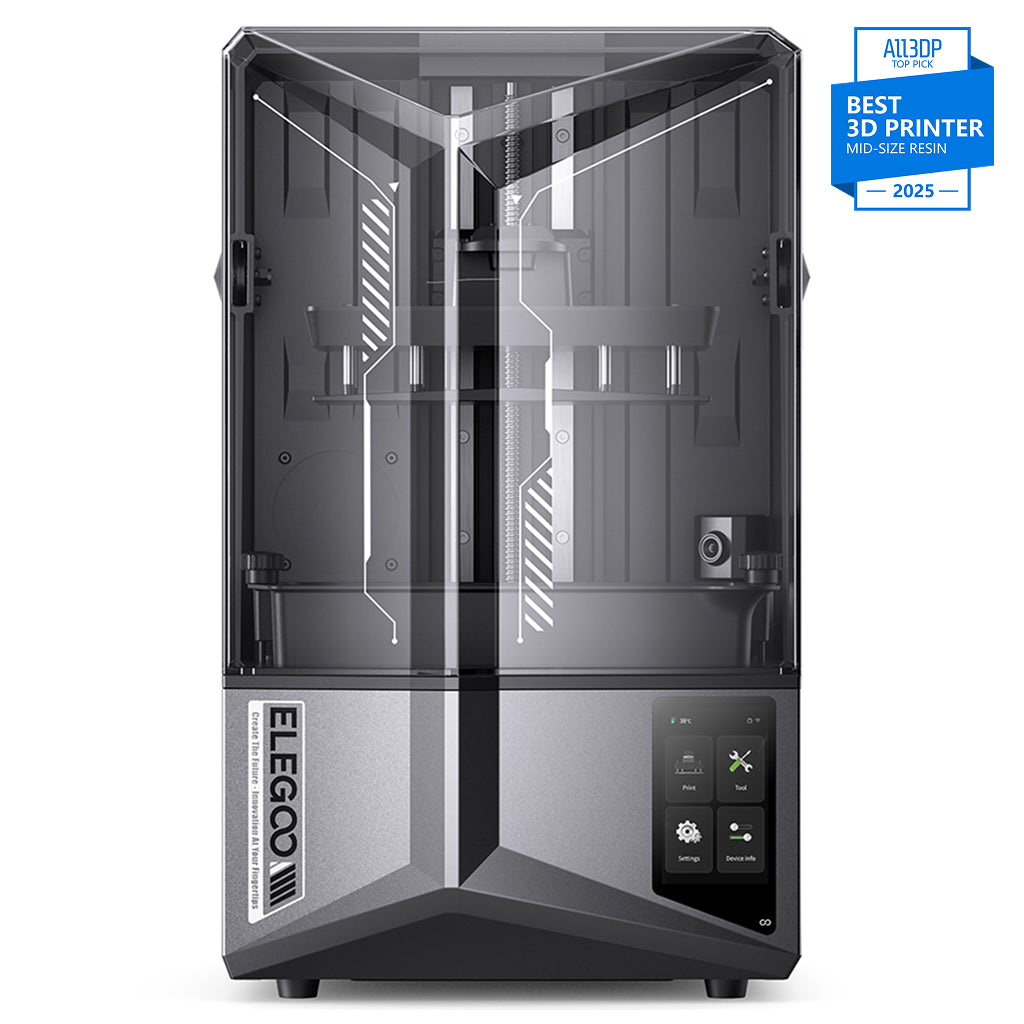
ELEGOO Saturn 4 Ultra 12K
Saturn 4 Ultra 12K (not the 16K variant)
A 10-inch 12K screen, hands-free levelling and a tilting vat, which together can help reduce failed prints. The resin printer that asks least of you for what it gives back.
- Build volume
- 218.88 × 122.88 × 220 mm
- Technology
- Resin MSLA
- Max speed
- Up to 150 mm/h (fast mode)
- Enclosed
- N/A (resin printer with hinged UV cover)
- Multi-colour
- No
- Auto levelling
- Yes (hands-free automatic levelling; tilt-release platform)
What we like
- A 219 mm plate — room for a full squad or one large piece
- Tilting vat and hands-free levelling, credited with fewer failures
- 10-inch 12K screen at 19 × 24 μm
- ELEGOO UK store and 3DJake UK, both stocked
What we don’t
- No heated vat — a cold room will cost you prints
- The self-levelling plate is awkward to clean between resins
- The failure-detection camera is a convenience, not a safety net
The plate measures 218.88 × 122.88 × 220 mm — room for a squad of miniatures or a single large piece — behind a 10-inch 12K mono LCD at 11520 × 5120, giving a 19 × 24 μm XY resolution. It levels itself, runs a 405 nm COB light source with a Fresnel collimating lens, is quoted at up to 150 mm/h, slices in ChituBox and connects over Wi-Fi or USB. It weighs 14.5 kg.
Owners and reviewers repeatedly credit the tilting vat and automatic levelling with fewer failed prints than earlier Saturn models. Two practical caveats. Several owners and reviewers treat the camera's failure detection as a nice-to-have rather than something to rely on. And several reviewers describe the self-levelling build plate as awkward to clean thoroughly, particularly when switching resins.
The limitation that decides between this and role four: no heated vat. It is sold through ELEGOO's UK store and 3DJake UK at £350–£450.
Buy it if you want one machine that handles most resin work without a learning project attached. Skip it if your printing room is unheated — take the 16K for its vat heater — or if you only ever print small pieces, where the Mars 5 Ultra saves you money.
Best budget and beginner resin printer: ELEGOO Mars 5 Ultra
The Mars 5 Ultra is the cheapest and lowest-commitment way into resin. It suits anyone finding out whether the workflow suits them before spending Saturn money, and anyone whose prints are small: figures, tabletop miniatures, jewellery masters, small functional parts.
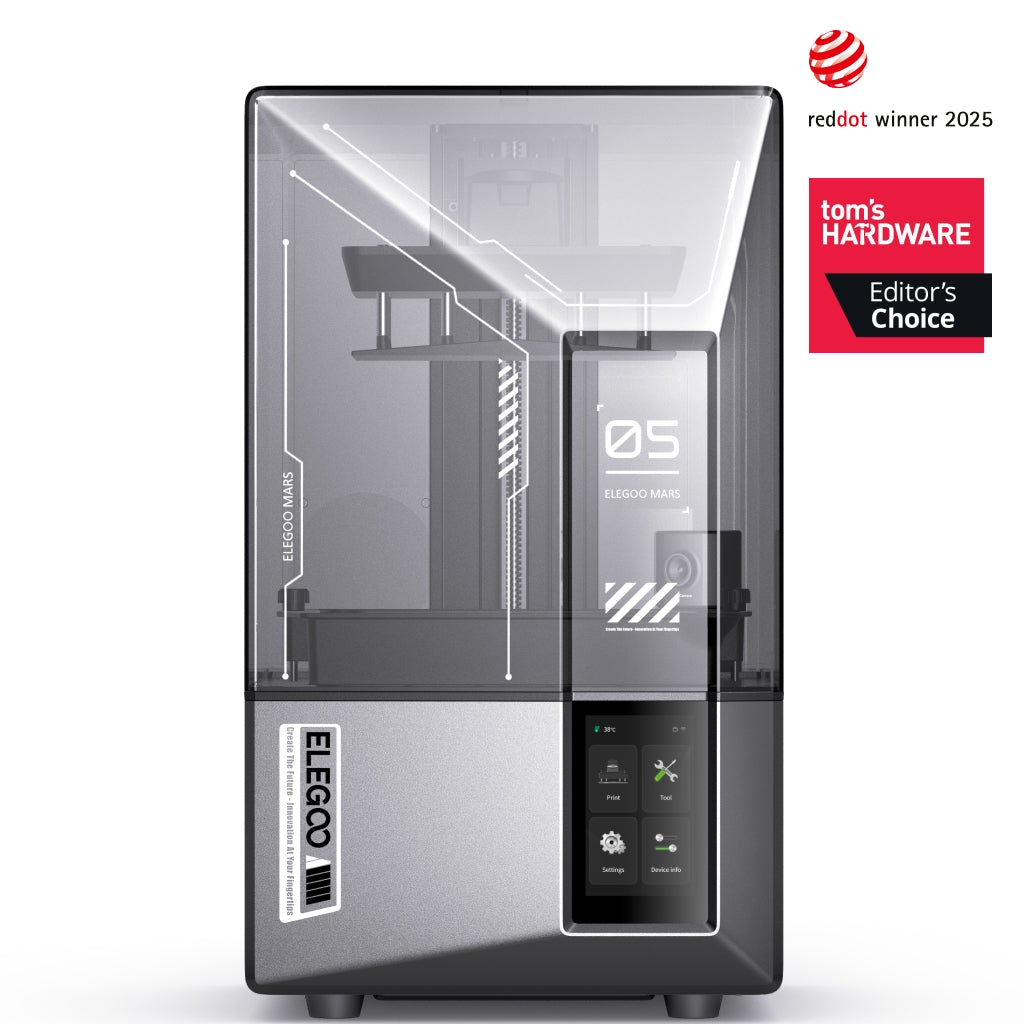
ELEGOO Mars 5 Ultra
Mars 5 Ultra 9K (not the non-Ultra Mars 5)
The easiest resin printer here to get a first good print out of, at the lowest price of the six. Small plate, small footprint, small risk.
- Build volume
- 153.36 × 77.76 × 165 mm
- Technology
- Resin (MSLA)
- Max speed
- Up to 150 mm/h (manufacturer maximum)
- Enclosed
- Lid (acrylic UV cover)
- Multi-colour
- No
- Auto levelling
- Yes (one-click automatic levelling)
What we like
- The easiest machine here to get a good first print from
- 18 × 18 μm square pixels — finer on one axis than the Saturn 12K
- 8.8 kg and shelf-sized
- Lowest price of the six, at £210–£260
What we don’t
- 153 × 78 mm plate suits small work only
- Prints can grip the plate hard until bottom exposure is dialled back
- No heated vat
- LCD covered for three months, the machine for twelve
A 153.36 × 77.76 × 165 mm plate is the trade-off, and it is the main one. The 7-inch 9K screen at 8520 × 4320 gives an 18 × 18 μm XY resolution — square pixels, and finer on one axis than the Saturn 12K. It manages 0.01–0.2 mm layers with 0.02 mm Z accuracy, levels in one click, and takes most resins on the market. At 8.8 kg and 260 × 268 × 451.5 mm it fits a shelf.
Reviewers repeatedly describe the Mars 5 Ultra as one of the easiest resin printers to start with, needing very little setup before a first successful print. Several report that prints grip the plate more firmly than expected at first, and that reducing the bottom-layer exposure a little solves it. The failure-detection camera earns credit for catching problems mid-print, with the caveat that it cannot see the very early layers where most failures begin.Reviewers consistently point out that the printer is only part of the outlay, since washing, curing, alcohol, gloves and ventilation all sit on top. ELEGOO gives 12 months on the machine, three on the LCD, and both ELEGOO UK and 3DJake UK had it in stock at £210–£260.
Buy it if this is your first resin printer, or your prints are small and you would rather spend the difference on resin. Skip it if you already know you want full plates — the jump to the Saturn is worth making once rather than twice.
Best budget alternative for manual control: Anycubic Photon Mono 4 Ultra
The Photon Mono 4 Ultra costs a little more than the Mars 5 Ultra, so it is not the cheapest way into resin. It is the alternative for a buyer who would rather have conventional manual control and the finest pixels on this page than an automatic machine — a methodical beginner who does not mind levelling a plate by hand.
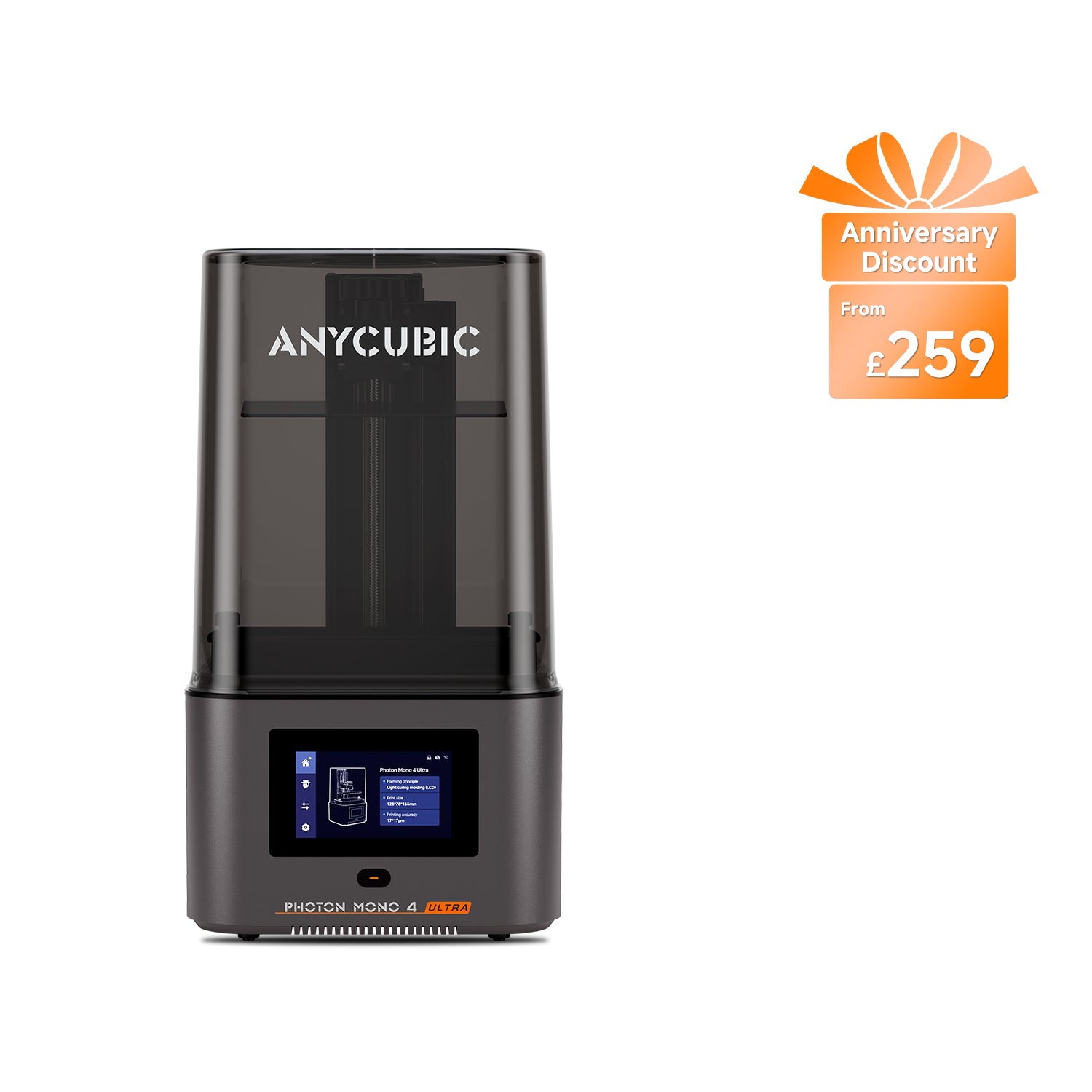
Anycubic Photon Mono 4 Ultra
Photon Mono 4 Ultra (not the Photon Mono 4 or Photon Mono 4 Max)
Dependable and conventional, with the finest square pixels here. You level it yourself, and for some buyers that is a feature rather than a cost.
- Build volume
- 153.4 × 87 × 165 mm (2.2 L)
- Technology
- Resin (MSLA)
- Max speed
- Max ≤80 mm/h; standard resin at 0.1 mm ≤80 mm/h, high-speed resin at 0.1 mm ≤120 mm/h (manufacturer maxima)
- Enclosed
- Lid (removable UV cover; Anycubic lists no hinged cover)
- Multi-colour
- No
- Auto levelling
- No — 4-point manual levelling
What we like
- 17 × 17 μm — the finest square pixel on this page
- Reviewers report it as dependable for small detailed models
- 66 W and 5 kg, the lightest machine here
- LCD covered for six months, the longest screen cover of the six
What we don’t
- Four-point manual levelling, and no adjustable feet
- The bundled slicer needs watching, especially automatic supports
- Owners suggest swapping the supplied film for sharper results
- No heated vat
The 153.4 × 87 × 165 mm plate is a shade wider than the Mars 5 Ultra's, behind a 7-inch 10K mono LCD at 17 × 17 μm — the finest square pixel on this page. Speed is quoted at up to 80 mm/h with standard resin and up to 120 mm/h with high-speed resin, layers run 0.02–0.15 mm, it draws 66 W, and at 5 kg it is the lightest machine here.
The difference that matters: levelling is a four-point manual job, not automatic. Reviewers are split on this — some see manual levelling as a good thing, though the lack of adjustable feet means an uneven surface has to be corrected another way. On output, reviewers repeatedly describe this printer as dependable for small detailed models. Two things to plan for: a recurring recommendation is to swap the supplied fast-release film for a clearer type if maximum sharpness matters, and several reviewers report that the bundled slicer needs watching, with automatic supports worth checking on each plate.
Anycubic gives 12 months on main components and six on the LCD, and it is stocked by Anycubic's UK store and 3DJake UK at £240–£290.
Buy it if you want 17 × 17 μm square pixels, four-point levelling you set yourself and the longest LCD cover here at six months. Skip it if price is the deciding factor or you want to press print and walk away — the Mars 5 Ultra costs less and levels itself.
Best for fine detail: ELEGOO Saturn 4 Ultra 16K
The reason to buy this machine is probably not the reason you think.
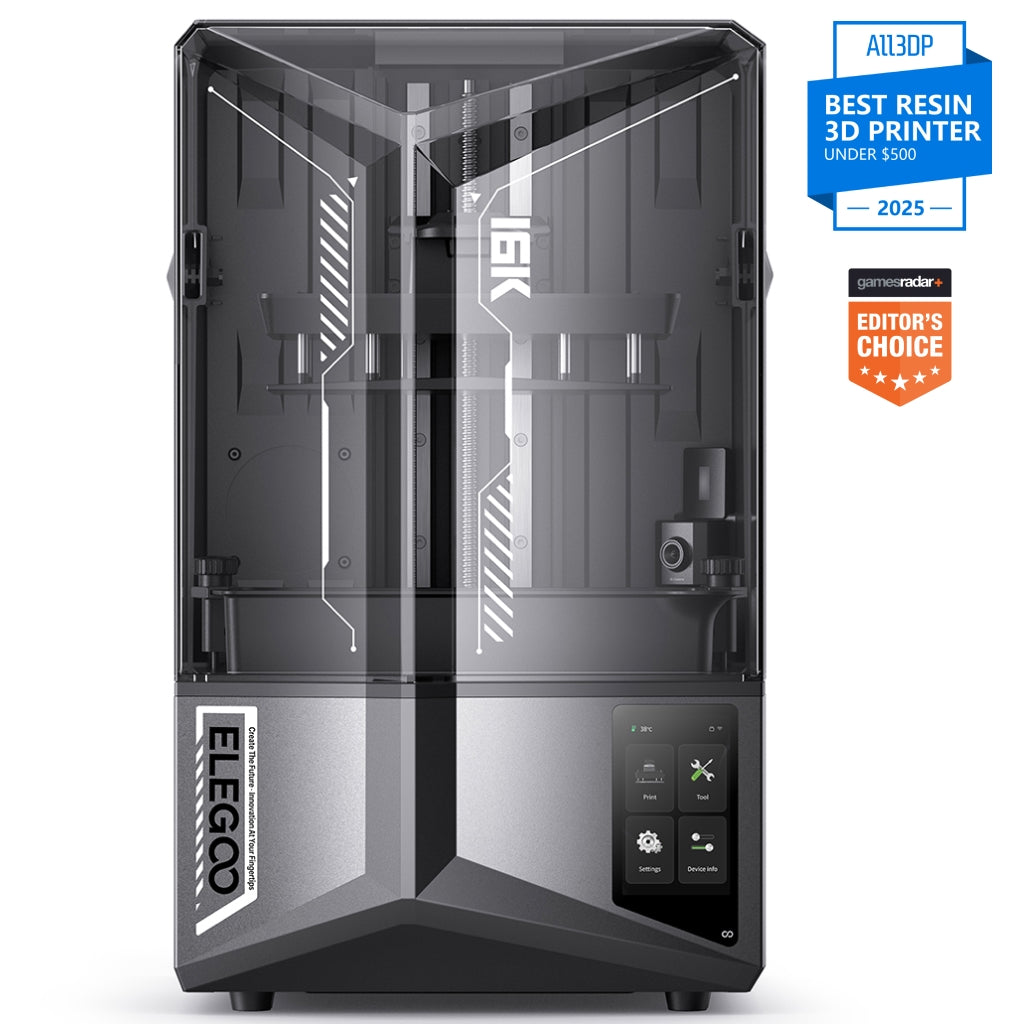
ELEGOO Saturn 4 Ultra 16K
Saturn 4 Ultra 16K (not the 12K Saturn 4 Ultra)
The 16K screen is a modest step in sharpness. The heated resin tank is the more practical upgrade for a cold room because it keeps resin viscosity consistent and can reduce temperature-related failures.
- Build volume
- 211.68 × 118.37 × 220 mm
- Technology
- Resin (MSLA)
- Max speed
- Up to 150 mm/h (fast mode, manufacturer maximum)
- Enclosed
- Lid (acrylic UV cover)
- Multi-colour
- No
- Auto levelling
- Yes (one-click automatic levelling)
What we like
- Heated tank held at 30 °C — what makes a cold room workable
- 14 × 19 μm, the finest resolution here
- Dual-band Wi-Fi and responsive UK support reports
- Barely more expensive than the 12K
What we don’t
- Smaller plate than the 12K: more pixels, less printable area
- The resolution step alone is modest
- ELEGOO publishes troubleshooting for heating and tank errors
- No filtration — it still needs a ventilated room
The specification reads as the 12K with a finer screen: a 10-inch 16K mono LCD at 15120 × 6230 giving 14 × 19 μm, against the 12K's 19 × 24 μm. The improvement is measurable but modest in normal prints — and it comes with a smaller plate, 211.68 × 118.37 × 220 mm, because more pixels on the same 10-inch panel shrink the printable area with them.
The upgrade that changes outcomes is the smart heating tank, held at 30 °C. Owners and reviewers repeatedly single out the heated vat as the feature that makes cold-room printing practical, though it does add a warm-up wait before a job starts. If your printer lives in a garage, a conservatory or an unheated spare room, which is common among UK users, that is worth more than the pixel count.
It is not free of trouble. ELEGOO publishes its own troubleshooting for heating and resin-tank errors on this model, which several owners encounter. Reports on plate release run both ways: several owners describe prints coming off unusually easily, while others have had to adjust bottom-layer exposure. And reviewers are blunt that it has no filtration of its own and needs a properly ventilated room rather than a spare bedroom, with a separate air purifier suggested alongside that rather than in place of it.
It levels automatically, connects over dual-band Wi-Fi, weighs 16.1 kg, and sells at £370–£420 — barely more than the 12K.
Buy it if your printing space is cold, or you print at the edge of what a screen can resolve. Skip it if the room is warm and the plate size matters more than the last few microns; the 12K gives you more printable area for less.
Best for speed: Anycubic Photon Mono M7 Pro
The M7 Pro is for printing in volume — batches, repeat jobs, a small business — where the hours a plate takes are a real cost.
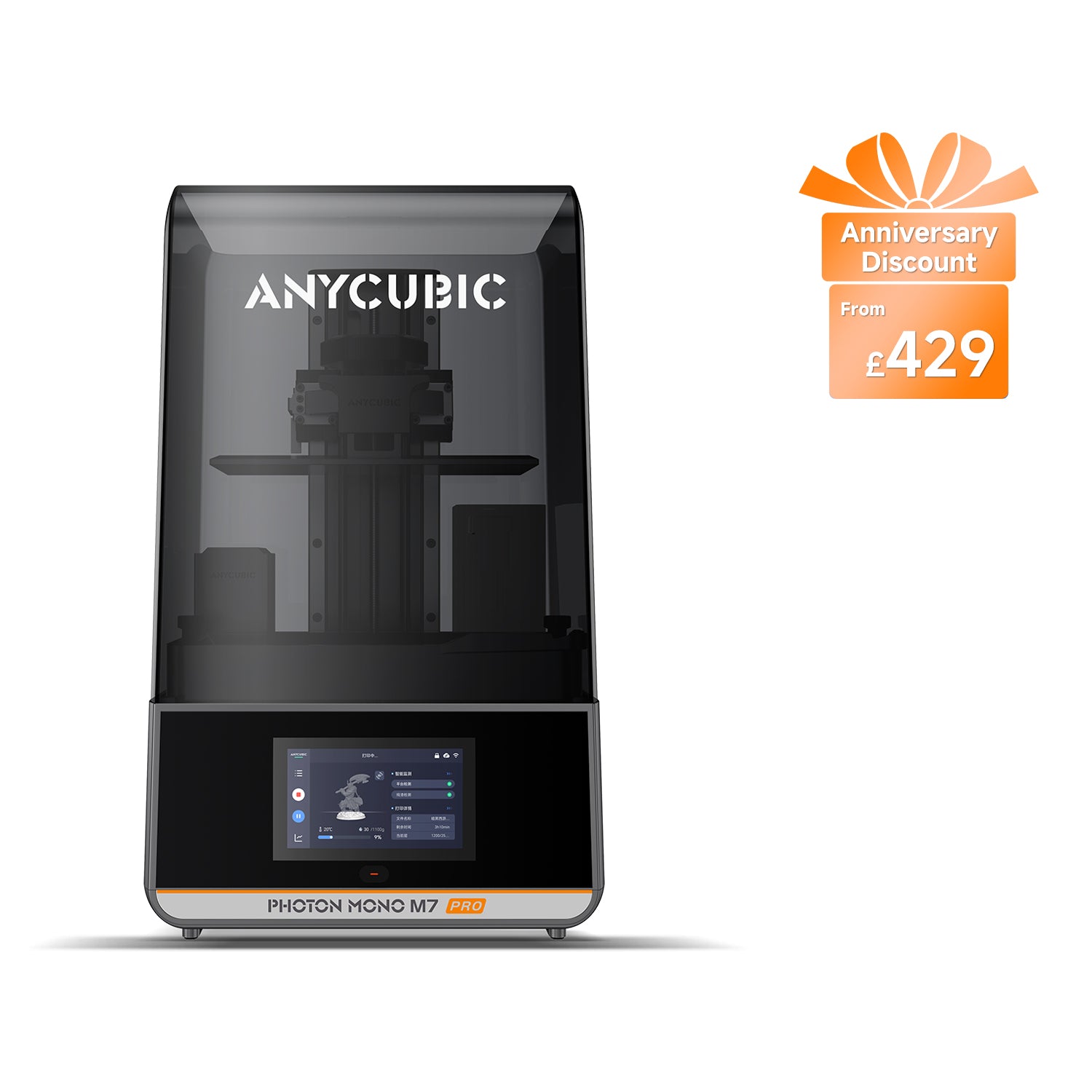
Anycubic Photon Mono M7 Pro
Photon Mono M7 Pro (not the Photon Mono M7 or M7 Max)
The fastest machine here by a clear margin, with automatic resin handling and a heated tank. The automation is also the part that needs the most attention.
- Build volume
- 223 × 126 × 230 mm (6.5 L)
- Technology
- Resin (MSLA)
- Max speed
- Max ≤130 mm/h; standard resin at 0.1 mm ≤130 mm/h, high-speed resin at 0.1 mm ≤170 mm/h (manufacturer maxima)
- Enclosed
- Lid (removable UV cover; Anycubic lists no hinged cover)
- Multi-colour
- No
- Auto levelling
- Yes (levelling-free)
What we like
- Up to 170 mm/h with high-speed resin, the fastest of the six
- Largest desktop plate here at 223 × 126 × 230 mm
- Integrated resin heating, a real improvement on the bolt-on version
- Photon Workshop is supported; confirm current ChituBox and Lychee compatibility before purchase
What we don’t
- Owners repeatedly report the automatic resin feed as inconsistent as the bottle empties
- The feed system and bolted tank add cleaning steps on a colour change
- No power-loss resume
- Levelling-free still needs re-running after maintenance
Speed is quoted at up to 130 mm/h with standard resin and up to 170 mm/h with high-speed resin — comfortably ahead of the 150 mm/h ceiling the ELEGOO machines quote. The plate is 223 × 126 × 230 mm, the largest of the desktop machines here, behind a 10.1-inch 14K LCD at 16.8 × 24.8 μm. The Z axis rides dual linear rails quoted at 10 μm precision, it is levelling-free, and it handles resin automatically, filling and draining the vat.
That automation is the thing to weigh. Owner and reviewer reports repeatedly describe the automatic resin feed as inconsistent, particularly as the bottle empties, and the manufacturer publishes its own troubleshooting and sells replacement pump tubing for it. A recurring theme in reviews is that the automatic feed and bolted tank add cleaning steps, particularly when changing resin colours. Against that, the integrated resin heating is widely regarded as a genuine improvement over the previous bolt-on version, and owners find the levelling-free system genuinely reduces routine calibration, although it still needs re-running after some maintenance.
Two specifications worth knowing before a long job: power-loss resume is not supported, and air purification is an optional AirPure accessory rather than a built-in filter — so this machine needs a ventilated room like the rest. It draws 240 W, weighs 12.8 kg, is supported by Photon Workshop, with Anycubic listing Lychee Slicer as planned rather than delivered — confirm current ChituBox and Lychee compatibility before purchase, and sells at £410–£470.
Buy it if throughput is the point and you will keep the feed system maintained. Skip it if you print occasionally — the Saturn 12K does the same work more simply for less.
Best large format: ELEGOO Jupiter 2
The Jupiter 2 exists for one reason: parts that will not fit anything else — helmets, large busts, terrain in single pieces, production batches on one plate.
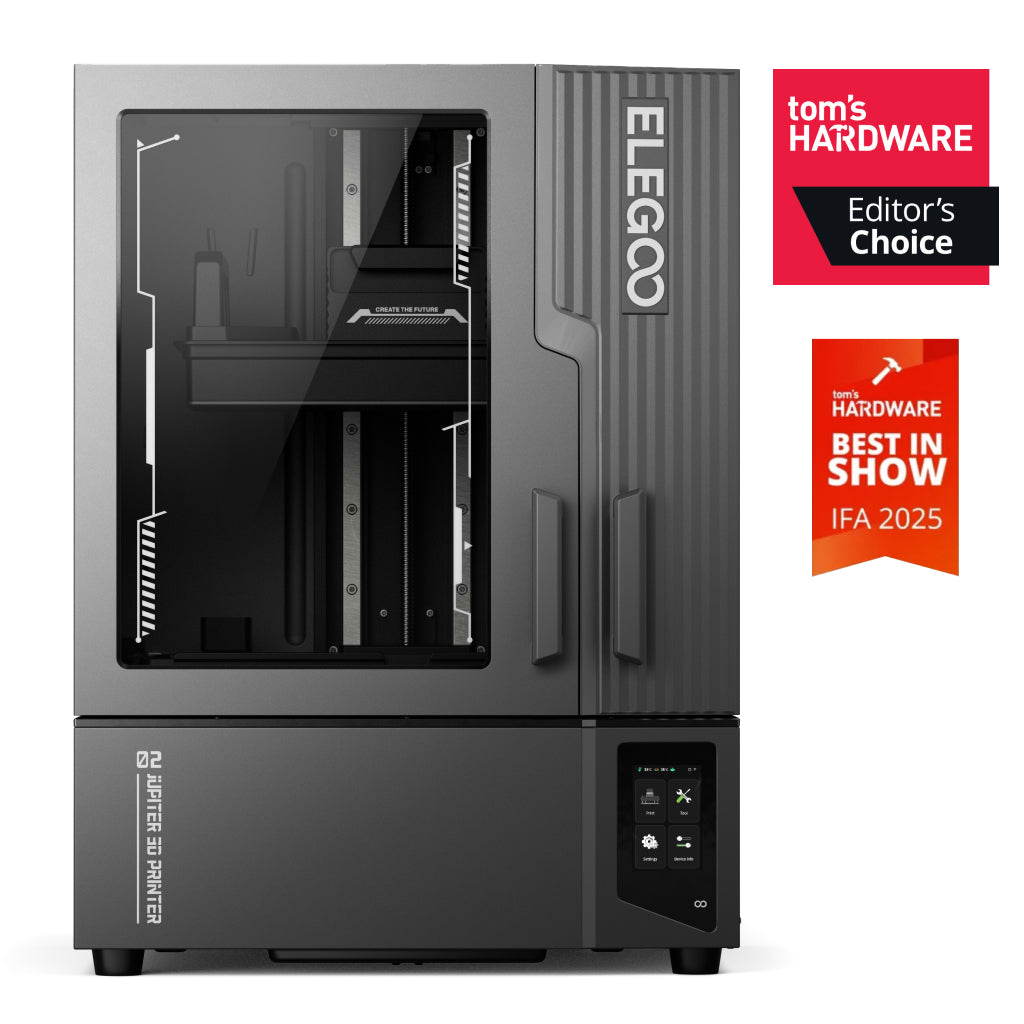
ELEGOO Jupiter 2
Jupiter 2 (16K; not the Jupiter or Jupiter SE)
A 302 mm plate with automatic resin feeding and recycling. It needs a desk to itself, a slicer you did not choose, and an owner who has printed resin before.
- Build volume
- 302 × 162 × 300 mm
- Technology
- Resin (MSLA)
- Max speed
- Up to 90 mm/h (manufacturer maximum)
- Enclosed
- Yes — double-door enclosure
- Multi-colour
- No
- Auto levelling
- Yes (auto levelling on four independent force sensors; manual levelling with real-time data feedback also available)
What we like
- 302 × 162 × 300 mm — about seven times a Mars 5 Ultra's volume
- Quick-swap 14-inch screen and four-sensor levelling
- Automatic resin feeding and recycling
- Reviewers consistently praise output sharpness and plate quality
What we don’t
- 20 × 26 μm: coarser than either Saturn, because 16K is spread over 14 inches
- Needs far more desk space than its width suggests — doors swing wide, access is at the rear
- ELEGOO UK only; 3DJake will not deliver it to Great Britain
- Tied to the maker's own slicer
- Accessory gaps, including framed-only release film
The plate is 302 × 162 × 300 mm — roughly seven times the printable volume of a Mars 5 Ultra — behind a 14-inch 16K quick-swap mono LCD at 15120 × 6230. At a fixed pixel count a larger build area means larger pixels, so spreading 16K across 14 inches gives a 20 × 26 μm XY resolution, coarser than either Saturn: this machine prioritises print size over the finest detail. It runs at up to 90 mm/h, levels on four independent force sensors, and feeds and recycles resin automatically.
Reviewers who have printed on the Jupiter 2 consistently praise the sharpness of its output and the quality of its build plate. But the practical warnings are unusually consistent. Reviewers repeatedly warn that this printer needs far more desk space than its own width suggests, because the doors swing wide and access is from the rear. The machine itself is 465 × 508.1 × 648.1 mm and weighs 28.9 kg; plan the space around it, not just for it. Several reviewers describe the Jupiter 2 as less forgiving than current rivals and suggest it suits owners who already have resin printing experience. A recurring criticism is that it is tied to the manufacturer's own slicer, with wider software support described as planned rather than delivered. And owners repeatedly run into gaps in the accessory range, including release film sold only as a framed assembly.
The UK position is the tightest on this page: ELEGOO's UK store only, with 3DJake UK stating that delivery to Great Britain is not possible. It draws 300 W and sells at £650–£800.
Buy it if you can name the part that will not fit on any other machine here, and this is not your first resin printer. Skip it if you are choosing it for detail — both Saturns resolve finer — or if you cannot give it a dedicated surface with rear access.
What to look for in a resin printer
Six questions decide which resin 3D printer is right for you.
Screen resolution, and what the numbers hide. A "16K" figure is a pixel count, not a sharpness rating. Sharpness is the XY resolution — how big each pixel actually is — which depends on how far those pixels are spread across the panel. The 14-inch 16K Jupiter 2 resolves 20 × 26 μm; the 10-inch 16K Saturn resolves 14 × 19 μm. Same headline, very different result: compare the micron figure, never the K.
A heated vat, and why it matters in a British room. Photopolymer resin thickens as it cools, and thick resin means poor flow, incomplete layers and failed prints. In a heated living room this rarely comes up. In a garage in February it comes up constantly. Of the six machines here, three hold the vat warm and three do not — and that single line is a better guide to which one suits your space than any resolution figure.
Build volume. Bigger costs more in every direction — price, footprint, resin per plate, screen replacement. Buy the smallest plate that fits what you actually print.
Levelling. Treat "levelling-free" as a claim about frequency, not a promise: owners of two machines here report re-running it after maintenance.
Failure detection. Useful for watching a long job from another room, weaker than it sounds as a safety net — the early layers, where most failures start, are the hardest for a camera to judge.
Slicer and ecosystem. ChituBox and Lychee are the general-purpose tools most people end up using, so a machine tied to its maker's own slicer is a narrower purchase.
Living with a resin printer
Nothing on a specification sheet prepares you for the workflow, and it decides whether people stay with resin or sell the machine after a month. Every print comes off the plate wet with uncured resin, gets washed in isopropyl alcohol, then cured under UV before it is safe to handle properly. Uncured resin is a skin and respiratory irritant, so gloves are not optional, the surface underneath wants covering, and the alcohol and waste resin both need somewhere to go.
Then ventilation. This is the single most common piece of advice from owners, and it applies to every machine here: a recurring theme is that the lid does not contain resin fumes, so ventilation or an extraction setup is treated as a requirement rather than an option. Reviewers are blunt that a machine with no filtration of its own belongs in a properly ventilated room rather than a spare bedroom, with a separate air purifier suggested alongside that rather than instead of it.
Some resin printers offer built-in or optional activated-carbon filtration, but these systems mainly reduce odour and some vapours. They should not be treated as a replacement for suitable room ventilation or local extraction. Use the printer in a dedicated, well-ventilated area and follow the resin manufacturer's safety data sheet. Where practical, use an enclosure or local extraction vented outdoors. A small activated-carbon purifier may reduce odour, but it should not be relied on as the only ventilation measure. What you are looking for is a dedicated, well-ventilated workspace or a suitable extraction system vented outdoors — a garage is not automatically either one. A bedroom with the door shut is not a resin room.
If that sounds like a lot, be honest with yourself early: for functional parts and larger objects an FDM printer is cleaner, cheaper to run and needs none of this. Resin earns its inconvenience only when detail is the point — which, for most people, means miniatures. That is a narrow enough question to have its own answer: our guide to the best resin printers for miniatures ranks these machines on pixel size against a 28 mm figure.
What resin printing actually costs in the UK
The printer is only part of the first-year cost, because resin, washing, curing, protective equipment and replacement consumables must also be budgeted for. Here is the maths, with the assumptions in the open; treat all of it as an estimate.
Resin. Standard grey sits in the region of £20 to £35 per litre in the UK when checked, with speciality resins higher. A typical plate of small miniatures may use less than a tenth of a litre, but actual consumption depends on model size, hollowing, supports, failed prints and the amount of resin left in the vat.
Alcohol and consumables. Isopropyl alcohol for washing is the recurring cost people forget, and it gets dirty and needs replacing. Gloves, paper, and a container for waste resin all add up quietly.
Wear parts. These are real and they are not optional. Release film is a routine consumable on these machines, and owner opinion is divided on whether a tilting vat lengthens or shortens its life. Owners commonly budget for release film and eventually a replacement LCD as consumables on this class of printer. Screen warranties tell you how the makers see it: ELEGOO covers the LCD for three months against 12 on the machine, Anycubic for six. On the Jupiter 2, plan for more: owners repeatedly run into gaps in the accessory range, including release film sold only as a framed assembly.
Electricity. Electricity is normally a smaller expense than resin and consumables, but it still varies by machine and print duration. At 25p per kWh, a printer averaging 66 W costs about 1.7p per hour, while a 300 W machine costs about 7.5p per hour. A 24-hour job would therefore cost approximately 40p to £1.80, before adding a wash-and-cure station. Those are the two ends of this page: the Photon Mono 4 Ultra is rated at 66 W and the Jupiter 2 at 300 W.
Where to buy a resin printer in the UK
Where a resin printer ships from matters, because they are heavy, fragile and full of liquid. Availability is also the specification that changes fastest and gets checked least.
ELEGOO sells the Saturn 4 Ultra, the 16K and the Mars 5 Ultra through its own UK store, with 3DJake UK stocking them too, on 12 months' warranty and three on the LCD. Owners on UK review sites more often than not describe ELEGOO's support as quick to respond, with the recurring complaints being transit damage and postage on returns.
The Jupiter 2 is the exception, with ELEGOO's UK store the only route: 3DJake UK states that delivery to Great Britain is not possible.
Anycubic stocks the Photon Mono 4 Ultra and the M7 Pro in its UK store, with 3DJake UK also listing them. Warranty is 12 months on main components and six on the LCD, the most generous screen cover here.
Whichever you buy, your rights are against the retailer rather than the brand under the Consumer Rights Act 2015, which is a further argument for a UK store over an import.
Resin-printing mistakes that waste money
Buying resin without a plan for the fumes. The most common regret, and the easiest to avoid. Decide where the printer, the wash station and the waste will live before you order.
Buying 16K for the resolution. The step from 12K to 16K on the same panel is modest; the heated vat is the real difference, and it is a different reason from the one on the box.
Forgetting the wash-and-cure station. It is part of the machine, not an accessory. A printer bought at the top of your budget with nothing left for the rest of the workflow is a printer you will not use.
Buying a superseded model from an old guide. The Mars 4 Ultra and Photon Mono M5s still appear in lists ranking today and have left their makers' ranges.
Underestimating a large machine's footprint. As the Jupiter 2 section explains, measure the space around a big machine, not just the space it stands on.
Reading "auto levelling" as "never think about levelling". It reduces the routine, not the understanding.
Which resin printer should you buy?
The Saturn 4 Ultra 12K is the machine for most UK buyers, and the Mars 5 Ultra is the sensible way to find out whether resin suits you at all. Spend beyond either only when you can name the constraint — a cold room, a throughput target, or a part that will not fit. And whichever you choose, budget for the workflow as well as the printer: it decides whether the machine still gets used in six months.
- Buy it if
- You want one resin printer that handles most work without becoming a project — the ELEGOO Saturn 4 Ultra 12K is the answer, and the Mars 5 Ultra if you are starting out or printing small.
- Skip it if
- Your printing space is cold (take the 16K for its heated vat), you print in volume (the M7 Pro), or you have a part that will not fit a 223 mm plate (the Jupiter 2, with the desk space it demands).
How this article was researched. Specifications come from manufacturer sheets and manuals, price bands and stock from UK stores on 8 September 2026, and owner patterns from manufacturer documentation, UK review sites and owner discussion, aggregated across many reports rather than taken from any single one. Commercial pages on this site are refreshed quarterly.
Common questions
- Which resin printer should I buy in the UK?
- For most people the ELEGOO Saturn 4 Ultra 12K, at £350–£450: a full-size plate, automatic levelling and a tilting vat. If it is your first resin printer, or your prints are small, the Mars 5 Ultra at £210–£260 is the lower-risk way in. Buy beyond either only when you can name the constraint.
- What size resin printer is best?
- The smallest plate that fits what you actually print. A larger plate costs more in resin per job, in footprint, and in screen replacement. A 153 mm plate suits miniatures and small parts; a 219 mm plate suits full batches; only go past that if you have a specific part that will not fit.
- Which resin printer is easiest to maintain?
- The simpler machines. Automatic resin feeding sounds like less work but adds cleaning steps and a system that owners report needing attention. A conventional vat you fill by hand, like the Mars 5 Ultra's or the Photon Mono 4 Ultra's, is quicker to clean and has less to go wrong.
- Do I need ventilation for a resin printer?
- Yes. Some resin printers offer built-in or optional activated-carbon filtration, but these systems mainly reduce odour and some vapours. They should not be treated as a replacement for suitable room ventilation or local extraction. Use the printer in a dedicated, well-ventilated area, follow the resin manufacturer's safety data sheet, and where practical use an enclosure or local extraction vented outdoors. Uncured resin is a skin and respiratory irritant, so gloves and a covered work surface come with it.
- Is 16K worth it over 12K?
- Not for the resolution alone — the step from 19 × 24 μm to 14 × 19 μm on the same 10-inch panel is modest, and the 16K's printable area is actually smaller. It is worth it for the heated resin tank, which keeps resin flowing in a cold room. If your printer lives somewhere unheated, that is the reason to pay the difference.
- How much does resin printing cost to run in the UK?
- Resin is the main cost, in the region of £20 to £35 per litre for standard grey. A typical plate of small miniatures may use less than a tenth of a litre, but actual consumption depends on model size, hollowing, supports, failed prints and the amount of resin left in the vat. Add isopropyl alcohol, gloves and release film, and eventually a replacement screen. Electricity is usually the smaller line: at 25p per kWh a 66 W machine costs about 1.7p an hour and a 300 W machine about 7.5p.