Best 3D Printers UK 2026
The best 3D printers you can actually buy in the UK, ranked by role — budget, beginner, enclosed, resin, large format — with UK support and running costs.
Independent and reader-funded. We earn a commission if you buy through our links, at no extra cost to you. How this works.
For most people in the UK, the best 3D printer to buy right now is the Bambu Lab A1: it calibrates itself, prints reliably on the first evening, and sits at a price most buyers can justify. Under £200, the Creality Ender-3 V3 SE is the sensible floor. For miniatures, you want resin, and the ELEGOO Saturn 4 Ultra is the one to look at.
That is the short answer for UK buyers asking which 3D printer is best. Most guides ranking for this search are written for US readers, price in dollars and still recommend replaced models. This one is built from current UK ranges, prices, support arrangements and owner reports.
How we chose these printers
We have not run first-hand tests on these machines, and this page does not pretend otherwise. Every recommendation is built from manufacturer specification sheets and manuals, current UK store listings, and reports aggregated from manufacturer forums and UK review sites. A specification that could not be confirmed from a primary source is not on this page. Our review methodology sets this out in full.
Four things decide the ranking, in order: reliability out of the box, total cost in the UK, fit for the stated job, and support and longevity. The best consumer 3D printer for miniatures is a different machine from the best one for cosplay props, and a printer nobody will support in three years is not a bargain.
One check most guides skip is whether a model is still current. In 2026 the Bambu Lab X1 Carbon gave way to the X2D, the Prusa CORE One became the CORE One+, and ELEGOO's Mars 4 Ultra and Anycubic's Photon Mono M5s left their ranges. Every machine below was confirmed as a current, UK-available model on 8 September 2026.
The nine picks compared
Nine machines, one role each. Read the "Best for" row first: if a role is not yours, that printer is not your printer, however good it is.
| Specification | 1 Bambu Lab A1 Best overall | 2 Creality Ender-3 V3 SE Best budget | 3 Bambu Lab A1 mini Beginners & small spaces | 4 ELEGOO Centauri Carbon 2 Value enclosed | 5 Bambu Lab P2S Premium enclosed | 6 ELEGOO Saturn 4 Ultra 12K Miniatures (resin) | 7 ELEGOO Neptune 4 Max Large format | 8 Bambu Lab A1 Combo Multi-colour | 9 Prusa CORE One+ (Gen 2) Premium & professional |
|---|---|---|---|---|---|---|---|---|---|
| Best for | Most people | Under £200 | Beginners, small spaces | Value enclosed | Premium enclosed | Miniatures (resin) | Large parts | Multi-colour | Support and longevity |
| Technology | FDM | FDM | FDM | FDM (CoreXY) | FDM (CoreXY) | Resin (MSLA) | FDM | FDM | FDM (CoreXY) |
| Build volume | 256 × 256 × 256 mm | 220 × 220 × 250 mm | 180 × 180 × 180 mm | 256 × 256 × 256 mm | 256 × 256 × 256 mm | 219 × 123 × 220 mm | 420 × 420 × 480 mm | 256 × 256 × 256 mm | 250 × 220 × 270 mm |
| Enclosed | No | No | No | Yes | Yes | Lid | No | No | Yes |
| Multi-colour | Optional (AMS lite) | No | Optional (AMS lite) | Optional (CANVAS) | Optional (AMS) | — | No | Included (AMS lite) | Optional (MMU3) |
| Typical UK price | £240–£320 | Around £150 | £170–£270 | £280–£310 | £450–£550 | £350–£450 | £380–£470 | £340–£430 | £1,200–£1,500 |
| UK support | UK store + resellers | UK store, UK warehouse | UK store + resellers | UK store | UK store + resellers | UK store | UK store | UK store + resellers | Direct from EU, 3DJake UK |
Best overall: Bambu Lab A1
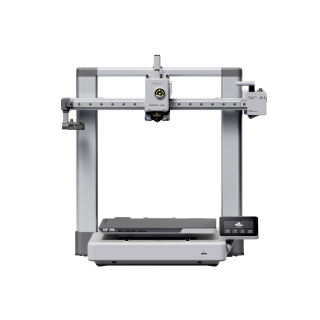
The A1 is for people who want to make things rather than maintain a machine: a first or second printer, PLA and PETG, a household where the printer has to earn its space by working without fuss.
It earns the top role on reliability, not headline speed. The A1 runs automatic bed levelling and flow calibration before each print, the feature that most strongly determines whether a beginner's first evening ends in a finished part or a forum post. Long-term reports on the Bambu Lab forum describe the A1 as reliable and low-maintenance, particularly next to older budget printers.
Bambu Lab A1
A1 (standard, without AMS lite)
Automatic calibration and consistent first prints at a price most buyers can justify. The machine we would point almost anyone to first.
- Build volume
- 256 × 256 × 256 mm
- Technology
- FDM
- Max speed
- 500 mm/s toolhead (10,000 mm/s² acceleration)
- Enclosed
- No
- Multi-colour
- Optional (AMS lite sold separately; up to 4 spools)
- Auto levelling
- Yes (fully automatic)
What we like
- Levels the bed and calibrates flow before every print
- 256 mm cube covers nearly everything a home user makes
- Two-year UK warranty, sold through an official UK store
- Owners consistently describe it as reliable and low-maintenance
What we don’t
- Open frame, so ABS and ASA are impractical
- Multi-colour costs extra — the AMS lite is a separate purchase
- Owners report warranty support can be slow
The 256 × 256 × 256 mm build volume covers nearly everything a home user prints. The hot end reaches 300 °C and the plate 100 °C, plenty for the PLA, PETG and TPU that Bambu lists as ideal. Speed is quoted at up to 500 mm/s, though the calibration saves more time than the motion system does.
What it gives up is an enclosure. The A1 is open-frame, so ABS, ASA and nylon are difficult: without a warm, still chamber they are prone to warping. If those are on your list, skip to the Centauri Carbon 2 or the P2S. Multi-colour can be added later with the AMS lite, which is why the Combo appears at role eight.
On the brand: slow warranty support comes up often among Bambu Lab buyers on UK review sites and the manufacturer's forum, although delivery and packaging are generally praised. Bambu backs the A1 with a two-year UK warranty through an official UK store and UK resellers, at roughly £240–£320 when checked.
Buy it if you mostly print PLA or PETG and want the printer to be the boring part of the hobby. Skip it if you need ABS or ASA — buy enclosed — or you print miniatures, where resin wins outright.
Best budget: Creality Ender-3 V3 SE
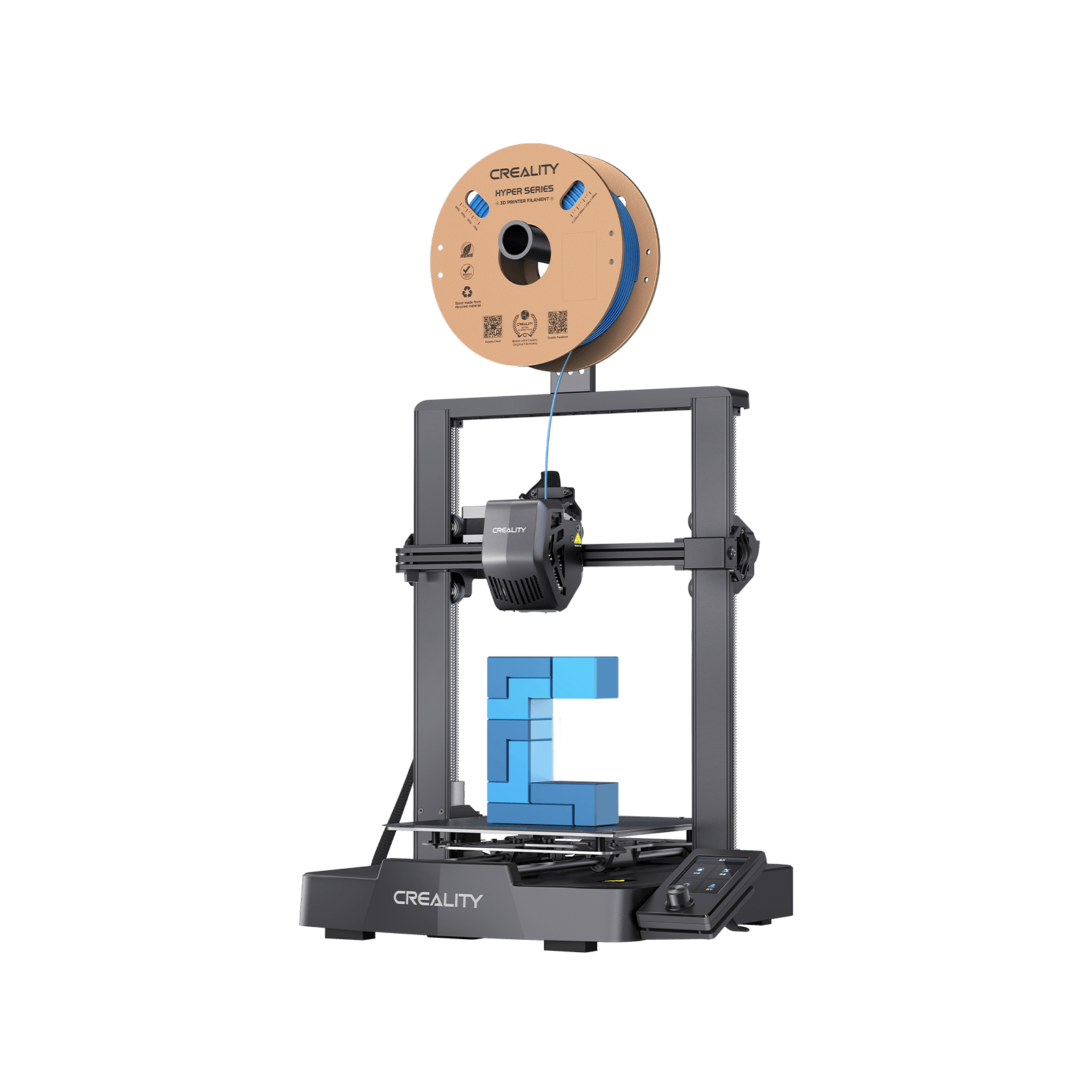
The V3 SE suits anyone whose ceiling is genuinely under £200: students, a parent buying for a teenager, someone testing whether the hobby sticks. It earns the role as the cheapest machine that still auto-levels, and it heads our guide to the best budget 3D printers in the UK.
Creality Ender-3 V3 SE
Auto-levelling and a direct-drive extruder for what used to buy a kit. Slower and more hands-on than the A1, but the sensible floor.
- Build volume
- 220 × 220 × 250 mm
- Technology
- FDM
- Max speed
- 250 mm/s (2,500 mm/s² acceleration)
- Enclosed
- No
- Multi-colour
- No
- Auto levelling
- Yes (CR Touch plus strain-sensor auto Z-offset)
What we like
- The cheapest machine here that still levels itself
- Direct-drive extruder handles PLA, PETG and flexible TPU
- Ships from a UK warehouse, so returns are straightforward
- First-time owners regularly get a good print without tuning
What we don’t
- Files go on by SD card only — there is no Wi-Fi
- 250 mm/s quoted top speed, half what the Bambu machines claim
- 260 C nozzle rules out engineering materials
- Creality's after-sales support draws repeated complaints
The specification is honest about what the money buys. A 220 × 220 × 250 mm build volume is a touch smaller than the A1's. Auto bed levelling uses a CR Touch probe with a strain sensor, fixing the one thing that made older Enders frustrating. Speed is quoted at 250 mm/s — half the A1's figure, and the gap is real on larger prints. The nozzle tops out at 260 °C and the bed at 100 °C, so Creality lists PLA, PETG and 95A TPU; it is open-frame with no multi-colour option. Files arrive by SD card only — no Wi-Fi, which surprises people.
First-time owners frequently describe the V3 SE as easy to set up and capable of a good first print without tuning, which is why it is so often suggested to beginners. Reviews of Creality on UK consumer sites raise slow and unhelpful after-sales support often enough to weigh against the low purchase price. Creality sells it through its own UK store, shipping from a UK warehouse, at around the £150 mark when checked.
Buy it if the budget is fixed and you are happy to learn a little about slicers along the way. Skip it if you can stretch to the A1 — the extra buys speed, Wi-Fi and less fiddling.
Best for beginners and small spaces: Bambu Lab A1 mini
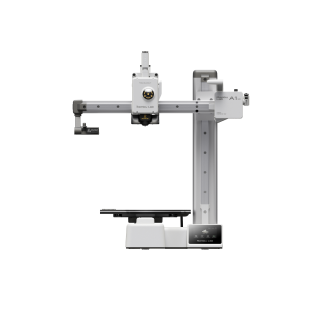
The A1 mini is the printer for a bedroom, a flat, or a desk that has to stay a desk. It suits first-time buyers who want the A1's hands-off character in a smaller, lighter box, and anyone whose projects are mostly small.
Bambu Lab A1 mini
A1 mini (standard, without AMS lite)
The A1's calibration and reliability in a smaller, quieter, lighter machine. The lowest-commitment way into the hobby that still feels finished.
- Build volume
- 180 × 180 × 180 mm
- Technology
- FDM
- Max speed
- 500 mm/s toolhead (10 m/s² acceleration)
- Enclosed
- No
- Multi-colour
- Optional (AMS lite sold separately; up to 4 spools)
- Auto levelling
- Yes (fully automatic)
What we like
- 180 mm cube fits a desk, a shelf or a bedroom
- Same automatic calibration as the full-size A1
- 150 W maximum — the cheapest machine here to run
- Two-year UK warranty
What we don’t
- 180 mm build volume rules out helmets and large props
- 80 C bed keeps it to PLA and PETG
- Owners find the mainboard fan runs constantly, even at idle
The main trade-off is its 180 × 180 × 180 mm build volume. Everything else carries over: automatic bed levelling, a 300 °C hot end, the same 500 mm/s quoted speed and the AMS lite as an optional upgrade. The bed reaches 80 °C rather than the A1's 100 — fine for PLA and PETG on an open frame. At 5.5 kg and a maximum of 150 W, it is the lightest and cheapest to run here.
Reports from owners describe the A1 mini as reliable and low-effort, which is why it is so often suggested as a first printer. A recurring complaint is the constantly running main-board fan, which some find intrusive at idle, although others describe the machine as quiet overall. It costs roughly £170–£270 against the A1's £240–£320, with the same two-year UK warranty.
Buy it if space, noise or budget is tight and your prints are small. Skip it if helmets, large props or anything wider than a paperback are already on your list.
Best value enclosed: ELEGOO Centauri Carbon 2
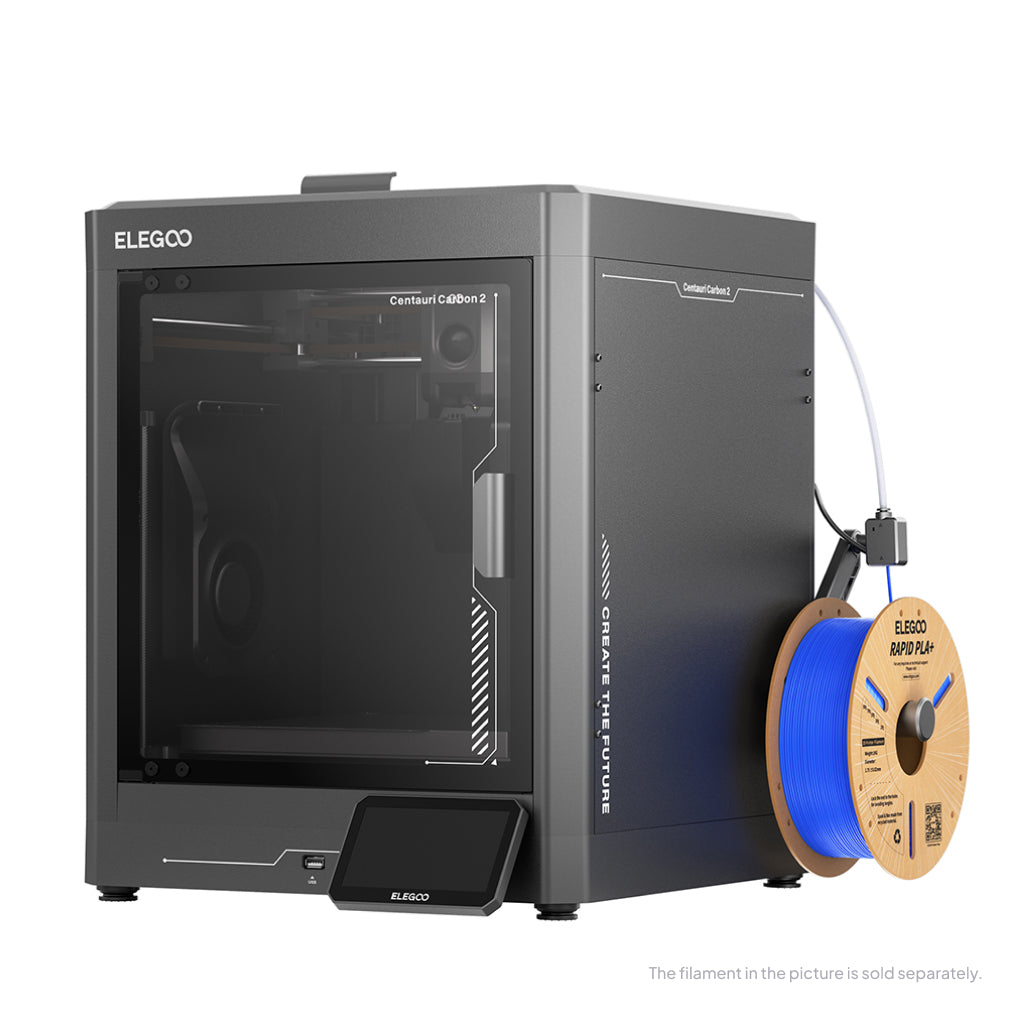
The Centauri Carbon 2 is for the buyer who liked the A1 section and then remembered the parts they want are ABS brackets for a car or ASA fittings for the garden. Those materials need a warm, still chamber, and until this machine a proper enclosure meant paying Bambu prices.
ELEGOO Centauri Carbon 2
Centauri Carbon 2 (standard, without CANVAS - not Combo)
A fully enclosed CoreXY printer with a 350 °C hot end for less than any enclosed rival. Software is the rough edge; the hardware is not.
- Build volume
- 256 × 256 × 256 mm
- Technology
- FDM
- Max speed
- 500 mm/s (CoreXY)
- Enclosed
- Yes (thermally regulated enclosure)
- Multi-colour
- Optional (CANVAS 4-colour system; included only in the Combo; standard unit can be upgraded)
- Auto levelling
- Yes — full-auto calibration with 121-point auto-levelling and partial bed-levelling
What we like
- A fully enclosed CoreXY machine at open-frame money
- 350 C hot end and 110 C bed handle ABS, ASA and carbon-fibre blends
- Rated under 45 dB
- Sold through ELEGOO's own UK store
What we don’t
- Owners report flaky printer-to-app connectivity; USB is the workaround
- The CANVAS multi-colour unit draws loading and jam complaints
- Launched January 2026, so long-term reliability is still unproven
The chamber is fully enclosed, the build volume matches the A1 at 256 × 256 × 256 mm, and the hot end reaches 350 °C with the bed at 110 °C — headroom for ABS, ASA and carbon-fibre blends, which is the point of buying enclosed. It calibrates automatically, is quoted at up to 500 mm/s, and ELEGOO rates it under 45 dB. Multi-colour is optional via the CANVAS unit.
Two honest notes. It launched on 26 January 2026 as the successor to the original Centauri Carbon, so long-term owner history is thin. And the complaints cluster around software, not the printer. Owners and reviewers describe flaky connectivity between printer, slicer and app often enough that USB printing has become the common workaround. The praise is equally consistent: owners and reviewers rate its single-colour print quality highly for the price, with the caveats concentrated on software and multicolour. It is sold through ELEGOO's official UK store at roughly £280–£310 — about A1 money for an enclosed printer.
Buy it if ABS, ASA or engineering filaments are on your list and you are comfortable printing from USB while the software matures. Skip it if you only print PLA — the A1 is simpler — or you want the app and multi-colour to just work, which is where the P2S earns its premium.
Best premium enclosed: Bambu Lab P2S
The P2S is for people who already know they will print engineering materials regularly, want the Bambu ecosystem's polish, and would rather pay once than work around software. It is the machine a small studio buys instead of a second A1.
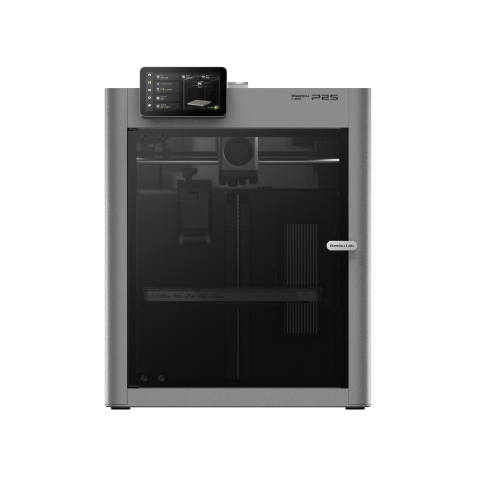
Bambu Lab P2S
P2S (standard, without AMS)
Bambu's current enclosed workhorse: fast, camera-monitored, quick-swap nozzle, and the AMS path for multi-material. The P1S is still sold alongside it, and costs less.
- Build volume
- 256 × 256 × 256 mm
- Technology
- FDM
- Max speed
- 600 mm/s toolhead (20,000 mm/s² acceleration)
- Enclosed
- Yes (fully enclosed; door sensor and activated-carbon air filter; no active chamber heater listed)
- Multi-colour
- Optional (AMS 2 Pro / AMS sold separately or in P2S Combo)
- Auto levelling
- Not confirmed
What we like
- Enclosed and rated for ABS, ASA and TPU at 600 mm/s
- Built-in 1080p camera for watching a long print
- AMS 2 Pro adds multi-material when you need it
- Two-year UK warranty through UK resellers
What we don’t
- The P1S is still sold alongside it, and costs less
- Owners describe the chamber running warm on long PLA prints
- A large step up in price from the A1 for the same build volume
Fully enclosed with a 256 × 256 × 256 mm build volume, a 300 °C nozzle and a 110 °C bed, it supports PLA, PETG, ABS, ASA and TPU and is quoted at 600 mm/s. A built-in 1080p camera handles monitoring; multi-colour is optional through the AMS 2 Pro. It settles at around 200 W while printing.
Bambu sells the P1S alongside it as a companion model, and the P1S is cheaper. Owner discussion turns on positioning rather than reliability: buyers weigh the P2S against the P1S sold beside it and the newer models above it. One pattern to plan for: some owners describe the chamber running warm on long PLA prints and adjust the airflow or open the door, while others consider this normal enclosed-printer behaviour. That is the rule for every enclosed machine here — PLA prefers cooler air, so an enclosure is a feature for ABS and a small compromise for PLA. It is available from Bambu's UK page and UK resellers with a two-year UK warranty, at roughly £450–£550.
Buy it if you print ABS, ASA or carbon-fibre blends often and want the ecosystem to handle the workflow. Skip it if enclosed printing is occasional, since the Centauri Carbon 2 does it for less, or if you mostly print PLA.
Best resin printer for miniatures: ELEGOO Saturn 4 Ultra (12K)
If you paint miniatures or want figures with detail an FDM machine cannot reach, you want resin. Resin cures liquid photopolymer with light instead of laying melted plastic, so its smallest feature is set by screen pixel size rather than by a nozzle — which is why faces and chainmail survive at 28 mm scale. The Saturn 4 Ultra is the resin printer we would point most UK buyers to. This covers the 12K model; a 16K sibling is sold alongside it and is a different machine.
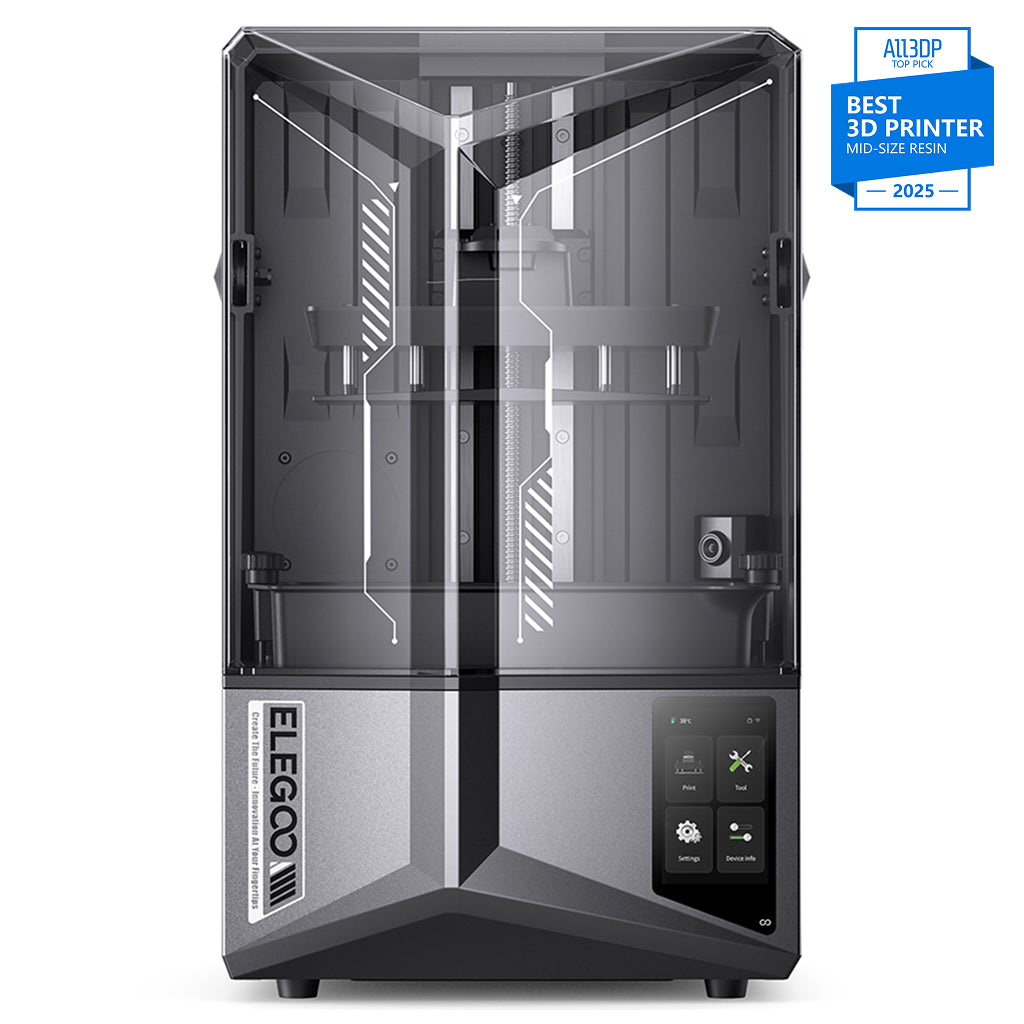
ELEGOO Saturn 4 Ultra 12K
Saturn 4 Ultra 12K (not the 16K variant)
A 12K MSLA printer with automatic levelling and a tilting vat, which together can help reduce failed prints. Superb detail — but resin is a workflow, not just a printer.
- Build volume
- 218.88 × 122.88 × 220 mm
- Technology
- Resin MSLA
- Max speed
- Up to 150 mm/h (fast mode)
- Enclosed
- N/A (resin printer with hinged UV cover)
- Multi-colour
- No
- Auto levelling
- Yes (hands-free automatic levelling; tilt-release platform)
What we like
- 12K screen resolves detail no FDM machine can reach
- Tilting vat and automatic levelling cut failed prints
- AI camera watches for failures mid-print
- Sold through ELEGOO UK and 3DJake UK
What we don’t
- Owners report the lid does not contain fumes — ventilation is required
- Every print needs washing in alcohol and curing under UV
- 219 x 123 mm plate suits miniatures, not much else
- Release film, and eventually the screen, are consumables
Two numbers carry the recommendation: a 10-inch 12K mono LCD at 11520 × 5120 pixels resolving 19 × 24 μm, and a 218.88 × 122.88 × 220 mm build area — small next to the FDM machines, the right shape for a plate of miniatures. It levels itself. Owners and reviewers repeatedly credit the tilting vat and automatic levelling with fewer failed prints than earlier Saturn models.
Now the limitation that decides whether this is the right buy at all. Liquid resin is a skin and respiratory irritant; every print needs washing in isopropyl alcohol and curing under UV; you need gloves, a covered surface and somewhere for the waste. Owners consistently report that the lid does not contain resin fumes, so ventilation or extraction is treated as a requirement rather than an option. Without a dedicated, well-ventilated place to run it, buy FDM and come back to resin later. It is sold through ELEGOO's UK store and 3DJake UK at roughly £350–£450.
Choosing between resin machines is a different question from choosing a technology. Heated vats, real XY resolution against screen size, and wash-and-cure kit are all in our guide to the best resin printers in the UK.
Buy it if detail is the point and you have a ventilated place to run it. Skip it if you want functional parts, large objects or a printer that lives in a bedroom; FDM answers all three.
Best large format: ELEGOO Neptune 4 Max
The Neptune 4 Max is for cosplay builders and prop makers who keep splitting models because nothing else will fit. It earns the role on volume per pound, not on convenience.
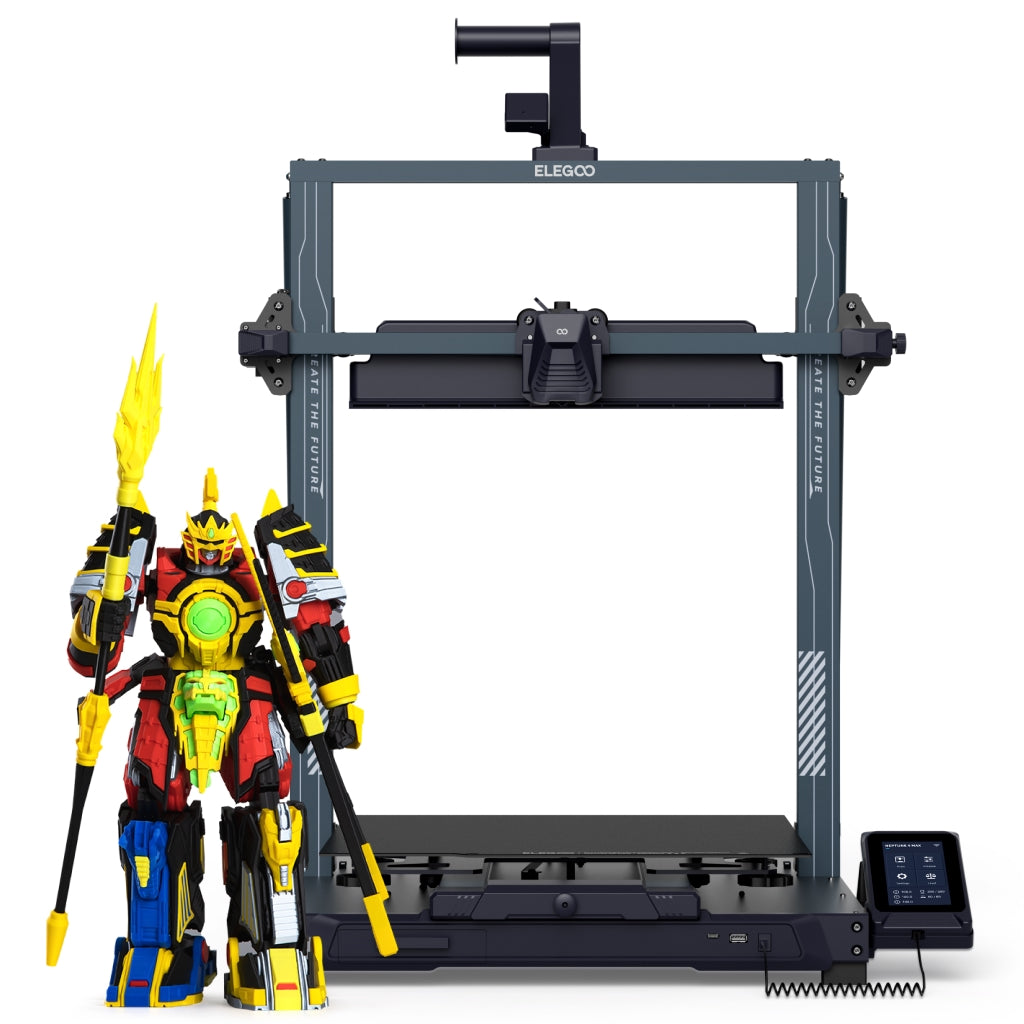
ELEGOO Neptune 4 Max
Neptune 4 Max (420 × 420 × 480 mm model — not the Neptune 4, Neptune 4 Pro, Neptune 4 Plus, Neptune 3 Max, or any refurbished/Grade B SKU)
A 420 mm bed for less than most 256 mm enclosed machines. Expect an afternoon of tuning and a very solid table before it becomes dependable.
- Build volume
- 420 × 420 × 480 mm
- Technology
- FDM
- Max speed
- Up to 500 mm/s (250 mm/s regular; 8,000 mm/s² acceleration)
- Enclosed
- No
- Multi-colour
- No
- Auto levelling
- Yes (121-point, 11 × 11 grid) — but ELEGOO's own manual requires manual A4-paper centre-point calibration and manual auxiliary levelling of six corner points by hand-twist nuts first, and the automatic routine runs 36 points with a 36/121 toggle
What we like
- 420 mm bed — over four times the A1's floor area
- 121-point automatic levelling across that bed
- Klipper firmware pre-installed
- Owners call it unmatched for volume at the price, once tuned
What we don’t
- Owners report hours of bed and Z-offset tuning before large prints are dependable
- 85 C bed and an open frame make it a PLA and PETG machine in practice
- The Klipper build is locked, which limits customising it
- 12-month warranty, shorter than Bambu's two years
The number that matters is 420 × 420 × 480 mm — more than four times the A1's floor area, tall enough for a helmet in one piece. It levels across a 121-point grid, runs a 300 °C nozzle, ships with Klipper firmware, and is quoted at 500 mm/s with 250 mm/s given as the regular figure — on a bed this size, the lower number is the honest one.
Read the materials list with care: ELEGOO lists PLA, PETG, TPU, ABS, ASA and nylon, but with an 85 °C bed and an open frame this is in practice a PLA and PETG printer. The owner story is about setup. Neptune 4 Max owners consistently describe a few hours of manual bed and Z-offset tuning before large prints become reliable. The reward is consistent: owners who have tuned the Neptune 4 Max tend to describe it as unmatched for build volume at its price, provided they accept the set-up effort. It is sold through ELEGOO's UK store and 3DJake UK with a 12-month warranty, at roughly £380–£470.
Buy it if you print big and enjoy getting a machine dialled in. Skip it if you want large and hands-off — that costs considerably more — or the big parts you have in mind are ABS.
Best multi-colour: Bambu Lab A1 Combo
This is not a separate printer model. The A1 Combo is the A1 from role one bundled with the AMS lite, a four-spool filament changer — and it is here because "I want more than one colour" is one of the commonest reasons UK buyers upgrade their choice.
Bambu Lab A1 Combo
A1 Combo (A1 printer + AMS lite)
The A1 with the AMS lite in the box. Hands-off four-colour prints for a modest premium — as long as you accept the purge waste every multi-colour system produces.
- Build volume
- 256 × 256 × 256 mm
- Technology
- FDM
- Max speed
- 500 mm/s toolhead (10,000 mm/s² acceleration)
- Enclosed
- No
- Multi-colour
- Yes (AMS lite included; 4 spools; one AMS lite per A1)
- Auto levelling
- Yes (fully automatic)
What we like
- AMS lite included — four spools, hands-off colour changes
- Same printer, build volume and warranty as the standalone A1
- Owners recommend buying the Combo rather than adding it later
What we don’t
- Every colour change purges filament, and the waste adds up
- Still an open frame, so still no ABS or ASA
- The AMS lite offers no humidity protection for loaded spools
Everything said about the A1 applies: the same 256 × 256 × 256 mm build volume, open frame and two-year UK warranty. The difference is that multi-colour comes included, and the typical UK price moves to roughly £340–£430. Owners frequently recommend buying the Combo rather than adding the AMS lite later, mainly for the convenience of hands-off colour changes.
The honest cost is waste. Owners note that multicolour printing with the AMS lite generates significant purge waste, which slicer settings can reduce but not remove. Budget filament accordingly.
Buy it if you know you want colour — toys, signs, figures. Skip it if you are unsure; buy the plain A1 and add the AMS lite later. The path is the same either way.
Best premium and professional: Prusa CORE One+
The CORE One+ is for the buyer who has been burned before — by a printer that could not be repaired or a brand that stopped answering. It suits small businesses, engineers and anyone who values support and longevity over headline price. This covers the assembled Gen 2 model.
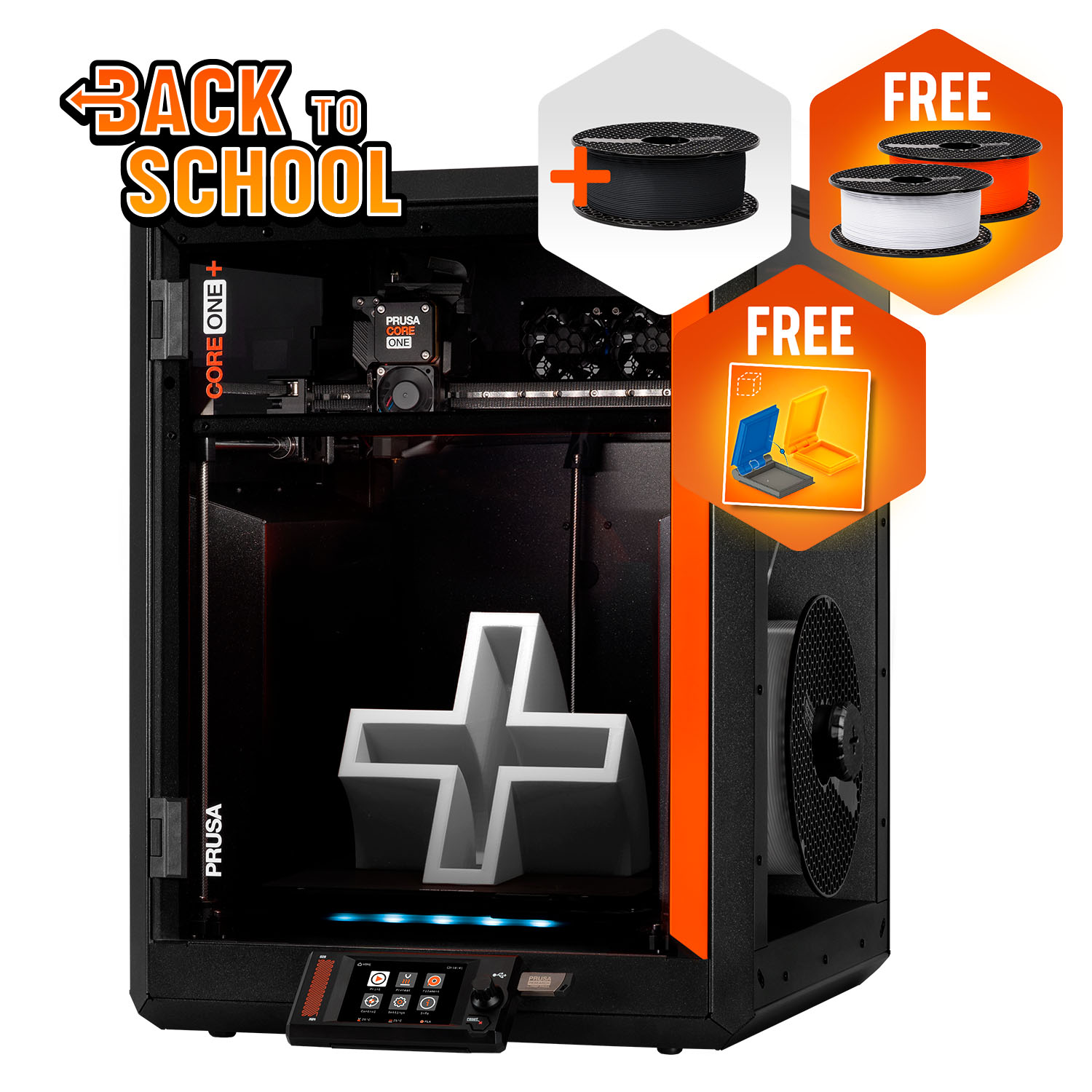
Prusa CORE One+ (Gen 2)
CORE One+ (Gen 2), assembled
An enclosed CoreXY machine from a European manufacturer known for support and repairability. The upfront price is high; the cost of owning it for five years may not be.
- Build volume
- 250 × 220 × 270 mm
- Technology
- FDM
- Max speed
- Not stated on manufacturer product page - Unverified
- Enclosed
- Yes (fully enclosed CoreXY; active chamber heating up to 55 °C)
- Multi-colour
- Optional (MMU3 5-filament unit or INDX tool-changer up to 8 tools, sold separately)
- Auto levelling
- Yes (fully automatic load-cell first-layer calibration)
What we like
- Enclosed CoreXY with a 55 C chamber for ABS, ASA and polycarbonate
- Load-cell levelling, fully automatic
- Draws only about 90 W printing PLA
- Owners rate Prusa's support and repairability highly
What we don’t
- Four times the price of the A1
- One-year UK warranty against two for EU customers
- Import VAT is normally collected on direct orders above £135, and duty or handling fees may apply
- Owners report PLA heat-creep clogs in the warm chamber
A fully enclosed CoreXY frame with a 250 × 220 × 270 mm build volume, a bed reaching 120 °C and a chamber holding up to 55 °C — the combination that prints ABS, ASA and polycarbonate without warping. The nozzle reaches 290 °C, or 400 °C with the optional high-temperature hot end. Levelling is automatic through a load cell, multi-material is optional via the MMU3, and it draws around 90 W printing PLA and 110 W printing ABS. Prusa publishes no maximum speed figure, so none is quoted.
The pattern to know is specific and well documented. Owner reports on the Prusa forum repeatedly describe PLA heat-creep clogs in the enclosed chamber, particularly in warm rooms, with opening the door or running the chamber cooler the standard fix. Same physics as the P2S note: an enclosure built for ABS is a compromise for PLA. Against that, owners on UK review sites describe Prusa's support as fast and knowledgeable, with the main complaints reserved for shipping-date slippage.
The UK specifics matter more here than anywhere else on this page. Prusa ships direct from Prague. For direct orders above £135, import VAT is normally collected before or on delivery; customs duty and courier handling charges may also apply, depending on the product's classification and origin. 3DJake UK also stocks it. The UK warranty is one year, against two for EU customers. It sells at roughly £1,200–£1,500.
Buy it if you will own this machine for years, print engineering materials and want to fix it yourself with parts and guides. Skip it if you mostly print PLA, or the price is a stretch — the Centauri Carbon 2 covers enclosed printing for a fraction.
What to look for in a 3D printer
Choosing the best desktop 3D printer for you comes down to six questions.
FDM or resin? FDM melts filament and lays it in layers; resin cures liquid with light. FDM is cheaper, cleaner and better for functional parts. Resin gives far finer detail, at the cost of gloves, washing, curing and ventilation. Most people should start with FDM.
Build volume. Big enough beats bigger. A 256 mm cube covers almost everything a home user prints, and the A1 mini's 180 mm cube covers most first projects. Buy large format only if you can name the object that will not fit.
Enclosure and materials. An enclosure keeps the air warm and still, reducing the risk of warping with materials such as ABS and ASA. PLA normally benefits from cooler airflow, so a closed chamber is usually unnecessary for it. Buy enclosed when you can name the material that needs it.
Auto levelling. Close to non-negotiable in 2026, included on almost every machine here, and the feature that most strongly determines whether a first week goes well. Check the individual specifications for confirmation.
Multi-colour. Every system wastes filament on colour changes. If colour is the point, buy it in the box; if unsure, every FDM machine here except the V3 SE and Neptune 4 Max can add it later.
Connectivity and ecosystem. Wi-Fi, a camera and an app do not change print quality, but they are the difference between a printer you use and one you avoid.
UK running costs
A 3D printer is cheap to run and expensive to start. Here is the maths, every assumption in the open; treat it as an estimate and adjust for your tariff and filament.
Electricity. Assume a UK unit rate of 25p per kWh — check your bill. Printers draw far less than their maximum most of the time. The A1 mini is rated at a maximum of 150 W; the P2S settles at around 200 W while printing; the CORE One+ draws roughly 90 W printing PLA and 110 W printing ABS. At a tariff of 25p per kWh, a printer averaging 100 W costs about 2.5p per hour, while one averaging 200 W costs about 5p per hour. At 30 printing hours per month, that is approximately 75p to £1.50. Running a printer for eight hours every day would instead cost roughly £6 to £12 per month.
Filament and resin. This is the real cost. Standard PLA and PETG sit in the region of £15 to £25 per kilogram in the UK when checked, engineering filaments higher. A kilogram is roughly three hundred metres: a phone stand uses tens of grams, a helmet half several hundred. Budget one to two kilograms for the first month, because failed prints are how you learn and multi-colour adds purge waste. Resin is sold by the litre, in the region of £20 to £35 for standard grey; a plate of small miniatures may use less than a tenth of a litre, depending on size, hollowing and supports. The hidden line items are isopropyl alcohol, gloves and machine consumables: owners commonly budget for release film and eventually a replacement LCD as consumables on this class of printer.
UK availability, warranty and support
Where a printer ships from, and who answers when it breaks, matters more in the UK than almost anywhere: a return to a warehouse abroad can take weeks. Brand by brand, checked on 8 September 2026.
Bambu Lab sells the A1, A1 mini, A1 Combo and P2S through an official UK store and UK resellers with a two-year UK warranty. Slow warranty support comes up often among Bambu Lab buyers on UK review sites and the manufacturer's forum, although delivery and packaging are generally praised.
Creality runs its own UK store and ships the V3 SE from a UK warehouse, which makes returns straightforward. Reviews of Creality on UK consumer sites raise slow after-sales support often enough to weigh against the low purchase price. Creality's own documents give more than one warranty length, so none is quoted here.
ELEGOO sells the Centauri Carbon 2, Saturn 4 Ultra and Neptune 4 Max through its official UK store, with 3DJake UK also stocking the Saturn and Neptune; the Neptune 4 Max carries a 12-month warranty. Support draws mixed reports on UK review sites: prompt replacements for straightforward problems, slower and more repetitive handling of anything complicated.
Prusa is the outlier. The CORE One+ ships direct from Prague, and for direct orders above £135 import VAT is normally collected before or on delivery; customs duty and courier handling charges may also apply, depending on classification and origin — budget for it, or buy from 3DJake UK. The warranty is one year for UK customers against two for the EU. In exchange, owners on UK review sites describe Prusa's support as fast and knowledgeable, with the main complaints reserved for shipping-date slippage.
Whatever the manufacturer's warranty says: under the Consumer Rights Act 2015 your rights are against the retailer, not the brand. Buying from a UK store — the manufacturer's own or a reseller — is what makes those rights easy to use.
Common mistakes UK buyers make
Buying a superseded model from an old guide. The X1 Carbon, Mars 4 Ultra, Photon Mono M5s and original CORE One all still appear in guides today. Check the manufacturer's range page before ordering anything a guide recommends, including this one.
Buying enclosed to print PLA. As the P2S and CORE One+ sections describe, a closed chamber brings heat problems of its own with PLA. If you cannot name the material that needs one, buy the A1.
Buying resin without a plan for the fumes. Resin owners report that the lid does not contain fumes, so ventilation is a requirement rather than an option. Decide where the printer, the wash station and the waste will live before you order.
Underestimating purge waste on multi-colour. Multicolour printing generates significant purge waste, which slicer settings can reduce but not remove. If colour is occasional, add the changer later.
Importing to save money, then paying at the door. For direct orders above £135, import VAT is normally collected before or on delivery, and customs duty and courier handling charges may also apply depending on the product's classification and origin. A warranty claim also means shipping the machine back. A UK store's price often looks higher only because it already includes both.
The verdict
For most people searching for the best 3D printer UK stores can deliver this week, the decision comes down to the Bambu Lab A1 or, under £200, the Creality Ender-3 V3 SE. The A1 is worth the difference for anyone who wants to print things rather than tune a machine. Spend more only when you can name the material, the size or the detail that forces it — and each of those needs has a machine here that earns it.
- Buy it if
- You want a printer that works on day one and you mostly print PLA or PETG — the Bambu Lab A1 is the straightforward answer, and the A1 mini if space or budget is tighter.
- Skip it if
- You need ABS, ASA or nylon (buy the Centauri Carbon 2 or the P2S), you print miniatures (buy the Saturn 4 Ultra), or you want a machine you can repair and support for years (the CORE One+ costs more and may cost less to own).
How this article was researched. No first-hand testing was involved. Specifications come from manufacturer specification sheets and manuals; price bands and availability from UK stores on 8 September 2026; owner patterns from manufacturer forums and UK review sites, aggregated across many reports and never from a single review. Specifications, UK availability and price bands were checked against manufacturer documentation and current UK listings on 8 September 2026. Commercial pages on this site are refreshed quarterly.
Common questions
- Which 3D printer should I buy in the UK?
- For most people, the Bambu Lab A1: it calibrates itself and prints reliably from the first evening. Under £200, the Creality Ender-3 V3 SE. For miniatures, a resin printer such as the ELEGOO Saturn 4 Ultra. Spend more only when a specific material, size or level of detail demands it.
- What is the best 3D printer for home users?
- The Bambu Lab A1 or, for a bedroom or small flat, the A1 mini. Both level automatically, print PLA and PETG without fuss, and are quiet enough to share a room with. Avoid resin for a home without ventilation.
- Is a resin or FDM printer better for beginners?
- FDM. It is cheaper to run, cleaner, and prints useful parts. Resin gives far finer detail but needs gloves, washing in alcohol, UV curing and a ventilated space — a workflow, not just a printer. Start with FDM unless miniatures are the whole point.
- Do I need an enclosed 3D printer?
- Only if you plan to print materials such as ABS, ASA, nylon or polycarbonate, which are prone to warping without a warm, still chamber. PLA and PETG print well on an open frame and PLA actually prefers cooler air. If you cannot name the material that needs an enclosure, you do not need one.
- How much does it cost to run a 3D printer in the UK?
- At 30 printing hours per month, electricity usually costs less than £2 at a tariff of 25p per kWh. Frequent daily printing can raise that to approximately £6–£12 per month, depending on the printer's average power draw. Filament or resin will normally remain the larger running expense.
- Which 3D printer brands have UK support?
- Bambu Lab and ELEGOO sell through official UK stores; Creality has a UK store shipping from a UK warehouse; Prusa ships direct from the EU, with one year of UK warranty against two in the EU and VAT and duty due on delivery unless you buy through a UK retailer.