3D Printer Resolution Explained
What 3D printer resolution really means: why layer height only changes the vertical, why the nozzle limits FDM detail, and what a resin K number hides.
The short answer
Resolution on a 3D printer is two numbers, not one, set by different parts of the machine. The vertical number is layer height, and Prusa's documentation states that it changes only the vertical resolution . The horizontal number is hardware you cannot adjust in software: the nozzle on a filament printer , and the width of one screen pixel on a resin one — about 35 × 35 µm on an entry machine .
That is 3D printer resolution explained in a sentence. Layer height decides how smooth a slope looks; the nozzle or the pixel decides how small a feature can exist at all.
The figure on the box is almost always the less useful of the two — a layer height on filament, a K number on resin — and the K number turns out to be arithmetic you can check yourself.
Two numbers, and only one of them is the layer height
Start with the predictable one. A filament printer builds a part as a stack of extruded lines, so layer height is how thick each slice is. Drop it and the staircase on a shallow curve gets finer; raise it and the part finishes sooner with more visible banding. That is FDM layer height explained, and on a sloped face it is the only lever that matters .
What it cannot do is make a detail narrower. Thinner paper does not let a thick pen draw a finer line. Prusa describes nozzle diameter as affecting detail almost exclusively in the horizontal plane, while layer height governs the vertical and slanted faces . So 3D printer layer resolution and horizontal detail are separate problems, and only one is free.
The nozzle also caps the layer height. Prusa's guidance is to stay below 80% of the nozzle diameter — about 0.32 mm on a standard 0.4 mm nozzle — and a taller layer is refused outright . Makers disagree on where that line sits: Creality publishes 0.1 to 0.35 mm for the Ender-3 V3 SE on a single 0.4 mm nozzle , above Prusa's guideline for the same size.
Changing horizontal resolution therefore means changing hardware. Bambu Lab ships its A1 mini with a 0.4 mm nozzle and sells 0.2, 0.6 and 0.8 mm alternatives , and Prusa reports fine lettering losing parts of its letters when sliced for 0.4 mm where a 0.25 mm nozzle holds them, at the cost of significantly longer prints . Owners running a fine 0.2 mm nozzle describe it as much less forgiving, reporting that flow calibration has to be done by hand and that tougher filled filaments do not suit a nozzle that size, though several still consider the detail worth the preparation.
What a resin K number actually tells you
Less than it appears to, and a calculator will prove it.
A resin machine works nothing like that. These are MSLA printers: a monochrome LCD masks a single light source so an entire layer cures in one exposure rather than being traced line by line . The screen therefore is the horizontal resolution — what the pixel grid can represent, the layer can be.
Which means resin printer pixel size is not an independent specification. It is the build width divided by the number of pixels across the panel, and on five machines from two manufacturers the makers' own figures agree with that sum exactly . So "16K" counts pixels; it says nothing about how wide a plate they cover.
| Specification | Panel, as advertised | Published XY pixel | Build width |
|---|---|---|---|
| ELEGOO Mars 5 | 4K — 4,098 × 2,560 | 35 × 35 µm | 143.43 mm |
| ELEGOO Mars 5 Ultra | 9K — 8,520 × 4,320 | 18 × 18 µm | 153.36 mm |
| Anycubic Photon Mono M7 Pro | 14K — 13,320 × 5,120 | 16.8 × 24.8 µm | 223 mm |
| ELEGOO Saturn 4 Ultra 16K | 16K — 15,120 × 6,230 | 14 × 19 µm | 211.68 mm |
| ELEGOO Jupiter 2 | 16K — 15,120 × 6,230 | 20 × 26 µm | 302 mm |
The bottom two rows are the argument. ELEGOO's Saturn 4 Ultra 16K and its Jupiter 2 carry an identical 15,120 × 6,230 panel . The Saturn spreads it across a 211.68 mm plate for a 14 × 19 µm pixel ; the Jupiter spreads the same pixels across 302 mm and gets 20 × 26 µm . Same K, a pixel roughly two-fifths wider. The Jupiter is not the worse machine — it is the bigger one, and that is the trade.
It runs the other way too. The Mars 5 Ultra, sold as 9K, has an 18 × 18 µm pixel ; the Photon Mono M7 Pro, sold as 14K, measures 16.8 × 24.8 µm . The 14K is finer across the plate and markedly coarser along it. Read the badge alone and you get that comparison backwards.
Notice too that most of these pixels are not square, so a panel resolves better in one plate direction than the other and detail depends on how a part is turned. A technique practical guides repeatedly recommend is angling a part on the plate rather than printing it square to the axes, which spreads an edge across more pixels, though it costs support contact and print height in return.
Resolution is not accuracy, and accuracy is often not published
Resolution is how fine a step the machine can make. Accuracy is whether the finished part measures what you drew. A printer can be excellent at the first and ordinary at the second.
The published figures make the gap plain. Creality states a precision of ±0.1 mm for the Ender-3 V3 SE — the same magnitude as the finest layer it will slice, 0.1 mm . On the Ender-3 V3 it is ±0.2 mm over 100 mm . Set either against a resin pixel of 14 µm and the shape of the problem is plain: resolution gets quoted in micrometres, accuracy in tenths of a millimetre.
More awkwardly, plenty of makers publish no such figure at all. Prusa's CORE One+ page carries none , QIDI's Plus5 none , Bambu Lab's P1S specification sheet none . These are well-regarded machines; the absence measures how hard the figure is to state honestly. It also means anyone shopping on 3D printer detail quality will often find the specification sheet silent.
Nor does a finer pixel fix it. Formlabs, which manufactures resin printers, states that a smaller pixel or laser spot does not translate directly into better dimensional accuracy . And the error is not even constant. A recurring theme among owners who measure their parts is that the error changes with the size of the feature rather than staying fixed, which leads them to filament shrinkage and flow calibration rather than the machine.
If a part has to fit, calibration and allowance in the model will do more than resolution.
The same money, two meanings of resolution
Two machines a UK buyer could pick up for roughly the same money. Neither is a recommendation — this page ranks nothing. They are here because they define the word incompatibly.
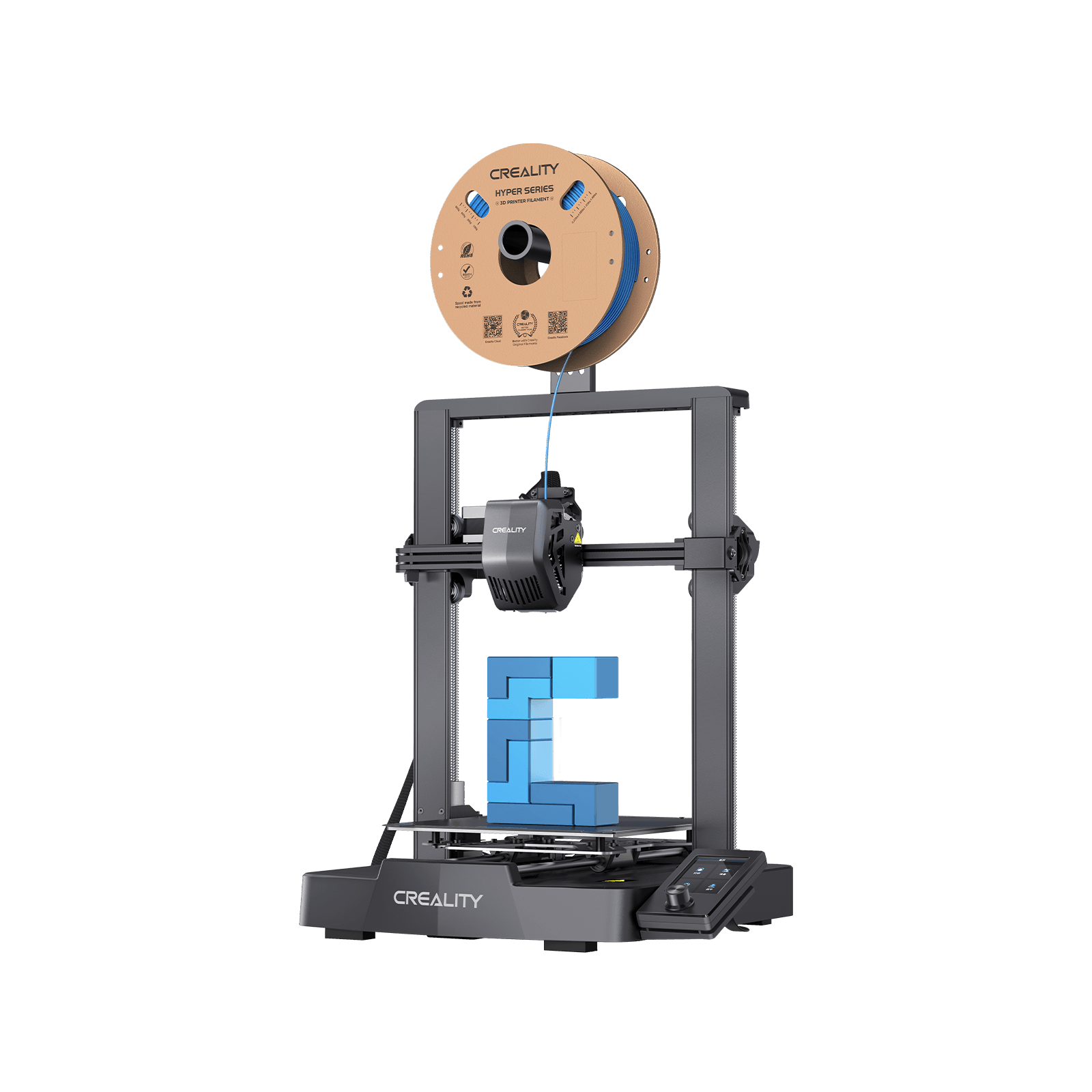
Creality Ender-3 V3 SE
A worked example, not a pick: all three numbers an FDM buyer meets are published for it.
- Build volume
- 220 × 220 × 250 mm
- Technology
- FDM
- Max speed
- 250 mm/s (2,500 mm/s² acceleration)
- Enclosed
- No
- Multi-colour
- No
- Auto levelling
- Yes (CR Touch plus strain-sensor auto Z-offset)
Around the £150 mark buys a 220 × 220 × 250 mm filament machine slicing from 0.1 to 0.35 mm through one 0.4 mm nozzle , precision stated at ±0.1 mm . The ceiling is clear: the finest layer is a tenth of a millimetre, the narrowest feature is governed by a nozzle four-tenths across, and the dimensional promise is looser than either. Nothing in the slicer moves the middle number.
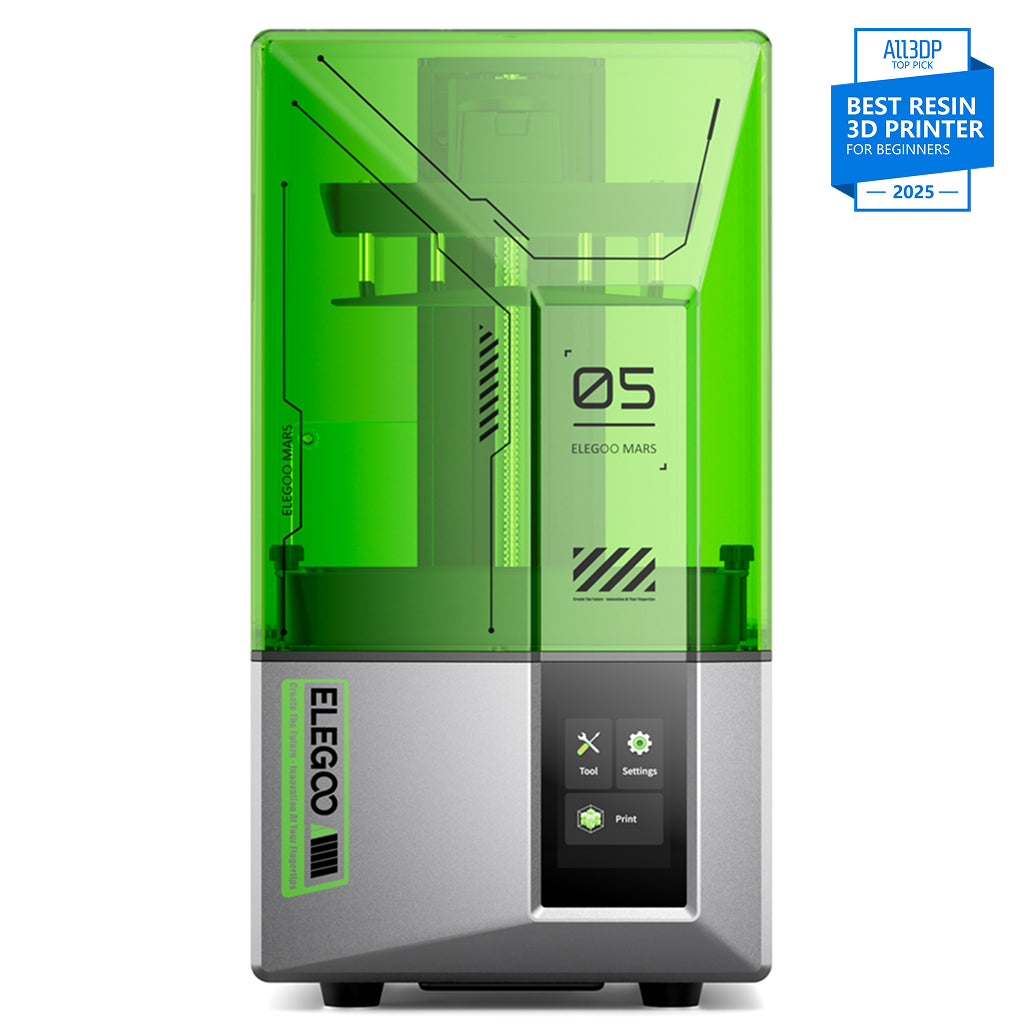
ELEGOO Mars 5
Mars 5 (4K, 6.6-inch - not the Mars 5 Ultra)
A worked example at much the same price, meaning something entirely different by resolution.
- Build volume
- 143.43 × 89.6 × 150 mm
- Technology
- Resin (MSLA)
- Max speed
- Up to 70 mm/h
- Enclosed
- Hinged cover (no filtration; compatible with the Mars Mate air purifier)
- Auto levelling
- Yes (one-click automatic levelling)
Between about £140 and £170 buys a resin machine whose horizontal detail is roughly eleven times finer: a 6.6-inch 4K panel giving 35 × 35 µm square pixels , layers from 0.01 to 0.2 mm . The price is volume — 143.43 × 89.6 × 150 mm — plus resin handling, washing and curing.
| Specification | Creality Ender-3 V3 SE | ELEGOO Mars 5 |
|---|---|---|
| What sets horizontal detail | The nozzle — a hardware change | The screen pixel — fixed for life |
| What layer height changes | Vertical faces and slopes only | Vertical faces and slopes only |
| Can detail be improved later | Yes, by fitting a finer nozzle | No, short of replacing the printer |
| Where it stops | Fine text and figure-scale features | Build volume, and anything large |
| Who it suits | Functional parts, enclosures, repairs | Miniatures, jewellery masters, display pieces |
The cheap panel is not the compromise it looks like, though. Reviewers generally describe the 4K panel as enough for most hobby printing and limiting mainly at the fine end, such as jewellery masters or display pieces examined closely.
What finer resolution costs
Time, first, and the arithmetic is unforgiving because it is only division. Halve the layer height and you double the layer count; the machine does not get faster per layer. Prusa is blunt about where that stops paying: its guidance is not to go below 0.10 mm at all, because the gain from 0.07 or 0.05 mm layers is relatively minor against significantly longer print times . A finer nozzle carries the same tax .
Resin pays more steeply. Because a whole layer cures at once, makers quote resin speed as a height per hour — up to 150 mm/h on the Saturn 4 Ultra 16K — rather than a travel speed. ELEGOO puts a layer at about 5.5 seconds in fast mode on its own defaults , with layers from 0.01 to 0.2 mm . So something 100 mm tall at 0.05 mm layers is two thousand layers, a little over three hours. Ask for 0.02 mm and it is five thousand layers and more than seven.
Then the bill nobody puts on the box. The resin panel is a wearing part, rated by ELEGOO at up to 2,000 hours , and the finer it is the dearer to replace: around the £55 mark for the 4K Mars 5 , about £111 for the 9K Mars 5 Ultra , between roughly £112 and £129 for the 16K Saturn 4 Ultra . Independent technical sources and forum threads consistently treat the mono panel as a consumable rather than a permanent part, which is why a replacement screen belongs in the running-cost sum, although reported working lives vary with use.
Four things people get wrong
That a finer layer height sharpens detail. It sharpens slopes , and owners chasing surface defects arrive at the same place from the other end. A recurring theme on the manufacturer's own forum is that a finer layer height is the wrong tool for most visible surface defects: owners describe it helping with stair-stepping on shallow curves while doing little for ringing or banding, with the fixes they settle on lying in flow tuning, cooling and seam placement instead — though the diagnosis varies from one machine and filament to the next.
That a bigger K number means a sharper printer. It means more pixels, which is only sharper if they cover the same width . Formlabs, a resin printer manufacturer, adds that the pixel figure does not translate directly into accuracy, because the light reaching the resin is larger and more diffuse than the pixel itself .
That the finest setting available is the setting to use. A manufacturer advising against its own lowest value is worth listening to . Reviewers who work in miniatures argue the 12K to 16K step is not significant at tabletop viewing distance, and that the heated tank is the real difference between the two.
That a resin printer has one vertical number. It has two. ELEGOO publishes layers adjustable from 0.01 to 0.2 mm alongside a separate Z accuracy of 0.02 mm — the axis repeats more coarsely than the finest layer it will accept.
Choosing a resolution you will actually use
So what resolution is good for 3D printing? It depends on the smallest thing that has to exist, not the smallest number you can find. Five steps.
1. Name the smallest feature that must survive — a rivet, a thread, a letter on a nameplate — and measure it. That one dimension chooses your technology.
2. Finer than about half a millimetre means a pixel, not a nozzle. A 0.4 mm nozzle is at its limit on fine lettering , where even the cheapest resin panel resolves 35 × 35 µm . No layer height setting crosses that line.
3. If a dimension has to fit, budget for calibration rather than resolution — the published precision figures sit coarser than the layer heights beside them .
4. On resin, compare pixel sizes, never K numbers — 18 × 18 µm , 14 × 19 µm — or do the division yourself. Then check whether the pixel is square, because a part can be turned to suit it.
5. Do not buy the finest thing you can afford. Prusa advises against its own lowest layer value , and the time cost is paid on every print you make, not once at the till.
One warning if detail is what drew you to filament for small models. Owners who try tabletop-scale figures on a filament machine repeatedly describe support removal rather than resolution as the thing that defeats them, since supports fuse into the fine detail at that scale, although the same threads offer workarounds such as a finer nozzle or scaling the model up. Resolution was never the obstacle there.
Where to go next
If step one landed you on a feature finer than half a millimetre, you are shopping for a vat rather than a nozzle, and the best resin printer for miniatures uk shortlist is built around that decision. The wider best resin printers roundup weighs plate size and running costs alongside the panel.
If your smallest feature is comfortably larger, resolution has stopped being the thing to choose on: the best FDM 3D printers roundup ranks filament machines on everything else, and the best 3d printer uk shortlist does it across both technologies.
How this article was researched
This guide is research-based. No printer named here was bought, tested, measured or photographed by us, and no figure is offered as something we observed.
Every specification comes from a manufacturer specification page, manual or knowledge base, recorded with the date it was checked; prices are bands because exact figures go stale within weeks. The layer-height guidance is Prusa's own published advice rather than a universal rule, and is attributed to Prusa throughout — where Creality publishes a different ceiling for the same nozzle size, both figures are given. Two numbers are arithmetic rather than specifications and are presented as such: the pixel-size relationship, which agreed exactly with the makers' own figures on all five machines checked, and the resin layer-count sums, which run on ELEGOO's published per-layer timing.
Three things could not be verified and are absent rather than estimated: any manufacturer stating in words that a K number is a pixel count rather than a pixel size, so that point rests on the arithmetic; any published minimum feature width for a given nozzle, so Prusa's account of fine lettering stands in place of a figure; and any recurring owner pattern on detail quality specific to the Creality Ender-3 V3 SE.
Owner-experience passages are marked and summarise recurring patterns across manufacturer forums, practical guides and long-term reviews — never quotations, and no rating or review count appears anywhere.
Common questions
- What should UK buyers know about 3D printer resolution?
- That it is two specifications wearing one name, and that the one printed largest is rarely the one that decides what they get. Vertical quality comes from layer height, which any owner can change in the slicer for free. Horizontal detail comes from the nozzle on a filament machine or the screen pixel on a resin one, and neither of those moves without buying something. The practical UK consequence is that detail is a technology choice made at the till rather than a setting discovered later: a filament printer around the £150 mark works in tenths of a millimetre, and a resin printer at much the same money works in tens of micrometres, roughly eleven times finer across the plate. Buyers also tend to miss that fine resolution carries a recurring cost as well as a purchase price, because a resin machine's screen is a wearing part and the finer panels are the dearer ones to replace.
- Which factors change the answer for FDM and resin users?
- Almost all of them, because the two processes build a layer by opposite means. A filament machine traces each layer with a nozzle, so the nozzle's width is the floor on horizontal detail and fitting a finer one is the only way through it — a change that brings slower prints and fussier calibration with it. A resin machine cures a whole layer in a single exposure through a masked screen, so horizontal detail is fixed by the pixel grid for the life of the printer and cannot be improved at all. Two further things catch resin buyers specifically. The advertised K figure counts pixels rather than measuring them, so a larger machine with the same panel resolves more coarsely than a smaller one. And resin pixels are often not square, which means the detail a part achieves depends on how it is turned on the plate — something no filament owner ever has to think about.
- What practical checklist should a buyer follow?
- Five steps, and a ruler is more use than a specification sheet. One, identify the smallest feature that has to survive on the things you actually print and measure it; that single dimension chooses your technology. Two, if it is finer than roughly half a millimetre, accept that you are buying a resin machine, because no filament setting reaches it. Three, separate detail from fit: if parts have to mate with something, the published precision figures are much coarser than the layer heights beside them, and calibration and designed-in clearance will serve you better than resolution. Four, on resin compare the published XY pixel figures directly, or divide build width by panel pixel count yourself, and check whether the pixel is square. Five, resist buying the finest option available — at least one manufacturer advises against its own lowest layer setting, and the time penalty of fine settings is paid on every print you make rather than once at purchase.