Best Multi-Colour 3D Printers UK
Six multi-colour 3D printers UK buyers can order today, ranked by what four colours really cost you: purge waste, print time, supports and stock.
Independent and reader-funded. We earn a commission if you buy through our links, at no extra cost to you. How this works.
Four colours in one print is the easiest thing in 3D printing to want and the hardest to budget for. The machines make it look free — load the spools, pick colours in the slicer, walk away — and what nobody puts on the box is that a single nozzle must be emptied of the old colour before it can lay down the new one. That emptying is paid for twice: in filament binned, and in hours added.
Which is why the best multi-colour 3D printer UK buyers can order today is not the one with the most slots, but the one whose colour system costs you least of both. Six machines are here, all orderable in the UK at a price checked in September 2026. Nothing was bought, run or measured: this is research against primary sources, and anything unconfirmed has been left out rather than guessed at.
The six multi-colour printers compared
Read the "colour unit" and "unit dries filament" rows together first. Whether the unit comes in the box decides what the machine really costs; whether it is sealed and heated decides what you can put through it. Those two rows, not the colour count, separate a four colour 3d printer you enjoy from one that fights you.
| Specification | 1 Bambu Lab A1 Combo Best overall | 2 Bambu Lab A1 mini Combo Cheapest four-colour | 3 Anycubic Kobra S1 Combo Best enclosed | 4 ELEGOO Centauri Carbon 2 Combo Best value enclosed | 5 Bambu Lab P2S Best for soluble supports | 6 Prusa CORE One+ (Gen 2) Best multi-material |
|---|---|---|---|---|---|---|
| Best for | Most people | Spending least | ABS and ASA in colour | High temperatures and composites | PVA supports | Getting out of purge waste |
| Colour unit | AMS lite, included | AMS lite, included | ACE Pro, included | CANVAS, included | AMS 2 Pro, bought separately | MMU3 or INDX, bought separately |
| Colours | 4 | 4 | 4, or 8 with a second unit | 4 | 4 per unit | 5 with MMU3; up to 8 tools with INDX |
| Unit dries filament | No — open frame | No — open frame | Yes, to 55 °C | Not stated | Yes, sealed and heated | Not stated |
| Printer enclosed | No | No | Yes | Yes | Yes | Yes, chamber heated to 55 °C |
| Nozzle temp | 300 °C | 300 °C | 320 °C | 350 °C | 300 °C | 290 °C |
| Bed temp | 100 °C | 80 °C | 120 °C | 110 °C | 110 °C | 120 °C |
| Build volume | 256 × 256 × 256 mm | 180 × 180 × 180 mm | 250 × 250 × 250 mm | 256 × 256 × 256 mm | 256 × 256 × 256 mm | 250 × 220 × 270 mm |
| Soluble PVA supports | Not recommended | Not recommended | Not listed | Not listed | Yes | Yes |
| Typical UK price | £340–£430 | £260–£330 | £340–£400 | £320–£400 | £450–£550 | £1,200–£1,500 |
| UK route | Bambu Lab UK, 3DJake | Bambu Lab UK, 3DJake | Anycubic UK, 3DJake | ELEGOO UK, 3DJake | Bambu Lab UK, 3DJake | Prusa direct, 3DJake |
One thing the table cannot tell you: the bottom two prices exclude the colour unit, so the gap is wider than that row suggests.
How we chose these multi-colour printers
No machine here was bought, opened or run. This is desk research against primary sources, and the method matters more than usual, because the specification deciding whether you enjoy owning an automatic material system printer — what each colour change costs — is the one figure no manufacturer publishes. Our general approach is set out in the review methodology; five things change when colour is the point.
- Is the colour unit in the box, or on a second invoice? Bought on its own it costs a substantial fraction of the printer, as the running-cost section sets out, so a machine that looks cheaper than an equivalent Combo usually is not.
- What the unit refuses to feed. Every colour system here has a list of filaments it will not take, and it differs sharply from the printer's own. That gap is where disappointment lives.
- What a colour change costs in filament and time. Neither appears on a spec sheet.
- Whether soluble supports are possible at all. A machine that prints four colours and one that prints rinse-away supports are not necessarily the same machine.
- UK stock, route, warranty and what happens at the border, checked per model, not per brand.
Ranking is by merit and no commercial tiebreak was used — the two cheapest take the top two places, the dearest comes last. Any printer that could not hold a role no other held was cut, which is why several machines from competing lists are missing: some are not orderable in the UK at a checkable price, one is out of stock everywhere we looked. If colour is not really your deciding factor, start from the best 3d printer uk guide instead.
Best multi-colour overall: Bambu Lab A1 Combo
Most people asking this question should stop here: this is the shortest distance between a delivery and a four-colour print that works, with nothing left to buy first.
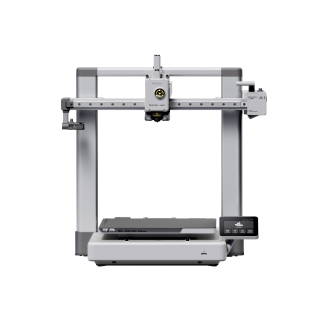
Bambu Lab A1 Combo
A1 Combo (A1 printer + AMS lite)
Four colours in the box on the most forgiving machine here. Open frame, so PLA and PETG are the ceiling — and the colour unit is open too.
- Build volume
- 256 × 256 × 256 mm
- Technology
- FDM
- Max speed
- 500 mm/s toolhead (10,000 mm/s² acceleration)
- Enclosed
- No
- Multi-colour
- Yes (AMS lite included; 4 spools; one AMS lite per A1)
- Auto levelling
- Yes (fully automatic)
What we like
- Four spools in the box, so there is no second purchase to research
- The shortest route here from delivery to a working colour print
- Two years of cover and two UK supply routes
- Full 256 mm plate, which the purge tower has to share on every colour job
What we don’t
- Open frame, so ABS, ASA and composites are off Bambu Lab's list
- The AMS lite is open too, and loaded spools take on moisture
- PVA soluble supports are not recommended through it
- Third-party and cardboard spools are the commonest cause of feed errors
The printer is a 256 mm cube with a 300 °C hot end over a 100 °C bed, running to 500 mm/s at the manufacturer's maximum, and the AMS lite beside it holds four spools feeding that one nozzle. Owners consistently describe the Combo bundle as the sensible way to buy it rather than adding the unit later.
The trade is made on materials, twice over. Bambu Lab puts PLA, PETG and TPU on the A1's ideal list and does not recommend ABS, ASA, PC, PA or fibre-reinforced filament, because the frame is open. The AMS lite is open too, and that is the more important half: because the unit is open to the room, owners repeatedly report that spools left loaded pick up moisture, with PETG and TPU the usual casualties. Bambu Lab goes further and does not recommend PVA through AMS lite at all, ruling out the soluble supports people assume a four-slot machine can manage.
Spool fit is the commonest AMS lite complaint: third-party and cardboard spools that do not seat properly on the open pegs cause feed errors. The unit wants its own space at 397 × 208 × 342 mm beside the printer's 8.3 kg. Cover runs to two years, it sells through Bambu Lab UK and 3DJake UK, and it sits at around the £340 to £430 mark.
Buy it if you print PLA and PETG and want colour working on the first evening. Skip it if ABS, ASA or soluble supports are on your list — the enclosed picks below exist for that.
Cheapest four-colour: Bambu Lab A1 mini Combo
There is a cheaper-looking route — buy a single-colour printer now, add a unit later — and the arithmetic above shows why it is a trap. This is the least money that buys a finished system.
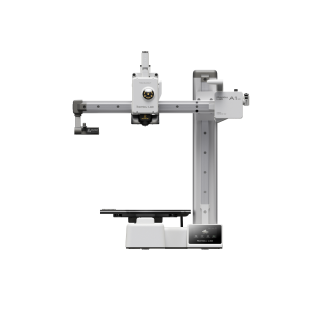
Bambu Lab A1 mini Combo
A1 mini Combo (A1 mini printer + AMS lite) — not the A1 mini standalone, the A1 Combo or the A2 series
The complete four-colour setup for the least money. The small plate is the real trade, and purge towers make it feel smaller still.
- Build volume
- 180 × 180 × 180 mm
- Technology
- FDM / FFF, bed slinger (Cartesian), direct drive
- Max speed
- 500 mm/s toolhead (10 m/s² acceleration)
- Enclosed
- No
- Multi-colour
- Yes — AMS lite included; 4 spools. PVA is not recommended in AMS lite because the unit is an open structure (Bambu Lab)
- Auto levelling
- Yes — fully automatic
What we like
- The least money that buys a finished four-colour system, not a printer to upgrade later
- Same 300 °C hot end and 500 mm/s ceiling as its full-size sibling
- Lightest machine here at 5.5 kg, and the easiest to find a shelf for
- Two years of cover, in stock through two UK routes
What we don’t
- 180 mm plate, and the purge tower stands on it alongside your model
- 80 °C bed, the coolest here
- Same open AMS lite, so the same moisture and PVA limits apply
- Purge blobs are flicked off the back and frequently miss whatever catches them
The bundle is the A1 mini plus the same AMS lite, with no filament included. The printer keeps the 300 °C hot end and 500 mm/s ceiling of its bigger sibling and gives up two things: a 180 mm cube rather than 256 mm, and an 80 °C bed rather than 100 °C. The materials list is unchanged — PLA, PETG and TPU ideal, ABS, ASA, PC, PA and composites not recommended.
That smaller plate is the whole decision, and colour sharpens it: every multi-colour print needs somewhere to dump purged filament, and here that is a purge tower standing on the plate beside your model. A recurring theme among buyers choosing between the mini and the full-size machine is that the purge tower takes up plate area on every colour print, although plenty of owners describe the smaller bed as entirely sufficient for what they make. Owner reports also repeatedly mention purged filament being flicked off the back of the plate and missing whatever is meant to catch it, with printed chutes and bins the usual response.
At 5.5 kg it is the lightest machine here, cover runs to two years, and it sits at roughly £260 to £330 — in stock at a UK retailer when checked, with a bulky-goods surcharge on top.
Buy it if budget is the constraint and your models are small. Skip it if you want large single pieces — the A1 Combo costs little more, and the plate is the whole difference.
Best enclosed four-colour: Anycubic Kobra S1 Combo
Everything above is limited to the cool-running plastics because the frame is open. This is the cheapest way here to put ABS or ASA into a four-colour print.
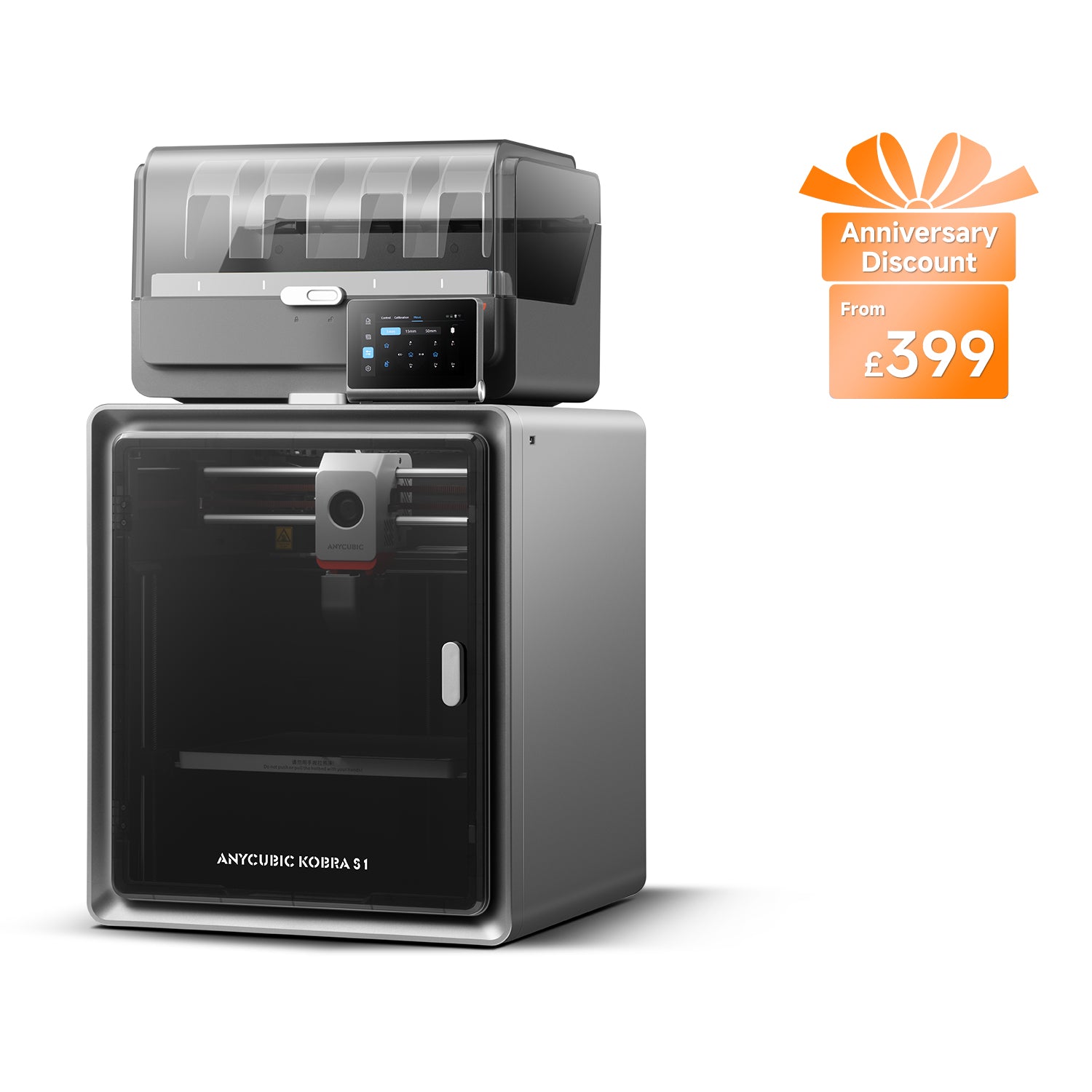
Anycubic Kobra S1 Combo
Kobra S1 Combo (enclosed CoreXY supplied with the 4-colour ACE Pro — not the Kobra S1 standalone, the Kobra S1 ACE 2 Pro Combo, the 8-colour two-ACE bundle or the Kobra S1 Max Combo)
Enclosed, four-colour and actively drying its own filament, all in one box. The colour unit is fussier than the printer.
- Build volume
- 250 × 250 × 250 mm
- Technology
- FDM (FFF)
- Max speed
- Recommended 300 mm/s; maximum 600 mm/s; maximum acceleration 20,000 mm/s² (manufacturer maxima)
- Enclosed
- Yes — fully enclosed CoreXY construction
- Multi-colour
- Yes — 4 colours with the supplied ACE Pro; 8 with a second ACE Pro unit
- Auto levelling
- Yes — LeviQ 3.0 automatic levelling with Z-axis offset
What we like
- Enclosed and four-colour in one box, with ABS and ASA on Anycubic's own list
- The ACE Pro dries filament at up to 55 °C while the print runs
- 120 °C bed, the hottest here, which is most of what ABS adhesion needs
- Eight colours available by adding a second ACE Pro
What we don’t
- Every colour change purges, and the machine ejects the waste rather than collecting it
- TPU 95A will not go through the colour unit even though the printer takes it
- Feeding through the ACE Pro is a recurring service point
- A different variant may be substituted when stock runs out
It is a fully enclosed CoreXY construction with a 320 °C nozzle over a 120 °C bed — the hottest bed here, which is most of what ABS adhesion needs — across a 250 mm cube. Anycubic lists PLA, ABS, ASA, PETG and TPU, and rates it at 46 dB standard and 44 dB quiet.
The supplied ACE Pro gives four colours, or eight with a second unit, and unlike the open units above it dries filament at up to 55 °C while the print runs. A unit actively holding filament dry is a different proposition from one leaving four spools in room air for a fortnight. Read the list carefully all the same — Anycubic states TPU 95A will not go through the ACE Pro even though the printer takes it.
Owner reports repeatedly mention filament waste at colour changes, and a recurring theme is that owners print their own chute or bin to catch the purged material because the machine ejects it rather than collecting it. Feeding through the ACE Pro is a recurring service point rather than a rare fault.At 18 kg it needs a permanent surface. Cover is one year plus a 14-day no-reason return, it sells through Anycubic UK and 3DJake UK at around £340 to £400, and where it is out of stock Anycubic may ship the Kobra S1 ACE 2 Pro Combo instead — a different machine, so check the model name.
Buy it if you want ABS or ASA in colour without buying chamber and colour unit separately. Skip it if you print PLA only — you are paying for an enclosure you will spend a month venting.
Best value enclosed: ELEGOO Centauri Carbon 2 Combo
The most capable machine here for the money, and the one whose maker is most honest about what colour costs.
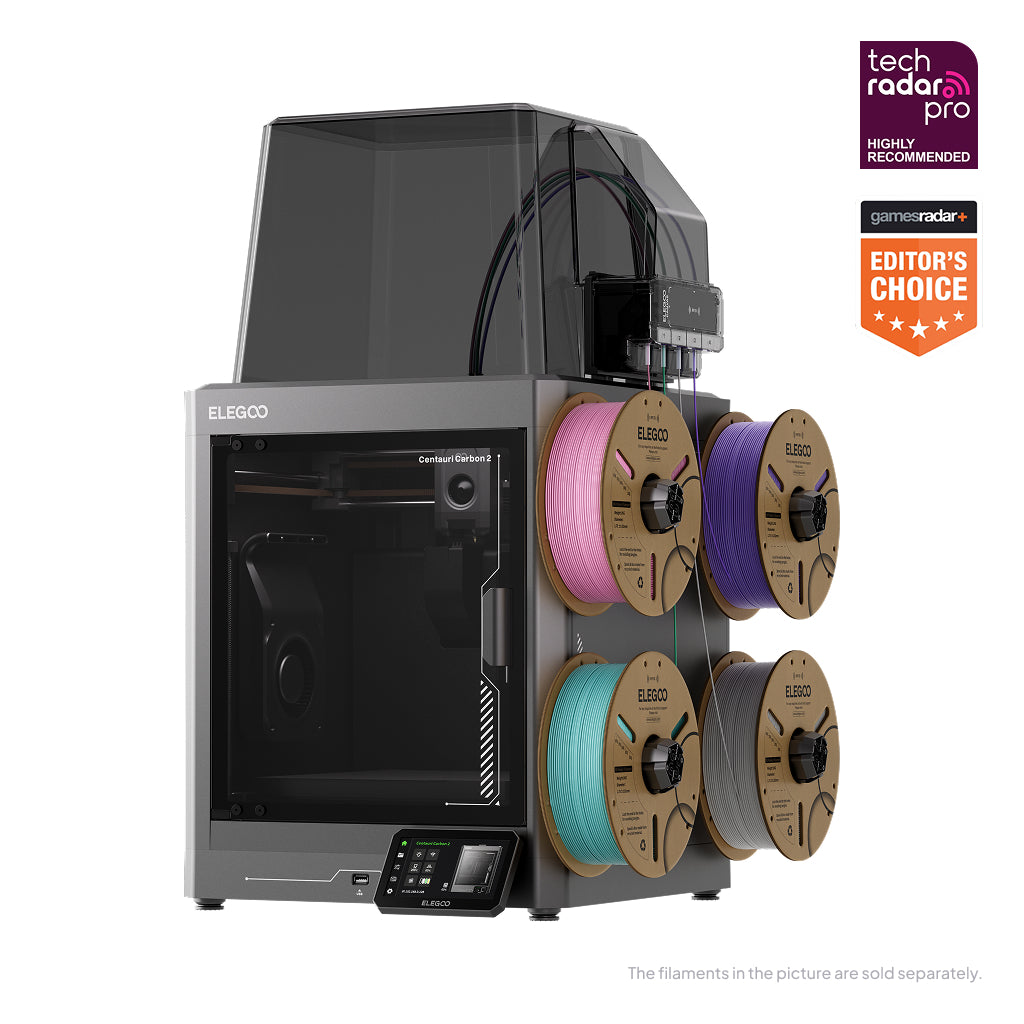
ELEGOO Centauri Carbon 2 Combo
Centauri Carbon 2 Combo (Centauri Carbon 2 + CANVAS 4-colour system) — not the Centauri Carbon 2 standalone, the Centauri 2, the Centauri 2 Combo or the original Centauri Carbon
The hottest nozzle here, an enclosure that vents itself, and four colours included — for open-frame money. Software is where the corners went.
- Build volume
- 256 × 256 × 256 mm
- Technology
- FDM / FFF CoreXY, direct drive, single extruder
- Max speed
- 500 mm/s
- Enclosed
- Yes — enclosed chamber with an automatically regulated louvre/grille; no heated chamber
- Multi-colour
- Yes — CANVAS four-colour feeding system included; single shared nozzle, so colour changes purge
- Auto levelling
- Yes — one-click auto levelling and auto calibration
What we like
- 350 °C hardened steel nozzle, the hottest here, with PC and carbon-filled filament on the list
- Four colours included for roughly what an open-frame Combo costs
- An enclosure that vents itself for PLA and closes up for the hot materials
- The only maker here that documents its own purge waste and how to cut it
What we don’t
- Software and the colour unit are where the complaints concentrate
- Purge blobs scatter behind and around the machine
- Net weight is not published for the Combo
- UK warranty term could not be confirmed
The headline is the toolhead: 350 °C through a hardened steel nozzle over a 110 °C bed, running to 500 mm/s across a 256 mm cube. That opens a materials list no other machine at this price matches — PLA, PETG, ABS, ASA, TPU, PC and carbon-fibre filled PLA and PETG — and the supplied CANVAS unit feeds four colours of any of them. The enclosure is the quiet cleverness: a louvre system opens and closes by material, actively cooling the chamber for PLA and closing up for the hot stuff, with a HEPA and activated carbon filter for the air.
What earns it a place beyond the specification is candour. ELEGOO states plainly that this is a single-nozzle system, that the previous colour stays in the nozzle at every change, and that purging it out produces the waste. No other maker here documents the drawback of its own headline feature that clearly.
The compromises land on software and on the colour unit, which is the right place for them. A recurring theme among owners and reviewers is that single-colour print quality is well ahead of the price, with the complaints concentrated on software and the colour unit. Several owners describe the multi-colour unit as the fiddliest part of the first evening, with loading errors that need a hand, although this is generally described as settling once it is set up.
It sells through ELEGOO's UK store and 3DJake UK at around the £320 to £400 mark. Two figures are simply missing: no net weight is published for the Combo, and its UK warranty term could not be confirmed.
Buy it if you want the widest material range in colour and will accept a rougher app for it. Skip it if you want the ecosystem to be invisible — that is what the Bambu Lab premium buys.
Best for soluble supports: Bambu Lab P2S
If what you want is supports that dissolve in water rather than four colours on a keyring, this is the cheapest machine here that does it properly — and the reason is not the printer.
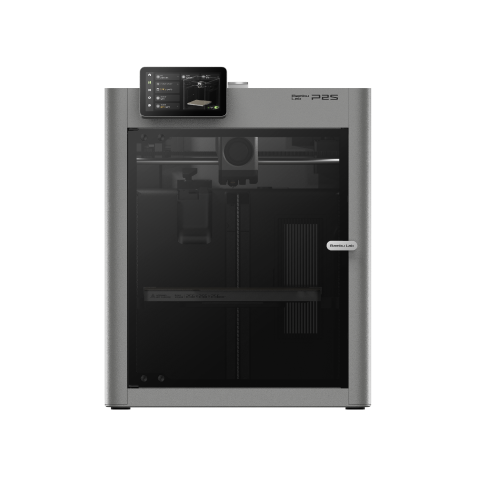
Bambu Lab P2S
P2S (standard, without AMS)
The multi-material pick rather than the multi-colour one: a sealed, heated colour unit that can hold PVA dry enough to work. The unit is a separate purchase.
- Build volume
- 256 × 256 × 256 mm
- Technology
- FDM
- Max speed
- 600 mm/s toolhead (20,000 mm/s² acceleration)
- Enclosed
- Yes (fully enclosed; door sensor and activated-carbon air filter; no active chamber heater listed)
- Multi-colour
- Optional (AMS 2 Pro / AMS sold separately or in P2S Combo)
- Auto levelling
- Not confirmed
What we like
- PVA and the engineering plastics are on the printer's own materials list
- The sealed AMS 2 Pro dries PVA at 65 °C, which is what makes it work
- Fully enclosed, with a 110 °C bed and two years of cover
- Composites and PA and PC alongside the colour work
What we don’t
- The colour unit is a separate purchase and a substantial one
- No active chamber heater, which caps the engineering materials
- Chamber heat on long PLA jobs is the most debated owner complaint
- No upgrade path from the P1S
The printer is a fully enclosed 256 mm cube with no active chamber heater, a 300 °C nozzle over a 110 °C bed, weighing 14.9 kg. What matters here is the materials list: PLA, PETG, ABS, ASA, TPU, PET, PA, PC, PVA and fibre-reinforced composites — PVA being the water-soluble support the open-unit machines cannot be relied on to feed.
The enabling part is sold separately. The AMS 2 Pro is sealed and heated rather than open, and Bambu Lab publishes what that buys: it dries PVA at 65 °C for eighteen hours. That is not a luxury. PVA is extremely moisture-sensitive and must be kept sealed and dried to print at all, which is why the same manufacturer does not recommend it through the open AMS lite. Four slots is the easy half of soluble supports; keeping the spool dry is the half that decides whether it works.
The most debated complaint is chamber heat: on long PLA jobs the enclosed chamber climbs and owners describe managing it by opening the door or adjusting airflow. Cover is two years and it sits at roughly £450 to £550 — before the colour unit.
Buy it if soluble supports, nylon or polycarbonate are why you are on this page. Skip it if you want four colours of PLA and nothing more — you would pay twice for capability you will not use.
Best multi-material for the long term: Prusa CORE One+
Three times the price of anything above it, and the case is not speed or colour count: it is the only machine here offering a way out of the purge problem rather than advice for living with it.
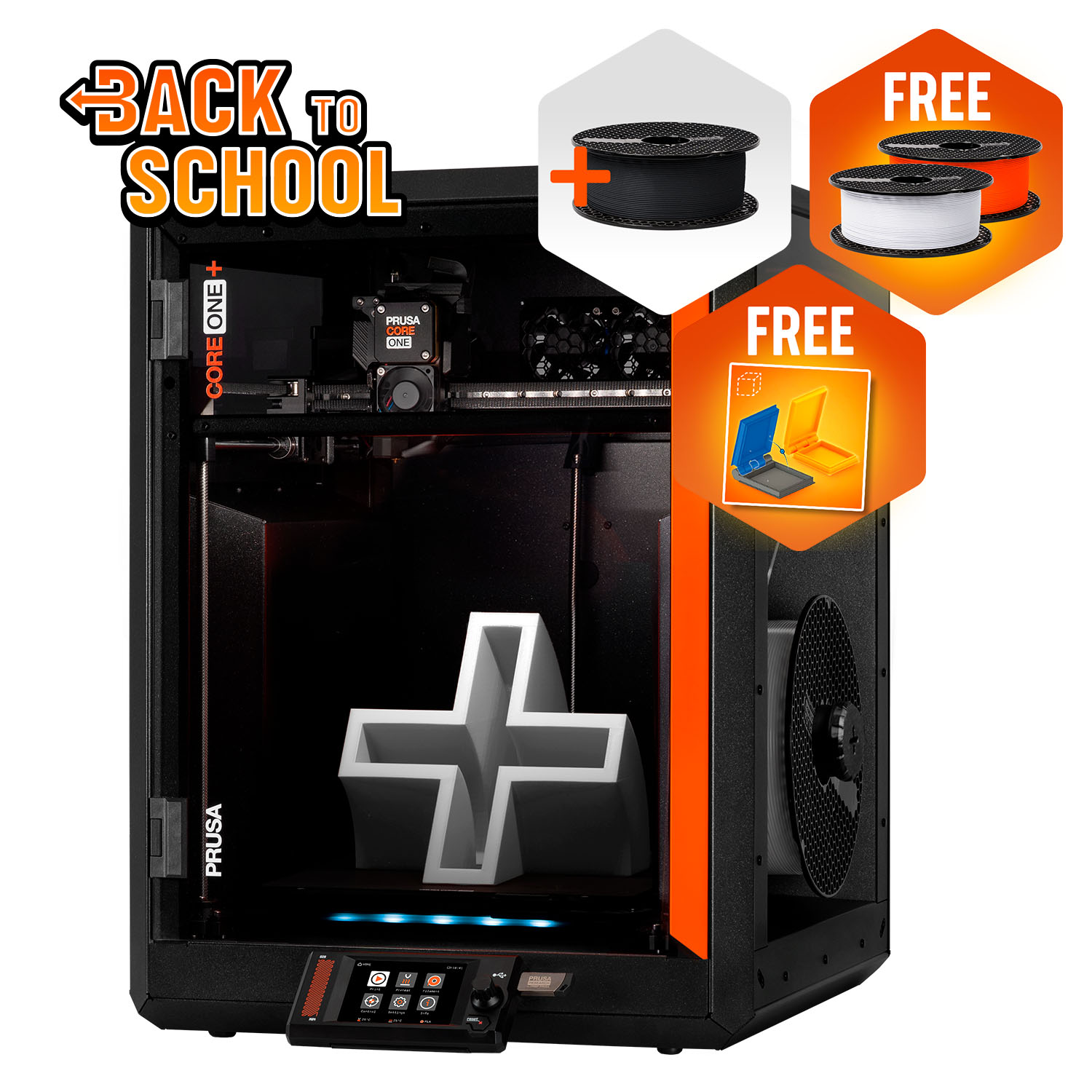
Prusa CORE One+ (Gen 2)
CORE One+ (Gen 2), assembled
A heated chamber, a published repair path, and the only tool-changer option on this page. The multi-material unit is a separate purchase at an unconfirmed UK price.
- Build volume
- 250 × 220 × 270 mm
- Technology
- FDM
- Max speed
- Not stated on manufacturer product page - Unverified
- Enclosed
- Yes (fully enclosed CoreXY; active chamber heating up to 55 °C)
- Multi-colour
- Optional (MMU3 5-filament unit or INDX tool-changer up to 8 tools, sold separately)
- Auto levelling
- Yes (fully automatic load-cell first-layer calibration)
What we like
- The only tool-changer option here, which sidesteps the purge rather than tuning it
- Actively heated chamber to 55 °C, with PVA on the materials list
- Published repair path, available spares and consistently well-reviewed support
- Direct in GBP or through a UK retailer
What we don’t
- Three times the price of the mid-range picks, before the multi-material unit
- No UK price for the MMU3 or INDX unit could be confirmed
- One year of UK warranty against two for EU consumers
- Ships from Prague, so budget for VAT and a carrier handling charge
It is a fully enclosed CoreXY frame with a chamber actively heated to 55 °C, a 290 °C nozzle over a 120 °C bed, across 250 × 220 × 270 mm and weighing 22.5 kg. Its materials list carries PVA alongside PLA, PETG, Flex, PC, PP, CPE and PVB, with ABS, ASA, HIPS and PA added by the enclosure.
The slot is earned by the choice of multi-material hardware. Prusa offers two: the MMU3, feeding five filaments through the single nozzle in the usual way, and INDX, a tool-changer taking up to eight tools. The distinction matters because of the mechanism ELEGOO describes below — the purge exists because the outgoing colour sits inside a nozzle the incoming colour has to use. Give each material its own tool and that handover stops being something you flush out. It is the honest answer to which system wastes least, and the expensive one.
Owners repeatedly cite build quality, repairability, available spares and the upgrade path as what they are paying for, rather than headline features, while the most repeated complaint is PLA clogging from heat creep inside the enclosed chamber, most often in warm rooms.
It ships from Prague, with VAT and handling collected on delivery above the duty threshold, and sells direct in GBP or through 3DJake UK at roughly £1,200 to £1,500 — printer only. No UK price for the MMU3 or INDX unit could be confirmed, so budget for it as an unknown.
Buy it if you intend to keep this machine for years and want the option of a tool-changer instead of a purge tower. Skip it if you want the most colour per pound — the Centauri Carbon 2 Combo gives four colours and a hotter nozzle for a quarter of the money.
What four colours actually cost you
This is the section other buying guides leave out, and the one that decides whether you should buy any of these machines at all.
Why the waste exists. ELEGOO explains it on its own support site better than any review does: at a filament change the previous colour remains inside the nozzle, and to stop it contaminating the next one the system purges it out. That purged plastic is not a defect or a tuning failure. It is the mechanism working correctly, at every single change.
Where it goes. Some of it builds a purge tower on the plate beside your model, which is why ELEGOO tells you to check that model, skirt, supports and tower all fit the build area before slicing a colour job. The rest is ejected off the back, which is why printed chutes and bins come up so often in the sections above.
How much. No manufacturer publishes a figure and we are not going to invent one. What can be said is that it scales with the number of colour changes rather than the size of the model, so a small figurine changing colour every layer wastes far more than a large two-colour box. Owners repeatedly report that the slicer's purge estimate undershoots what actually comes out, and that colour-heavy models consume noticeably more filament than the same shape printed in one colour.
To put a shape on it: ordinary PLA runs roughly £14 to £18 a kilogram from a UK retailer. Assume — as an illustration, not a measurement — that a quarter of what you feed a colour-heavy print becomes purge. Four spools then yield three spools of models and your effective filament cost rises by about a third: a few pounds a month as a hobby, a line in your pricing if you sell.
And the time. Owner reports repeatedly mention that colour changes add far more time than expected, with a single change taking the better part of a minute and heavily multi-coloured models running for hours longer than their single-colour equivalents. A model that takes an evening in one colour can take a day in four, and print speed does not touch it.
What helps. ELEGOO's own advice is the sensible list — place models thoughtfully, cut the number of colour changes, group areas of the same colour, and tune the purge tower and flushing volumes. The biggest saving is the first item.
Multi-colour and multi-material are not the same purchase
Four slots look like four slots. They are not. What separates a multi colour 3d printer from a genuine multi material 3d printer is not how many spools the unit holds, but whether it keeps what is in them usable.
Open units and sealed ones. The AMS lite supplied with both Bambu Lab Combos is an open frame: four spools sitting in room air. Fine for PLA, workable for PETG, but Bambu Lab states it is not recommended to print PVA through the A series with AMS lite, because the open structure lets the filament keep absorbing moisture mid-print and the job fails. The AMS 2 Pro is the sealed, heated answer, drying PVA at 65 °C for eighteen hours — which exists because PVA is extremely moisture-sensitive and must be kept sealed and dried to work at all. Owners of the open unit repeatedly report that spools left loaded pick up moisture, with PETG and TPU the usual casualties.
What "support material" means. Bambu Lab sells several and only one dissolves in water. Support for PLA, Support for PLA/PETG and Support for PA/PET are peeled off by hand; Support for ABS dissolves in limonene; PVA is the water-soluble one, pairing with PLA and carbon- or glass-filled PLA. If you pictured a support that rinses away in the sink, that is PVA — and it will not do the job for a PETG model.
What your AMS will feed. This is where an AMS 3d printer buyer gets caught. Support for PA/PET and Support for ABS are not compatible with the A1 series or the P1P, nor with AMS lite, while Support for PLA/PETG works on every printer, nozzle and AMS unit in the range. The Anycubic ACE Pro shows the same pattern: the printer takes TPU 95A and the colour unit does not, though that unit does dry its spools at up to 55 °C.
So which do you want? If colour is the point and PLA the material, the open units are right and the saving is real. If you want supports that disappear in water, you need a sealed unit that dries — here, the P2S or the CORE One+.
What a multi-colour printer costs to run in the UK
Three lines make up the bill, and colour changes only one of them. Everything below is a worked estimate from published figures, not a quotation.
Electricity is the small one. Take the Ofgem price cap as the reference — about 26p per kWh — and check it against your own tariff. Printers draw far less than their rated ceiling: Bambu Lab quotes the P2S at about 200 W steady state on PLA against a 1200 W maximum, and Prusa the CORE One+ at about 90 W on PLA. At the cap a machine averaging 100 W costs roughly 2.6p an hour, so thirty hours of printing a month is well under a pound of electricity, and colour changes barely move it.
Filament is the large one, and colour is why. Budget one to two kilograms for the first month at the price band above, and more if you print in four colours regularly.
The colour unit is what people forget. On four of these six it is in the box. On the other two it is a separate purchase and a substantial one: a Bambu Lab AMS lite bought on its own runs to about £175 to £250 and an AMS 2 Pro to about £230 to £320. That is the arithmetic putting the two Combos at the top of this page. One smaller cost is easy to miss: no manufacturer reached for this article states that a bin or chute for the purged filament is supplied, so the catcher is something you print or buy yourself.
UK availability, warranty and support
Where a machine ships from decides what happens the day the colour unit stops feeding, and it varies far more than the specifications do.
Two UK routes each. Every machine here has at least two, which is unusual: the Bambu Lab Combos through Bambu Lab UK and 3DJake UK, the Kobra S1 Combo through Anycubic UK and 3DJake UK, the Centauri Carbon 2 Combo through ELEGOO's UK store and 3DJake UK, and the CORE One+ direct in GBP or through 3DJake UK. All were in stock when checked.
Warranty terms are not equal. Bambu Lab quotes two years on the A1 Combo, the A1 mini Combo and the P2S; Anycubic one year plus a 30-day after-sales guarantee and a 14-day no-reason return. Prusa is the exception and the UK is on the short end: one year here against two for EU, EEA and Swiss consumers. ELEGOO's UK term for the Combo could not be confirmed — a reason to ask before ordering, not a reason not to.
Read the model name on the invoice. Anycubic states that where the Kobra S1 Combo is out of stock it may ship the enhanced Kobra S1 ACE 2 Pro Combo instead — a different machine with a different colour unit.
Support quality splits the page. Prusa's support is a recurring point of praise, with live chat that responds quickly and damaged-in-transit parts replaced. Anycubic's draws mixed but broadly positive reports: quick replies and free replacement parts on one side, hardware faults and difficult warranty resolutions on the other, and this is not consistent across all reports. ELEGOO's is described as quick for simple cases such as a missing part, and slower on complicated ones.
Who should skip multi-colour altogether
Not everyone reading this should buy any of these machines, and the honest cases are easy to state.
You want two colour breaks on a functional part. A bracket with a black body and a red label does not need a colour system. It needs you to pause and swap the spool, which every printer can do, costs nothing and wastes nothing.
You want painted-looking models. Four colours of PLA is excellent for flat graphic work, logos and board-game pieces, and no substitute for a brush. People who wanted the second and bought the first are the largest group of disappointed owners here.
Your models are large and your budget is small. Every colour print gives up plate area to the purge tower, so effective build volume is smaller than the specification.
You found a bargain on a discontinued Combo. One machine still headlining competing lists — the Anycubic Kobra 3 Combo — was out of stock at every UK route checked, and Anycubic's own store substitutes a newer model when it cannot supply one. That is not a saving.
If any of those is you, the alternative is not "no printer" but a good single-colour machine and the difference spent on filament — start from the best 3d printer uk guide.
The verdict
The Bambu Lab A1 Combo is the pick for most people: four colours in the box and no second purchase to research. Spend less and the A1 mini Combo gives up plate area rather than capability. If the chamber is the point, the Anycubic Kobra S1 Combo puts ABS and ASA in colour and dries its own filament, while the ELEGOO Centauri Carbon 2 Combo reaches further up the materials list for similar money. The two dearest answer a different question: the Bambu Lab P2S if you want supports that dissolve rather than colours that contrast, the Prusa CORE One+ if you would rather escape the purge tower than optimise it.
- Buy it if
- You make models with defined blocks of colour, you accept that a share of every spool goes in the bin, and you have somewhere for the purged filament to land.
- Skip it if
- You want two colour breaks on a functional part, or you were hoping for something that looks painted — a spool swap costs nothing and a brush does the other job better.
How this article was researched
This guide is research-based: no printer on it was bought, run or measured here. Every specification traces to a manufacturer page, manual or support wiki, recorded in a claim ledger with its source URL and check date, and cited inline so you can follow any figure back. Where a maker publishes nothing — the net weight of one Combo, one UK warranty term, the UK price of the Prusa multi-material unit — that gap is stated rather than filled from a weaker source. Owner experience is summarised as recurring patterns from forums and community threads, in our own words, never as a quoted review.
Common questions
- Which multi-colour system wastes the least filament?
- A system that gives each material its own hotend. The waste on every shared-nozzle machine exists for one reason, which ELEGOO states plainly: at a colour change the previous filament is still inside the nozzle, and it has to be purged out before the next colour can be laid down. A tool-changer such as the eight-tool option Prusa offers on the CORE One+ never has that handover to clear. Among the shared-nozzle machines the differences are small and come down to your models and your slicer settings, not the brand — fewer colour changes and tuned flushing volumes save far more than choosing one AMS-style unit over another.
- Can multi-colour printers use support material?
- Some can, and the printer is rarely the limitation — the colour unit is. Bambu Lab's general-purpose Support for PLA/PETG runs on every printer and every AMS unit in its range. Water-soluble PVA is a different matter: Bambu Lab does not recommend it through the AMS lite supplied with the A1 Combos, because the unit is open to the air and the filament keeps absorbing moisture mid-print. A sealed unit that dries its spools, such as the AMS 2 Pro, is what makes PVA realistic. PVA also pairs with PLA rather than PETG, which catches people out.
- Are multi-material printers worth it?
- It depends entirely on what you make. If your models have many defined blocks of colour — board-game pieces, signage, logos, flat graphic work — a colour system replaces hours of masking, painting or manual spool swaps and is straightforwardly worth it. If you want two colour breaks on a functional part, it is not: pausing the print and changing the spool costs nothing and wastes nothing. And if you were hoping for models that look painted, four colours of PLA is not that, and buying in the hope that it is produces most of the disappointment in this category.