Resin Printer Buying Checklist
What actually matters when buying a resin printer in the UK: why pixel size beats the K number, cold rooms, solvent supply, wear parts and waste.
The short answer
Check the pixel size rather than the K number, check the machine will work in the room you actually plan to put it in, and check the running total rather than the printer price. A resin printer buying checklist that gets those three right will save a UK buyer more money and more evenings than any amount of comparing screen specifications.
Resin machines are MSLA printers: a monochrome LCD masks a single light source, so a whole layer is exposed in one step rather than traced by a moving nozzle . That one difference drives most of what follows: why the panel matters more than the motion system, why height is the only axis that costs time, and why the workflow outweighs the machine.
Check the pixel size, not the K number
The K figure counts pixels across the whole panel. It says nothing about how big each pixel is — and pixel size decides how fine a printed edge can be.
ELEGOO's own range makes the point. The Saturn 4 Ultra 16K and the Jupiter 2 are both sold as 16K, and both carry exactly 15,120 × 6,230 pixels . The Saturn spreads them over a 10-inch panel and arrives at 14 × 19 μm ; the Jupiter spreads the identical count over 14 inches and arrives at 20 × 26 μm . Same headline figure, pixels around a third wider.
Across tiers the marketing inverts: a 7-inch 9K panel gives 18 × 18 μm , finer on both axes than that 16K large-format machine, and square. Only at the bottom does the K number tell you something real: a 6.6-inch 4K panel gives 35 × 35 μm .
Squareness is the resin printer feature nobody tabulates, and rectangular pixels are common — 19 × 24 μm on a 12K Saturn , 16.8 × 24.8 μm on a 14K Anycubic — and a pixel half again as long as it is wide resolves a curve differently depending on which way the model faces the screen.
| Specification | Panel and K rating | Published XY pixel |
|---|---|---|
| Entry | 6.6-inch 4K | 35 × 35 μm, square |
| Lower mid | 7-inch 9K | 18 × 18 μm, square |
| Mid | 10-inch 12K | 19 × 24 μm, rectangular |
| Upper mid | 10.1-inch 14K | 16.8 × 24.8 μm, rectangular |
| Upper | 10-inch 16K | 14 × 19 μm, rectangular |
| Large format | 14-inch 16K | 20 × 26 μm, rectangular |
Check the height, and which resin the speed assumes
Resin build volumes are small and oddly proportioned, because width and depth are set by the LCD panel under the vat, not by a gantry. An entry machine gives 153.36 × 77.76 × 165 mm ; a 10-inch one gives 211.68 × 118.37 × 220 mm .
The resin printer size guide most buyers need is one sentence: width and depth are nearly free, height is what costs. Because a whole layer is exposed in one step rather than traced , a second model beside the first adds almost no time, while height adds layers that each cost the same as the last. Layers run from 0.01 to 0.2 mm and one maker quotes about 5.5 seconds a layer in fast mode : at 0.05 mm, something 100 mm tall is two thousand layers — three hours or so, whether the plate holds one figure or a dozen.
The most consistent criticism in independent reviews is the plate itself: reviewers repeatedly describe the Z height as the machine's one real limit, with taller pieces needing to be angled or split.The same logic is why speed appears as a height per hour — a figure that carries a condition which gets dropped. Anycubic's 14K machine is quoted at up to 130 mm/h on standard resin and up to 170 mm/h on high-speed resin, both at 0.1 mm layers ; a cheaper model at up to 80 and 120 mm/h ; the entry model at up to 50 and 70 mm/h . On one machine the gap between two resins beats the gap between two machines. ELEGOO quotes a single maximum of 150 mm/h without naming the resin, so treat any speed without a resin attached as a ceiling, not a rate.
Check how the layer leaves the film, and who does the levelling
Two mechanical details decide how often a print fails, and neither gets a line on most comparison tables.
The first is how each finished layer separates from the release film. The older arrangement lifts the plate straight up, breaking the suction across the whole layer at once; the newer one tilts the vat so the layer peels from one edge . Reviewers comparing the non-tilting Saturn 4 with its Ultra sibling repeatedly point to the missing tilt release as its real weakness, describing it as more exposed to early-layer failures and harder on the release film. Two benefits from one mechanism: fewer failed plates, and a consumable that lasts longer.
The second is levelling, where the spread across similar prices is wider than buyers expect. One machine is levelling-free , another has one-click automatic levelling , and two current models still use four-point manual — and they are not the cheapest on the shelf. Manual is a chore with a known shape rather than a disqualification, but know you are buying it.
Check it will work in a British room in winter
This is the check missing from the American guides, and the likeliest to catch a UK buyer out. Resin thickens as it cools, and the settings a machine ships with assume a room warmer than a great many British spare rooms, garages and lofts between November and March.
Anycubic publishes the threshold. Below 20 °C it advises increasing exposure time by 30% and reducing the Z lift speed by 30%, noting that its recommended parameters suit the printer's factory default state . In a buyer's terms: the supplied profiles stop being the right ones somewhere around the temperature an unheated British room sits at for a third of the year.
So what to look for in a resin printer includes a line most buyers skim — does the vat heat itself? One 16K machine holds the resin at 30 °C with a heated tank ; its cheaper 12K sibling, a close relative otherwise, lists no tank heating at all .
A recurring account across independent reviews is that cold, thick resin is what defeats this machine's automation — the levelling sensor triggers early and the first layer stays on the film — and that warming the resin or the room is the usual fix.No heater just moves the question to the room: can you keep it warm, or will you be editing exposure settings every winter?
Check what you still have to buy
A resin printer is the first purchase in a workflow, not the whole of one. This is the part of a resin printer workflow checklist the competing guides skip.
What comes in the box is mostly tools: one 16K machine ships with the build plate, resin tank, funnel, tray, scraper, gloves, a mask and a tool kit . What does not:
Resin — roughly £16 to £28 a kilogram from a maker's own UK store .
A way to wash the print. The manual requires 95% or stronger ethyl or isopropyl alcohol unless water-washable resin is used . Of all the first resin printer equipment decisions, this one has a genuine British complication: a large UK 3D-printing retailer lists 99.9% isopropyl alcohol but states that delivery to Great Britain is not possible . Water-washable resin sidesteps it — a decision to take before the printer.
A wash-and-cure station — around the £79 to £113 mark combined , though a tub and a UV lamp do the same job.
Gloves, eye protection and ventilation. The maker's manual requires all three, plus curing resin under UV before disposal . The Health and Safety Executive lists resins and acrylates among the agents causing occupational skin disease , and notes sensitisation is generally lifelong once it happens .
Possibly an air purifier. Neither brand builds filtration in; both sell it separately . One is around the £25 mark , the other around the £148 mark .
Reviewers consistently point out that the printer is only part of the outlay, since washing, curing, alcohol, gloves and ventilation sit outside the box.Check the wear parts, and what the warranty leaves out
Two parts of a resin printer are consumables rather than components, and they are the two the warranty covers least.
The release film in the vat base is the first. ELEGOO's own manual calls it a wearing part and publishes no replacement interval in hours, prints or litres . A set of five runs around the £37 mark in the UK, roughly £7 a sheet .
The LCD is the second, and the expensive one. One maker rates its panel at up to 2,000 hours , and a UK replacement runs between about £112 and £129 including VAT . The sting is worst at the cheap end, because the part does not get cheaper along with the machine: a screen for an entry model is around the £111 mark .
Read the warranty against that list. ELEGOO UK gives twelve months on the machine, three on the LCD and six on the tank and build plate, with the film, cover, tools and resin not covered . Anycubic gives twelve months on main components and six on the LCD, with the FEP film excluded . The parts most certain to need replacing carry the shortest cover, or none.
Reviewers describe release film as a scheduled replacement rather than something to run until it fails, with an eventual screen replacement treated as part of owning one.Check you have somewhere legal to put the waste
Liquid resin is not household waste, and neither is the alcohol you washed the print in. Competing guides compress this into "dispose of responsibly"; it has a concrete answer.
The manufacturer's instruction is unambiguous: liquid or partially cured resin must not go into drains or into household waste, it may count as hazardous waste depending on where you live, and owners are directed to the safety data sheet and their local authority . Used solvent with resin dissolved in it falls under the same instruction .
Curing changes the route. Once fully cured, resin and the towels and gloves that touched it can go out with the household rubbish — expose them to sunlight or UV until the resin hardens, then bin them . The UV lamp is what converts a disposal problem into ordinary refuse.
That leaves the liquid leftovers. GOV.UK lists solvents and chemicals among hazardous wastes, though that guidance sets duties on businesses rather than households . For a household the route is the council: GOV.UK runs a postcode checker for local hazardous waste disposal, covering England and Wales only . Readers in Scotland and Northern Ireland should approach their council directly.
Three things buyers get wrong
That a bigger K number means a sharper print. It means more pixels, not smaller ones. A 14K machine publishes a 16.8 × 24.8 μm pixel — rectangular, and coarser on one axis than the square 18 × 18 μm of a 9K panel on a screen half the size .
That the feature list is the same across a range. Support varies between models inside one line-up: one current Anycubic machine runs the Photon Workshop slicer over USB and Wi-Fi, with the maker's own app not supported on that model .
That washing and curing are finishing touches. They are the process, and the learning curve sits there rather than in the printing.
The same checklist against two machines
Two worked examples at the ends of the range a first-time buyer shops in — not recommendations, and not ranked against each other. Their published figures make the checks above checkable.
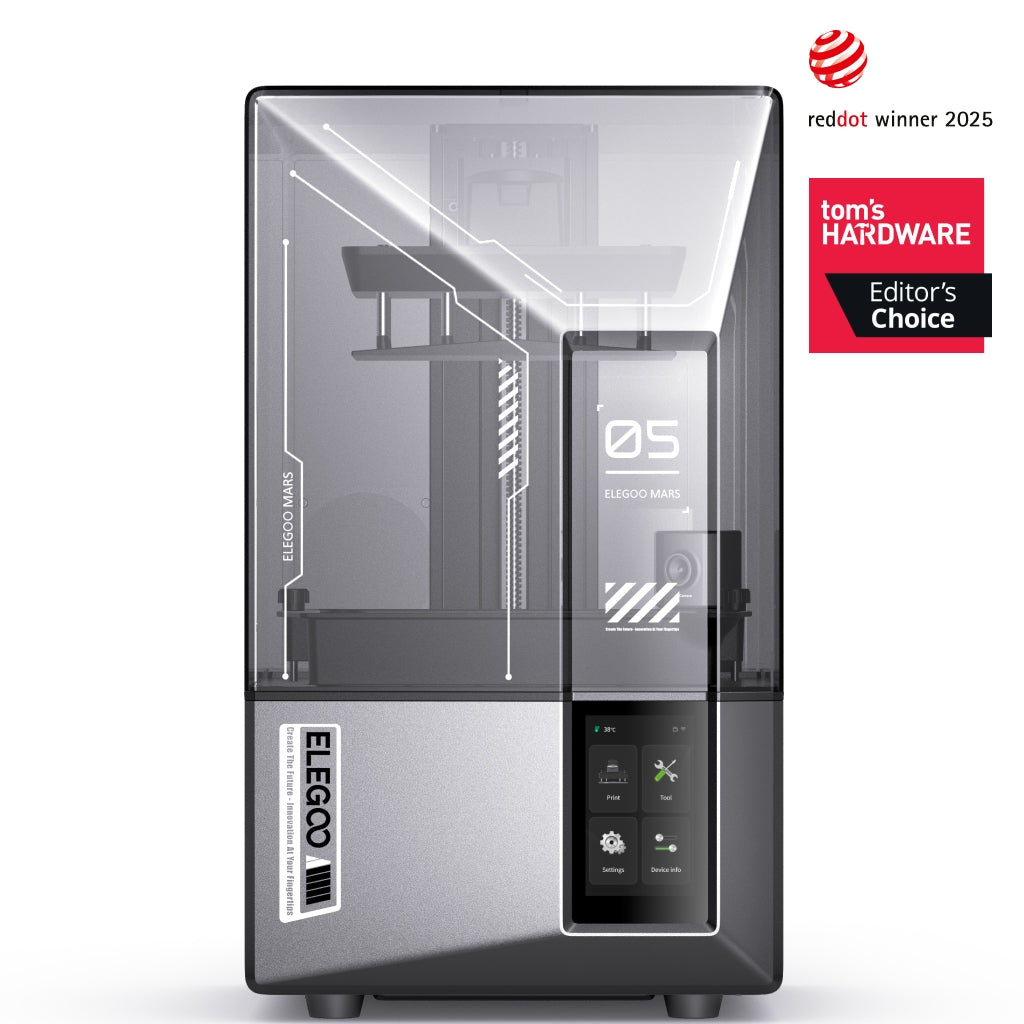
ELEGOO Mars 5 Ultra
Mars 5 Ultra 9K (not the non-Ultra Mars 5)
A worked example rather than a pick: its square pixel is finer than several machines advertising a larger K number, and it has no heated tank.
- Build volume
- 153.36 × 77.76 × 165 mm
- Technology
- Resin (MSLA)
- Max speed
- Up to 150 mm/h (manufacturer maximum)
- Enclosed
- Lid (acrylic UV cover)
- Multi-colour
- No
- Auto levelling
- Yes (one-click automatic levelling)
Square 18 × 18 μm pixels from a 7-inch panel , one-click automatic levelling , tilt release , a 153.36 × 77.76 × 165 mm plate , about 260 × 268 mm of desk , between about £210 and £260 . That satisfies most of this page's checks. The one it fails is temperature: no heated tank, so in a cold room the exposure adjustments above become your job.
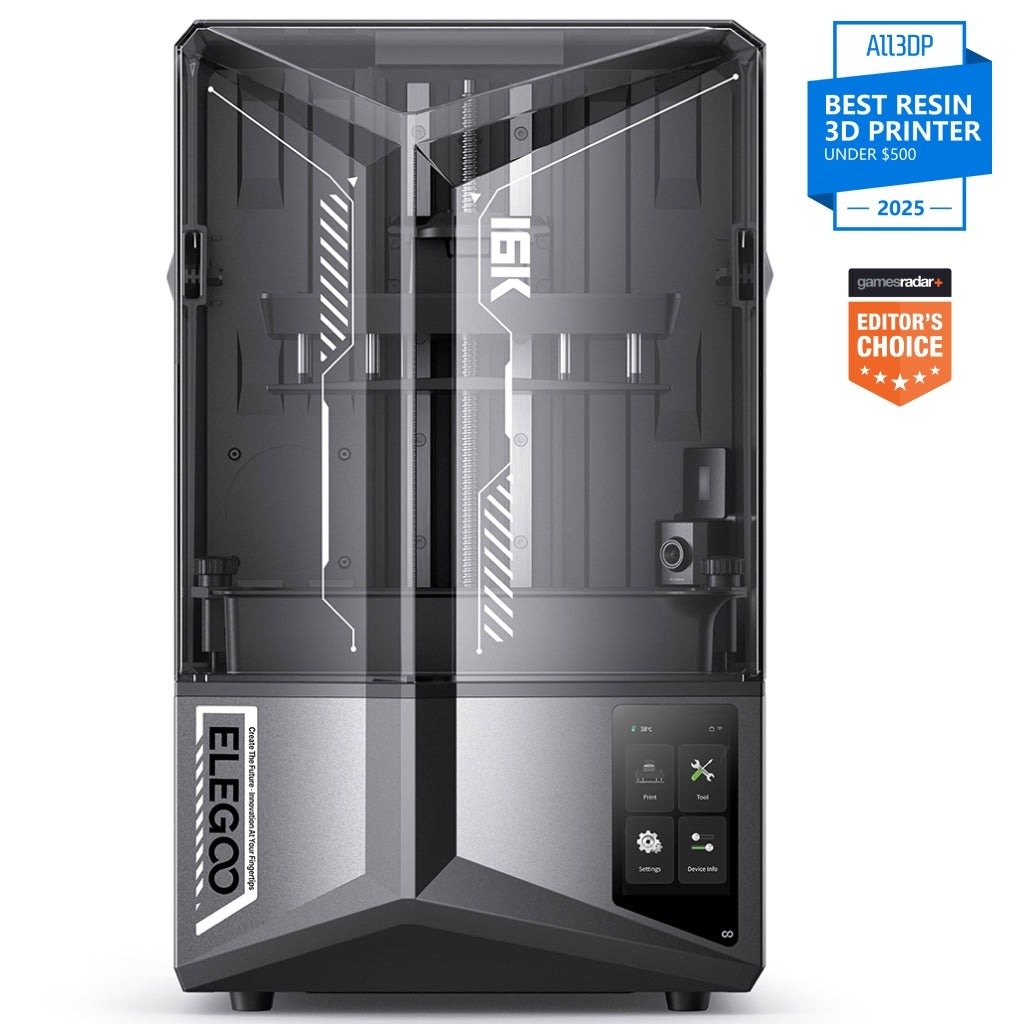
ELEGOO Saturn 4 Ultra 16K
Saturn 4 Ultra 16K (not the 12K Saturn 4 Ultra)
A worked example of the tier above: it publishes both a headline screen figure reviewers struggle to see and a heated vat that solves a real British problem.
- Build volume
- 211.68 × 118.37 × 220 mm
- Technology
- Resin (MSLA)
- Max speed
- Up to 150 mm/h (fast mode, manufacturer maximum)
- Enclosed
- Lid (acrylic UV cover)
- Multi-colour
- No
- Auto levelling
- Yes (one-click automatic levelling)
The step up buys a 211.68 × 118.37 × 220 mm plate , a 14 × 19 μm pixel , the same tilt release , and a heated tank holding resin at 30 °C — in a larger 327.4 × 329.2 × 548 mm body , for between about £370 and £420 . The pixel improves modestly. The heater decides whether the machine works in January.
| Specification | ELEGOO Mars 5 Ultra | ELEGOO Saturn 4 Ultra 16K |
|---|---|---|
| Pixel size, not K number | 18 × 18 μm, square | 14 × 19 μm — finer, though reviewers question how visible |
| Plate and height | 153.36 × 77.76 × 165 mm | 211.68 × 118.37 × 220 mm |
| Layer release | Tilt release | Tilt release — no advantage bought here |
| Cold room in winter | No tank heating — the room has to do the work | Heated tank at 30 °C |
| Desk space | About 260 × 268 mm | About 327 × 329 mm, and taller |
| Replacement screen | Around the £111 mark — a large share of the purchase | Between about £112 and £129 — a smaller share |
| Price band | Between about £210 and £260 | Between about £370 and £420 |
Where to go next
If the checks above have settled what you want, the shortlist is the next step: the best resin printer uk roundup ranks current machines on the criteria this page has explained.
If you are here for miniatures — as most resin buyers are — the best resin printers for miniatures shortlist weighs pixel size and plate area the way that use case actually demands, rather than treating the K number as a score.
And if the workflow section gave you pause, that is a reasonable response. Resin earns its extra handling on fine detail and nothing else.
How this article was researched
This guide is research-based. No printer named here was bought, tested, measured or photographed by us, and nothing here is offered as something we observed.
Every pixel size, build volume, layer time, temperature threshold, warranty term, spare-part cost and price band comes from a manufacturer specification page, a maker's manual, a UK retailer listing or GOV.UK, recorded with the date checked. Prices are bands because exact figures go stale within weeks; the product figures were last checked in September 2026.
Three things could not be verified from a primary source and are absent rather than estimated: any official UK figure for a recommended minimum indoor winter temperature, so the cold-room argument rests on the manufacturer's own threshold and asserts nothing about what a British room measures; the Health and Safety Executive's research on glove materials, so no material or thickness is specified; and any repeatable pattern in independent reports on solvent supply or bench space.
Passages describing what owners find are marked as such and summarise patterns across independent long-term reviews, never quotations or ratings.
Common questions
- What should UK buyers know about a resin printer buying checklist?
- Mostly that the specification sheet answers the least important questions first. The figure printed largest is the screen's K rating, which counts pixels rather than measuring them, so a large panel with a high K can resolve more coarsely than a small panel with a lower one — compare the XY pixel size in microns instead. The items that decide whether a UK buyer enjoys the machine sit elsewhere: whether the vat heats itself, because the makers' own default settings assume a room warmer than an unheated British one for a good part of the year; whether you can source the washing alcohol, which is awkward to buy in quantity in Great Britain; what the wear parts cost, since the release film and the LCD are consumables carrying the shortest warranty on the machine or none at all; and where the leftover resin and used solvent are going to go, because neither is household waste. The useful habit is to price a year of ownership rather than a printer.
- Which factors change the answer for FDM and resin users?
- Almost all of them, because the two technologies invert each other. A filament machine traces every part with a nozzle, so filling a large plate costs proportionally more time and the question that matters is whether your biggest single object fits. A resin machine forms each layer in one exposure, so extra models set down beside the first are nearly free and only height adds time — which is why resin makers publish speed as a height per hour rather than a travel speed. The consumables differ too: a filament owner buys spools, while a resin owner buys resin, alcohol, release film and eventually a replacement screen. And the handling is not comparable. Filament needs a room; resin needs a room, gloves, eye protection, a washing and curing step, and a lawful route for the waste. Anyone weighing the two should compare the workflows rather than the machines, because that is where the real difference sits.
- What practical checklist should a buyer follow?
- Nine checks, in the order they matter. One, find the XY pixel size in microns and ignore the K rating. Two, check whether those pixels are square, because rectangular ones resolve a curve differently depending on which way the model faces the screen. Three, measure the tallest thing you want to print, since height is the only axis that costs time. Four, see which resin the quoted speed assumes — on one machine the gap between standard and high-speed resin is often wider than the gap between two different machines. Five, check the layer release, because a tilting vat peels each layer from one edge instead of breaking the suction all at once. Six, check who does the levelling, which still ranges from levelling-free to four-point manual at similar prices. Seven, check whether the vat heats, or whether you can keep the room warm through a British winter. Eight, add up what is not in the box: resin, alcohol or water-washable resin instead, a wash-and-cure station, gloves, eye protection, possibly an air purifier, and the film and screen you will replace. Nine, confirm your council takes household chemical waste before the first bottle arrives.