Best Resin Printers for Beginners UK
The best resin printers for beginners in the UK, ranked on how little can go wrong: levelling, failure alarms, cleaning, safety kit and running costs.
Independent and reader-funded. We earn a commission if you buy through our links, at no extra cost to you. How this works.
The best resin printer for beginners in the UK is the ELEGOO Mars 5 Ultra. It levels itself, it watches the plate for the failures that quietly waste an evening, and it fits on a desk rather than taking one over. Spend less and the Mars 5 keeps the same alarms on a coarser screen. Spend more and the Anycubic Photon Mono M7 Pro pumps its own resin, which removes the messiest job in the routine.
That is not the order you would get from ranking these machines on capability. A first printer answers a different question: how many ways are there for this to go wrong on a wet Tuesday evening, and how much mess ends up on your hands? Levelling, failure detection, plate release, cleaning and the safety kit decide that. Resolution barely does.
Read the levelling row first, then the main limitation.
| Specification | 1 ELEGOO Mars 5 Ultra Best first resin printer | 2 ELEGOO Mars 5 Least money at risk | 3 ELEGOO Saturn 4 Ultra 12K Best big plate to start on | 4 Anycubic Photon Mono M7 Pro Least resin to pour by hand | 5 Anycubic Photon Mono 4 Ultra Best if you would rather level by hand |
|---|---|---|---|---|---|
| Best for | A first machine that stays useful | Finding out if resin suits you | Starting big without starting badly | Handling as little resin as possible | Learning the mechanics properly |
| Levelling | Yes — one-click | Yes — one-click | Yes — hands-free, tilting vat | Yes — levelling-free | No — four-point manual |
| Failure warnings | Camera plus resin, residue and levelling alarms | Resin, residue and levelling alarms | Camera with failure detection | None published | None published |
| Plate | 153 × 78 mm | 143 × 90 mm | 219 × 123 mm | 223 × 126 mm | 153 × 87 mm |
| Pixel size | 18 × 18 μm | 35 × 35 μm | 19 × 24 μm | 16.8 × 24.8 μm | 17 × 17 μm |
| Key strength | Fewest ways to get the first print wrong | The lowest outlay that still levels itself | Tilting vat lowers the pull on every layer | Fills and drains its own vat | Lightest and most frugal here |
| Main limitation | Small plate; screen covered three months | Coarse pixels; USB only, no camera | 14.5 kg, and the plate is fiddly to clean | Auto feed reported as inconsistent | You level it yourself, with no adjustable feet |
| Typical UK price | £210–£260 | £140–£170 | £350–£450 | £410–£470 | £240–£290 |
| UK availability | ELEGOO UK, 3DJake | ELEGOO UK, 3DJake | ELEGOO UK, 3DJake | Anycubic UK, 3DJake | Anycubic UK, 3DJake |
How we picked these beginner resin printers
No machine here was bought, run or measured by anyone on this site. Every specification comes from the manufacturer's own product page, manual or specification sheet, and carries a citation back to it. Where a manufacturer publishes nothing — rated power is the recurring example — the figure is left out rather than estimated. The general approach is set out in our review methodology; what follows is what changes when the buyer has never owned a resin printer.
Five things decided the order:
- How the machine handles levelling, and what happens when it fails. A printer that admits it could not level is worth more to a beginner than one that quietly prints a ruined plate.
- Whether anything watches the print. A resin failure is silent and expensive.
- How the print comes off the plate. Peel force at the end of every layer is the commonest reason a job tears off its supports, and the mechanism handling it cannot be changed later.
- Cleaning, because that chore decides whether the printer is still in use in six months.
- UK reality: which stores hold it, what the warranty covers and — more usefully — what it does not.
Pixel size is a secondary consideration here, the opposite of how our guide to the best resin printer uk buyers can get treats it. That is deliberate: a beginner is likelier to be beaten by a failed first layer than a coarse one.
Two machines from the parent page are deliberately absent: the ELEGOO Jupiter 2 weighs 28.9 kg and needs a dedicated bench, and the Saturn 4 Ultra 16K is a detail upgrade rather than a beginner one. A third was dropped because its UK listing could not be confirmed.
Best first resin printer: ELEGOO Mars 5 Ultra
Three things go wrong on a first resin print: the plate is not level, the resin is low or has a cured lump in it, and nobody notices for four hours. This machine covers all three. Levelling is a single press, and there are alarms for low resin, residue in the vat and a failed levelling attempt, plus a camera watching for an empty plate and warping.
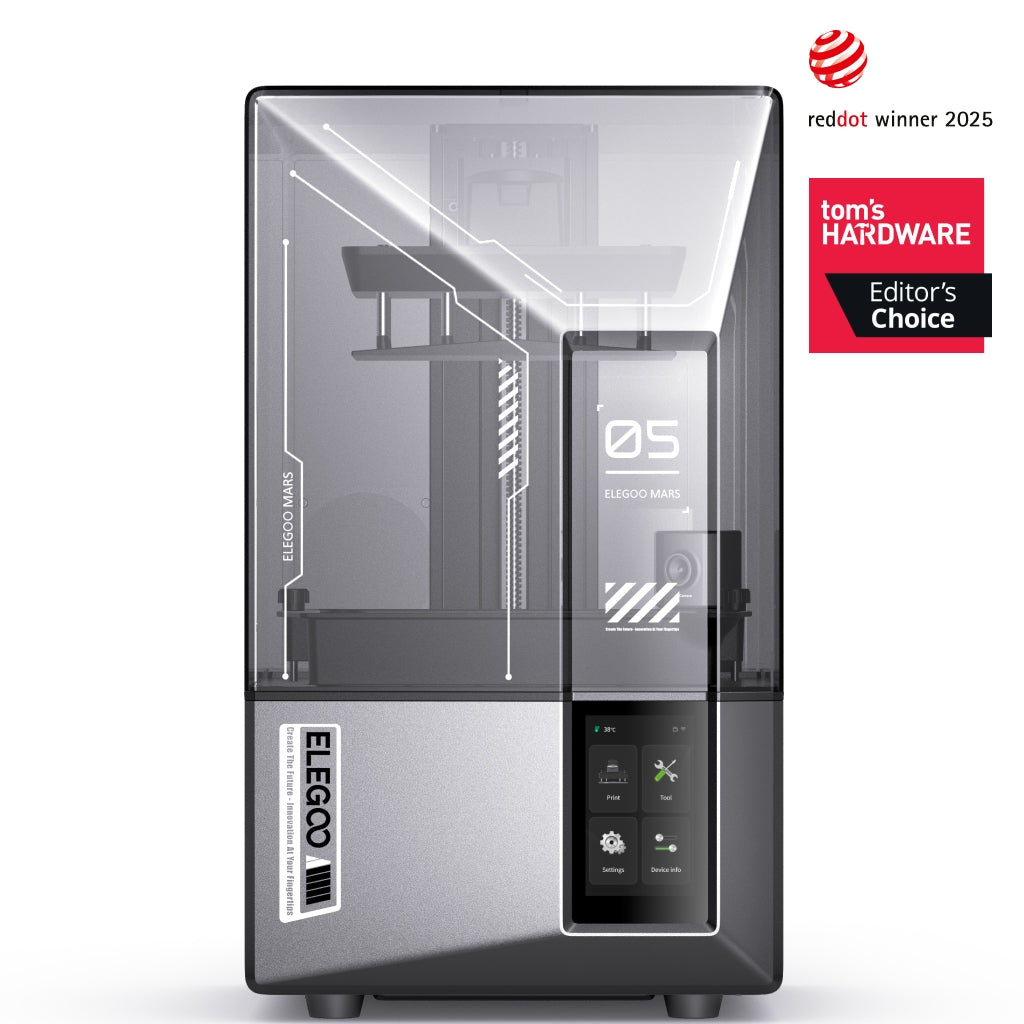
ELEGOO Mars 5 Ultra
Mars 5 Ultra 9K (not the non-Ultra Mars 5)
The fewest ways to get a first print wrong, on a machine small enough to keep.
- Build volume
- 153.36 × 77.76 × 165 mm
- Technology
- Resin (MSLA)
- Max speed
- Up to 150 mm/h (manufacturer maximum)
- Enclosed
- Lid (acrylic UV cover)
- Multi-colour
- No
- Auto levelling
- Yes (one-click automatic levelling)
What we like
- One-click levelling, plus alarms for low resin, residue and failed levelling
- A camera that watches for an empty plate and for warping
- 18 × 18 μm square pixels — detail resolves evenly in both directions
- 8.8 kg and desk-sized, with Wi-Fi as well as USB
What we don’t
- 153 × 78 mm plate — a small squad of figures, not a helmet
- Prints grip the plate hard until bottom-layer exposure is dialled back
- The camera cannot see the earliest layers, where failures usually start
- Screen covered for three months only, and no filtration of its own
The plate is 153.36 × 77.76 mm with 165 mm of height — a small squad of figures rather than a helmet. Pixels are 18 × 18 μm and square, so detail resolves equally in both directions and lettering comes out evenly. Layers run 0.01 to 0.2 mm, and the quoted ceiling of 150 mm/h is a maximum under favourable conditions.
Size matters as much as specification here. At 8.8 kg and 260 × 268 × 451.5 mm one person can move it. It takes most resins on the market, water-washable included — the sensible first bottle, since it washes in water rather than alcohol. Wi-Fi sits alongside USB. There is no filtration of its own; ELEGOO's Mars MATE carbon purifier is a separate purchase.
Two honest limitations. Several reviewers report that prints grip the plate more firmly than expected at first and that reducing the bottom-layer exposure a little is the usual fix, although this varies with resin. And owners and reviewers give the failure-detection camera credit for catching problems mid-print, while noting it cannot see the very early layers where failures most often begin. The camera is a convenience, not a safety net.
Buy this if you want one machine that will still make sense in a year, you have desk space rather than bench space, and you would rather the printer told you when something was wrong.
Skip this if you need a plate bigger than a paperback, or you are not sure resin is for you — the Mars 5 below asks less to find out.
Least money at risk: ELEGOO Mars 5
Plenty of people buy a resin printer, print four things and discover they hate the cleaning. This is the machine to find that out on: it keeps the parts that stop a beginner giving up and drops the parts that only matter later. One-click levelling is here, with a sensor covering resin shortage, residue and levelling failure.
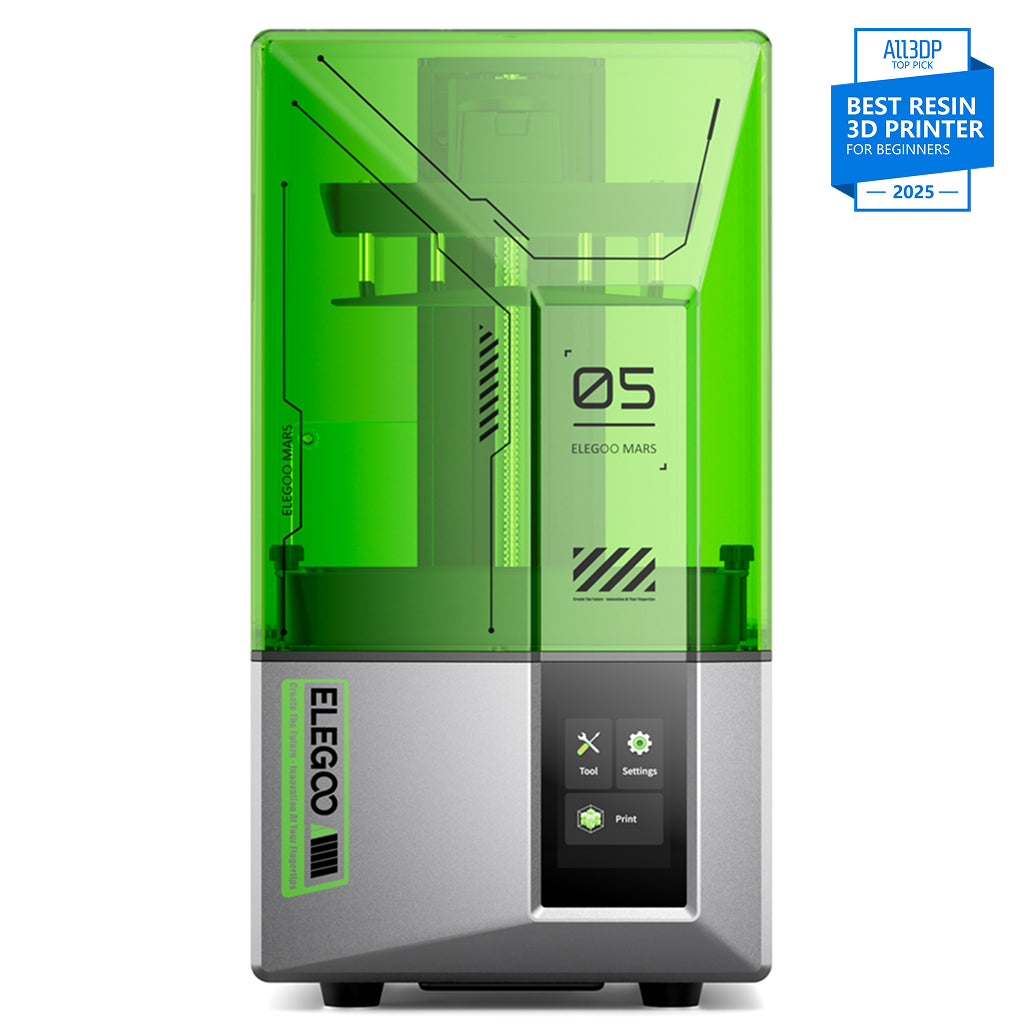
ELEGOO Mars 5
Mars 5 (4K, 6.6-inch - not the Mars 5 Ultra)
The cheapest way in that still levels itself and still tells you when something has gone wrong.
- Build volume
- 143.43 × 89.6 × 150 mm
- Technology
- Resin (MSLA)
- Max speed
- Up to 70 mm/h
- Enclosed
- Hinged cover (no filtration; compatible with the Mars Mate air purifier)
- Auto levelling
- Yes (one-click automatic levelling)
What we like
- The lowest outlay here that still levels itself at one press
- Resin, residue and levelling-failure alarms, the same as the Ultra
- 6.6 kg — the one machine here that genuinely fits a bookshelf
- Takes most resins on the market, water-washable included
What we don’t
- 35 × 35 μm pixels, roughly double the width of the Mars 5 Ultra's
- USB only — no Wi-Fi, no app, no camera
- Clearing a levelling alarm means draining and filtering the vat
- 70 mm/h ceiling, and no filtration of its own
What you give up is resolution. Pixels are 35 × 35 μm on a 6.6-inch 4K panel — roughly double the width of the Mars 5 Ultra's, which shows on anything small and faceted. Reviewers generally describe the 4K panel as enough for most hobby printing and limiting mainly at the fine end, such as jewellery masters or display pieces examined closely.
The plate is 143.43 × 89.6 mm with 150 mm of height, and the ceiling is 70 mm/h — half the Ultra's maximum, though since a resin layer cures all at once, a full plate takes about as long as a single model either way. Connection is USB only: no Wi-Fi, no app, no camera. At 6.6 kg it is the one machine here that fits a bookshelf, and it has no filter of its own.
Reviewers report that the levelling-failure alarm does fire in normal use, and that clearing it means draining and filtering the resin — a chore, though better than finding the problem after a failed plate. The alarm is the feature; the draining is its price.
Buy this if the honest answer to "am I going to keep doing this?" is "no idea".
Skip this if you are printing miniatures, or anything where a face has to read properly — the pixel difference against the Mars 5 Ultra is why that machine costs more.
Best big plate to start on: ELEGOO Saturn 4 Ultra
Starting on a large machine is usually a mistake: a bigger plate means a bigger peel force at the end of every layer, and more ways for a job to tear off its supports. This one is the exception, for a mechanical reason — the vat tilts to release the print rather than dragging it straight down, and levelling is hands-free. Everything here refers to the 12K model, sold alongside a separate 16K sibling that is not the same machine.
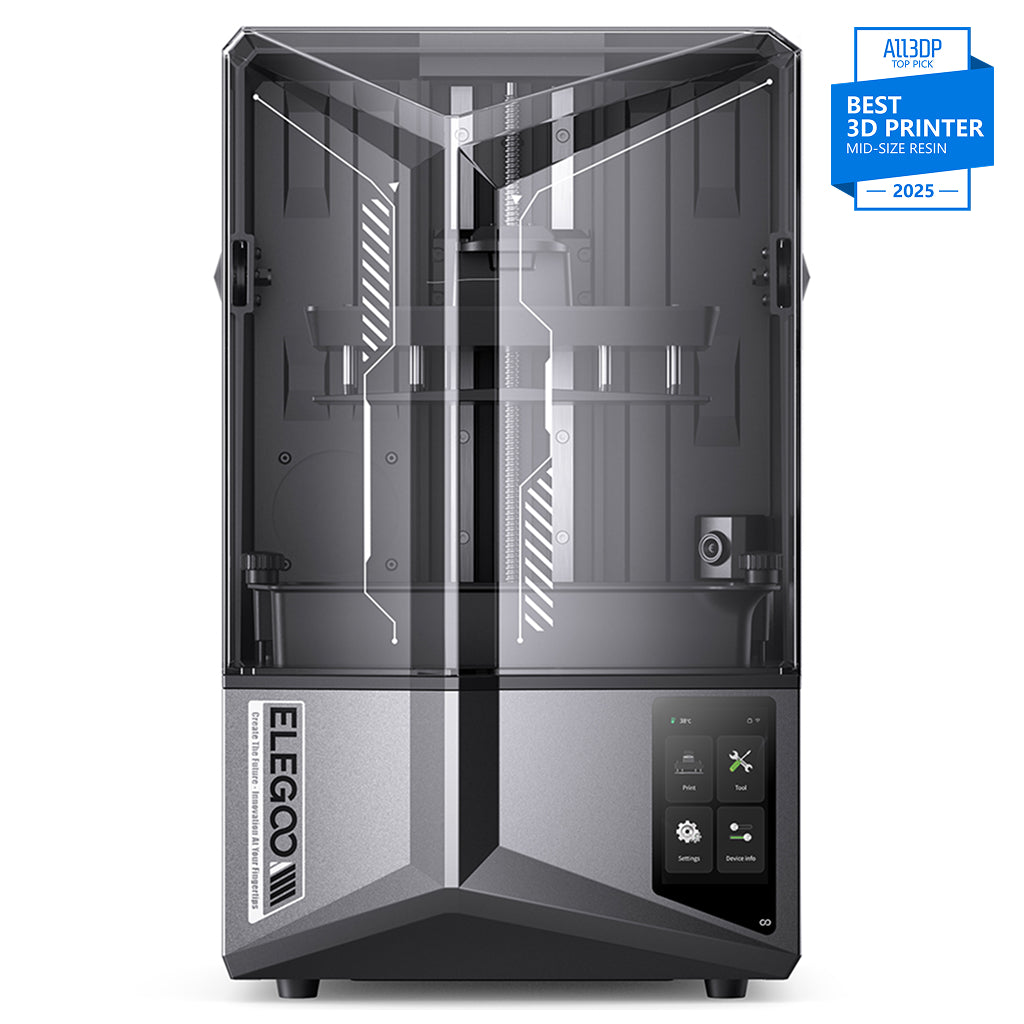
ELEGOO Saturn 4 Ultra 12K
Saturn 4 Ultra 12K (not the 16K variant)
The one large resin printer that does not punish a beginner for choosing it.
- Build volume
- 218.88 × 122.88 × 220 mm
- Technology
- Resin MSLA
- Max speed
- Up to 150 mm/h (fast mode)
- Enclosed
- N/A (resin printer with hinged UV cover)
- Multi-colour
- No
- Auto levelling
- Yes (hands-free automatic levelling; tilt-release platform)
What we like
- Tilting vat lowers the pull on every layer; levelling is hands-free
- 219 × 123 mm plate — roughly three times the Mars 5 Ultra's area
- Wi-Fi and USB, plus a camera with failure detection
- Both UK routes stock it: ELEGOO's own store and 3DJake
What we don’t
- 14.5 kg — a permanent home rather than a shelf
- The self-levelling plate is awkward to clean between resins
- The lid does not contain fumes; ventilation is not optional
- 19 × 24 μm rectangular pixels, slightly coarser than the Mars 5 Ultra
The plate is 218.88 × 122.88 mm with 220 mm of height, roughly three times the printable area of the Mars 5 Ultra. Pixels are 19 × 24 μm — slightly coarser than the Ultra's, and rectangular rather than square. The light source is a 405 nm COB with a Fresnel collimating lens quoted at 92% uniformity, which decides whether a model in the corner cures like one in the middle. The ceiling is 150 mm/h, with Wi-Fi alongside USB and a camera with failure detection.
Then the costs of size. It weighs 14.5 kg — a two-handed lift and a permanent home rather than a shelf. Several reviewers describe the self-levelling build plate as awkward to clean thoroughly, particularly when switching resins, although opinions on how much this matters vary. Warranty is twelve months on the machine, three on the screen and six on the vat and plate, and both UK routes hold it.
Buy this if you know what you want to print, it is bigger than a hand, and you have somewhere ventilated with a permanent surface for a machine of 14.5 kg.
Skip this if this is an experiment rather than a plan, or the printer would live in a bedroom or an unventilated box room.
Least resin to pour by hand: Anycubic Photon Mono M7 Pro
The part of resin printing nobody enjoys is the liquid handling: pouring from a bottle into a vat, decanting what is left back through a filter, then doing it again on a colour change. This machine automates both directions with automatic fill-and-drain and a temperature-controlled vat, and needs no levelling at all.
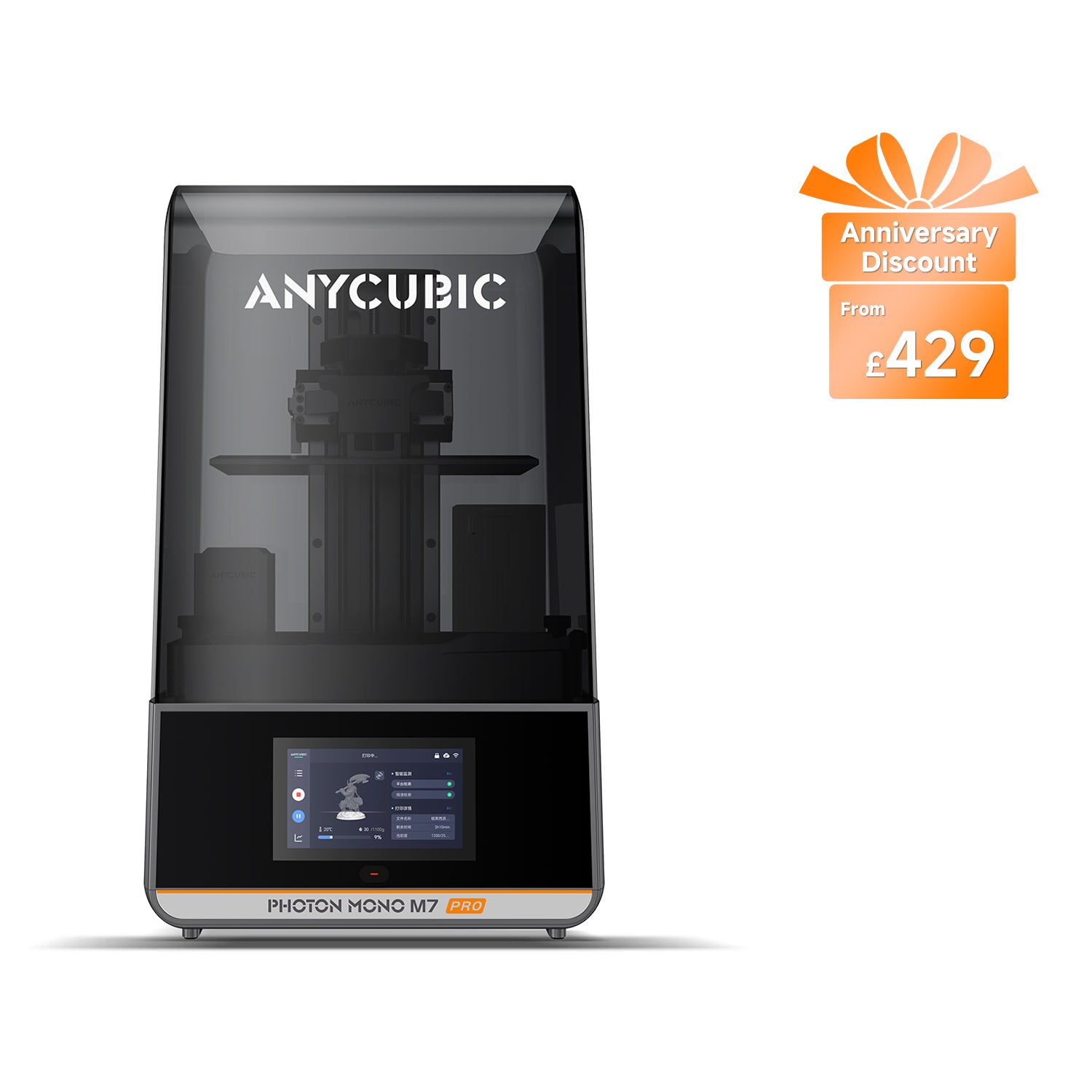
Anycubic Photon Mono M7 Pro
Photon Mono M7 Pro (not the Photon Mono M7 or M7 Max)
Automates the messiest job in resin printing, with caveats worth knowing before you pay for it.
- Build volume
- 223 × 126 × 230 mm (6.5 L)
- Technology
- Resin (MSLA)
- Max speed
- Max ≤130 mm/h; standard resin at 0.1 mm ≤130 mm/h, high-speed resin at 0.1 mm ≤170 mm/h (manufacturer maxima)
- Enclosed
- Lid (removable UV cover; Anycubic lists no hinged cover)
- Multi-colour
- No
- Auto levelling
- Yes (levelling-free)
What we like
- Fills and drains its own vat — the messiest job, automated
- Temperature-controlled vat, a real help in an unheated UK room
- Levelling-free, with dual linear rails on the Z axis
- 223 × 126 mm, the largest plate here, and six months on the screen
What we don’t
- The automatic resin feed is repeatedly reported as inconsistent
- Anycubic lists power-loss resume as not supported on this model
- The feed system and bolted tank add cleaning steps on a colour change
- 240 W and 12.8 kg; air purification is an optional accessory
The caveat matters, and most guides leave it out. Owner and reviewer reports repeatedly describe the automatic resin feed as inconsistent, particularly as the bottle empties, and the manufacturer publishes its own troubleshooting for it. Treat it as a convenience that usually works, not a system you can walk away from. The heating fares better: the integrated resin heating is widely regarded as a genuine improvement over the previous bolt-on version, though it is not intended for the thickest resins. Cold resin is a common cause of failed plates in an unheated UK room, so that is a real beginner benefit.
The plate is 223 × 126 mm with 230 mm of height, the largest here. Pixels are 16.8 × 24.8 μm on a 10.1-inch 14K panel, and the Z axis rides on dual linear rails quoted at 10 μm precision. Anycubic quotes up to 130 mm/h on standard resin and 170 mm/h on high-speed — maxima, not typical figures. It draws from a 240 W supply and weighs 12.8 kg.
Two things count against it as a first machine. Anycubic's own specification table lists power-loss resume as not supported, an odd omission on the machine most likely to run long jobs. And a recurring theme in reviews is that the automatic feed system and bolted tank add cleaning steps, particularly when changing resin colour. The automation that saves pouring costs scrubbing. Air purification is optional here too, with no built-in filter.
Buy this if the handling is what puts you off resin, you will print in colour batches rather than switching constantly, and the budget stretches to around the £410 to £470 mark.
Skip this if you want the simplest machine. Every automated system is another thing to clean.
Best if you would rather level by hand: Anycubic Photon Mono 4 Ultra
Not every beginner wants the machine to hide the mechanics. Levelling here is a four-point manual job, and that is why this printer is on the list rather than a reason to avoid it: you do it once, you learn what the plate is doing, and afterwards you can tell whether a failure was levelling or something else.
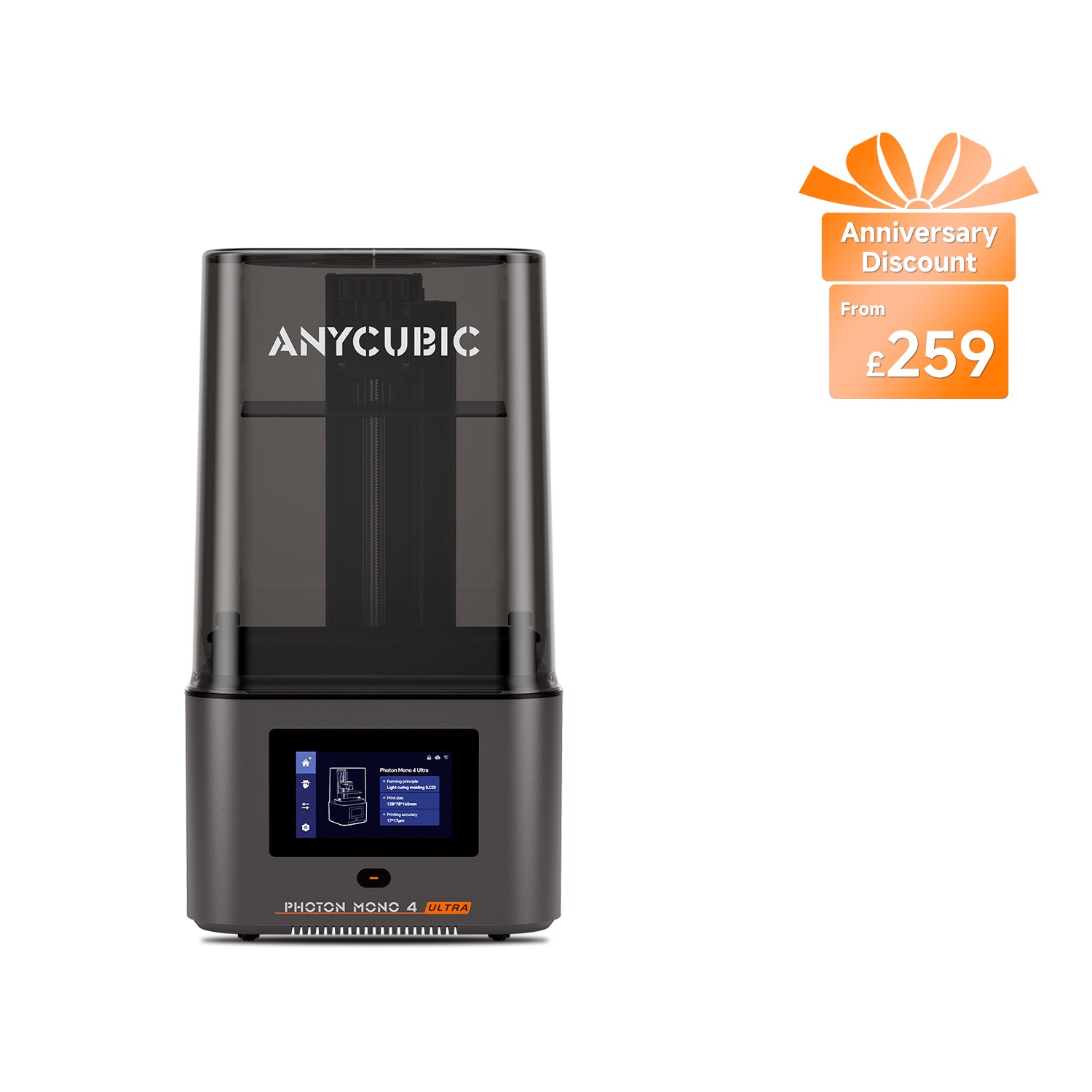
Anycubic Photon Mono 4 Ultra
Photon Mono 4 Ultra (not the Photon Mono 4 or Photon Mono 4 Max)
A deliberate manual-levelling choice on the lightest, most frugal machine here.
- Build volume
- 153.4 × 87 × 165 mm (2.2 L)
- Technology
- Resin (MSLA)
- Max speed
- Max ≤80 mm/h; standard resin at 0.1 mm ≤80 mm/h, high-speed resin at 0.1 mm ≤120 mm/h (manufacturer maxima)
- Enclosed
- Lid (removable UV cover; Anycubic lists no hinged cover)
- Multi-colour
- No
- Auto levelling
- No — 4-point manual levelling
What we like
- 17 × 17 μm square pixels — the finest square pixel of the five
- 5 kg and a 66 W supply: the lightest and cheapest here to run
- Six months on the LCD, the longest screen cover on this page
- Manual levelling teaches you what the plate is actually doing
What we don’t
- Four-point manual levelling, and no adjustable feet
- The bundled slicer needs watching, especially automatic supports
- Reviewers suggest swapping the supplied film for sharper results
- The Anycubic app is not supported on this model
Levelling on this model is a manual step, which some reviewers see as a good thing, though the lack of adjustable feet means an uneven surface has to be corrected before printing. That is the practical catch: get the surface flat first, because the printer will not do it for you.
Pixels are 17 × 17 μm and square — the finest square pixel in this group — on a 7-inch 10K panel, with the plate at 153.4 × 87 mm. Anycubic quotes up to 80 mm/h on standard resin and 120 mm/h on high-speed. It is the smallest and cheapest here to run: 5 kg from a 66 W supply, shipping with ACF release film and a replaceable screen protector.
The software needs attention: several reviewers report that the bundled slicer needs watching, with automatic supports worth checking on each plate and no automatic orientation to speed up a full build plate. Photon Workshop is the slicer, USB and Wi-Fi are both present, and the Anycubic app is not supported here. One genuine advantage over the ELEGOO machines: the screen is covered for six months rather than three, and the LCD is the part most likely to need replacing.
Buy this if you want to learn the mechanics, you value a square pixel, or the printer has to be light enough to move and cheap enough to leave running.
Skip this if you want the machine to handle levelling for you — which is exactly what the Mars 5 Ultra does for similar money.
What makes an easy resin printer easy
All five machines here are MSLA printers: a monochrome LCD masks a UV light source so a whole layer cures at once. That is why plate size barely affects print time, and why they are cheap next to the laser-scanning SLA and projector-based DLP designs the phrase once meant.
Levelling. Three approaches appear here — one-click automatic on both Mars machines, hands-free automatic with a tilting vat on the Saturn, levelling-free on the M7 Pro — against four-point manual on the Photon Mono 4 Ultra. The gap is smaller than the marketing suggests. Several reviewers caution that the auto-levelling on this class of machine does not remove the need to understand levelling, and Elegoo publishes a manual levelling guide alongside the automatic one. What an auto-levelling resin printer really buys is a shorter first evening and an alarm when levelling has failed, not freedom from the concept.
Release mechanism. At the end of every layer the cured slice has to let go of the film at the bottom of the vat. A tilting vat breaks that bond at an angle instead of pulling straight down, lowering the force on thin supports. Release film is a consumable either way.
Pixel size, and why it is not the K number. The Mars 5 Ultra resolves at 18 × 18 μm, the Mars 5 at 35 × 35 μm — roughly double the pixel width for a considerably lower price. A larger screen at the same pixel count gives bigger pixels, not smaller ones, so compare the micron figure and ignore the K.
A note on "plug and play resin printer", a phrase that appears in many listings. No resin printer is plug and play, and these do not claim to be. Every print on all five is still drained, washed, cured and de-supported by hand. These machines remove the setup and the silent failure, not the routine.
Working safely with resin at home
Most buying guides reduce this to "wear gloves". The requirements below are not ours — they come from the manufacturers and the UK regulator.
The manufacturer's own manual for one of these machines requires protective equipment including gloves and safety glasses, operation in a well-ventilated area, avoiding direct skin contact with resin, and curing resin under UV before disposal. That is an instruction from the company selling the printer, not a cautious opinion.
The reason for the gloves is worth knowing. The Health and Safety Executive lists resins and acrylates among the agents that cause occupational skin disease, alongside epoxy resins, in its causative agents guidance. HSE is describing occupational exposure in construction and healthcare, and has not assessed any particular 3D printing resin — but the chemistry family is the same, and the mechanism matters at home. HSE notes that sensitisation is generally lifelong once it has happened, and that it depends on how much contact the skin has and for how long. This is not a substance where you get away with it until one day you do not, and then never again.
The working kit is therefore nitrile gloves, eye protection, a covered surface and somewhere with real air movement — plus a wash-and-cure routine, because a print straight off the plate is coated in uncured resin and no safer to handle than the bottle.
Ventilation deserves a straight answer, because no machine here solves it for you. The Mars models take the Mars MATE carbon purifier as a separate purchase, and the M7 Pro offers a carbon unit and a hose as optional accessories. In every case filtration is bought, not built in. A lid is not extraction. A recurring theme among owners is that the lid does not contain resin fumes, so ventilation or an extraction setup is treated as a requirement rather than an option.
How bad it smells is genuinely contested. Owner accounts of resin odour in a home vary widely: some describe printing in a bedroom and noticing little, while others treat a ventilated room and added carbon filtration as essential. Since you cannot know in advance which your house and your nose will be, plan for the second. A garage, a utility room or a spare room with an openable window is the right answer; a sealed box room is not. Water-washable resin helps too: it does not remove the need for gloves or ventilation, but it keeps a litre of isopropyl alcohol out of a domestic room.
What a resin setup costs to run in the UK
Reviewers consistently point out that the printer is only part of the outlay, since washing, curing, alcohol, gloves and ventilation sit outside the box. Here is the arithmetic. Everything below is an estimate built from published figures, not a measurement.
Electricity is the smallest number by a distance. Only two machines here publish a rated power: the Photon Mono 4 Ultra at 66 W and the M7 Pro at 240 W. ELEGOO publishes no rated wattage for the Mars or Saturn machines, only a supply rating, so they are left out rather than guessed at. Under the Ofgem price cap the average unit rate is about 26p per kWh. A six-hour print therefore costs roughly 10p on the smaller machine and 37p on the larger; twenty hours a week lands between about 35p and £1.25 a week in electricity.
Resin is the real running cost. Common resins sit at roughly £16 to £28 a kilogram from a manufacturer's own UK store, with speciality types above that. A kilogram goes further than most people expect, but one large failed print can waste much of a bottle — the strongest argument for failure detection.
The wash-and-cure station is a one-off worth having. A combined unit sits around the £79 to £113 mark. You can wash in a tub and cure in sunlight, but the station turns a twenty-minute chore into a five-minute one.
Consumables. Release film is a routine replacement. The LCD is the expensive one, and a wear part rather than a fault: every hour of printing is an hour of UV on the screen.
Starting budget, honestly. Printer, station, a kilogram of water-washable resin, gloves and a spare release film: on the Mars 5 that lands around the £250 to £290 mark all in, on the Mars 5 Ultra nearer £320 to £380. Neither includes ventilation.
UK availability, warranty and spare parts
All five machines have two working UK routes, which is more than the larger resin printers manage. The ELEGOO models are held by ELEGOO's own UK store and by 3DJake UK, with the Mars 5 Ultra confirmed in stock for UK delivery in September 2026; the Anycubic models by Anycubic's UK store and 3DJake UK. Two routes matters: prices can differ by a useful margin on the same machine, and stock rarely runs out in both at once.
Warranty is where a beginner gets caught, so read the exclusions rather than the headline. Every machine here carries twelve months on the printer itself; what differs, and what almost nobody mentions, is everything else.
On the ELEGOO machines the screen is covered for three months and the resin tank and build plate for six. On the Anycubic machines the screen gets six months — the best screen term here, and worth weighing, because the LCD is the part most likely to need replacing: it sits under the vat, takes UV on every layer, and a resin leak will finish it.
Release film, acrylic covers, packaging, manuals and tools carry no cover on the ELEGOO machines; tools and release film are likewise excluded by Anycubic. They are consumables, so that is not unreasonable — but the first thing to fail is usually the first thing you pay for.
Spares are the quiet strength of both brands here: ELEGOO's UK store carries Mars and Saturn screens, vats and release film, 3DJake keeps model-specific spare-parts pages, and Anycubic runs per-model accessory collections. Unbox and test-run inside the return window all the same.
Who should not start with resin
Resin is right for detail, smooth surfaces and small parts, and wrong for a surprising number of its buyers.
If the printer has to live in a bedroom or a sealed room, choose FDM instead. Filament printers melt plastic rather than handling a liquid photopolymer, so the gloves and the extraction question largely disappear. The ventilation requirement here is not a formality — it is a manufacturer instruction, resting on a regulator's account of how skin sensitisation works. Our guide to the best 3D printers in the UK covers the alternatives, most of them easier to live with in a flat.
If you want large or structural parts, resin is the wrong tool. The biggest plate here is 223 × 126 mm, and cured resin is more brittle than printed PLA or PETG under load.
If nobody in the house will tolerate the routine, be honest now. Every print is drained, washed, cured and de-supported, indefinitely — and even the machine that automates the pouring adds work elsewhere. If small children or pets have unsupervised access, settle the location before the machine: liquid resin, isopropyl alcohol and a UV source all want a door that closes.
If none of that puts you off but you are still unsure, the Mars 5 above is cheap enough that changing your mind is not an expensive mistake. If your interest is tabletop figures specifically, our guide to the best resin printers for miniatures ranks the same market on pixel size at 28 mm scale.
The verdict
For most people buying a first resin printer in the UK, the ELEGOO Mars 5 Ultra is the one to get. It is not the sharpest, fastest or largest machine here and does not need to be: it removes more of the ways a beginner loses an evening than anything else at the price, and it is small enough to still have a home when you buy a second printer.
If you are unsure whether resin suits you, buy the Mars 5 and find out cheaply. If you want a large plate, the Saturn 4 Ultra's tilting vat makes it the one big machine that does not punish a beginner. The M7 Pro suits those whose objection to resin is the handling; the Photon Mono 4 Ultra, those who would rather understand the mechanics than have them hidden. Whichever you pick, budget for the routine as well as the machine, and settle the ventilation question before the printer arrives.
- Buy it if
- You want one machine that removes the most common first-print failures — the ELEGOO Mars 5 Ultra levels itself, warns you about low resin, residue and failed levelling, and fits on a desk.
- Skip it if
- Your printer would have to live somewhere you cannot ventilate, or you want large or load-bearing parts — in which case a filament printer is the better first machine.
How this article was researched
No printer here was bought, run, measured or photographed by anyone on this site. Specifications come from each manufacturer's own product page, manual or specification sheet, and every figure links to its source. UK prices are ranges checked against UK stores in September 2026, never live figures. Owner-experience passages are labelled as such: no customer review is quoted and no rating reproduced. Reviewed quarterly.
Common questions
- Is resin printing suitable for beginners?
- Yes, with one condition: somewhere to put it. The machines have become genuinely straightforward — four of the five here level themselves, and several will warn you when a job has gone wrong rather than letting it fail quietly. What has not changed is that liquid resin needs gloves, eye protection and moving air, and that every finished part is washed and cured by hand. If you can answer the ventilation question, the printing itself is easier than it was a few years ago. If you cannot, no amount of automation fixes it.
- Which resin printer is easiest to clean?
- The ELEGOO Mars 5, mostly by being simple. A small vat, a plain plate and no automated plumbing means a resin change is a drain, a filter and a wipe. The Mars 5 Ultra is close behind. At the other end, the M7 Pro's automatic feed and bolted tank add steps precisely because they save you pouring, and reviewers single out the Saturn's self-levelling plate as fiddly to get properly clean between colours. If you expect to switch resins often, simpler is faster.
- What safety gear is needed?
- Nitrile gloves and eye protection as a minimum — both are named in the manufacturer's own manual — plus a ventilated space and a covered work surface. Add a dust mask if you sand cured parts. Keep paper towel and cleaner within arm's reach before you open the bottle rather than after: spills happen at the worst possible moment, and a glove is no use on the other side of the room.
- Do I need a wash-and-cure station straight away?
- No, but most people want one by about the fourth print. A tub of water or alcohol and a UV lamp will get you started, and the first week is usually spent finding out whether you enjoy the process at all. What a station buys is consistency and time — an even wash and a measured cure instead of guessing — which matters most on small detailed parts, where an under-cured surface stays tacky and will not take paint.
- How long does a resin print take from start to finished part?
- Longer than the printer's estimate, because that estimate stops at the plate. A typical hobby job might run three to six hours, and then draining, washing, curing and removing supports adds roughly fifteen to thirty minutes of your own time. Plan the post-processing into the evening rather than meeting it as a surprise — it is the stage that decides whether the finished part actually looks good.