Anycubic Photon Mono M7 Pro Review
A UK review of the Anycubic Photon Mono M7 Pro: what the heated vat and auto-fill really remove, what the 14K screen costs to replace, and who should skip it.
Independent and reader-funded. We earn a commission if you buy through our links, at no extra cost to you. How this works.
The pitch for this machine is that it does the two jobs you least want to do. It draws its own resin out of the bottle into the vat, and holds that resin at a working temperature instead of letting a cold room thicken it. The exact variant assessed here is the Photon Mono M7 Pro — levelling-free and built around a 10.1-inch 14K panel — not the cheaper Photon Mono M7 sold beside it, and not the larger M7 Max.
What this Anycubic Photon Mono M7 Pro review adds is the arithmetic the product page leaves out: what the automation removes, what it quietly adds back, and what the machine costs across two years. It sits around the £410–£470 mark. No printing, measurement or photography was carried out for this review.
The specification, and what each figure buys you
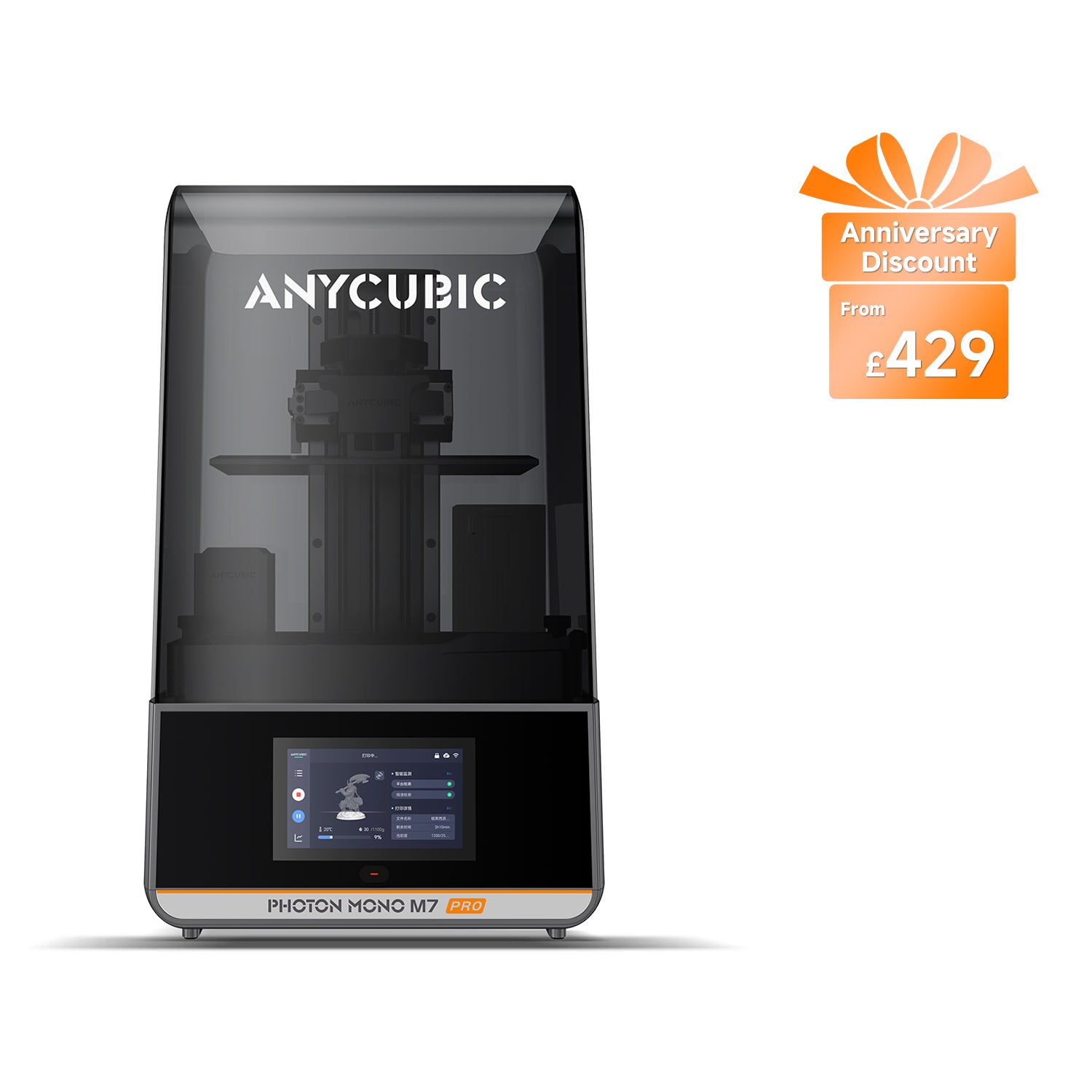
Anycubic Photon Mono M7 Pro
Photon Mono M7 Pro (not the Photon Mono M7 or M7 Max)
A fast 14K resin printer that pours and warms its own resin — priced above a rival that out-specifies it on paper.
- Build volume
- 223 × 126 × 230 mm (6.5 L)
- Technology
- Resin (MSLA)
- Max speed
- Max ≤130 mm/h; standard resin at 0.1 mm ≤130 mm/h, high-speed resin at 0.1 mm ≤170 mm/h (manufacturer maxima)
- Enclosed
- Lid (removable UV cover; Anycubic lists no hinged cover)
- Multi-colour
- No
- Auto levelling
- Yes (levelling-free)
What we like
- Pumps resin into the vat and back out again, and holds it at a working temperature while printing
- Levelling-free, so there is no paper-and-four-screws ritual before a print
- A tall 223 x 126 x 230 mm plate, generous in height for a machine of this footprint
- Dual linear rails on the Z axis quoted at 10 micrometre precision
- Up to 170 mm/h on high-speed resin, from a brighter 5,500 microwatt light engine
- Model-specific spare parts stocked in the UK, including the screen, vat, plate and protector
What we don’t
- Anycubic's own specification lists power-loss resume as not supported
- The LCD is warranted for six months and costs roughly a third of the machine to replace
- The auto-fill pump is the most reported weak point, particularly as the resin bottle empties
- No built-in air filtration; the activated-carbon purifier is a separate purchase
- A cheaper rival has a finer pixel, a monitoring camera and tilt release
- No published noise rating and no independent measurement found
Start with the plate, because it decides what you can make: 223 × 126 × 230 mm. That is a tall, narrow column rather than a cube — room for a batch of figures side by side, or one piece of real height.
The panel is a 10.1-inch 14K LCD of 13,320 × 5,120 pixels, giving a pixel of 16.8 × 24.8 μm. Vertically the choice is yours, from 0.01 to 0.15 mm a layer, guided by dual linear rails quoted at 10 μm precision.
Speed comes from light. A COB source, Fresnel lens and uniformity algorithm rated at 5,500 ±10% μW/cm² cure each layer faster, which is why the quoted ceiling is up to 130 mm/h on standard resin and up to 170 mm/h on high-speed resin at 0.1 mm layers — maxima under Anycubic's own conditions, not a rate to plan an evening around.
The rest is the ownership picture. Files arrive over USB, Wi-Fi or LAN, sliced in Photon Workshop or ChiTuBox, with Lychee listed as scheduled. It weighs 12.8 kg and stands 312 × 315 × 520 mm on a 240 W supply — a printer needing a dedicated surface.
What it does well
The strongest argument for the M7 Pro is that it attacks the part of resin printing nobody enjoys. Resin is normally decanted by hand from a heavy bottle into an open tray, then cleaned out by hand. This machine pumps it in, pumps it back out, and holds the vat at a working temperature while printing.
The heating is the more valuable half. Resin thickens as it cools, and thick resin is what leaves a first layer cured onto the release film instead of the plate. Warming the vat removes a variable a British spare room otherwise controls.
Levelling is the second thing it takes off your hands. Owners find the levelling-free system genuinely reduces routine calibration, although reviewers report it still needs re-running after sustained use rather than being eliminated. That is the honest version of the feature: it removes the chore, not the concept. Underneath it, the mechanical foundations are better than the price suggests — the dual rails are much of why the speed claim stands up.
Buy this if you have printed with resin before and found the pouring and the cold-room lottery to be the tedious parts. Skip it if this would be your first resin printer on a fixed budget — that money is better spent on a cheaper machine plus the wash-and-cure kit you will need regardless.
Where it falls short
There is no power-loss resume. Anycubic's own specification lists it as not supported. Resin jobs run for hours, and a brief cut ends the print rather than pausing it. The rival ELEGOO at least carries a camera raising alerts for empty plates and warped models.
The screen is a wear part with the shortest cover on the machine. Anycubic warrants the main components for twelve months but the LCD for six, and the release film not at all. A replacement runs to around the £120 to £160 mark, roughly a third of what the printer costs. Budget for it as a consumable, not a fault.
The automation you are paying for is also the thing needing care. A pump and a heated tank are more parts than a plain tray, and a replacement vat is dearer to match at roughly the £66 to £83 mark. The reported reliability of the feed is the next section's subject, and it is the machine's weakest point.
Nothing filters the air. There is no built-in filtration; the activated-carbon AirPure and the ventilation hose are optional accessories, the purifier cheap enough at around the £25 mark but easy to forget to buy.
Buy this if you can absorb the screen as a running cost and the auto-fill is what you actually want. Skip it if you want the best specification per pound at this size, or need a machine to survive a power blip unattended.
What owners and reviewers consistently report
The patterns below recur across independent long-form reviews, community discussion and Anycubic's own fault-and-fix material. None of it was measured here; it is included because it contradicts the product page in useful ways.
One theme dominates, and it is the feature the machine is sold on. Owner and reviewer reports repeatedly describe the automatic resin feed as inconsistent, particularly as the bottle empties, and the manufacturer publishes its own troubleshooting for it. A pump has least to work with when the bottle is nearly empty. Auto-fill saves you the pour most of the time and asks for attention the rest of it.
The second pattern redeems the first. The integrated resin heating is widely regarded as a genuine improvement over the previous bolt-on version, though it is not intended for the thickest resins.
Then the cost of both. A recurring theme in reviews is that the automatic feed system and bolted tank add cleaning steps, particularly when changing resin colour. The machine removes the pour and adds a flush: print one colour for months and you win comfortably, switch often and rather less so.
Several reports note that prints from high-speed resin are best washed and de-supported soon after the job finishes, since supports become much harder to remove once fully cured. If you intend to use the high-speed resin the 170 mm/h figure depends on, plan to be around when the job ends.
Setup and the first fortnight
Getting to a first print is short work. There is no frame to build, levelling is handled by the machine, and files reach it over USB, Wi-Fi or LAN, sliced in Photon Workshop or ChiTuBox, with Lychee listed as scheduled.
The genuine learning curve is not the printer. A finished resin print is sticky, uncured and chemically active, and it must be drained, washed, de-supported, cured under UV and disposed of properly. On a short job that sequence takes longer than the print did, and no automation inside the machine touches it. So the fortnight to plan for is about building a routine for washing, curing and waste — and working out how you will flush the feed system before you own three colours of resin rather than after.
Anycubic Photon Mono M7 Pro print quality, and what it will actually make
The honest position on Anycubic Photon Mono M7 Pro print quality is that the panel stopped being the limiting factor some generations ago. A 14K screen of 13,320 × 5,120 pixels puts the pixel at 16.8 × 24.8 μm, fine enough that the panel is rarely what limits a painted tabletop figure. What separates a good plate from a bad one is orientation, supports, exposure and resin — roughly in that order.
The rectangular pixel is the specification most often glossed over. Because the machine is sharper along one axis than the other, a face laid flat against the X axis comes out crisper than the same face turned ninety degrees.
Layer height is the half you control, from 0.01 to 0.15 mm. The fine end buys smooth curves at the cost of hours; the coarse end gets a tray of terrain done overnight. Both quoted speed ceilings are stated at 0.1 mm layers, so halving the layer height roughly doubles the job.
What it will make is set by the plate — generous in height, modest across. For tabletop work at 28 mm and 32 mm this is more machine than the job needs, and the best resin printers for miniatures guide covers that case. For helmets, busts and props, measure first: this is the point at which the M7 Max exists.
Materials are unrestrictive, water-washable among them, which removes the need for bulk isopropyl alcohol.
Noise, smell, space and safety in a UK home
Space is the easy question: 312 × 315 × 520 mm and 12.8 kg. That is a machine for a dedicated surface, and the cover lifts off rather than hinging, so leave clearance above it.
Noise deserves a straight answer and there is not a firm one to give. Anycubic publishes no acoustic rating for this model and no independent measurement was found, so no decibel figure appears on this page. Some reviewers describe the M7 Pro as running quietly, with little more than a low hum from the fans during a print, though this is not widely corroborated. That is encouraging rather than a specification.
Smell is the problem the machine does not solve. There is no built-in filtration: the activated-carbon AirPure is optional, at around the £25 mark, and a ventilation hose is sold separately. Plan the room before the printer arrives; an openable window is worth more than any accessory.
Then the part most reviews hurry past, and the reason a resin printer does not belong in a child's bedroom. Manufacturer guidance for resin handling requires gloves and eye protection, a well-ventilated area, no direct skin contact, and curing waste resin under UV before disposal. Take that literally. The Health and Safety Executive lists resins and acrylates among the causative agents of occupational skin disease, and states that once sensitised a person is likely to remain so for life.
What an Anycubic Photon Mono M7 Pro costs to run in the UK
The Anycubic Photon Mono M7 Pro price in the UK sits around the £410–£470 mark. That is the smallest part of owning one, and the rest divides into three.
Electricity is close to irrelevant, and the honest figure is a ceiling rather than a measurement. Anycubic publishes a 240 W supply rating — what the power brick can deliver, not what the printer draws. Under the Ofgem price cap the average unit rate is about 26p per kWh, so even at full supply for an eight-hour print the electricity would come to roughly 50p — and it will not draw full supply.
Resin is the cost that lands, at roughly £16 to £28 a kilogram depending on type, and a wash-and-cure station is a purchase rather than an optional extra at around the £79 to £113 mark.
Then the parts that wear, where this machine is dearer than most. The LCD is the big one at around the £120 to £160 mark, warranted for six months rather than twelve. The vat carries the heating and auto-fill fittings, so a replacement is dearer to match at roughly the £66 to £83 mark, against around the £50 mark for a spare build plate and under £20 for a screen protector. Buy the protector early: it is the cheap part whose job is to save the expensive one. Anycubic publishes no service-life figure for the screen, so none is invented here — but a realistic first two years includes at least one.
UK warranty, spare parts and where to buy one
Buying an Anycubic Photon Mono M7 Pro in the UK means one of two routes, and availability is currently split between them. Anycubic's own UK store and the UK specialist 3DJake both list the machine; when this page was checked the Anycubic store showed it in stock, while the specialist showed none in the warehouse with more inbound. Check both before ordering.
Spares are the better news. Anycubic maintains a UK accessories collection specific to this model, with the screen, vat, build plate and protector sold separately — a different proposition from a machine whose screen must be shipped in.
The warranty is the weak point. Anycubic covers the main components for twelve months and the LCD for six, with tools and release film not covered at all. The tiering runs the wrong way round: the shortest cover sits on the part that wears fastest and costs most to replace. The cheaper ELEGOO rival is no better, warranting its screen for three months.
Underneath any manufacturer warranty sit rights that do not depend on goodwill. The Consumer Rights Act 2015 gives a short-term right to reject faulty goods within 30 days of delivery, and buying online adds a separate 14-day cancellation right requiring nothing to be wrong. For the first six months the law assumes a fault was present at delivery, and the duty to refund falls on the trader, not the manufacturer.
The M7 Pro against its closest alternatives
The Anycubic Photon Mono M7 Pro alternatives worth real thought sit on three sides of it: the rival that costs less and specifies better, the Anycubic that costs much less, and the M7 Pro's own cheaper sibling.
| Specification | 1 Anycubic Photon Mono M7 Pro The machine reviewed | 2 ELEGOO Saturn 4 Ultra 16K More printer for less money | 3 Anycubic Photon Mono 4 Ultra The same ecosystem for two-thirds the price |
|---|---|---|---|
| Best for | Hands-off resin handling | Specification per pound at this size | A first resin printer on a budget |
| LCD | 10.1-inch 14K, 13,320 × 5,120 | 10-inch 16K, 15,120 × 6,230 | 7-inch 10K |
| XY pixel | 16.8 × 24.8 μm | 14 × 19 μm | 17 × 17 μm |
| Build volume | 223 × 126 × 230 mm | 211.68 × 118.37 × 220 mm | 153.4 × 87 × 165 mm |
| Levelling | Levelling-free | Automatic | Four-point manual |
| Heated resin tank | Yes, with automatic fill and drain | Yes, held at 30 °C | Not listed |
| Max speed | ≤130 mm/h standard, ≤170 mm/h high-speed | 150 mm/h | ≤80 mm/h standard, ≤120 mm/h high-speed |
| Layer range | 0.01–0.15 mm | 0.01–0.2 mm | 0.02–0.15 mm |
| Monitoring | No camera listed | Camera with empty-plate and warp alerts | Sensor self-checks, no camera |
| Power-loss resume | Not supported | Not listed | Not listed |
| Connectivity | USB, Wi-Fi and LAN | USB and dual-band Wi-Fi | USB and Wi-Fi |
| Weight | 12.8 kg | 16.1 kg | 5 kg |
| UK warranty | 12 months; LCD 6 months | 12 months; LCD 3 months | 12 months; LCD 6 months |
| Typical UK price | £410–£470 | £370–£420 | £240–£290 |
The ELEGOO is the uncomfortable comparison, and it should be. The Saturn 4 Ultra 16K sits lower at around £370–£420 and beats the Anycubic on most of the sheet: a squarer, finer 14 × 19 μm pixel, a tank held at a stated 30 °C, tilt release so each layer peels from one edge rather than lifting flat, and a camera raising alerts for empty plates and warped models. Its plate is smaller and its screen warranty shorter.
So why buy the Anycubic? For one feature the ELEGOO lacks: the pump. Heating a vat is common now; filling and draining it automatically is not. If that is what you want to minimise, this is the machine. If not, the ELEGOO is more printer for less money.
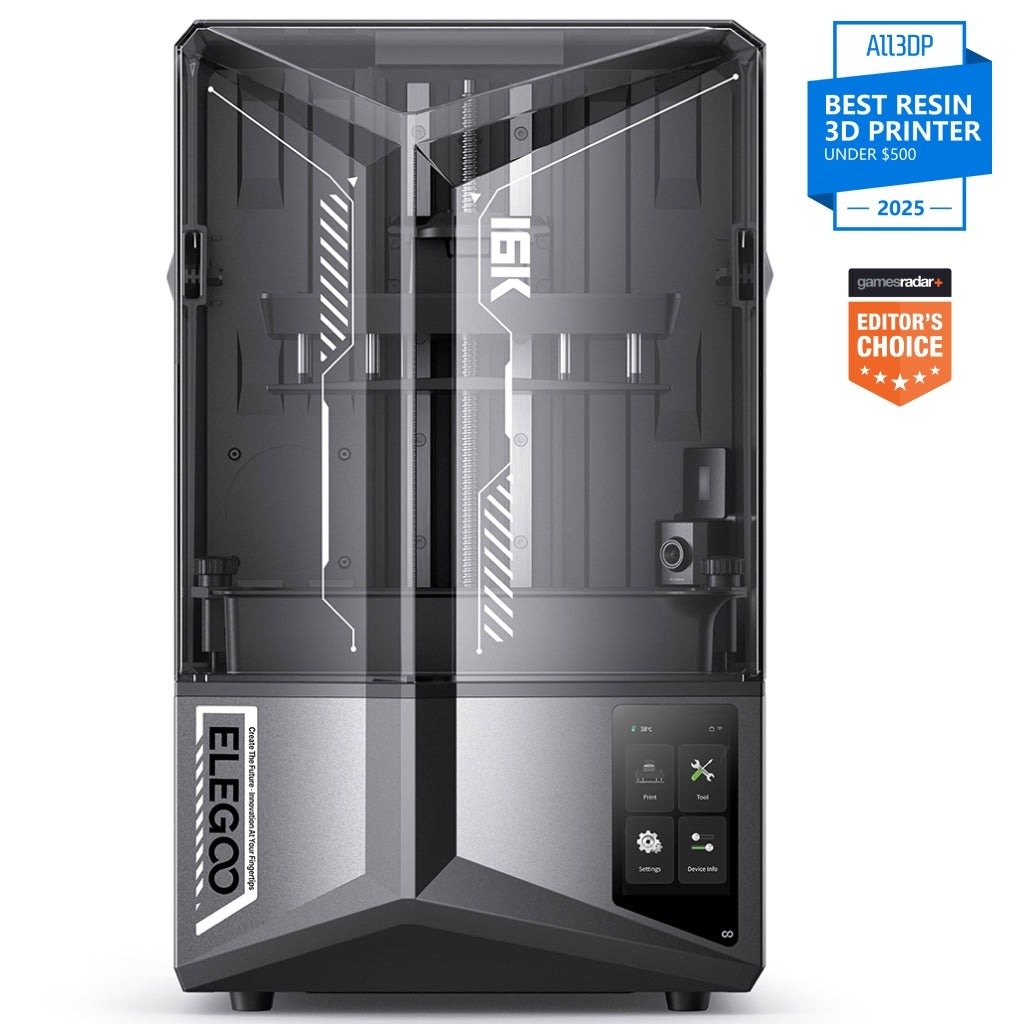
ELEGOO Saturn 4 Ultra 16K
Saturn 4 Ultra 16K (not the 12K Saturn 4 Ultra)
A finer, squarer pixel, a heated tank, tilt release and a monitoring camera — in a lower price band, with a shorter screen warranty.
- Build volume
- 211.68 × 118.37 × 220 mm
- Technology
- Resin (MSLA)
- Max speed
- Up to 150 mm/h (fast mode, manufacturer maximum)
- Enclosed
- Lid (acrylic UV cover)
- Multi-colour
- No
- Auto levelling
- Yes (one-click automatic levelling)
What we like
- A finer and squarer 14 x 19 micrometre pixel on a 16K panel of 15,120 x 6,230
- A smart tank that holds resin at a stated 30 degrees Celsius
- Tilt release peels each layer off the film from one edge rather than lifting it flat
- A camera that raises alerts for empty build plates and warped models
- Sits in a lower UK price band than the Anycubic it competes with
What we don’t
- The LCD is warranted for three months rather than six
- No automatic resin fill or drain — the pour and the clean-out are yours
- A slightly smaller plate at 211.68 x 118.37 x 220 mm
- Heavier at 16.1 kg, on the same large footprint
Buy it instead if you want the best specification per pound at this size. Skip it if the auto-fill is why you were buying at this level.
The Photon Mono 4 Ultra is the step down, not the sidestep. It keeps the Anycubic slicer and support chain at around £240–£290, with a marginally squarer 17 × 17 μm pixel. What you give up is most of the machine: a plate less than a quarter the volume, four-point manual levelling, up to 80 mm/h on standard resin, and no camera.
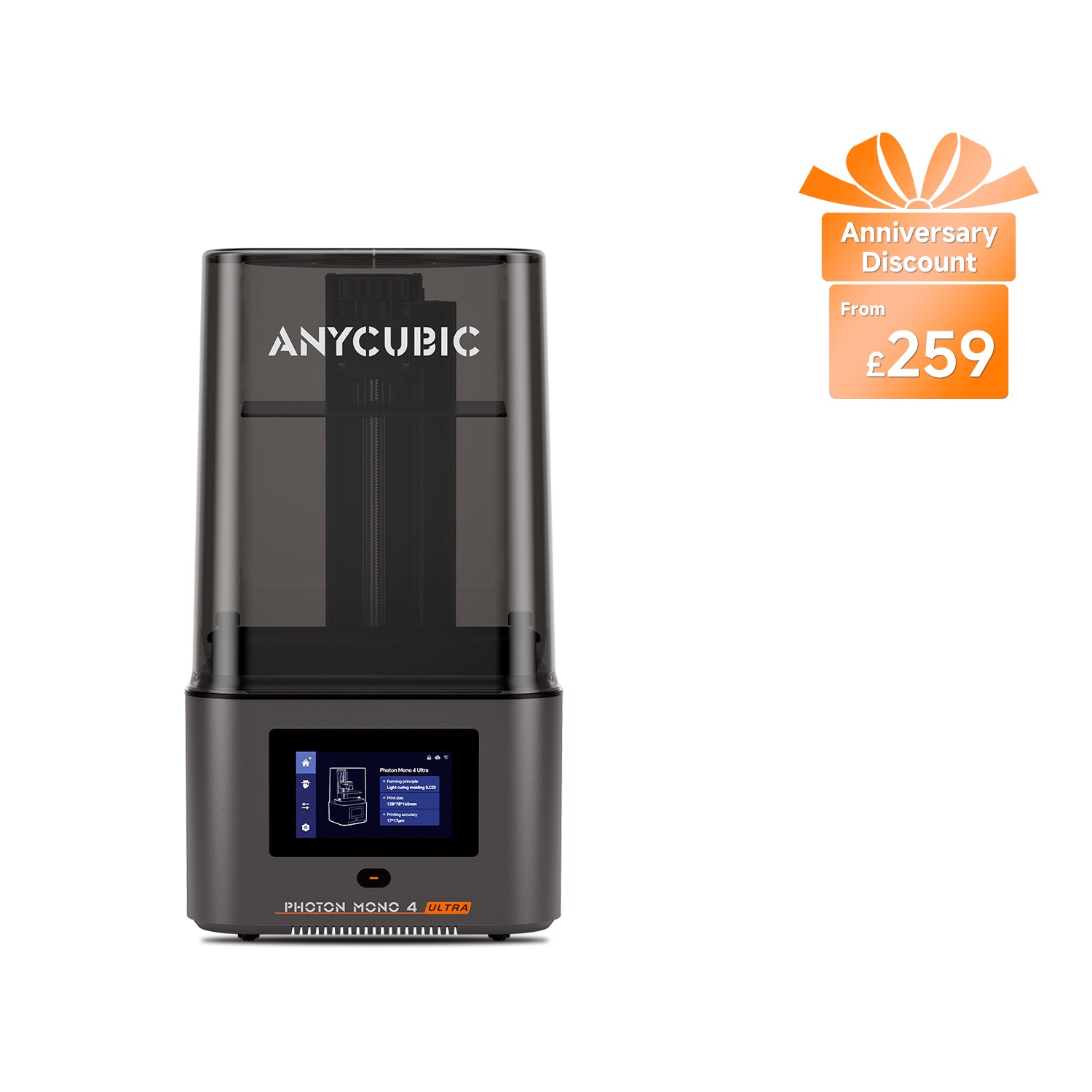
Anycubic Photon Mono 4 Ultra
Photon Mono 4 Ultra (not the Photon Mono 4 or Photon Mono 4 Max)
A compact 10K machine with the same software and support behind it — far smaller, far slower, and levelled by hand.
- Build volume
- 153.4 × 87 × 165 mm (2.2 L)
- Technology
- Resin (MSLA)
- Max speed
- Max ≤80 mm/h; standard resin at 0.1 mm ≤80 mm/h, high-speed resin at 0.1 mm ≤120 mm/h (manufacturer maxima)
- Enclosed
- Lid (removable UV cover; Anycubic lists no hinged cover)
- Multi-colour
- No
- Auto levelling
- No — 4-point manual levelling
What we like
- A marginally squarer 17 x 17 micrometre pixel on a 7-inch 10K panel
- Costs around two-thirds of the M7 Pro while keeping the same slicer and support chain
- Light and compact at 5 kg, so it will sit on a shelf
- Twelve months on the machine with six on the LCD, matching the dearer Anycubic
What we don’t
- A plate less than a quarter the volume at 153.4 x 87 x 165 mm
- Four-point manual levelling, with no levelling-free mode
- Slower, at up to 80 mm/h on standard resin
- Sensor self-checks only, with no camera listed
- No resin tank heating listed, and no automatic fill
Buy it instead if your work fits a small plate and budget is the binding constraint. Skip it if you need the height, the speed or the resin handling.
And then the sibling nobody mentions. The plain Photon Mono M7 has the same plate, the same 14K panel, the same 16.8 × 24.8 μm pixel and the same layer range. What the Pro adds is automation and pace: four-point levelling becomes levelling-free, a 4,500 μW/cm² light engine becomes 5,500, and up to 90 and 150 mm/h becomes 130 and 170. No band is quoted for it: none could be confirmed from a primary source.
Who should buy it, and the verdict
Whether the Anycubic Photon Mono M7 Pro is worth it turns on a question the specification sheet never asks: how much do you dislike handling resin? Almost everything justifying the premium answers that question, and little else on the sheet wins its class.
It is right for you if you have printed with resin before and find pouring and the cold-room lottery the things you most resent. It is wrong for you if you are choosing on specification, and wrong again if the printer would share a room with people and ventilation is not something you can arrange.
The auto-fill and the heated vat are real engineering rather than marketing, and they remove a genuine chore. What they do not do is make this the best machine at the price, because a cheaper rival has the finer pixel, the camera and the tilt release. Buy it for the convenience, knowing the screen is a consumable and the cover on it is short.
- Buy it if
- You already print with resin, the handling is the part you want gone, and you will pay a premium for a machine that pours, warms and drains its own vat.
- Skip it if
- You are buying on specification, this would be your first resin printer, or the room it would live in cannot be ventilated.
The best resin printer uk guide sets this machine against the ones either side of it.
How this article was researched
No printing, measurement, photography or first-hand use took place for this review. Specifications come from Anycubic's and ELEGOO's own product pages, recorded claim by claim with a source URL and an access date. UK price bands, stock positions and spare-part prices were read from manufacturer UK stores and an authorised UK retailer in September 2026 and given as bands, because the figure on any given day is not a fact that keeps. Warranty terms come from the makers' own policies, the consumer-law points from the legislation, and the sensitisation points from the Health and Safety Executive. Ownership patterns were gathered as themes recurring across long-form independent reviews, community discussion and published fault-and-fix material. No customer review is quoted and no rating reproduced. Two competing reviews consulted carry the build volume incorrectly, and one calls this machine manually levelled when it is not — which is why every figure above is cited to a primary source rather than to another article.
Five things could not be verified and were left out rather than estimated: the noise level; the rated power consumption as opposed to the supply rating; the service life of the LCD; the UK price of a replacement release film; and the UK price, availability and warranty of the plain Photon Mono M7. Our approach is set out in the review methodology.
Common questions
- Is the Anycubic Photon Mono M7 Pro worth buying?
- It depends entirely on whether you value convenience over specification. Around the 410 to 470 pound mark it is not the best-specified resin printer at its size — a cheaper ELEGOO rival has a finer pixel, a monitoring camera and tilt release. What the Anycubic has that the rival does not is a vat that fills and drains itself as well as heating itself. If handling resin is the part of the hobby you want to minimise, that feature is worth the premium and nothing else on the market at this size offers it. If you are choosing on the sheet, you will feel short-changed.
- Who is the Anycubic Photon Mono M7 Pro best for?
- Someone on their second or third resin printer rather than their first. It suits a person who already knows which parts of the process they resent, and has decided that pouring resin and fighting a cold room are the ones worth paying to remove. The 223 x 126 x 230 mm plate is tall and narrow, so it suits batches of figures and single pieces with real height. It suits nobody buying their first resin machine on a fixed budget: the same money spread across a cheaper printer plus a wash-and-cure station buys a better first year.
- What are the main alternatives to the Anycubic Photon Mono M7 Pro?
- Three are worth real thought. The ELEGOO Saturn 4 Ultra 16K is the direct rival and sits in a lower price band while beating the Anycubic on most of the specification, giving up only the automatic resin fill. The Anycubic Photon Mono 4 Ultra costs around two-thirds as much and keeps the same software and support, but its plate is less than a quarter the volume and it is levelled by hand. The plain Photon Mono M7 is the closest of all: the same plate, the same 14K panel and the same pixel, without the levelling-free setup, the brighter light engine or the pump.
- Does the Anycubic Photon Mono M7 Pro need its own room?
- Not a room of its own, but it does need a ventilated one, and it needs to be a room where nothing small can reach the vat. There is no built-in air filtration on this machine; Anycubic sells an activated-carbon purifier and a ventilation hose attachment as separate accessories. Manufacturer guidance for resin handling requires gloves, eye protection and a well-ventilated area, and the Health and Safety Executive lists resins and acrylates among the causes of occupational skin disease, noting that sensitisation once it happens is generally lifelong. An openable window is worth more than any accessory.