Best 3D Printers for Engineers UK
Six 3D printers for engineers in the UK, ranked on the thermal control and material range that set a part's tolerance. Only one maker publishes a figure.
Independent and reader-funded. We earn a commission if you buy through our links, at no extra cost to you. How this works.
An engineer buying a printer asks one question first, and it is not how fast it goes. It is: if I draw a bore for a bearing, will the bearing fit?
Six machines are compared below. Five of their makers decline to answer. Prusa publishes no dimensional accuracy figure for the CORE One+, QIDI none for the Plus5, and Bambu Lab's sheets for the P1S and the X2D carry no accuracy row at all — in the X2D's case the word precision appears once, as part of the name of a motor. Prusa comes closest on the CORE One L+, calling its accuracy CT-scan-verified across the whole build volume and attaching no number. Only Creality states a figure: ±0.1 mm over 100 mm on the K1C, the second-cheapest machine here.
That absence decides how this page is ordered. If you cannot buy a tolerance, you buy the two things that produce one — a thermal environment that lets a part cool without pulling itself out of shape, and a material envelope wide enough for the plastic the job needs. So the best 3d printer for engineers uk buyers can order is ranked here on chamber control and published material range, with speed and plate size secondary. Nothing here was bought, opened or run.
The six, on the specifications that decide a tolerance
One row here appears on no competing page. Published accuracy figure reports what each maker will put in writing about the part's dimensions, and five of six cells are empty. Read it against chamber control: the machines saying least about accuracy mostly do most to protect it.
| Specification | 1 QIDI Plus5 Widest material envelope | 2 Prusa CORE One+ (Gen 2) Deepest paper trail | 3 Bambu Lab X2D Support material, hot chamber | 4 Prusa CORE One L+ Large parts, kept flat | 5 Creality K1C (2025) The only published figure | 6 Bambu Lab P1S Cheapest enclosed ABS |
|---|---|---|---|---|---|---|
| Best for | The widest published material range | Documentation and repairability | Internal geometry in a hot chamber | Large parts that must stay flat | Abrasive filament on a budget | A first enclosed machine for ABS |
| Published accuracy figure | None published | None published | None published | Claimed CT-scan-verified, no figure | ±0.1 mm over 100 mm | None published |
| Chamber control | Independent active heating, 65 °C | Active control, 55 °C | Active heating, 65 °C | Active convection, 60 °C | Enclosed, no heater published | Regulator fan, no heater |
| Max nozzle | 370 °C | 290 °C (400 °C optional hotend) | 300 °C | 290 °C (400 °C optional hotend) | 300 °C | 300 °C |
| Max bed | 120 °C | 120 °C | 120 °C | 120 °C | 100 °C | 100 °C |
| Engineering materials, as the maker lists them | PA, PC, carbon- and glass-fibre reinforced | PC and PA; ABS, ASA, HIPS listed | PA, PC, fibre-reinforced; support materials | PC and PA; ABS, ASA, PA need filtration | PA-CF, PLA-CF, ASA, ABS | PA and PC 'capable'; fibre-reinforced not recommended |
| Build volume | 320 × 320 × 300 mm | 250 × 220 × 270 mm | 256 × 256 × 260 mm | 300 × 300 × 330 mm | 220 × 220 × 250 mm | 256 × 256 × 256 mm |
| UK warranty | 1 year | 1 year | 2 years | 1 year | Up to 24 months | 2 years |
| Typical UK price | £650–£750 | £1,150–£1,300 | £560–£630 | £1,500–£1,750 | £350–£420 | £330–£400 |
The second row and the last run in opposite directions: the machine publishing a tolerance is the second cheapest, and the most confident accuracy language costs four times more.
How these six were chosen, and what was left out
Each machine was researched against its manufacturer's own specification sheet, manual, warranty policy and material list, with UK price and stock checked across authorised retailers in late September 2026; owner evidence comes from the makers' own forums, per our review methodology.
A machine earned its place by clearing two bars: a bed and chamber temperature high enough for a genuine engineering plastic, and a maker willing to name that plastic. The second bar did most of the work. It is why the Plus5 leads, listing polycarbonate, nylon and fibre-reinforced polymer with no qualifier, and why the X2D earns a place despite saying nothing about accuracy. The K1C is here because Creality designed it for carbon-fibre reinforced material specifically — a design case, not a compatibility list.
Resin is out of scope, and not for lack of resolution: a photopolymer part resolves finer detail than anything here but is the wrong material for a loaded bracket, so a 3d printer for prototypes that will be tested rather than looked at is an extrusion question. No commercial tiebreak was used, and the ordering runs against revenue — the two cheapest machines are fifth and sixth. For all-round merit, see best 3d printer uk.
What accuracy an engineer actually needs, and who publishes it
A tolerance is not a quality rating. It is the band of variation a dimension is allowed before the part stops doing its job — the idea of engineering tolerance behind every drawing you have dimensioned. So the answer is: tighter than the loosest fit in your assembly, and no tighter. A bracket on a slotted rail forgives a great deal; a bore taking a bearing on a press fit forgives almost nothing, and no machine here is the right tool for that unfinished.
What the makers commit to amounts to one figure: ±0.1 mm over 100 mm on the K1C, which describes error over a single length, says nothing about a hole and does not travel with the material. That silence looks like an industry hiding something. It is closer to the opposite, and the owners who measure their own parts explain why.
A recurring theme among owners who measure their parts is that the error changes with the size of the feature rather than staying fixed, which leads them to filament shrinkage and flow calibration rather than the machine; those who calibrate flow, print a shrinkage test and apply the measured figure per spool describe landing within roughly a tenth of a millimetre, though the figure they settle on differs by filament. That signature is the giveaway: a loose belt produces error growing steadily with distance, while error that undershoots small features and overshoots large ones is thermal contraction, which belongs to the plastic rather than the frame.
Holes are the exception that costs an afternoon. Owner reports on the manufacturer's own forum repeatedly describe modelled holes printing undersized by around a fifth of a millimetre, and describe the slicer's hole-compensation setting as an unreliable fix, because one value cannot suit the full range of hole sizes on a part; the approach contributors settle on is allowing for the clearance in the model or finishing the bore mechanically, although the figures owners report vary and are not consistent across all reports. A small circle loses proportionally more to contraction than a large one, so one compensation number is wrong somewhere on any part with several hole sizes.
So for anyone treating this as a CAD 3d printer, the answer is a routine rather than a purchase: calibrate flow, print a test block, measure it, apply the measured shrinkage as a scale factor for that filament, and design clearance into the holes that matter. Done once per material, that puts a 3d printer for functional parts within a few hundredths of a millimetre of nominal — on any of these six.
Why a regulated chamber is an accuracy feature
The best argument for a heated chamber is not that it stops a corner lifting. It is that a part cooling unevenly ends up a different size in different places, and no slicer setting recovers that — which makes the specification to check the material's, not the machine's.
Prusa Polymers asks for a 110 °C heatbed, plus or minus 5 °C, and a 260 °C nozzle for its ASA, with cooling held down at 30%. Its polycarbonate blend wants 275 °C at the nozzle, the bed again at 110 °C, cooling lower still at 20% and a 4 mm brim on anything bigger than 5 cm. Those numbers exist because the material shrinks hard as it cools.
Now hold two machines against that. The P1S tops out at a 100 °C bed, and so does the K1C — both below the range ASA's own maker recommends, on a plastic Bambu Lab lists as ideal for the P1S. People do print ASA on these machines; it does mean the cheapest two work outside a published recommendation on the material most likely to warp.
What a chamber adds is regulation rather than insulation, and that separates these six cleanly. QIDI heats the Plus5's chamber independently and actively to 65 °C on a dedicated 550 W circuit, Bambu Lab the X2D's to the same 65 °C, Prusa the CORE One+ to 55 °C and the CORE One L+ to 60 °C. The P1S has a regulator fan and no heater, and Creality publishes no chamber-heating parameter for the K1C. An enclosure trapping whatever the bed leaks is a different machine from one holding a number, and it is the single thing most worth paying for in a mechanical engineering 3d printer — though a published ceiling deserves the same scepticism as a published tolerance. Owner reports in Prusa's own CORE One L forum describe the 60 °C chamber figure as something owners work towards rather than a temperature the machine holds unaided, with added insulation and a hotter bed the usual remedies, though at least one owner describes reaching it without either.
1. The widest material envelope anyone here publishes
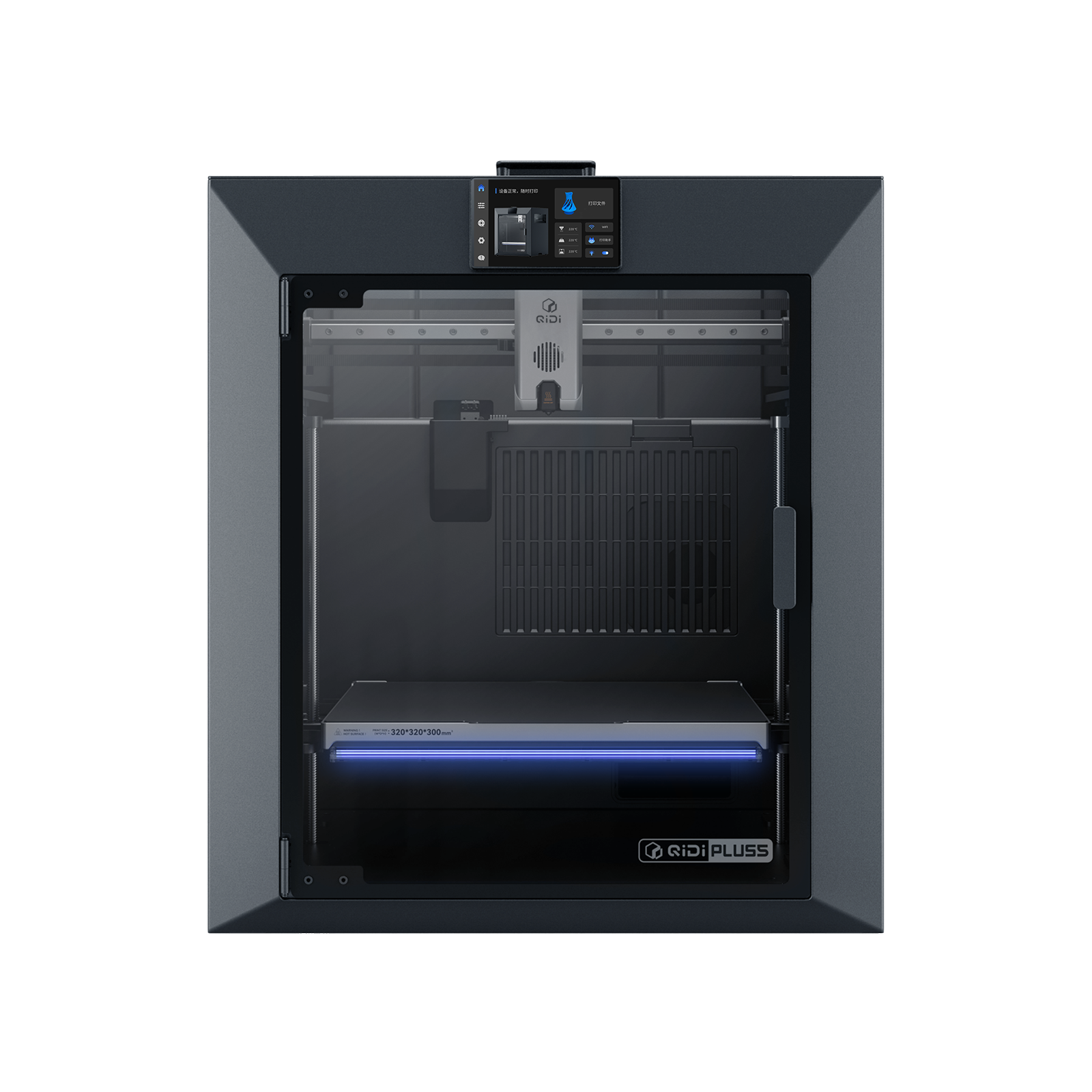
QIDI Plus5
QIDI Plus5 (standard, not the Plus5 Combo with QIDI Box, and not the Plus4)
The only maker here listing polycarbonate, nylon and fibre-reinforced polymer with no condition attached, behind a 370 °C nozzle and a heated 65 °C chamber. Expect profile work.
- Build volume
- 320 × 320 × 300 mm
- Technology
- FDM
- Max speed
- 600 mm/s toolhead (≤20,000 mm/s² acceleration)
- Enclosed
- Yes, with independent active chamber heating up to 65 °C (3rd generation)
- Multi-colour
- Optional (compatible with QIDI Box; the Combo bundles it for 16 colours)
- Auto levelling
- Yes (hands-free, loadcell sensor integrated into the hotend)
What we like
- Lists PLA, ABS, ASA, PETG, TPU, nylon, polycarbonate and fibre-reinforced polymer with no tiers or conditions
- 370 °C nozzle, the hottest here, above what polycarbonate's own data sheet asks for
- Chamber heated independently and actively to 65 °C on a dedicated 550 W circuit — regulated, not merely enclosed
- 320 × 320 × 300 mm plate, with a linear rail on X and hardened steel extruder gears for abrasive filament
What we don’t
- Owner discussion returns to heat creep on long jobs — the tension a hot chamber creates for the extruder above it
- Owners describe these machines as engineering tools rather than plug-and-play
- QIDI publishes no dimensional accuracy figure for the machine
- One year of warranty cover, and 29 kg to reposition
It takes first place on a list rather than a number. QIDI names PLA, ABS, ASA, PETG, TPU, nylon, polycarbonate and carbon- or glass-fibre reinforced polymer as supported, without tiers or upgrade conditions. Every other maker here qualifies something, usually the material an engineer came for.
The hardware is built for heat rather than a headline: a hotend reaching 370 °C, above the 285 °C polycarbonate's data sheet asks for at the top of its range, over a 120 °C bed on a 320 × 320 × 300 mm plate, with hardened steel extruder gears and a bimetal nozzle for abrasive filament.
Two honest limitations. Discussion of these heated-chamber machines keeps returning to the same tension — a chamber hot enough for engineering plastics also warms the extruder above it, and heat creep on a long job is what owners watch for, although reports differ on how much it actually bites. Cover is one year.
Buy this if your parts are polycarbonate, nylon, ASA or something filled, and you would rather tune a profile than find a material unsupported. Skip this if you print mostly PLA and PETG and would be paying for a chamber you then vent.
2. The machine with the deepest paper trail
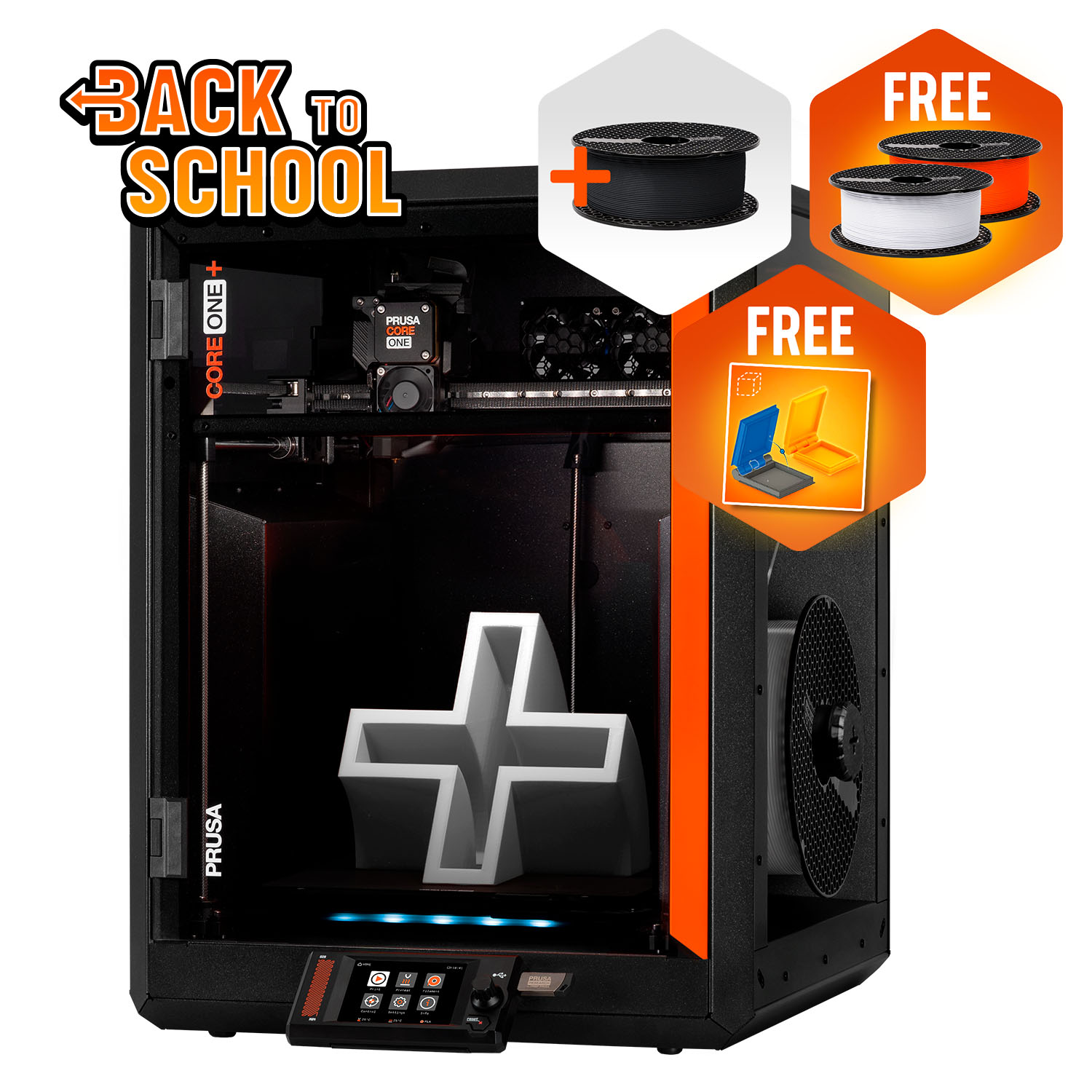
Prusa CORE One+ (Gen 2)
CORE One+ (Gen 2), assembled
No accuracy figure, and more verifiable detail about everything else than any machine here. A 55 °C controlled chamber, a deep spares catalogue, genuine offline operation — and one year of UK cover, not two.
- Build volume
- 250 × 220 × 270 mm
- Technology
- FDM
- Max speed
- Not stated on manufacturer product page - Unverified
- Enclosed
- Yes (fully enclosed CoreXY; active chamber heating up to 55 °C)
- Multi-colour
- Optional (MMU3 5-filament unit or INDX tool-changer up to 8 tools, sold separately)
- Auto levelling
- Yes (fully automatic load-cell first-layer calibration)
What we like
- The deepest primary-source record of any machine here — almost every specification exists and is published
- Prusa's own spare-parts catalogue listed 773 items when checked, organised per model
- Runs entirely offline; Prusa states the printer never has to be connected to a network, not even once
- 55 °C actively controlled chamber, which Prusa ties to printing PA11 nylon with the door shut
What we don’t
- UK buyers get one year of cover — the two-year term is EU, Switzerland, Norway and Iceland only
- Owner reports repeatedly describe PLA heat-creep clogs in the enclosed chamber, particularly in warm rooms
- A recurring forum theme is fine vertical banding on flat walls, which matters on a sealing face
- ASA needs the separately sold Advanced Filtration bundle, and the plate is the second smallest here
Nothing about this machine wins a single row. What it wins on is that almost every row exists. The chamber is actively controlled to 55 °C, which Prusa ties to printing PA11 nylon in top quality with the door shut; the extruder is a direct drive with a 10:1 planetary gearbox; the material list runs from PLA and PETG through polycarbonate, polypropylene and the nylons. The nozzle stops at 290 °C, or 400 °C with the optional high-temperature hotend.
Two of its advantages are not specifications. Prusa's spare-parts catalogue listed 773 items when checked — the difference between a five-year machine and a three-year one. And it runs entirely offline, Prusa stating the printer never has to be connected to a network, not even once, which matters where a drawing must not traverse someone else's cloud.
The limitation is the one an enclosure creates. Owner reports on the Prusa forum repeatedly describe PLA heat-creep clogs in the enclosed chamber, particularly in warm rooms, with opening the door or vent for PLA the commonly shared remedy. ASA, at the other end, needs the separately sold Advanced Filtration bundle.
Buy this if repairability, offline working and traceable documentation decide it. Skip this if you need the cheapest route to ABS, or a chamber hotter than 55 °C — the Plus5 and X2D both run warmer for less.
3. Two nozzles, used for geometry rather than colour
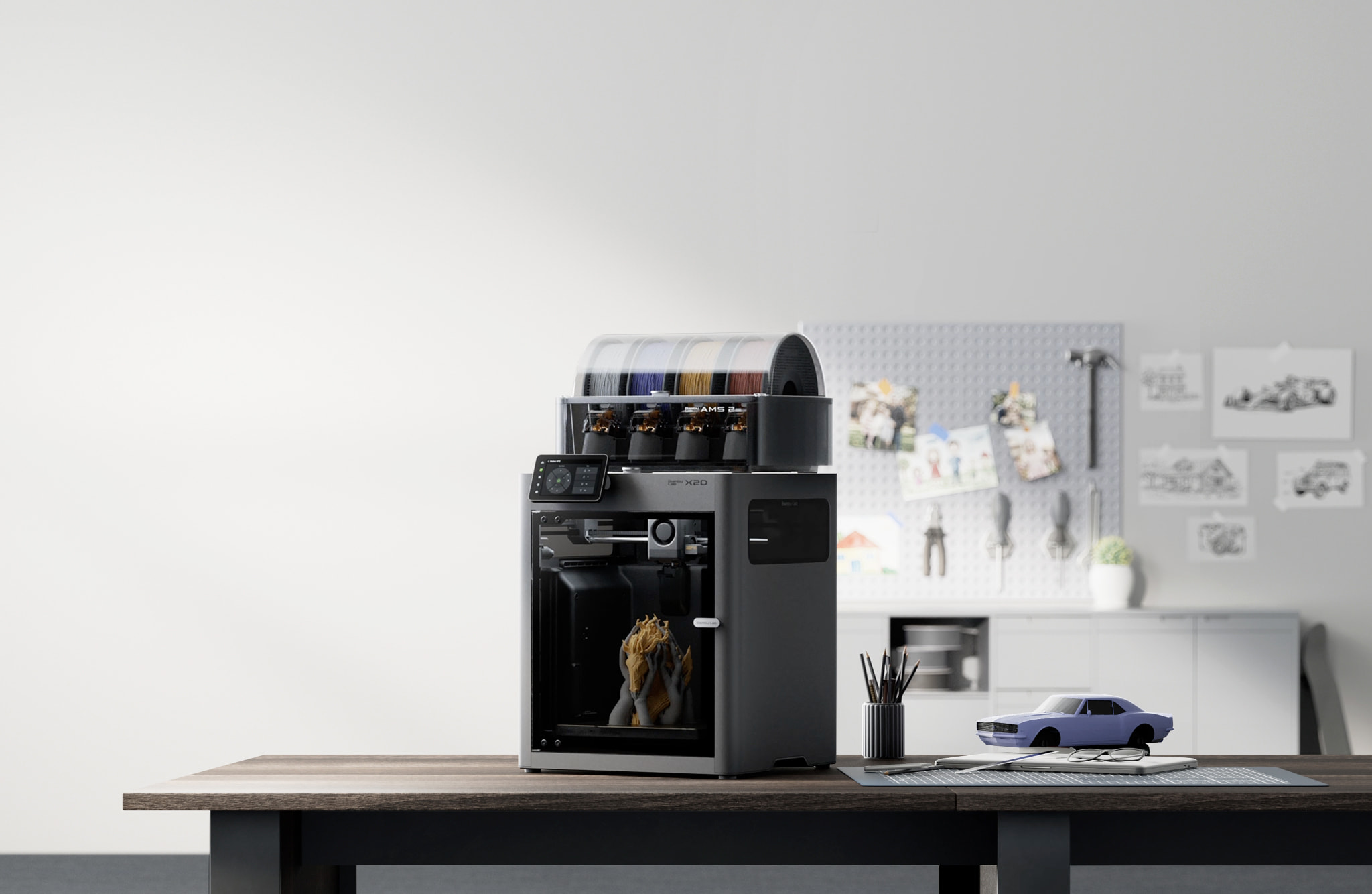
Bambu Lab X2D
X2D (standard unit, supplied without the AMS 2 Pro — not the X2D Combo, and not the P2S or the X1 series)
A second nozzle loaded with support material rather than a second colour, which is what makes an internal channel or a captive undercut printable as drawn. Too new for a settled ownership record.
- Build volume
- 256 × 256 × 260 mm main nozzle; 235.5 × 256 × 256 mm auxiliary or dual nozzle
- Technology
- FDM / FFF, dual-nozzle toolhead with a mechanically switched auxiliary hotend; actively heated chamber. Bambu Lab's own specification sheet does not name a motion architecture; CoreXY rests on two secondary sources (C0959)
- Max speed
- 1000 mm/s — labelled by Bambu Lab as Max Speed of Toolhead, not a print speed (20,000 mm/s² max toolhead acceleration; 40 mm³/s max hotend flow)
- Enclosed
- Yes — outer frame of plastic, glass and metal, with a door sensor, an external exhaust fan and active chamber heating to 65 °C
- Multi-colour
- Dual nozzle on the standard unit, so two materials without an AMS; the X2D Combo adds the AMS 2 Pro and is a different SKU
- Auto levelling
- Yes
What we like
- Four dedicated support materials on the main hotend, including one formulated for ABS, plus water-soluble PVA
- Chamber heated to 65 °C over a 120 °C bed — the hottest combination here, above what ASA and PC data sheets ask for
- Hardened steel nozzle with 0.2, 0.4, 0.6 and 0.8 mm diameters supported
- Two years of UK cover, matching machines at half the price and beating both Prusas
What we don’t
- The plate drops from 256 mm to 235.5 mm of X travel the moment a dual-material job starts
- PETG-CF, ASA-CF and PA6-CF are flagged for caution on the auxiliary hotend — it is for support material, not filled filament
- No dimensional accuracy figure anywhere on the specification sheet
- Too recent for a settled body of long-term ownership evidence
The interesting specification is a filament list. Bambu Lab's sheet gives the main hotend four dedicated support materials — including one formulated for ABS — alongside water-soluble PVA, nylon, polycarbonate and fibre-reinforced grades of five base polymers, and the auxiliary hotend takes the support materials for PLA, PLA/PETG and ABS too. Put a support filament in that second nozzle and the geometry changes: an enclosed cavity, or an internal channel that would otherwise be split and bonded.
Thermally it is the strongest here in one respect: the chamber heats actively to 65 °C over a bed reaching 120 °C, above what the ASA and polycarbonate data sheets ask for, behind a hardened steel nozzle in 0.2 to 0.8 mm diameters.
Three limitations. The second nozzle costs build area: the plate drops from 256 mm to 235.5 mm of X travel the moment a dual-material job starts. Bambu Lab flags PETG-CF, ASA-CF and PA6-CF for caution on that auxiliary hotend, so a second nozzle bought for filled work is not what it looks like — it is for support material. And the nozzle tops out at 300 °C, with no accuracy figure on the sheet. It is recent enough that no settled ownership record exists to weigh.
Buy this if your prototypes have internal geometry, undercuts or sealed cavities. Skip this if your parts are simple solids, leaving both the second nozzle and the hot chamber unused.
4. Large functional parts that have to stay flat
Prusa CORE One L+
CORE One L+ (assembled; the refreshed CORE One L — not the original CORE One L, not the CORE One+)
The only machine here whose maker publishes how evenly its bed heats — under 2 °C across 99% of the plate — which decides whether a large flat part stays flat. The dearest option here.
- Build volume
- 300 × 300 × 330 mm (29.7 litres)
- Technology
- FDM
- Max speed
- Travel speed up to 500 mm/s (Prusa publishes travel speed, not a maximum print speed)
- Enclosed
- Yes (fully enclosed CoreXY; Active Convection Chamber up to 60 °C, heated from the underside of the AC heatbed by two fans)
- Multi-colour
- Optional (INDX tool-changer conversion kit, sold separately; the L+ is INDX-ready)
- Auto levelling
- Yes (automatic mesh levelling via load-cell sensor; ships pre-calibrated from the factory)
What we like
- Under 2 °C of bed variance across 99% of the print area — the only uniformity figure published by any maker here
- 300 × 300 × 330 mm, the largest plate on this page
- 60 °C chamber named specifically for large ASA, polycarbonate and nylon parts printed without warping
- Ships with an abrasive-resistant nozzle alongside the standard brass one
What we don’t
- The most expensive machine here, and UK cover is one year
- Claims CT-scan-verified dimensional accuracy without publishing a figure for it
- A recurring forum theme is belt tension arriving low from the factory on a machine sold pre-assembled
- Owners also report bed and frame fasteners arriving or working loose, so budget a commissioning check
A big plate is easy to sell and hard to heat evenly, and uneven heat is how a large part acquires a twist. Prusa publishes the figure nobody else does: a cast aluminium heatbed holding less than 2 °C of variance across 99% of the print area. On a 300 × 300 × 330 mm plate that is the difference between a flat baseplate and one that rocks. The chamber reaches 60 °C, named for large ASA, polycarbonate and nylon printed without warping — though those appear in the specification only with Advanced Filtration, part of the purchase rather than an accessory.
Then the accuracy claim, where this machine is most and least impressive at once: Prusa calls its dimensional accuracy CT-scan-verified across the whole build volume and publishes no figure for it. Owners reached the conclusion the Bambu Lab owners did. Owners who measure large calibration parts describe them landing slightly under nominal and settle on filament shrinkage rather than the machine as the cause, reporting that slicer-side shrinkage compensation brings them back in line.
UK cover is one year, and it ships with an abrasive-resistant nozzle alongside the standard brass one.
Buy this if your parts are large, flat and in engineering plastics. Skip this if your work fits a standard plate — the Plus5 gives a hotter chamber and nozzle for well under half the price.
5. The only published accuracy figure on this page
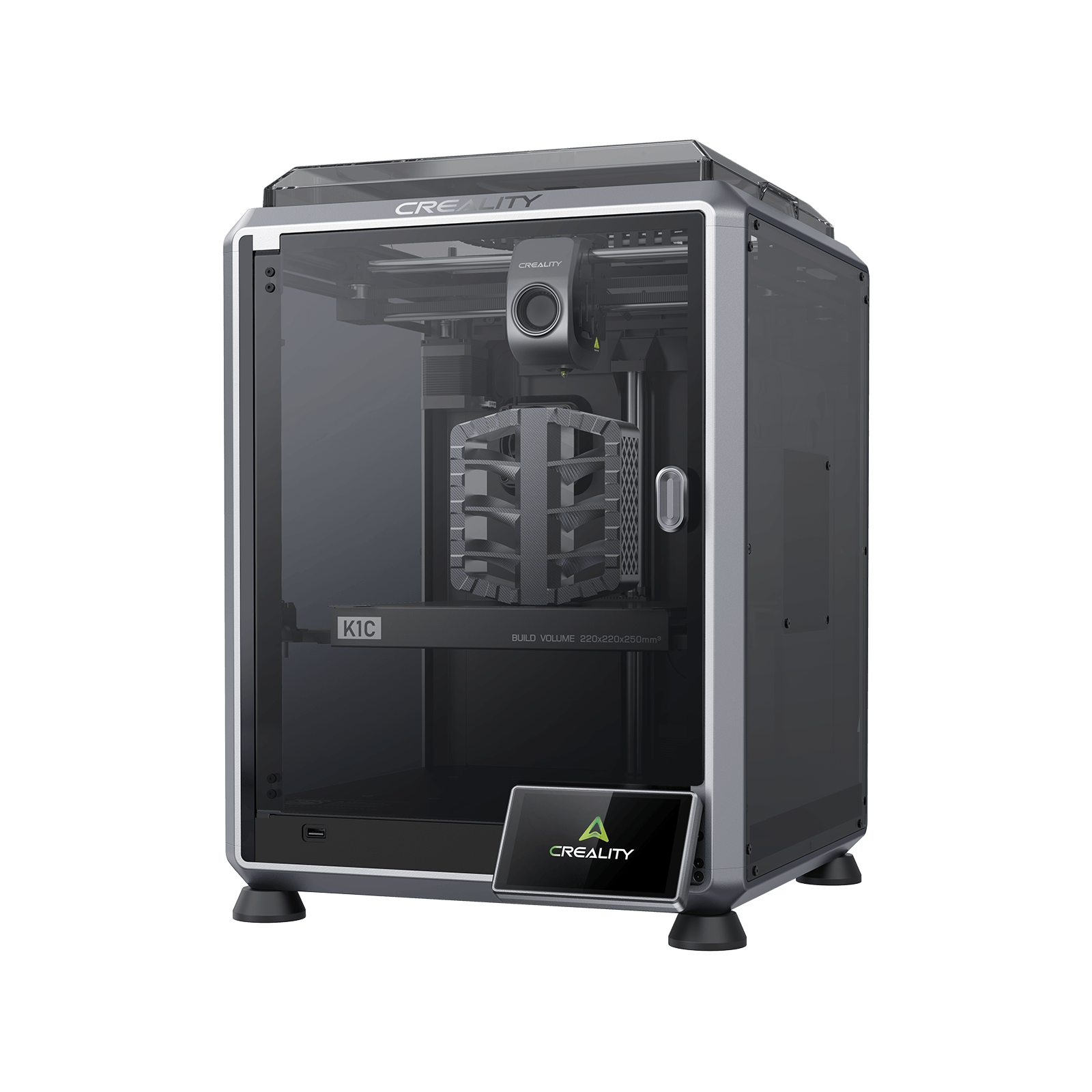
Creality K1C (2025)
K1C 3D Printer (2025 Version) - not the K1, K1 Max or K1 SE
The only maker here to publish a dimensional accuracy figure, on a machine designed specifically for fibre-reinforced filament. The compromises: a 100 °C bed, no published chamber heating.
- Build volume
- 220 × 220 × 250 mm
- Technology
- FDM
- Max speed
- 600 mm/s (CoreXY, 20,000 mm/s² acceleration)
- Enclosed
- Yes (die-cast aluminium unibody, tinted glass sides, acrylic lid)
- Multi-colour
- Optional (Creality CFS-C multi-colour kit sold separately)
- Auto levelling
- Yes (hands-free automatic levelling)
What we like
- The only published accuracy figure on this page: ±0.1 mm over 100 mm
- Designed specifically for carbon-fibre reinforced filament, not merely compatible with it
- 300 °C hotend with a tri-metal quick-swap nozzle, hardened steel tip and titanium alloy heatbreak
- Up to 24 months of cover, from the second-cheapest machine here
What we don’t
- The bed stops at 100 °C, under the bottom of what ASA's own data sheet recommends
- Creality publishes no chamber-heating parameter at all — this is an enclosure, not a regulated chamber
- Owners printing filled filament frequently describe building their own slicer profiles rather than using a preset
- Creality's support is the dominant complaint on UK review sites
One row here has no equivalent on this page: Creality states a printing accuracy of ±0.1 mm over 100 mm. Treat it as a floor rather than a promise — but a maker willing to write a number is telling you more than five who are not.
The second thing it has is a purpose. Creality designed the K1C for carbon-fibre reinforced material specifically, which shows in the hardware: a 300 °C hotend with a tri-metal quick-swap nozzle, hardened steel tip and titanium alloy heatbreak. The material list is narrow — PLA, TPU95A, PA-CF, ASA, PLA-CF, PETG and ABS — on a 220 × 220 × 250 mm plate suiting bracket-sized parts.
Where it gives ground is thermal. The bed stops at 100 °C, under what ASA's data sheet recommends, and Creality publishes no chamber-heating parameter — an enclosure, not a regulated chamber. Expect setup work: owners printing carbon-fibre filled filament frequently describe building their own slicer profiles rather than using a supplied preset, with first-layer adhesion and flow the usual sticking points, although experiences vary by material. Cover runs up to 24 months, though the support record behind it is the weakest here.
Buy this if carbon-fibre nylon and filled PLA are the materials you need and the parts are small. Skip this if you need unfilled nylon, polycarbonate or large ASA parts — a bed stopping at 100 °C and an unheated chamber will not hold them.
6. Budget pick — the cheapest enclosure that will hold ABS
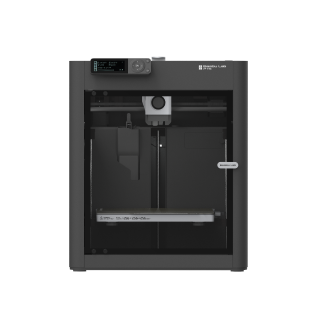
Bambu Lab P1S
P1S (standard, without AMS - not the P1P, P1S Combo or P2S)
Enclosed, two years of UK cover, ABS and ASA listed as ideal, from the lowest price band here. Fibre-reinforced filament is listed as not recommended — read that before buying it for carbon fibre.
- Build volume
- 256 × 256 × 256 mm (Bambu Studio defaults to 250 mm height)
- Technology
- FDM
- Max speed
- 500 mm/s toolhead (20 m/s² acceleration)
- Enclosed
- Yes (plastic and glass; chamber temperature regulator fan and activated-carbon filter)
- Multi-colour
- Optional (AMS or AMS 2 Pro sold separately or as a Combo)
- Auto levelling
- Yes (automatic bed levelling sensor)
What we like
- The lowest price band on this page for an enclosed CoreXY machine
- ABS and ASA sit in Bambu Lab's 'ideal' filament tier alongside PLA and PETG
- Two years of UK cover, the longest term here, from one of the two cheapest machines
- Filament support is graded in three honest tiers rather than presented as one flat list
What we don’t
- Carbon- and glass-fibre reinforced polymer is listed as not recommended, and needs an extruder and hotend upgrade
- No chamber heater — a regulator fan vents heat rather than adding it
- The bed stops at 100 °C, below the 110 °C ASA's own maker recommends
- Owner reports describe modelled holes printing undersized, with the slicer's hole compensation an unreliable fix
The case for it is a price band and a tier list. From around the £330 mark you get an enclosed CoreXY machine on a 256 × 256 × 256 mm plate with a 300 °C hotend, and Bambu Lab grades its filament support in three tiers: ABS and ASA ideal alongside PLA and PETG, nylon and polycarbonate merely capable, fibre-reinforced polymer not recommended. Two years of UK cover is the longest term here.
That tier list is the most useful thing about it, because it is the mistake buyers make. Buyers regularly expect an enclosed machine to take carbon fibre, which is where the P1S trips people up. Fibre-reinforced filament needs an extruder and hotend upgrade first; if that is why you are buying, the K1C is cheaper and built for it.
The thermal limits follow from the price: no chamber heater, only a regulator fan venting heat rather than adding it, and a bed stopping at 100 °C — putting the material Bambu Lab calls ideal just outside its supplier's range. One more thing, if the machine shares a room with you. A recurring theme among owners printing ABS and ASA indoors is that the built-in carbon filter is treated as a partial measure rather than a complete one, with several describing ducting the exhaust outside or adding filtration, although this is not consistent across all reports.
Buy this if ABS, ASA, PETG and PLA cover your work and the outlay must be small. Skip this if you need filled filament, nylon or polycarbonate routinely, or a chamber that holds a temperature rather than shedding one.
What to look for in an engineering 3D printer
Three checks, in the order that matters.
Check the material's data sheet before the printer's. Prusa Polymers asks for a 110 °C bed for ASA and the same for its polycarbonate blend; two machines here stop at 100 °C. The printer's page says a material is supported; the material's page says what supporting it requires. When they disagree, the material is right.
Check whether the filament support is graded. A flat list is a weaker claim than a tiered one, because a tiered one tells you where the maker's confidence ends. Bambu Lab splits the P1S's support into ideal, capable and not recommended; QIDI publishes one list with no tiers. Read the word next to the plastic you need, not the presence of its name.
Check the nozzle, if anything you print is filled. Carbon and glass fibre are abrasive and will open out a brass nozzle, changing extrusion width and therefore dimensions. You want hardened steel or a bimetal tip and a choice of diameters, because a wider nozzle runs filled material more consistently.
None of them buys a working profile. Budget an evening per material, and keep the test blocks.
What one of these costs to run in the UK
Less than people expect, and the variable is the chamber, not the machine.
Four of these makers publish a steady-state figure for power while printing, which is the number that becomes a bill. At the Ofgem price cap unit rate of 26.32 pence per kWh for the final quarter of 2026, over a ten-hour print: the CORE One+ draws 90 W on PLA and 110 W on ABS, so 0.9 to 1.1 kWh of electricity, 24p to 29p. The CORE One L+ draws 90 W on PLA and 215 W on ASA: 24p to 57p. The Plus5 draws 190 W on PLA and 500 W on ABS, so 1.9 to 5 kWh of electricity, 50p rising to about £1.32. The X2D draws 250 W on PLA and 550 W on polycarbonate — 2.5 to 5.5 kWh of electricity, about 66p rising to £1.45. These are estimates at one tariff, not measurements, and exclude the standing charge of 54.83 pence per day.
The two cheapest machines publish only a rated power — 350 W for the K1C and a 1000 W maximum for the P1S — and a rated ceiling is a fuse specification, not a running cost. Expect them below the chamber-heated machines, having no chamber heater to feed.
So what moves your bill is the material, not the machine: on PLA the gap between the cheapest and dearest machine here is a few tens of pence over a long print, while in a heated chamber the same print costs several times as much. And a failed print costs more in filament than a fortnight of good ones costs in power.
UK warranty, support and spare parts
The warranty order runs backwards against the price order — the detail most likely to surprise an engineer buying the serious option.
The two most expensive machines carry the shortest UK cover. Prusa's two-year term applies to consumers in the EU, Switzerland, Norway and Iceland; the United Kingdom falls under rest of world at one year, the term on both the CORE One+ and the CORE One L. QIDI gives one year globally. Both Bambu Lab machines carry two years for a UK buyer, and the K1C up to twenty-four months. Buying through a business, read Prusa's terms first: its general conditions presume goods bought by an entrepreneur are for business purposes and exclude the seller's liability for a defect on that basis. Direct orders also ship from the Czech Republic, with UK VAT, duty and a courier fee collected on delivery.
Support reputation separates these brands more sharply than the hardware. QIDI's support draws consistent praise on UK review sites for responding quickly, though reports of hardware faults on arrival sit alongside it. A recurring theme among buyers is slow warranty support, with owners describing tickets that sit open for weeks, although this is not consistent across all reports. Creality's own support is the dominant complaint on UK review sites, described as slow to respond and slow to resolve faults, with experiences of the machines themselves sharply split. So the longest warranty term here belongs to a brand whose handling draws the most complaints, and the shortest to the brand most praised for answering.
All six were available to UK buyers when this page was checked: the Plus5 with free delivery to Great Britain, the X2D on three routes, the K1C from Creality's own UK warehouse.
When one of these is the wrong purchase
Four ways engineers lose money on this category.
Buying an accuracy figure. Only one exists on this page, and it would not survive an uncalibrated spool. On anything made of ASA, a printer with no published tolerance and a regulated chamber beats one with a published tolerance and no chamber.
Assuming an enclosure is a chamber. A chamber heated to a set temperature controls how a part cools; a shell with a regulator fan or no published chamber-heating figure traps whatever the bed leaks. The first is an accuracy feature; the second is a dust cover.
Buying for a material the maker has not committed to. The tier matters more than the list: fibre-reinforced polymer appears on the P1S's own sheet as not recommended.
Expecting the machine to deliver the tolerance. The plastic's supplier says otherwise in writing: Prusa Polymers states its published values depend significantly on settings, operator experience and conditions.
And for some work none of these is the answer. If the part must be strong in one direction, think about orientation before hardware. If it needs a press fit or a sealing face, plan to ream, face or tap it afterwards — normal practice, not defeat. If engineering materials are a maybe rather than a requirement, the best 3d printer uk guide is the wider ranking.
The verdict
The QIDI Plus5 is the pick, on a list rather than a number: the only machine here whose maker names polycarbonate, nylon and fibre-reinforced polymer with no tier or upgrade attached, behind the hottest nozzle on the page and a chamber heated independently to 65 °C.
For documentation and repairability the CORE One+ is the better long-term machine and runs offline, on one year of UK cover. For large flat parts, the CORE One L+ alone publishes how evenly its bed heats. For internal geometry, the X2D's second nozzle takes a support material for ABS. At the bottom of the range the K1C is the cheapest machine designed for abrasive filament and the only one stating a tolerance, and the P1S is the cheapest enclosure that will hold ABS — if you have read the tier its filament list puts carbon fibre in.
Whichever you buy, the accuracy is not in the box. It is an hour with a caliper, a test block and one spool, per material you intend to trust.
- Buy it if
- Your parts are functional, the material is chosen by the job rather than the machine, and you accept that the tolerance comes from calibrating a filament, not from a specification sheet.
- Skip it if
- You need a certified tolerance straight off the plate, a press fit without a finishing operation, or your work is PLA and PETG — in which case you are paying for a chamber you will be venting.
How this article was researched
No machine here was bought, opened, run or measured. Every specification comes from a manufacturer's own specification sheet, manual, material data sheet or warranty policy and is traceable through the citation beside it; UK prices were checked across authorised retailers in late September 2026 and are given as bands, because a live figure goes stale. Where a maker publishes no accuracy figure, this page records the absence rather than substituting a number. Owner passages summarise recurring forum patterns in our own words, never a quoted review or a rating. Two facts that could not be verified from an adequate primary source were left out, and are named in the quality report.
Common questions
- Which materials are best for functional prototypes?
- Work backwards from how the part will fail. If it only has to fit, PETG is the sensible default: it is dimensionally better behaved than ABS, needs no chamber and is stiff enough for a fit-check or a jig. If it has to survive heat, polycarbonate is the honest answer — Prusa Polymers publishes a heat deflection temperature of 113 °C for its PC blend unloaded, falling to 93 °C under a 1.80 MPa load, so a part that is both warm and working softens sooner than the headline figure suggests. If it has to resist wear or carry a load in one direction, a carbon-fibre filled nylon is stiffer and more stable, at the cost of an abrasive filament that needs a hardened nozzle. ABS and ASA sit in the middle: tough, machinable, easy to bond and solvent-smooth, and the most prone to warping of anything listed here, which is why they are the materials that justify a heated chamber. One figure is worth knowing because it is unusual: Prusa publishes the same tensile yield strength for printed polycarbonate vertically as horizontally. For most filaments the vertical figure is the weak one, because it loads the bond between layers rather than the plastic, which is why print orientation decides more about a functional part than the filament does.
- What accuracy do engineers need?
- Tighter than the loosest fit in the assembly, and no tighter — and the figure is set by your design rather than by the printer. A bracket bolting to a slotted rail will tolerate half a millimetre. A bore taking a bearing on a press fit will tolerate almost nothing, and no consumer machine will deliver that off the plate, which is why a reamed or faced finishing operation is normal practice rather than a failure. The useful target for a well-calibrated machine on outside dimensions is a few hundredths of a millimetre, reached by procedure and not by purchase: calibrate flow for the spool, print a test block, measure it with a caliper, then apply the measured shrinkage as a scale factor for that filament. Holes are the stubborn case, because a small circle loses proportionally more to contraction than a large one, so a single compensation value in the slicer cannot be correct across a part with several hole sizes. The reliable approach is to model the clearance you need into the hole, or to drill and ream the ones that matter to final size. Note that only one maker on this page publishes an accuracy figure at all, so a specification sheet is not where this question gets answered.
- Which printer handles engineering filaments?
- Check three rows, and check them against the material's data sheet rather than the printer's marketing. First the bed: ASA and polycarbonate both want 110 °C according to Prusa Polymers' own sheets, which rules out any machine stopping at 100 °C for large parts in either — and that includes two of the six here. Second the chamber, where the distinction is regulation rather than insulation: a chamber actively heated to a set temperature controls how the part cools, while an enclosure with a regulator fan and no heater simply traps whatever the bed leaks. Of these six, the QIDI Plus5 and the Bambu Lab X2D heat to 65 °C, the two Prusas to 55 °C and 60 °C, and the Creality K1C and Bambu Lab P1S not at all. Third the nozzle: anything fibre-reinforced is abrasive, so you want hardened steel or a bimetal tip and a choice of diameters, because a wider nozzle runs filled filament more consistently. The widest envelope here belongs to the Plus5, whose maker lists nylon, polycarbonate and fibre-reinforced polymer without conditions. The narrowest belongs to the P1S, whose own specification sheet marks fibre-reinforced polymer as not recommended.