Best Enclosed 3D Printers UK
Six enclosed 3D printers UK buyers can order now, ranked by what the enclosure actually does — heated chamber, filtration, noise, running cost and stock.
Independent and reader-funded. We earn a commission if you buy through our links, at no extra cost to you. How this works.
An enclosure is the one 3D printer feature people buy for the wrong reason. It is sold as a safety upgrade and a quality upgrade, and on its own it is neither — it keeps the air around a print warm and still, which matters enormously for some plastics and actively hurts others. Which is why the best enclosed 3D printer UK buyers can order today is not a single machine but a question about what you intend to melt.
Six machines are here, every one enclosed, each earning its place on a different capability. What follows is research-based rather than hands-on: every figure traces to a manufacturer or peer-reviewed source, and anything unconfirmed has been left out.
The six enclosed printers compared
Read the two chamber rows together before anything else. "Enclosed" and "heated chamber" are not the same feature, they are not the same price, and the gap between them is the single most useful thing on this table.
| Specification | 1 Bambu Lab P1S Best overall | 2 ELEGOO Centauri Carbon 2 Best value | 3 Anycubic Kobra S1 Combo Best multicolour | 4 Creality K1C (2025) Best for carbon fibre | 5 QIDI Plus5 Best heated chamber | 6 Prusa CORE One+ (Gen 2) Best premium |
|---|---|---|---|---|---|---|
| Best for | Most people | Spending least | Four colours | Composites | Nylon and PC | Keeping for years |
| Enclosure | Plastic and glass | Thermally regulated | Fully enclosed CoreXY | Die-cast and glass | Fully enclosed | Fully enclosed |
| Heated chamber | No | No | No | No | Yes, to 65 °C | Yes, to 55 °C |
| Nozzle temp | 300 °C | 350 °C | 320 °C | 300 °C | 370 °C | 290 °C |
| Bed temp | 100 °C | 110 °C | 120 °C | 100 °C | 120 °C | 120 °C |
| Build volume | 256 × 256 × 256 mm | 256 × 256 × 256 mm | 250 × 250 × 250 mm | 220 × 220 × 250 mm | 320 × 320 × 300 mm | 250 × 220 × 270 mm |
| Filtration | Activated carbon, fitted | HEPA and carbon | — | — | HEPA and carbon, fitted | Sold separately |
| Multi-colour | Optional extra | Optional extra | Four colours included | Optional extra | Optional extra | Optional extra |
| Typical UK price | £330–£400 | £280–£310 | £340–£400 | £350–£420 | £650–£750 | £1,200–£1,500 |
| UK route | Bambu Lab UK, 3DJake | ELEGOO UK | Anycubic UK, 3DJake | Creality UK only | 3DJake UK | Prusa direct, 3DJake |
Two filtration cells are empty on purpose: Creality fits an air filter to the K1C but does not say what is in it, and Anycubic names no medium for the Kobra S1 Combo.
How we chose these enclosed printers
No machine here was bought, opened or run. This is desk research against primary sources, and the method matters more than usual: the enclosure is the part of a printer most likely to be described in marketing language and least likely to be specified in numbers. Where a manufacturer publishes a figure it is cited; where one does not, the table above carries a dash. Our general approach is set out in the review methodology; what changes for an enclosed FDM printer is this:
- Chamber type before the word "enclosed". A shell that traps waste heat and a chamber that holds a set temperature are two products at two prices, and no machine is credited with a capability its chamber cannot support.
- What the maker says the machine will not print, consistently more useful than the supported-materials list.
- Filtration fitted, or filtration sold separately — not the same purchase, and one machine here is the second kind.
- Evidence for the safety claim, from peer-reviewed measurements rather than the marketing line.
- UK stock, warranty term and route, checked per model rather than assumed from the brand.
Ranking is by merit and no commercial tiebreak was used: the cheapest pick is first, the most expensive last. Any printer that could not earn a role no other held was cut, which is why the Bambu Lab P2S appears below without a slot of its own. If you are not yet sure filament is the right technology, start with the wider best 3d printer uk guide.
Best overall enclosed: Bambu Lab P1S
Most people asking this question should stop here, for a narrow reason: this is the cheapest route to an enclosure that works properly on the evening it arrives, with the fume filter already inside it.
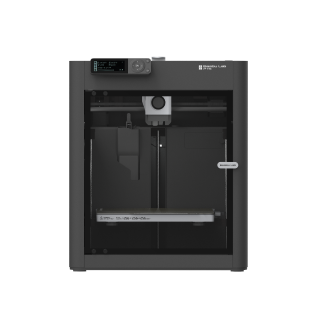
Bambu Lab P1S
P1S (standard, without AMS - not the P1P, P1S Combo or P2S)
An enclosed CoreXY machine at mid-range money, with ABS and ASA on Bambu Lab's ideal list. It is not the quiet option.
- Build volume
- 256 × 256 × 256 mm (Bambu Studio defaults to 250 mm height)
- Technology
- FDM
- Max speed
- 500 mm/s toolhead (20 m/s² acceleration)
- Enclosed
- Yes (plastic and glass; chamber temperature regulator fan and activated-carbon filter)
- Multi-colour
- Optional (AMS or AMS 2 Pro sold separately or as a Combo)
- Auto levelling
- Yes (automatic bed levelling sensor)
What we like
- ABS and ASA sit on Bambu Lab's ideal materials list, not its capable list
- Activated-carbon filter fitted as standard rather than sold as a bundle
- Levels itself and prints properly on the first evening
- Two UK supply routes, and Bambu Lab says the model is not being phased out
What we don’t
- Fan noise, not motion noise, and owners single out the chamber fan
- Carbon fibre needs an extruder and hotend upgrade first
- No chamber heater, so polycarbonate stays a stretch
- 12.95 kg: a shelf, not a desk corner
The shell is plastic and glass with a chamber temperature regulator fan, and an activated-carbon filter is fitted rather than sold as an upgrade — a distinction that matters more at this price than anywhere else here. Inside sits a 256 mm cube, a 300 °C all-metal hotend over a 100 °C bed, and automatic levelling. That is what puts ABS and ASA on Bambu Lab's ideal materials list, with PA and PC behind them as merely capable: the warm, still air does the work a heated chamber would otherwise do, up to a point. A recurring theme among buyers is that the machine goes from box to a successful first print inside an hour without changing slicer settings, with the automatic calibration routine taking up most of that time.
Two caveats. It is not quiet, for reasons the noise section below sets out. And buyers regularly expect an enclosed machine to take carbon fibre, which is where the P1S trips people up — Bambu Lab does not recommend fibre-reinforced filament until the extruder and hotend have been upgraded. If composites are the point, the K1C below is the cheaper answer and the Bambu Lab P2S the pricier one.
Bambu Lab has said the P1S will keep being made rather than phased out. It sells through Bambu Lab UK and 3DJake UK at around the £330 to £400 mark.
Buy it if you want one enclosed printer that covers almost everything and can live with fan noise. Skip it if carbon fibre is the point, or the machine has to share a quiet room.
Best value enclosed: ELEGOO Centauri Carbon 2
The useful question at the bottom of this market is not which enclosed printer is cheapest, but the least you can spend and still print ABS properly. This is the answer, and it gives up polish rather than capability.
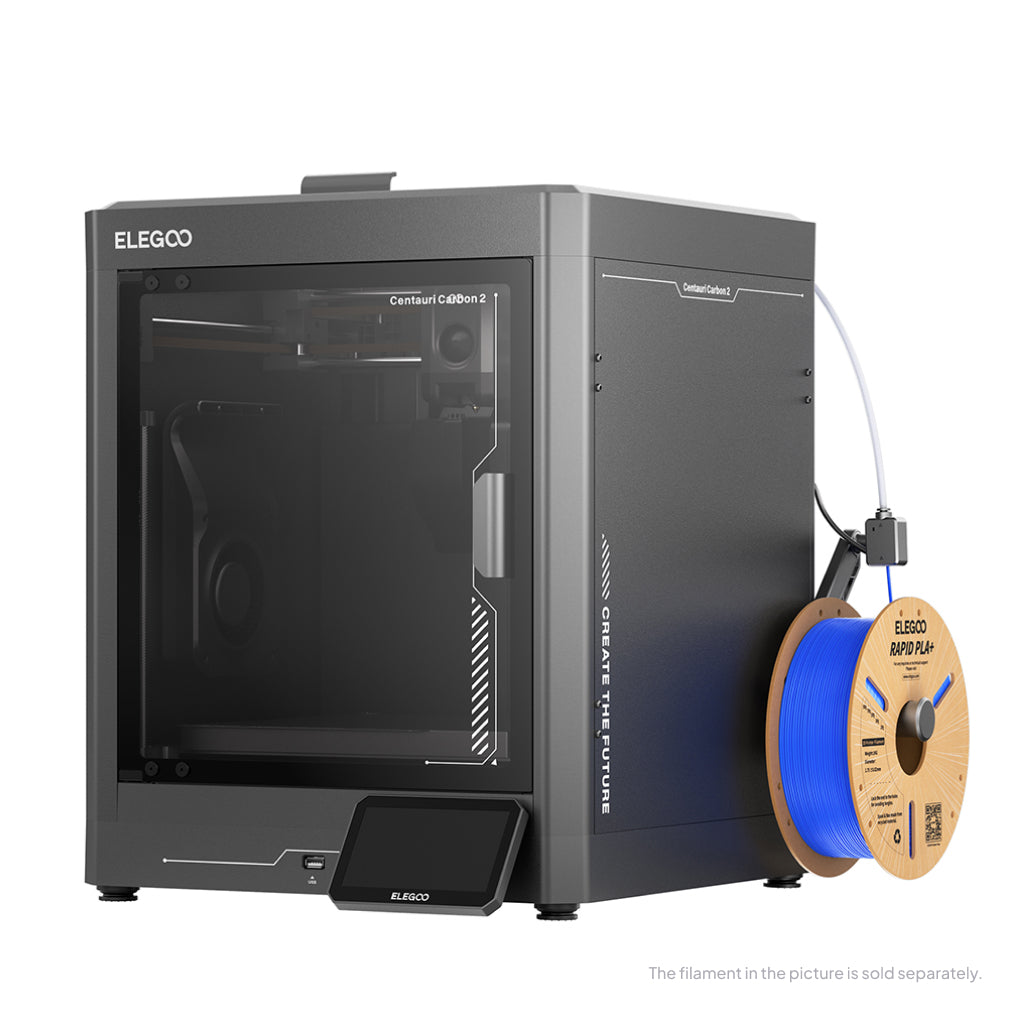
ELEGOO Centauri Carbon 2
Centauri Carbon 2 (standard, without CANVAS - not Combo)
A thermally regulated enclosure and the hottest nozzle here bar the QIDI, for well under P1S money. Software is where the corners were cut.
- Build volume
- 256 × 256 × 256 mm
- Technology
- FDM
- Max speed
- 500 mm/s (CoreXY)
- Enclosed
- Yes (thermally regulated enclosure)
- Multi-colour
- Optional (CANVAS 4-colour system; included only in the Combo; standard unit can be upgraded)
- Auto levelling
- Yes — full-auto calibration with 121-point auto-levelling and partial bed-levelling
What we like
- A 350 °C hardened nozzle, the hottest here bar the QIDI
- Thermally regulated enclosure for well under P1S money
- HEPA and coconut-shell carbon composite filter specified by ELEGOO
- The only machine here with a published standard-mode noise figure
What we don’t
- Connectivity between printer, slicer and app is the recurring complaint
- Noise reports diverge sharply at the fastest speeds
- One UK route: ELEGOO's own store
- Whether a filter ships in the box could not be confirmed
The headline is the toolhead: 350 °C over a 110 °C bed, inside a thermally regulated enclosure. The nozzle is hardened steel, and ELEGOO states it opens up PC, PET and fibre-reinforced filaments — a list that reads like machines costing twice as much. Two details suit this page: ELEGOO quotes it under 45 dB, the only standard-mode noise figure published here, and its chamber filter combines HEPA with coconut-shell activated carbon. Whether one ships in the box could not be confirmed, so treat a filter as a line item.
The compromises land on software rather than hardware, which is the right place for them. Owners and reviewers repeatedly praise the Centauri Carbon 2's single-colour print quality for its price, with the caveats concentrated on software and the multi-material unit. A recurring theme among Centauri Carbon 2 owners and reviewers is flaky connectivity between the printer, slicer and app, with USB printing the common fallback. ELEGOO's own UK store is the single route, at roughly £280 to £310.
Buy it if ABS and ASA matter more than a polished app and the budget is the constraint. Skip it if you want the ecosystem to be invisible — that is what the P1S premium buys.
Best enclosed multicolour: Anycubic Kobra S1 Combo
Everything else here treats colour as an upgrade you buy later. This one arrives enclosed and four-colour in one box, which changes the sum rather than the specification.
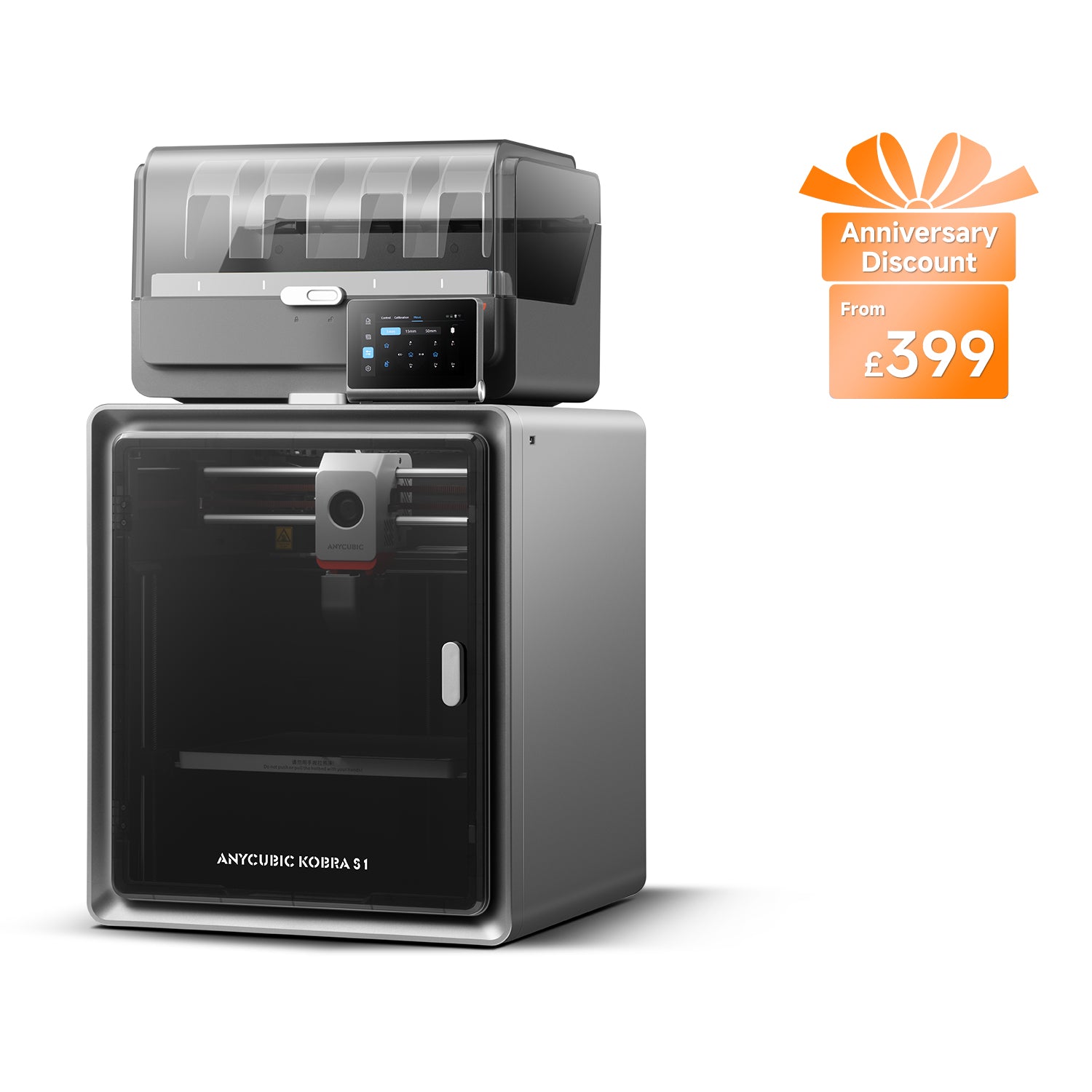
Anycubic Kobra S1 Combo
Kobra S1 Combo (enclosed CoreXY supplied with the 4-colour ACE Pro — not the Kobra S1 standalone, the Kobra S1 ACE 2 Pro Combo, the 8-colour two-ACE bundle or the Kobra S1 Max Combo)
Four-colour printing and a closed chamber for what a single-colour enclosed machine costs elsewhere. Purge waste is the price.
- Build volume
- 250 × 250 × 250 mm
- Technology
- FDM (FFF)
- Max speed
- Recommended 300 mm/s; maximum 600 mm/s; maximum acceleration 20,000 mm/s² (manufacturer maxima)
- Enclosed
- Yes — fully enclosed CoreXY construction
- Multi-colour
- Yes — 4 colours with the supplied ACE Pro; 8 with a second ACE Pro unit
- Auto levelling
- Yes — LeviQ 3.0 automatic levelling with Z-axis offset
What we like
- Enclosed and four-colour in one box, with no separate unit to buy
- 120 °C bed, the joint-highest here, which helps ABS adhesion
- Noise rated in both standard and quiet print modes
- Two UK routes, plus a 14-day no-reason return
What we don’t
- Every colour change purges filament, and the machine ejects the waste
- No filter medium stated by Anycubic
- 18 kg and 490 mm tall, so it needs a permanent surface
- A different variant may be substituted when stock runs out
It is a fully enclosed CoreXY construction with a 320 °C nozzle over a 120 °C bed — the joint-highest bed temperature here, which does most of the work on ABS adhesion. Anycubic lists PLA, ABS, ASA, PETG and TPU, the supplied ACE Pro gives four colours and dries filament as it prints, and it alone rates its noise in two modes, at 46 dB standard and 44 dB quiet.
The limitation is inherent to multicolour rather than to this machine: owner reports repeatedly mention filament waste at colour changes, and a recurring theme is that owners print their own chute or bin to catch the purged material because the machine ejects it rather than collecting it. On support, owner reports about Anycubic's after-sales support are mixed but lean positive: a recurring theme is quick replies and free replacement parts, while a smaller but persistent strand describes hardware faults such as hotend, touchscreen and control-board failures, and some owners describe difficulty getting a full warranty resolution. This is not consistent across all reports.
At 18 kg and 490 mm tall it wants a permanent surface. It sells through Anycubic's UK store and 3DJake UK at around £340 to £400.
Buy it if you want colour and a chamber without buying a multi-material unit separately. Skip it if you print mostly in one colour — the P1S is the better single-colour machine for similar money.
Best for carbon fibre: Creality K1C (2025)
If a part has to be stiff rather than pretty, this is the section that matters. Fibre-reinforced filament is abrasive by design and chews through a brass nozzle, and most enclosed machines want a paid upgrade first. This one is built around it.
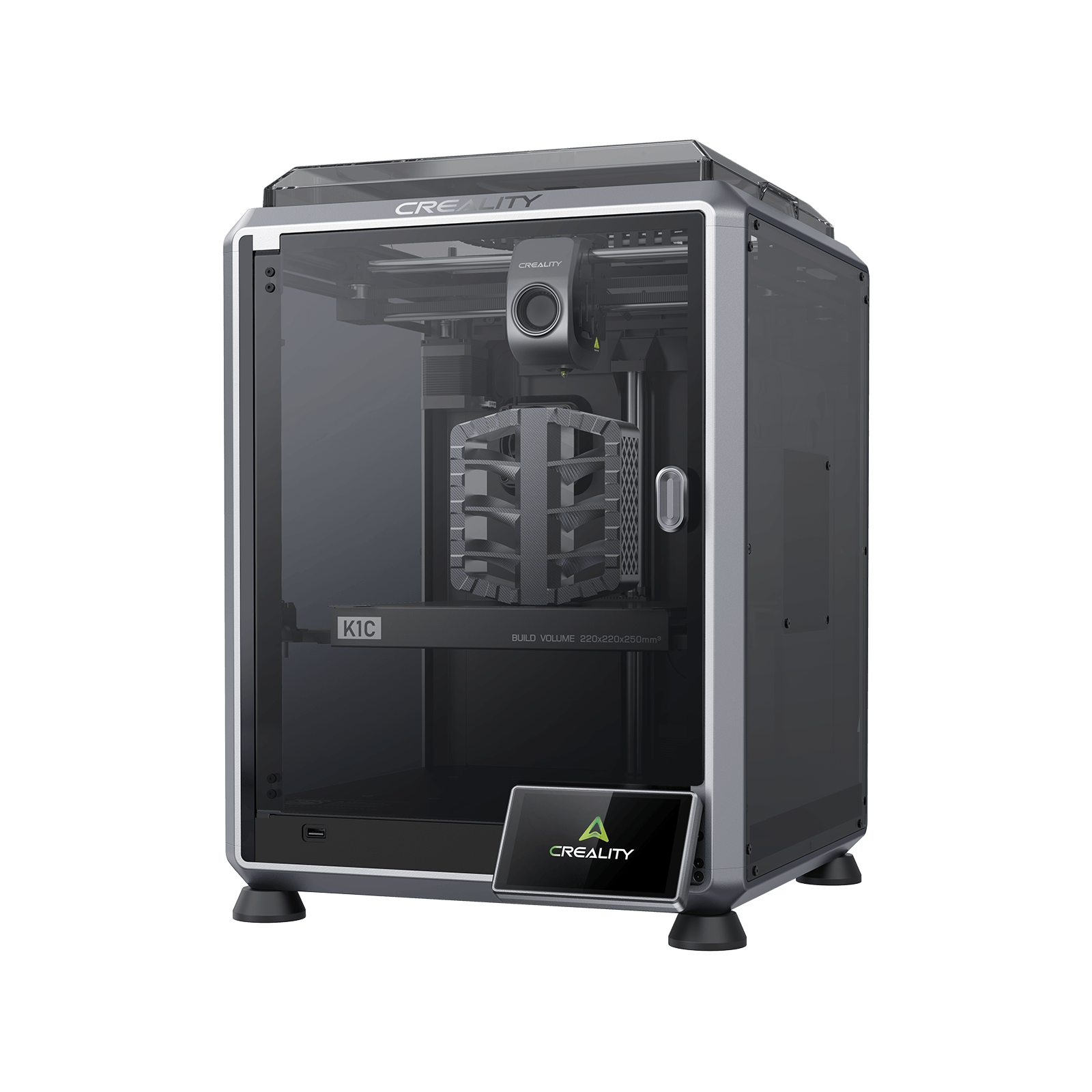
Creality K1C (2025)
K1C 3D Printer (2025 Version) - not the K1, K1 Max or K1 SE
Composite printing without a shopping list first: a hardened nozzle tip and a fibre-rated path as standard, in a fast enclosed frame.
- Build volume
- 220 × 220 × 250 mm
- Technology
- FDM
- Max speed
- 600 mm/s (CoreXY, 20,000 mm/s² acceleration)
- Enclosed
- Yes (die-cast aluminium unibody, tinted glass sides, acrylic lid)
- Multi-colour
- Optional (Creality CFS-C multi-colour kit sold separately)
- Auto levelling
- Yes (hands-free automatic levelling)
What we like
- Built for fibre-reinforced filament, with a hardened nozzle tip as standard
- Die-cast aluminium unibody, the most rigid enclosure here
- 600 mm/s on a CoreXY frame
- Cover runs to 24 months from Creality UK
What we don’t
- Creality's after-sales support is the dominant complaint on UK review sites
- One UK supply route since 3DJake stopped selling it
- Smallest build volume on this page
- Unfilled nylon and polycarbonate are not on Creality's own list
Creality states the machine is specifically designed for carbon-fibre reinforced materials, and the hardware backs the claim: a 300 °C hotend with a tri-metal quick-swap nozzle, hardened steel tip and titanium-alloy heatbreak, on a die-cast aluminium unibody with tinted glass sides — the most rigid box here — running to 600 mm/s over the smallest plate on this page.
Read the materials list carefully, because it is narrower than the reputation: Creality's own list runs PLA, TPU 95A, PA-CF, ASA, PLA-CF, PETG and ABS. Carbon-filled nylon is on it, unfilled nylon and polycarbonate are not, and a passive enclosure with a 100 °C bed ceiling is why. Owners printing carbon-fibre filled filament frequently describe building their own slicer profiles rather than using a supplied preset, with first-layer adhesion and flow the usual sticking points, although experiences vary by material.
The buying picture is the weak spot. Creality's UK store is the only route, and Creality's own support is the dominant complaint on UK review sites, described as slow to respond and slow to resolve faults, with experiences of the machines themselves sharply split. Against that, cover runs to 24 months at around £350 to £420.
Buy it if composites are the reason you want an enclosure and you would rather not upgrade a printer before using it. Skip it if you need unfilled nylon or polycarbonate, a larger plate, or a second supply route.
Best heated chamber: QIDI Plus5
Every machine above has an enclosure or it does not. This one heats its chamber, and that single difference moves nylon and polycarbonate from a line on a spec sheet to something you can rely on.
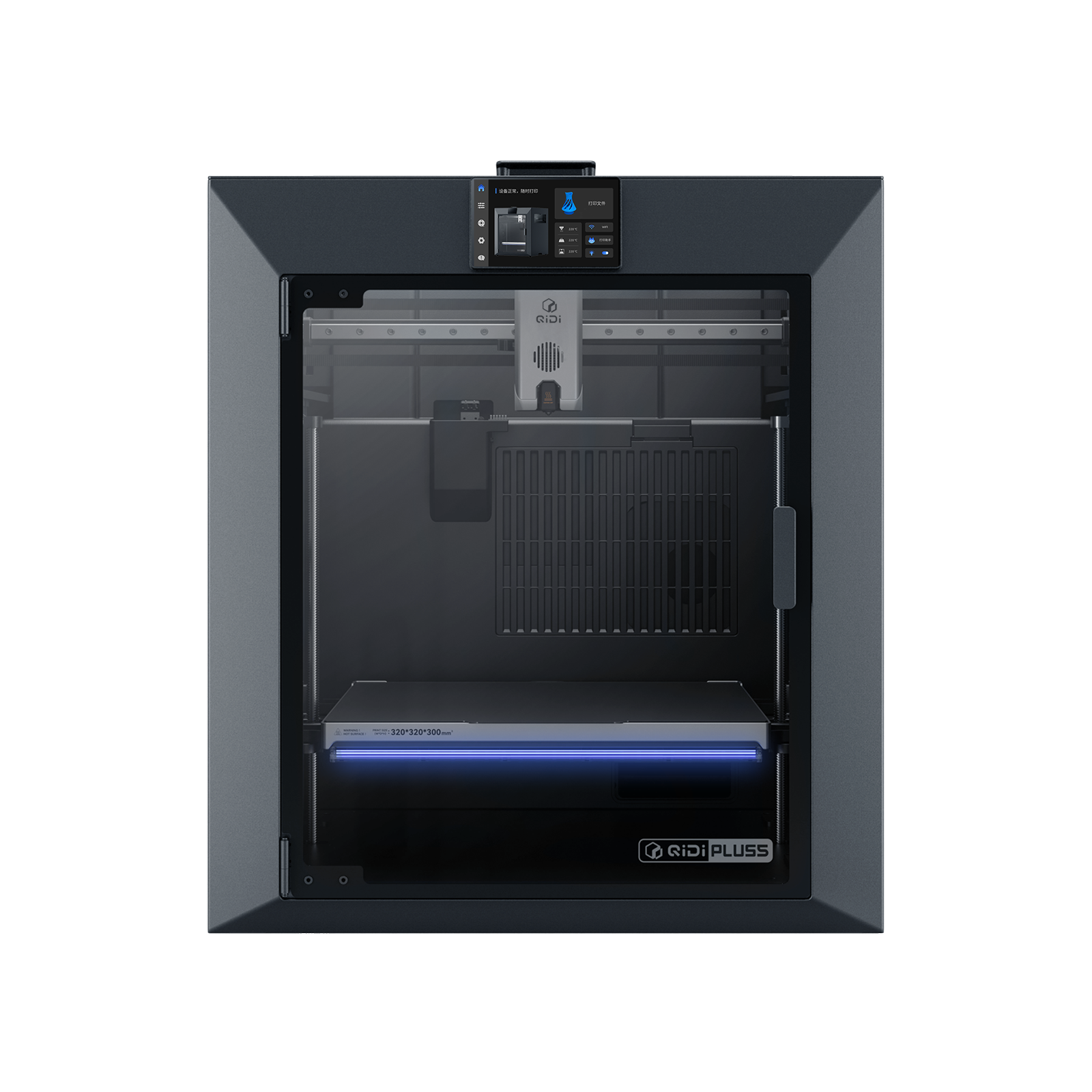
QIDI Plus5
QIDI Plus5 (standard, not the Plus5 Combo with QIDI Box, and not the Plus4)
An actively heated 65 °C chamber and a 370 °C nozzle on the largest plate here. An engineering tool that expects an engineer.
- Build volume
- 320 × 320 × 300 mm
- Technology
- FDM
- Max speed
- 600 mm/s toolhead (≤20,000 mm/s² acceleration)
- Enclosed
- Yes, with independent active chamber heating up to 65 °C (3rd generation)
- Multi-colour
- Optional (compatible with QIDI Box; the Combo bundles it for 16 colours)
- Auto levelling
- Yes (hands-free, loadcell sensor integrated into the hotend)
What we like
- Actively heated chamber to 65 °C — only two machines here have one
- 370 °C nozzle, so nylon and polycarbonate genuinely work
- 320 × 320 × 300 mm, the largest enclosed plate here
- Three-stage filter with HEPA and activated carbon fitted as standard
What we don’t
- 29 kg, and it wants a bench rather than a shelf
- About 500 W while printing ABS — the chamber heater shows on a bill
- One year of warranty, the shortest here
- Owners describe it as an engineering tool, not a plug-and-play machine
The chamber holds up to 65 °C on independent heating rated at 550 W, under a 370 °C nozzle over a 120 °C bed, across a 320 × 320 × 300 mm plate — the biggest enclosed volume here by a wide margin. That is why its supported list reaches PA, PC and fibre-reinforced polymers where the passive machines stop at ABS and ASA. Air handling is the other reason it belongs here: a three-stage filter with a G3 pre-filter, an H12 HEPA element and coconut-shell activated carbon, so particles and gases are handled separately.
The costs are real. It weighs 29 kg — a bench, not a shelf — and draws about 500 W printing ABS, the one figure here that shows up on an electricity bill. Warranty is one year, the shortest on the page. And owners repeatedly describe QIDI machines as engineering tools rather than plug-and-play, with a learning curve to expect. Set against that, QIDI's support draws consistent praise on UK review sites for responding quickly, though reports of hardware faults on arrival sit alongside it. 3DJake UK stocks it with free delivery to Great Britain at roughly £650 to £750.
Buy it if nylon, polycarbonate or composites need to work rather than to be listed, or you need the volume. Skip it if ABS and ASA are your ceiling — the P1S and Centauri Carbon 2 reach those for a third of the money.
Best premium enclosed: Prusa CORE One+
The most expensive machine here by a factor of three, and the case for it is not speed or volume: it is the only pick that treats the enclosure's biggest drawback as a problem to solve in hardware rather than a caveat in the manual.
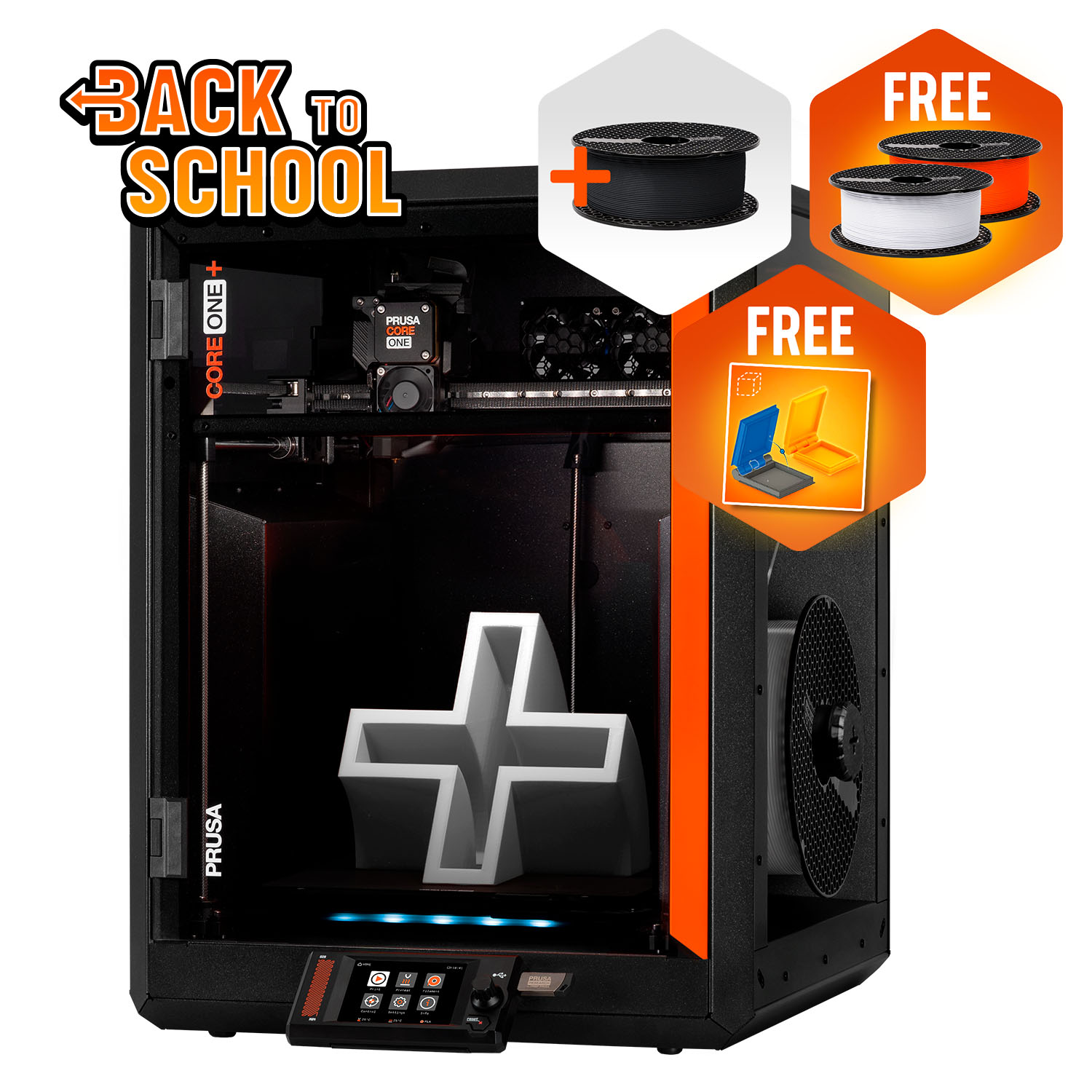
Prusa CORE One+ (Gen 2)
CORE One+ (Gen 2), assembled
An actively heated chamber that knows when to open itself, with a published repair path. You pay for ownership, not headline numbers.
- Build volume
- 250 × 220 × 270 mm
- Technology
- FDM
- Max speed
- Not stated on manufacturer product page - Unverified
- Enclosed
- Yes (fully enclosed CoreXY; active chamber heating up to 55 °C)
- Multi-colour
- Optional (MMU3 5-filament unit or INDX tool-changer up to 8 tools, sold separately)
- Auto levelling
- Yes (fully automatic load-cell first-layer calibration)
What we like
- Opens its own top vent for PLA and PETG, so the chamber suits every material
- Active chamber heating to 55 °C
- Wi-Fi, Ethernet and USB — the only wired network port here
- Published repair path and consistently well-reviewed support
What we don’t
- Three times the price of the mid-range picks
- Advanced Filtration is a separate bundle, not included
- One year of UK warranty against two for EU consumers
- Ships from Prague, so budget for VAT and a carrier handling charge
The chamber heats to 55 °C inside a fully enclosed CoreXY frame, with a 290 °C nozzle over a 120 °C bed. Materials include PLA, PETG, PC, PP, CPE and PVB, with ABS, ASA, HIPS and PA added by the enclosure, and it is the only machine here with a wired network port.
The feature that earns it the slot is smaller than any of that: the printer opens its top vent automatically for PLA and PETG, monitoring chamber temperature continuously to suit the filament. That answers a problem every enclosed printer has and few admit to. Owner reports on the Prusa forum repeatedly describe PLA heat-creep clogs in the enclosed chamber, particularly in warm rooms, with opening the door or vent for PLA the commonly shared remedy.
One correction to the spec sheets: Advanced Filtration is not included, and Prusa sells it separately for materials such as ASA that produce increased ultra-fine particles and fumes. The warranty is the other weak point for UK buyers — one year here against two for EU consumers. A recurring theme among Prusa owners is that repairability and the upgrade path are what they are paying for, rather than headline features. It sits at roughly £1,200 to £1,500.
Buy it if you intend to own this printer for years, repair it yourself, and want a chamber that manages itself across PLA and ASA alike. Skip it if you want the most capability per pound — the QIDI gives you a hotter chamber and a bigger plate for around half.
Do you need an enclosure, and does it need to be heated?
Two questions, and most buyers get the first wrong before they reach the second.
Do you actually need an enclosure?
For a large share of the people searching this, no. An enclosure does one physical thing: it keeps the air around the print warm and still. That is decisive for plastics that shrink as they cool — a draught across a tall ABS part cools one side faster than the other, and the corners lift. It is close to irrelevant for PLA, and mildly harmful, because PLA prints better in cooler air and a hot chamber softens filament before it reaches the nozzle. That failure is called heat creep, and it is the problem the CORE One+ solves by opening its vent unprompted; on every other machine here you manage PLA by defeating the enclosure.
So the decision follows your filament list, not your budget. PLA and PETG only: buy an open-frame printer. ABS or ASA on the list: you want an enclosure. Children or pets in the room: a closed frame puts a barrier between a hot nozzle and a hand — a real benefit, and not the same as the fume question below.
Is a heated chamber necessary for ABS?
No, and this is the most expensive misconception in the category.
A passive enclosure has no heater; it traps the waste heat the bed and hotend already produce, so chamber temperature is whatever the machine happens to reach. An actively heated chamber holds a target regardless of the room — 65 °C on the Plus5, 55 °C on the CORE One+ — and weight, power draw and price all follow from it.
ABS and ASA warp because of uneven cooling, which a passive enclosure solves perfectly well. The evidence is the makers' own lists: Bambu Lab puts both on the P1S's ideal list, with no chamber heater in the machine. A hot bed does much of the rest — 120 °C on the Kobra S1 Combo, 110 °C on the Centauri Carbon 2.
The heater earns its money one step up. Polycarbonate and unfilled nylon need the whole part held warm for hours, which a passive box cannot guarantee — hence PA and PC on the Plus5's list and among the CORE One+ materials, and the K1C's stopping at carbon-filled nylon. The nozzle is the other half: 300 °C on the P1S against 370 °C on the Plus5.
The short version: if your list ends at ABS and ASA, a passive enclosure is the right purchase. If it includes polycarbonate or unfilled nylon, nothing passive substitutes.
What an enclosure does — and does not do — for safety
Enclosures are sold on safety more than print quality. One helps with two hazards and is commonly overestimated on the third.
Contact and fire. A closed frame puts a barrier between a moving toolhead at 300 °C or more and anything that might reach into it, which matters where children or animals share the room. A rigid, largely non-combustible box is also better than an open frame if something goes wrong — a matter of degree, not a guarantee.
Air is where the marketing and the measurements part company. FDM printing emits ultrafine particles as filament melts: peer-reviewed measurements put the mean diameter at 50–60 nm, with ABS producing the highest peak concentration of the filaments tested. Particles that small stay airborne and are inhalable.
An enclosure does not remove them; it slows their escape into the room. The difference is measurable, and unflattering: in a 2025 study of engineering controls, a rigid enclosure achieved a minimum control efficiency of 67.3% to 80.2% for particulate matter and a flexible one 91.2% to 94.97%, while exhausting the air outdoors reached 98.35% to 99.95% and was the most effective control tested. A box is better than nothing and considerably worse than a duct. Those figures also cover particles only — the same study calculated no control efficiency for gaseous emissions at all, so none of it says an enclosure controls odour.
Filtration is not standard either, and the media matter: HEPA captures particles, carbon adsorbs gases, and a machine with one is doing one job. Two picks fit both — the Centauri Carbon 2 and the Plus5; the P1S fits carbon alone, Prusa sells filtration separately, and the other two state no medium. A recurring theme among owners printing ABS and ASA indoors is that the built-in carbon filter is treated as a partial measure rather than a complete one, with several describing ducting the exhaust outside or adding filtration, although this is not consistent across all reports.
Practically: print PLA and PETG in a normally ventilated room without much thought. Print ABS or ASA in a room you can air properly, run the filter supplied, and if you do it often, duct the exhaust outside — the control with the evidence behind it. Follow the filament maker's safety data sheet, and if you print in a workplace, note that the Health and Safety Executive has published research on these emissions.
Noise, heat and living with an enclosed printer
A persistent claim about enclosures is that they quieten a printer. The machines here suggest the opposite: enclosing a CoreXY printer traps heat, trapped heat has to be moved, and so enclosed machines run more fans and run them harder.
The published ratings look reassuring — the Centauri Carbon 2 under 45 dB, the Kobra S1 Combo at 46 dB standard and 44 dB quiet, the K1C at 45 dB or below — but those are the only three figures for six machines, and they describe a moderate print, not a flat-out one.
What gets reported diverges in a specific, repeatable way. Owners repeatedly trace the noise to the fans rather than the motion system, and a recurring theme is that the chamber fan is the loudest part of the machine when it is running PLA; several describe swapping the fans for quieter ones, and some say they would not run it overnight in a room next to a bedroom. The same pattern appears on another brand: owner reports on Creality's own forum repeatedly single out fan noise rather than the motion system, and a recurring response is to fit quieter fans or printed shrouds; several describe it as too loud for a shared room, although this is not consistent across all reports.
An enclosure changes the character of the noise rather than the amount — less motion rattle, more fan — so plan the location accordingly. Space is the other surprise: 12.95 kg for the P1S, 18 kg for the Kobra S1 Combo, 22.5 kg for the CORE One+ and 29 kg for the Plus5. None is a desk-corner machine.
What an enclosed 3D printer costs to run in the UK
Two lines make up the running cost, and for most owners only one matters. Everything below is a worked estimate from published figures.
Electricity is the smaller line, until you heat a chamber. Take the Ofgem price cap as the reference — about 26p per kWh — and check it against your own bill. Printers draw far less than their rated ceiling: the CORE One+ is quoted at about 90 W on PLA and 110 W on ABS. At that rate a machine averaging 100 W costs roughly 2.6p an hour, so thirty hours of printing a month comes to well under a pound.
The heated chamber is the exception. QIDI quotes the Plus5 at about 190 W steady on PLA and about 500 W on ABS, the difference being a chamber heater rated at 550 W. On the same tariff 500 W is about 13p an hour, so a long ASA print overnight costs a pound or two rather than pence — the strongest practical argument for a passive enclosure if a passive enclosure covers your materials.
Filament is the larger line for almost everyone. Ordinary PLA runs roughly £14 to £18 a kilogram from a UK retailer, with ABS and ASA similar and fibre-reinforced grades higher. Budget one to two kilograms for the first month, and more with the four-colour option: purge can rival the model's own weight.
One cost is specific to this category and routinely forgotten: filters are consumables, and on the CORE One+ filtration is an additional purchase before it is a recurring one.
UK availability, warranty and support
Where a printer ships from decides what happens the day it stops working, and it varies far more than the specifications do.
One supply route or two. The P1S, the Kobra S1 Combo and the CORE One+ each have two UK routes. Three have one: the Centauri Carbon 2 through ELEGOO's own store, the Plus5 through 3DJake, and the K1C through Creality's UK store. A single route is no reason to reject a machine, but it is a reason to confirm stock before committing.
Warranty terms are not equal, and the UK is often the short end. Creality quotes up to 24 months on the K1C. Bambu Lab's two-year cover is written for consumers in the EU, Switzerland, Norway, Iceland, the United States and Canada — read that carefully rather than assume it. Anycubic gives a year plus a 14-day no-reason return, QIDI one year, and Prusa one year in the UK against two for EU consumers. On a machine you plan to keep, that spread outweighs a modest price difference.
Support quality is the part no specification sheet carries, and it splits the page sharply: Prusa and QIDI draw the steadiest praise, Anycubic sits mixed but positive, and Creality's after-sales handling is the one weakness serious enough to price in. Owners on UK review sites frequently describe Prusa's support as fast and knowledgeable, with the main complaints reserved for shipping-date slippage.
The CORE One+ ships from Prague, and buyers who have ordered direct from overseas repeatedly describe the same two surprises: a carrier handling charge on top of the VAT, and time in customs clearance on top of the transit time, although the quoted lead times themselves are usually described as broadly accurate. Finally, Anycubic states that where the Kobra S1 Combo is out of stock it may ship the enhanced Kobra S1 ACE 2 Pro Combo instead — check the model name, because that is a different machine.
Mistakes to avoid when buying an enclosed printer
Three errors account for most of the disappointment here, all avoidable before you order.
Buying an enclosure to print PLA. The most common and most expensive. A warm chamber makes PLA worse, and unless the machine vents itself you will spend the first month learning to leave the door open.
Assuming enclosed means composite, nylon or polycarbonate capable. Abrasive filament needs a hardened path, which is a separate feature from a box: Bambu Lab does not recommend fibre-reinforced filament on the P1S until the extruder and hotend have been upgraded. Unfilled nylon and PC need a heater, not just a shell.
Counting filtration you have not checked. On the CORE One+ it is a separate bundle, and two of the six machines here have no filter medium stated at all.
The verdict
The Bambu Lab P1S is the pick for most people: the least you can spend and still treat ABS and ASA as ordinary rather than as a project, with the carbon filter in the box rather than the catalogue. Spend less and the ELEGOO Centauri Carbon 2 gives up app polish rather than capability. The step that actually costs money is the heated chamber — the QIDI Plus5 if polycarbonate and nylon are the reason, the Prusa CORE One+ if you want a chamber that manages itself. Choose the Creality K1C for composites and the Anycubic Kobra S1 Combo for colour.
- Buy it if
- ABS or ASA are genuinely on your list, you have a rigid surface that will take 13 kg or more, and you accept the fan noise.
- Skip it if
- You print PLA and PETG and nothing else — an open-frame printer costs less, runs quieter and makes better PLA parts than anything here.
How this article was researched
This guide is research-based: no printer on it was bought, run or measured here. Every specification traces to a manufacturer page or manual, recorded in a claim ledger with its source and check date, and the emissions figures come from peer-reviewed studies cited inline. Owner-experience passages summarise recurring patterns from forums and review sites in our own words — never a quoted review or a rating. Prices are bands checked against UK stores in September 2026.
Common questions
- Do I need an enclosed 3D printer?
- Only if you intend to print ABS, ASA or engineering plastics. An enclosure keeps the air around a print warm and still, which stops those materials warping. If you print PLA and PETG, an open-frame printer is cheaper, quieter and will actually produce better parts, because PLA prefers cooler air and a warm chamber can soften filament before it reaches the nozzle.
- Is a heated chamber necessary for ABS?
- No. ABS and ASA warp because of uneven cooling, and a passive enclosure handles that perfectly well — Bambu Lab, Anycubic and Creality all list ABS and ASA for machines with no chamber heater at all. An actively heated chamber earns its cost one step further up, on polycarbonate and unfilled nylon, which need the whole part held warm for hours.
- Does an enclosure improve safety?
- It helps with contact and fire containment, and it is commonly overestimated on air quality. Peer-reviewed measurements show a rigid enclosure controls a majority of particulate emissions but far less than ducting the exhaust outdoors, and the same study calculated no control efficiency for gases. Treat a built-in filter as a partial measure: for regular ABS or ASA printing, ventilate the room as well.