Best FDM Printers for Beginners UK
The best FDM printers for beginners in the UK, ranked by how little work each machine leaves you — not by price alone. Six picks, from about £150 to £400.
Independent and reader-funded. We earn a commission if you buy through our links, at no extra cost to you. How this works.
For most people starting out, the best FDM printer for beginners in the UK is the Bambu Lab A1, at around the £240 to £320 mark: a full-size machine that calibrates itself and leaves you almost nothing to get wrong. If that is more than you want to risk on an untried hobby, the Creality Ender-3 V3 SE sits at the floor of the market and still levels its own bed — but it hands some of the work back to you, and this page says which work.
That is the axis everything is ranked on. Not price, not speed, not the materials list: how much the machine asks of you between the sealed box and a part you are pleased with. It gives a different order from a value ranking — the printer that wins most budget round-ups comes fourth here. For the wider market, start with the best FDM 3d printer uk guide.
The six, by how much work each one leaves you
One row matters more than any other on a first printer: what the machine still expects you to do. Read it alongside the nozzle temperature row, which decides what you will ever print.
| Specification | 1 Bambu Lab A1 Asks least of you | 2 Bambu Lab A1 mini Fits anywhere | 3 FlashForge Adventurer 5M Open toolchain | 4 Creality Ender-3 V3 SE Lowest cost | 5 Bambu Lab A1 Combo Colour included | 6 Bambu Lab P1S Never outgrown |
|---|---|---|---|---|---|---|
| Best for | Most first-time buyers | Small rooms | Standard slicers | A tight budget | Colour first | Growing into |
| What it still asks of you | Load filament | Load filament | Choose a slicer | Assembly, then the Z-offset | Load four spools | Somewhere to put the noise |
| Build volume | 256 × 256 × 256 mm | 180 × 180 × 180 mm | 220 × 220 × 220 mm | 220 × 220 × 250 mm | 256 × 256 × 256 mm | 256 × 256 × 256 mm |
| Max nozzle temp | 300 °C | 300 °C | 280 °C | 260 °C | 300 °C | 300 °C |
| ABS and ASA | Not recommended | Not recommended | Listed | No | Not recommended | Listed as ideal |
| Enclosed | No | No | No | No | No | Yes |
| Auto levelling | Yes | Yes | Yes | Yes | Yes | Yes |
| Multi-colour in the box | No | No | No | No | Yes, four spools | No |
| Wireless file transfer | Yes | Yes | Yes | No | Yes | Yes |
| Typical UK price | £240–£320 | £170–£270 | £260–£400 | Around £150 | £340–£430 | £330–£400 |
| UK route | Bambu Lab UK, resellers | Bambu Lab UK, resellers | FlashForge UK | Creality UK | Bambu Lab UK, resellers | Bambu Lab UK, 3DJake UK |
How we chose these beginner FDM printers
Nothing here was bought, unboxed or run. This is desk research — manufacturer pages, specification sheets, UK store listings and owner reports from public forums. A figure that could not be confirmed from a primary source was left out rather than borrowed from a review site, which is why five of these six carry no noise figure. Our review methodology covers the rest; below is what choosing a first machine changed.
- Levelling counted as a floor, not a feature. Every filament printer at these prices levels its own bed; the test is what is left over afterwards.
- The manufacturer's refusals came before its promises. A supported-materials list is marketing; a sentence naming what it does not recommend is information.
- One role each, and UK stock checked per model. That is how the Adventurer 5M earned its place: in stock on FlashForge's UK store, although a large retailer has stopped carrying it.
Two machines on most cheap-printer lists were cut on beginner grounds rather than quality: the Creality Ender-3 V3 KE, whose appeal is tinkering rather than prints, and the ELEGOO Centauri Carbon 2, whose owners complain most consistently about its software. Both appear in the best 3d printers uk roundup; if you have not settled on filament, the best resin printers uk guide covers the other side.
Asks least of you: Bambu Lab A1
The question a first printer has to answer is not how fast it goes but how many ways your first week can go wrong, and this one removes most of them. It levels its own bed automatically and prints a 256 × 256 × 256 mm part at 500 mm/s, and at £240 to £320 it is where a beginner filament printer stops feeling like a compromise.
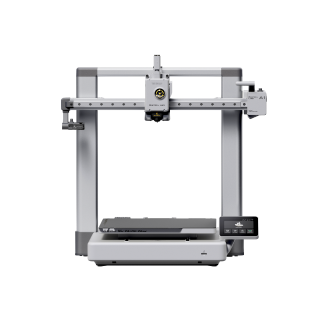
Bambu Lab A1
A1 (standard, without AMS lite)
Full-size plate, calibration you never touch, the best long-term owner record here. PLA and PETG only, and it says so.
- Build volume
- 256 × 256 × 256 mm
- Technology
- FDM
- Max speed
- 500 mm/s toolhead (10,000 mm/s² acceleration)
- Enclosed
- No
- Multi-colour
- Optional (AMS lite sold separately; up to 4 spools)
- Auto levelling
- Yes (fully automatic)
What we like
- Levels its own bed with nothing left for you to set afterwards
- A 256 mm cube of build volume, the largest of the open-frame picks
- The strongest long-term owner record of any machine on this page
- Two years of UK warranty and two UK supply routes
What we don’t
- ABS, ASA, polycarbonate, nylon and fibre-filled filaments are not recommended
- Open frame, so no chamber heat and no filtration
- Owners describe an X-axis belt tension warning appearing with use
- No published noise figure, and owner opinion on it is divided
The specification that matters to a beginner is the boring half. A 300 °C nozzle over a 100 °C bed covers every filament a first year needs; the UK warranty runs two years, the longest term here; and colour can be added later with the AMS lite feeder. The limit is stated plainly, which is unusual enough to read twice: PLA, PETG, TPU and PVA are named as ideal, ABS, ASA, polycarbonate, nylon and fibre-reinforced filaments as not recommended.
What earns it first place is not the specification. Long-term owner reports on the Bambu Lab forum repeatedly describe the A1 as reliable and low-maintenance, particularly compared with older budget printers they have moved from. That is worth more than any number in the table: what ends a new hobby is a printer failing in ways you cannot yet diagnose. Two caveats: early units were recalled in 2024 for a heatbed cable issue, and units sold since ship with a revised bed, and several owners describe an X-axis belt tension warning after a period of use, often cleared by re-tensioning.
Buy this if you want to print things rather than maintain a printer, and PLA and PETG cover what you have in mind. Skip it if the room is too small for a bed that swings back and forth, or if ABS is why you are buying.
Fits where you actually live: Bambu Lab A1 mini
Most first printers are bought for a spare room that does not exist, then end up on a desk where somebody sleeps. That constraint decides more purchases than any specification, and this is the only pick built around it: a 180 mm cube of build volume in a machine measuring 347 × 315 × 365 mm and weighing 5.5 kg, at £170 to £270.
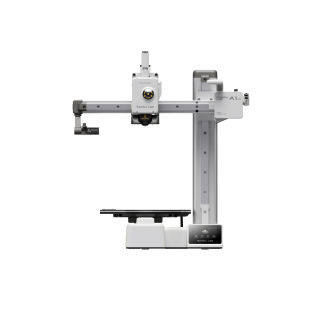
Bambu Lab A1 mini
A1 mini (standard, without AMS lite)
Self-calibrating, light enough to move one-handed, the most frugal machine here. The small plate and cool bed are the cost.
- Build volume
- 180 × 180 × 180 mm
- Technology
- FDM
- Max speed
- 500 mm/s toolhead (10 m/s² acceleration)
- Enclosed
- No
- Multi-colour
- Optional (AMS lite sold separately; up to 4 spools)
- Auto levelling
- Yes (fully automatic)
What we like
- 5.5 kg and a 180 mm cube — it will genuinely sit on a shelf
- Rated at a maximum of 150 W, the most frugal machine here
- Self-calibrating, with no first-week setup to get wrong
- Two years of UK warranty, the longest term on this page
What we don’t
- The smallest build volume here by a clear margin
- An 80 °C bed, the coolest of the six
- Same materials limits as the A1: no ABS or ASA
- Owners describe a main-board fan that runs constantly
Two numbers matter before the footprint sells you. It levels its bed automatically like its larger sibling, but the nozzle's 300 °C ceiling sits over a bed stopping at 80 °C — the coolest here. A hot nozzle over a cool bed with no enclosure is a PLA machine with PETG as a stretch, and Bambu Lab names ABS, ASA, polycarbonate, nylon and fibre-reinforced filaments as not recommended. It is also the most frugal here, rated at a maximum of 150 W, under the same two-year warranty.
Owner reports repeatedly describe the A1 mini as reliable and low-effort, which is why it is so frequently suggested as a first printer. A recurring complaint is the constantly running main-board fan, which some find intrusive at idle, although others describe the machine as quiet enough for a living space — with no published decibel figure, that disagreement is the only evidence there is.
Buy this if space, weight or power draw is the binding constraint and what you print is hand-sized. Skip it if the desk would take the full-size A1 — about £70 more buys a plate you will not outgrow.
The open toolchain, if you want one: FlashForge Adventurer 5M
There is a decision hidden inside a first printer that nobody warns you about: whose software you agree to live in. This is the pick for someone who would rather use standard open tools than one manufacturer's app — FlashForge's free slicer is a fork of the open-source OrcaSlicer, and owners also drive the machine with plain OrcaSlicer, PrusaSlicer or Cura. At £260 to £400 that costs nothing extra.
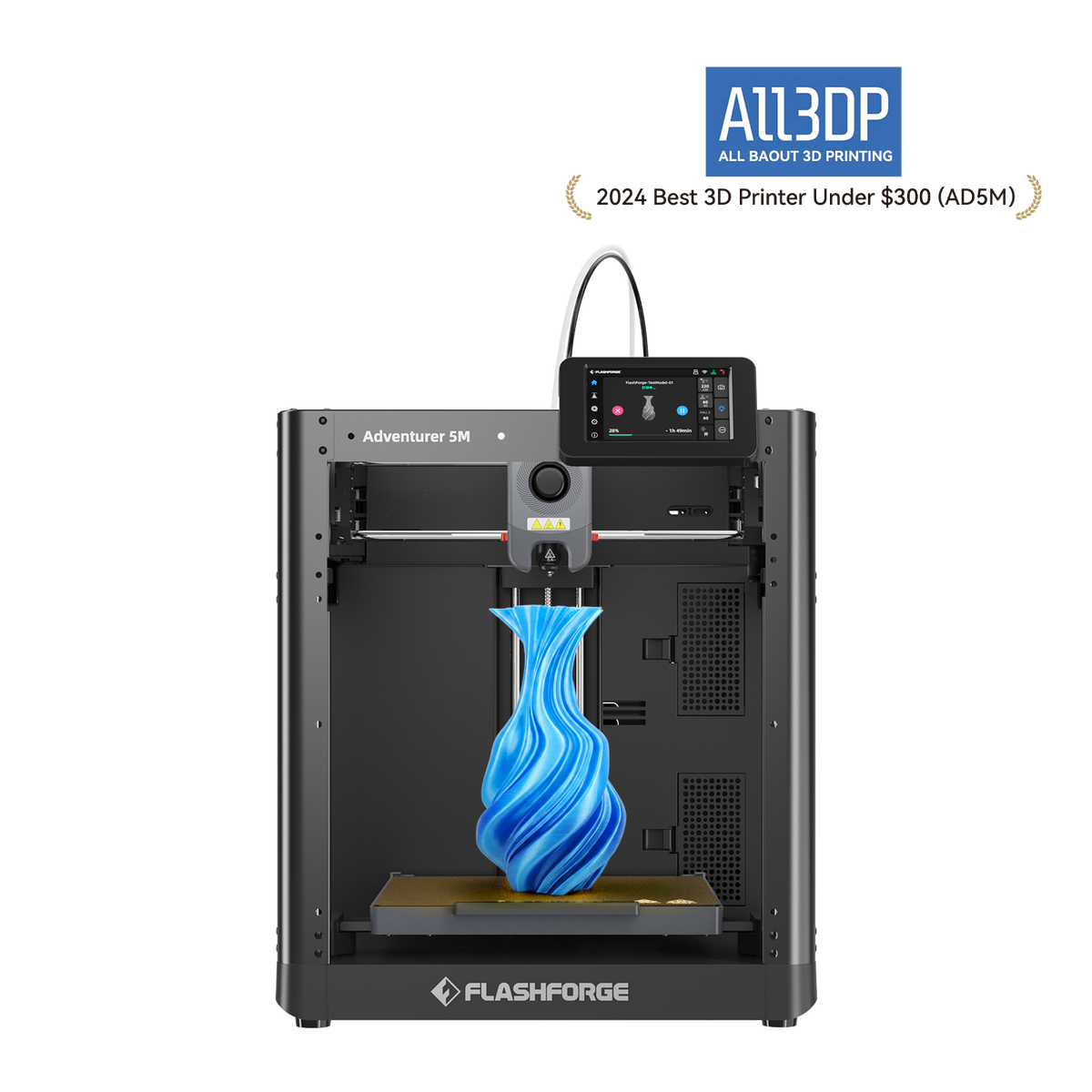
FlashForge Adventurer 5M
Adventurer 5M (open-frame standard model; not the enclosed 5M Pro)
The fastest machine here on paper, with standard slicers and swappable nozzles. A lower nozzle ceiling and half the warranty of the Bambu picks.
- Build volume
- 220 × 220 × 220 mm
- Technology
- FDM / FFF CoreXY, direct drive, single extruder
- Max speed
- 600 mm/s (20,000 mm/s² acceleration)
- Enclosed
- No (open frame; a DIY enclosure kit is sold separately)
- Multi-colour
- No
- Auto levelling
- Yes — FlashForge's Automatic Datum Management (ADM) auto-levelling
What we like
- Runs standard open slicers rather than one manufacturer's app
- 600 mm/s and 20,000 mm/s², the highest published figures here
- Quick-detach nozzles in four diameters, swapped in seconds
- The only pick with a wired network port as well as Wi-Fi
What we don’t
- A 280 °C nozzle, the lowest ceiling of the open-frame picks
- Twelve months of UK warranty, and three on extruder parts
- One UK supply route after a major retailer dropped the model
- Choosing a slicer is a decision the Bambu machines do not ask for
It is quick in the way that counts. The published ceiling is 600 mm/s at 20,000 mm/s² of acceleration, the highest figures here, and acceleration is what shortens a real print because real models are mostly corners. FlashForge pairs that with an extruder vibration suppression algorithm, and levels the bed with what it calls Automatic Datum Management onto a 220 × 220 × 220 mm flexible PEI-coated plate. Its nozzles are quick-detach in four diameters, and it is the only machine here with a wired network port as well as Wi-Fi.
Two limits set the boundary. The nozzle stops at 280 °C, the lowest ceiling of the open-frame picks, and an enclosure is a separate kit. ABS and ASA appear on the supported list, but on an open frame that is what the hardware permits, not how a tall part comes out. The UK warranty is 12 months, three on extruder parts — half what Bambu Lab states.
A recurring theme among owners is that the machine prints acceptably from the box without changing slicer settings, with several describing no first-layer trouble, although this is not consistent across all reports. The openness is also what this machine asks of you: owner discussion repeatedly turns to which slicer to run, with FlashForge's Orca fork the usual recommendation over the bundled one. The Bambu machines never ask that.
Buy this if you want a fast machine that works with standard open slicers. Skip it if you want the fewest decisions in week one, or a two-year warranty matters more than a wired port.
Lowest cost that still levels itself: Creality Ender-3 V3 SE
Around the £150 mark is the floor of the UK market for a machine that does not ask you to level a bed with a folded sheet of paper. What buys that is a CR Touch probe with a strain-sensor Z-offset, and Creality also automates loading and unloading.
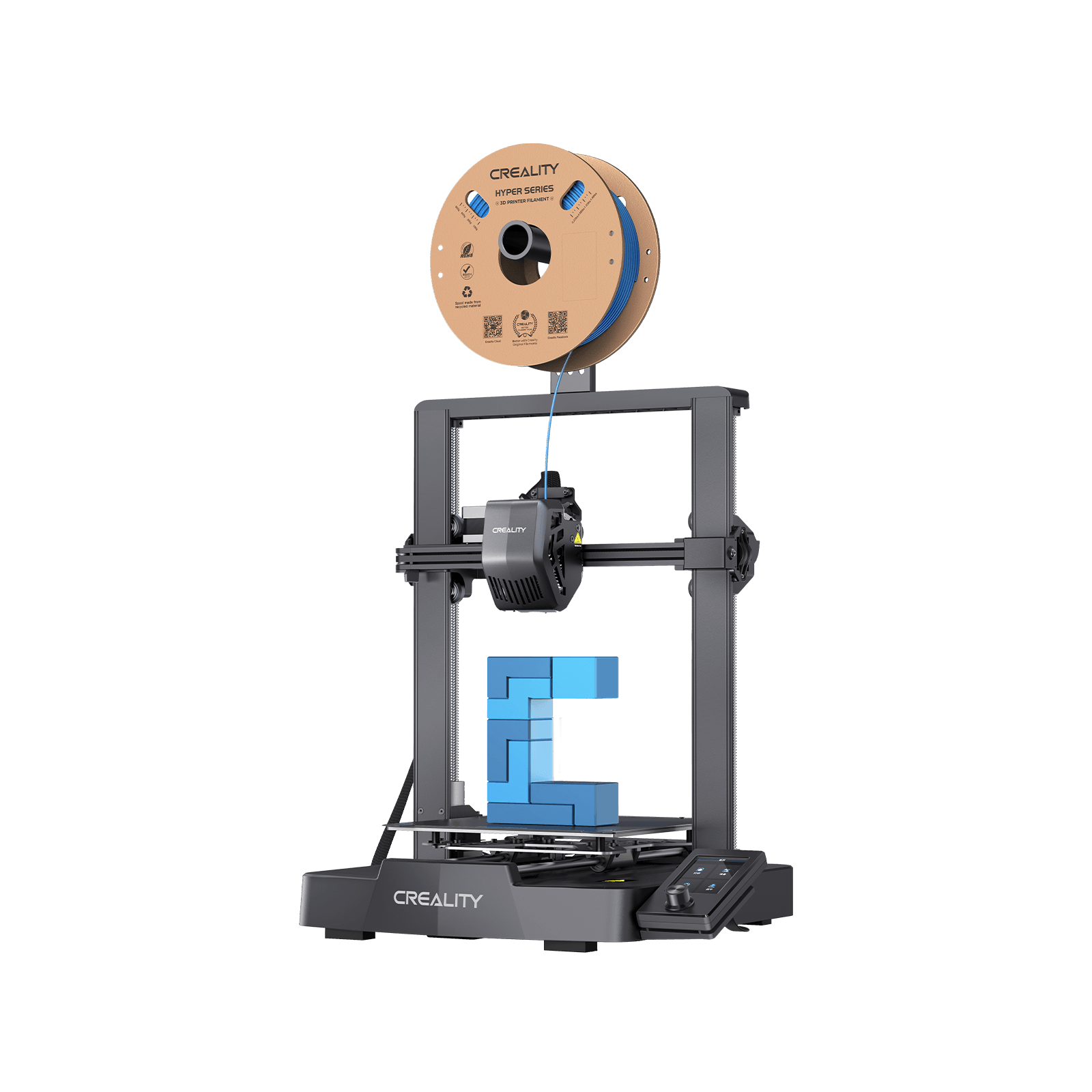
Creality Ender-3 V3 SE
Automatic levelling and a generous plate at the bottom of the market. The one machine here you build, and the one where owners still touch the Z-offset.
- Build volume
- 220 × 220 × 250 mm
- Technology
- FDM
- Max speed
- 250 mm/s (2,500 mm/s² acceleration)
- Enclosed
- No
- Multi-colour
- No
- Auto levelling
- Yes (CR Touch plus strain-sensor auto Z-offset)
What we like
- Automatic levelling and automatic Z-offset around the £150 mark
- A 220 × 220 × 250 mm plate, taller than anything else here
- Automatic filament loading and unloading
- Cheap, published UK spare parts, shipped from a UK warehouse
What we don’t
- The only machine here you assemble yourself
- Owners still fine-tune the Z-offset after the automatic routine
- 260 °C nozzle: PLA, PETG and TPU only, and no Wi-Fi at all
- Creality's own documents disagree on the warranty length
The plate is 220 × 220 × 250 mm, taller than anything else here. What the price takes back is speed and heat: 250 mm/s, roughly half the pace of everything above it, and a 260 °C nozzle, so Creality lists PLA, PETG and TPU 95A and nothing else. Files travel on an SD card: no Wi-Fi, no app.
It ranks fourth for a reason no comparison table shows. Automatic levelling and "calibrated for you" are not the same claim. Every machine here levels its bed; what differs is what is left over. First-time owners frequently describe the V3 SE as easy to set up and capable of a good first print without tuning — and also, several owners describe needing to fine-tune the Z-offset by hand after the automatic routine, although others report the auto-levelling working without adjustment. On the Bambu machines that step does not appear. For someone who knows what a Z-offset is it is ten minutes; on a first evening it is the difference between a part and a bird's nest.
It is also the only pick that arrives as parts; Creality heads its listing "Hassle-Free Assembly" but publishes neither a step count nor a time, so none is quoted here. Warranty is awkward too — Creality's after-sales policy and its UK store pages state different lengths, so no figure is given here, and reviews of Creality on UK consumer sites repeatedly raise slow and unhelpful after-sales support.
Buy this if your budget stops here, you will print PLA, and assembly is part of the appeal rather than a tax. Skip it if you want the machine finished when it arrives — every other pick is, and the A1 mini is the nearest step up.
Colour from the first print: Bambu Lab A1 Combo
Be clear what the money buys. This is the top pick sold with the AMS lite feeder in the box, which holds four spools and swaps between them mid-print. The printer is unchanged: the same 256 × 256 × 256 mm plate, the same 300 °C nozzle over a 100 °C bed, materials list and two-year UK warranty. At £340 to £430 it is the most expensive open-frame machine here.
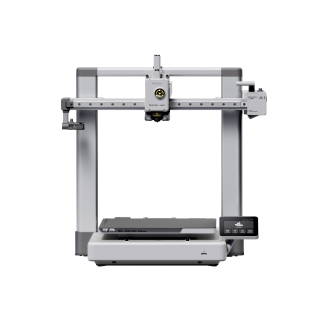
Bambu Lab A1 Combo
A1 Combo (A1 printer + AMS lite)
Four colours out of the box on the machine that already asks least of you. Colour costs waste and time, and nobody says how much beforehand.
- Build volume
- 256 × 256 × 256 mm
- Technology
- FDM
- Max speed
- 500 mm/s toolhead (10,000 mm/s² acceleration)
- Enclosed
- No
- Multi-colour
- Yes (AMS lite included; 4 spools; one AMS lite per A1)
- Auto levelling
- Yes (fully automatic)
What we like
- Four-colour printing out of the box, across four spools
- Identical printer, specifications and warranty to the A1
- Cheaper than buying the printer and adding the feeder later
- Owners generally prefer the bundle to the separate purchase
What we don’t
- Colour changes add hours to a print, which few buyers expect
- Purge waste at every change, reducible but not removable
- The feeder is open, so it offers no humidity protection
- Bambu Lab advises against running PVA through the AMS lite
So the question is bundle now or feeder later, and the arithmetic is closer than it looks: separately the AMS lite is around the £175 mark, making the bundle cheaper if you were always going to want it. Owners frequently recommend buying the Combo rather than adding the AMS lite later, mainly for the convenience of hands-off colour changes.
What nobody says beforehand is what colour costs in time. Owner reports repeatedly mention that colour changes add far more time than expected, with a single change taking the better part of a minute and heavily multi-coloured models running for hours longer than their single-colour equivalents. Waste is the other half: owners repeatedly note that multicolour printing generates significant purge waste, which slicer settings can reduce but not remove — every change flushes the nozzle. And because the feeder is open rather than sealed, Bambu Lab advises against running PVA through it on the A series: PVA is the dissolvable support material, so the one thing a beginner might assume colour unlocks is the thing it does not.
Buy this if colour is the reason you want a printer at all — models with lettering, logos or several parts stop needing paint. Skip it if you are unsure: buy the plain A1 and add the feeder when a model makes the case.
The one you will not outgrow: Bambu Lab P1S
The ceiling every other machine here shares is materials: open frames cannot hold warm still air around a cooling part, so ABS and ASA stay off the list whatever the nozzle can reach. This pick removes it, with an enclosed shell and a chamber temperature regulator fan over a materials list naming ABS and ASA as ideal rather than tolerated — at £330 to £400, about what the colour bundle costs.
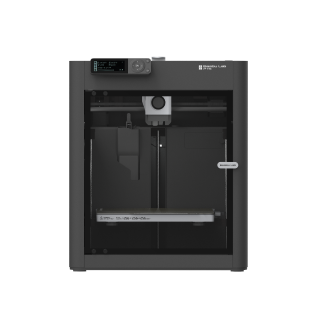
Bambu Lab P1S
P1S (standard, without AMS - not the P1P, P1S Combo or P2S)
An enclosed CoreXY machine that sets up like a beginner printer and prints materials none of the others will touch. It is the loud one, which decides where it lives.
- Build volume
- 256 × 256 × 256 mm (Bambu Studio defaults to 250 mm height)
- Technology
- FDM
- Max speed
- 500 mm/s toolhead (20 m/s² acceleration)
- Enclosed
- Yes (plastic and glass; chamber temperature regulator fan and activated-carbon filter)
- Multi-colour
- Optional (AMS or AMS 2 Pro sold separately or as a Combo)
- Auto levelling
- Yes (automatic bed levelling sensor)
What we like
- Enclosed, with ABS and ASA listed as ideal rather than tolerated
- Owners report box to first print inside an hour
- Activated carbon filter and automatic bed levelling
- Confirmed still in production, so spares and support continue
What we don’t
- The loudest machine here, and owners consistently say so
- Carbon fibre needs an extruder and hotend upgrade first
- 12.95 kg and a large footprint — decide where it lives first
- Bambu Lab's warranty page does not name the UK for this model
The rest reads like the A1 with the lid on: a 256 × 256 × 256 mm plate, a 300 °C all-metal hotend over a 100 °C bed, automatic bed levelling and an activated carbon filter. At 12.95 kg it is the heaviest here, so decide where it goes before it arrives. Bambu Lab confirmed in February 2026 that the model stays in production.
It also sets up like a beginner machine. A recurring theme among buyers is that the machine goes from box to a successful first print inside an hour without changing slicer settings, with the automatic calibration routine taking up most of that time. That is why it belongs in a beginner guide at all: on day one it asks no more of you than the A1.
The catch is noise. Owners repeatedly trace the noise to the fans rather than the motion system, and a recurring theme is that the chamber fan is the loudest part of the machine when it is running PLA; several describe swapping the fans for quieter ones, and some say they would not run it overnight in a room next to a bedroom. If the only space you have is where you sleep, buy the A1 mini instead.
Two expectations to correct. An enclosure is not a licence to print anything: Bambu Lab states that fibre-reinforced filaments need an extruder and hotend upgrade first, and buyers regularly expect an enclosed machine to take carbon fibre, which is where the P1S trips people up. Nor does the filter make ABS a living-room material: a recurring theme among owners printing ABS and ASA indoors is that the built-in carbon filter is treated as a partial measure rather than a complete one.
Buy this if you already suspect PLA will not be enough and have somewhere a machine can be audible. Skip it if the printer has to live where you sleep, or your list is all PLA.
What to check before you buy your first filament printer
Four things decide whether a first printer feels easy or feels like homework, and only one appears in the headline specifications.
Ask what happens after the levelling routine finishes. Every machine sold new at these prices levels its own bed, so "auto levelling" on a listing tells you nothing. The Bambu machines leave nothing to set; Creality pairs a probe with a strain-sensor Z-offset and yet several owners describe needing to fine-tune the Z-offset by hand afterwards, although others report it working without adjustment. That gap separates an easy FDM printer from one you learn on.
Read the refusals, not the supported list. Bambu Lab does not recommend ABS, ASA, polycarbonate, nylon or fibre-reinforced filaments on the open-frame A1 series, and lists ABS and ASA as ideal on the enclosed P1S. Nobody hides this; it is simply never quoted, because it does not read like a feature.
Measure the space the machine does not occupy. The A1 mini stands 347 × 315 × 365 mm and the P1S 389 × 389 × 458 mm, but a bed-slinger throws its plate forward and back, so it needs the depth of the bed again each way, plus room above for the spool.
Look at the slicer, because that is where the time goes. The printer is hardware you press a button on; the slicer is software you use every session. One route is a manufacturer's closed app, the other the standard open tools — FlashForge's slicer is a fork of the open-source OrcaSlicer. If "plug and play FDM printer" is what drew you here, take the closed route: it is genuinely less work.
Running costs: what a first filament printer adds to a UK bill
New buyers worry about the electricity and are surprised by the plastic. Here is the arithmetic with its assumptions on show — an estimate, not a quotation.
Electricity is the small number. Start from the Ofgem price cap: 26.11 pence per kWh for England, Scotland and Wales from 1 July to 30 September 2026, rising to 26.32 pence from 1 October. Be careful with the wattages on a specification sheet — they are ceilings reached briefly while a bed heats, not what a machine draws for the rest of a job. The Adventurer 5M and the Ender-3 V3 SE are rated at 350 W, the A1 mini at 150 W. Assume 100 W averaged across a print and that is roughly 2.6p an hour: about 78p a month at thirty printing hours, under £10 a year.
Filament is the number that moves. Ordinary PLA runs about £14 to £19 per kilogram in the UK, VAT included — consumer prices must be shown inclusive of VAT by law. Budget two or three kilograms for the first few months rather than one: beginners fail more often than experienced owners, and each failure is plastic. Across a year filament costs several times the electricity, and more again on a multi-colour machine.
Wear parts are cheap, and cheaper still bought early. Nozzles are consumables and abrasive filament wears them fast; on the Ender-3 V3 SE, the one machine here with published UK spare prices, a nozzle kit is under £10. Keep a spare from the start — the alternative is a fortnight of declining print quality you cannot explain.
Buying in the UK: stock, warranty and support
On a first printer, what happens when something goes wrong matters more than any specification, because you cannot yet tell a fault from a mistake.
How many ways in. Bambu Lab sells through its own UK store and through resellers, so the A1, the Combo and the P1S each have a second route if one runs dry. The other two have one each: Creality ships the Ender-3 V3 SE from a UK warehouse, and the Adventurer 5M comes from FlashForge's UK store now a major retailer has dropped it. A single route is a reason to check stock, not to avoid a machine.
Warranty terms are not equal. Bambu Lab states two years in the UK on the A1, the A1 Combo and the A1 mini. FlashForge states twelve months on the Adventurer 5M and three on extruder parts — worth noticing, since the extruder works hardest. Creality's after-sales policy and its UK store pages give different lengths, so this guide quotes no figure for it. And Bambu Lab's warranty page states two years for the P1S in the EU, Switzerland, Norway, Iceland, the United States and Canada — a list that does not name the United Kingdom. Ask the seller to confirm the term in writing.
Your statutory rights do not depend on that. The Consumer Rights Act 2015 gives a short-term right to reject faulty goods for 30 days after delivery, and buying online adds a 14-day cancellation right regardless of fault. Both sit with the retailer rather than the brand — an argument for a UK store over an import, and a reason to run a real print in the first fortnight.
Support reputation separates the brands. A recurring theme among Bambu Lab buyers is slow warranty support, although delivery and packaging are frequently praised. Reports on FlashForge's support are divided: several buyers describe prompt and knowledgeable replies, while others describe slow or unhelpful after-sales handling. All of it argues for buying somewhere with a returns desk.
Where first-time buyers waste money
Buying for materials you will not print. The enclosure and the ABS-and-ASA list on the P1S are worth real money if those filaments are the point. If your list is PLA and PETG — and for most people it stays that way for a year — that money buys a capability you never use and a fan you can hear from the hall. Build volume works the same way: almost everything a household prints fits inside the 180 mm cube of the smallest pick here, so if the choice is size against something that fits the room, take the room.
Upgrading before diagnosing. The most common first-month purchase is a new build plate, and it is usually unnecessary. Owner threads on the Creality community forum repeatedly link adhesion failures to plate cleanliness and Z-offset rather than the machine, and some owners choose to replace the stock plate with a textured PEI sheet. Wash the plate, re-run the calibration, then spend money.
Buying a printer when you wanted detail. If what you want to make is small, intricate and smooth — miniatures, busts, jewellery patterns — filament is the wrong technology and no budget fixes it. The best resin printers for miniatures uk guide covers the machines that do that job.
Which one should your first printer be?
Most people should buy the Bambu Lab A1, at £240 to £320: the largest plate of the open-frame picks, the best owner record here, and nothing left for you to calibrate.
If the room is small, the A1 mini at £170 to £270 gives up plate size and little else. For standard open slicers, the Adventurer 5M at £260 to £400 is the only pick. If the budget stops around £150, the Ender-3 V3 SE still levels itself, provided you assemble it and meet the Z-offset. Take the A1 Combo at £340 to £430 only if colour is why you want a printer, and the P1S at £330 to £400 if you already suspect PLA will not be enough.
A first filament printer is no longer a project unless you want one. Five of these six arrive finished, level their own beds and print something usable the same evening. What separates them is what they leave you holding: a Z-offset, a slicer decision, a noise problem, or nothing. Pick the one whose leftovers you do not mind.
- Buy it if
- You want to print things rather than maintain a printer, and PLA and PETG cover what you have in mind — the Bambu Lab A1, around £240 to £320.
- Skip it if
- You need ABS, ASA, nylon or carbon fibre from the start. None of the open-frame machines will do it, and only the P1S covers the first two.
When this machine stops being enough — usually a materials limit — the best FDM 3d printer uk guide covers what changes further up.
How this article was researched
This guide is research-based. No printer on it was purchased, assembled or operated, and nothing here is a measurement of ours. Every specification figure cites the manufacturer page, specification sheet or manual it came from; anything that could not be confirmed from a primary source was left out rather than estimated, which is why no assembly time appears against the one machine that needs assembling. Price bands and UK stock routes were checked against UK store listings on 16 September 2026. Owner-experience passages describe recurring patterns found in public forums and UK review sites, and are labelled where they appear.
Common questions
- Is FDM easier than resin for beginners?
- For most people, yes. A filament printer needs a clean plate and the right temperature; a resin printer needs nitrile gloves, isopropyl alcohol, a washing and curing step, somewhere ventilated to work and a safe way to dispose of what is left. The prints are sharper, but the process is a chemistry routine rather than pressing print. Resin earns its place if what you want to make is small and finely detailed — miniatures, busts, jewellery patterns — and rarely otherwise for a first machine.
- Which FDM printer needs the least tuning?
- The Bambu Lab machines, and the gap is real rather than marketing. All six picks on this page level their own beds, but on the Creality owners still report setting the Z-offset by hand once the routine has finished, and the FlashForge asks you to choose a slicer before you start. The A1, the A1 mini and the P1S calibrate and expect nothing further, which is why the A1 is the top pick despite not being the cheapest or the fastest here.
- What filament should a beginner use?
- PLA, and for longer than you expect. It prints cool, sticks readily, smells little and costs about £14 to £19 per kilogram in the UK. PETG is the sensible second material once you want something tougher or more heat-resistant, and it is the point at which a heated bed starts to matter. Leave ABS, ASA, nylon and anything carbon-filled until you know why you need them — most of them need an enclosure, and one of them needs a hardware upgrade.