Best Multi-Material FDM Printers UK
Six multi-material FDM printers UK buyers can order, ranked on what the filament changer will actually feed rather than what the printer's spec sheet says.
Independent and reader-funded. We earn a commission if you buy through our links, at no extra cost to you. How this works.
Two material lists ship with every machine here. The printer's is long and goes on the box; the changer's is shorter, lives in a support wiki, and is the one that decides what you can print. Bambu Lab rates TPU as compatible with its printers and not compatible with the AMS and AMS lite — one spool, two answers.
So the best multi material FDM printer UK buyers can order today is not the one with the most slots, but the one whose changer feeds what you bought the machine for. Six are here, orderable in the UK at prices checked in September 2026. Nothing was bought or run: this is desk research against manufacturer documentation, and what could not be confirmed is named rather than guessed at.
The six compared on what the changer takes
Start with the two rows in the middle: "soluble supports in the changer" and "changer refuses" are the rows that differ from the printer's own specification, and the rows that decide whether a machine does your job.
| Specification | 1 Bambu Lab P2S Best overall | 2 ELEGOO Centauri Carbon 2 Combo Best value | 3 Prusa CORE One L+ Most materials per print | 4 Creality K2 Plus Largest | 5 Anycubic Kobra S1 Combo Keeps filament dry | 6 Bambu Lab A1 Combo Simplest entry |
|---|---|---|---|---|---|---|
| Best for | The widest material list | Money going furthest | Two unlike materials in one part | Large multi-material parts | Filament that must stay dry | An easy first changer |
| Changer | AMS 2 Pro, bought separately | CANVAS, included | MMU3, or INDX toolchanger, separately | CFS, bought separately | ACE Pro, included | AMS lite, included |
| Materials at once | 4 per unit | 4 | 5 with MMU3; up to 8 tools with INDX | 4 per unit, to 16 across four | 4, or 8 with a second unit | 4 |
| Soluble supports in the changer | Yes — dry PVA and BVOH | Not published | Yes — its own dedicated tool | Yes — dried PVA and BVOH | Not published | PVA not recommended |
| Changer refuses | TPU, PET-CF, PPA-CF, PPS-CF | Not published | Nothing stated — each tool has a nozzle | All TPU; PPA-CF and PPS-CF break in the tube | TPU 95A | TPU, PVA, all composites |
| Changer dries filament | Yes, sealed and heated | Not stated | Not applicable | No | Yes, to 55 °C | No — open frame |
| Printer enclosed | Yes, no chamber heater | Yes, self-venting | Yes, chamber to 60 °C | Yes, chamber to 60 °C | Yes | No |
| Nozzle temp | 300 °C | 350 °C | 290 °C, or 400 °C with the HT hotend | 350 °C | 320 °C | 300 °C |
| Build volume | 256 × 256 × 256 mm | 256 × 256 × 256 mm | 300 × 300 × 330 mm, or 298 × 275 × 330 mm with INDX | 350 × 350 × 350 mm | 250 × 250 × 250 mm | 256 × 256 × 256 mm |
| Typical UK price | £450–£550 | £320–£400 | £1,500–£1,750 | £800–£900 | £340–£400 | £340–£430 |
| UK route | Bambu Lab UK, 3DJake UK | ELEGOO UK, 3DJake UK | Prusa direct, two UK retailers | Creality UK, Leicester warehouse | Anycubic UK, 3DJake UK | Bambu Lab UK, 3DJake UK |
The Prusa and Creality prices exclude the changer, so the gap to the machines above them is wider than that row suggests.
How we picked these six
No machine here was bought, opened or run. This is desk research against manufacturer pages, support wikis and product documentation, with price and stock checked at UK routes. The general approach is set out in the review methodology; three things change when the question is materials, not colours.
- The changer's material list, read separately from the printer's. Where a maker publishes only one list, that is recorded as a gap rather than filled in from a review site.
- Whether the unit keeps a moisture-sensitive filament usable. Dry PVA feeds; damp PVA does not.
- What happens across a wide temperature gap. ELEGOO documents the mechanism: the previous material is still inside the nozzle and has to be purged out before the next can be laid down.
Ranking is by merit on material capability, with no commercial tiebreak: a mid-priced machine takes first place, the cheapest takes second and the dearest third. Machines that could not hold a role no other held were cut, including one at end of life that still heads competing lists. If materials are not your deciding factor, the broader best FDM 3d printer uk guide is the better start.
Best multi-material overall: Bambu Lab P2S
For the longest list of materials that will pass through a changer rather than merely fit the printer, this is where the evidence points.
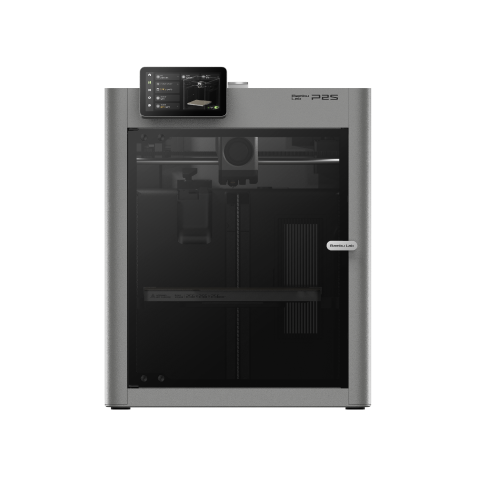
Bambu Lab P2S
P2S (standard, without AMS)
The widest changer-compatible material list here, through a unit that is sealed and heats. That unit is a second purchase, and TPU is still off the list.
- Build volume
- 256 × 256 × 256 mm
- Technology
- FDM
- Max speed
- 600 mm/s toolhead (20,000 mm/s² acceleration)
- Enclosed
- Yes (fully enclosed; door sensor and activated-carbon air filter; no active chamber heater listed)
- Multi-colour
- Optional (AMS 2 Pro / AMS sold separately or in P2S Combo)
- Auto levelling
- Not confirmed
What we like
- The longest changer-compatible material list here, dry PVA and dry BVOH included
- Three grades of Bambu Lab support material confirmed as AMS-compatible in writing
- The AMS 2 Pro is sealed and heated, and its drying times are published
- Two years of cover, with an official UK page and UK reseller stock
What we don’t
- The changer is a separate purchase and a substantial one
- TPU is on the printer's list and not on the changer's
- PET-CF, PPA-CF and PPS-CF are enclosed-printer materials the AMS will not feed
- No active chamber heater, which caps the engineering materials
The printer is a fully enclosed 256 mm cube with no active chamber heater, a 300 °C nozzle over a 110 °C bed, and its own list runs PLA, PETG, ABS, ASA, TPU, PET, PA, PC, PVA and fibre-reinforced composites. That is not the list that matters.
As an AMS compatible printer it makes the strongest case here, because the changer's list is unusually long: Bambu Lab rates dry PVA and dry BVOH as AMS-compatible, along with three grades of support material, one of which rinses away in water. The enabling hardware is the AMS 2 Pro, sealed and heated rather than open, drying PVA at 65 °C for eighteen hours. Owner reports repeatedly describe moisture, rather than the machine, as what makes a soluble support print fail. A unit that dries is what makes the list real.
Two honest limits. TPU is on the printer's list and not the changer's, so flexible work stays manual, and the composites people buy an enclosed machine for — PET-CF, PPA-CF, PPS-CF — are enclosed-printer materials the AMS will not feed.
Buy it if soluble supports, nylon or polycarbonate are why you are here. Skip it if flexible filament is the point: no AMS variant will feed it.
Best value multi-material: ELEGOO Centauri Carbon 2 Combo
The lowest price band on this page, changer included, and the only maker here that documents the drawback of its own headline feature.
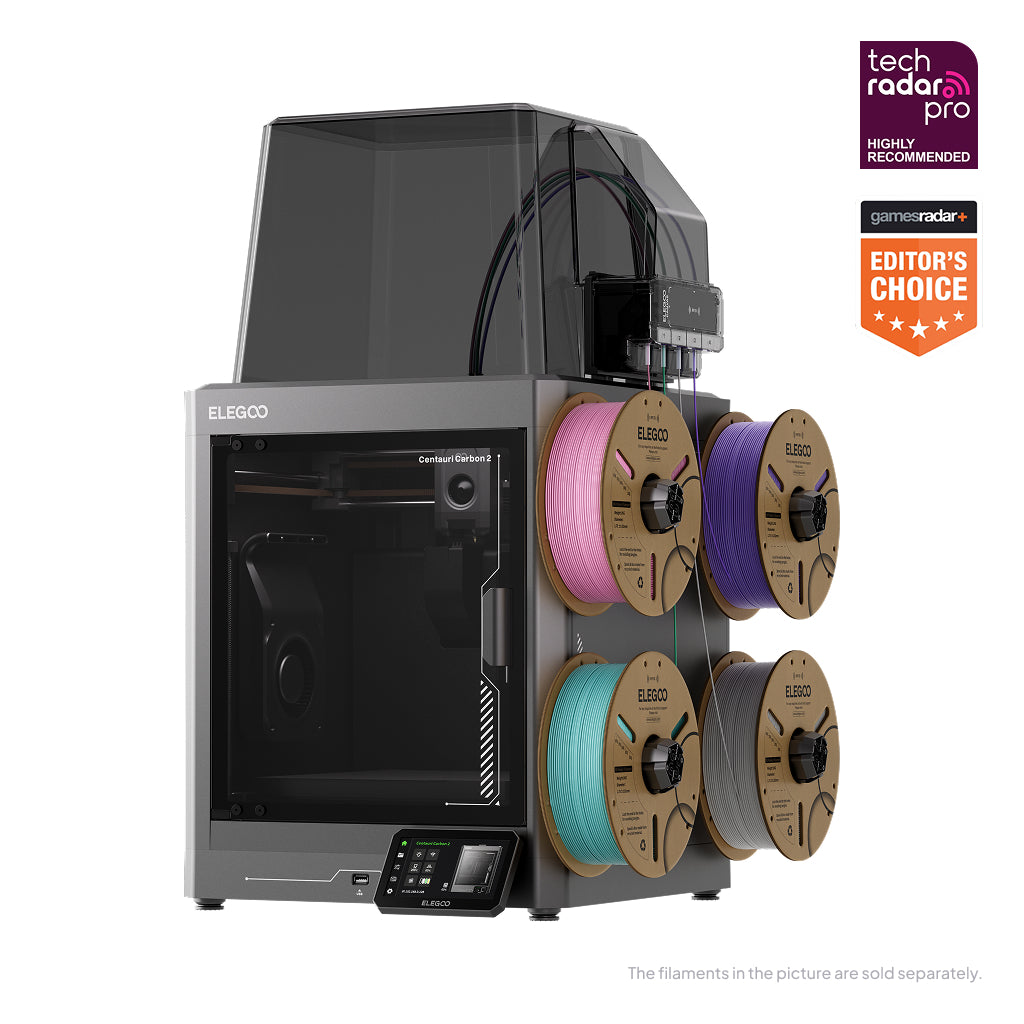
ELEGOO Centauri Carbon 2 Combo
Centauri Carbon 2 Combo (Centauri Carbon 2 + CANVAS 4-colour system) — not the Centauri Carbon 2 standalone, the Centauri 2, the Centauri 2 Combo or the original Centauri Carbon
The hottest nozzle here and a changer included, for open-frame money. What the changer will not feed is the one thing ELEGOO does not publish.
- Build volume
- 256 × 256 × 256 mm
- Technology
- FDM / FFF CoreXY, direct drive, single extruder
- Max speed
- 500 mm/s
- Enclosed
- Yes — enclosed chamber with an automatically regulated louvre/grille; no heated chamber
- Multi-colour
- Yes — CANVAS four-colour feeding system included; single shared nozzle, so colour changes purge
- Auto levelling
- Yes — one-click auto levelling and auto calibration
What we like
- 350 °C hardened steel nozzle, the hottest here, with PC and carbon-filled filament listed
- The changer is in the box, for roughly what an open-frame bundle costs
- An enclosure that vents itself for PLA and closes up for the hot materials
- The only maker here that documents its own purge mechanism and how to cut it
What we don’t
- No published list of what the CANVAS unit will refuse
- Purged filament scatters behind and around the machine
- Software and the changer are where the complaints concentrate
- UK warranty term for the Combo could not be confirmed
The toolhead is the reason to look: 350 °C through a hardened steel nozzle over a 110 °C bed across a 256 mm cube. That opens a list nothing else at this price reaches — PLA, PETG, ABS, ASA, TPU, PC, PLA-CF and PETG-CF — and the supplied CANVAS unit feeds four spools of it, behind an enclosure whose louvres open and close by material.
Candour earns the second slot: ELEGOO states plainly that this is a single-nozzle system requiring a purge at every change, then publishes the mitigations.
The gap is the one the price implies. ELEGOO publishes what CANVAS does and not what it refuses, so whether the carbon-filled and polycarbonate filaments on the printer's list survive the unit's feed path is unstated — and composites are where the other two makers' changers give up. Several owners describe the multi-colour unit as the fiddliest part of the first evening, with loading errors that need a hand, although this is generally described as settling once it is set up. Its UK warranty term for the Combo could not be confirmed.
Buy it if you want the widest printer-side material range for the money. Skip it if you need a written answer on composites through the unit: the P2S publishes one.
Best for genuinely different materials: Prusa CORE One L+
Three times the price of the machines above it, and the case has nothing to do with slot count: it is the only route here that gives each material its own nozzle.
Prusa CORE One L+
CORE One L+ (assembled; the refreshed CORE One L — not the original CORE One L, not the CORE One+)
The only toolchanger route here, with a published waste figure and flexible filament genuinely in play. Expensive, shipped from Prague, and not shipping yet in that configuration.
- Build volume
- 300 × 300 × 330 mm (29.7 litres)
- Technology
- FDM
- Max speed
- Travel speed up to 500 mm/s (Prusa publishes travel speed, not a maximum print speed)
- Enclosed
- Yes (fully enclosed CoreXY; Active Convection Chamber up to 60 °C, heated from the underside of the AC heatbed by two fans)
- Multi-colour
- Optional (INDX tool-changer conversion kit, sold separately; the L+ is INDX-ready)
- Auto levelling
- Yes (automatic mesh levelling via load-cell sensor; ships pre-calibrated from the factory)
What we like
- The only toolchanger route here, so each material keeps its own nozzle
- 0.013 g of waste per toolchange, published by the manufacturer
- Flexible TPU fused onto rigid PETG or PLA, which no changer here will feed
- Actively heated chamber to 60 °C, with PVA on the materials list
What we don’t
- Three times the price of the mid-range picks, before the multi-material unit
- The toolchanger configuration had not started shipping when checked
- One year of UK warranty against two for EU consumers
- Ships from Prague, so budget for VAT and a carrier handling charge
Underneath is a fully enclosed CoreXY frame with a chamber actively heated to 60 °C, a 290 °C nozzle that becomes 400 °C with the optional HT hotend, and a list carrying PVA alongside PLA, PETG, Flex, PC, PP and PVB, with ABS, ASA, HIPS and PA added once Advanced Filtration is fitted.
Prusa sells two ways of feeding it, and they are different products. The MMU3 puts five filaments through one nozzle; INDX is a toolchanger taking up to eight independent tools, and the L+ is the variant built to accept it. The distinction shows up in a number nobody else publishes: 0.013 g of material wasted per toolchange, because dedicated nozzles practically eliminate the flushing. It also unlocks what the single-nozzle changers refuse — Prusa states flexible TPU can be fused directly onto rigid PETG or PLA during printing, and TPU is what the Bambu Lab, Creality and Anycubic units all decline.
Two things to weigh. The toolchanger shrinks the plate to 298 × 275 × 330 mm against 300 × 300 × 330 mm without it, and Prusa's page gave a shipping start of 5 November for it when checked — an order rather than a delivery.
Buy it if you want two genuinely unalike materials in one finished part. Skip it if you want four colours of PLA working this month.
Best for large multi-material prints: Creality K2 Plus
The machines above all sit on a plate of roughly a quarter-metre cube. If you want several materials because the part is big, this is the plate to put it on.
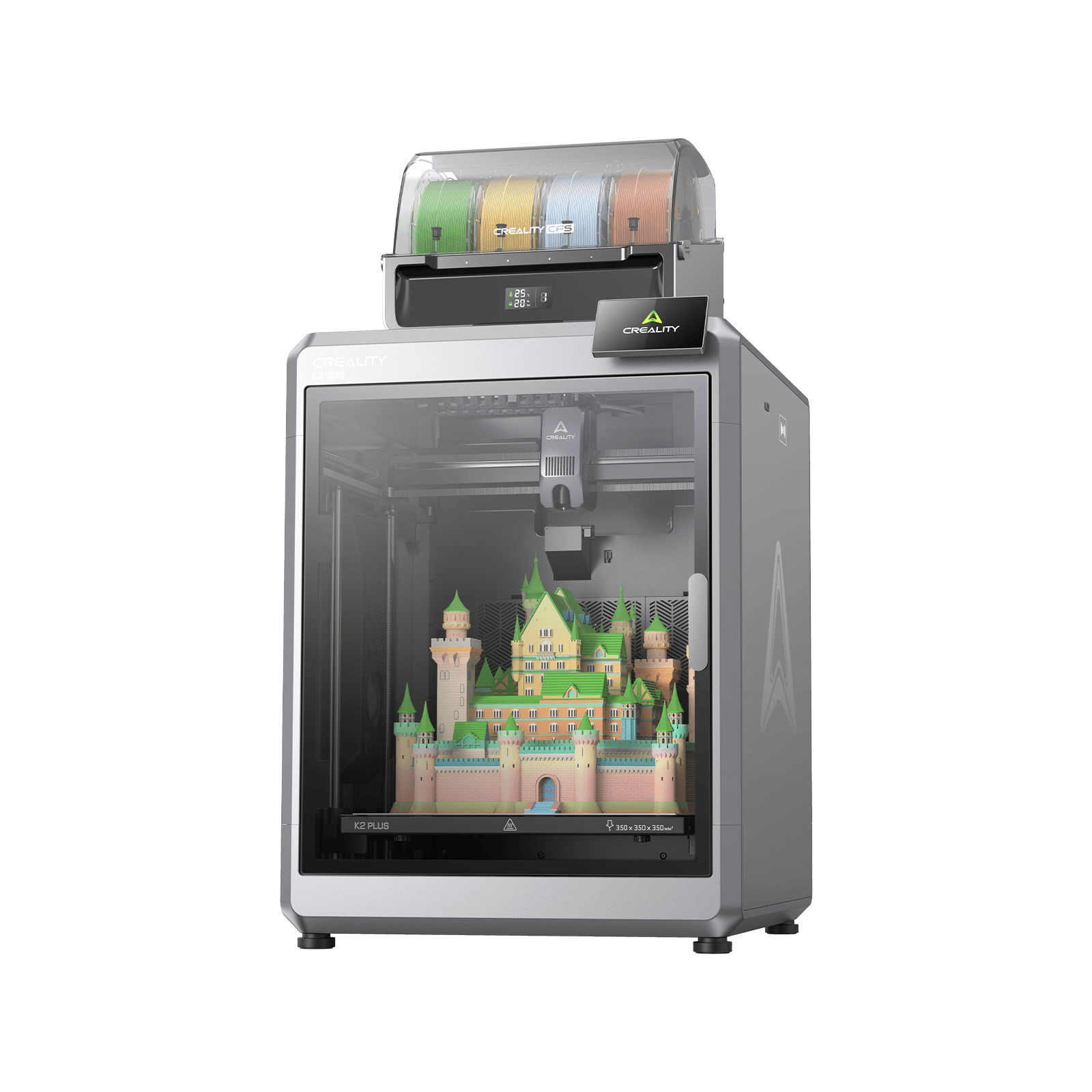
Creality K2 Plus
K2 Plus (base printer, without the CFS; not the K2, K2 Pro, K2 SE or K2 Plus Combo)
The largest plate here, with both soluble support materials named on the changer's own list. That changer is a second purchase, and its list is not the printer's.
- Build volume
- 350 × 350 × 350 mm
- Technology
- FDM
- Max speed
- ≤600 mm/s (≤30,000 mm/s² acceleration)
- Enclosed
- Yes — with active chamber heating to 60 °C
- Multi-colour
- Optional — up to 16 colours with four CFS units; the base machine is single-colour
- Auto levelling
- Yes — full-auto levelling, with a separate calibration AI camera
What we like
- A 350 mm cube, comfortably the largest plate here
- Both water-soluble support materials named on the changer's own list
- Up to sixteen materials across four CFS units
- 350 °C hardened steel nozzle and a chamber actively heated to 60 °C
What we don’t
- The CFS is a separate purchase and its UK price could not be confirmed
- All TPU and other elastic filament is excluded from the unit
- PPA-CF is on the printer's list and breaks inside the CFS tube
- A plate this size is hard to keep flat once it is hot
It is a 350 mm cube with a 350 °C hardened steel nozzle over a 120 °C bed, inside a chamber heated to 60 °C, weighing 35 kg, and its list runs PLA, ABS, PETG, PET, ASA, PLA-CF, PA-CF and PPA-CF. As a multi filament printer it scales further than anything here: four spools per CFS unit, up to sixteen materials across four, with the CFS sold separately.
The CFS list earns it a role nothing else holds. Creality states the unit takes most materials of medium hardness and names them — PLA, PETG, ABS, PLA-CF, PET, ASA, HIPS, dried PVA and BVOH: both water-soluble supports, on a wider list than any other changer here publishes.
Then read the exclusions, because they cut across the printer's list. All TPU and other elastic materials are not allowable in the unit, along with PVA and BVOH gone soft through moisture absorption, and Creality states harder filaments such as PPA-CF and PPS-CF break inside the tube when printed through the CFS box — PPA-CF being a filament the printer itself lists. Buy this machine for composites and you buy them as single-material jobs. A recurring theme among owners is that a plate this size is hard to keep flat once it is hot.
Buy it if the parts are large and your materials are the medium-hardness ones the CFS names. Skip it if you want flexible or composite filament in one.
Best for materials that must stay dry: Anycubic Kobra S1 Combo
The cheapest machine here whose changer dries its spools while the print runs — which, given that dryness is a compatibility condition rather than a quality tip, is worth more than the price suggests.
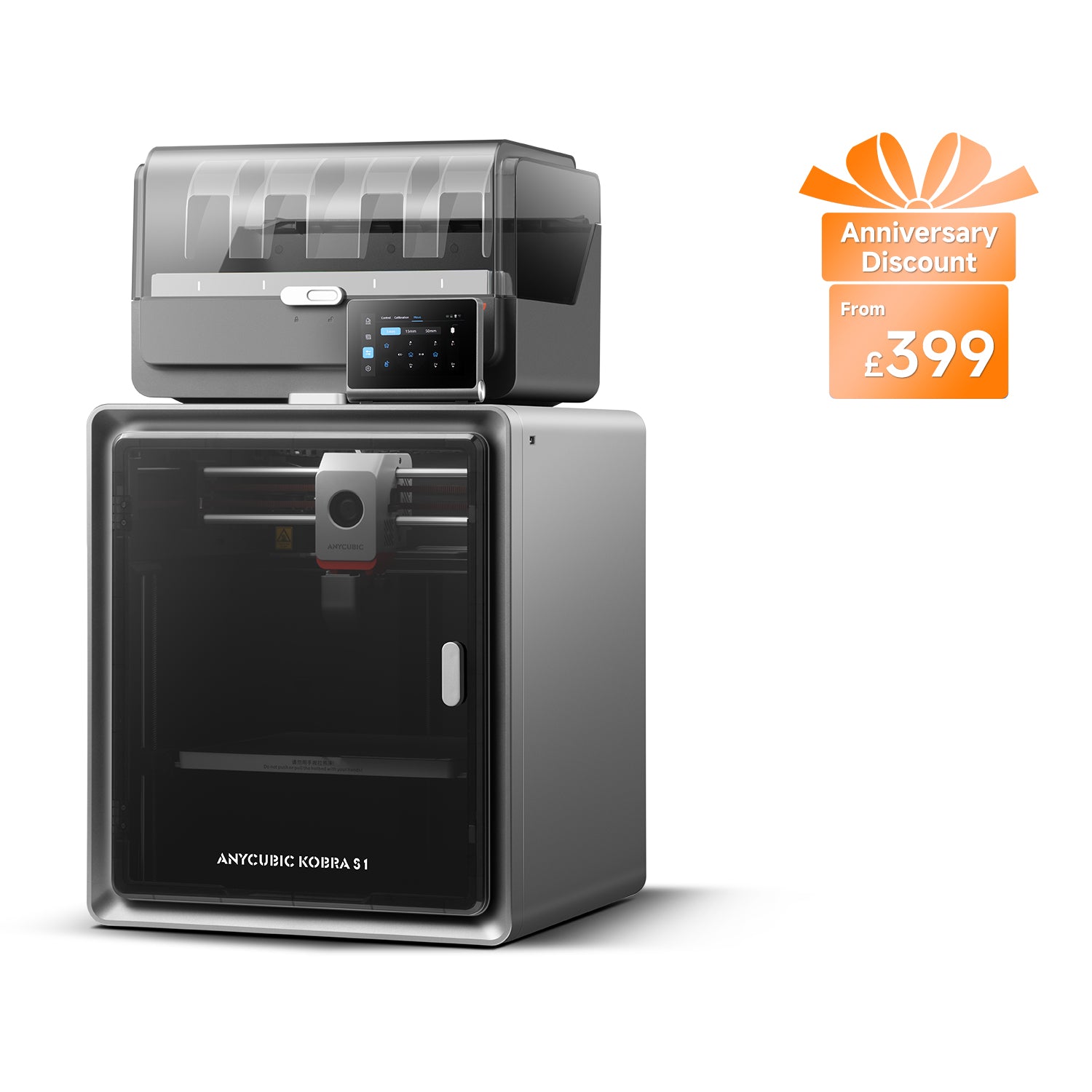
Anycubic Kobra S1 Combo
Kobra S1 Combo (enclosed CoreXY supplied with the 4-colour ACE Pro — not the Kobra S1 standalone, the Kobra S1 ACE 2 Pro Combo, the 8-colour two-ACE bundle or the Kobra S1 Max Combo)
An enclosed automatic filament change printer that dries its own spools, in one box. The unit is fussier than the printer, and flexible filament is out.
- Build volume
- 250 × 250 × 250 mm
- Technology
- FDM (FFF)
- Max speed
- Recommended 300 mm/s; maximum 600 mm/s; maximum acceleration 20,000 mm/s² (manufacturer maxima)
- Enclosed
- Yes — fully enclosed CoreXY construction
- Multi-colour
- Yes — 4 colours with the supplied ACE Pro; 8 with a second ACE Pro unit
- Auto levelling
- Yes — LeviQ 3.0 automatic levelling with Z-axis offset
What we like
- The cheapest changer here that dries filament while the print runs
- 120 °C bed, the hottest here, with ABS and ASA on Anycubic's own list
- Enclosed, and four materials in one box with nothing to buy first
- Eight materials available by adding a second unit
What we don’t
- TPU 95A is on the printer's list and not compatible with the ACE Pro
- Neither PVA nor BVOH appears on the unit's list either way
- Feeding through the ACE Pro is a recurring service point
- A different variant may be substituted when stock runs out
It is a fully enclosed CoreXY construction with a 320 °C nozzle over a 120 °C bed — the hottest bed here — across a 250 mm cube. Anycubic lists PLA, ABS, ASA, PETG and TPU and rates it at 46 dB standard and 44 dB quiet.
The supplied ACE Pro gives four materials, or eight with a second unit, and what distinguishes it is that it dries filament at up to 55 °C while the print runs — the difference between a unit holding four spools and one holding four spools in usable condition.
The catch is familiar, and Anycubic publishes it: TPU 95A is on the printer's supported list and stated as not compatible with the ACE Pro. Neither PVA nor BVOH appears on the unit's list either way, which is a gap rather than a refusal. Owner reports describe filament tangles and feeding stoppages in the ACE Pro as a routine annoyance to manage rather than a common cause of ruined prints.
Check the model name on the invoice: where the Combo is out of stock Anycubic may ship the enhanced ACE 2 Pro version instead — a different changer, so a different material list.
Buy it if your materials are the moisture-sensitive ones. Skip it if soluble supports are the goal: nothing published confirms they will feed.
Simplest route into multi-material: Bambu Lab A1 Combo
Last on merit, and still right for one buyer: the one who accepts a short material list and would rather find out whether the workflow suits them before spending more.
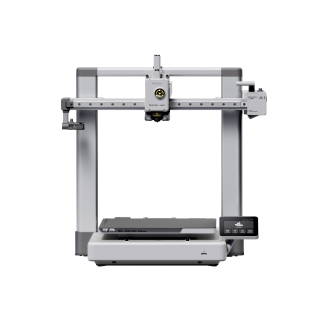
Bambu Lab A1 Combo
A1 Combo (A1 printer + AMS lite)
A complete four material 3d printer rather than one to upgrade later, on the most forgiving machine here. Two of the printer's own ideal materials will not go through the unit.
- Build volume
- 256 × 256 × 256 mm
- Technology
- FDM
- Max speed
- 500 mm/s toolhead (10,000 mm/s² acceleration)
- Enclosed
- No
- Multi-colour
- Yes (AMS lite included; 4 spools; one AMS lite per A1)
- Auto levelling
- Yes (fully automatic)
What we like
- A complete four-material system rather than one to upgrade later
- 300 °C hot end and the full 256 mm plate
- Two years of cover and two UK supply routes
- The changer is in the box, so there is no second purchase to research
What we don’t
- Open frame, so ABS, ASA and composites are off Bambu Lab's list
- TPU is rated not compatible with the AMS lite
- PVA is not recommended through the AMS lite either
- No humidity protection, so moisture-sensitive spools should not sit loaded
The bundle is the A1 plus the AMS lite, four spools, in one box. The printer is an open-frame 256 mm cube with a 300 °C hot end over a 100 °C bed, and the changer wants its own 397 × 208 × 342 mm of bench beside it.
Now the material arithmetic, which is where the honest ceiling sits. Bambu Lab's ideal list for the printer is PLA, PETG, TPU and PVA, with ABS, ASA, PC, PA, PET and the composites not recommended because the frame is open. Two of those four ideal materials do not survive the changer: TPU is rated not compatible with the AMS lite, and Bambu Lab does not recommend printing PVA through the A series with AMS lite either, because the unit is open and the filament keeps taking up moisture. What is realistically left is PLA and PETG in four slots.
That is no criticism if PLA and PETG are what you print — only if you expected the two lists to be one document. The AMS lite is also the weaker of Bambu Lab's two mainstream changers, lacking the extra transmission gear the full AMS has, so PETG-CF and PLA Wood are compatible with one and not the other. Some owners point out that the AMS lite offers no humidity protection, so moisture-sensitive filaments are best not left loaded for long.
Buy it if PLA and PETG cover what you make and you want the gentlest introduction to the workflow. Skip it if flexible filament or soluble supports are on your list: the Centauri Carbon 2 Combo goes further for less.
What the changer refuses, and why
This is the section other guides leave out, and the one that will save you money. Every maker here publishes a printer list and a changer list, and the second is shorter. The reasons are mechanical rather than thermal, which is why they do not track the printer's specification.
Three ways a filament fails a changer. Bambu Lab groups the filaments its AMS and AMS lite are not recommended to feed into three classes: too soft, too brittle, and too hard and rough. Too soft buckles in a constrained feed path — TPU 95A, 85A, 83A and 80A, and damp PVA or BVOH. Too brittle snaps inside the channel: certain PET-CF, PLA Wood, PA-CF and PAHT-CF grades. Too hard and rough grinds the channel away. A hotend rated to 300 °C is irrelevant to all three.
The same pattern from three makers. Creality states all TPU and other elastic materials are not allowable in the CFS, along with PVA and BVOH softened by moisture, and that PPA-CF and PPS-CF break inside the tube — while listing PPA-CF among the printer's own materials. Anycubic lists TPU 95A for the printer and states it is not compatible with the ACE Pro. Bambu Lab rates PET-CF, PPA-CF and PPS-CF as recommended on an enclosed printer and not compatible with the AMS. The soft end and the hard end both fall off; the middle survives.
The temperature gap nobody mentions. Two materials means two nozzle temperatures, and the handover happens inside one nozzle: the outgoing material is still in there when the incoming one arrives. Loading a 250 °C material onto residue left by a 210 °C one, or the reverse, is where it breaks. Owner reports on Creality's own forum describe blockages when consecutive materials want very different nozzle temperatures, with the extruder needing clearing by hand. Chamber temperature pulls the same way: Creality recommends 30 to 35 °C for PLA, PETG, TPU and BVOH, and chamber heat for ABS, ASA, PC and the composites. One print holding both groups cannot suit either.
And two polymers may simply not stick. Owner reports repeatedly describe the join between two different polymers as the weak point of a multi-material part, with PLA against PETG the pairing most often named, and higher flushing volumes the usual response. The twist is that the same poor bond is a feature in reverse: a material that will not adhere to your model is what a breakaway support interface needs to be.
Soluble and breakaway supports: what it takes
Supports that rinse away in the sink are the capability most often assumed rather than checked. Four slots do not deliver them. A dry spool does.
Dryness is a compatibility condition, not a quality tip. Bambu Lab lists dry PVA and dry BVOH as compatible with the AMS and damp PVA or BVOH among the filaments too soft to feed reliably — the same material, on and off the list, depending on storage. Creality draws the same line: dried PVA and BVOH are on the CFS list, softened ones are not. Which is why a heated unit changes the answer — the AMS 2 Pro dries PVA at 65 °C for eighteen hours, the ACE Pro at up to 55 °C while a print runs, and an open unit does neither.
There is a catch in drying a mixed unit. If four slots hold different materials they cannot all be dried together. Bambu Lab states that drying ABS or PETG takes the chamber above the softening temperature of PLA and TPU, so those must come out first or they will soften and deform. While a print runs the unit caps itself below the softening point of whatever is loaded: 45 °C when drying PETG alongside PLA, 55 °C when drying ABS alongside PETG. That is the cost of mixing materials in one box, and four spools of the same PLA never pay it.
Not every support dissolves, and pairing matters. Bambu Lab sells four support grades of which three are removed mechanically and one is soluble, and states PVA is not compatible as a support filament for PETG, and that its grades are not interchangeable across printers and units. Several owners describe using well-dried third-party soluble support filament through the changer with acceptable results, although reports are not consistent and the same owners note it bonds to PLA far better than to PETG.
What a multi-material FDM printer costs to run in the UK
Three lines make up the bill and the changer touches two. Everything below is a worked estimate from published figures, not a quotation.
Electricity is the small line. Take the Ofgem price cap as a reference — about 26p per kWh — then check your own tariff. Machines draw far less than their rated ceiling: Bambu Lab quotes the P2S at about 200 W steady state on PLA against a 1200 W maximum, Prusa the CORE One L+ at roughly 90 W. At the cap, a machine averaging 100 W costs about 2.6p an hour — thirty hours of printing a month is under a pound.
Filament is the large line, and the purge is why. Ordinary PLA runs roughly £14 to £18 a kilogram from a UK retailer, and support and soluble grades cost more. The single-nozzle machines purge at every change, no manufacturer publishes how much, and we are not going to invent a figure. What can be said is that it scales with the number of changes rather than the size of the part, and is worse across a material change than a colour change, because the flush has to clear a different polymer rather than a pigment. The one published figure belongs to a toolchanger: 0.013 g per change, against about 42 seconds a swap on Prusa's single-nozzle unit.
The changer is what people forget to budget. On three of these six it is in the box. On the other three it is a separate invoice and a substantial one: a Bambu Lab AMS lite bought alone runs to about £175 to £250 and an AMS 2 Pro to about £230 to £320. UK prices for the Creality CFS and Prusa's units could not be confirmed, and are left blank rather than estimated.
UK availability, warranty and support
Where a machine ships from decides what happens the day the changer stops feeding.
Stock and routes, checked per model. Every machine here had at least two UK routes when checked: an official UK page and reseller stock for the P2S, brand stores plus a UK specialist retailer for the Centauri Carbon 2 Combo, Kobra S1 Combo and A1 Combo, both Creality UK routes from the Leicester warehouse for the K2 Plus, and two UK retailers for the CORE One L+. One caveat matters more than the rest: Prusa's page gave a shipping start of 5 November for the toolchanger configuration — an order placed, not a machine arriving.
Warranty terms are not equal, and the UK is not always best served. Bambu Lab quotes two years on the P2S and the A1 Combo; Anycubic one year plus a thirty-day after-sales guarantee; Creality twelve months with a fifteen-day whole-unit replacement period. Prusa is the outlier: one year here against two for EU, EEA and Swiss consumers, with orders dispatched from the Czech Republic and customs charges possible. Buyers who have ordered direct from overseas repeatedly describe a carrier handling charge on top of the VAT, and a wait at the border. ELEGOO's UK term for the Combo could not be confirmed.
Support quality splits the field. Prusa's support is a recurring point of praise, with quick responses and damaged-in-transit parts replaced. P2S owners, by contrast, describe support as slow and piecemeal when a problem has several symptoms. ELEGOO's is described as quick for simple cases and slower on complicated ones. Spares matter more here than in most categories, because both Bambu Lab and Creality describe the changer's PTFE feed channels as wearing parts, ground down by abrasive filament and replaceable.
When a multi-material printer is the wrong purchase
Not everyone reading this should buy one. The honest cases:
You want two colours, not two materials. A black body and a red label in the same plastic is what a multi colour FDM printer is for, and this page is aimed past you: the purge is smaller because the flush only has to clear a pigment, and none of the compatibility problems above apply.
Your materials are at the extremes. Flexible filament and high-performance composites are precisely what these units decline; a single-material machine and a hardened nozzle serve you better.
Your parts are large. Every multi-material print gives up plate area to a purge tower, which is why ELEGOO tells you to check that model, skirt, supports and tower all fit the build area before slicing — so effective build volume is smaller than the specification says. And one colour break on a functional part needs no changer at all: pause the print and swap the spool.
You expected two materials to become one part. As the section above sets out, a dissimilar-material part is a bonded assembly with a bond strength. Design around it, or use a toolchanger.
If one of those is you, the answer is a good single-material machine and the difference spent on filament — start from the best FDM 3d printer uk guide, or the budget FDM machine list.
The verdict
The Bambu Lab P2S is the pick for most people who mean materials rather than colours: the longest changer-compatible list here, through a sealed unit that heats, which is what turns dry PVA from a hope into a plan. Spend less and the ELEGOO Centauri Carbon 2 Combo gives you the hottest nozzle on the page, changer included. If the parts are large, the Creality K2 Plus is the only machine here with both soluble supports on its changer's own list; if they must stay dry, the Anycubic Kobra S1 Combo does that for the least money, and and the A1 Combo is the gentlest introduction to the workflow. The Prusa CORE One L+ answers a different question: give every material its own nozzle and the compatibility problem, the purge and the temperature gap stop existing at once — for three times the money, in a configuration that has not started shipping.
- Buy it if
- You know which materials you want in one print, you have checked them against the changer's list rather than the printer's, and you accept that a share of every spool is purged out at each change.
- Skip it if
- You want colour breaks rather than different materials, or your materials are flexible or heavily filled — a single-nozzle changer declines both, and a spool swap costs nothing.
How this article was researched
This guide is research-based: no printer on it was bought, run or measured here. Every specification traces to a manufacturer page, support wiki or product document, recorded in a claim ledger with its source URL and check date and cited inline, so you can follow any figure back. The material-compatibility tables the article turns on are the manufacturers' own, read in September 2026, with printer lists kept separate from changer lists because the makers publish them separately. Where a maker publishes nothing, that gap is stated rather than filled from a weaker source, and owner experience is summarised as recurring patterns from manufacturer forums in our own words.
Common questions
- Which FDM multi-material system supports the most materials?
- On the evidence, a toolchanger — because the limit on a single-nozzle system is mechanical rather than thermal. Prusa's INDX carries up to eight independent tools, each with its own nozzle, which is why Prusa can list flexible TPU fused onto rigid PETG as an ordinary job. Among the single-nozzle changers the widest published lists belong to Bambu Lab's AMS, which adds dry PVA, dry BVOH, nylon, polycarbonate and three grades of support material, and Creality's CFS, which names PLA, PETG, ABS, PLA-CF, PET, ASA, HIPS and both soluble supports. Both stop at the same two extremes: flexible filament at one end, the high-performance composites at the other.
- How much purge waste is produced?
- Only one manufacturer publishes a per-change figure, and it is for a toolchanger: Prusa quotes 0.013 grams per toolchange on INDX, because dedicated nozzles mean there is almost nothing to flush. For the single-nozzle machines no maker publishes a number and we are not going to invent one. What is documented is the mechanism — ELEGOO states the outgoing material remains inside the nozzle and must be purged before the next one can be laid down — and the direction of travel: waste scales with the number of changes rather than the size of the part, and it is worse across a material change than a colour change, because the flush has to clear a different polymer rather than a different pigment.
- Can systems mix support and model materials?
- Yes, and two conditions decide whether it works. The first is dryness: Bambu Lab lists dry PVA and dry BVOH as compatible with its AMS and damp PVA or BVOH among the filaments too soft to feed, and Creality draws the same line for the CFS, so a sealed unit that heats its spools is doing real work rather than adding a feature. The second is pairing — Bambu Lab states PVA is not compatible as a support filament for PETG, and warns that a mismatched support-and-model pair can cause extrusion problems. Give the support material its own nozzle, as a toolchanger does, and both conditions stop mattering.