Best Budget 3D Printers UK 2026
The best budget 3D printers in the UK under £200, £300, £500 and £1,000 — what each step up actually buys, and where the money stops improving your prints.
Independent and reader-funded. We earn a commission if you buy through our links, at no extra cost to you. How this works.
The best budget 3D printer for most UK buyers is the Bambu Lab A1, at £240 to £320. That is not the cheapest machine on this page, and the reason it wins is the point of the whole guide: the value curve is not a straight line. Below about £250 you are buying a slower machine that asks more of you; above it, each extra hundred pounds buys materials capability rather than better prints.
This page is organised the way the searches are — under £200, under £300, under £500, under £1,000 — with one clear answer at each ceiling and an honest account of what the step up actually gets you. If you want the whole market ranked by role rather than by price, that is the best 3D printer UK guide.
How we picked these budget printers
No first-hand laboratory testing was involved, and where a figure could not be confirmed from a primary source it was omitted. Our review methodology covers how the site works in general; on a budget page three things change.
- Price is checked, not remembered. Every band below was read from UK stores on 8 or 9 September 2026, and the two that anchor the cheapest tier were re-checked the morning this went out.
- Total cost, not sticker price. A machine that fails more prints is not cheap. Consumables and the running costs get their own section, because they are the numbers that decide what a year actually costs.
- One answer per ceiling. The searches are phrased as budgets, so the page is too: a clear pick at each of the four, in both technologies where both are real options.
Judged on that, in order: does it level itself, what materials will it take, how fast is it really, what does it cost to feed, and can you buy it in the UK with a warranty that means something.
The seven picks compared
Read this table top to bottom rather than left to right. The interesting thing is not any single row — it is how little changes between some tiers and how much changes between others.
| Specification | 1 Creality Ender-3 V3 SE Best under £200 | 2 ELEGOO Mars 5 Best resin under £200 | 3 Bambu Lab A1 Best value overall | 4 ELEGOO Centauri Carbon 2 Cheapest ABS and ASA | 5 Bambu Lab P1S Best under £500 | 6 ELEGOO Saturn 4 Ultra 12K Best resin under £500 | 7 QIDI Plus5 Best under £1,000 |
|---|---|---|---|---|---|---|---|
| Technology | FDM | Resin | FDM | FDM | FDM | Resin | FDM |
| Typical UK price | Around £150 | £140–£170 | £240–£320 | £280–£310 | £330–£400 | £350–£450 | £650–£750 |
| Build volume | 220 × 220 × 250 mm | 143 × 90 × 150 mm | 256 × 256 × 256 mm | 256 × 256 × 256 mm | 256 × 256 × 256 mm | 219 × 123 × 220 mm | 320 × 320 × 300 mm |
| Speed | 250 mm/s | 70 mm/h | 500 mm/s | 500 mm/s | 500 mm/s | 150 mm/h | 600 mm/s |
| Nozzle temp | 260 °C | — | 300 °C | 350 °C | 300 °C | — | 370 °C |
| Enclosed | No | Hinged cover | No | Yes | Yes | Hinged cover | Yes, heated to 65 °C |
| Auto levelling | Yes | Yes | Yes | Yes | Yes | Yes | Yes |
| Connectivity | SD card only | USB only | Wi-Fi | Wi-Fi | Wi-Fi | Wi-Fi and USB | Wi-Fi, Ethernet, USB |
| UK warranty | See retailer | See retailer | 2 years | See retailer | 2 years | See retailer | 1 year |
Best 3D printer under £200: Creality Ender-3 V3 SE
At around £150 this is the floor of the market that still behaves like a modern printer, and one feature is why it stays on the list.
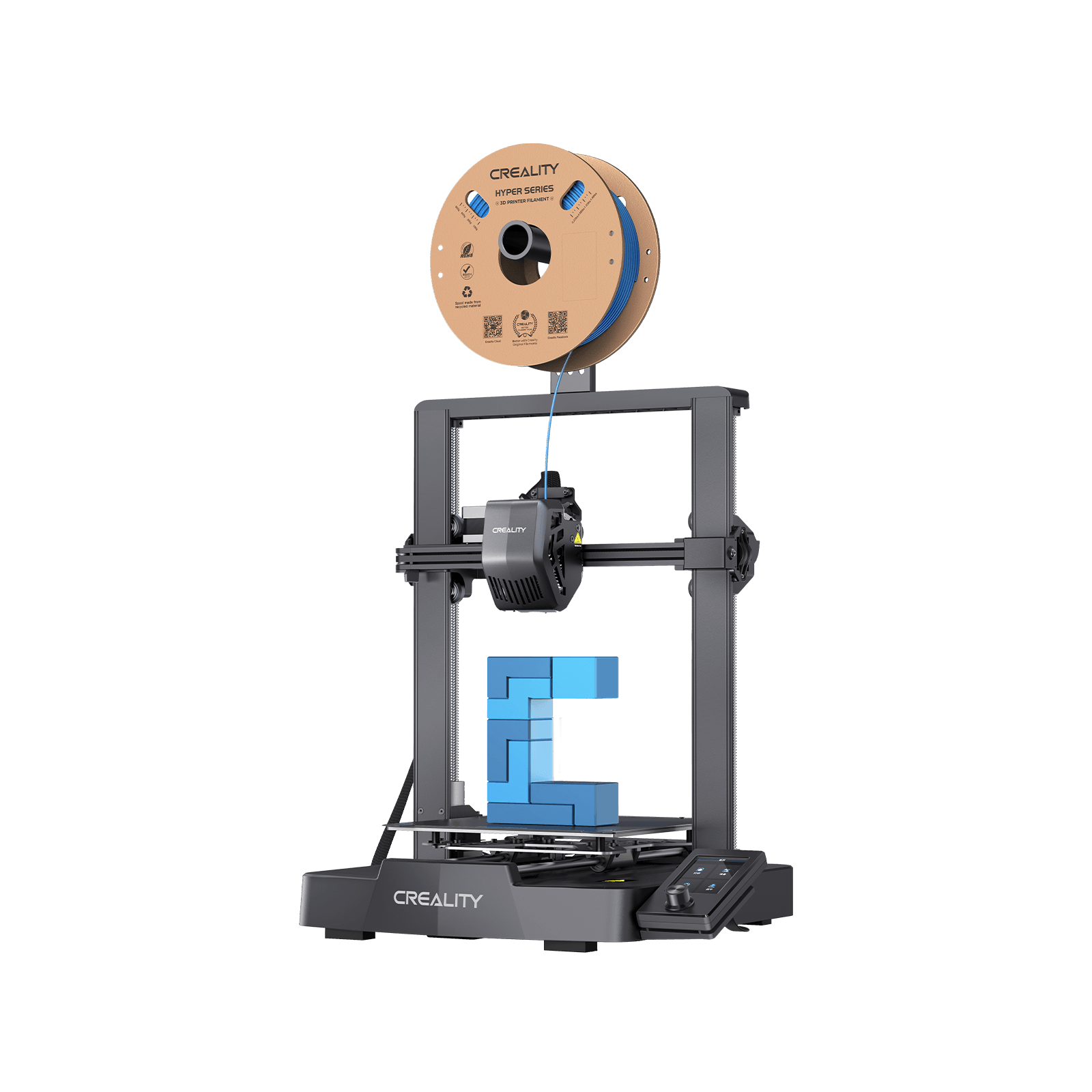
Creality Ender-3 V3 SE
Automatic levelling at around £150. Every other compromise is one you can make knowingly; that one you could not.
- Build volume
- 220 × 220 × 250 mm
- Technology
- FDM
- Max speed
- 250 mm/s (2,500 mm/s² acceleration)
- Enclosed
- No
- Multi-colour
- No
- Auto levelling
- Yes (CR Touch plus strain-sensor auto Z-offset)
What we like
- Automatic levelling at around £150, which used to be a £400 feature
- A 220 × 220 × 250 mm plate, more than the price suggests
- Genuinely easy first print without tuning
- Two UK routes, both shipping from UK stock
What we don’t
- 250 mm/s against 500 on the next tier up
- 260 °C nozzle and no enclosure: PLA, PETG and TPU only
- SD card only — no Wi-Fi, no app, no camera
- Creality's own after-sales support is the recurring complaint
The plate is 220 × 220 × 250 mm — more than the price suggests — and it levels itself with a CR Touch and a strain-sensor Z-offset. That matters more than any other line on its specification, because levelling is what decides whether a beginner gets a first print or a bird's nest.
Everything else is the compromise. It runs at 250 mm/s with 2,500 mm/s² acceleration, against 500 mm/s on the tier above. The nozzle stops at 260 °C over a 100 °C bed, there is no enclosure, no multi-colour and no network at all — an SD card is the only way to get a file into it. The filament list is PLA, PETG and TPU 95A.
First-time owners frequently describe the V3 SE as easy to set up and capable of a good first print without tuning, which is why it is so often suggested as a starter machine. Several describe fine-tuning the Z-offset by hand after the automatic routine. The caveat that matters is not the hardware: reviews of Creality on UK consumer sites repeatedly raise slow and unhelpful after-sales support, which is worth weighing against the low purchase price. It ships from a UK warehouse at around £150.
Buy it if you want to find out whether the hobby suits you without committing real money. Skip it if you already expect to print regularly — the gap to the A1 is smaller in pounds than it looks in capability.
Best resin printer under £200: ELEGOO Mars 5
Resin has its own floor, and it is lower than most people expect. It also comes with a caveat that budget guides tend not to print.
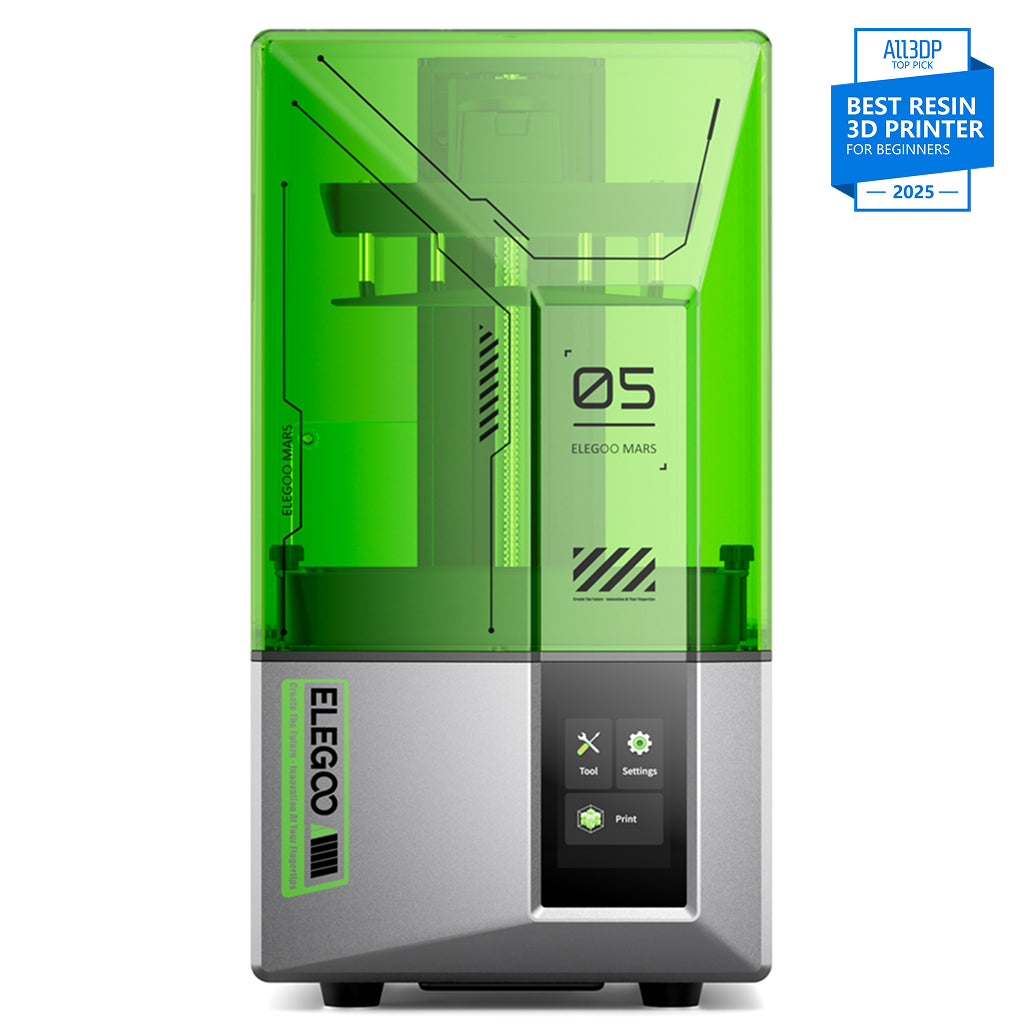
ELEGOO Mars 5
Mars 5 (4K, 6.6-inch - not the Mars 5 Ultra)
The cheapest route into resin detail in the UK. The pixel is roughly double the finer machines', and the workflow costs more than the printer.
- Build volume
- 143.43 × 89.6 × 150 mm
- Technology
- Resin (MSLA)
- Max speed
- Up to 70 mm/h
- Enclosed
- Hinged cover (no filtration; compatible with the Mars Mate air purifier)
- Auto levelling
- Yes (one-click automatic levelling)
What we like
- The cheapest route into resin detail work in the UK
- One-click levelling with resin, residue and levelling alarms
- 6.6 kg and shelf-sized
- Takes most resins on the market, water-washable included
What we don’t
- 35 × 35 μm pixels — roughly double the finer resin machines
- A resin workflow costs more than the printer: wash, cure, alcohol, gloves
- USB only, and no filtration of its own
- 143 × 90 mm plate holds a handful of models
The plate is 143.43 × 89.6 × 150 mm behind a 6.6-inch 4K mono LCD at 35 × 35 μm, running to 70 mm/h with 0.01 to 0.2 mm layers at 0.02 mm Z accuracy. It levels in one click and warns you about resin shortage, residue and levelling failure, slices in ChiTuBox or Voxeldance Tango over USB, takes most resins including water-washable, and weighs 6.6 kg.
Two honest warnings. That 35 μm pixel is roughly double the finer resin machines', which shows on small detailed models — if figures are the reason you are buying, our best resin printers for miniatures guide explains what that costs. And the printer is not the purchase: resin needs washing in alcohol and curing under UV, gloves are not optional, and it has no filtration of its own with the purifier sold separately. Both ELEGOO UK and 3DJake UK stock it at £140–£170.
Buy it if you want detail on a tight budget and have somewhere ventilated to run it. Skip it if you want functional parts, or you have not budgeted for the wash-and-cure routine on top.
Best value on the whole ladder: Bambu Lab A1
This is the answer to "how much should I spend", and it is the section to read even if you came here for a cheaper machine.
Bambu Lab A1
A1 (standard, without AMS lite)
Twice the speed, automatic calibration and a network connection, for about a hundred pounds more than the floor. Nothing else on the ladder buys as much.
- Build volume
- 256 × 256 × 256 mm
- Technology
- FDM
- Max speed
- 500 mm/s toolhead (10,000 mm/s² acceleration)
- Enclosed
- No
- Multi-colour
- Optional (AMS lite sold separately; up to 4 spools)
- Auto levelling
- Yes (fully automatic)
What we like
- Twice the speed of the £150 tier and it calibrates itself
- A 256 mm cube, Wi-Fi and a camera at under £320
- Reliable from the first evening, with low maintenance reported over time
- Two-year UK warranty, the longest at this price
What we don’t
- Open frame, so ABS, ASA and nylon are out
- Firmware updates occasionally unsettle calibration
- A belt-tension warning is a known routine on longer-lived units
- Multi-colour costs extra and wastes filament on every change
Against the £150 tier: the plate grows to a 256 mm cube, speed doubles to 500 mm/s at 10,000 mm/s² acceleration, the nozzle goes to 300 °C, it levels automatically, and it arrives on Wi-Fi instead of an SD card. It weighs 8.3 kg and takes the AMS lite for four colours later.
Long-term owner reports repeatedly describe the A1 as reliable and low-maintenance compared with older budget printers, which is the part that does not show up on a specification sheet and is worth the most. Two known routines: a firmware update can occasionally unsettle calibration, and several owners see an X-axis belt tension warning after a period of use, usually cleared by re-tensioning.
The limitation is the frame. It is open, so ABS, ASA, PC, PA and fibre-reinforced filament are listed as not recommended. If none of those is on your list — and for most people none is — you are not giving anything up. Two-year UK warranty, official UK store and resellers, £240–£320.
Buy it if you want the most capability per pound on this page. Skip it if ABS or ASA are already on your list — spend the extra fifty and buy enclosed.
Cheapest way to print ABS and ASA: ELEGOO Centauri Carbon 2
The next rung costs about fifty pounds more than the A1 and buys exactly one thing: materials.
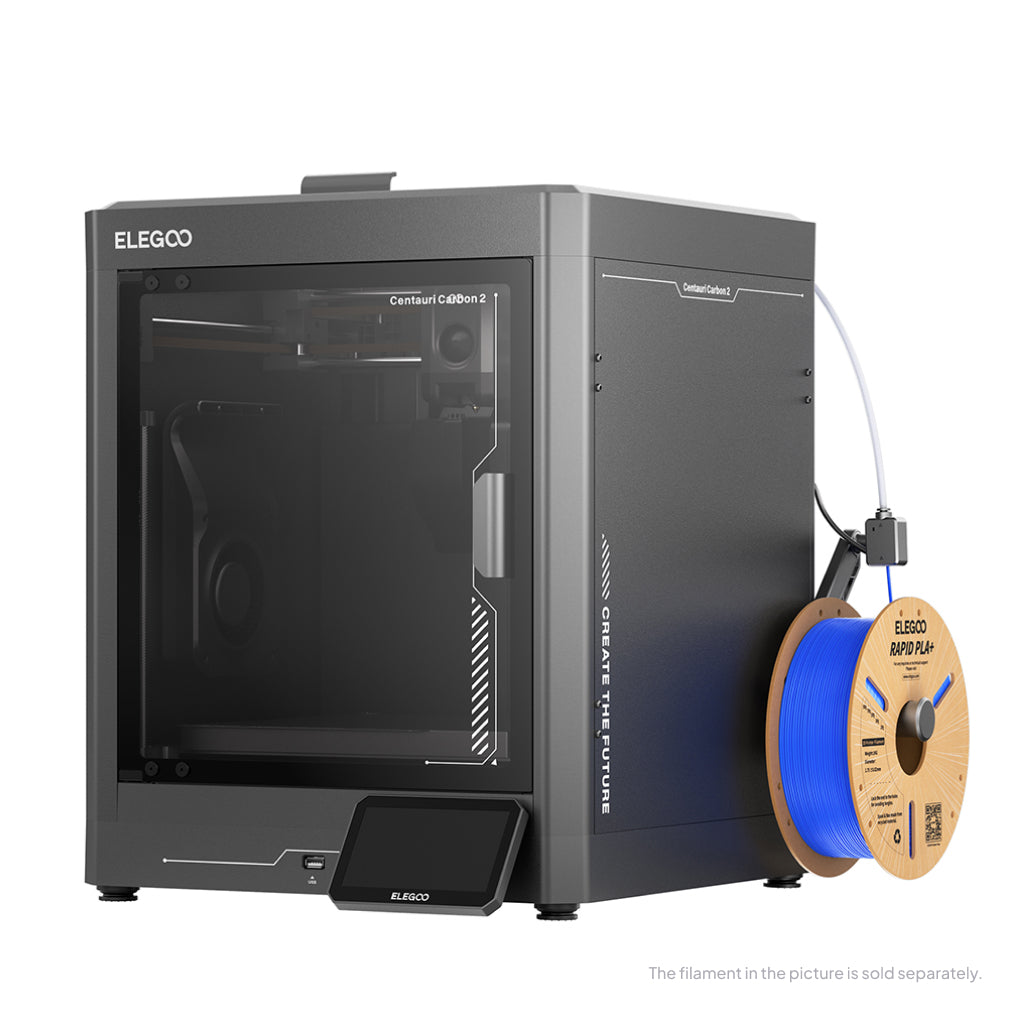
ELEGOO Centauri Carbon 2
Centauri Carbon 2 (standard, without CANVAS - not Combo)
An enclosed CoreXY with the hottest hotend under £350. The saving against a P1S comes out of the software, not the hardware.
- Build volume
- 256 × 256 × 256 mm
- Technology
- FDM
- Max speed
- 500 mm/s (CoreXY)
- Enclosed
- Yes (thermally regulated enclosure)
- Multi-colour
- Optional (CANVAS 4-colour system; included only in the Combo; standard unit can be upgraded)
- Auto levelling
- Yes — full-auto calibration with 121-point auto-levelling and partial bed-levelling
What we like
- A 350 °C hotend inside a thermally regulated enclosure, under £310
- Enclosed CoreXY at open-frame money
- ELEGOO quotes under 45 dB at normal speeds
- Upgradeable to four colours later
What we don’t
- Connectivity between printer, slicer and app is the recurring complaint
- Noise reports diverge sharply at the fastest speeds
- Heavy purge waste on multicolour jobs
- One UK route: ELEGOO's own store
The headline is a 350 °C hotend over a 110 °C bed inside a thermally regulated enclosure, on a 256 mm cube at 500 mm/s. It calibrates itself, ELEGOO quotes it under 45 dB — the only noise figure any manufacturer here publishes — and four colours are an upgrade rather than an omission.
The reports cluster on software. Owners and reviewers repeatedly praise the single-colour print quality for the price, with the caveats concentrated on software and multicolour. The recurring complaint is flaky connectivity between printer, slicer and app, with USB printing the common workaround. Noise reports diverge: acceptable at normal speeds, with significant vibration at the fastest ones. It sells through ELEGOO's own UK store at £280–£310.
Buy it if ABS or ASA are the reason you are shopping and the budget is firm. Skip it if your list is PLA and PETG — you would be paying for a chamber you never need.
Best 3D printer under £500: Bambu Lab P1S
At £330 to £400 this is the most machine most people will ever need, and it is worth being clear about what the premium over the tier below actually buys.
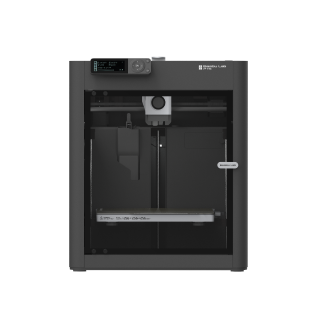
Bambu Lab P1S
P1S (standard, without AMS - not the P1P, P1S Combo or P2S)
The enclosed machine with the software finished. You are buying polish and support, not better prints than the tier below.
- Build volume
- 256 × 256 × 256 mm (Bambu Studio defaults to 250 mm height)
- Technology
- FDM
- Max speed
- 500 mm/s toolhead (20 m/s² acceleration)
- Enclosed
- Yes (plastic and glass; chamber temperature regulator fan and activated-carbon filter)
- Multi-colour
- Optional (AMS or AMS 2 Pro sold separately or as a Combo)
- Auto levelling
- Yes (automatic bed levelling sensor)
What we like
- Enclosed CoreXY with the software finished rather than nearly finished
- Activated-carbon filter fitted as standard
- ABS and ASA on the ideal list, not the maybe list
- Two-year UK warranty and two UK suppliers
What we don’t
- Noisy — the enclosure does not make it a quiet machine
- Not recommended for carbon fibre without an extruder and hotend upgrade
- Replacement parts are proprietary
- You are paying for polish, not for better prints than the tier below
It is a 256 mm cube in an enclosed plastic-and-glass shell with a chamber regulator fan, and an activated-carbon filter is fitted rather than offered. The hotend is all-metal with a stainless nozzle at 300 °C over a 100 °C bed, running to 500 mm/s, levelling itself, with ABS and ASA on the ideal list rather than the capable one.
Note the pattern: the Centauri Carbon 2 has a hotter nozzle for less money. What the extra buys is that everything works together — reviewers repeatedly note that P1S replacement parts are proprietary, while setup ease and reliability are the dominant praise — plus a two-year UK warranty and two UK suppliers. The costs: reviewers consistently name running noise as the P1S's main drawback, and treat the open-frame A1 as the quieter machine to live with, and buyers regularly expect an enclosed machine to take carbon fibre, which is where the P1S trips people up — Bambu Lab does not recommend it without an extruder and hotend upgrade. It costs £330–£400.
Buy it if you want one machine that handles almost everything and you would rather it just worked. Skip it if the budget is tight — the A1 prints PLA and PETG just as well for a hundred less.
Best resin printer under £500: ELEGOO Saturn 4 Ultra
The resin ladder tops out for most people here, and what you buy at this rung is area rather than sharpness.
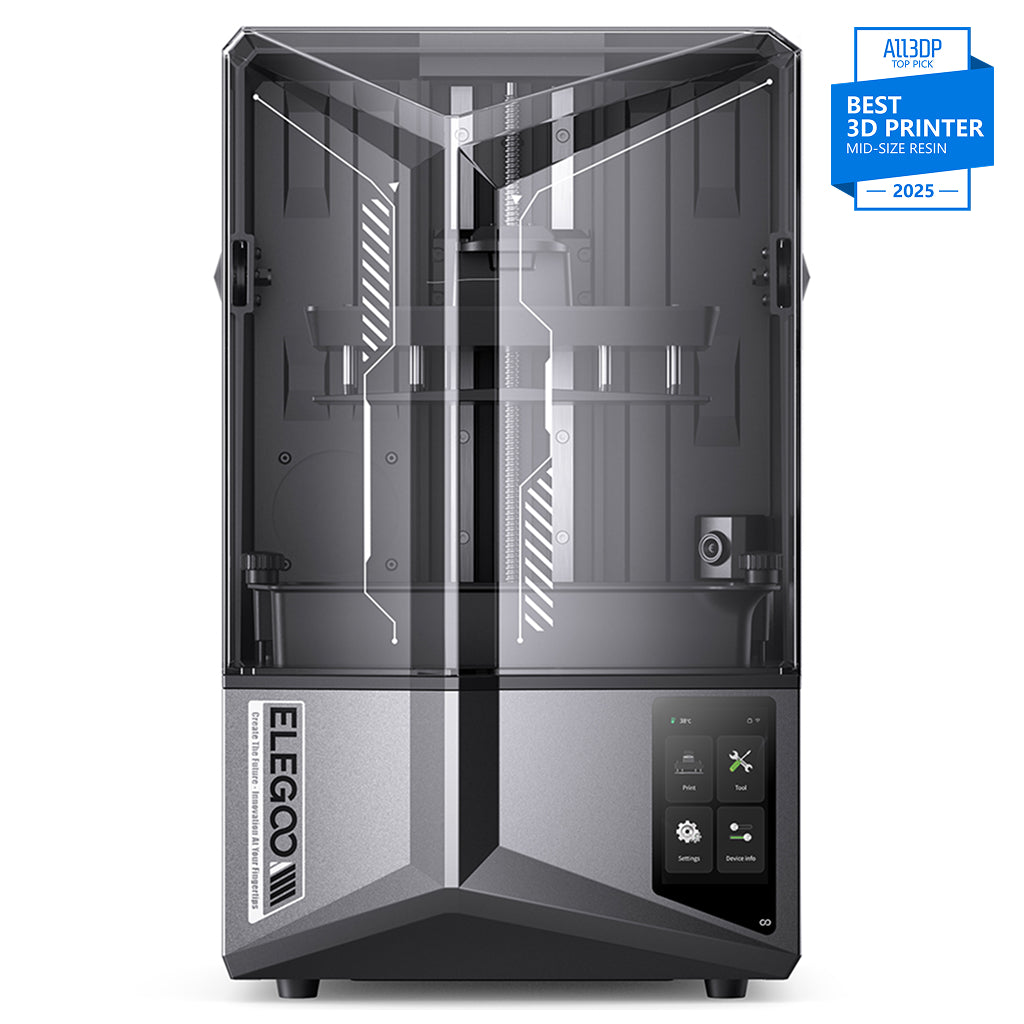
ELEGOO Saturn 4 Ultra 12K
Saturn 4 Ultra 12K (not the 16K variant)
A full plate in one job rather than a handful of models. Resin cures a whole layer at once, so plate size is really print-run size.
- Build volume
- 218.88 × 122.88 × 220 mm
- Technology
- Resin MSLA
- Max speed
- Up to 150 mm/h (fast mode)
- Enclosed
- N/A (resin printer with hinged UV cover)
- Multi-colour
- No
- Auto levelling
- Yes (hands-free automatic levelling; tilt-release platform)
What we like
- A 219 mm plate prints a full batch in one job
- 19 × 24 μm, fine enough for detail work at tabletop scale
- Tilting vat and hands-free levelling, credited with fewer failures
- Two UK routes
What we don’t
- No heated vat, and cold resin is the common cause of failed batches
- 14.5 kg and a real desk footprint
- The whole resin workflow sits on top of the price
- The self-levelling plate is awkward to clean between resins
The plate is 218.88 × 122.88 × 220 mm behind a 10-inch 12K mono LCD at 11520 × 5120 giving 19 × 24 μm. It levels itself, runs a 405 nm COB source with a Fresnel collimating lens, slices in ChiTuBox and weighs 14.5 kg.
Owners and reviewers repeatedly credit the tilting vat and automatic levelling with fewer failed prints than earlier Saturn models, which matters most on a full plate — a failure costs the whole batch. The limitation is the vat: it is not heated, and owners of the 12K version often cite cold resin as a cause of failures, whereas 16K owners praise the built-in vat heater. It sells through ELEGOO's UK store and 3DJake UK at £350–£450.
Buy it if you print batches rather than single models and your room is heated. Skip it if you are testing the water — the Mars 5 is less than half the money.
Best 3D printer under £1,000: QIDI Plus5
The top ceiling on this page is where the money stops buying print quality and starts buying materials. One machine here does that properly.
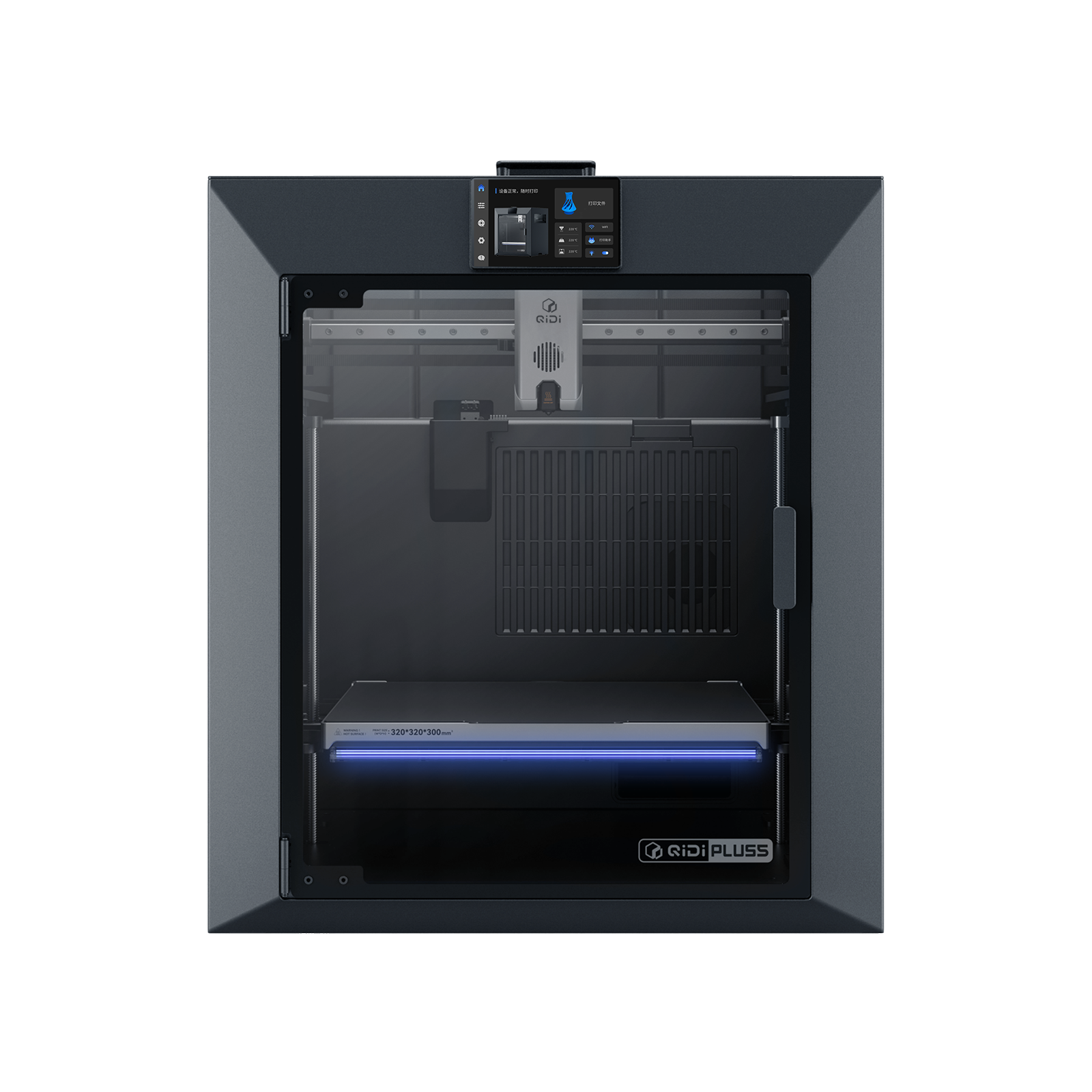
QIDI Plus5
QIDI Plus5 (standard, not the Plus5 Combo with QIDI Box, and not the Plus4)
An actively heated chamber and a 370 °C nozzle. Worth every pound if you need nylon; a waste of six hundred if you do not.
- Build volume
- 320 × 320 × 300 mm
- Technology
- FDM
- Max speed
- 600 mm/s toolhead (≤20,000 mm/s² acceleration)
- Enclosed
- Yes, with independent active chamber heating up to 65 °C (3rd generation)
- Multi-colour
- Optional (compatible with QIDI Box; the Combo bundles it for 16 colours)
- Auto levelling
- Yes (hands-free, loadcell sensor integrated into the hotend)
What we like
- The only machine under a grand here with an actively heated chamber
- 370 °C nozzle, so nylon and polycarbonate are genuinely usable
- 320 × 320 × 300 mm, the largest plate on this page
- Three-stage filter with a HEPA element and activated carbon
What we don’t
- 29 kg, and about 500 W steady while printing ABS
- Owners describe it as an engineering tool, not plug-and-play
- One year of warranty, the shortest here
- Pointless money if your list is PLA and PETG
The chamber holds up to 65 °C on independent heating, under a 370 °C nozzle over a 120 °C bed, across a 320 × 320 × 300 mm plate — the largest here. That is why PA, PC and fibre-reinforced polymers are on the supported list where every cheaper machine stops earlier. It is CoreXY on 9 mm belts with a linear rail on X, runs to 600 mm/s, levels from a loadcell in the hotend, and filters through a HEPA element and activated carbon.
Be clear about the trade. It weighs 29 kg, draws about 190 W steady on PLA and about 500 W on ABS, and carries one year of warranty — the shortest on this page, at the highest price. Owners repeatedly describe QIDI machines as engineering tools rather than plug-and-play, with a learning curve to expect, though QIDI's support draws consistent praise on UK review sites for responding quickly. It sells at £650–£750.
Buy it if you can name the engineering material you need. Skip it if you cannot — this is the clearest example on the page of money that buys capability rather than quality.
Where the value curve flattens
Line the tiers up and the shape is obvious. Each hundred pounds buys less than the one before it, and at three points it stops buying anything you would see in a printed part.
£150 to £250 is the steepest climb. Speed doubles from 250 mm/s to 500, acceleration goes up four-fold, the nozzle gains 40 °C, the plate grows, and a network connection replaces an SD card. Nothing else on the ladder is close.
£250 to £310 buys materials, not quality. The Centauri Carbon 2's enclosure and 350 °C hotend unlock ABS and ASA. They do not make PLA come out better — PLA generally prefers cooler air, so a closed chamber is no advantage for it.
£310 to £400 buys polish. The P1S has a cooler nozzle than the machine below it. What the premium buys is a finished ecosystem, a filter fitted as standard, a two-year warranty and a second UK supplier. Those are real, and none of them is print quality.
£400 to £750 buys materials again. The Plus5's heated chamber and 370 °C nozzle are the difference between nylon working and being listed. If nylon is not on your list, this step buys nothing.
Past that, you are buying ownership. Above this page's top ceiling, the machines compete on repairability, part-level documentation, warranty length and support — how long you can keep the printer, not what comes off it.
The practical rule: spend to about £250, then stop until you can name the material or the part that needs more.
What a budget printer really costs in the first year
This is the section every page reached for this search leaves out entirely, and on a budget guide it is the important one.
Filament is the number that moves. Standard PLA and PETG sit in the region of £15 to £25 per kilogram in the UK when checked, with engineering grades higher. A kilogram is roughly three hundred metres: a phone stand uses tens of grams, a helmet half several hundred. Budget one to two kilograms for the first month, because failed prints are how you learn — and a cheaper machine that fails more eats the saving that made it cheap.
Electricity is minor. Assume 25p per kWh and check your own bill. The Ender-3 V3 SE is rated at 350 W but draws far less than that most of the time; at 25p per kWh a machine averaging 100 W costs about 2.5p per hour, so 30 printing hours a month is roughly 75p. The one exception on this page is the Plus5, at about 500 W steady on ABS — the price of heating a chamber.
Resin costs more before you start. Standard grey resin sits in the region of £20 to £35 per litre, and on top of the printer you need a wash-and-cure routine, isopropyl alcohol, gloves and somewhere ventilated. Owners commonly budget for release film and eventually a replacement LCD as consumables on this class of printer.
Wear parts are modest on filament machines — nozzles, a build plate that eventually stops gripping, belts on a machine that runs hard — and the cheapest way to keep them low is to buy a machine whose spares you can actually get.
Buying in the UK: stock, warranty and what happens when it breaks
Where it ships from decides what happens when something breaks. The A1 and P1S are sold by Bambu Lab's UK store and UK resellers; the Ender-3 V3 SE ships from a UK warehouse; the Mars 5 and Saturn come from ELEGOO's UK store and 3DJake UK; the Plus5 through 3DJake UK. The Centauri Carbon 2 has one route, ELEGOO's own store.
Warranty length varies more than the prices do. Bambu Lab gives two years in the UK; QIDI gives one. On a machine bought to last, that spread is worth more than a small discount.
Support is where the cheap machines cost you. Reviews of Creality on UK consumer sites repeatedly raise slow and unhelpful after-sales support, which is worth weighing against the low purchase price. ELEGOO's draws mixed reports: prompt replacements for straightforward problems, slower handling of anything complicated. Slow warranty support is a recurring theme among Bambu Lab buyers too, although delivery and packaging are generally praised.
And buy from a UK retailer. Your rights sit with the retailer rather than the brand under the Consumer Rights Act 2015, and on an imported machine a warranty claim means shipping a heavy box abroad. A UK price that looks higher often already includes the tax and handling an import will add.
Where budget buyers waste money
Buying at the very bottom when you already know you will print regularly. The £150 tier is a good way to find out whether the hobby suits you. It is a poor way to do the hobby.
Buying enclosed to print PLA. An enclosure is for ABS and ASA. PLA prefers cooler air, and a closed chamber can bring heat-related problems rather than solving any.
Buying resin because it looks cheap. The Mars 5 undercuts every filament machine here on sticker price, and then needs alcohol, gloves, a wash-and-cure routine and a ventilated room before it prints anything.
Forgetting the filament budget. One to two kilograms in the first month is normal. On a printer at around £150 that is a meaningful fraction of the purchase price again.
Paying for speed you cannot use. A headline speed is a straight-line figure. Real models are full of corners, and the difference on a detailed print is far smaller than the headline.
Buying a superseded model from an old guide. Roundups ranking today still list the previous Centauri Carbon and older Anycubic resin machines. Check the manufacturer's own range page before ordering anything a guide recommends, including this one.
Which budget 3D printer should you buy?
For most UK buyers the answer is about £250 and the machine is the A1. Below that you are buying a slower printer that asks more of you; above it, the money goes on materials capability and then on ownership rather than on anything you will see in a finished part. Spend beyond about £250 only when you can name the material or the part that needs it — and whichever tier you land on, budget for filament as well as the printer, because that is the cost that keeps coming.
- Buy it if
- You want the most capability per pound — the Bambu Lab A1 at £240–£320 — or, if the budget is firm, the Creality Ender-3 V3 SE at around £150, which still levels itself.
- Skip it if
- You need ABS or ASA (the ELEGOO Centauri Carbon 2), a finished ecosystem (the Bambu Lab P1S), fine detail (the ELEGOO Mars 5 or Saturn 4 Ultra), or engineering materials (the QIDI Plus5).
How this article was researched. Specifications come from manufacturer pages and specification sheets, price ranges and stock from UK stores on 8 and 9 September 2026, and owner patterns from manufacturer documentation and UK review sites, aggregated across many reports rather than taken from any single one. Commercial pages on this site are refreshed quarterly.
Common questions
- How much should a beginner spend on a 3D printer?
- Around £250 for filament printing. That is where the value curve is steepest: against the £150 tier you roughly double the speed, the machine calibrates itself, and you get Wi-Fi and a camera. Below it you are buying a slower machine that needs more attention; above it you are mostly buying materials capability you may never use. If you already know you need ABS or ASA, budget £300 instead and buy enclosed.
- What is the cheapest good 3D printer in the UK?
- The Creality Ender-3 V3 SE, at around £150. It is the cheapest machine on this page that still levels itself, which is the feature that decides whether a first week goes well. The compromises are real — 250 mm/s, a 260 °C nozzle, no enclosure and an SD card as the only way to load a file — but none of them stops it printing PLA and PETG well. For resin, the ELEGOO Mars 5 at £140 to £170 is the equivalent floor.
- Which budget tier offers the best value?
- £200 to £300. Every hundred pounds buys less than the one before it, and this is the band where the gain is largest: speed, automatic calibration and connectivity all arrive at once. The next step, to about £310, buys an enclosure — which unlocks ABS and ASA but does not improve PLA. After roughly £750 you are buying repairability, warranty length and support rather than anything you will see in a printed part.
- Is a cheap 3D printer worth it?
- Yes, if you know what it does not do. The £150 tier prints PLA, PETG and TPU well and is a fair way to find out whether the hobby suits you. What it will not do is print ABS or ASA, run at the speeds the tier above manages, or let you watch a job from another room. The bigger risk is not the machine but the running cost: filament is the number that moves, and a machine that fails more prints eats the saving.
- What is the real cost of a budget 3D printer in the first year?
- The printer is the smaller part. Standard PLA and PETG sit in the region of £15 to £25 per kilogram in the UK, and one to two kilograms in the first month is realistic because failed prints are how you learn. Electricity is minor — at 25p per kWh a machine averaging 100 W costs about 2.5p an hour. On resin, add a wash-and-cure routine, isopropyl alcohol, gloves and release film before you have printed anything.
- Should I buy an enclosed printer on a budget?
- Only if you can name the material that needs one. An enclosure keeps the air warm and still, which stops ABS and ASA warping. PLA generally prints better in cooler air, so a closed chamber is no advantage for it. If your list is PLA, PETG and TPU, the money is better spent on speed and calibration — or kept.