Best Professional 3D Printers UK
Six professional 3D printers a UK business can put on a production schedule, ranked on serviceability, warranty terms and documented material capability.
Independent and reader-funded. We earn a commission if you buy through our links, at no extra cost to you. How this works.
Buy one of these as a person and you get a consumer warranty. Buy the same machine for a company and Prusa's terms hand you one year where an EU consumer gets two. That asymmetry is the shape of the category: what decides a production purchase is rarely what is printed on the box.
So the best professional 3D printer UK buyers can order is not the fastest or the largest. It is the one that keeps running, has parts you can order on a Tuesday, and publishes what it will actually do. Six are here, all orderable in the UK at price bands checked in September 2026. Nothing was bought, opened or run. One absence is worth stating early: the Bambu Lab X1 Carbon, which still heads most UK professional lists, reached end of life on 31 March 2026.
The six on the rows a production buyer actually uses
Two rows here appear on no competing page, and they are the two worth reading first. "Published accuracy" shows which makers commit to a number. "Parts and local control" answers what decides a bad week: can you get the failed component, and can you drive the machine without its maker's cloud.
| Specification | 1 Prusa CORE One+ (Gen 2) Keeping it running | 2 QIDI Plus5 Engineering materials | 3 Creality K2 Plus Large parts | 4 Bambu Lab P1S Several machines | 5 Creality K1C (2025) Abrasive composites | 6 ELEGOO Jupiter 2 Resin masters |
|---|---|---|---|---|---|---|
| Best for | A machine that must not stay broken | Materials the job specifies | Parts bigger than a shoebox | Capacity rather than one big machine | Carbon-filled filament on a budget | Masters, patterns and fine detail |
| Technology | Enclosed CoreXY FDM | Enclosed CoreXY FDM | Enclosed CoreXY FDM | Enclosed CoreXY FDM | Enclosed CoreXY FDM | Large-format MSLA resin |
| Build volume | 250 × 220 × 270 mm | 320 × 320 × 300 mm | 350 × 350 × 350 mm | 256 × 256 × 256 mm | 220 × 220 × 250 mm | 302 × 162 × 300 mm |
| Chamber | Heated, to 55 °C | Heated independently, to 65 °C | Heated, to 60 °C | Enclosed, no heater | Enclosed, no heater | Heated resin tank |
| Max nozzle | 290 °C, or 400 °C with the HT hotend | 370 °C | 350 °C | 300 °C | 300 °C | — |
| Published accuracy | None for the machine | None stated | 100 mm ± 0.1 mm | Not on the pages reached | 100 mm ± 0.1 mm | 0.02 mm on Z |
| UK warranty term | 1 year, business or consumer | 1 year | 12 months | 2 years | Up to 24 months | 12 months, less on parts |
| Parts and local control | 773 parts listed by model; runs fully offline | Parts direct and via a UK retailer; wired LAN control and USB printing | Parts via the UK store; documented HTTP and WebSocket interface | Parts via the UK store; LAN-only mode available | Parts via the UK store; LAN printing | Accessories via the UK store; Wi-Fi cluster control |
| Typical UK price | £1,200–£1,500 | £650–£750 | £800–£900 | £330–£400 | £350–£420 | £650–£800 |
Only Creality commits to an accuracy figure, and the two machines carrying it sit third and fifth.
How these six were chosen
Nothing here was bought, opened or run. This is desk research against manufacturer product pages, support specifications, published warranty terms and official handbooks, with UK price and stock checked at UK supply routes. The general approach is set out in our review methodology. Four things change when the question is production rather than enjoyment.
Can you get the part. Not whether the brand has a reputation, but whether the failed component is listed and orderable. Prusa's catalogue ran to 773 items when checked, split by model; most makers give no such answer.
What the warranty says about a business, because buying through a company can change the term.
What the maker will commit to in writing. Where it publishes nothing, this page records the silence rather than borrowing a number from a review site.
Whether it works without the manufacturer's cloud. A company under a confidentiality agreement cannot always send job files through someone else's server.
No commercial tiebreak was used, and the ordering runs against commission: the top two picks have the weakest affiliate routes, and the cheapest machine with the strongest one sits fourth. A famous name is missing — the Bambu Lab X1 Carbon is end of life and no longer sold new. If production is not your deciding factor, the broader best 3d printer uk guide is the better starting point.
Best professional overall: Prusa CORE One+
Three times the price of the cheapest machine here, and the argument has nothing to do with speed: when this one stops, you can find out why, buy the part and fit it. That is the specification that matters once a printer has a job on it.
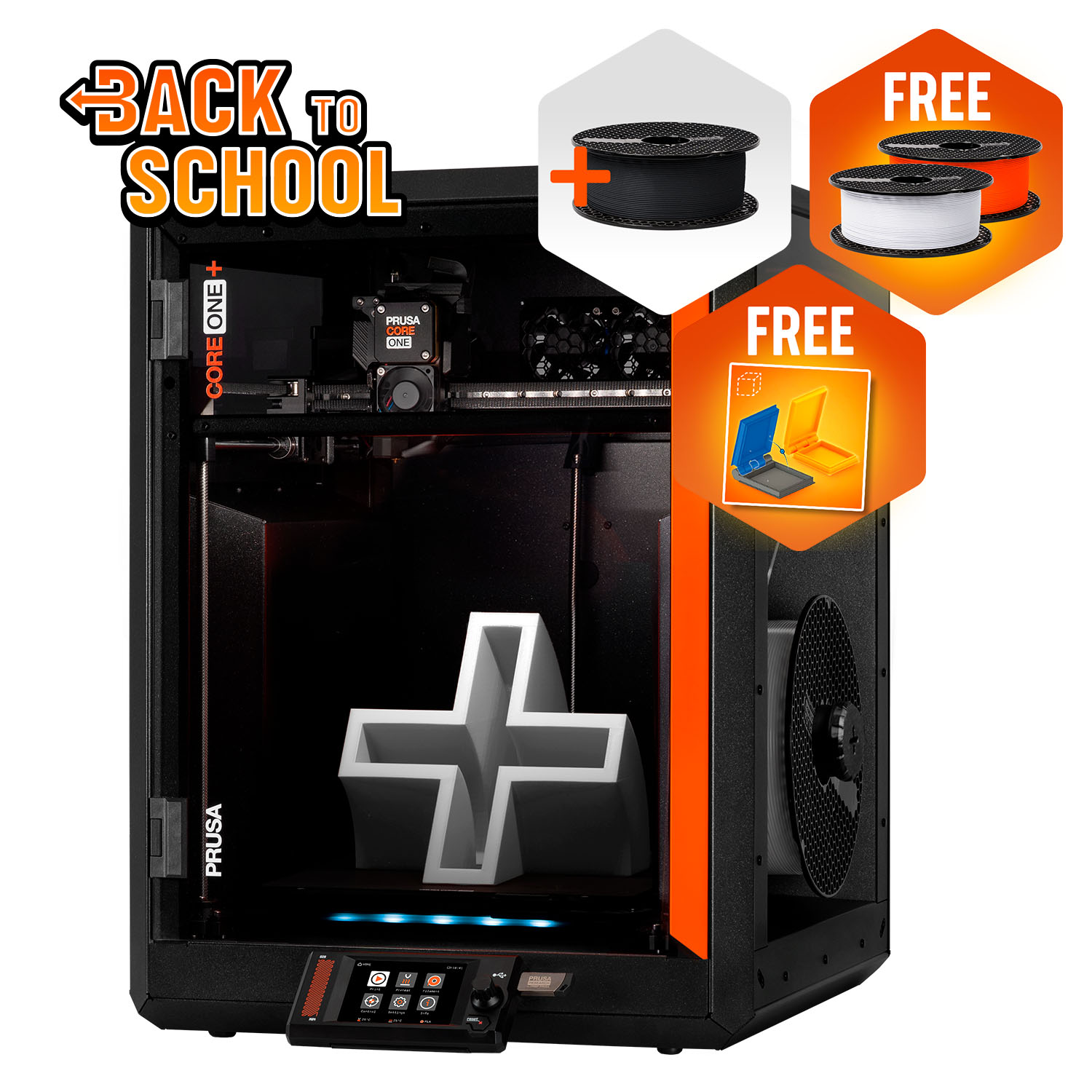
Prusa CORE One+ (Gen 2)
CORE One+ (Gen 2), assembled
The only machine here whose maker publishes the repair and sells every part of it, with a heated chamber and no obligation to touch a cloud. Small for the money, and a UK buyer gets a year of cover whichever way they buy.
- Build volume
- 250 × 220 × 270 mm
- Technology
- FDM
- Max speed
- Not stated on manufacturer product page - Unverified
- Enclosed
- Yes (fully enclosed CoreXY; active chamber heating up to 55 °C)
- Multi-colour
- Optional (MMU3 5-filament unit or INDX tool-changer up to 8 tools, sold separately)
- Auto levelling
- Yes (fully automatic load-cell first-layer calibration)
What we like
- 773 individual spare parts listed by model — the deepest parts supply on this page
- Runs with no network connection at all, which matters under a confidentiality agreement
- Actively heated chamber to 55 °C above a 120 °C bed, with ABS, ASA, HIPS and nylon on the list
- Prusa Connect manages several machines from one screen for anyone who does want the cloud
What we don’t
- The smallest working area here, at three times the price of the cheapest machine
- A UK buyer gets one year of cover whether they buy as a person or as a business
- Ships from the Czech Republic, with UK VAT, duty and a courier fee collected on delivery
- No dimensional accuracy figure is published for the printer
The hardware is a fully enclosed CoreXY frame over a 250 × 220 × 270 mm plate — the smallest working area here, and the first thing to weigh against the price. What it buys is thermal control: a chamber actively heated to 55 °C above a bed rated to 120 °C, with a 290 °C nozzle that becomes 400 °C if the high-temperature hotend is fitted. Prusa's list runs PLA, PETG, flexibles, PC and PP, adding ABS, ASA, HIPS and nylon behind the enclosure, with an Advanced Filtration bundle sold separately for the materials that want extraction.
Two things put it first. It runs with no network at all — Prusa's own wording is that you never have to connect it, not even once — while Prusa Connect is there for anyone who does want several machines on one screen. And the parts catalogue is not a gesture: 773 items, organised by model. Owner reports on the manufacturer's own forum describe repairs that come down to ordering the individual failed part and fitting it in minutes, and in the same breath describe a long troubleshooting sequence before support agrees to send one, with some owners simply making the part themselves instead.
The limits are money and logistics. It sits at around £1,200 to £1,500, and buying direct means shipping from the Czech Republic with UK VAT, duty and a courier fee collected before delivery. Prusa also publishes no dimensional accuracy figure for the printer; the tolerance quoted on its page belongs to its filament.
Buy it if the machine has to be back in service quickly and you would rather fix it than return it. Skip it if you need plate area — the QIDI below gives half again as much for roughly half the money.
Best for engineering materials: QIDI Plus5
When a drawing specifies polycarbonate or carbon-filled nylon rather than "plastic", the deciding number is not nozzle temperature alone but nozzle and chamber temperature together. This is the only machine here that wins on both.
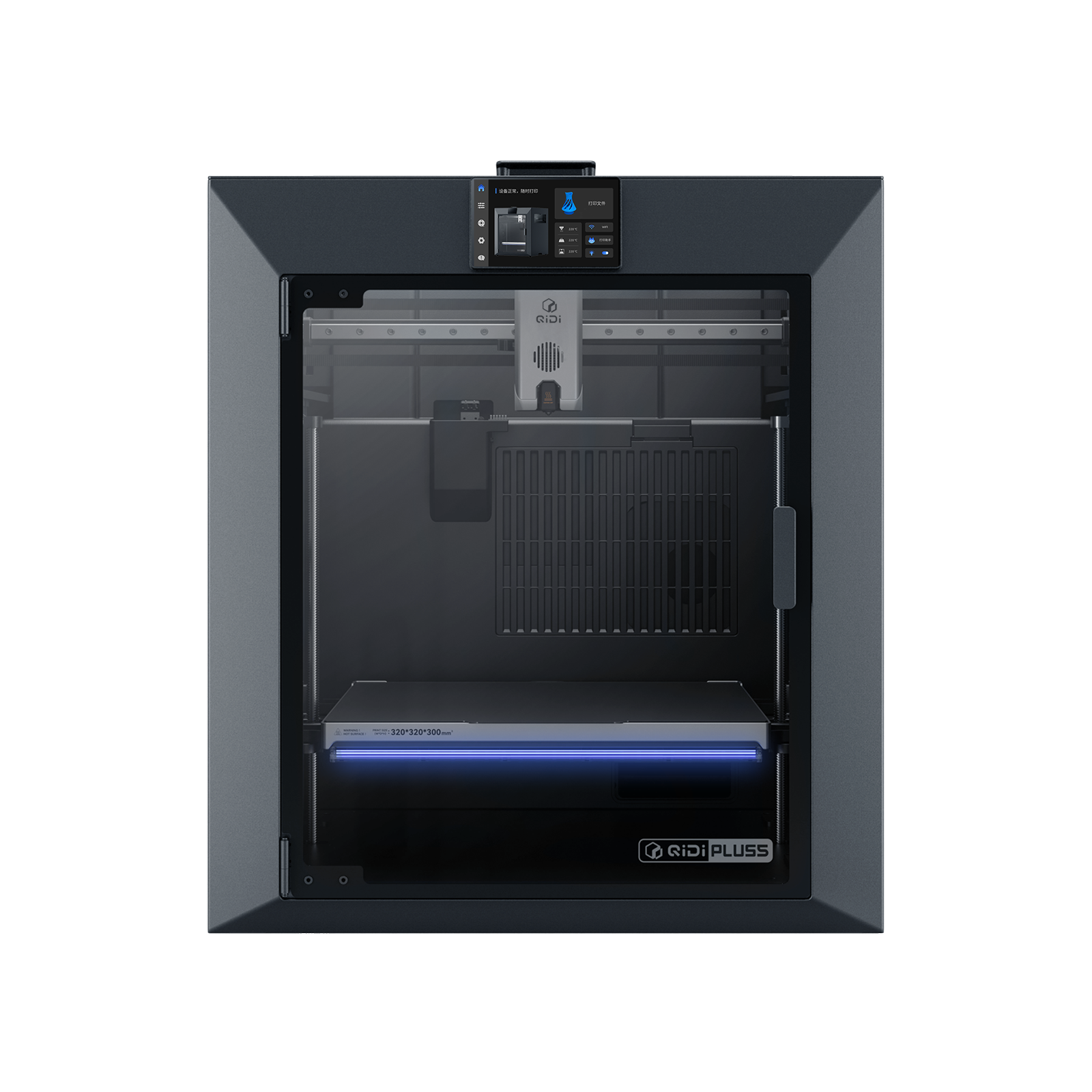
QIDI Plus5
QIDI Plus5 (standard, not the Plus5 Combo with QIDI Box, and not the Plus4)
The hottest nozzle and the hottest chamber on this page, in the second-largest build volume, for roughly half the price of the pick above it. A year of cover and no published accuracy figure.
- Build volume
- 320 × 320 × 300 mm
- Technology
- FDM
- Max speed
- 600 mm/s toolhead (≤20,000 mm/s² acceleration)
- Enclosed
- Yes, with independent active chamber heating up to 65 °C (3rd generation)
- Multi-colour
- Optional (compatible with QIDI Box; the Combo bundles it for 16 colours)
- Auto levelling
- Yes (hands-free, loadcell sensor integrated into the hotend)
What we like
- 370 °C nozzle with an independently heated chamber to 65 °C — the hottest pairing here
- Nylon, polycarbonate and fibre-reinforced polymers all on QIDI's own material list
- Wired local-network control, and prints completely offline from a USB drive
- 320 × 320 × 300 mm of heated build volume for a mid-range price band
What we don’t
- One year of cover; the two-year term is for EU, Swiss, Norwegian and Icelandic consumers
- No dimensional accuracy figure published at all
- A chamber this hot warms the extruder above it, and heat creep is the failure mode to watch
- Reports of hardware faults on arrival sit alongside the praise for support
The pairing is 370 °C at the nozzle with an independently heated chamber reaching 65 °C, over a bed rated to 120 °C and a 320 × 320 × 300 mm working area. Independent matters: the chamber has its own 550 W heater rather than borrowing warmth from the bed, which is what keeps a tall ABS part from curling off its own corners on hour six. QIDI's list is correspondingly long — PLA, ABS, ASA, PETG, TPU, nylon, polycarbonate and carbon- or glass-fibre reinforced polymers — fed through a direct extruder with hardened steel gears and a bimetal nozzle.
For a business the connectivity is as interesting as the heat. Wired Ethernet gives local-network control, the cloud is optional, and QIDI states the machine will print completely offline from a USB drive. That is a serious engineering 3D printer specification at around £650 to £750.
It gives ground on documentation and cover: one year of warranty, rising to two only for consumers in the EU, Switzerland, Norway and Iceland, and no dimensional accuracy figure published at all. Discussion of these heated-chamber machines keeps returning to the same tension — a chamber hot enough for engineering plastics also warms the extruder above it, and heat creep on a long job is what owners watch for, although reports differ on how much it actually bites. QIDI's support draws consistent praise on UK review sites for responding quickly, though reports of hardware faults on arrival sit alongside it.
Buy it if the material is specified for you and it is hotter than PETG. Skip it if you need a figure on a drawing — the only two machines here that publish one are Creality's.
Best for large production parts: Creality K2 Plus
Plate area is the one constraint no amount of tuning gets round: a part that does not fit has to be cut up, and every joint is somewhere for it to fail. A 350 mm cube is the answer, and it comes with heat rather than instead of it.
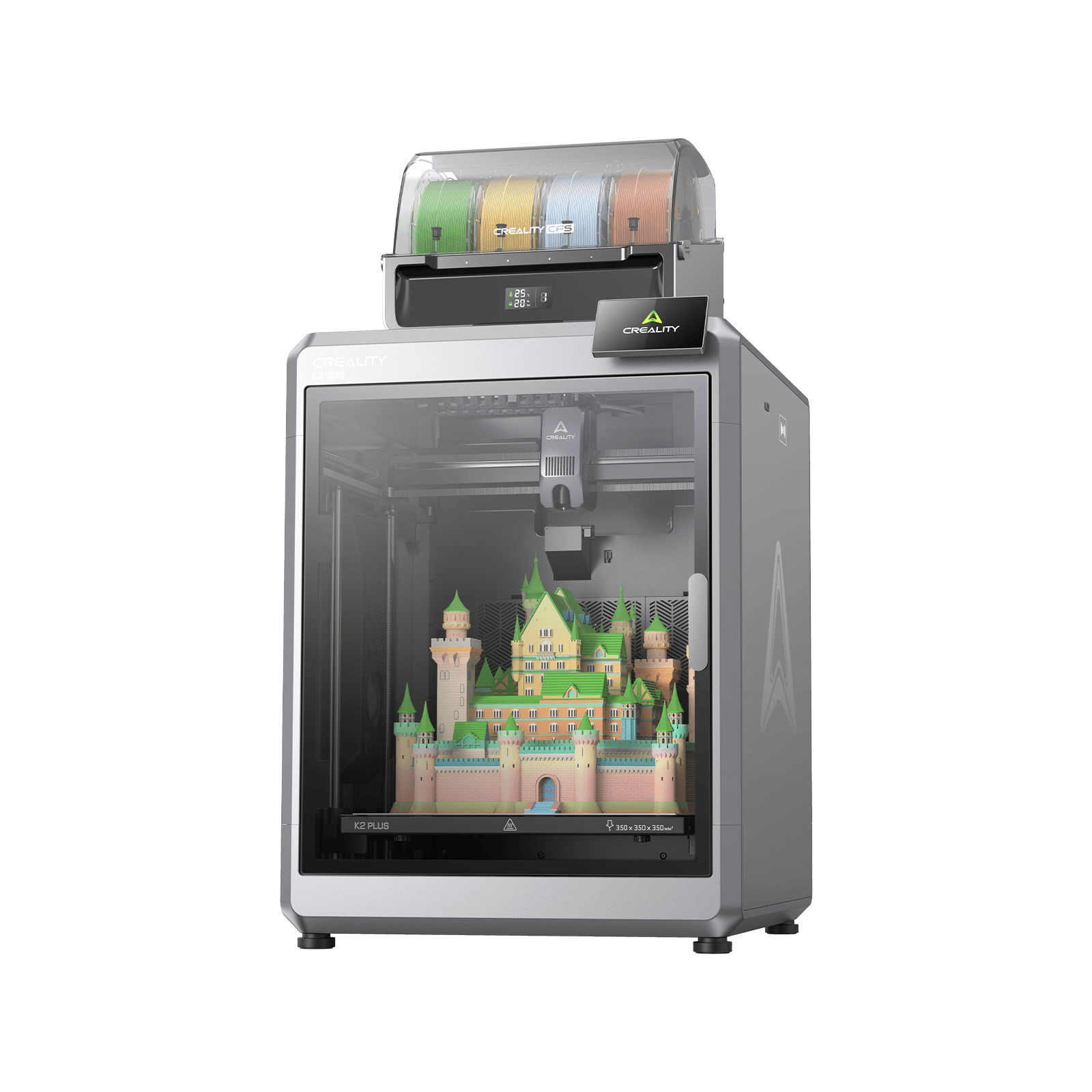
Creality K2 Plus
K2 Plus (base printer, without the CFS; not the K2, K2 Pro, K2 SE or K2 Plus Combo)
The largest plate on this page with a hot nozzle, a heated chamber and a published accuracy figure. Twelve months of cover, and a plate this size is hard to keep flat.
- Build volume
- 350 × 350 × 350 mm
- Technology
- FDM
- Max speed
- ≤600 mm/s (≤30,000 mm/s² acceleration)
- Enclosed
- Yes — with active chamber heating to 60 °C
- Multi-colour
- Optional — up to 16 colours with four CFS units; the base machine is single-colour
- Auto levelling
- Yes — full-auto levelling, with a separate calibration AI camera
What we like
- A 350 mm cube, comfortably the largest working volume here
- 350 °C hardened steel nozzle over a 120 °C bed, inside a chamber heated to 60 °C
- One of only two machines here with a published accuracy figure
- Documented HTTP and WebSocket interface, so you can hang your own monitoring on it
What we don’t
- Twelve months of cover, with the extruder kit carried for three
- A plate this size is hard to keep flat once it is hot, and large flat parts show it
- Extruder and filament-feed jams are a recurring subject on Creality's own forum
- Creality warns that running the chamber heater long-term may affect service life
That volume is fed by a 350 °C hardened steel nozzle over a 120 °C bed, inside a chamber actively heated to 60 °C and set from the slicer. Creality names the materials the heat is for — ABS, ASA, PC, PA-CF, PAHT-CF, PET-CF, PPA-CF, PPS and PPS-CF — and, unusually, publishes the two caveats as well: a hot chamber is the wrong setting for PLA and PETG, and running the chamber heater long-term may affect the machine's service life. A maker documenting the cost of its own headline feature is worth more than one that does not.
It also gives a business two numbers it can use: a stated printing accuracy of 100 mm ± 0.1 mm, and a documented local-network interface over HTTP and WebSocket with the video stream on WebRTC — enough to hang your own monitoring on it rather than someone else's dashboard.
The limitations are the size itself and the cover. Warranty is twelve months, with the extruder kit carried for three, at around £800 to £900 for the base machine. A recurring theme among K2 Plus owners is that a plate this size is hard to keep flat once it is hot, and that large flat parts are where it shows; the responses they describe are a long bed soak before starting, a denser levelling mesh and re-levelling before each big print.
Buy it if the part is larger than the machines above will take and needs a material that wants a warm chamber. Skip it if your work is small and flat — you would be paying for area and inheriting a levelling problem.
Best for running several machines: Bambu Lab P1S
One machine that never stops is a fantasy; three cheaper machines where one stopping costs a third of your capacity is a business. At this price the arithmetic favours buying twice, and the software to run them that way is free.
Bambu Lab P1S
P1S (standard, without AMS - not the P1P, P1S Combo or P2S)
The lowest capital cost per machine here, the longest UK warranty term on the page, and free fleet software that runs entirely on your own network. No chamber heater, and composites need a hardware upgrade first.
- Build volume
- 256 × 256 × 256 mm (Bambu Studio defaults to 250 mm height)
- Technology
- FDM
- Max speed
- 500 mm/s toolhead (20 m/s² acceleration)
- Enclosed
- Yes (plastic and glass; chamber temperature regulator fan and activated-carbon filter)
- Multi-colour
- Optional (AMS or AMS 2 Pro sold separately or as a Combo)
- Auto levelling
- Yes (automatic bed levelling sensor)
What we like
- Two years of UK cover — the longest term on this page, on the cheapest machine
- Free fleet software running entirely on your local network, with no hard limit on printer count
- LAN Only mode keeps job files off the manufacturer's cloud
- Still in production rather than being run out, so parts and support are not on a clock
What we don’t
- No chamber heating parameter published — enclosed, but not heated
- Fibre-reinforced filament is not recommended without an extruder and hotend upgrade
- Owners trace the noise to the fans, and three machines in one room is an acoustic decision
- Replacement parts are proprietary
Individually it is unremarkable next to the machines above: an enclosed CoreXY over a 256 mm cube, a 300 °C hotend and a 100 °C bed, running to 500 mm/s. Bambu Lab rates PLA, PETG, TPU, PVA, PET, ABS and ASA as ideal and nylon and polycarbonate as capable, but says fibre-reinforced filament is not recommended without an extruder and hotend upgrade. Two years of cover is the longest term here, on a model still in production rather than being run out.
Multiplied, it changes character. Bambu Farm Manager is the maker's own fleet tool, free, and described as running entirely on your local network with commands and files handled locally; it covers the P1 series, sets no hard limit on printer count, and handles batch control, queuing by which machine is free, and staggered power-up so three heaters do not strike at once. LAN Only mode keeps the machine off the cloud altogether, at the cost of remote printing and the phone app. At around £330 to £400 each, three cost less than one CORE One+ landed.
Owner reports from people running more than one of these machines put the difficulty in the software rather than the hardware, describing a queue that spans machines as the awkward part and writing their own tools before the manufacturer's arrived, although experiences vary a good deal. Owners repeatedly trace the noise to the fans rather than the motion system, and a recurring theme is that the chamber fan is the loudest part of the machine when it is running PLA; several describe swapping the fans for quieter ones, and some say they would not run it overnight in a room next to a bedroom. Three in an office is an acoustic decision, not a footnote.
Buy it if capacity matters more than any single part you will make. Skip it if one machine has to do everything — there is no chamber heater, and composites are off the list until you upgrade the hot end.
Best for abrasive composites on a small budget: Creality K1C
Carbon-filled filament destroys an ordinary brass nozzle, which is why the cheap route into stiff functional parts is usually a false economy. This machine is the exception: it was designed around the problem rather than having a hard nozzle added afterwards.
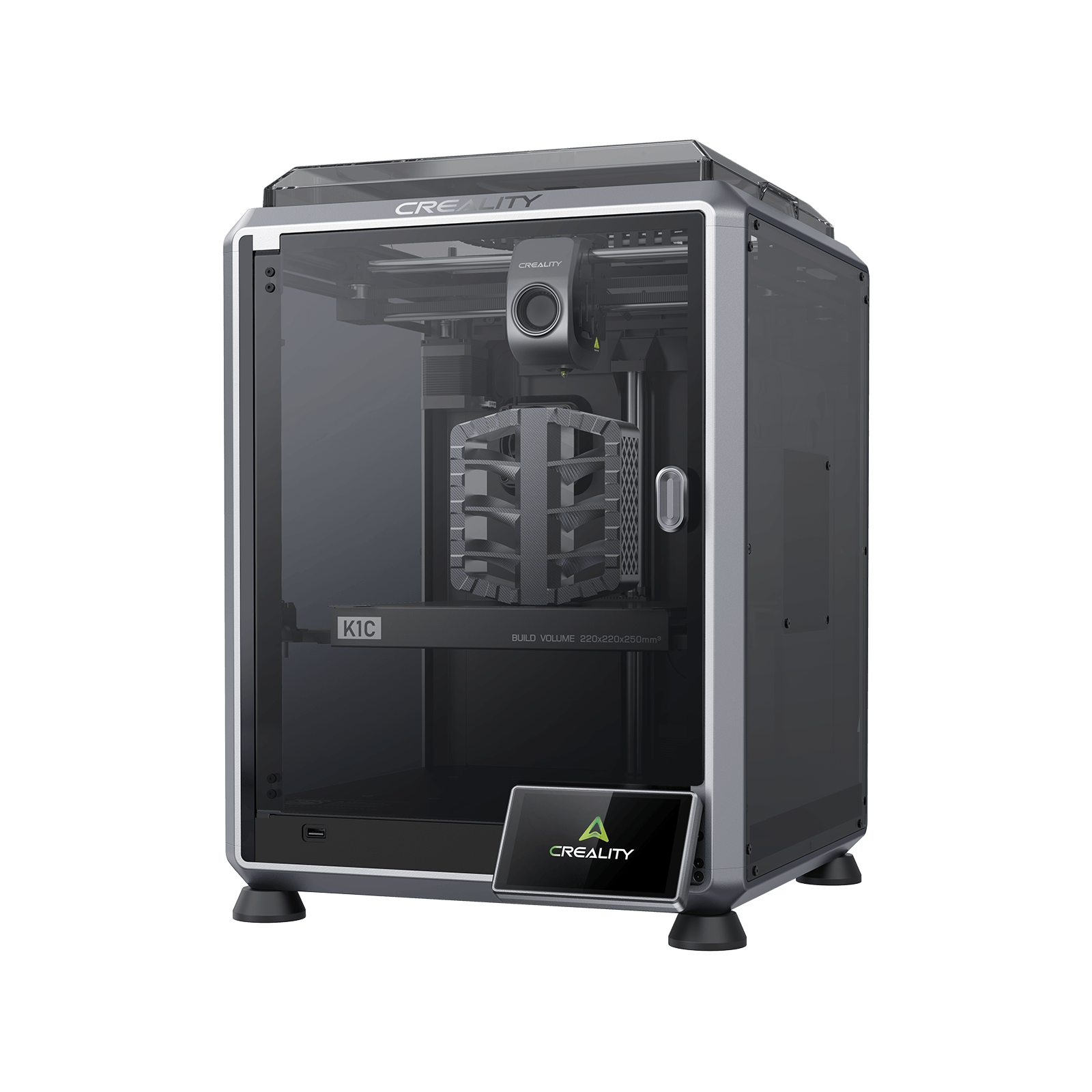
Creality K1C (2025)
K1C 3D Printer (2025 Version) - not the K1, K1 Max or K1 SE
An enclosed CoreXY built specifically for carbon-fibre filament, with a published accuracy figure and up to two years of cover, for the price of a set of spares for the machines above. No chamber heater, and support is the recurring complaint.
- Build volume
- 220 × 220 × 250 mm
- Technology
- FDM
- Max speed
- 600 mm/s (CoreXY, 20,000 mm/s² acceleration)
- Enclosed
- Yes (die-cast aluminium unibody, tinted glass sides, acrylic lid)
- Multi-colour
- Optional (Creality CFS-C multi-colour kit sold separately)
- Auto levelling
- Yes (hands-free automatic levelling)
What we like
- Creality states the machine is designed specifically for carbon-fibre reinforced materials
- Tri-metal quick-swap nozzle with a hardened steel tip and titanium alloy heatbreak
- Publishes the same accuracy figure as the machine at three times the price
- Up to 24 months of UK cover, and cheap enough to keep a spare machine
What we don’t
- No chamber-heating parameter published for it at all
- Unfilled nylon and polycarbonate are absent from Creality's own material list
- The smallest FDM working area here
- Creality's support is the dominant complaint on UK review sites
Creality states the machine is specifically designed for printing carbon-fibre reinforced materials, and the hardware follows: a tri-metal quick-swap nozzle with a hardened steel tip and a titanium alloy heatbreak, a 300 °C hotend and a list naming PLA, TPU95A, PA-CF, ASA, PLA-CF, PETG and ABS across a 220 × 220 × 250 mm plate. It publishes the same accuracy figure as the K2 Plus, 100 mm ± 0.1 mm — more than either machine at the top of this page offers — and cover runs up to 24 months.
Read the material list closely, because the gap is deliberate. No chamber-heating parameter is published for this machine at all; the enclosure is passive, with active cooling. Filled composites need heat at the nozzle rather than in the air, and that is what it is for. At around £350 to £420 it is a narrow but useful capability.
Owners printing carbon-fibre filled filament frequently describe building their own slicer profiles rather than using a supplied preset, with first-layer adhesion and flow the usual sticking points, although experiences vary by material. Creality's own support is the dominant complaint on UK review sites, described as slow to respond and slow to resolve faults, with experiences of the machines themselves sharply split. Price that in: the machine is cheap enough to keep a spare, which is one answer to a slow support queue.
Buy it if carbon-filled filament is the job and the parts are small. Skip it if you need unfilled nylon or polycarbonate — both are absent from Creality's own list, and both want a heated chamber this machine does not have.
Best for professional resin work: ELEGOO Jupiter 2
Some professional jobs are not FDM jobs. A casting pattern, a jewellery master, a surface that has to look moulded — these want an MSLA machine, where the layer is projected all at once and detail is set by pixel size rather than nozzle width.
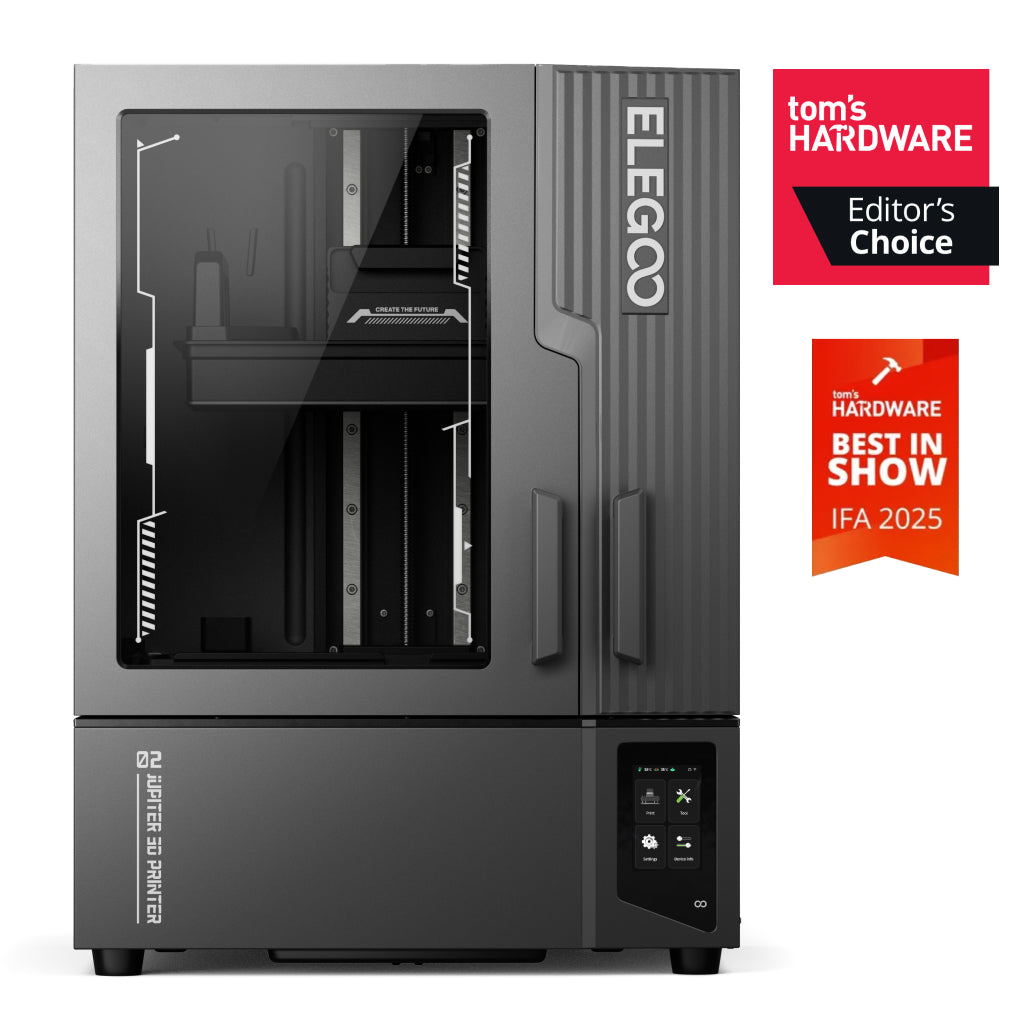
ELEGOO Jupiter 2
Jupiter 2 (16K; not the Jupiter or Jupiter SE)
Large-format 16K resin for masters, patterns and detail no filament machine will reach, with resin handling automated. Heavy, consumable-hungry, and the fleet app does not support it yet.
- Build volume
- 302 × 162 × 300 mm
- Technology
- Resin (MSLA)
- Max speed
- Up to 90 mm/h (manufacturer maximum)
- Enclosed
- Yes — double-door enclosure
- Multi-colour
- No
- Auto levelling
- Yes (auto levelling on four independent force sensors; manual levelling with real-time data feedback also available)
What we like
- 14-inch 16K screen at a 20 × 26 μm pixel — detail no filament machine reaches
- 302 × 162 × 300 mm, enough to batch a tray of masters rather than run them singly
- Automatic resin refill and recycling on a heated quick-lock tank
- Sold and stocked in the UK in GBP through ELEGOO's own store
What we don’t
- Twelve months on the machine, but three on the screen and six on the tank and plate
- The fleet app does not support this model yet, despite cluster control being advertised
- 28.9 kg on a large footprint, and the doors need clearance the width does not suggest
- Consumables and a wash-and-cure setup are a second purchase with real gaps in the range
The screen is a 14-inch 16K monochrome LCD at 15,120 × 6,230, giving a 20 × 26 μm pixel across a 302 × 162 × 300 mm volume — enough to batch a tray of masters rather than run them one at a time. Layers go from 0.01 to 0.2 mm with 0.02 mm quoted on Z, at up to 90 mm/h. ELEGOO states the resin system refills automatically and recycles the excess, on a heated quick-lock tank.
Two caveats belong together. ELEGOO presents Wi-Fi cluster management for controlling several printers from one device, but its own app page lists Jupiter 2 support as still to come in Q4 while naming three other models as compatible today. Buy it for the printing, not the fleet feature. It is also 28.9 kg on a 465 × 508 × 648 mm footprint. Reviewers repeatedly warn that this printer needs far more desk space than its own width suggests, because the doors swing wide and access is from the rear. Accounts of the automatic resin system split consistently: it takes real handling out of a vat this tall, and the pump and tubing add mess and slow a resin change enough that several describe going back to pouring by hand.
Cover is the weakest here, and the detail matters more than the headline: twelve months on the machine, three on the screen, six on the tank and plate. At around £650 to £800 the machine is the cheap part.
Buy it if you sell surface finish or fine detail — masters, patterns, fit models. Skip it if you need parts that take load, or you have nowhere to wash, cure and extract safely.
What actually makes a 3D printer professional
Not the price. Three things, and only one of them is usually on the box.
Enclosed is not the same as heated
An enclosure traps whatever warmth the bed gives off. A heated chamber has its own element and holds a set temperature, which is what stops a tall ABS or ASA part shrinking unevenly as it grows. Three machines here do that: the QIDI to 65 °C, the K2 Plus to 60 °C and the Prusa to 55 °C. The K1C publishes no heating parameter at all, and the P1S has a chamber fan rather than a heater. All five are sold as enclosed machines. Heat is not free either: Creality states that running the chamber heater long-term may affect service life, and that a hot chamber is the wrong setting for PLA and PETG.
An accuracy figure, or an honest absence
This is where a production 3D printer buyer is most often let down. Creality publishes 100 mm ± 0.1 mm for the K2 Plus and the same for the K1C. QIDI publishes none, and Prusa none for the printer — the ± 0.02 mm on its page is a filament diameter tolerance. A manufacturer's figure is a claim on a test length it chose, not a tolerance you can put on a drawing. But a maker willing to write one down has told you something, and one that writes nothing has told you something too.
Nobody sells you a duty cycle
No machine here carries a continuous-operation rating, a mean time between failures, or a recommended maximum daily run. The documentation says the opposite. Prusa's handbook for the machine at the top of this page instructs the owner not to leave the printer unattended while it is on, because misuse or an unexpected component failure can pose a fire hazard, and its printers cut their own heating after 30 minutes idle while heated. Treat that as the design intent: these are supervised machines that happen to be fast, and a plan built on running them overnight is your risk to carry, not the manufacturer's.
What these cost to run, per part rather than per year
A business needs the cost of a part, not an annual electricity estimate. What follows is an estimate built from manufacturers' consumption data and the current price cap, not a measurement, and the assumptions are continuous printing, no failed jobs and ordinary material.
Ignore the rating plate. Bambu Lab rates the P1S at 1000 W and Creality the K2 Plus at 1200 W; those are supply ceilings. The useful numbers are steady-state: QIDI publishes 190 W on PLA and 500 W on ABS, Prusa about 90 W and 110 W — the gap is mostly the cost of holding a 65 °C chamber against a 55 °C one.
Electricity. At around 26p per kWh under the price cap, the QIDI on ABS costs roughly 13p an hour, so an eight-hour job is about £1.04 of electricity. On PLA the same machine is closer to 5p an hour, and the Prusa nearer 2p.
Material, which is the real line. Ordinary PLA runs roughly £14 to £18 a kilogram, so a 300 g part costs about £4 to £6 in plastic — four to five times its own electricity. Engineering materials and composites cost more again.
On resin, count the consumables. Resin is roughly £16 to £28 a kilogram, and a screen and release film wear out behind it. No maker publishes how long either lasts, so the cost is certain and the interval is not.
Owner accounts of what a printer costs to keep diverge widely — some describe more than a thousand hours with nothing bought beyond material, others a cluster of replacement parts after the warranty ran out — but a recurring point of agreement is that filament lost to failed prints costs more than the electricity does. That is the whole economic argument for a production operation: reliability is a cost line, not a comfort.
UK warranty, spare parts, support and availability
Every competing page leaves this out, and a commercial 3D printer buyer should read it twice: you are buying a warranty and a parts supply as much as a machine.
Buying as a business can change the cover
Only one maker here addresses business buyers in its published terms, and the news is not good. Prusa gives two years to consumers in the EU, Liechtenstein, Switzerland, Norway and Iceland, one year to the rest of the world, and one year to enterprises in the EU — so a UK buyer gets a year either way. Its general terms go further: where the buyer is a business, the goods are presumed to be for business purposes, and the seller's liability for damage caused by a defect is excluded on that basis. That is what the clause says; what it means for a UK contract is a question for your own advisers.
The others are silent rather than restrictive. QIDI gives a year globally, up to two for consumers in the EU, Switzerland, Norway and Iceland, and states no commercial-use exclusion either way. Silence is not permission, and it is worth an email before buying a business 3D printer on the strength of a published term. Elsewhere: two years on the Bambu Lab P1S, up to 24 months on the K1C, twelve months on the K2 Plus with the extruder kit at three, and twelve on the Jupiter 2 with three on the screen and six on the tank and plate.
Parts, and who has them
Prusa is the outlier at 773 individual parts listed by model, which is why it tops this page. Reviewers repeatedly note that P1S replacement parts are proprietary, while setup ease and reliability are the dominant praise.
Availability and what lands on the invoice
Creality and ELEGOO both run UK stores holding UK stock, and the QIDI is held by a UK retailer with delivery to Great Britain. Prusa sells direct from the Czech Republic, and on larger orders UK VAT, duty and a courier fee are collected before delivery — budget for the landed cost, not the listed one. Every band here includes VAT, which a VAT-registered business accounts for differently from a private buyer; HMRC sets out the VAT rules for businesses.
When a desktop machine is the wrong purchase
Four situations where none of these six is the right answer, and saying so is more useful than selling you one anyway.
You need a tolerance you can put on a drawing. Even the published figure is a manufacturer's claim on a test length it chose. If a part is inspected against a dimension, a professional desktop 3D printer is the prototyping tool in that workflow, not the production step.
The machine must run overnight, every night, unwatched. Nothing here is rated for it, and the maker of the top pick instructs you in writing not to leave the printer unattended while it is on. Plan for supervision, a fire-safe location and detection, or accept a risk the manufacturer has explicitly declined.
One machine has to do everything. A chamber hot enough for polycarbonate is the wrong environment for PLA. Two cheaper machines with different jobs beat one compromise.
The volume is genuinely production volume. Hundreds of identical parts to an inspected specification means a bureau or an industrial system, not six desktop machines and somebody to nurse them. We link to no such supplier and take nothing from them; it is worth saying because buying wrong here is expensive.
If production is not your deciding factor after all, the best FDM 3D printers guide ranks on all-round merit, and the best resin printers guide covers detail work without the business framing.
The verdict
Ranked on production merit rather than headline specification, the Prusa CORE One+ takes it, at around £1,200 to £1,500. Not because it is fastest or largest — it is neither — but because it is the only machine here whose maker publishes the repair, sells every part of it, and will let it run without touching a network. A printer that can be fixed on a Tuesday afternoon beats one that is marginally quicker on a good day.
The QIDI Plus5 suits anyone whose materials are chosen for them; the Bambu Lab P1S is the one to buy three of. And if the warranty decides it, a UK business gets a year from Prusa whichever way it buys — the longest cover here belongs to the cheapest machine.
- Buy it if
- Downtime is the cost that hurts, and you would rather diagnose a machine and order the part than box it up and wait — the Prusa CORE One+ is the only one here built to be repaired.
- Skip it if
- You need plate area, a hotter chamber or several machines for the same money: the QIDI Plus5 gives you more of the first two, and three Bambu Lab P1S units give you the third.
If none of these roles is yours, the parent best 3d printer uk guide starts from a wider field.
How this article was researched
The basis is desk research, and it is worth being exact about what that means. No machine here was bought, opened, run or photographed. Every specification traces to a manufacturer product page, support specification, published warranty term or official handbook, and each carries a citation to its source. UK prices and stock were checked at UK supply routes in September 2026 and are given as bands, because exact figures go stale. Owner-experience passages come from manufacturer forums, long-form reviews and retail commentary, are labelled as owner-reported, and appear only where a pattern recurs across several accounts — never a single review, a rating or a quotation. Anything that could not be confirmed from a primary source is named as missing rather than estimated. Reviewed quarterly.
Common questions
- What makes a 3D printer professional?
- Three things, and price is not one of them. First, a chamber with its own heater rather than an enclosure that merely traps bed warmth — that is what holds a tall ABS or polycarbonate part dimensionally stable, and only three of the six machines here have one. Second, a parts supply you can actually draw on: Prusa lists 773 individual parts by model, which is a measurable answer where most makers give none. Third, a maker willing to commit something to writing — a material list, a chamber temperature, an accuracy figure. Creality states 100 mm ± 0.1 mm for two of its machines; QIDI and Prusa publish no machine accuracy figure at all. A manufacturer figure is a claim on a test length it chose, not a tolerance you can design to, but a maker that writes nothing down has told you something too.
- Which printer is reliable for daily production?
- No manufacturer on this page publishes a duty cycle, a mean time between failures, or a maximum daily run, so anyone offering you a ranking on reliability is guessing. What the documentation does say points the other way: Prusa's own handbook instructs the owner not to leave the printer unattended while it is on, and its printers cut their heating after 30 minutes idle. On what is documented rather than assumed, the best answer for daily work is the machine that returns to service fastest — the CORE One+, because the failed part is identified, listed and orderable. The alternative strategy is capacity rather than uptime: three Bambu Lab P1S units cost less than one CORE One+ landed, and one of them stopping costs a third of your output rather than all of it.
- What should a business spend on a 3D printer?
- Less on the printer than you expect, and more on the second invoice. The machines here span roughly £330 to £1,750, and the capital cost is rarely what decides whether the purchase works. Material is the line that scales: ordinary PLA at roughly £14 to £18 a kilogram makes a 300 g part cost four to five times its own electricity, and engineering materials cost more again. Resin adds a release film and a screen whose life no maker publishes. Then budget for the thing nobody quotes — a spare machine, or spare parts, or both. On a production schedule the cheapest sound plan is often two mid-range machines with different jobs rather than one expensive machine doing everything, because a chamber hot enough for polycarbonate is the wrong environment for PLA.