Best Professional FDM Printers UK
Six professional FDM printers on sale in Britain, ranked on what keeps one earning: chamber limits, fleet software, UK warranty and the spares route.
Independent and reader-funded. We earn a commission if you buy through our links, at no extra cost to you. How this works.
Ask for the best professional FDM printer in the UK and you get a price list sorted downwards, as though professional were a budget rather than a job description. It is not. A machine in a working shop is judged on the two-hundredth print and the third unit, not the first — and the specifications that decide those are mostly not the ones printed in large type.
So these six are ranked on four operating tests: whether the machine runs unattended, whether it melts what the job needs, whether you can drive more than one, and whether you can fix it without posting it abroad. Each is set out below before any machine is named. Nothing here was tested — every figure is a manufacturer's own, cited where it appears.
The six, and the four tests they are ranked on
All six are enclosed professional CoreXY printers, which tells you how settled the architecture is. The separation is elsewhere: read the chamber row against the material row, and the warranty against the price.
| Specification | 1 Bambu Lab P1S Several identical units | 2 Creality K1C (2025) Abrasive filament | 3 Bambu Lab X2D Two materials, one job | 4 QIDI Plus5 Widest material envelope | 5 QIDI Max4 Largest parts | 6 Prusa CORE One+ (Gen 2) Longest service life |
|---|---|---|---|---|---|---|
| Best for | Adding identical units cheaply | Carbon-filled filament on the maker's own list | Two materials without a filament changer | The widest published material envelope at this size | Parts that fit nothing else here | A machine you can keep running for years |
| Chamber | Enclosed, regulator fan | Enclosed, active cooling; no figure published | Heated to 65 °C | Heated to 65 °C | Heated to 65 °C, third generation | Heated to 55 °C |
| Build volume | 256 × 256 × 256 mm | 220 × 220 × 250 mm | 256 × 256 × 260 mm, or 235.5 mm wide on two nozzles | 320 × 320 × 300 mm | 390 × 390 × 340 mm | 250 × 220 × 270 mm |
| Material permit, as published | ABS and ASA ideal, PA and PC capable, fibre-filled not recommended | PLA-CF and PA-CF listed; no PC, no unfilled nylon | PA, PC, PVA and fibre-filled grades | PA, PC and fibre-filled grades | PA, PC and fibre-filled grades | PC, PP and CPE; ABS, ASA, HIPS and PA with the enclosure |
| Maker's own multi-printer tool | Yes — free, runs on the local network | None we could confirm from a primary source | Same maker's tool, but this model is not named in it | QIDI Studio multi-device mode | QIDI Studio multi-device mode | Prusa Connect |
| Wired Ethernet | Not listed | No RJ45 port listed | Listed as not available | Yes | Yes | Yes |
| UK warranty | 2 years | Up to 24 months | 2 years | 1 year | 1 year | 1 year, against 2 for EU consumers |
| UK route | Maker's UK store and resellers | Creality's UK warehouse | Maker's UK store and resellers | 3DJake UK | Maker's own UK store, 1–3 day despatch | Direct from Prague, or a UK reseller |
| Price band | £330–£400 | £350–£420 | £560–£630 | £650–£750 | £890–£1,000 | £1,150–£1,300 |
Three of the six hold a chamber at up to 65 °C, the Prusa at 55 °C, and Creality publishes no chamber-heating parameter at all for the K1C — its list stops at a 100 °C bed and a 300 °C nozzle. That column decides which materials each machine is permitted to attempt. Then read the last two rows together: the two dearest machines give a UK buyer one year, the two cheapest give two.
How these six were chosen, and what is not claimed here
Nothing on this page was bought, opened, plugged in, printed with or timed. The basis is documentary: specifications from each manufacturer's own page, sheet or manual, warranty terms from each company's published policy rather than a retailer's summary, and UK price and stock checked at British retailers and official UK stores in late September and early October 2026. Our full approach is set out in the review methodology.
A machine earned its place by holding a role none of the other five could, and by being orderable in Britain without an import broker. Speed was not a ranking input. Three comparisons a page like this usually makes are absent, because the figures do not exist. On accuracy, five of the six makers publish no dimensional tolerance for the machine and only Creality states one, so no machine here is called precise. On noise, Creality publishes a rating of 45 dB or below and Prusa nothing, so this page does not compare noise numerically. And on Creality's fleet software, no Creality primary page could be reached, so it is left out rather than asserted — the gap in the table above is an absence of evidence we could read, not evidence the feature is missing.
What makes an FDM printer a production machine
Not the price. A production FDM printer passes four tests, and most of what separates these six sits in one of them.
It has to run while nobody is watching. All six sense a filament run-out; what comes with it differs. Tangle detection on the Max4 arrives only with the QIDI Box and filament odometry on the P1S only with an AMS, while the X2D fits a door sensor and two cameras as standard. One maker declines the premise: Prusa's handbook instructs the owner not to leave the printer unattended while switched on, because an unexpected component failure can pose a fire risk — the honest ceiling on this whole category.
It has to melt what the job needs. A chamber is a material permit, not a feature. QIDI's own grading: strongly recommended for polycarbonate, recommended for ABS and ASA, often for nylon, dependent on the base polymer for fibre-filled grades, usually unnecessary for PLA, PETG and TPU. Its rule is to stay below the temperature at which the part itself softens, and it warns that too much chamber heat brings poor overhangs, sagging detail and heat creep. Not a thing you want at maximum — a thing you want available.
You have to be able to drive more than one. Bambu Lab's fleet tool is free, keeps commands and files on the local network, names the P1 series and sets no hard limit on printer count; those machines also run LAN-only, off the maker's cloud. QIDI's answer is in the slicer — QIDI Studio controls several QIDI printers at once and sends one file to all of them — a per-slicer convenience, not a server-based fleet manager. Prusa Connect manages multiple printers. Owners put the difficulty in the tooling: owner reports from people running more than one of these machines put the difficulty in the software rather than the hardware, describing a queue that spans machines as the awkward part and writing their own tools before the manufacturer's arrived, although experiences vary a good deal.
You have to be able to fix it without posting it abroad. Downtime, not the part, is the real cost of a fault — and on that test these six are further apart than on any specification.
1. The one you buy several of
For the shop whose growth plan is a second machine, then a third, rather than a better one.
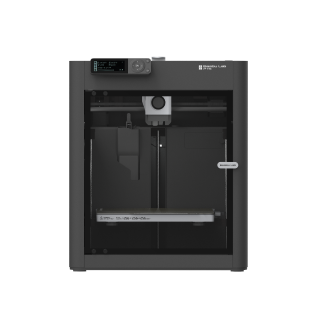
Bambu Lab P1S
P1S (standard, without AMS - not the P1P, P1S Combo or P2S)
The lowest band here, two years of cover, and the only machine named in its maker's own free fleet software. The one that scales.
- Build volume
- 256 × 256 × 256 mm (Bambu Studio defaults to 250 mm height)
- Technology
- FDM
- Max speed
- 500 mm/s toolhead (20 m/s² acceleration)
- Enclosed
- Yes (plastic and glass; chamber temperature regulator fan and activated-carbon filter)
- Multi-colour
- Optional (AMS or AMS 2 Pro sold separately or as a Combo)
- Auto levelling
- Yes (automatic bed levelling sensor)
What we like
- Its maker's own fleet software is free, keeps files and commands on the local network and sets no limit on printer count
- Two years of cover at the lowest price band on this page
- A LAN-only mode keeps the machines off the manufacturer's cloud entirely
- Confirmed still in production in February 2026, so identical replacement units stay available
What we don’t
- Fibre-reinforced filament sits in Bambu Lab's own "Not Recommended" tier without an extruder and hotend upgrade
- A chamber regulator fan rather than a published heater, so hot materials are a stretch
- No Ethernet on its connectivity list — a fleet runs over Wi-Fi
- Filament odometry needs an AMS, and nylon and polycarbonate are rated only "capable"
Ranking the cheapest machine first needs justifying, and the justification is the software. Bambu Lab's fleet tool is free, keeps commands and files on a local network, names the P1 series and sets no hard limit on printer count; nothing else here is named in a maker's own fleet product. The machine underneath is deliberately ordinary — an enclosed CoreXY frame over a 256 mm cube, a 300 °C nozzle on a 100 °C bed, ABS and ASA on its ideal list with nylon and polycarbonate only capable — and that is the point: Bambu Lab said in February 2026 it will keep making and selling it, so identical replacements stay available, under two years of cover at around the £330 to £400 mark.
Two limits decide whether it is yours. Fibre-reinforced filament sits in Bambu Lab's own "Not Recommended" tier until the extruder and hotend are upgraded, which is why the next machine exists; and the enclosure has a chamber regulator fan rather than a published heater, so the hot end of the material list is a stretch rather than a speciality.
Buy this if you want more capacity rather than more capability and will run the machines on your own network. Skip this if your work is carbon-filled filament, or one machine has to cover everything.
2. The cheapest machine its maker rates for abrasive filament
For the shop whose parts are carbon-filled, where the nozzle is a consumable and everyone knows it.
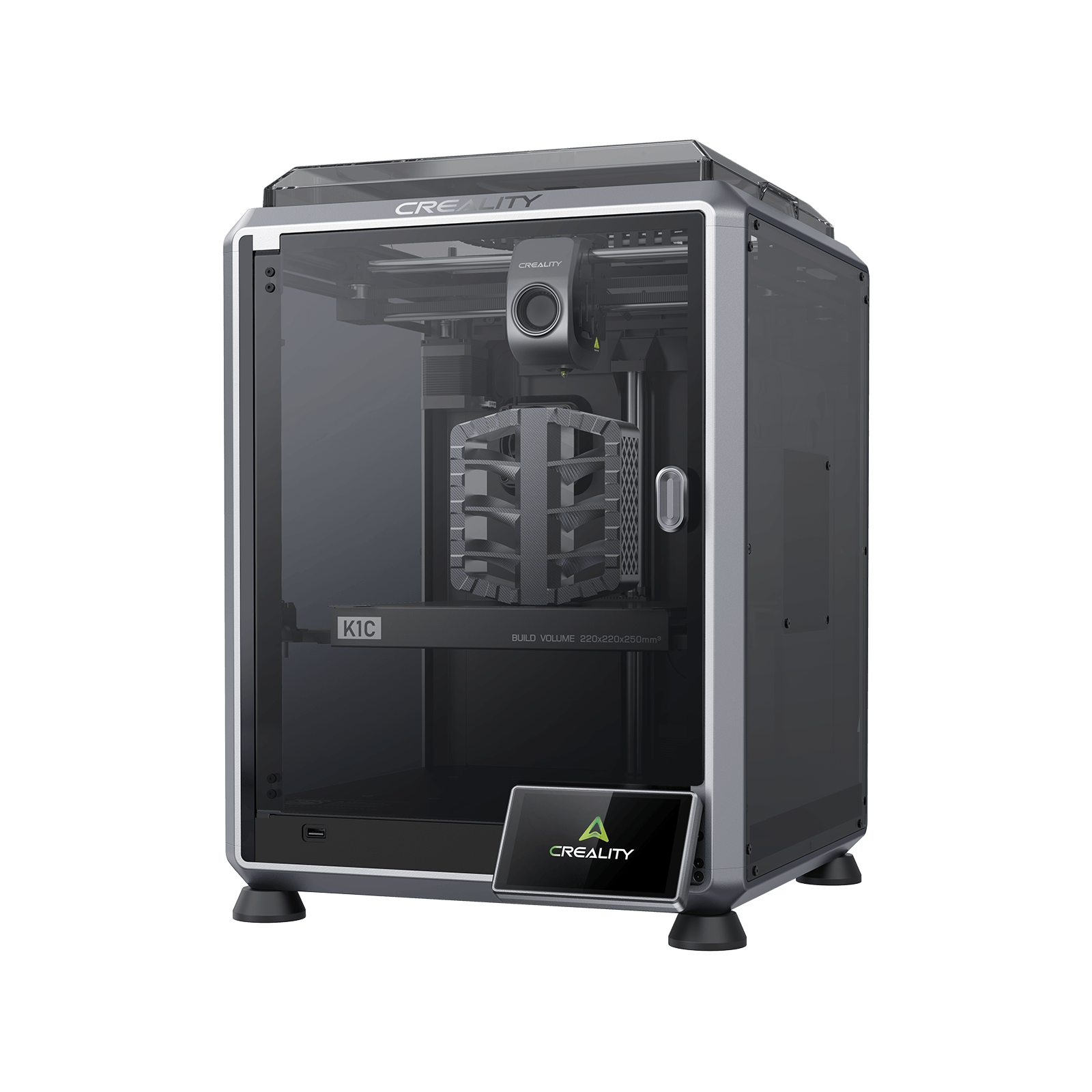
Creality K1C (2025)
K1C 3D Printer (2025 Version) - not the K1, K1 Max or K1 SE
PLA-CF and PA-CF on its own supported list, with a hardened nozzle to suit. The smallest plate here, and no chamber figure.
- Build volume
- 220 × 220 × 250 mm
- Technology
- FDM
- Max speed
- 600 mm/s (CoreXY, 20,000 mm/s² acceleration)
- Enclosed
- Yes (die-cast aluminium unibody, tinted glass sides, acrylic lid)
- Multi-colour
- Optional (Creality CFS-C multi-colour kit sold separately)
- Auto levelling
- Yes (hands-free automatic levelling)
What we like
- PLA-CF and PA-CF on Creality's own supported list, with a 0.4 mm hardened steel nozzle to suit
- The only machine here whose maker states a dimensional accuracy figure, at ±0.1 mm over 100 mm
- Run-out detection, power-loss recovery and an AI camera fitted as standard
- Up to 24 months of cover, shipped from Creality's own UK warehouse
What we don’t
- The smallest build volume on this page at 220 × 220 × 250 mm
- No chamber-heating parameter published at all — the enclosure is actively cooled
- Polycarbonate and unfilled nylon are not on the supported list
- No RJ45 port on Creality's interface list, and its support is the dominant complaint about the brand
Fibre-filled filament is abrasive enough to wear a brass nozzle out of tolerance, which is why the machine above is not rated for it until its extruder and hotend are upgraded. Creality lists PLA-CF and PA-CF among this machine's supported filaments and fits an all-metal hotend with a 0.4 mm hardened steel nozzle. At around £350 to £420 it is the least expensive way onto that list. The rest is competent rather than remarkable: a die-cast aluminium unibody with glass sides around the smallest build volume here, 220 × 220 × 250 mm, over a 100 °C bed and a 300 °C nozzle, with up to 24 months of cover from Creality's own UK warehouse.
Note what the list omits. Polycarbonate and unfilled nylon are absent, and Creality publishes no chamber-heating parameter at all — the enclosure is actively cooled rather than heated. There is no RJ45 port on its interface list either, so a wired fleet is out. The owner pattern that bears on uptime is calibration: several owners describe the automatic levelling losing its Z-offset after a period of normal use, leaving the nozzle dragging on the plate, and report that manual offset adjustment does not reliably correct it; this is not consistent across all reports.
Buy this if abrasive filament is a weekly habit and your parts fit a small plate. Skip this if you need polycarbonate, unfilled nylon, a wired network, or a support line you can lean on.
3. Two materials in one job, without a filament changer
For work where the part needs soluble or breakaway support, and a filament changer is one more thing to go wrong.
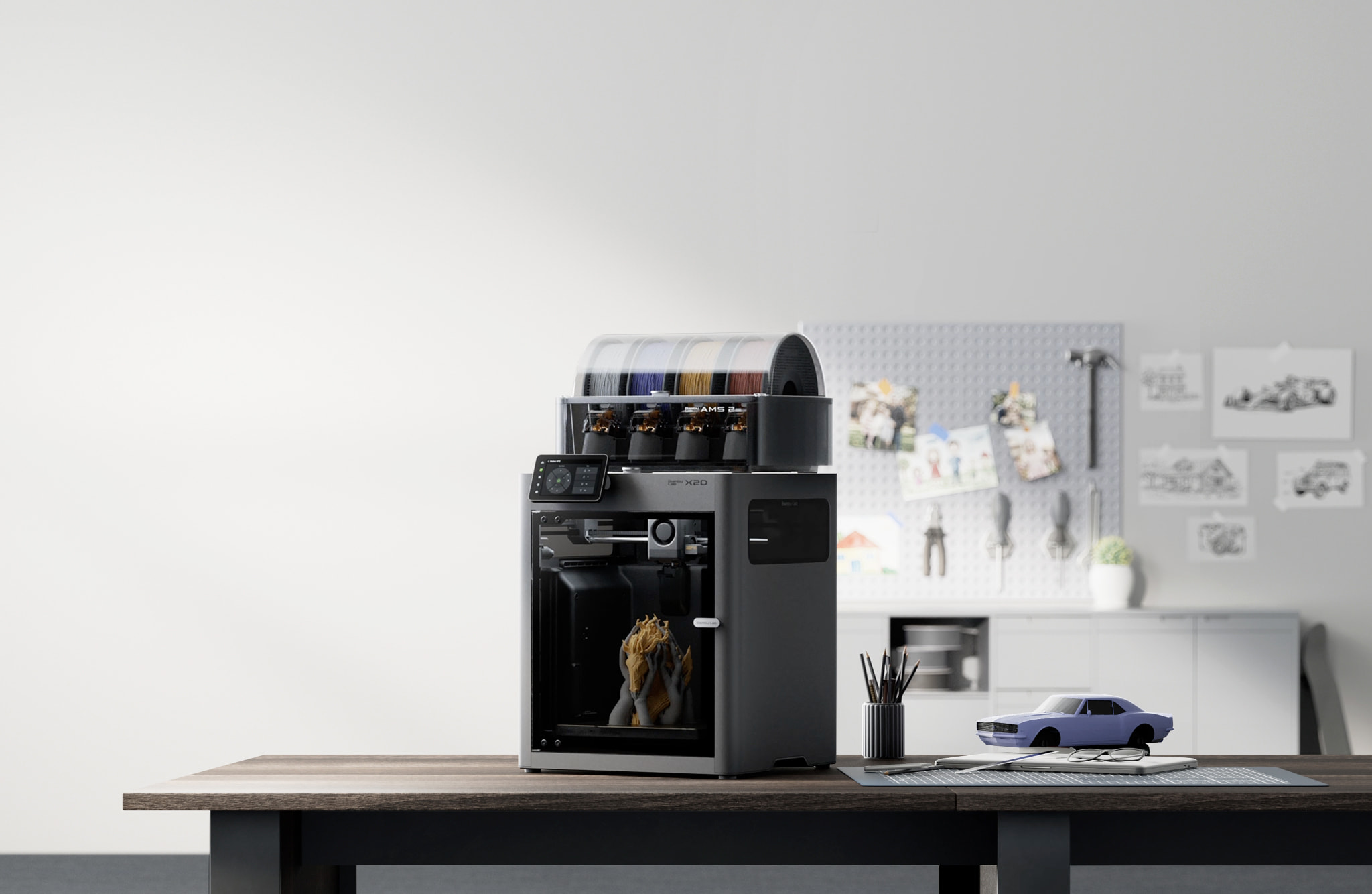
Bambu Lab X2D
X2D (standard unit, supplied without the AMS 2 Pro — not the X2D Combo, and not the P2S or the X1 series)
A second nozzle on the standard unit, so support material keeps its own hotend, behind a 65 °C chamber. The thinnest ownership record here.
- Build volume
- 256 × 256 × 260 mm main nozzle; 235.5 × 256 × 256 mm auxiliary or dual nozzle
- Technology
- FDM / FFF, dual-nozzle toolhead with a mechanically switched auxiliary hotend; actively heated chamber. Bambu Lab's own specification sheet does not name a motion architecture; CoreXY rests on two secondary sources (C0959)
- Max speed
- 1000 mm/s — labelled by Bambu Lab as Max Speed of Toolhead, not a print speed (20,000 mm/s² max toolhead acceleration; 40 mm³/s max hotend flow)
- Enclosed
- Yes — outer frame of plastic, glass and metal, with a door sensor, an external exhaust fan and active chamber heating to 65 °C
- Multi-colour
- Dual nozzle on the standard unit, so two materials without an AMS; the X2D Combo adds the AMS 2 Pro and is a different SKU
- Auto levelling
- Yes
What we like
- A second nozzle on the standard unit, so support material keeps its own hot end
- Active chamber heating to 65 °C over a 120 °C bed, with PA, PC and fibre-filled grades listed
- Dedicated support materials including one for ABS and water-soluble PVA
- Two years of UK cover, with the term paused while a machine is away for repair
What we don’t
- Using the auxiliary nozzle cuts usable width from 256 mm to 235.5 mm
- Ethernet, a network kill switch and 802.1X are all listed as not available
- Bambu Lab flags PLA Silk, PETG-CF, ASA-CF and PA6-CF for caution on the auxiliary hotend
- The newest machine here, with an ownership record only months deep
Printing a part in one material and its supports in another normally means a changer purging the hotend at every switch. Two nozzles solve it differently: each material keeps its own hot end, and Bambu Lab lists dedicated support materials for the main hotend including one for ABS and water-soluble PVA. Behind that sits active chamber heating to 65 °C, a 300 °C nozzle over a 120 °C bed and a main-hotend list reaching PA, PC and fibre-reinforced grades, under two years of UK cover at around £560 to £630.
The catch is inside the headline feature. Using the auxiliary nozzle costs about 20 mm of width — 256 × 256 × 260 mm on the main nozzle becomes 235.5 mm wide as soon as the second is involved — and Bambu Lab flags PLA Silk, PETG-CF, ASA-CF and PA6-CF for caution on that hotend. For a fleet it is the worst choice here: its own sheet lists Ethernet as not available. And the honest reservation is age: owners on the manufacturer's own forum are the ones pointing out that this machine is still too new to judge on long-run reliability, quoting their own totals in the low hundreds of hours and suggesting a thousand as the point worth waiting for, so the long-term record that exists for older models in the range simply does not exist here yet.
Buy this if two-material parts are the work and you are comfortable being an early owner. Skip this if uptime is the whole point, you want a wired network, or you need the full plate width on every job.
4. The widest published material envelope at this size
For the engineering filament printer that has to cover nylon and polycarbonate as routine work rather than as an occasional experiment.
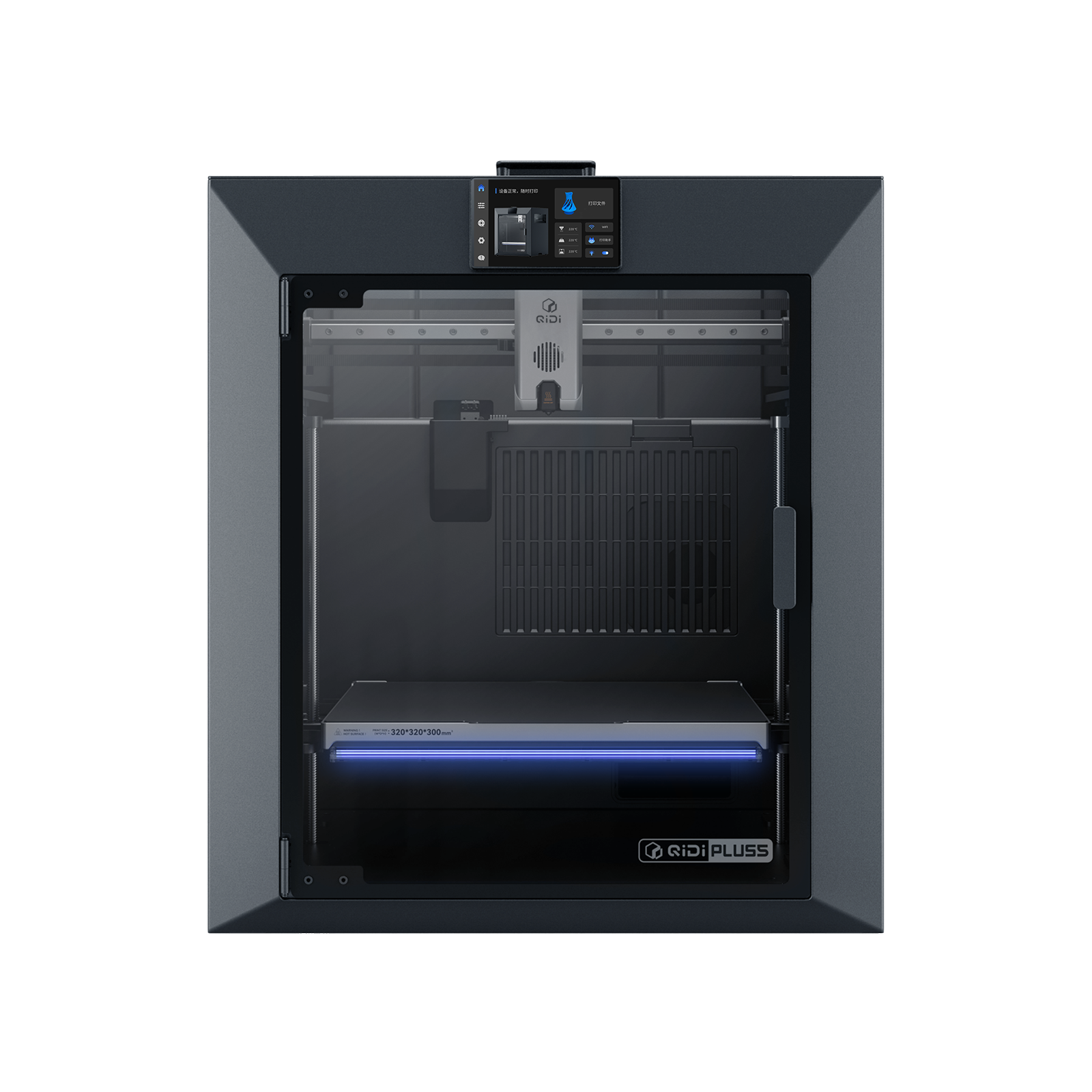
QIDI Plus5
QIDI Plus5 (standard, not the Plus5 Combo with QIDI Box, and not the Plus4)
A 370 °C nozzle over a 65 °C chamber, with nylon, polycarbonate and fibre-filled grades on the maker's own list, plus Ethernet. One year of cover.
- Build volume
- 320 × 320 × 300 mm
- Technology
- FDM
- Max speed
- 600 mm/s toolhead (≤20,000 mm/s² acceleration)
- Enclosed
- Yes, with independent active chamber heating up to 65 °C (3rd generation)
- Multi-colour
- Optional (compatible with QIDI Box; the Combo bundles it for 16 colours)
- Auto levelling
- Yes (hands-free, loadcell sensor integrated into the hotend)
What we like
- A 370 °C nozzle over a 65 °C actively heated chamber, the widest material permit at this size
- Nylon, polycarbonate and fibre-reinforced polymers all on QIDI's own supported list
- Wired Ethernet for local control, plus documented fully offline printing from a USB drive
- OrcaSlicer and PrusaSlicer named as supported, so the workflow is not locked to one vendor
What we don’t
- One year of warranty, and the statement says nothing either way about commercial use
- A chamber hot enough for engineering plastics also warms the extruder above it
- The 600 mm/s headline is a toolhead figure; the hotend typically runs around 30 mm³/s
- A substantial 29 kg object, and no dimensional accuracy figure is published
The temperature pairing sets this apart from everything above it. A 370 °C nozzle over a 120 °C bed inside a chamber actively held at up to 65 °C puts nylon, polycarbonate and carbon- or glass-fibre reinforced polymers on QIDI's own supported list — the materials the cheaper machines either rate merely capable or omit. It prints them across 320 × 320 × 300 mm on a CoreXY frame with a linear rail on X and two independent Z lead screws, through a direct extruder with a bimetal nozzle.
It is also the best-connected machine so far: QIDI publishes Ethernet as the wired route for stable control on your own local network, and documents fully offline printing from a USB drive, with OrcaSlicer and PrusaSlicer supported. Read the speed claim carefully, though — 600 mm/s is labelled the maximum speed of the tool head, while the hotend that limits throughput is rated 40 mm³/s and noted as typically running around 30 mm³/s on high-speed PLA and ABS. Cover is one year on a 29 kg machine around the £650 to £750 mark. Discussion of these heated-chamber machines keeps returning to the same tension — a chamber hot enough for engineering plastics also warms the extruder above it, and heat creep on a long job is what owners watch for, although reports differ on how much it actually bites.
Buy this if nylon, polycarbonate or fibre-filled filament is routine and you want the machine wired. Skip this if you want an appliance, or need more than a year of cover.
5. When the part will not fit anything else
For the shop that keeps splitting parts across two prints and gluing them back together.
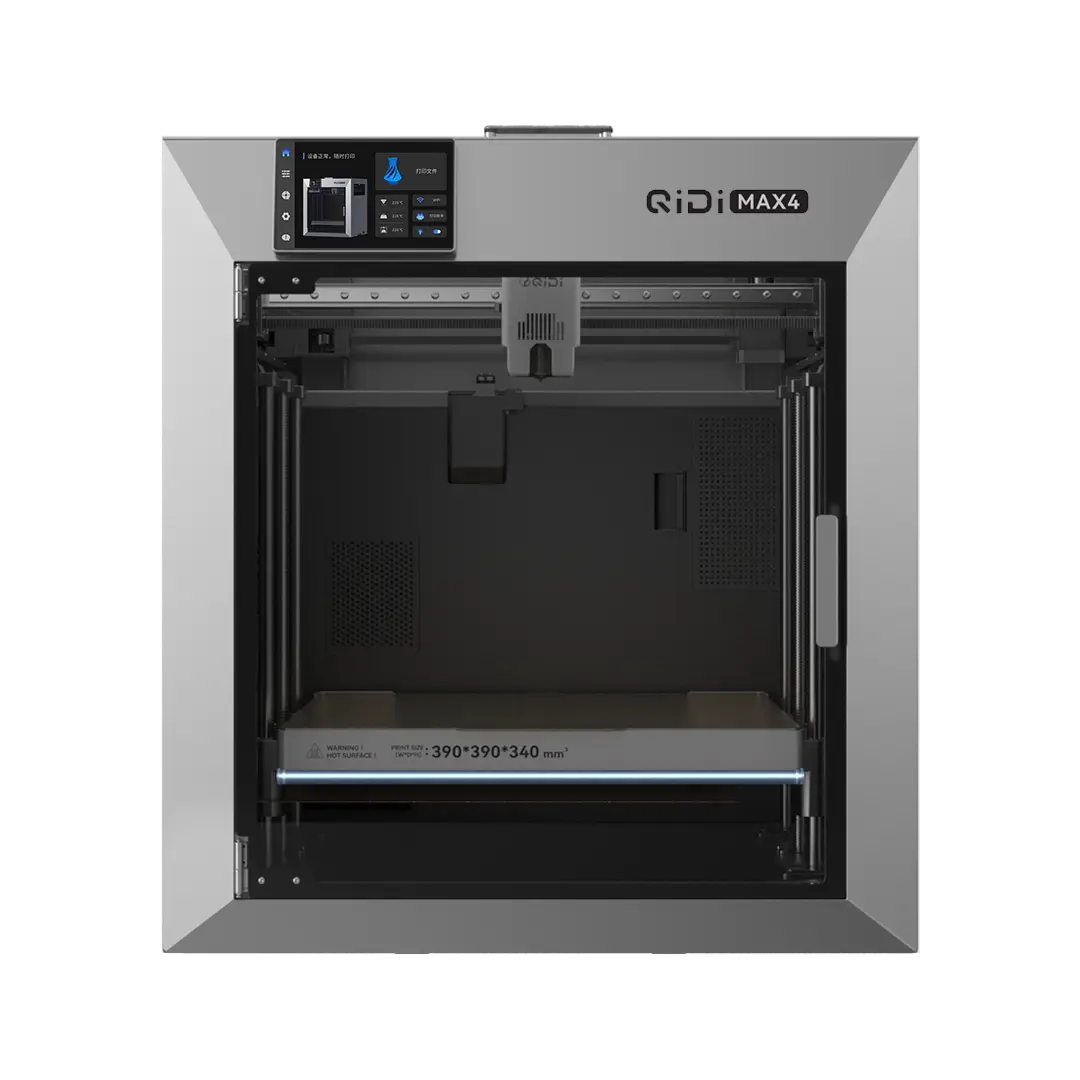
QIDI Max4
QIDI Max4 (standard unit with Polar Cooler — not the Max4 Combo with QIDI Box, and not the Plus5 or X-Max 3)
The largest plate here by a wide margin, keeping the same 370 °C nozzle and 65 °C chamber. Forty kilograms, and no owner record yet.
- Build volume
- 390 × 390 × 340 mm
- Technology
- FDM (FFF)
- Max speed
- 800 mm/s max toolhead speed; ≤30,000 mm/s² acceleration; 40 mm³/s max hotend flow
- Enclosed
- Yes, with third-generation independent active chamber heating up to 65 °C (PTC heater, rated 500 W); flame-retardant chamber materials
- Multi-colour
- Optional (compatible with QIDI Box; the Max4 Combo bundles it and is a separate SKU)
- Auto levelling
- Yes — hands-free automatic levelling from a load cell integrated into the hotend, with the nozzle acting as the sensor
What we like
- 390 × 390 × 340 mm, by a wide margin the largest plate on this page
- Keeps the 370 °C nozzle and a third-generation 65 °C chamber at that size
- Dual-band Wi-Fi, wired Ethernet and USB, with OrcaSlicer and PrusaSlicer supported
- Sold in sterling from QIDI's own UK store, despatched in one to three business days when checked
What we don’t
- 40 kg net and 558 × 578 × 612 mm — a two-person installation and a bench decision
- One year of UK warranty on a four-figure machine
- The extruder cooler it needs ships separately, within a month of the order
- No owner community for the model could be reached, so the ownership picture is unknown
Build volume is the one specification you cannot work around: a part that does not fit gets cut up, printed twice and joined, and the joint is where it fails. At 390 × 390 × 340 mm this is the largest plate here by a wide margin — 70 mm more in each horizontal axis than the 320 × 320 × 300 mm machine above it. What makes it professional rather than merely big is that nothing was given up for it: the nozzle still reaches 370 °C over a 120 °C bed, inside what QIDI calls third-generation independent chamber heating to 65 °C, with nylon, polycarbonate and fibre-reinforced polymers on its own list and Ethernet fitted. The hotend is rated at 40 mm³/s — the same ceiling as the smaller machine above, which is how to read this one: a bigger plate, not a faster printer.
Three things to know before ordering. It is a two-person installation at 40 kg net and 558 × 578 × 612 mm on the bench; the extruder cooler it needs ships separately, within a month of the order; and cover is one year, in stock from QIDI's own UK store in the £890 to £1,000 band when checked. This is also the one machine here with no usable ownership record: no community for the model could be reached, and what exists is vendor copy or uncited summary. Treat the specification as well evidenced and the ownership experience as unknown.
Buy this if part size is the binding constraint and you can lift it into place. Skip this if you want a proven ownership record, or a year of warranty on a four-figure machine is too thin.
6. The one built to outlive the company that sold it
For the buyer whose risk is not a bad print but a machine that becomes unrepairable in four years.
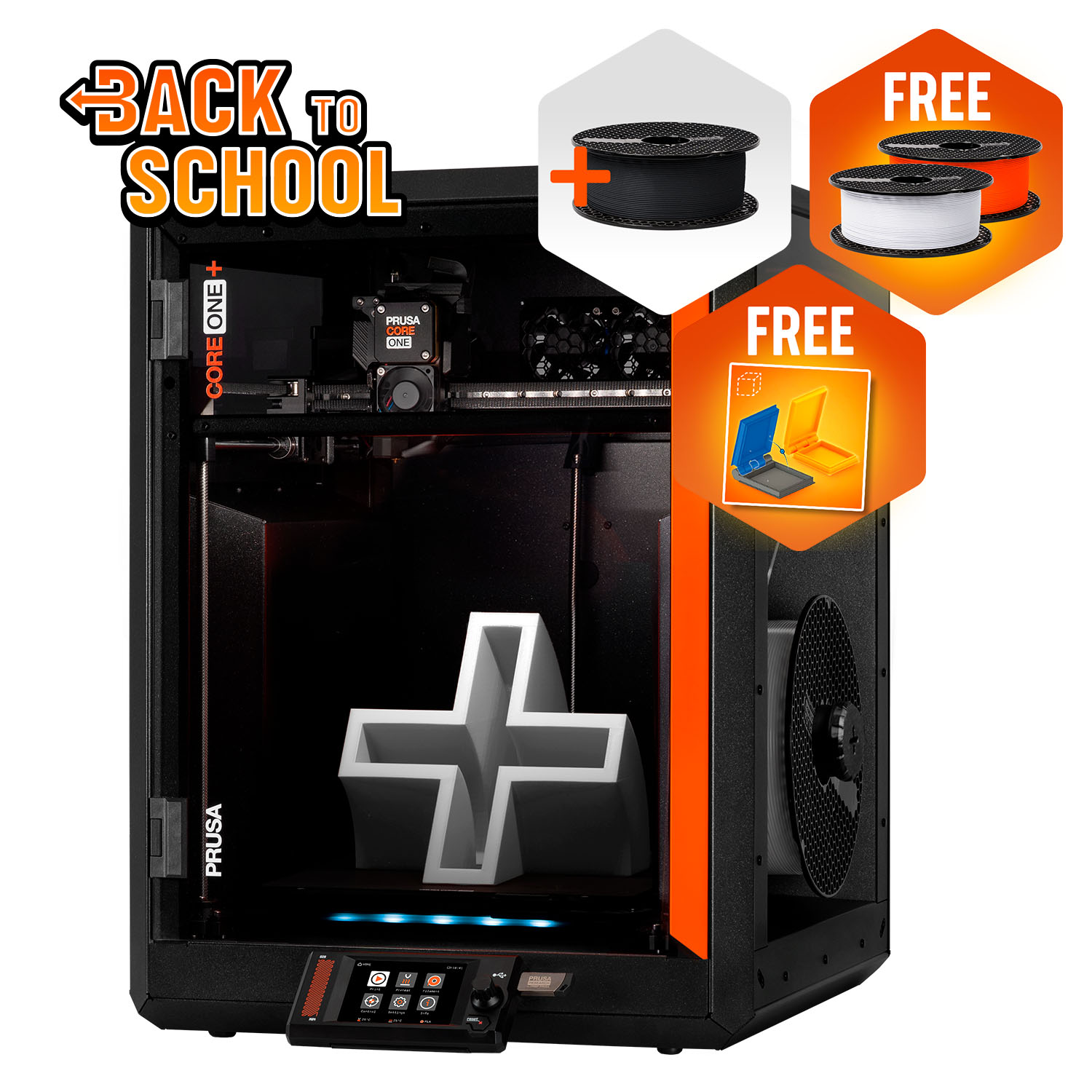
Prusa CORE One+ (Gen 2)
CORE One+ (Gen 2), assembled
The only machine here with a part-level spares catalogue, an open slicer and offline operation. The dearest, with the shortest UK warranty.
- Build volume
- 250 × 220 × 270 mm
- Technology
- FDM
- Max speed
- Not stated on manufacturer product page - Unverified
- Enclosed
- Yes (fully enclosed CoreXY; active chamber heating up to 55 °C)
- Multi-colour
- Optional (MMU3 5-filament unit or INDX tool-changer up to 8 tools, sold separately)
- Auto levelling
- Yes (fully automatic load-cell first-layer calibration)
What we like
- A 773-item spare-parts catalogue with a section for this family, so a failure ends with a named part
- Can be configured and run entirely offline, with the Wi-Fi module physically removable
- PrusaSlicer with over 200 factory-tuned profiles, and Prusa Connect for several printers
- The lowest power draw here by a wide margin, around 90 W on PLA
What we don’t
- One year of UK cover against two for EU consumers, on the dearest machine here
- The coolest chamber of the four that heat one, at 55 °C, and nearly the smallest plate
- ABS, ASA, HIPS and nylon need the enclosure, and the filtration unit is sold separately
- Ordering direct ships from Prague with UK VAT, duty and a courier fee on delivery
Every other machine here is bought for what it can do; this one for what it will still be doing later. Prusa's spare-parts catalogue listed 773 individual items when checked, in per-model sections including one for this family — so a failure ends with a named part, not a courier booking. It runs PrusaSlicer with over 200 tuned profiles and can be run entirely offline with the Wi-Fi module unplugged. A recurring theme among Prusa owners is that repairability and the upgrade path are what they are paying for, rather than headline features.
On paper it is the weakest machine here, and that is the trade: a 250 × 220 × 270 mm plate, a chamber reaching 55 °C — the coolest of the four that heat one — and a nozzle stopping at 290 °C unless you buy the high-temperature hotend, which takes it to 400 °C. Prusa also puts ABS, ASA, HIPS and nylon behind the enclosure and sells its filtration unit separately. Power draw is the lowest here by a wide margin, around 90 W on PLA.
The UK terms are the problem: one year for a UK buyer where an EU, Swiss, Norwegian or Icelandic consumer gets two, on the dearest machine here. The material counterweight is PLA: owner reports on the Prusa forum repeatedly describe PLA heat-creep clogs in the enclosed chamber, particularly in warm rooms, with opening the door or vent for PLA the commonly shared remedy. Prusa's answer is a top vent that opens automatically for PLA and PETG.
Buy this if the machine has to stay serviceable and vendor-independent for years. Skip this if you need the biggest envelope for the money, or more than a year of UK cover.
What to look for before you buy one
Check whether the uptime features are standard or an invoice. This is where the specification sheets are least comparable. Tangle detection on the Max4 needs the QIDI Box, and its extruder cooler ships separately; Prusa's filtration unit is its own bundle; Creality's multi-colour CFS unit is bought separately. Price the machine you will actually run, not the one on the page.
Measure the bench, and check the filtration. These are not desk objects: the Max4 is 40 kg net and 558 × 578 × 612 mm, and all of them want clearance above for the lid. Each fits filtration of its own, and the specification varies — an activated-carbon filter on the P1S against a three-stage HEPA and carbon unit on the Plus5 — so read what a given machine actually fits before siting it where people work.
What one of these costs to run in the UK
Running costs here are usually quoted by the year, which is no use when you are pricing a job. So here it is per machine-hour. These are estimates built from published figures, not measurements.
Ofgem's price cap puts domestic electricity at 26.32 pence per kWh from October to December 2026, plus a daily standing charge of about 55 pence payable whether anything is plugged in or not. A business tariff will differ; the arithmetic is the same.
Only three of these makers publish a steady-state draw, so only three get an honest figure: the CORE One+ at around 90 W on PLA and 110 W on ABS, the Plus5 at about 190 W on PLA and about 500 W on ABS, and the X2D at 250 W on PLA and 550 W on polycarbonate. At the cap rate that is roughly 2.4p, 5.0p and 6.6p an hour on PLA, rising to about 2.9p, 13.2p and 14.5p once the chamber and bed are working for an engineering material — so a twelve-hour nylon job on the Plus5 is about 6 kWh, a little over £1.50 of electricity. The pattern matters more than the pennies: hot materials cost two to five times what PLA does, because the bed and chamber do the work, not the nozzle.
What the other three publish are ratings rather than consumption. The P1S is rated at 1000 W, the K1C at 350 W, and the Max4 at 150 W plus 500 W of chamber heating plus 700 W for the bed — separate ratings that must not be added and read as a bill. Bambu Lab makes the point itself, rating the X2D at up to 1600 W but stating the peak holds only three to five minutes while the bed heats. A rating is a fuse size. Budget instead for what recurs: nozzles, plates, filters and belts.
UK availability, warranty, support and spare parts for commercial use
This is the section a commercial FDM printer buyer needs most and the one competitor pages skip. The finding is uncomfortable: warranty length here runs opposite to price.
The two cheapest machines carry the longest terms. Bambu Lab's policy states two years, with some parts on a shorter period, and for the X2D it places the UK inside that coverage area and pauses the term while a machine is away for repair. Creality advertises up to 24 months. QIDI gives one year on both its machines, Prusa one year to a UK buyer.
Two clauses matter if you are buying as a business FDM printer rather than an individual. QIDI's statement says nothing either allowing or excluding commercial use — worth an email before ordering a fleet. Prusa is explicit the other way: its terms presume goods bought by a business are for business purposes and exclude liability for a defect on that basis.
Supply routes decide how long a fault costs you. Prusa's spares catalogue is the deepest here by far, but ordering direct ships from Prague with UK VAT, duty and a courier fee collected above a threshold, though a UK reseller also carries it. QIDI's own UK store quotes in sterling and despatched in one to three days when checked, and the Plus5 comes through 3DJake UK. Creality ships the K1C from a UK warehouse, and Bambu Lab through its own UK store and resellers, where an oversize surcharge of around £45 applied at one stockist.
Support is where the owner record is least comfortable. Creality's own support is the dominant complaint on UK review sites, described as slow to respond and slow to resolve faults, with experiences of the machines themselves sharply split. A long warranty is worth what the claims process makes it worth — which is the argument for checking the spares route before the term.
When none of these is the right purchase
You print mostly PLA. Then much of what you are paying for here is a liability: a hot chamber costs you overhangs, fine detail and heat creep when it is not needed. A lightly enclosed machine will do PLA and PETG better and for less — start from our best FDM 3d printer uk ladder instead.
You need a tolerance you can certify. As set out above, almost nobody here publishes one — you qualify the part yourself, or send the job to a process that comes with a certificate.
The machine has to be quiet. Nobody here can promise it, and only one maker publishes a rating at all. Owners repeatedly trace the noise to the fans rather than the motion system, and a recurring theme is that the chamber fan is the loudest part of the machine when it is running PLA; several describe swapping the fans for quieter ones, and some say they would not run it overnight in a room next to a bedroom. A production machine belongs in a workshop, not behind a desk.
You want one machine to do all of it. The four tests pull against each other: the machine that scales cheapest is not rated for abrasive filament, the one with the widest material envelope has a year of cover, and the most serviceable has the coolest chamber. Buy for the test that costs you most when it fails.
The verdict
The Bambu Lab P1S takes it, and not because it is the best machine here. It takes it because it is the only one its own maker has built free local fleet software for, with no limit on how many you run, and because it pairs that with two years of cover at the lowest price in the selection. On a page about what keeps earning, a machine you can buy four of beats one you can only afford once.
- Buy it if
- Printing is the job, and you would rather add capacity than capability
- Skip it if
- Your work is carbon-filled filament, polycarbonate or parts bigger than a shoebox — take the K1C, the Plus5 or the Max4 instead
The wider conclusion is the warranty inversion: the two cheapest machines give a UK buyer two years and the two dearest give one. Spending more buys a larger envelope, not more protection — so the spares route and the support record deserve the weight most buyers give to the specification.
After that it divides by constraint: the K1C for abrasive filament, the X2D for two-material parts, the Plus5 for nylon and polycarbonate, the Max4 when the part fits nothing else, and the CORE One+ to still be repairing it in 2032.
How this article was researched
No machine here was bought, opened, run or measured. Every specification, warranty term and power figure comes from the manufacturer's own page, sheet, manual or warranty policy, and is traceable through the citation beside it. UK prices are bands, checked in late September and early October 2026, and are not live figures. Owner-experience passages summarise recurring patterns from manufacturer forums and UK review sites in our own words — never a quoted review, a rating or a review count. Facts that could not be confirmed from a primary source were left out rather than estimated, and the omissions are recorded in this page's quality report.
Common questions
- Which FDM printer is reliable for production?
- No manufacturer on this page publishes a reliability figure, a mean time between failures or a duty cycle, so the question cannot be answered from specifications. What can be compared is the three things that decide what a fault costs you: whether the uptime features are standard, how long the UK warranty runs, and whether spare parts are sold individually. On that basis the Bambu Lab P1S is the pick here — two years of UK cover at the lowest price band, and the only machine named in its maker's own free fleet software, so capacity can be added in identical units. The opposite argument is the Prusa CORE One+, whose 773-item spares catalogue means a failure ends with a named component rather than a shipping label. Both arguments have the same ceiling, and it is worth stating plainly: Prusa's own handbook instructs owners not to leave a printer unattended while it is switched on, because an unexpected component failure can pose a fire risk. No camera or sensor on any of these machines changes that instruction.
- What chamber temperature is useful?
- It depends on the filament rather than the machine, and the maker who publishes the clearest guidance is QIDI. Its own grading puts a heated chamber as strongly recommended for polycarbonate, recommended for ABS and ASA, recommended in many cases for nylon, dependent on the base polymer for carbon- and glass-filled grades, and usually unnecessary for PLA, PETG and TPU. The rule it gives for setting one is to stay comfortably below the temperature at which the printed part itself begins to soften — and it warns that too much chamber heat causes poor overhangs, sagging detail and heat creep, so a chamber is not something to run at maximum. Among these six the ceilings are 65 °C on the Bambu Lab X2D, the QIDI Plus5 and the QIDI Max4, 55 °C on the Prusa CORE One+, and no published chamber-heating parameter at all for the Creality K1C, whose own list stops at bed and nozzle temperature. If your work is PLA and PETG, a heated chamber is a cost rather than a capability.
- Which ecosystems support fleet management?
- Three of the four brands here document something, and they are not equivalent. Bambu Lab's fleet tool is the most complete: free, running entirely on a local network with commands and files handled locally, naming the P1 series and setting no hard limit on printer count, and the same machines can be put in a LAN-only mode that keeps them off the manufacturer's cloud at the cost of remote printing and the phone app. QIDI's answer lives inside the slicer rather than on a server — QIDI Studio connects and controls several QIDI printers at once and can send one sliced file to all of them once multi-device mode is enabled — which is a genuine convenience but should not be described as a fleet manager. Prusa Connect is described by Prusa as managing multiple printers, and unusually the machine can be configured and run entirely offline with its Wi-Fi module unplugged. For Creality, no primary source documenting batch sending or multi-printer control could be reached for this page, so nothing is claimed either way. Owners running several machines consistently report that the software, not the hardware, is the hard part.