Best Quiet 3D Printers UK
Six quiet 3D printers ranked on the noise figures their makers actually publish, what a dB claim leaves out, and whether an enclosure really helps.
Independent and reader-funded. We earn a commission if you buy through our links, at no extra cost to you. How this works.
Start with the number nobody selling you a printer puts next to theirs. The World Health Organization's guideline for good-quality sleep is under 30 dB(A) in the bedroom at night. The quietest machine on this page, on its maker's own figure, is 44 dB.
That gap reframes the question. Nothing sold as the best quiet 3d printer uk buyers can order is silent. What you are actually choosing between is a machine you can share a room with and a machine you can hear through a closed door — a real distinction, and one you can buy on evidence rather than adjectives.
So this page ranks on what manufacturers will put in writing. Four of the six publish an acoustic figure; one documents a quiet mode and states what it costs; one publishes nothing and is here anyway, because it is the machine most often recommended as quiet. Two things are worth knowing first. The decibel scale is logarithmic, so a quiet mode advertised as saving 2 dB offers roughly twice the smallest difference a person can hear. And the loud part of a modern printer is almost never the part the marketing is about.
The six, on what their makers will put in writing
Two rows here appear on no competing page. Published noise figure separates a number a manufacturer has committed to from one a reviewer estimated. Documented quiet mode asks whether the maker says what the setting changes, and what it costs.
| Specification | 1 ELEGOO Centauri Carbon 2 Lowest published figure for the money | 2 Anycubic Kobra S1 Combo The only both-modes publication | 3 Prusa CORE One+ (Gen 2) A room you share with people | 4 Bambu Lab P1S The enclosed default | 5 FlashForge Adventurer 5M Pro Filtration as well as low noise | 6 Bambu Lab A1 mini Smallest and cheapest |
|---|---|---|---|---|---|---|
| Best for | Documented quiet on a budget | Seeing what a quiet mode buys | A shared office or study | Materials range, noise accepted | Noise and fumes together | A desk, a shelf, a small room |
| Published noise figure | Under 45 dB in silent mode | 46 dB standard, 44 dB quiet | None published | None published | 50 dB low-noise, 55 dB standard | None published |
| Documented quiet mode | Silent mode, no detail published | Quiet print mode, no cost stated | Stealth Mode — caps acceleration, feedrate and jerk; longer prints stated | Not documented on pages reached | Low-noise mode, no detail published | None |
| Measurement distance stated | No | No | N/A — no figure | N/A — no figure | No | N/A — no figure |
| Enclosure | Enclosed, thermally regulated | Enclosed CoreXY | Enclosed, chamber heated to 55 °C | Enclosed, with a chamber regulator fan | Enclosed, HEPA and carbon filtered | None — open frame |
| Build volume | 256 × 256 × 256 mm | 250 × 250 × 250 mm | 250 × 220 × 270 mm | 256 × 256 × 256 mm | 220 × 220 × 220 mm | 180 × 180 × 180 mm |
| Rated power | Not confirmed by the maker | 1500 W on UK mains | 90 W on PLA, 110 W on ABS | 1000 W at 220 V | 350 W | 150 W maximum |
| UK warranty | 12 months, consumables excluded | 1 year, plus a 14-day return | 1 year for a UK buyer | 2 years | 12 months, 3 on extruder parts | 2 years |
| Typical UK price | £280–£310 | £340–£400 | £1,150–£1,300 | £330–£400 | £340–£490 | £170–£270 |
Read the top two rows against each other: the lowest published number belongs to the second cheapest machine, and the most expensive publishes none at all.
How these six were chosen, and how to read a decibel figure
Nothing here was bought, opened or run. Every machine was researched at the desk against manufacturer pages, specification tables, knowledge-base articles and warranty terms, with UK price and stock checked in September 2026; owner evidence comes from manufacturer forums. The general approach is set out in our review methodology. A machine earns a place on a low noise 3d printer page by what its maker documents, or by evidence strong enough to stand without a specification.
Three things make a published figure weaker than it looks. None states a distance — level falls by roughly 6 dB each time you double it, so figures taken at two metres and at half a metre could describe the same machine and differ by more than the entire spread on this page. The scale is not linear — two identical sources at 90 dB combine to about 93 dB rather than 180 dB, and the smallest difference most people detect is around 1 dB. And a figure can be wrong in practice.
The clearest case of that last one is a machine not on this list. Creality rates the K1C at 45 dB or below, which would put it among the leaders. Owner reports on Creality's own forum repeatedly single out fan noise rather than the motion system, and a recurring response is to fit quieter fans or printed shrouds; several describe it as too loud for a shared room, although this is not consistent across all reports. A specification contradicted by the people living with it cannot carry a recommendation here.
No commercial tiebreak was used, and the ordering runs mildly against revenue. If noise is not your deciding factor, the broader best 3d printer uk guide is the better start.
What is actually making the noise — and whether an enclosure helps
The fans. Not the motors, not the belts, not the frame. This is the most consistent finding across every source read for this page, it holds across four manufacturers, and it changes what you should be shopping for.
A current printer runs several fans at once and only one is doing the job you bought it for. Behind the part-cooling fan sit fans with no interest in your print: a chamber fan managing enclosure temperature, a fan over the control board, a fan in the power supply — running on their own logic, sometimes whenever the machine is on.
Owners repeatedly trace the noise to the fans rather than the motion system, and a recurring theme is that the chamber fan is the loudest part of the machine when it is running PLA; several describe swapping the fans for quieter ones, and some say they would not buy the machine again on noise grounds.The unusual part is that a manufacturer agrees. Prusa's documentation for its quiet mode describes the printer as almost inaudible in the case where the print cooling fan is the noisiest part of it. Once the motion is slowed, the fan is what is left, and the fan is the ceiling — which is why motion-system marketing is close to useless here. Klipper describes input shaping as a technique for reducing ringing in prints, not noise.
That settles the question people really ask, and anyone shopping for a quiet enclosed 3d printer needs the answer in two halves. Panels alone help a great deal. FlashForge publishes a before-and-after for bolting its own enclosure onto the open-frame Adventurer 5M: 65 dB down to 55 dB — as close to a controlled measurement as this category offers, and roughly ten times the smallest difference a person can detect. Crucially, that kit is passive.
An enclosure that has to hold heat is a different proposition, because a sealed box around a hot end cooks its own electronics, so it gets a fan — the P1S carries a chamber temperature regulator fan and an auxiliary part-cooling fan inside its shell.
Owner reports from people who moved from the open-frame version to the enclosed one are genuinely divided: several credit the panels with damping the mechanical sound, while others attribute a net increase to the extra fans the enclosed model carries, and a recurring point is that printing PLA with the door and lid open removes the damping while leaving the fans running.PLA is what most people print, and it does not want a hot chamber — so the enclosure gets opened, the panels stop working and the fans carry on. Prusa's CORE One+ vents automatically for PLA and PETG so the door can stay shut.
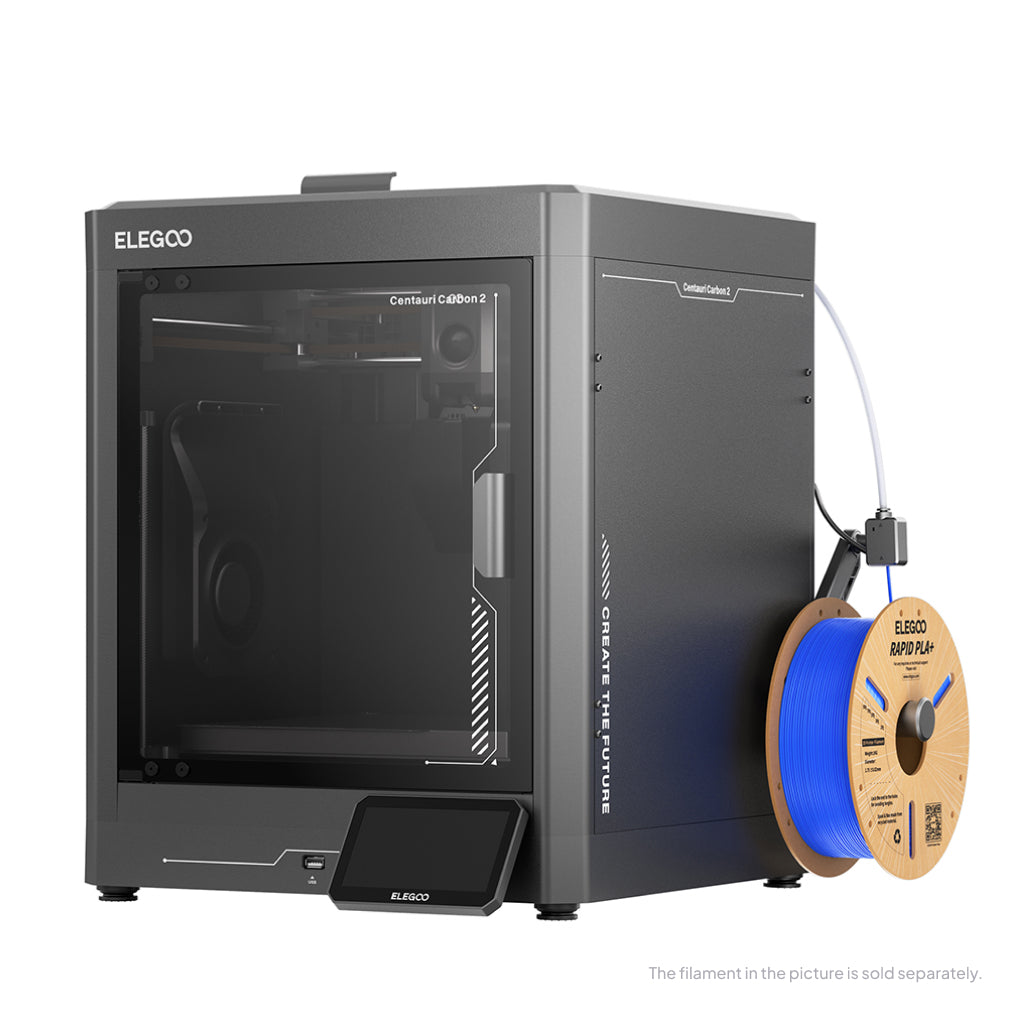
Lowest published figure for the money: ELEGOO Centauri Carbon 2
If you want the best documented noise-per-pound here, this is where the evidence points. ELEGOO quotes under 45 dB in silent mode — the lowest published figure on the page — on an enclosed machine in the £280 to £310 band, cheaper than four of the five machines it faces.
ELEGOO Centauri Carbon 2
Centauri Carbon 2 (standard, without CANVAS - not Combo)
The lowest published silent-mode figure on this page, on an enclosed CoreXY machine at the second-lowest price. ELEGOO also publishes the most honest caveat in the category about what moves a real measurement. Feedback on noise splits above normal speeds.
- Build volume
- 256 × 256 × 256 mm
- Technology
- FDM
- Max speed
- 500 mm/s (CoreXY)
- Enclosed
- Yes (thermally regulated enclosure)
- Multi-colour
- Optional (CANVAS 4-colour system; included only in the Combo; standard unit can be upgraded)
- Auto levelling
- Yes — full-auto calibration with 121-point auto-levelling and partial bed-levelling
What we like
- Under 45 dB in silent mode — the lowest figure any maker publishes on this page
- Enclosed CoreXY with a 350 °C hardened steel nozzle over a 110 °C bed
- HEPA and coconut-shell carbon filter media included, not sold separately
- ELEGOO publishes what changes a real measurement: speed, fan behaviour, model shape, table resonance
What we don’t
- The figure covers silent mode only — nothing is published for standard printing
- Owner reports split above normal speeds, with vibration described at the fastest settings
- No measurement distance, microphone position or standard stated for the figure
- Twelve months of cover, with plate, PEI platform and nozzle kit excluded as consumables
The figure is not bought by making the machine feeble: it is an enclosed CoreXY running a 350 °C hardened steel nozzle over a 110 °C bed, rated by ELEGOO for PC, PET and fibre-reinforced filaments.
The caveat is ELEGOO's own, and publishing it is to its credit: the real level varies with print speed, fan speed, model shape, table resonance and ambient noise. Silent mode is also the only mode with a figure attached, so that number describes the machine at its most restrained rather than the machine you will mostly run.
Noise reports are mixed, with some owners finding the machine acceptable at normal speeds and others describing significant vibration at its fastest settings. That splits along exactly the line the maker's caveat predicts, and points to the same fix: what the machine stands on matters as much as which mode it is in. Cover is twelve months, consumables excluded.
Buy this if you want the lowest published acoustic figure available, on an enclosed machine, for under £320. Skip this if you will mostly print fast, because the number describes silent mode and the evidence diverges above it.
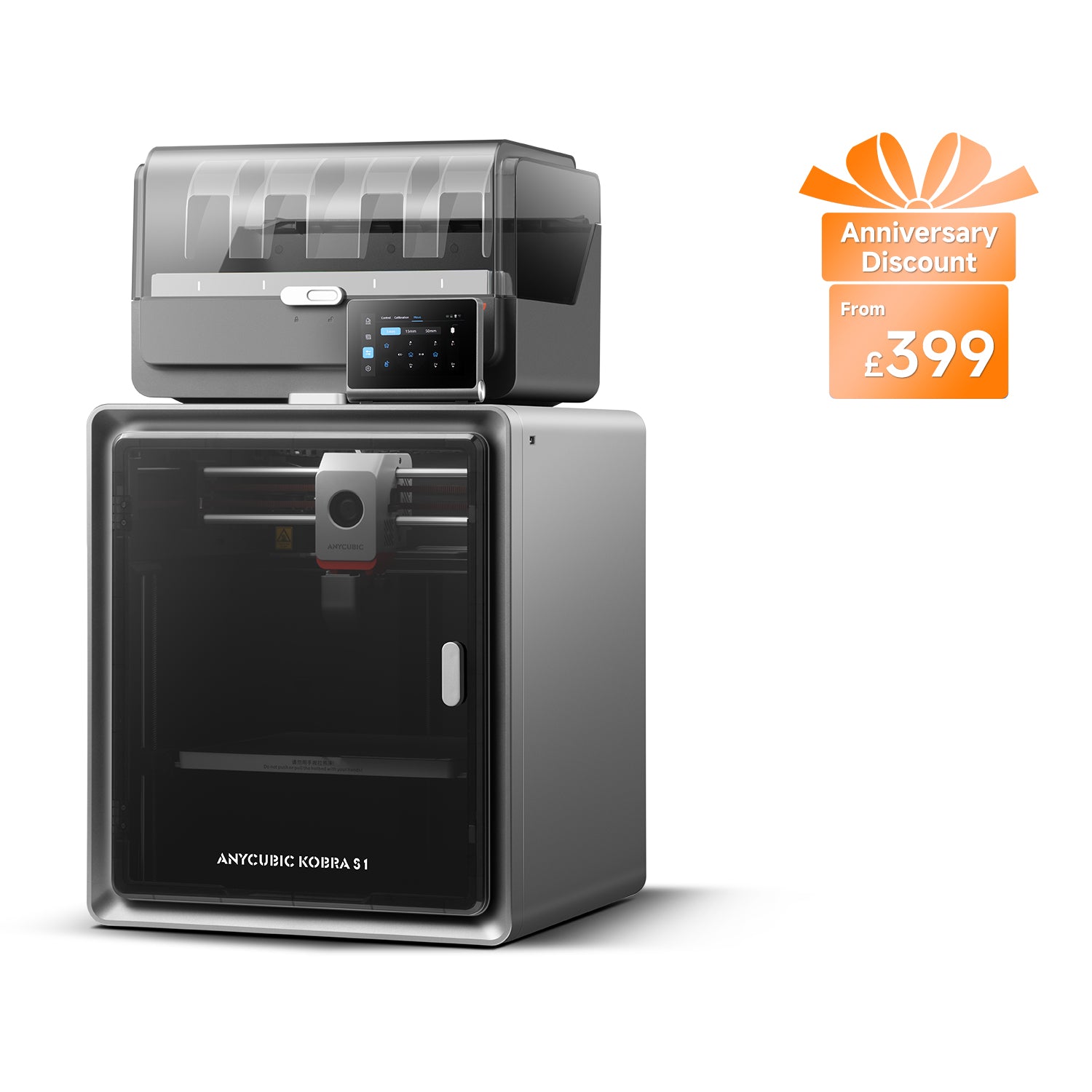
The only machine that publishes both modes: Anycubic Kobra S1 Combo
Every maker advertising a silent 3d printer gives you one number. Anycubic gives you two, which makes this the most instructive machine here whether or not you buy it: as low as 46 dB in standard print mode and as low as 44 dB in quiet print mode, with the European store repeating the quiet-mode figure and no measurement distance anywhere.
Anycubic Kobra S1 Combo
Kobra S1 Combo (enclosed CoreXY supplied with the 4-colour ACE Pro — not the Kobra S1 standalone, the Kobra S1 ACE 2 Pro Combo, the 8-colour two-ACE bundle or the Kobra S1 Max Combo)
The only machine here publishing a figure for both its normal and its quiet mode, which is the most useful thing on this page: the difference is 2 dB. A capable enclosed four-colour machine in its own right, but Anycubic publishes no cost for the mode it is selling.
- Build volume
- 250 × 250 × 250 mm
- Technology
- FDM (FFF)
- Max speed
- Recommended 300 mm/s; maximum 600 mm/s; maximum acceleration 20,000 mm/s² (manufacturer maxima)
- Enclosed
- Yes — fully enclosed CoreXY construction
- Multi-colour
- Yes — 4 colours with the supplied ACE Pro; 8 with a second ACE Pro unit
- Auto levelling
- Yes — LeviQ 3.0 automatic levelling with Z-axis offset
What we like
- Publishes both modes — 46 dB standard and 44 dB quiet — which no other maker here does
- 44 dB quiet-mode figure repeated on Anycubic's own European store
- Fully enclosed CoreXY with four-colour printing and active drying while it prints
- 320 °C nozzle over a 120 °C bed, rated for PLA, ABS, ASA, PETG and TPU
What we don’t
- The quiet mode is worth 2 dB — roughly twice the smallest difference a person can hear
- No speed, print-time or quality cost published for the quiet mode anywhere on the page
- Anycubic may ship a different model, the Kobra S1 ACE 2 Pro Combo, when this one is out of stock
- One year of cover, and rated at 1500 W on UK mains — the highest draw here
So do the arithmetic the specification invites. Two decibels, on a logarithmic scale where the smallest detectable difference is around 1 dB — roughly twice the threshold of audibility. Perceptible in a quiet room at night, but a long way from what the phrase suggests, and the honest answer to what any printer's quiet mode is worth.
The omission is more telling read against the Prusa below, which documents what its quiet mode changes and states the trade-off is a longer print. Anycubic advertises the decibel saving but publishes no cost alongside it — not evidence there is no cost, but an absence a buyer choosing on noise should read as one.
Set the acoustics aside and it is a well-specified enclosed four-colour machine on one year of cover, in the £340 to £400 band. One warning: Anycubic states that when the Combo is out of stock in a region it may ship the enhanced Kobra S1 ACE 2 Pro Combo instead — a different machine. No recurring owner pattern on noise was found either way.
Buy this if you want multi-colour printing and an enclosure, and you value a maker publishing both figures over one publishing only its lowest. Skip this if you expected quiet mode to be a step change.
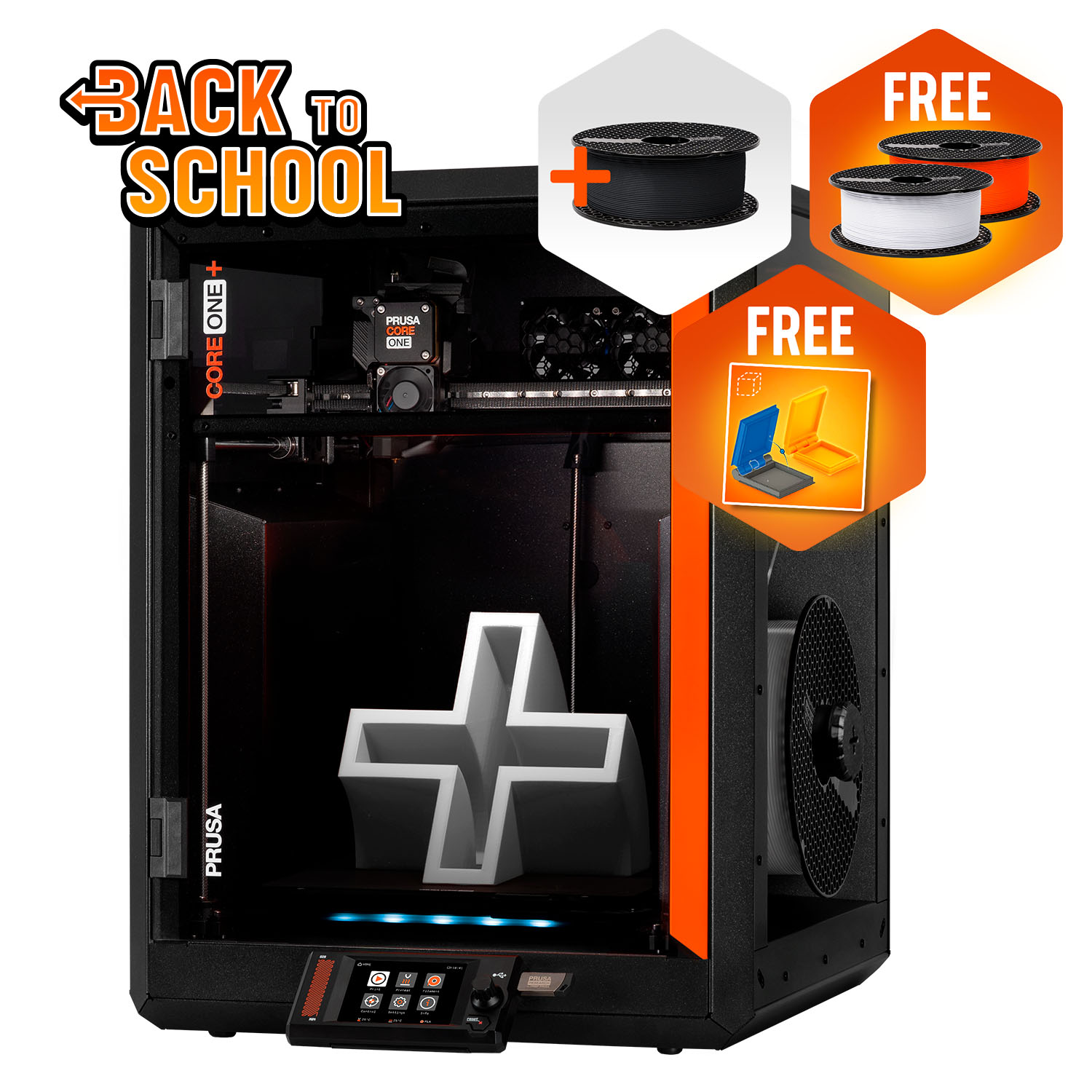
Best for a room you share with other people: Prusa CORE One+
Here is the machine with no decibel figure that still belongs near the top of an office friendly 3d printer shortlist, because it is the only one whose maker treats noise as an engineering problem with a documented solution. Prusa publishes no noise figure for it. Prusa does publish Stealth Mode.
Prusa CORE One+ (Gen 2)
CORE One+ (Gen 2), assembled
No published decibel figure, and the only documented quiet mode on this page whose mechanism and cost are both stated by the manufacturer. Also the only maker here that admits the fan is the limit. Expensive, imported, and a resonant tone at some speeds is the recurring complaint.
- Build volume
- 250 × 220 × 270 mm
- Technology
- FDM
- Max speed
- Not stated on manufacturer product page - Unverified
- Enclosed
- Yes (fully enclosed CoreXY; active chamber heating up to 55 °C)
- Multi-colour
- Optional (MMU3 5-filament unit or INDX tool-changer up to 8 tools, sold separately)
- Auto levelling
- Yes (fully automatic load-cell first-layer calibration)
What we like
- Stealth Mode is documented — it caps acceleration, feedrate and jerk, and Prusa states the cost is a longer print
- The only maker here to concede in writing that the print cooling fan sets the noise floor
- The lowest real printing draw on the page at around 90 W on PLA, 110 W on ABS
- Top vent opens automatically for PLA and PETG, so the door can stay shut
What we don’t
- No noise figure published in dB or dBA at all
- Owners describe a resonant tone at particular speeds that Stealth Mode softens rather than removes
- The most expensive machine here, and one year of cover for a UK buyer rather than two
- Ordered direct from Prague, with UK VAT, duty and a courier fee collected on delivery
Stealth Mode caps acceleration, feedrate and jerk in firmware, and Prusa states plainly that the trade-off is an increased print time. Both halves of that are unusual: a maker saying what its quiet setting does rather than printing a number on a box, and being honest about the bill. It suits a shared room for other reasons too, drawing around 90 W on PLA and 110 W on ABS where most of this page pulls far more, and running entirely offline.
Owner reports concentrate on a resonant tone at particular print speeds rather than on general loudness, and a recurring theme is that Stealth Mode alters the character of the sound and takes a little off it without removing the resonance — several owners describe choosing a print speed that avoids it as the more effective fix. Views on whether it suits a home office are divided, although this is not consistent across all reports.It is the expensive option, in the £1,150 to £1,300 band, ordered direct from Prague with UK VAT, duty and a courier fee collected on delivery, on one year of cover for a UK buyer.
Buy this if the printer has to share a working room with people who did not choose it. Skip this if the budget is the constraint, or a resonant tone would bother you more than a broadband whoosh.
The enclosed default, and what its reputation leaves out
No machine is recommended as a quiet printer more often than this one, and none has less published evidence behind the claim. That gap is worth closing rather than repeating.
Bambu Lab P1S
P1S (standard, without AMS - not the P1P, P1S Combo or P2S)
The enclosed machine most people end up buying, and the one whose quiet reputation the evidence does not support. Excellent on materials, speed and warranty; the chamber fan is what you will hear. Buy it for what it prints, not for how it sounds.
- Build volume
- 256 × 256 × 256 mm (Bambu Studio defaults to 250 mm height)
- Technology
- FDM
- Max speed
- 500 mm/s toolhead (20 m/s² acceleration)
- Enclosed
- Yes (plastic and glass; chamber temperature regulator fan and activated-carbon filter)
- Multi-colour
- Optional (AMS or AMS 2 Pro sold separately or as a Combo)
- Auto levelling
- Yes (automatic bed levelling sensor)
What we like
- The broadest material range here — ideal for PLA, PETG, TPU, PVA, PET, ABS and ASA
- Two years of cover, the longest term on this page
- The maker has stated in writing that it intends to keep the model in production
- 500 mm/s and 20 m/s² inside an enclosed shell with an activated-carbon filter
What we don’t
- Owners repeatedly locate the noise in the fans, naming the chamber fan as the loudest part on PLA
- Owner reports on moving from the open-frame version divide on whether it got quieter at all
- Bambu Lab's own pages were unreachable, so no acoustic position could be verified either way
- A UK retailer adds a £45.00 oversize surcharge because of its dimensions and weight
The specification is genuinely strong — an enclosed shell with an activated-carbon filter and a material list reaching ABS, ASA, PA and PC — on two years of cover in the £330 to £400 band.
What it does not carry is an acoustic figure. Bambu Lab's own pages could not be reached while researching this article, so this page makes no claim either way. What exists instead is the strongest owner evidence here, and it runs against the machine's reputation.
Owners repeatedly trace the noise to the fans rather than the motion system, and a recurring theme is that the chamber fan is the loudest part of the machine when it is running PLA; several describe swapping the fans for quieter ones, and some say they would not buy the machine again on noise grounds. Owner reports on where the P1S ends up living are divided: several describe running it close to a bedroom without much trouble, while others say they moved it out of the living space, and anti-vibration feet and slower profiles are the fixes most often described.One practical note: a UK retailer adds an oversize surcharge of around £45 per item. And if noise is your first criterion, the machines ranked above publish numbers and this one does not.
Buy this if you want the broadest material range and longest warranty here, and somewhere to put it that is not next to you. Skip this if you are buying primarily on noise.
When you need filtration as well as a low-noise mode: FlashForge Adventurer 5M Pro
The loudest published figure here belongs to the machine most upfront about it, and that is not the contradiction it looks like. FlashForge rates it at 50 dB in low-noise mode and 55 dB in standard mode — higher than every rival figure on this page.
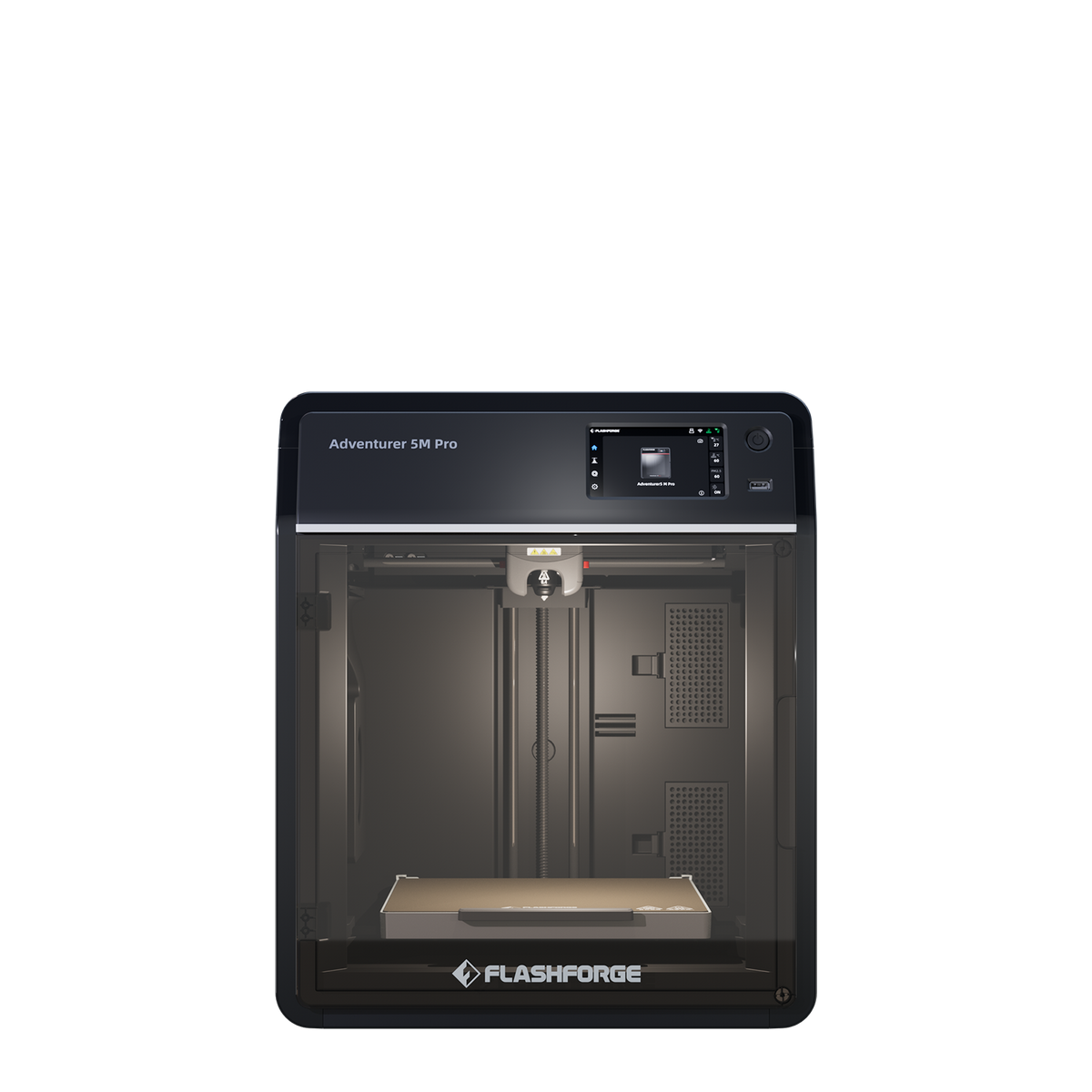
FlashForge Adventurer 5M Pro
Adventurer 5M Pro (enclosed, with dual HEPA and carbon filtration) — not the open-frame Adventurer 5M
Publishes the highest acoustic figure here and is the better machine for it, because it is the only one shipping both filter stages as standard. Choose it when you are solving smell and particles at the same time as sound. No filter replacement interval is published anywhere.
- Build volume
- 220 × 220 × 220 mm
- Technology
- FDM / FFF CoreXY, direct drive, single extruder
- Max speed
- 600 mm/s (20,000 mm/s² acceleration)
- Enclosed
- Yes — enclosed shell with internal and external air circulation through a HEPA and activated-carbon filter
- Multi-colour
- No
- Auto levelling
- Yes — one-click fully automatic bed levelling
What we like
- Publishes both a low-noise and a standard figure — 50 dB and 55 dB
- The only machine here shipping HEPA and activated-carbon filtration as standard
- Ethernet alongside Wi-Fi and USB, with a camera built in for remote monitoring
- One-click automatic levelling on a machine stated to arrive 95% pre-assembled
What we don’t
- The highest published figures on the page — louder on paper than every rival here
- No filter replacement interval published anywhere, including FlashForge's own wiki
- The smallest volume of the five enclosed machines, at 220 × 220 × 220 mm
- Three months of cover on extruder parts, and stock depth at UK retailers is shallow
Why rank a louder machine at all? Because a published figure of 50 dB is more useful than one of 44 dB that cannot be compared with it, and because this machine solves a second problem too. Its filtration is internal plus external circulation through HEPA and activated carbon, with FlashForge claiming the dual-layer filters block 99% of particles and VOCs — a manufacturer claim, not an independent measurement. If you want a quiet printer because it lives in the room you also breathe in, that matters more than two decibels.
Two real costs. Its volume is the smallest of the five enclosed machines. And no filter replacement interval is published anywhere, including FlashForge's own wiki FAQ — a filter you rely on for air quality with no stated service life is a maintenance question you inherit. It sits in the £340 to £490 band.
Buy this if noise is one of two problems you are solving and the other is smell or particles. Skip this if you want the lowest figure on the page, or you need more volume than it offers.
Smallest, cheapest, and one fan that never stops: Bambu Lab A1 mini
Open-frame machines are supposed to lose this comparison, and on paper this one has nothing to defend itself with: no enclosure and no published acoustic figure — the full specification sheet was extracted and states no noise figure anywhere, listing three closed-loop controlled fans but no decibel value.
Bambu Lab A1 mini
A1 mini (standard, without AMS lite)
The cheapest and smallest way onto this page, with no enclosure and no published figure. What it has is very little mass to shake and 150 W of heat to shift, which is why many people find it liveable. The mainboard fan running at idle is the documented complaint.
- Build volume
- 180 × 180 × 180 mm
- Technology
- FDM
- Max speed
- 500 mm/s toolhead (10 m/s² acceleration)
- Enclosed
- No
- Multi-colour
- Optional (AMS lite sold separately; up to 4 spools)
- Auto levelling
- Yes (fully automatic)
What we like
- Draws at most 150 W and weighs 5.5 kg — a tenth the rated power of some machines here
- Owners who also own the larger A1 often describe this as the quieter of the two
- Two years of cover at the lowest price band on the page
- Small enough to sit on a desk or a shelf, at 347 × 315 × 365 mm
What we don’t
- No acoustic figure published anywhere in the full specification sheet
- Owners repeatedly report the main-board fan running constantly, including at idle
- Open frame, so nothing at all sits between the fans and the room
- 180 × 180 × 180 mm, and ABS, ASA, PC and fibre-reinforced filaments are not recommended
It earns its place on two things the sheet does show. The first is size: at 5.5 kg it is not moving enough mass to shake the furniture. The second is heat — maximum draw is 150 W against 1000 W and 1500 W elsewhere on this page. Fans exist to move heat; a machine making a tenth as much needs to move far less of it.
A recurring complaint among A1 mini owners is the constantly running main-board fan, which some find intrusive at idle, although others describe the machine as quiet enough for a living space. Owner opinion on A1 noise is mixed: some who also own an A1 mini find the larger machine noticeably louder, while others consider it quieter than Bambu Lab's enclosed printers.The limits are obvious: the smallest volume here by a wide margin, ABS, ASA and PC not recommended, and nothing between the fans and the room. Two years of cover, in the £170 to £270 band.
Buy this if the machine has to live on a desk in the room you use, and PLA and PETG cover what you want to make. Skip this if you need ABS or ASA, or a fan humming at idle is the specific thing that would annoy you.
Where you put it matters more than which one you buy
Anyone searching for a bedroom 3d printer deserves a straight answer: on published figures, none of these six meets the guideline. The WHO puts good-quality sleep at under 30 dB(A) in the bedroom at night, and the lowest number any manufacturer here publishes is 44 dB. No setting closes a gap that size.
What does close it is the room, and the arithmetic is unusually generous. Level falls by roughly 6 dB every time the distance from the source doubles, so moving a printer from one metre away to four is two doublings — around 12 dB, more than the entire spread of published figures here. A closed door is worth more again, and distance is free.
Two other things are worth doing. Put it on something solid: a hollow desk is a soundboard, radiating the vibration across a far larger area than the printer's feet. Slow it down before buying anything — every quiet mode here caps acceleration, feedrate and jerk at the cost of a longer print, and you can do that yourself in a slicer on any machine.
Owner reports on where the P1S ends up living are divided: several describe running it close to a bedroom without much trouble, while others say they moved it out of the living space, and anti-vibration feet and slower profiles are the fixes most often described.Those two fixes recur across every machine here and together cost about twenty pounds. The realistic answer for a bedroom, though, is a different room with a door.
What it costs to run one in the UK
The quiet way to run a printer is the slow way, and the slow way is more hours of electricity for the same object. Fortunately the sums are small. The Ofgem price cap puts electricity at 26.32p per kWh from October to December 2026, alongside a standing charge of 54.83p per day — and the standing charge is payable whether or not anything is plugged in, so count only the units.
Rated power across this page runs from 150 W up to 1500 W, but those are maximums rather than steady-state figures — the peak is the bed and hot end heating up. Prusa is the only maker here publishing a figure for actual printing, at around 90 W on PLA and 110 W on ABS.
Work a six-hour PLA print at that 90 W figure and you get 0.54 kWh, about 14p of electricity at the capped rate. This is an estimate, not a measurement, and assumes a steady draw a real print does not have. Even so, a machine pulling four times that is under 60p for the same job.
Filament is the real cost. Ordinary PLA runs roughly £14 to £18 a kilogram from a UK retailer, inclusive of VAT. A 60-gram model is about £1 of plastic — several times the energy cost.
Which puts the quiet-mode penalty in proportion: running a print half again as long might add 7p to a six-hour job. The cost of a quiet mode is your patience, not your electricity bill.
UK availability, warranty and support
Stock and terms were checked at UK supply routes in September 2026 — a date-stamped position rather than a permanent one. The warranty spread is wide. Bambu Lab gives two years on both the P1S and the A1 mini. ELEGOO gives twelve months, with plate, PEI platform and nozzle kit excluded as consumables. FlashForge gives twelve months on the printer but only three on extruder parts. Anycubic gives one year plus a 14-day return. Prusa is the outlier: a UK buyer gets one year, because the two-year term applies to consumers in the EU, EEA and Switzerland.
Supply routes change the final price more than the warranties change the risk. ELEGOO sells through its own UK store and Bambu Lab through its UK store and a UK retailer. FlashForge had five units for same-day despatch at one UK retailer, with a ten-week lead time beyond those. The Prusa needs the most planning: ordered direct from Prague, above £135 excluding VAT the UK VAT, duty and a courier fee are collected on delivery — a real addition to the £1,150 to £1,300 band. A UK retailer also stocks it, avoiding that entirely.
One thing worth knowing for the long run: Bambu Lab has stated in writing that the P1S will keep being made with no plans to phase it out, which makes spare parts a safer bet in three years.
Three ways people get this decision wrong
Buying on the decibel figure alone. Read the figures as evidence a manufacturer will be held to something, then decide on the room — a number with no stated measurement distance is not comparable with another.
Assuming the enclosure solves it. Panels help; the fans an enclosure needs to manage a hot chamber give some of it back. Buy one for particles and odour, where a rigid enclosure measures 67.3 to 80.2% minimum control efficiency, and treat any noise benefit as conditional on it staying shut.
Assuming resin is the answer. It is genuinely the quieter process — nothing flings a toolhead around, so the only moving parts are a slow Z axis and a fan or two. Some reviewers describe the M7 Pro as running quietly, with little more than a low hum from the fans during a print, though this is not widely corroborated. The problem is everything else: liquid photopolymer needs ventilation, gloves, isopropyl alcohol and somewhere to cure and dispose of waste, so you would trade a noise problem for an air-quality one. If you can give it a ventilated space, the best resin printers guide covers it properly.
One more thing, because "quiet enough to run overnight" is the real question behind most of these searches: the manufacturers do not endorse it. Prusa's handbook instructs the owner not to leave the printer unattended while it is on, because misuse or an unexpected component failure can pose a fire hazard. Reasonable people print overnight regardless — but decide that knowingly, and a working smoke alarm in the room is cheaper than any machine above.
The verdict
The ELEGOO Centauri Carbon 2 takes it, on the lowest published silent-mode figure of under 45 dB at roughly £280 to £310 — and because ELEGOO publishes the caveat that the figure moves with speed, fan behaviour and what the machine stands on. The Bambu Lab A1 mini is the budget answer from around the £170 mark. If the machine has to share a working room, the Prusa CORE One+ earns its price for a documented quiet mode whose cost the maker states.
- Buy it if
- You want the lowest published acoustic figure available on an enclosed machine, and you accept that the figure describes silent mode rather than the way you will mostly run it.
- Skip it if
- The printer has to live in a bedroom. No machine here gets close to the guideline for sleeping, and a different room with a door will do more than any purchase on this page.
Hold the ranking loosely, though. The loud part is the fans, and Prusa's own documentation concedes that once the motion slows, the fan is the ceiling. The three things that will change what you hear are not on the table above: distance, worth roughly 6 dB per doubling; a solid surface; and a slower profile.
How this article was researched
No printer here was bought, opened, run or measured. Every specification, acoustic figure, warranty term and price band was researched from manufacturer product pages, specification tables, knowledge-base articles and official wikis, with UK stock and pricing checked in September 2026; each figure carries a citation to its source. Owner experience was researched from manufacturer forums, and is labelled as owner-reported wherever it appears.
Two things could not be verified and are absent rather than estimated: Bambu Lab's own pages were unreachable throughout, so this article makes no claim about whether Bambu Lab publishes an acoustic figure for the P1S; and no independent laboratory measurement of these six machines was found from a citable source. Reviewed quarterly.
Common questions
- How loud is a 3D printer?
- Louder than the makers imply and quieter than an older machine, and the published range is narrower than you would expect. Across the machines on this page the figures run from 44 dB to 55 dB, with most clustered around 45 dB. Three things make those numbers less useful than they look. None of the manufacturers states the distance the figure was measured at, and sound level falls by roughly 6 dB every time you double the distance from the source — so two figures quoted without distances cannot be compared with each other. The scale is logarithmic, not linear: two identical sources at 90 dB combine to about 93 dB rather than 180 dB, and the smallest difference most people can detect is around 1 dB. And at least one maker publishes the caveat that the real level moves with print speed, fan speed, the shape of the model, resonance through the table and the noise already in the room. For a practical benchmark rather than a specification: the World Health Organization puts good-quality sleep at under 30 dB(A) in a bedroom at night, which no machine here comes close to on its published figure.
- Which printer is quiet enough for an office?
- The Prusa CORE One+, and not because of a number — it publishes none. It is the only machine here with a quiet mode whose mechanism and cost the manufacturer documents: Stealth Mode caps acceleration, feedrate and jerk in firmware, and Prusa states the trade-off is an increased print time. It is also the only maker that concedes where the limit is, describing the mode as making the printer almost inaudible in the case where the print cooling fan is the noisiest part of it. That matters in a shared room because it tells you what you can and cannot fix. It has the lowest real printing draw here at around 90 W on PLA, which is worth knowing if it runs all day, and it can be run entirely offline if your IT department would rather it were. If the budget will not stretch, the ELEGOO Centauri Carbon 2 publishes under 45 dB in silent mode at roughly a quarter of the price. Either way, a slower slicer profile and a solid surface to stand on will change more than the choice between them.
- Do enclosures reduce printer noise?
- Panels do. Enclosures that have to manage a hot chamber often do not, and the difference is the fans. The clearest evidence is a manufacturer's own before-and-after for the same machine: FlashForge publishes 65 dB dropping to 55 dB for bolting its passive enclosure kit onto the open-frame Adventurer 5M — a 10 dB change, roughly ten times the smallest difference a person can detect. That kit adds panels and nothing else. An enclosure built to hold heat for ABS or ASA cannot be passive, because a sealed box around a hot end cooks its own electronics, so it carries a chamber fan — and owners who moved from an open-frame P1P to an enclosed P1S divide on whether the machine got quieter, with those reporting a net increase pointing at the extra fans. There is a further catch: PLA does not want a hot chamber, so the enclosure gets opened, which loses the panels and keeps the fans. Buy an enclosure for containing particles and odour, where a rigid enclosure measures 67.3 to 80.2% minimum control efficiency. Treat any noise benefit as conditional on it staying shut.