Best 3D Printers for Beginners UK
Which first 3D printer to buy in the UK, decided by what you want to make. Six filament and resin picks, with UK price bands, warranty and running costs.
Independent and reader-funded. We earn a commission if you buy through our links, at no extra cost to you. How this works.
Ask which is the best beginner 3D printer in the UK and you will be handed a filament machine every time — usually the Bambu Lab A1, at around the £240 to £320 mark, and usually correctly. But the answer turns on something no specification sheet contains: what you want to come off the plate. Brackets point at filament; miniatures point somewhere else entirely, and "start with FDM" then means buying the wrong machine first. So this page ranks six first printers by the job each suits, across both technologies, and takes the technology decision first.
The six, by what you want to come off the plate
Read the first two rows and stop there if they settle it.
| Specification | 1 Bambu Lab A1 General making | 2 Bambu Lab A1 mini Smallest desk | 3 ELEGOO Mars 5 Ultra Fine detail | 4 Creality Ender-3 V3 SE Lowest outlay | 5 ELEGOO Centauri Carbon 2 Materials headroom | 6 FlashForge Adventurer 5M Open software |
|---|---|---|---|---|---|---|
| Best for | Parts that have to work | A shared room | Models that have to look right | Finding out if it sticks | Getting serious later | Standard slicers |
| Technology | Filament (FDM) | Filament (FDM) | Resin (MSLA) | Filament (FDM) | Filament (FDM) | Filament (FDM) |
| Key strength | Largest open-frame plate, calibration you never touch | Fits a shelf, lowest power rating here | Detail no filament machine reaches | Cheapest that still levels itself | Enclosed, and takes the hard materials | Runs open slicers, wired or wireless |
| Main limitation | PLA and PETG only, open frame | Smallest plate, coolest bed | Alcohol, gloves and ventilation are not optional | You assemble it, and files move by card | Owner complaints centre on the software | Warranty is the shortest here |
| Build volume | 256 × 256 × 256 mm | 180 × 180 × 180 mm | 153 × 78 × 165 mm | 220 × 220 × 250 mm | 256 × 256 × 256 mm | 220 × 220 × 220 mm |
| Enclosed | No | No | No | No | Yes | No |
| Auto levelling | Yes | Yes | Yes | Yes | Yes | Yes |
| Hard materials (ABS, ASA) | Not recommended | Not recommended | Not applicable | No | Yes | Listed |
| Wireless file transfer | Yes | Yes | Yes | No | Yes | Yes |
| Stated UK warranty | 2 years | 2 years | 12 months | 12 months | 12 months | 12 months |
| Price band | £240–£320 | £170–£270 | £210–£260 | Around £150 | £280–£310 | £260–£400 |
| UK route | Bambu Lab UK, resellers | UK retailer stock | ELEGOO UK, 3DJake UK | Creality UK | ELEGOO UK | FlashForge UK |
Filament or resin: the choice that comes before the machine
Two unrelated technologies sell at the same money, they are good at opposite things, and almost every guide settles the question for you with "start with filament" without saying when that advice is wrong.
Filament printing — FDM, also written FFF — pushes a plastic thread through a hot nozzle and draws your object in stacked lines. It suits anything with a job: a bracket, a bin, a replacement knob. Parts come off dry and usable, and nothing in the workflow needs a sink. The limit is the line itself — you will see the layers. Resin printing — MSLA, an LCD masking a 405 nm light source — cures a whole layer at once against a screen, and suits anything meant to be looked at, at a different order of fineness.
Where the two differ most is not print quality but what happens afterwards. A filament print is finished when it stops. A resin print is not: it comes off wet, and the manual requires washing in 95% or stronger alcohol unless you use water-washable resin, then curing under UV. The machine has no filter of its own, though it takes ELEGOO's activated-carbon purifier separately. Gloves, ventilation and a surface you do not eat off are part of the method, not precautions for the careless. Owner accounts of resin odour in a home vary widely — some describe printing in a bedroom and noticing little, others treat ventilation and a purifier as essential.
The materials themselves cost about the same, but reviewers consistently point out that a resin printer is only part of the outlay, since washing, curing, alcohol, gloves and ventilation sit outside the box price.
That does not make resin a bad first printer; it makes it a specific one. Reviewers repeatedly describe the Mars 5 Ultra as one of the easiest resin machines to start with, needing very little setup before the first print. If miniatures are why you are buying, starting on filament means buying twice — and the best resin printers uk guide goes deeper on the workflow than this page has room for.
How we chose these six
Nothing here was bought, unboxed or run. This is desk research: manufacturer pages, specification sheets, manuals, UK store and retailer listings, and owner reports from public forums and independent long-term reviews. A figure that could not be confirmed from a primary source was left out rather than borrowed — which is why two machines here carry no weight or power figure at all. Our review methodology covers the general approach; choosing a first printer changed three things.
- The output came before the machine. Every pick had to answer a different version of "what do you want to make", and anything that could not claim one alone was cut.
- Automatic levelling counted as a floor, not a feature. All six level their own beds; the useful question is what is left afterwards, and on two of them the answer is not "nothing".
- What a maker refuses to recommend outranks what it promises. A supported-materials list is marketing; the sentence naming filaments it does not recommend tells you what you own.
Three machines from most beginner lists were cut on role, not quality: the A1 Combo, the P1S and the KE.
For things that have to work: Bambu Lab A1
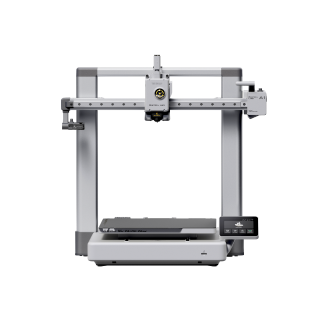
If your list is mostly useful objects — a bracket for the shed, a bin for an awkward drawer — this is where to stop looking. It prints a 256 mm cube and levels its own bed with nothing left for you to set afterwards: between them, the two things a first printer most often gets wrong.
Bambu Lab A1
A1 (standard, without AMS lite)
The self-calibrating default: largest open-frame plate here, two years of warranty, best owner record.
- Build volume
- 256 × 256 × 256 mm
- Technology
- FDM
- Max speed
- 500 mm/s toolhead (10,000 mm/s² acceleration)
- Enclosed
- No
- Multi-colour
- Optional (AMS lite sold separately; up to 4 spools)
- Auto levelling
- Yes (fully automatic)
What we like
- A 256 mm cube of build volume, the largest open frame on this page
- Levels itself and leaves nothing for you to set afterwards
- Two years of UK warranty, matched here only by the A1 mini
- The strongest long-term owner record of any machine on this page
What we don’t
- ABS, ASA, polycarbonate, nylon and fibre-filled filaments are not recommended
- Open frame, so no chamber heat and no filtration
- Owners describe an X-axis belt tension warning appearing with use
- No published noise figure, and owner opinion on it is divided
A 300 °C nozzle over a 100 °C bed is what makes PETG practical alongside PLA, and PETG is where functional printing starts. Files arrive over Wi-Fi rather than on a card, and the machine notices when a spool runs out or tangles — a small thing, until a long print stops with nobody watching.
What puts it first is not on the specification sheet. Long-term owner reports on the Bambu Lab forum repeatedly describe the A1 as reliable and low-maintenance, particularly compared with older budget printers they have moved from. What ends a new hobby is a printer failing in ways you cannot yet diagnose. Against that, several owners describe an X-axis belt tension warning after a period of use, usually cleared by re-tensioning.
The ceiling is stated openly: PLA, PETG, TPU and PVA are named as ideal, and ABS, ASA, polycarbonate, nylon and fibre-filled filaments are not recommended. At £240 to £320 with two years of UK warranty, it is where a first printer stops feeling like a compromise.
Buy this if you want to print useful things rather than maintain a printer. Skip it if the machine must share a small room, or you already know you need ABS — the enclosed Centauri Carbon 2 below is that answer.
When the desk is the problem: Bambu Lab A1 mini
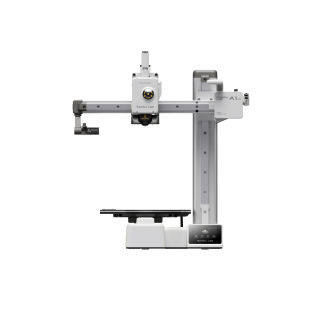
First printers are bought for a spare room and end up on a desk in a room somebody sleeps in. That constraint decides more purchases than any specification, and this is the only pick designed around it: a 180 mm cube of build volume in a body measuring 347 × 315 × 365 mm.
Bambu Lab A1 mini
A1 mini (standard, without AMS lite)
The A1 workflow in a third of the footprint. You pay in plate size and bed temperature.
- Build volume
- 180 × 180 × 180 mm
- Technology
- FDM
- Max speed
- 500 mm/s toolhead (10 m/s² acceleration)
- Enclosed
- No
- Multi-colour
- Optional (AMS lite sold separately; up to 4 spools)
- Auto levelling
- Yes (fully automatic)
What we like
- 5.5 kg and a 347 mm-wide body — it genuinely fits a shelf
- Rated at a maximum of 150 W, the most frugal machine here
- Assembled and self-calibrating, with no first-week setup to get wrong
- Two years of UK warranty, and UK stock with next-day delivery
What we don’t
- The smallest build volume here by a clear margin
- An 80 °C bed, the coolest on the page, which makes PETG fussier
- Same narrow materials list as the A1: no ABS or ASA
- Owners describe a main-board fan that runs constantly
If you have been searching for an easy setup 3d printer, this is the shape that phrase describes. It arrives assembled and calibrates itself. Owner reports repeatedly describe the A1 mini as reliable and low-effort, which is why it is so frequently suggested as a first printer.
Two costs come with the size. The bed reaches 80 °C, the coolest here, which makes PETG fussier than on the full-size A1; and the materials list is the same narrow one. On noise the answer is qualified: a recurring complaint among A1 mini owners is the constantly running main-board fan, which some find intrusive at idle although others describe the machine as quiet in use. In a bedroom that is worth knowing beforehand.
The rating plate tops out at 150 W, the lowest here. It carries the same two-year UK warranty as its larger sibling and sits at £170 to £270.
Buy this if the machine has to fit a shared space, or you want the most reliable starter 3d printer going for the least money. Skip it if you have room for a full-size machine — the A1 is better value per millimetre of plate — or expect to print anything tall.
When the detail is the point: ELEGOO Mars 5 Ultra
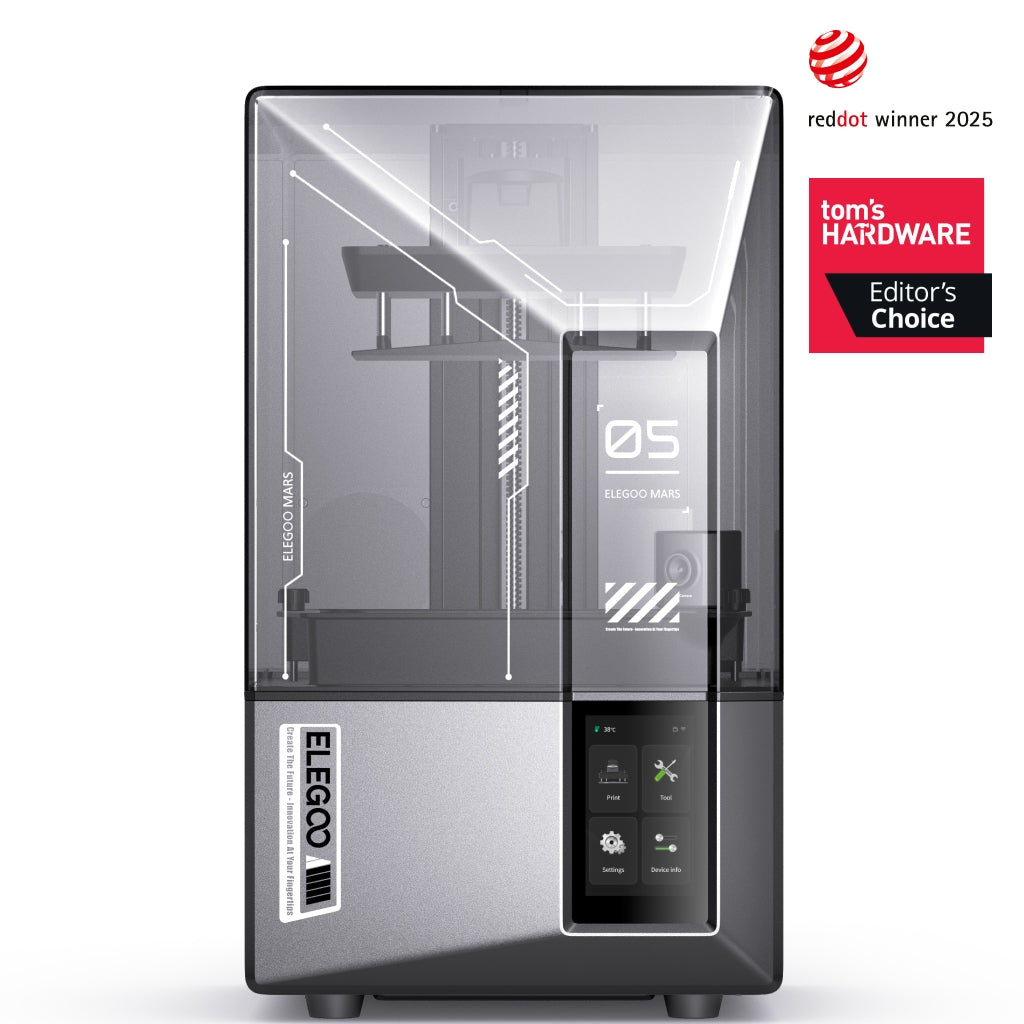
Everything above prints in stacked lines you can see. If what you want is a miniature, a bust or a jewellery pattern, those lines are the problem, and an 18 × 18 μm pixel over layers as fine as 0.01 mm is why no filament machine here solves it.
ELEGOO Mars 5 Ultra
Mars 5 Ultra 9K (not the non-Ultra Mars 5)
The most forgiving way into resin. The wet workflow and a short plate are the price.
- Build volume
- 153.36 × 77.76 × 165 mm
- Technology
- Resin (MSLA)
- Max speed
- Up to 150 mm/h (manufacturer maximum)
- Enclosed
- Lid (acrylic UV cover)
- Multi-colour
- No
- Auto levelling
- Yes (one-click automatic levelling)
What we like
- An 18 × 18 μm pixel and 0.01 mm layers — detail no nozzle reaches
- One-click levelling, tilt release and a camera that watches for failures
- Works with most 405 nm resins, water-washable included
- In UK stock through two routes when this page was checked
What we don’t
- Alcohol, gloves, curing and ventilation are part of the method, not extras
- The 165 mm Z height is the limit reviewers raise most often
- Cold, thick resin defeats the automation — a cold room is the wrong room
- The LCD is covered for three months and is the likeliest part to fail
What makes it a plausible first printer rather than a second is how much of the resin ritual it has removed. Levelling is a single automatic step, ELEGOO's tilt release tips the tank so each layer peels from one edge rather than being pulled off the film, and a camera watches for an empty plate and for warping. Reviewers repeatedly describe it as one of the easiest resin printers to start with, needing very little setup before the first print.
Then the constraints. The plate measures 153 × 78 × 165 mm — generous in the two directions a miniature needs, short in the third. The most consistent criticism in independent reviews is the Z height, which reviewers repeatedly describe as the machine's one real limit. And nobody warns a first-time resin buyer about temperature: a recurring account across independent reviews is that cold, thick resin defeats this machine's automation — the levelling sensor triggers early and the first layers suffer. A cold garage in January is the wrong room, whatever the specification says.
Wear parts are the real difference from filament. The release film is a routine consumable, and owner opinion is divided on whether the tilting vat lengthens or shortens its life, so treat replacement as a running cost either way. Warranty is twelve months on the machine, the LCD covered for three and the tank and plate for six — the part likeliest to fail has the shortest cover. At £210 to £260 it is the resin machine worth the difference for a beginner; the best resin printers for miniatures uk guide compares plate sizes.
Buy this if what you want to make is small, detailed and meant to be looked at, and you have a ventilated space with a sink near it. Skip it if you want functional parts, or the only room available is cold, unventilated or shared with food.
The cheapest way to find out: Creality Ender-3 V3 SE
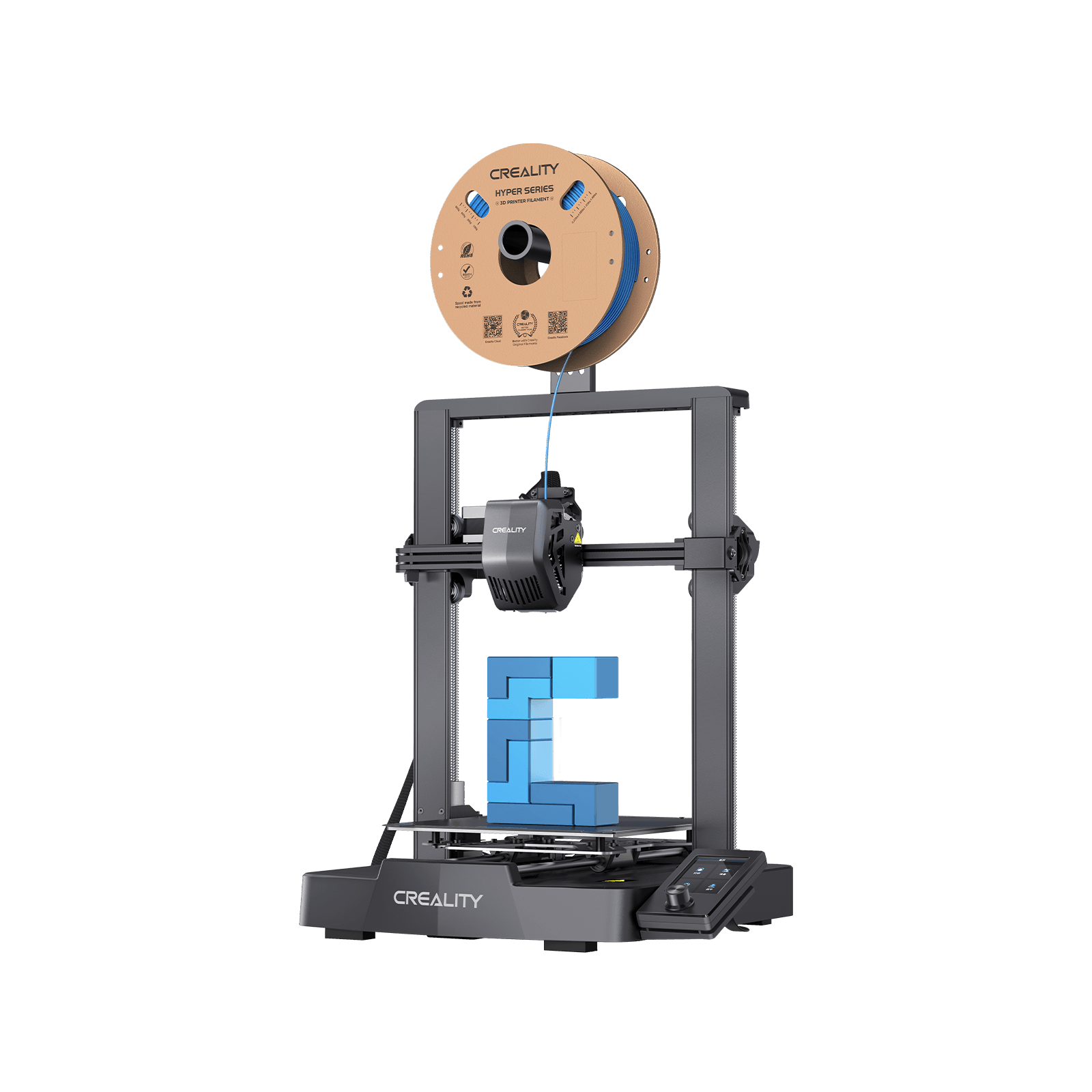
Not everybody buying a first 3d printer is sure they want one, and spending the least possible to answer that is a rational plan. This machine does it without the saving turning into a fortnight of frustration: around £150 for a 220 × 220 × 250 mm plate that levels itself with a probe and a strain sensor rather than a sheet of paper.
Creality Ender-3 V3 SE
The floor of the market that still automates the part beginners get wrong. You assemble it, and move files by card.
- Build volume
- 220 × 220 × 250 mm
- Technology
- FDM
- Max speed
- 250 mm/s (2,500 mm/s² acceleration)
- Enclosed
- No
- Multi-colour
- No
- Auto levelling
- Yes (CR Touch plus strain-sensor auto Z-offset)
What we like
- Around £150, the floor of the market, and it still levels itself
- A 220 × 220 × 250 mm plate, taller than the A1 mini's
- Automatic filament loading and unloading at this price
- Cheap, widely stocked UK spares — a nozzle kit is under £10
What we don’t
- You assemble it, and Creality publishes no time or step count
- Owners still report setting the Z-offset by hand after the routine
- SD card only — no wireless file transfer at all
- Twelve months is the manufacturer's standard term; UK support draws complaints
First-time owners frequently describe the V3 SE as easy to set up and capable of a good first print without tuning, which is why it is so often suggested as a first printer. Creality's own listing calls the assembly hassle-free but publishes no step count and no time for it — plan an evening.
Where the money shows is in the handing back. Several owners describe needing to fine-tune the Z-offset by hand after the automatic routine, although others report the auto-levelling working without intervention. That one adjustment is the most common reason a cheap printer gets abandoned. Files move by SD card only. The materials ceiling is lower too: PLA, PETG and TPU 95A, with a 260 °C nozzle over a 100 °C bed. It runs to 250 mm/s, so speed is not what you give up.
Two things to weigh against the price. Reviews of Creality on UK consumer sites repeatedly raise slow and unhelpful after-sales support, which is worth weighing against the low purchase price. And Creality's own policy states a twelve-month standard term while its UK store advertises a longer maximum — a ceiling rather than a term, so read it as a year plus your UK consumer rights.
Buy this if you are not yet sure the hobby will stick and do not mind building it. Skip it if you already know you are keeping it — the A1 mini hands back nothing — or if walking a memory card to the machine for every print would stop you. If price is the constraint rather than the doubt, the best budget 3d printers uk guide ranks this class.
The one that will not box you in: ELEGOO Centauri Carbon 2
Every filament machine above stops at PLA and PETG, which for many people is the end of the story. For everybody else the second year is when it grates — a part needs to survive a dashboard in July, and the answer is a material the printer will not run. This is the least obvious beginner friendly 3d printer here: its strengths show up later.
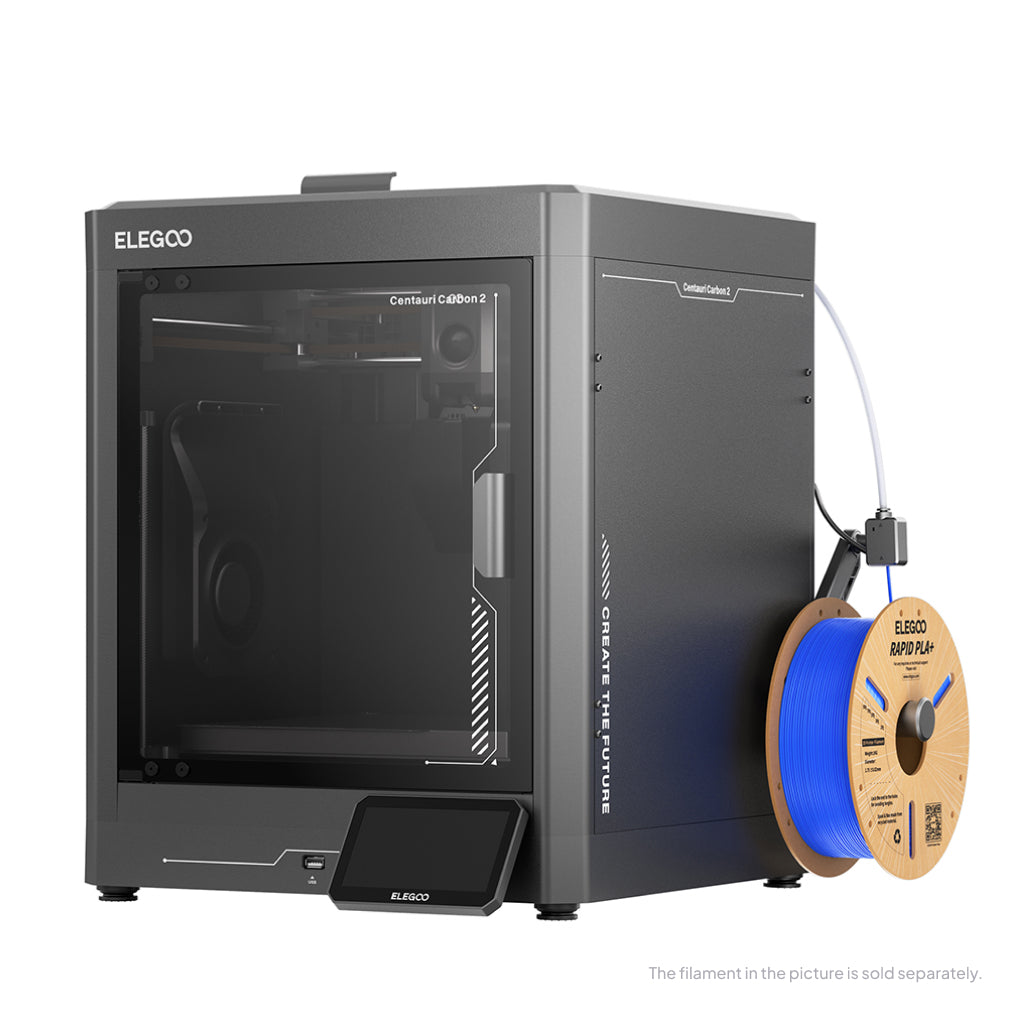
ELEGOO Centauri Carbon 2
Centauri Carbon 2 (standard, without CANVAS - not Combo)
An enclosed CoreXY with a hardened nozzle and real filtration, at open-frame money. The complaints are about software.
- Build volume
- 256 × 256 × 256 mm
- Technology
- FDM
- Max speed
- 500 mm/s (CoreXY)
- Enclosed
- Yes (thermally regulated enclosure)
- Multi-colour
- Optional (CANVAS 4-colour system; included only in the Combo; standard unit can be upgraded)
- Auto levelling
- Yes — full-auto calibration with 121-point auto-levelling and partial bed-levelling
What we like
- Enclosed, with a 350 °C hardened nozzle over a 110 °C bed
- ELEGOO states it takes polycarbonate, PET and fibre-reinforced filament
- A HEPA and activated-carbon filter, unique on this page
- The only machine here with a published noise figure, under 45 dB
What we don’t
- Owners repeatedly report flaky connectivity between printer, slicer and app
- Network control runs through ELEGOO's own software, with little way around it
- Some early units arrived with shipping damage or cracked base plates
- The plate, nozzle and PTFE tube are excluded from warranty as consumables
An enclosure is not a luxury past PLA: it holds chamber heat so tall parts in ABS or ASA do not peel off the plate as they cool. Behind it sits a 350 °C hardened steel nozzle ELEGOO says takes polycarbonate, PET and fibre-reinforced filament, over a bed reaching 110 °C — the hottest here, and why ABS is realistic rather than merely listed. ELEGOO states the machine's composite filter combines HEPA and coconut-shell activated carbon, which is what makes printing those materials in a room you sit in defensible at all. The plate still matches the full-size A1 at 256 × 256 × 256 mm, and ELEGOO rates the machine under 45 dB.
The caveats are why it is fifth. A recurring theme among Centauri Carbon 2 owners and reviewers is flaky connectivity between the printer, slicer and app, with USB printing the common workaround. On a first machine that is a real cost, and network control runs through ELEGOO's own slicer and app. Against that, owners and reviewers repeatedly praise its single-colour print quality for the price, with the caveats concentrated on software rather than the printing itself.
It carries twelve months on the printer, the plate and nozzle excluded as consumables, and sits at £280 to £310.
Buy this if you can already name a material you want that PLA is not, or would rather buy the ceiling once than twice. Skip it if you want the calmest possible first week — the A1 is safer, and materials headroom can wait for a second machine — or if fighting an app is what would put you off.
If you would rather not be tied in: FlashForge Adventurer 5M
There is one question first-time buyers rarely think to ask and often mind about later: whose software will you be living in? An easy to use 3d printer that only stays easy inside one company's ecosystem is a trade rather than a gift.
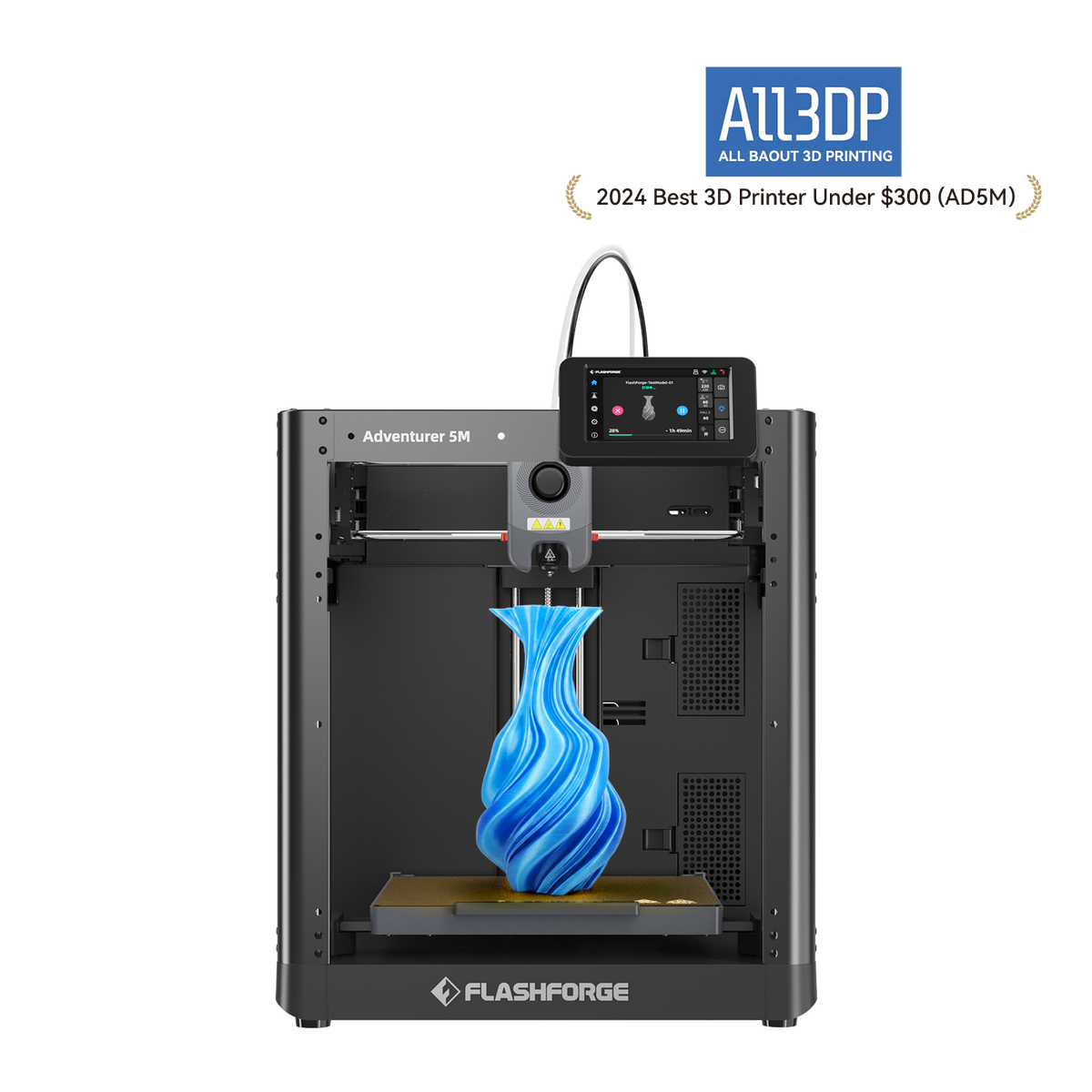
FlashForge Adventurer 5M
Adventurer 5M (open-frame standard model; not the enclosed 5M Pro)
Runs mainstream open slicers instead of one company's app, with Ethernet as well as Wi-Fi. The shortest warranty here.
- Build volume
- 220 × 220 × 220 mm
- Technology
- FDM / FFF CoreXY, direct drive, single extruder
- Max speed
- 600 mm/s (20,000 mm/s² acceleration)
- Enclosed
- No (open frame; a DIY enclosure kit is sold separately)
- Multi-colour
- No
- Auto levelling
- Yes — FlashForge's Automatic Datum Management (ADM) auto-levelling
What we like
- Runs mainstream open slicers rather than one manufacturer's app
- Ethernet as well as Wi-Fi — the only wired port on this page
- Quick-detach nozzles in 0.25, 0.4, 0.6 and 0.8 mm
- Owners report it printing acceptably from the box without tuning
What we don’t
- Twelve months, with only three on extruder parts — the shortest cover here
- Open frame: the enclosure ABS wants is a separate DIY kit
- A large UK retailer has stopped carrying it, so check the route
- You choose the slicer yourself, which is homework as well as freedom
FlashForge's Orca-FlashForge is a fork of the open-source OrcaSlicer, and the printer is also used with standard OrcaSlicer, PrusaSlicer and Cura — which reads like a detail until the first time you want a setting a manufacturer's app does not expose. Connectivity covers Wi-Fi, Ethernet and USB, the only wired network port here.
The plate is 220 × 220 × 220 mm and nozzles detach quickly in 0.25, 0.4, 0.6 and 0.8 mm with the 0.4 fitted, so a finer nozzle is a two-minute change rather than a project. A recurring theme among owners is that the machine prints acceptably from the box without changing slicer settings, with several describing no first-layer trouble at all. The materials position beats the Bambu machines: PLA, PETG, TPU, ABS, ASA, PLA-CF and PETG-CF, with compatibility tied to nozzle size. The catch is the frame — open, with the enclosure ABS wants sold as a separate DIY kit.
Two honest marks against it. Warranty is twelve months with only three on extruder parts — the shortest cover here, on the component that wears. And owner discussion turns repeatedly to which slicer to run, with FlashForge's Orca fork the usual recommendation over the bundled one — freedom and homework are the same thing. It sits at £260 to £400, and one large retailer has stopped carrying it, so check the route first.
Buy this if you want standard tooling from the start, or need a wired connection and quick nozzle changes. Skip it if you want the fewest decisions possible in week one — the A1 makes them for you — or if a three-month extruder warranty on a machine you are still learning is the wrong risk.
What to check before you buy your first printer
Four rows decide whether a first printer is pleasant to own.
What the machine still asks of you after levelling. All six level their own beds — the A1 and A1 mini, the V3 SE with a probe and strain sensor, the Centauri Carbon 2 automatically, the Adventurer 5M as it prints and the Mars 5 Ultra in one step. Levelling is a floor, not a differentiator; what matters is what is left over. Several A1 mini owners describe gaps in the first layer that cleared once the plate was washed thoroughly and a flow calibration run. A clean plate is most of a good first layer.
What the maker refuses to recommend, not what it lists. Bambu Lab names PLA, PETG, TPU and PVA as ideal and explicitly does not recommend ABS, ASA, polycarbonate, nylon or fibre-filled filaments; Creality lists PLA, PETG and TPU 95A for the V3 SE; only the Centauri Carbon 2 pairs a 350 °C hardened nozzle with a maker's statement that polycarbonate, PET and fibre-reinforced filament are on the menu. Name the material you want and that sentence picks your printer.
The machine's footprint, not its build volume. Two different numbers, and only one has to fit your desk. The A1 mini occupies 347 × 315 × 365 mm, the Adventurer 5M 363 × 376 × 413 mm before the display and spool holder, and the Mars 5 Ultra 260 × 268 × 451.5 mm — tall rather than wide.
Whether it lives in the room you sleep in. Only the Centauri Carbon 2 publishes a noise figure at all, at under 45 dB. Everywhere else none exists and the accounts are divided, which is itself information.
One row that looks important and is not: maximum speed is a ceiling measured under ideal conditions, not a print time.
What a first printer costs to run in the UK
Treat what follows as a labelled estimate, not a bill. The assumptions: five hours of printing a week, about 250 hours a year, and the price cap average rather than whatever tariff you are on.
Electricity is not the expense, and the rating plate is why people think it is. The number on the back of a machine is a supply ceiling, not a consumption figure. The A1's maximum draw is 1,300 W at 220 V, a peak while heating rather than a continuous rate; the Adventurer 5M is rated at 350 W; the A1 mini tops out at 150 W. Budgeting from those is how guides reach alarming annual figures. Even treating the A1 mini's ceiling as though the machine sat at it for all 250 hours — which it will not — you get 37.5 kWh, and at about 26p per kWh under the Ofgem price cap that is under £10 for the year. One further cost belongs to the house, not the printer: a daily standing charge of about 55p under the current cap, payable whether or not anything is plugged in.
Material is the bill. Ordinary PLA runs roughly £14 to £18 a kilogram from a UK retailer, and four kilograms a year is an unremarkable pace — putting material in the £56 to £72 region, more than ten times the electricity. So a filament first year is roughly £60 to £80 all in, plus spares only if something breaks: under £10 for a nozzle kit, up to around the £33 to £40 mark for the ceramic heating-block kit.
Resin is a different budget, not a bigger one. The resin is close to filament at roughly £16 to £28 a kilogram for the common types, and the electricity is smaller. What filament does not have is wear parts with a schedule: around the £111 mark for a replacement Mars 5 Ultra LCD from a UK retailer, about £27 each for a metal tank or build platform, plus the alcohol the manual requires unless you use water-washable resin, gloves and a curing step.
Between two machines at similar money, running cost is not the tiebreaker: failed prints cost more than watts.
UK stock, warranty and spare parts
Warranty is the row every beginner guide skips, and the one that decides how a bad month goes.
Two years covers the A1 and the A1 mini, the longest cover here and a genuine reason to prefer them. ELEGOO gives the Centauri Carbon 2 twelve months, with the plate, nozzle kit and PTFE tube excluded as consumables. The Mars 5 Ultra also runs twelve months, but the LCD is covered for three and the tank and plate for six — the screen being the part most likely to fail. The Adventurer 5M is twelve months with three on extruder parts, the shortest here. Creality needs care: its own policy states a twelve-month standard term while its UK store advertises a longer maximum, and a maximum is not a term. Your statutory rights as a UK consumer exist regardless.
On stock, each machine has a working UK route: the A1 through Bambu Lab's UK store and UK resellers, the A1 mini in stock for next-working-day delivery from a UK retailer when this page was checked, the Mars 5 Ultra at ELEGOO's UK store and a UK specialist, the V3 SE from Creality's UK warehouse and the Centauri Carbon 2 from ELEGOO's own store. Check the Adventurer 5M first: listed in stock on FlashForge's UK store, but no longer carried by a large retailer that used to stock it.
Support quality is the part no specification captures, and the pattern is uncomfortable. A recurring theme among Bambu Lab buyers on UK review sites and the manufacturer's forum is slow warranty support, although delivery and packaging are usually praised. Reviews of Creality on UK consumer sites repeatedly raise slow and unhelpful after-sales support. ELEGOO's support draws mixed accounts: prompt replacements for straightforward problems, slower handling of complex ones. Nobody stands out, which is the useful conclusion: buy on warranty length rather than a brand's reputation for kindness.
Where first-time buyers waste money
None of this is about which printer you choose.
Upgrades bought before the machine is understood. The common pattern is buying a budget printer and then spending its price again on parts meant to make it behave like a dearer one.
Adhesion products bought instead of a wash. The same mistake with a smaller receipt, and the single most common first-printer failure. Some A1 owners describe first-layer adhesion problems, although in most of those threads the cause turns out to be a dirty plate rather than the machine. Owner threads on Creality's community forum repeatedly link adhesion failures on the V3 SE to plate cleanliness and Z-offset rather than the machine. Warm water and washing-up liquid, and the glue stays in the drawer.
Filament bought in quantity before you know what you print. A first order of five colours is four colours slowly absorbing moisture — and at roughly £14 to £18 a kilogram there is no saving worth the guessing.
Resin extras bought after the printer rather than with it. The wash station, the curing step, the alcohol, the gloves and the ventilation are the second half of the machine. Discovering that on delivery day is how a resin printer ends up in a cupboard.
The wrong machine, bought to save a hundred pounds. The most expensive outcome on this page is buying twice. Some A1 mini owners say they would have chosen the larger machine for its build volume, while others consider the mini's size and price the right trade-off. Neither is a warning against the machine. It is a warning against choosing on price when you already know what you want to make.
So which one should your first printer be?
Answer the output question and the machine follows. If you want objects that do a job, the Bambu Lab A1 is the one to buy; if the room cannot take it, the A1 mini is the same machine with a smaller shadow. If what you want is a painted miniature on a shelf, the ELEGOO Mars 5 Ultra is the answer — with a sink, a window and gloves as part of the purchase. The other three suit narrower cases: the Ender-3 V3 SE if you are not yet sure you want a 3D printer, the Centauri Carbon 2 if you can name a material PLA cannot replace, the Adventurer 5M if one company's software would bother you.
The technology decision matters more than the brand, and the brand more than the specification. Choose filament for things that have to work and resin for things to be looked at, then take the machine with the longest warranty and the least left for you to do. Beyond first machines, the best 3d printer uk roundup ranks every class on the site.
- Buy it if
- You can say what you want to make. Functional parts point at the Bambu Lab A1 — or the A1 mini if space is tight. Detailed models point at the ELEGOO Mars 5 Ultra, workflow included.
- Skip it if
- You cannot yet say what you want to print, or the only space available is cold, unventilated or shared with food preparation. Wait, or borrow somebody's machine for an afternoon first.
How this article was researched
Research-based, with no first-hand testing: nothing here was purchased, assembled or operated, and no figure is a measurement of ours. Every specification cites the manufacturer page, sheet or manual it came from, and anything unconfirmed by a primary source was left out rather than estimated, which is why two of these machines carry no weight or power figure. Price bands and UK stock routes were checked in September 2026. Owner-experience passages describe recurring patterns in public forums and UK review sites.
Common questions
- What is the easiest 3D printer to use?
- Among the machines on this page, the Bambu Lab A1 and A1 mini. Both arrive assembled, calibrate themselves and expect nothing further before the first print, and owner reports on them concentrate on reliability rather than on setup. But "easiest" is only meaningful within one technology: the easiest resin printer is still harder work than the fussiest filament printer, because the difficulty in resin is the wet workflow after the print rather than anything on the machine.
- Which printer needs the least setup?
- The Bambu Lab A1 mini, narrowly. Every filament machine here levels its own bed, so levelling is not the differentiator it is sold as; what varies is what is left over. The A1 mini and the A1 leave nothing. The FlashForge asks you to choose a slicer first. The Creality arrives as a kit you build, and owners still report adjusting the Z-offset by hand once the automatic routine has finished. Whichever you buy, wash the plate with warm water and detergent before the first print — that single step prevents most first-layer failures.
- Is FDM or resin easier for beginners?
- Filament, clearly, but that is the wrong comparison to decide on. A filament printer needs a clean plate and the right temperature. A resin printer needs gloves, alcohol, a washing and curing step, somewhere ventilated and a safe way to dispose of what is left — a chemistry routine rather than pressing print. The question that matters is what you want to make. If it is brackets, cases and replacement parts, filament is both easier and better. If it is miniatures and display models, resin is harder and still the right first purchase, because starting on filament means buying twice.