Best 3D Printers for Home Use UK 2026
The best 3D printers for home use in the UK, ranked by where in a house each one can actually live: noise, footprint, fumes, running costs and safety.
Independent and reader-funded. We earn a commission if you buy through our links, at no extra cost to you. How this works.
For most people the best 3D printer for home use in the UK is the Bambu Lab P1S, at £330 to £400: enclosed, filtered and willing to print what a household actually asks for. But it carries a condition: it earns the top spot only if you can give it a spare room or a home office. If it has to share the room you sit in, a quieter or smaller machine is the better buy.
A house is a harder test than a workshop, because it has people in it. So the specifications that decide this purchase are not the ones on the box: how much floor the machine occupies, what it is allowed to melt, whether anyone has published a noise figure, and what it adds to a quarterly bill.
Seven machines follow, one for each place in a house. For the ranking on outright merit, see the best 3d printer uk guide; this page asks which you can live with.
Seven printers, seven places in a house
Read this from the left: the first two rows decide most of it. Build volume comes third on purpose, because it tells you least about whether a printer can live in your house. The noise row is mostly empty because six of seven makers publish no figure.
| Specification | 1 Bambu Lab P1S Its own room | 2 Bambu Lab A1 Combo Family table | 3 Bambu Lab A1 mini Small desk | 4 ELEGOO Centauri Carbon 2 Quiet office | 5 Creality Ender-3 V3 SE First try | 6 ELEGOO Mars 5 Ultra Ventilated corner | 7 QIDI Plus5 Garage |
|---|---|---|---|---|---|---|---|
| Best for | A spare room | A household | A shared room | A home office | A cheap experiment | Fine detail | A home workshop |
| External size | 389 × 389 × 458 mm | 385 × 410 × 430 mm plus the spool unit | 347 × 315 × 365 mm | Not published | Not published | 260 × 268 × 451.5 mm | 500 × 488 × 558 mm |
| Build volume | 256 × 256 × 256 mm | 256 × 256 × 256 mm | 180 × 180 × 180 mm | 256 × 256 × 256 mm | 220 × 220 × 250 mm | 153.36 × 77.76 × 165 mm | 320 × 320 × 300 mm |
| Technology | FDM, CoreXY | FDM, bed-slinger | FDM, bed-slinger | FDM, CoreXY | FDM, bed-slinger | Resin, MSLA | FDM, CoreXY |
| Enclosed | Yes | No | No | Yes | No | UV lid only | Yes, heated chamber |
| Air filtration | Yes, activated carbon | No | No | Not published | No | No | Yes, HEPA and carbon |
| ABS and ASA | Yes | Not recommended | Not recommended | Yes | No | — | Yes |
| Published noise figure | None | None | None | Under 45 dB | None | None | None |
| Typical UK price | £330–£400 | £340–£430 | £170–£270 | £280–£310 | Around £150 | £210–£260 | £650–£750 |
| UK route | Bambu Lab UK and resellers | Bambu Lab UK and resellers | Bambu Lab UK and resellers | ELEGOO UK store | Creality UK store | ELEGOO UK and resellers | UK reseller |
How we chose printers for a home, not a workshop
Nothing here was bought, unboxed or run. This is desk research: manufacturer pages, specification sheets and manuals, UK store listings, and public forum threads. The general approach is set out in our review methodology; what changes when the room is the constraint is the order of the criteria below.
- Where it physically goes came first — external dimensions, not build volume.
- The materials list read as an emissions list. A maker that names ABS and ASA as not recommended has described a low-odour machine.
- Published noise figures only — one maker's, ELEGOO's under 45 dB. Every other noise cell is empty rather than filled with untraceable numbers.
- One role each, and UK stock checked per model in September 2026 — not per brand.
One gap is worth naming. Neither ELEGOO nor Creality publishes external dimensions for the Centauri Carbon 2 or the Ender-3 V3 SE on any page we could reach, so both have a blank in the size row. Retailer listings disagree with each other, and a retailer is not the manufacturer.
Undecided on technology? The best FDM 3d printer uk guide covers filament, the best resin printers uk guide the other half.
The one to buy if it gets its own room: Bambu Lab P1S
Give this machine a door to sit behind and nothing else here comes close. It is the only pick that is enclosed and carbon-filtered: a chamber temperature regulator fan and an activated carbon filter, which is what makes ABS and ASA realistic indoors.
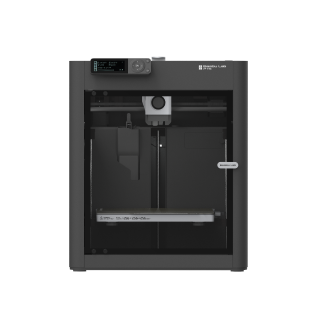
Bambu Lab P1S
P1S (standard, without AMS - not the P1P, P1S Combo or P2S)
Enclosed, filtered and capable with ABS and ASA. The trade is running noise.
- Build volume
- 256 × 256 × 256 mm (Bambu Studio defaults to 250 mm height)
- Technology
- FDM
- Max speed
- 500 mm/s toolhead (20 m/s² acceleration)
- Enclosed
- Yes (plastic and glass; chamber temperature regulator fan and activated-carbon filter)
- Multi-colour
- Optional (AMS or AMS 2 Pro sold separately or as a Combo)
- Auto levelling
- Yes (automatic bed levelling sensor)
What we like
- The only pick here that is both enclosed and carbon-filtered
- ABS and ASA sit on the ideal list, so the materials that smell stay contained
- Owners describe a good first print inside an hour, without touching the slicer
- Bambu Lab confirmed in 2026 that it is not being phased out
What we don’t
- Running noise is the recurring complaint, and no maker figure exists to check it against
- Wants a room with a door; owner accounts of living beside it are divided
- Carbon fibre needs an extruder and hotend upgrade first
- Replacement parts are proprietary
Size is the number that matters: 389 × 389 × 458 mm and 12.95 kg, so it wants a solid surface roughly 40 cm square with clearance above for a spool. In exchange, a 256 mm cube of build volume, a 300 °C hotend and a 100 °C bed put PLA, PETG, TPU, PVA, PET, ABS and ASA on Bambu Lab's ideal list.
Starting is easy. A recurring theme among buyers is that the machine goes from box to a successful first print inside an hour without changing slicer settings. Living with it is harder. Owners repeatedly trace the noise to the fans rather than the motion system, and a recurring theme is that the chamber fan is the loudest part. Reports on where it ends up living are divided: several describe running it close to a bedroom without trouble, others say they moved it out of the living space. Bambu Lab publishes no decibel figure to check that against.
Treat the filter as a partial measure, not a sealed system. Nor is this a model about to be replaced: Bambu Lab said in February 2026 that it will continue to be made and sold.
Buy this if the printer gets a room with a door. Skip it if it has to live where people sleep or watch television.
The household machine a family will actually use: Bambu Lab A1 Combo
The printers that get used in a house do something the household wants, and in practice that means colour. A family 3D printer lives or dies on whether a child can have a two-tone dinosaur without an adult swapping filament halfway up — which is what the AMS lite and its four spools exist for.
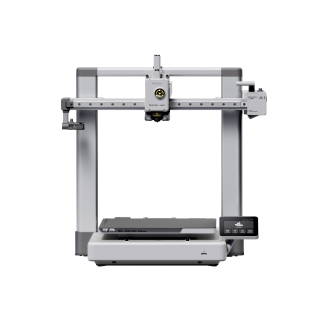
Bambu Lab A1 Combo
A1 Combo (A1 printer + AMS lite)
Four-colour printing with no supervision, on a low-odour material list. Plan for the spool unit and purge waste.
- Build volume
- 256 × 256 × 256 mm
- Technology
- FDM
- Max speed
- 500 mm/s toolhead (10,000 mm/s² acceleration)
- Enclosed
- No
- Multi-colour
- Yes (AMS lite included; 4 spools; one AMS lite per A1)
- Auto levelling
- Yes (fully automatic)
What we like
- Four spools loaded, so colour changes need nobody standing over the machine
- A 256 mm cube plate at a price a household can justify
- ABS and ASA are not recommended, which keeps a shared room boring
- Two years of warranty, the longest term among the filament picks
What we don’t
- The spool unit needs 397 × 208 × 342 mm of its own beside or behind the printer
- Every colour change flushes filament out of the nozzle as waste
- No humidity protection for filament left loaded
- Open frame, so the high-temperature materials are out entirely
Plan the surface first. The printer is 385 × 410 × 430 mm and 8.3 kg, and the AMS lite adds a further 397 × 208 × 342 mm and about 3.7 kg beside it — closer to a small microwave plus a shoebox than to the single appliance the photographs suggest. For that you get a 256 mm cube at up to 500 mm/s.
What makes it a good household machine is the material list. It is not enclosed, and Bambu Lab names PLA, PETG, TPU and PVA as ideal while explicitly not recommending ABS, ASA, PC, PA, PET or fibre-reinforced filaments. In a workshop guide that reads as a limitation; in a living room it is a specification. Two years of warranty is the longest term among the filament picks.
Owners frequently recommend buying the Combo rather than adding the AMS lite later, mainly for hands-off colour changes. The complaints concern the spool unit rather than the printer: owners repeatedly note that multicolour printing generates significant purge waste, which slicer settings reduce but do not remove. On noise, opinion is mixed: some who also own the smaller mini find this machine noticeably louder, others consider it acceptable in a living space.
Buy this if more than one person will use it and colour is what keeps them using it. Skip it if you print one colour at a time, or need ABS and ASA.
When space is the binding constraint: Bambu Lab A1 mini
Sometimes the room decides before the budget does. If what you have is a desk you also work at, or a shelf in a bedroom, this is the desktop 3D printer for home use that fits: 347 × 315 × 365 mm and 5.5 kg, a one-handed lift that nothing else here manages.
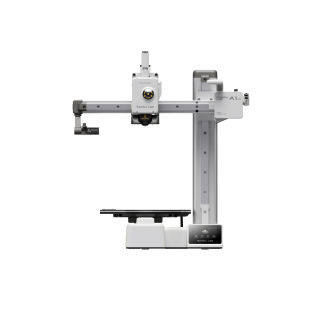
Bambu Lab A1 mini
A1 mini (standard, without AMS lite)
The smallest, lightest and most frugal machine here, and it still calibrates itself. The 180 mm plate is the compromise.
- Build volume
- 180 × 180 × 180 mm
- Technology
- FDM
- Max speed
- 500 mm/s toolhead (10 m/s² acceleration)
- Enclosed
- No
- Multi-colour
- Optional (AMS lite sold separately; up to 4 spools)
- Auto levelling
- Yes (fully automatic)
What we like
- 347 × 315 × 365 mm and 5.5 kg — a genuine one-handed lift
- 150 W maximum, the most frugal machine on this page
- Calibrates itself with no input at all
- Two years of UK warranty at the bottom of the range
What we don’t
- A 180 mm cube is the smallest plate here
- The main-board fan runs constantly and some owners find it intrusive
- Open frame, so ABS and ASA are off the list
- Owners who wanted more plate tend to say so within months
Small means small in every direction. The plate is a 180 mm cube, the least room here, so if you want helmets or storage crates this is the wrong machine. It draws at most 150 W, roughly a seventh of what the enclosed picks are rated for, making it the cheapest to leave running overnight.
It is open-frame, with PLA, PETG, TPU and PVA listed as ideal and ABS, ASA, PC, PA, PET and fibre-reinforced filaments not recommended. For a bedroom or a shared office that is the right answer rather than a compromise, and two years of UK warranty comes with it at £170 to £270.
Owner reports repeatedly describe it as reliable and low-effort, which is why it is so often suggested as a first printer. The home-relevant complaint: a recurring complaint is the constantly running main-board fan, which some owners find intrusive at idle, although others describe the machine as quiet enough for a living space. "Intrusive at idle" matters if the machine sits an arm's length from a pillow, and no published figure settles it.
Buy this if your space is a desk rather than a room. Skip it if you will resent the plate within a month — the A1 Combo gives you half again in every axis.
When quiet matters more than anything else: ELEGOO Centauri Carbon 2
If the printer must share a room where somebody works or sleeps, noise stops being a specification and becomes the specification. This is the only machine here whose maker puts a number to it: ELEGOO states under 45 dB while printing — a manufacturer claim on the manufacturer's terms, almost certainly at ordinary speeds, but the only auditable one in the category.
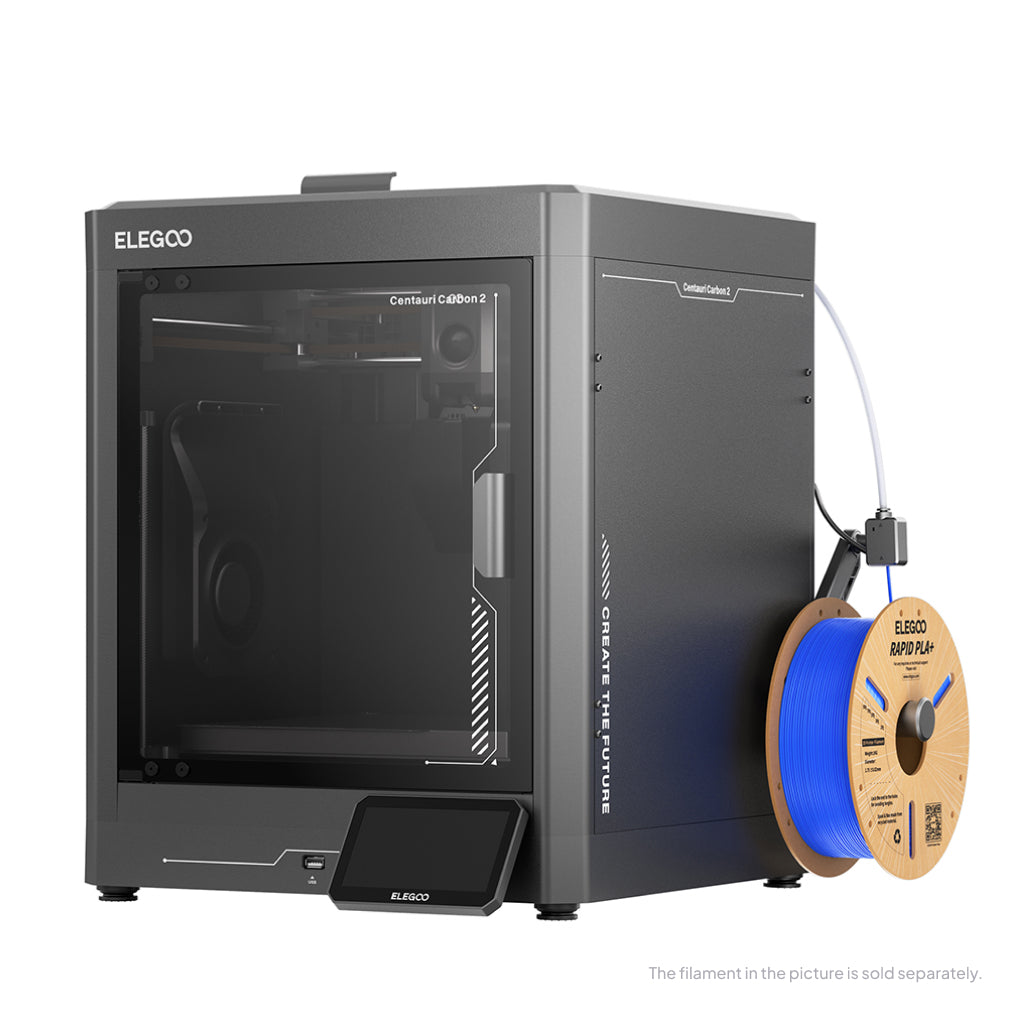
ELEGOO Centauri Carbon 2
Centauri Carbon 2 (standard, without CANVAS - not Combo)
Enclosed, hot enough for ABS and ASA, and the only pick with a published sound figure. The software is where owners lose time.
- Build volume
- 256 × 256 × 256 mm
- Technology
- FDM
- Max speed
- 500 mm/s (CoreXY)
- Enclosed
- Yes (thermally regulated enclosure)
- Multi-colour
- Optional (CANVAS 4-colour system; included only in the Combo; standard unit can be upgraded)
- Auto levelling
- Yes — full-auto calibration with 121-point auto-levelling and partial bed-levelling
What we like
- The only machine here with a maker-published sound figure, under 45 dB
- Enclosed, with a 350 °C nozzle, at open-frame money
- Full automatic calibration, no manual levelling
- Cheaper than the open-frame multi-colour pick above it
What we don’t
- ELEGOO publishes no external dimensions, so you cannot plan the shelf
- UK warranty terms could not be confirmed from any page reached
- Connectivity between printer, slicer and app is the recurring complaint
- Noise reports diverge sharply at the fastest speeds
Quiet does not cost capability. It is enclosed, runs a 350 °C nozzle — the hottest of the filament picks — over a 256 mm cube, and calibrates itself: an ABS and ASA machine at £280 to £310, less than the open-frame Combo above it.
Two honest gaps come with it. ELEGOO publishes no external dimensions or net weight on any page we could reach, so you cannot plan the shelf from the maker's numbers, and its UK warranty terms could not be confirmed either — which matters on a brand whose support divides opinion: ELEGOO's support draws mixed reports on UK review sites, with prompt replacements for straightforward problems but slower exchanges on complicated ones.
Owner accounts complicate the quiet claim. Noise reports are mixed, some owners finding the machine acceptable at normal speeds and others describing significant vibration at the fastest ones. The recurring frustration is elsewhere: a recurring theme is flaky connectivity between printer, slicer and app.
Buy this if the machine shares a room with a person and you still want ABS, ASA and an enclosure. Skip it if you need to know what fits your shelf before ordering, or want a stated warranty.
The cheap way to find out whether the house will use one: Creality Ender-3 V3 SE
A good many home printers end up on a garage shelf after four months — a household discovering it had two projects rather than a hobby. At around the £150 mark this is the cheapest way to find out which you have.
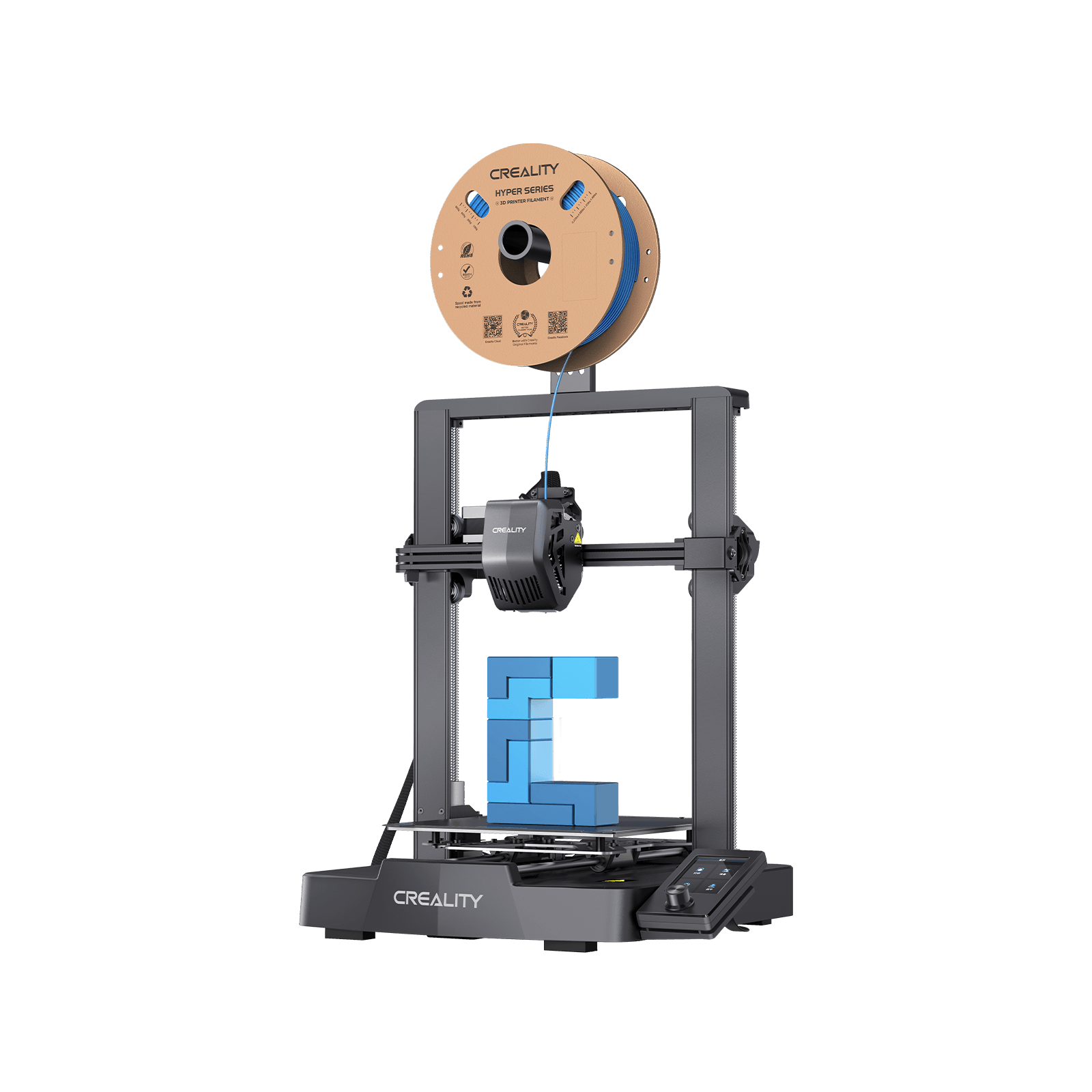
Creality Ender-3 V3 SE
Automatic levelling and a usable plate at the bottom of the market. Slow, three materials, and files walk to it on a card.
- Build volume
- 220 × 220 × 250 mm
- Technology
- FDM
- Max speed
- 250 mm/s (2,500 mm/s² acceleration)
- Enclosed
- No
- Multi-colour
- No
- Auto levelling
- Yes (CR Touch plus strain-sensor auto Z-offset)
What we like
- Around the £150 mark, so an abandoned hobby is a cheap mistake
- Levels itself, which used to be something you paid extra for
- A 220 × 220 × 250 mm plate, more room than the price suggests
- Ships from a UK warehouse
What we don’t
- 250 mm/s, roughly half the pace of the rest of this page
- A 260 °C nozzle and three materials: PLA, PETG and TPU
- SD card only — no Wi-Fi, no sending a file from the sofa
- Creality's own pages disagree on the warranty length
You get more than the price suggests: a 220 × 220 × 250 mm plate and levelling that works without a sheet of paper under the nozzle. You give up speed and heat. It tops out at 250 mm/s, half the pace of the rest of this page, and the open-frame nozzle stops at 260 °C with Creality listing only PLA, PETG and TPU 95A — in a home, a sensible set rather than a shortcoming.
Go in with eyes open on the warranty: Creality's after-sales policy and its UK store page state different terms, so no length is quoted here. That matters because reviews of Creality on UK consumer sites repeatedly raise slow and unhelpful after-sales support.
First-time owners frequently describe it as easy to set up and capable of a good first print without tuning. Its rated draw of 350 W is modest, though a bed-slinger throws its whole plate back and forth, so it wants a rigid surface.
Buy this if you are not yet sure anyone will use it. Skip it if you already know you will print regularly — the A1 mini costs little more and takes files over Wi-Fi.
Fine detail, if you can give it a ventilated corner: ELEGOO Mars 5 Ultra
Resin is why the filament machines above disappoint anyone who wants miniatures or crisp tabletop terrain. It resolves detail no nozzle can, and asks for a place in the house to match.
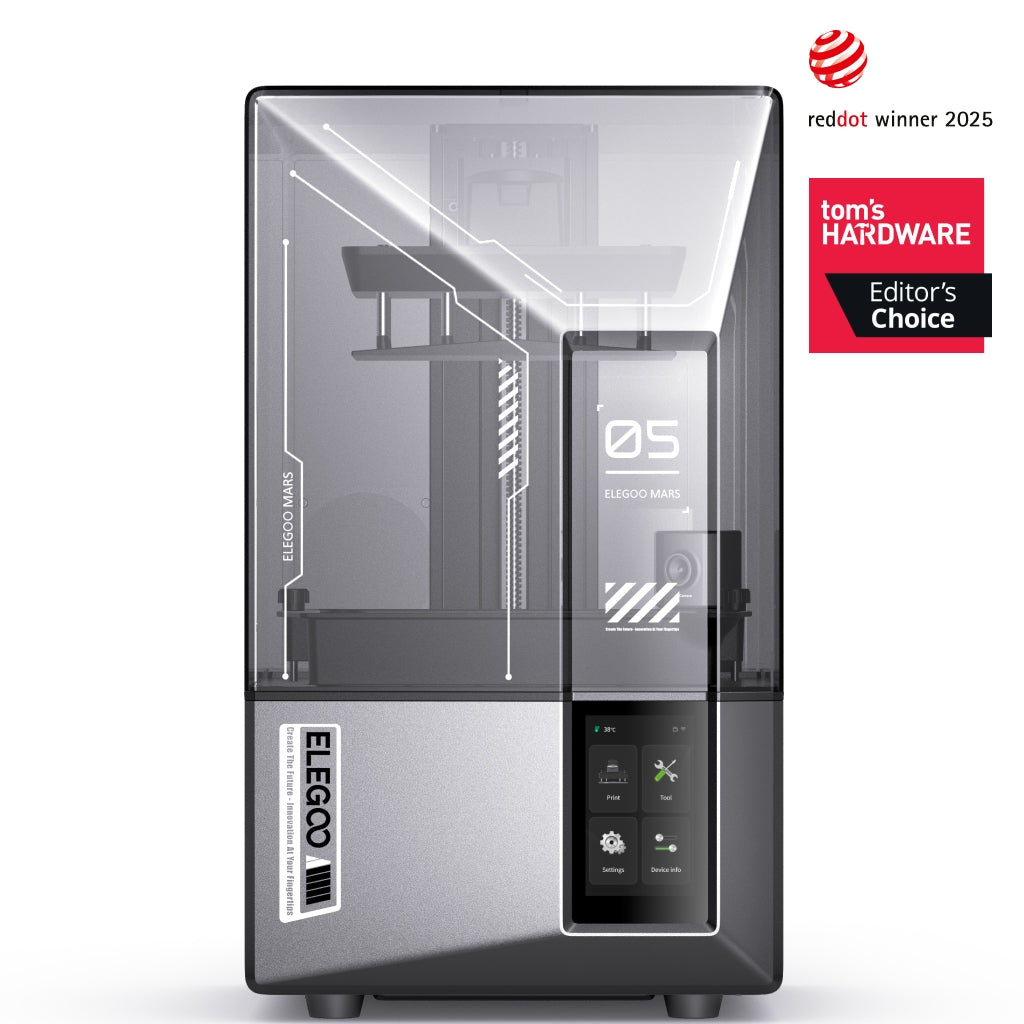
ELEGOO Mars 5 Ultra
Mars 5 Ultra 9K (not the non-Ultra Mars 5)
Detail nothing else here approaches, in a small machine. The resin, alcohol, gloves and ventilation are the real purchase.
- Build volume
- 153.36 × 77.76 × 165 mm
- Technology
- Resin (MSLA)
- Max speed
- Up to 150 mm/h (manufacturer maximum)
- Enclosed
- Lid (acrylic UV cover)
- Multi-colour
- No
- Auto levelling
- Yes (one-click automatic levelling)
What we like
- 18 × 18 μm in XY — detail no filament machine on this page reaches
- Compact at 260 × 268 × 451.5 mm and 8.8 kg
- Takes most resins on the market, water-washable included
- Owners describe it as one of the easiest resin machines to start with
What we don’t
- Gloves, eye protection and a ventilated area are manufacturer instructions
- Washing, curing and alcohol outrun the printer's price over a year
- Three months of cover on the LCD, six on the vat and build plate
- A 153 mm plate holds only a handful of models at a time
It images at 18 × 18 μm in XY and prints layers from 0.01 to 0.2 mm, the level at which faces, fabric folds and rivets survive. The plate is small — 153.36 × 77.76 × 165 mm — and the machine compact at 260 × 268 × 451.5 mm and 8.8 kg, so the printer is not what takes the space. It accepts most resins on the market, water-washable included.
Everything around it does. Prints come off the plate wet and need washing, then curing. The manufacturer's instructions are unambiguous: gloves and eye protection, a well-ventilated area, no direct skin contact, and resin cured under UV before disposal. Reviewers consistently point out that the printer is only part of the outlay, since washing, curing, alcohol, gloves and ventilation all sit on top of it.
Owner accounts of resin odour in a home vary widely: some describe printing in a bedroom and noticing little, others treat a ventilated room and added carbon filtration as essential. Where accounts disagree with the instruction, follow the instruction: a room with a window you will open, a door you can close, and no through-traffic.
Reviewers repeatedly describe it as one of the easiest resin printers to start with. Its warranty is twelve months on the machine, three on the LCD and six on the resin tank and build plate — cover on the frame rather than the parts that wear.
Buy this if you want miniature-grade detail and a corner that can be ventilated and closed off. Skip it if your only space is the room you live in; the best resin printers uk guide covers the workflow.
For a garage, a utility room or a home workshop: QIDI Plus5
Some homes have a space that is not really part of the house — an integral garage, a utility room, an outbuilding. A home workshop 3D printer is a different animal once it is out of earshot.
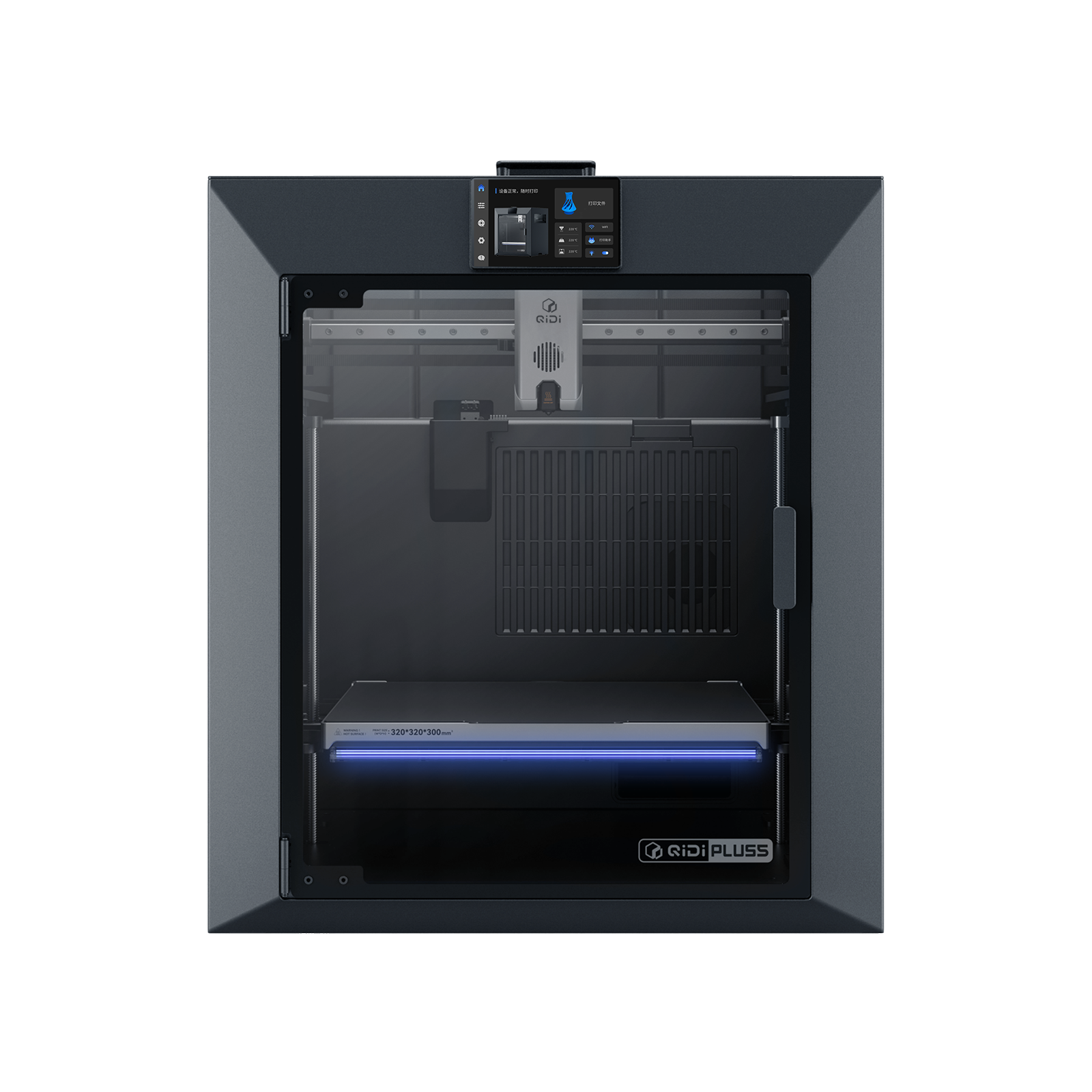
QIDI Plus5
QIDI Plus5 (standard, not the Plus5 Combo with QIDI Box, and not the Plus4)
An actively heated chamber, engineering materials and the best filtration here — in a 29 kg machine with no business indoors.
- Build volume
- 320 × 320 × 300 mm
- Technology
- FDM
- Max speed
- 600 mm/s toolhead (≤20,000 mm/s² acceleration)
- Enclosed
- Yes, with independent active chamber heating up to 65 °C (3rd generation)
- Multi-colour
- Optional (compatible with QIDI Box; the Combo bundles it for 16 colours)
- Auto levelling
- Yes (hands-free, loadcell sensor integrated into the hotend)
What we like
- An actively heated chamber to 65 °C, so nylon and polycarbonate are real options
- Three-stage filtration with an H12 HEPA element and activated carbon
- The largest plate here at 320 × 320 × 300 mm
- Support is the best regarded of any brand on this page
What we don’t
- 500 × 488 × 558 mm and 29 kg — this is not a living-room machine
- 500 W steady state on ABS, several times what the small machines draw
- One year of warranty, the shortest here
- An engineering tool with a learning curve, not an appliance
Start with size, because it is disqualifying indoors and the point of the machine outdoors: 500 × 488 × 558 mm and 29 kg, heavy enough that two people should place it once and leave it. For that you get a 320 × 320 × 300 mm build volume, the largest here, a 370 °C hotend and an actively heated chamber to 65 °C rated at 550 W.
The heated chamber is the dividing line. Warm air stops ABS, ASA, nylon and polycarbonate splitting as they cool, which is why QIDI lists PLA, ABS, ASA, PETG, TPU, PA, PC and fibre-reinforced polymers where enclosed-but-unheated machines stop short. It carries the most serious filtration here too: a pre-filter, an H12 HEPA element and coconut-shell activated carbon.
QIDI states a steady state of 190 W on PLA and 500 W on ABS at room temperature, so a long engineering print costs several times what the small machines do. Warranty is one year. Expect a tool, not an appliance: owners repeatedly describe QIDI machines as engineering tools rather than plug-and-play, with a learning curve to expect.
Buy this if you have a garage or an outbuilding and want nylon, polycarbonate or composites at home. Skip it if the printer has to live in the house — at £650 to £750 you would pay for chamber heat you cannot safely use.
What to check before a printer comes into the house
Four things decide whether a home 3D printer becomes part of the household or a shelf ornament, and only one appears prominently in most listings.
Footprint, not build volume. Only one of those describes your furniture: the QIDI prints on a 320 × 320 × 300 mm plate but needs 500 × 488 × 558 mm of room. Measure the surface, add clearance above for a spool and behind for cables, then check the doorway.
What the maker says it should not print. The emissions decision in disguise. Bambu Lab's A1 machines name ABS, ASA, PC, PA, PET and fibre-reinforced filaments as not recommended; in a shared room that sentence is the feature.
Noise evidence, not noise claims. One manufacturer here publishes a figure — under 45 dB — and six do not. Any guide filling a decibel column for all seven sourced most of it from somewhere other than the makers.
Automatic levelling as a floor. Every machine here levels itself. One that needs a manual routine loses the competition for attention by about week three. The enclosed machines also want a proper wall socket, not an extension lead shared with a television.
Fumes, filtration and where to put the machine
Most home-use guides skip this, which is why so many printers end up somewhere unsuitable. A filament printer melts plastic, and melting plastic releases ultrafine particles and volatile organic compounds — how much, and of what, depends mostly on the material and the temperature. The Health and Safety Executive commissioned research on exactly this: report RR1146, Measuring and controlling emissions from polymer filament desktop 3D printers, published in 2019. Its text is no longer served from the HSE research index, so nothing is claimed here about what it found; that a UK regulator commissioned it is the signal worth having. No maker publishes emissions figures, so what follows is about control, not quantification.
Material is the first lever. PLA and PETG are the low-temperature, low-odour end; ABS and ASA are the end that smells, and the reason enclosures exist. Two machines here have ABS and ASA named as not recommended by their own maker, and a third does not list them.
Ventilation is the second. A room with a window you can open beats a sealed one, whatever the machine — not a substitute for the first lever, but what makes it forgiving.
Filtration is third, and weakest. The P1S carries an activated carbon filter and the QIDI a pre-filter, H12 HEPA and carbon stack. Both are real engineering; neither is a sealed system. A recurring theme among owners printing ABS and ASA indoors is that the carbon filter is a partial measure rather than a complete one, although this is not consistent across all reports.
Resin is a separate conversation. The maker's instructions require gloves and eye protection, a well-ventilated area, no direct skin contact, and curing under UV before disposal.
Children and pets. A nozzle runs to 300 °C on most of these machines and a bed to 100 °C, and neither looks hot; an enclosure is a barrier as well as a thermal aid. Trailing leads, a heavy machine on a light table and liquid resin within reach are worth designing out before the printer arrives.
What a home 3D printer costs to run in the UK
Less in electricity than most people fear, and more in consumables than most people budget for. The figures below are estimates, with the assumptions shown so you can redo them on your tariff.
Under the Ofgem cap the average domestic rate is 26.11 pence per kWh for the quarter to the end of September 2026, rising to 26.32 pence per kWh from October. Round it to about 26p per kWh.
Now the awkward part, and why competing estimates vary so wildly. Most makers publish a rated power — the ceiling the supply can deliver — not what the machine draws once the bed is hot. The P1S is rated at 1000 W at 220 V and the A1 mini at a 150 W maximum; multiplying those by a unit rate would overstate a real bill substantially, so this page will not. QIDI is the exception and publishes a steady state: 190 W on PLA and 500 W on ABS. Using its PLA figure, the only honestly usable one:
- 0.19 kW × 26p per kWh ≈ 5p an hour
- A ten-hour print ≈ 50p in electricity
- Thirty printing hours a month ≈ about £1.50 a month, or under £20 across a year
That is the largest machine here with its chamber heater idle, so the small ones land below it; print ABS on the QIDI and the sum lands nearer 13p an hour.
Consumables are the line that moves. Ordinary PLA runs around the £14 to £18 a kilogram mark, and a household printing regularly will spend several times its electricity bill on plastic in the first year. Resin costs more and brings company: standard resins sit around £16 to £21 a kilogram, and a wash-and-cure station — not optional in practice — comes in under £130.
Buying in the UK: stock, warranty and spare parts
Warranty is where these seven diverge most. Bambu Lab's policy states two years, with some parts and consumables carrying a shorter period, and the A1 mini and A1 Combo both carry that term. QIDI gives one year. ELEGOO's Mars 5 Ultra is twelve months on the machine but three on the LCD and six on the resin tank and build plate — cover on the frame rather than the parts that wear out.
Two entries have no clean answer. Creality's after-sales policy and its UK store page state different warranty lengths for the Ender-3 V3 SE, so this page quotes neither, and ELEGOO's UK terms for the Centauri Carbon 2 could not be confirmed from any page reached. In both cases, ask before you pay.
Support quality does not track warranty length. A recurring theme among Bambu Lab buyers is slow warranty support, with owners describing tickets that sit open for weeks, although this is not consistent across all reports. QIDI's support draws consistent praise on UK review sites for responding quickly.
All seven were in stock through UK routes when checked in September 2026: the Bambu Lab machines through the manufacturer's UK store and resellers, with the A1 Combo in stock at a UK retailer on 12 September; the Centauri Carbon 2 through ELEGOO's UK store; the Ender-3 V3 SE through Creality's UK store, shipping from a UK warehouse; the Mars 5 Ultra through ELEGOO and UK resellers; and the QIDI through a UK reseller.
Heavy machines also attract delivery surcharges. The P1S was listed with an oversize surcharge of around £45 at one authorised UK stockist, and the A1 Combo carries a bulky-goods charge on top of the usual free-delivery threshold. Neither is in the headline price.
Where home buyers get this wrong
Buying build volume instead of buying room. The commonest regret runs both ways — a plate too small to be useful, or a machine too large for its space. Decide the surface first.
Assuming an enclosure is a filter. An enclosure keeps warm air around the print, which is why ABS and ASA succeed inside one. Filtering what comes off the plastic is a separate component, and plenty of enclosed machines do not have one.
Assuming enclosed means quiet. The top pick here is enclosed and also draws the most noise complaints. Enclosures muffle motion noise a little and do nothing about fans, where the sound mostly comes from.
Expecting an enclosure to unlock carbon fibre. Buyers regularly expect an enclosed machine to take carbon fibre, which is where the P1S trips people up, and the maker says plainly that fibre-reinforced filament is not recommended without an extruder and hotend upgrade.
Putting a resin printer in a bedroom because it is small. Size is the wrong test: the manufacturer's own instructions ask for gloves, eye protection and a well-ventilated area, and a washing and curing bench has to go somewhere.
Budgeting for the printer and not the year. If budget is the binding constraint rather than the room, the best budget 3d printers uk guide takes that on directly.
Which 3D printer should live in your home?
There is no single best home 3D printer, because "home" is not one place. Work backwards from the room rather than forwards from the specification, and the choice makes itself.
If the printer gets a door — a spare room, a home office, a garage conversion — buy the Bambu Lab P1S, at £330 to £400. Its one serious flaw is a noise problem a door solves.
If it has to live among people, it depends which constraint bites. A room shared with someone working or sleeping points to the ELEGOO Centauri Carbon 2, the only pick whose maker publishes a sound figure; a desk you also use, to the Bambu Lab A1 mini at £170 to £270. Children who want colour point to the Bambu Lab A1 Combo, an untested enthusiasm to the Creality Ender-3 V3 SE, and miniature-grade detail to the ELEGOO Mars 5 Ultra. If the space is really a workshop, the QIDI Plus5 takes advantage of not being in the house.
The best home 3D printer is the one that suits the room it will live in, and for most UK houses that is the Bambu Lab P1S behind a closed door. Judge the rest on footprint, on what the maker will not let you print, and on whether anybody has published a noise figure.
- Buy it if
- The printer can have a room with a door and you want ABS and ASA — the Bambu Lab P1S, around the £330 to £400 mark.
- Skip it if
- The machine has to share the room you sit in. Buy the ELEGOO Centauri Carbon 2 for a published quiet figure, or the Bambu Lab A1 mini if the constraint is space.
How this article was researched
No machine on this page was bought, opened or run. Specifications come from manufacturer pages, specification sheets and manuals; UK availability and prices were checked on UK store listings on 12 September 2026 and given as bands. Owner-experience passages summarise recurring patterns from public forums and review sites in our own words — nothing is quoted and no rating reproduced. Two figures are deliberately absent, because no maker publishes them: external dimensions for the Centauri Carbon 2 and the Ender-3 V3 SE, and noise figures for six of the seven.
Common questions
- Is a 3D printer safe to use at home?
- With sensible controls, yes — and the controls matter more than the machine. Melting plastic releases ultrafine particles and volatile organic compounds, which is why the Health and Safety Executive commissioned research on desktop filament printers. The practical order is: choose low-temperature materials such as PLA and PETG, give the room ventilation, and treat a built-in carbon filter as a third line of defence rather than the first. Resin is a stricter case, because the manufacturer's own instructions require gloves, eye protection and a well-ventilated area. Keep any machine away from small children and pets: a nozzle at printing temperature does not look hot.
- What size printer is suitable for a home?
- Judge it by the space the machine occupies, not the space it prints in — the two differ by a wide margin. A printer with a 256 mm cube build volume takes up roughly 40 cm square of surface and stands about 46 cm tall, before you allow clearance above for a filament spool and behind for cables. The smallest capable machine here needs about 35 cm square. Bed-slinger designs, where the plate moves forwards and back, need more than their own outline because the plate swings during a print. Measure the surface, then the doorway.
- Which home printer is quiet and enclosed?
- The ELEGOO Centauri Carbon 2 is the one to look at, because it is the only printer in this guide whose manufacturer publishes an operating-sound figure — under 45 dB — alongside a full enclosure. Treat that as a normal-speed figure rather than a maximum-speed one; owner reports describe noticeably more vibration at the fastest settings. It is worth knowing that enclosed does not mean quiet as a rule: the enclosed Bambu Lab P1S draws more noise complaints than any other machine here, because most of the sound comes from fans rather than motion.