Best 3D Printers for Miniatures UK
Resin or filament for 28 mm miniatures? Six printers UK buyers can order now, ranked on pixel size, plate capacity, running cost and UK stock.
Independent and reader-funded. We earn a commission if you buy through our links, at no extra cost to you. How this works.
A miniature is a difficult print disguised as a small one. The figure stands 28 mm tall and almost everything worth painting on it — a face, a buckle, the edge of a cloak — is well under a millimetre across, so choosing a machine is a question about the smallest mark each one can make. That is why the best 3D printer for miniatures UK buyers can order today is, for figures, a resin machine: the finest nozzle Bambu Lab lists for its P1S is 0.2 mm across, while the cheapest resin printer here draws with pixels 18 μm square.
A tabletop hobby is not only figures, though. The table they fight over is mostly volume, and volume is what resin is worst at buying, so this page carries both kinds of machine. Nothing here was bought or run: every figure traces to the maker's own documentation.
Resin or filament: the decision that comes before the printer
Resin wins on detail at figure scale, and the gap is not close enough to argue about. A filament printer drags a molten thread across the part, so the finest line it can lay is set by the hole it comes out of: 0.4 mm as standard on the Bambu Lab P1S, with 0.2 mm the smallest nozzle Bambu Lab lists as an option. A resin printer shines an image onto a layer of liquid, so its resolution is one pixel on its screen — 18 × 18 μm on the ELEGOO Mars 5 Ultra. That is roughly an order of magnitude on the axis a 28 mm face lives on, and the consequence is that the features disappear into the process.
Volume is cheap in filament and expensive in resin. Ordinary PLA runs roughly £14 to £18 a kilogram, against roughly £16 to £28 for the common resins — and that understates it, because terrain is mostly air at low infill while resin prints solid.
Resin is a chemistry set, and filament is not. Its manual requires gloves, eye protection and a well-ventilated area; a filament printer needs a plug and a flat surface.
The realistic answer is a split, not a winner. Owners weighing the two processes tend to describe a split rather than a winner, accepting that filament resolves less than resin at figure scale while reporting the output as good enough for terrain, buildings, bases and larger models, though how much detail is enough is plainly a matter of what is being printed.
Characters, monsters and squads — a Warhammer 3D printer in everything but name — means the first four machines below; the table means the last two. If resin is already settled, our best resin printers for miniatures guide goes deeper.
The six machines, side by side
Two rows decide most of this table: read the detail row against the build-volume row and you have the whole trade. The machines that resolve a face have plates measured in centimetres; the machines with room for a building cannot resolve a face.
| Specification | 1 ELEGOO Mars 5 Ultra Most miniature printers | 2 ELEGOO Saturn 4 Ultra 16K Busts and display | 3 Anycubic Photon Mono M7 Pro A whole army | 4 Anycubic Photon Mono 4 Ultra Packs away | 5 Bambu Lab P1S Terrain and vehicles | 6 Bambu Lab A1 mini Cheapest terrain |
|---|---|---|---|---|---|---|
| Best for | Characters, monsters and small squads | Busts, display pieces and a cold room | Unit-sized plates with the least handling | Resin where the machine cannot stay out | Terrain, vehicles and tough parts | Terrain and bases on a budget |
| Technology | Resin, MSLA | Resin, MSLA | Resin, MSLA | Resin, MSLA | Filament, enclosed | Filament, open frame |
| Finest mark it can make | 18 × 18 μm pixel | 14 × 19 μm pixel | 16.8 × 24.8 μm pixel | 17 × 17 μm pixel | 0.4 mm nozzle, 0.2 mm optional | Nozzle diameter not confirmed |
| Build volume | 153.36 × 77.76 × 165 mm | 211.68 × 118.37 × 220 mm | 223 × 126 × 230 mm | 153.4 × 87 × 165 mm | 256 × 256 × 256 mm | 180 × 180 × 180 mm |
| Levelling | One-click automatic | One-click automatic | Levelling-free | Four-point manual | Automatic | Automatic |
| Resin heating | None | Heated tank, 30 °C | Temperature-controlled vat | None | Not applicable | Not applicable |
| Price band | £210–£260 | £370–£420 | £410–£470 | £240–£290 | £330–£400 | £170–£270 |
| UK route | ELEGOO UK store and 3DJake UK | ELEGOO UK store, 3DJake UK and an independent specialist | Anycubic UK store and 3DJake UK | Anycubic UK store and 3DJake UK | Bambu Lab UK and 3DJake UK | Bambu Lab UK and a UK retailer holding stock |
One cell rewards a second look. The Photon Mono M7 Pro has the largest plate and the coarsest pixel along one axis, because a screen only has so many pixels and spreading them wider makes each one bigger. Bigger plate, softer detail — which is why the top pick here is also the smallest.
How these six were chosen
Our recommendations are scored on fit for the job this page describes, then the evidence behind each specification, expected output at 28 mm, ease of setup, safety in a British home, UK value, support and spares, and UK availability. Nothing was ranked higher for paying more commission and nothing was left out for paying less, and no product earns a place unless it holds a role no other product holds.
That rule removed two obvious names. The ELEGOO Saturn 4 Ultra 12K is the same chassis as the 16K with a coarser pixel — 19 × 24 μm against 14 × 19 μm — and without the heated tank that makes the 16K worth the difference in a cold room. The ELEGOO Mars 5 costs less again, but at 35 × 35 μm its pixel is roughly double the Mars 5 Ultra's on the axis that decides whether a face has features.
Best for most miniature printers: ELEGOO Mars 5 Ultra
If the models you want are characters, monsters and the odd small squad — a DND miniature printer first — this is where to start, and quite possibly where to stop. The screen is a 7-inch 9K panel at 8,520 × 4,320, working out at square 18 × 18 μm pixels — so a face resolves the same whichever way it is rotated.
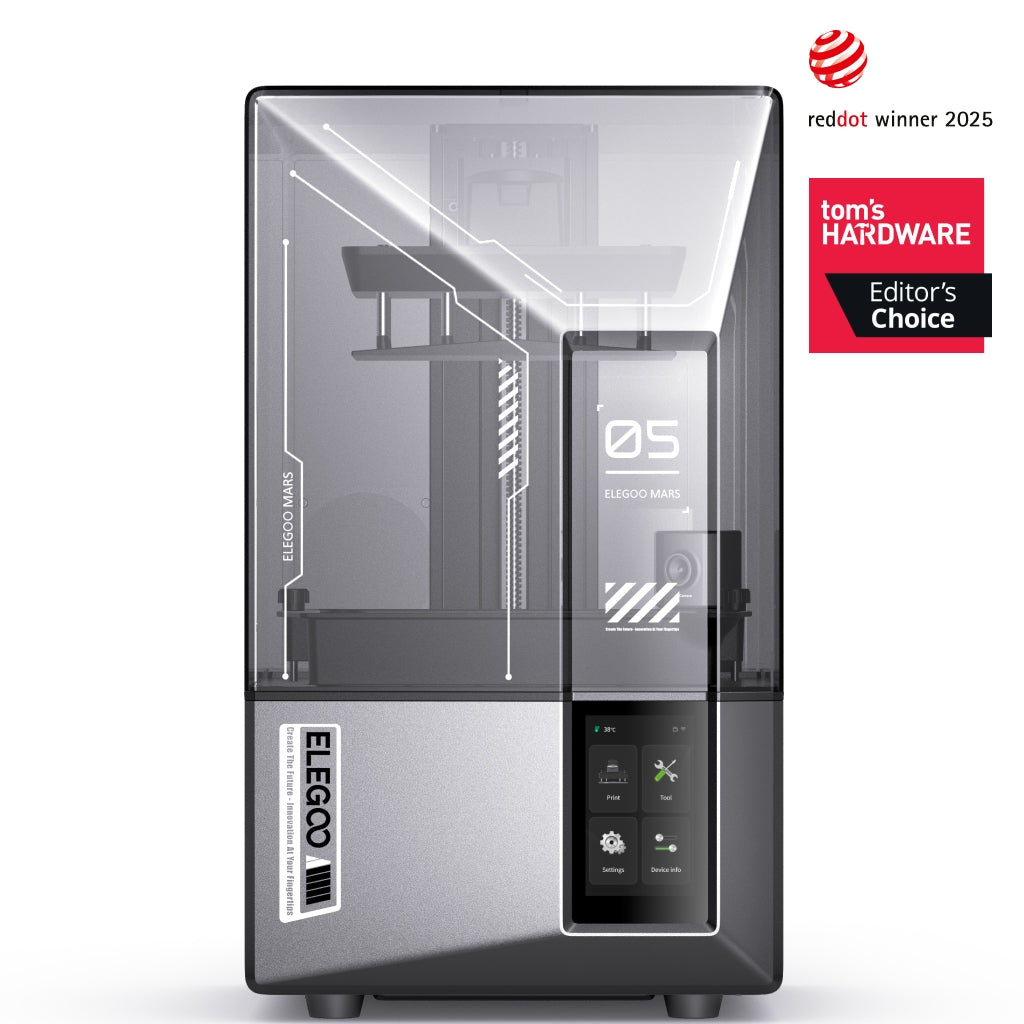
ELEGOO Mars 5 Ultra
Mars 5 Ultra 9K (not the non-Ultra Mars 5)
Square 18 μm pixels on a shelf-sized machine. The cheapest printer here that resolves a 28 mm face properly.
- Build volume
- 153.36 × 77.76 × 165 mm
- Technology
- Resin (MSLA)
- Max speed
- Up to 150 mm/h (manufacturer maximum)
- Enclosed
- Lid (acrylic UV cover)
- Multi-colour
- No
- Auto levelling
- Yes (one-click automatic levelling)
What we like
- Square 18 × 18 μm pixels, so detail does not depend on how the model is rotated
- One-click levelling and very little setup before the first print
- Tilt release peels each layer from one edge, which is gentler on fine detail
- The lowest price band here, through two UK routes
What we don’t
- Nothing in the resin path is heated, and cold resin is what defeats the automation
- The smallest plate on this page — a warband per job, not a battle line
- Three months of warranty on the LCD, the part most likely to need it
- No filtration of its own; the carbon purifier is a separate purchase
The plate is 153.36 × 77.76 × 165 mm, a skirmish warband per job rather than a battle line. It runs to 150 mm/h at maximum, levels itself in one click and takes most 405 nm resins including water-washable ones. Its tilt release peels each layer from one edge rather than pulling it straight off, which is gentler on thin detail.
The honest limit is that nothing in the resin path is heated, which in a cold British spare room is what most often goes wrong: a recurring account across independent reviews is that cold, thick resin is what defeats this machine's automation — the levelling sensor triggers early and the first layer stays on the film — and that warming the resin or the room is the usual fix.
It has no filter of its own. ELEGOO gives twelve months on the machine, three on the LCD and six on the tank and plate, selling through its own UK store and 3DJake UK at around the £210 to £260 mark.
Buy this if you print figures rather than furniture and have somewhere ventilated to put it. Skip it if your models are busts where the surface is the whole point, or if the room is cold.
Best for busts and display pieces: ELEGOO Saturn 4 Ultra 16K
Detail becomes the point when the model will sit on a shelf at arm's length rather than a board at four feet. That is where a high detail 3D printer earns the money: a 10-inch 16K panel giving 14 × 19 μm pixels, the finest here, across a plate of 211.68 × 118.37 × 220 mm.
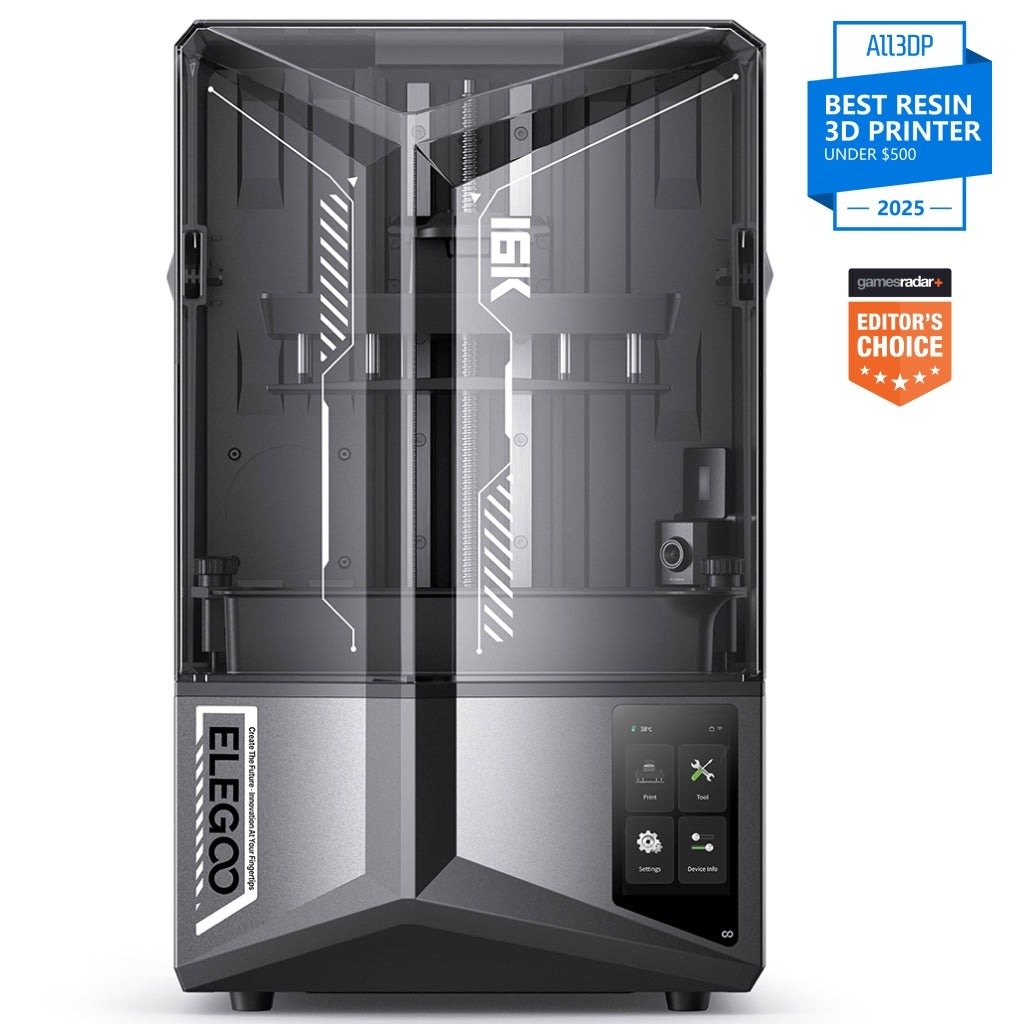
ELEGOO Saturn 4 Ultra 16K
Saturn 4 Ultra 16K (not the 12K Saturn 4 Ultra)
The finest pixel here, and the only machine that heats its own resin. Worth it for surfaces, not for rank-and-file.
- Build volume
- 211.68 × 118.37 × 220 mm
- Technology
- Resin (MSLA)
- Max speed
- Up to 150 mm/h (fast mode, manufacturer maximum)
- Enclosed
- Lid (acrylic UV cover)
- Multi-colour
- No
- Auto levelling
- Yes (one-click automatic levelling)
What we like
- 14 × 19 μm pixels, the finest on this page
- Smart tank holds the resin at 30 °C, which is what a cold British room needs
- 9H tempered-glass screen protector fitted as standard over the LCD
- Three UK routes, including an independent specialist
What we don’t
- The pixel gain over a 12K panel is hard to see at tabletop distance
- Warm-up wait before each job
- No built-in charcoal filtration
- LCD rated in hours, and a replacement costs a meaningful fraction of the machine
The specification that actually changes British printing, though, is not the screen. It is the smart tank, which holds the resin at 30 °C. Cold resin is thick, thick resin does not flow back under a rising plate, and the first layer fails — the commonest way a resin print dies in an unheated room in February. Owners and reviewers repeatedly single out the heated vat as the feature that makes cold-room printing practical, though it does add a warm-up wait before each job.
The rest is the sensible end of ELEGOO's range: layers from 0.01 to 0.2 mm, up to 150 mm/h in fast mode, and a 9H tempered-glass protector over the screen as standard — sensible, because the LCD is the wear part, rated at up to 2,000 hours.
Like everything else here it has no filtration of its own. It sells through ELEGOO's UK store and 3DJake UK at around the £370 to £420 mark.
Buy this if the models are busts or display pieces, or if the room you can put a printer in is genuinely cold. Skip it if your output is rank-and-file troops at table distance, which the Mars 5 Ultra resolves perfectly well for less.
Best for printing a whole army: Anycubic Photon Mono M7 Pro
A resin layer cures all at once, so a plate holding thirty models takes very nearly as long as a plate holding one. Plate area stops being a luxury and becomes the throughput figure — and at about 6.5 litres, this is the largest here.
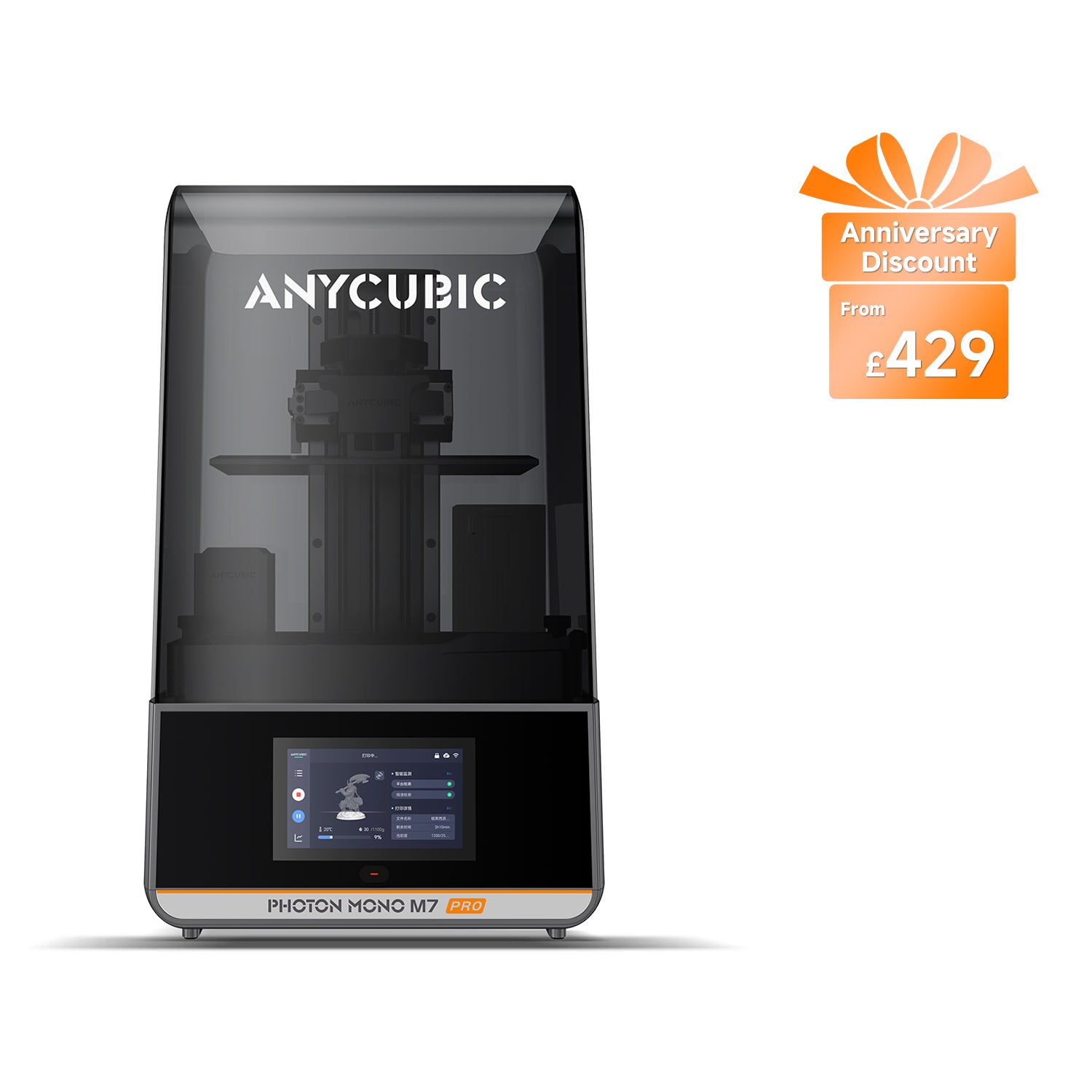
Anycubic Photon Mono M7 Pro
Photon Mono M7 Pro (not the Photon Mono M7 or M7 Max)
The biggest plate and the least handling. Buy it for volume, not for the last few microns of detail.
- Build volume
- 223 × 126 × 230 mm (6.5 L)
- Technology
- Resin (MSLA)
- Max speed
- Max ≤130 mm/h; standard resin at 0.1 mm ≤130 mm/h, high-speed resin at 0.1 mm ≤170 mm/h (manufacturer maxima)
- Enclosed
- Lid (removable UV cover; Anycubic lists no hinged cover)
- Multi-colour
- No
- Auto levelling
- Yes (levelling-free)
What we like
- The largest plate here at about 6.5 litres — unit-sized jobs in one run
- Vat fills, drains and heats itself, so a big plate is not also a big clean-up
- Levelling-free platform
- Six months of LCD cover, twice ELEGOO's term
What we don’t
- 16.8 × 24.8 μm pixels: not square, and not the finest here
- Automatic resin feed is a recurring complaint, especially as the bottle empties
- Power-loss resume is not supported, on a machine bought for long plates
- UK supply was split at the last check
The handling is the other half of the argument. The vat fills and drains itself and holds its own temperature, the platform is levelling-free, and layers run to 130 mm/h on standard resin or 170 mm/h on high-speed resin.
Automation this deep has a cost. Owner and reviewer reports repeatedly describe the automatic resin feed as inconsistent, particularly as the bottle empties, and the manufacturer publishes its own troubleshooting for it. Anycubic also lists power-loss resume as unsupported here — worth knowing on a machine bought for long plates.
The 14K panel gives 16.8 × 24.8 μm: fine, but not square and not the finest here, which is the honest price of the bigger plate. It draws 240 W from its supply, carries twelve months on main components and six on the LCD, and sits around the £410 to £470 mark.
Buy this if you are printing units rather than heroes and would rather the machine handled the resin. Skip it if your output is display pieces, where the Saturn 4 Ultra 16K's finer pixel is the better spend.
Best when the printer has to be packed away: Anycubic Photon Mono 4 Ultra
A lot of people who want a resin printer do not have a room to give one: the machine comes out for the evening and goes back in a cupboard, which rules out most of this page on weight alone. This one weighs 5 kg and runs off a 66 W supply.
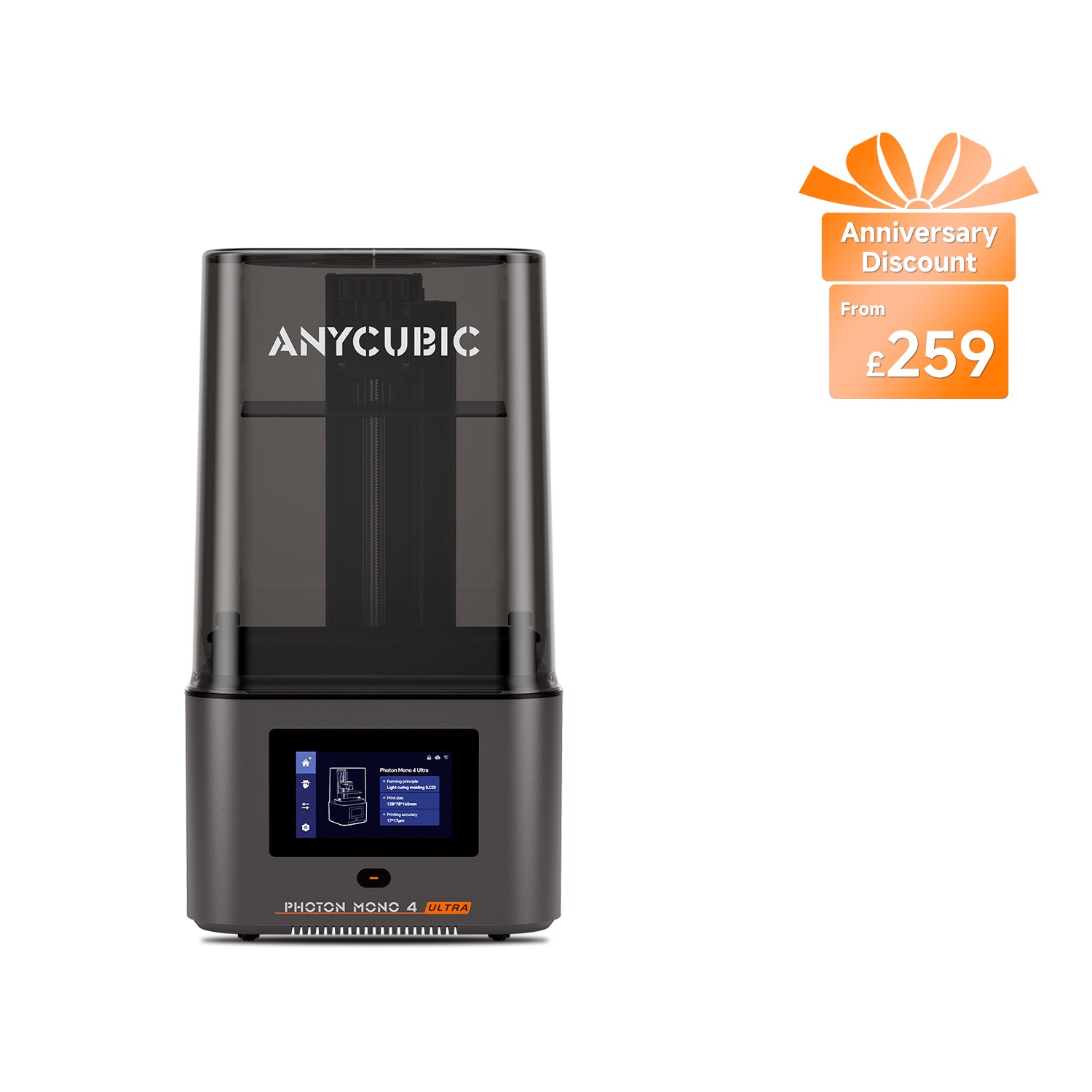
Anycubic Photon Mono 4 Ultra
Photon Mono 4 Ultra (not the Photon Mono 4 or Photon Mono 4 Max)
Five kilograms and 66 watts, with the finest square pixel here. The trade is levelling it by hand every time it moves.
- Build volume
- 153.4 × 87 × 165 mm (2.2 L)
- Technology
- Resin (MSLA)
- Max speed
- Max ≤80 mm/h; standard resin at 0.1 mm ≤80 mm/h, high-speed resin at 0.1 mm ≤120 mm/h (manufacturer maxima)
- Enclosed
- Lid (removable UV cover; Anycubic lists no hinged cover)
- Multi-colour
- No
- Auto levelling
- No — 4-point manual levelling
What we like
- 5 kg and a 66 W supply — light enough to carry one-handed
- 17 × 17 μm square pixels, the finest square pixel on this page
- Cheapest way here into a 10K panel
- Six months of LCD cover, the longest on this page
What we don’t
- Four-point manual levelling, the only machine here without an automatic routine
- No adjustable feet, so an uneven surface has to be corrected first
- No resin heating, so a cold room is still your problem
- No filtration of its own
It does not pay for that in detail. The 7-inch 10K panel gives 17 × 17 μm — square, and marginally finer than the Mars 5 Ultra's — over a plate of 153.4 × 87 × 165 mm.
The catch is where you would expect it on a machine this cheap and this light: levelling is four-point and manual, the only printer here without an automatic routine. Levelling on this model is a manual step, which some reviewers see as a good thing, though the lack of adjustable feet means an uneven surface has to be corrected before printing. In one place that is five minutes once; in and out of a cupboard, it is five minutes every time — the real cost of the portability.
It has no filtration of its own either. Anycubic gives twelve months on main components and six on the LCD — the longest screen cover here — through its UK store and 3DJake UK, at around the £240 to £290 mark.
Buy this if the printer cannot stay set up, or you want the finest square pixel here without paying for a big plate. Skip it if it will live permanently on a bench, since the Mars 5 Ultra levels itself for less, or if a cold room is your problem — nothing here heats the resin.
Best filament printer for terrain and vehicles: Bambu Lab P1S
Everything a resin printer is bad at, this is good at, and there is more of it than new buyers expect. Ruins, hills, barricades, a wrecked transport, the board itself — that is volume, and volume in resin is slow, expensive and messy. A 256 mm cube holds a building for the price of a coffee.
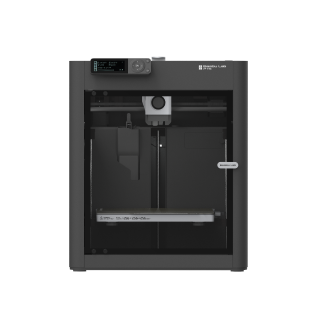
Bambu Lab P1S
P1S (standard, without AMS - not the P1P, P1S Combo or P2S)
An enclosed machine that prints the table rather than the army. Takes a 0.2 mm nozzle if you want to push it towards figures.
- Build volume
- 256 × 256 × 256 mm (Bambu Studio defaults to 250 mm height)
- Technology
- FDM
- Max speed
- 500 mm/s toolhead (20 m/s² acceleration)
- Enclosed
- Yes (plastic and glass; chamber temperature regulator fan and activated-carbon filter)
- Multi-colour
- Optional (AMS or AMS 2 Pro sold separately or as a Combo)
- Auto levelling
- Yes (automatic bed levelling sensor)
What we like
- Enclosed, with ABS and ASA on Bambu Lab's ideal list for tougher terrain
- 256 mm cube — a building per plate, at terrain infill
- 0.2, 0.6 and 0.8 mm nozzles listed as options alongside the standard 0.4 mm
- Two-year stated warranty and two UK supply routes
What we don’t
- No filament machine resolves a 28 mm face the way resin does
- Fibre-reinforced filament is not recommended before an extruder and hotend upgrade
- Fan noise is the recurring owner complaint, not the motion system
- The carbon filter is a partial measure, not ducted extraction
The enclosure is the reason this and not a cheaper open-frame machine. Terrain that gets handled, dropped and packed into a box wants to be tougher than PLA, and ABS and ASA sit on Bambu Lab's ideal list — behind an all-metal hotend running to 300 °C over a 100 °C bed. One warning, because roundups get it wrong: fibre-reinforced filament is not recommended here before an extruder and hotend upgrade, so enclosed does not mean carbon fibre.
It will also go further towards a figure than most filament printers. The standard nozzle is 0.4 mm, with 0.2, 0.6 and 0.8 mm listed as options, and fitting the 0.2 mm genuinely improves small parts — but understand what you are taking on. Owners running a fine 0.2 mm nozzle describe it as much less forgiving than the standard one, reporting that flow calibration has to be done by hand, that filament needs drying first and that tougher filled filaments do not suit a nozzle that size, though several still consider the detail worth the preparation. It is a real option, not a substitute for resin.
It is rated at 1000 W on UK mains, carries an activated-carbon filter, and sells through Bambu Lab UK and 3DJake at around the £330 to £400 mark.
Buy this if the table matters as much as the army and you want terrain tougher than PLA. Skip it if figures are all you intend to print, or if it has to be quiet near a bedroom — the A1 mini is the calmer neighbour.
Cheapest sensible way to print terrain: Bambu Lab A1 mini
Plenty of people arrive at this question with a budget that will not stretch to a resin printer and the wash-and-cure station, alcohol, gloves and ventilation that make one usable. The honest advice then is not a cheap resin machine. It is to buy the table instead of the army, and add resin later.
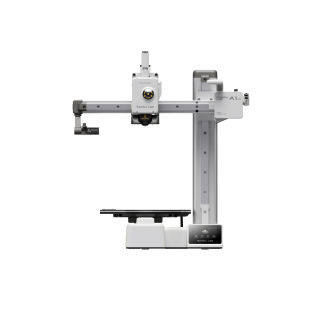
Bambu Lab A1 mini
A1 mini (standard, without AMS lite)
A small, quiet, chemical-free way to fill a board with scenery. Not a figure printer, and does not pretend to be.
- Build volume
- 180 × 180 × 180 mm
- Technology
- FDM
- Max speed
- 500 mm/s toolhead (10 m/s² acceleration)
- Enclosed
- No
- Multi-colour
- Optional (AMS lite sold separately; up to 4 spools)
- Auto levelling
- Yes (fully automatic)
What we like
- The cheapest honest route onto the table, with no chemistry at all
- Fully automatic levelling and a reputation for low-effort reliability
- 150 W maximum draw, roughly a tenth of the P1S's rating
- 5.5 kg desk machine with a two-year stated warranty
What we don’t
- Not a figure printer, and does not pretend to be
- ABS, ASA, PC, PA and fibre-filled filaments are not recommended
- 180 mm plate is the smallest here
- First-layer gaps until the plate is washed and flow calibrated
A 180 × 180 × 180 mm build volume sounds modest until you price what fills it. Terrain is printed in sections and glued, so a plate this size is a ruined wall or four hills a night, in PLA that costs a fraction of resin by volume. It suits PLA, PETG, TPU and PVA, with Bambu Lab not recommending ABS, ASA, PC, PA or fibre-filled filaments — a real limit if terrain gets rough handling, none at all if it lives on a shelf. Levelling is fully automatic and maximum draw is 150 W, a tenth of the P1S's rating.
The one recurring wobble is early rather than structural: several A1 mini owners describe gaps in the first layer that cleared once the plate was washed thoroughly and a flow calibration was run.
Bambu Lab's UK warranty policy states two years, and it typically sells between about £170 and £270 in the UK.
Buy this if the table is the project, the budget is tight, or you want to find out whether you enjoy 3D printing before taking on resin chemistry. Skip it if you came here to print characters — it will disappoint you and the Mars 5 Ultra will not.
What to check before you buy either kind
Read the micron figure, not the marketing tier, and prefer a square one. 9K, 10K, 12K and 16K count the pixels on a screen rather than describe how big each one is, and size is what resolves a face: the Mars 5 Ultra's 9K panel gives 18 × 18 μm against the much larger 16K panel's 14 × 19 μm. Shape matters too, because a machine quoting 19 × 24 μm resolves a quarter less along one axis than the other.
Plate area is a throughput figure, not a luxury, because a resin layer cures all at once and the practical question is how many models fit side by side — a warband a night on the smallest plate here, an army a night on the largest.
What each route costs to run in the UK
Electricity is the cheap part, and saying so is more useful than a scary number. Under the Ofgem price cap the unit rate is about 26p per kWh, plus a daily standing charge of roughly 55p you pay whether the printer is on or not. A resin machine drawing 240 W over a six-hour plate uses about 1.4 kWh — call it 38p for a job that might hold twenty-odd models, and nearer 10p at the frugal end of the page. These are estimates from rated figures, which are ceilings rather than steady draw.
Material is where the two routes separate. Common resins run roughly £16 to £28 a kilogram, ordinary PLA roughly £14 to £18. The headline gap is modest; the real gap is what you do with it. Terrain is printed hollow at low infill, so a kilogram of filament becomes a great deal of scenery, while a resin model is solid unless you hollow it deliberately.
The resin route has a second bill the filament route does not. A combined wash-and-cure station is around the £79 to £113 mark, and it is not optional. Alcohol is the awkward one: one large UK 3D-printing retailer lists 99.9% isopropyl alcohol but cannot deliver it to Great Britain, so plan on sourcing it locally or choosing water-washable resin. Reviewers consistently point out that the printer is only part of the outlay, since washing, curing, alcohol, gloves and ventilation sit outside the box.
Then the parts that wear out. On an MSLA machine the LCD is a consumable, not a component, and a replacement runs about £112 to £129 including VAT; release film goes far more often, at roughly £7 a sheet. Put together: a resin printer costs its price band again over the first couple of years of regular use, and a filament printer costs filament.
Fumes, gloves and where the printer can live
What the manufacturer requires is not advisory: gloves and eye protection, a well-ventilated area, and curing waste resin under UV before it is thrown away. That last one catches people out, because liquid resin is not something to pour down a sink.
The reason for the gloves is worth understanding rather than obeying. The Health and Safety Executive lists resins and acrylates among the agents that cause occupational skin disease — a table covering trades such as construction, not 3D printing, so treat it as the mechanism rather than a measurement of your hobby. HSE notes that sensitisation is generally lifelong once it has happened, and depends on how much contact the skin has and for how long. It is the end of resin printing for that person.
Ventilation is the other half, and no machine here solves it. None of the four resin printers has filtration of its own — each maker sells an activated-carbon purifier separately, and a carbon filter addresses smell rather than air. Owner accounts of resin odour in a home vary widely: some describe printing in a bedroom and noticing little, while others treat a ventilated room and added carbon filtration as essential. A room with a window you can open and a door you can close is the realistic requirement.
Filament is easier but not nothing. The Health and Safety Executive has published research on emissions from desktop filament printers, and peer-reviewed measurements show ultrafine particles, with ABS the highest peak of those tested; a plain enclosure is substantially less effective than ducting the exhaust outdoors. PLA was not among them.
Noise is the other siting question, and it belongs to the filament side. Owners repeatedly trace the noise to the fans rather than the motion system, and a recurring theme is that the chamber fan is the loudest part of the machine when it is running PLA; several describe swapping the fans for quieter ones, and some say they would not run it overnight in a room next to a bedroom.
So: filament can live in a spare room with the door shut. Resin wants a room you would be happy to work in wearing gloves, with the window open.
UK stock, warranty and the part that wears out
Availability is unusually healthy across this shortlist, which is not something a US-written roundup will tell you. ELEGOO sells both its machines through its own UK store, with 3DJake UK stocking them and an independent specialist carrying the 16K. Anycubic lists both of its machines on its UK store, with 3DJake also holding them. The P1S goes through Bambu Lab UK and 3DJake, and a UK retailer listed the A1 mini in stock with next-working-day delivery. One caveat: the M7 Pro's supply was split at the last check.
Warranty terms diverge more than the prices, and on the part that fails. ELEGOO gives twelve months on the machine but three on the LCD, with the tank and build plate covered for six. Anycubic gives twelve months on main components and six on the screen — twice the cover, on the component most likely to need it. Bambu Lab's policy states two years, with some parts carrying a shorter period.
That gap is the practical point. An MSLA screen is rated in hours, not years: ELEGOO puts the Saturn 4 Ultra 16K's at up to 2,000. Print three evenings a week and you will pass that inside the machine's own lifetime, with the screen out of warranty long before. It is a budgeted replacement, not a fault.
Support is where the research is thinnest and the variation widest. Owners on UK review sites more often than not describe Elegoo's support as quick to respond, with the recurring complaints being transit damage and slower progress once a case needs a physical replacement. On the Bambu Lab side the picture is less comfortable: a recurring theme among buyers is slow warranty support, with owners describing tickets that sit open for weeks, although this is not consistent across all reports. Whichever you buy, your contract is with the retailer rather than the brand.
Where miniature buyers waste money
Buying the resolution tier instead of the pixel. Reviewers who work in miniatures argue the 12K to 16K step is not significant at tabletop viewing distance, and that the heated tank is the real difference between the two. Pay the difference for the heated vat, the bigger plate or the better warranty. Do not pay it for a number.
Buying a resin printer to print terrain. Volume in resin is slow, expensive and solid unless you hollow it by hand, and a table needs far more of it than an army does. If you are costing resin by the kilo against filament for a ruined building, you have the wrong machine for that job.
Expecting a filament machine to do figures if you push it hard enough. Owners who try tabletop-scale figures on a filament machine repeatedly describe support removal rather than resolution as the thing that defeats them, since supports fuse into the fine detail at that scale, although the same threads offer workarounds such as a finer nozzle, scaling the model up or splitting it into parts. A finer nozzle helps and does not close a tenfold gap.
Assuming the files will be there. Much of the search traffic for a Warhammer 3D printer is people hoping to print models from a game they already play. Copying a protected work is an act restricted by the Copyright, Designs and Patents Act 1988, so check that licensed files exist for what you want before buying — for independent sculptors they very often do. This is general information, not legal advice.
If you want a printer for general household use with miniatures as an occasional job, our best 3d printer uk guide will serve you better. If it is resin you want and you would like a longer list of it, start with best resin printers UK.
The verdict
The ELEGOO Mars 5 Ultra is the right answer for most people asking this question, for the unremarkable reason that it resolves a 28 mm face properly, levels itself, fits on a shelf and costs less than the machines either side of it. Above it the decision turns on what the model is for: a bust wants the Saturn 4 Ultra 16K, which resolves finer and heats its own resin, an army wants the Photon Mono M7 Pro and its plate. And if you want the table more than the troops, the P1S and the A1 mini are the better buys — the part most guides leave out.
- Buy it if
- What you want to print is characters, monsters and squads at tabletop scale, you have a room you can ventilate, and you accept that gloves, a wash-and-cure station and an eventual replacement screen are part of the price rather than optional extras.
- Skip it if
- What you actually want to make is the table rather than the army — terrain, buildings, vehicles, bases — which a filament machine prints faster, cheaper and without any chemistry at all.
How this article was researched
No printer here was bought, assembled or run, and nothing on this page is a measurement of our own. Every specification comes from the maker's own documentation for the exact variant named — the Mars 5 Ultra rather than the Mars 5, the Saturn 4 Ultra 16K rather than the 12K, the P1S rather than the P1P — recorded against a claim ID with its source and the date it was read. Prices are bands checked in September 2026; electricity figures come from the Ofgem price cap; safety and emissions material from the Health and Safety Executive and peer-reviewed measurements. Owner experience is used only where the same pattern appears across several independent sources.
Three things were left out because they could not be confirmed. Bambu Lab's site returned a block to every request when the specifications were checked, so no nozzle-diameter option is claimed for the A1 mini — the 0.2 mm nozzle statement belongs to the P1S. Neither ELEGOO nor Anycubic publishes a rated wattage for the Saturn 4 Ultra 16K, so no power figure appears for it. And the only screen-life rating quoted anywhere here is ELEGOO's own for the 16K, labelled as such. An article missing a specification beats one that invents it.
Common questions
- Is resin or FDM better for miniatures?
- Resin, for the figures themselves, and it is not close. A filament printer's finest detail is limited by its nozzle — 0.2 mm is the smallest Bambu Lab lists for the P1S — while a resin printer draws with screen pixels around 14 to 18 μm across. That is roughly a tenfold difference on the axis a 28 mm face lives on. FDM wins everywhere else, though: it is cheaper per unit of volume, it needs no gloves, alcohol, wash-and-cure station or ventilation, and terrain printed hollow at low infill costs a fraction of the same shape in resin. The split most people land on is resin for the army and filament for the table.
- What resolution is enough for miniatures?
- Roughly 20 μm or finer in XY is enough for tabletop figures, and the shape of the pixel matters as much as its size. A machine quoting 19 × 24 μm resolves a quarter less along one axis than the other, so the same detail looks sharper or softer depending on how the model sat on the plate; a square pixel removes that variable. Ignore the marketing tier. 9K, 12K and 16K count pixels on the screen rather than describe how big each one is, and a 16K panel stretched over ten inches can give a coarser pixel along one axis than a 9K panel over seven.
- Which printer is best for tabletop armies?
- The Anycubic Photon Mono M7 Pro, because army printing is a throughput problem rather than a detail one. A resin layer cures all at once, so a plate holding thirty models takes very nearly as long as a plate holding one — which makes plate area the figure that decides how fast an army appears. At 223 × 126 mm this is the largest here, and a 28 mm figure with supports wants about 30 mm of plate each way, so you are looking at somewhere near twenty-eight models a run against five on the smallest machine on this page. Its automatic fill and drain also keeps the handling down on jobs that size.