Best 3D Printers for Schools UK
Six 3D printers a UK school can actually site in a classroom, ranked against the CLEAPSS and HSE guidance on enclosure, filtration and safe use.
Independent and reader-funded. We earn a commission if you buy through our links, at no extra cost to you. How this works.
Most guides to classroom 3D printing open with a machine that has no walls. The printers dominating school recommendations are open-frame, and the document a UK school is measured against says the opposite: CLEAPSS guide G276, written with the Health and Safety Executive and endorsed by it, tells schools the best solution is a printer fully enclosed and filtered.
That matters, because buying a printer for a school is not a preference: it is a purchase by an employer whose duty under COSHH extends to pupils and visitors as well as staff. So the best 3D printer for schools UK departments can order is the one whose manufacturer has already done what the risk assessment will ask about.
Six machines are here, all orderable in the UK. One figure is worth carrying from the start: when the HSE measured the effect of putting a desktop printer inside an enclosing hood with filtered ventilation, particle emission rates fell by 97%.
The six, on the rows a school actually has to answer
Two rows here appear on no competing page. Filter stages fitted is the row the risk assessment turns on, because the guidance names two filter types and several well-liked machines carry only one. Local control without the cloud decides whether IT will let the thing on the network.
| Specification | 1 FlashForge Adventurer 5M Pro A classroom, on the guidance | 2 Bambu Lab P1S A room of several machines | 3 ELEGOO Centauri Carbon 2 A department buying more than one | 4 QIDI Plus5 Sixth form and engineering | 5 Prusa CORE One+ (Gen 2) A technician who must fix it | 6 Bambu Lab A1 mini A primary room or a tight budget |
|---|---|---|---|---|---|---|
| Best for | Meeting the guidance out of the box | Capacity rather than one machine | The lowest enclosed price | A-level and engineering work | Staying in service | Small spaces and small budgets |
| Technology | Enclosed CoreXY FDM | Enclosed CoreXY FDM | Enclosed CoreXY FDM | Enclosed CoreXY FDM | Enclosed CoreXY FDM | Open-frame bed slinger FDM |
| Build volume | 220 × 220 × 220 mm | 256 × 256 × 256 mm | 256 × 256 × 256 mm | 320 × 320 × 300 mm | 250 × 220 × 270 mm | 180 × 180 × 180 mm |
| Enclosure | Enclosed | Enclosed | Enclosed | Enclosed, chamber heated to 65 °C | Enclosed, chamber heated to 55 °C | None — open frame |
| Filter stages fitted | HEPA and activated carbon | Activated carbon only | HEPA and coconut-shell carbon | Pre-filter, H12 HEPA and carbon | None fitted — sold separately | None — open frame |
| Published noise | 50 dB low-noise, 55 dB standard | Not published | Under 45 dB | Not published | Not published | Not published |
| Local control without the cloud | Ethernet and USB | LAN Only mode, and a local fleet tool | Wi-Fi through the maker's own slicer and app | Ethernet, and prints offline from USB | Runs with no network connection at all | Wi-Fi and microSD card |
| UK warranty term | 12 months, 3 on the extruder | 2 years | 12 months, less on parts | 1 year | 1 year, business or consumer | 2 years |
| Typical UK price | £340–£490 | £330–£400 | £280–£310 | £650–£750 | £1,150–£1,300 | £170–£270 |
Read the filter row against the price row: the most expensive machine here arrives with no filtration fitted, and the second cheapest with both stages.
How these six were chosen
Nothing here was bought, opened or run. Every machine was researched at the desk against manufacturer product pages, specification tables, official wikis and published warranty terms, with UK price and stock checked at UK supply routes the same day. The general approach is set out in our review methodology. Four things change when the buyer is a school.
What the guidance requires, not what the brochure emphasises. What the maker commits to in writing: where a manufacturer publishes nothing, this page records the silence rather than borrowing a number from a review site — no manufacturer here publishes a duty cycle or maximum daily run, which is awkward for a department printing through a timetabled day. Whether it works without the manufacturer's cloud. And what a teacher has to do to it weekly, which decides whether a printer is still in use in eighteen months.
One absence is worth stating before the list starts: no manufacturer here publishes UK education pricing, a purchase-order route or invoicing terms on its own pages. No commercial tiebreak was used, and the ordering runs against commission twice — the top pick has one of the weaker affiliate routes here, and the machine with the strongest is last with a safety condition attached. If the classroom is not your deciding factor, the broader best 3d printer uk guide is a better start.
What the guidance actually asks a school to buy
CLEAPSS guide G276, dated January 2019, was produced with the Health and Safety Executive, which endorses it as sensible and proportionate. It is written for the people who buy and look after this equipment, and it is what you are compared against.
The legal frame first. Under COSHH the employer must prevent exposure or adequately control it, the duty reaches pupils as well as staff, and a written risk assessment may be needed. Most at risk are people with existing asthma or breathing difficulties, with exposure rising the longer someone stands near a running machine — which in a class of thirty is not hypothetical.
Then the purchasing recommendation, which is unambiguous: the best solution is a printer fully enclosed including filters to remove particulate and chemical emissions, and failing that a bespoke exposure control cabinet over each machine. For an open-frame printer it points to a cabinet where no other extraction exists. The filter has a specification too — two stages for two problems, one for ultrafine particulates with a HEPA filter given as the example, and a carbon filter for volatile organic compounds. A machine advertising "a filter" may answer only half of that.
Four points get missed by every education 3D printer guide we read. Clearance time: every enclosure takes time to clear after a print and you are asked to wait before opening it, with no figure given — and a class changeover is the wrong moment for a pupil to open the door. Materials: make PLA the main filament, avoid more hazardous ones such as ABS, and run the nozzle at the low end of the supplier's melt range. The machine as a machine: nozzles reach 200 to 300 °C and beds 50 to 100 °C, and hair and clothing catch in the motion system. Installation: CE-marked equipment only, a lockable key-controlled shut-off in a workshop, and supply through conduit from a fused labelled isolating switch rather than an ordinary 13 A plug, with the printer fixed in place in a well-ventilated room with controlled access. None of that is on the invoice.
One more point keeps costing money: once a filter is your control measure it counts as local exhaust ventilation, so it must be checked, changed regularly and examined by a competent person. A filter is not a feature you buy once. For the room itself the guidance points schools at Building Bulletin 101.
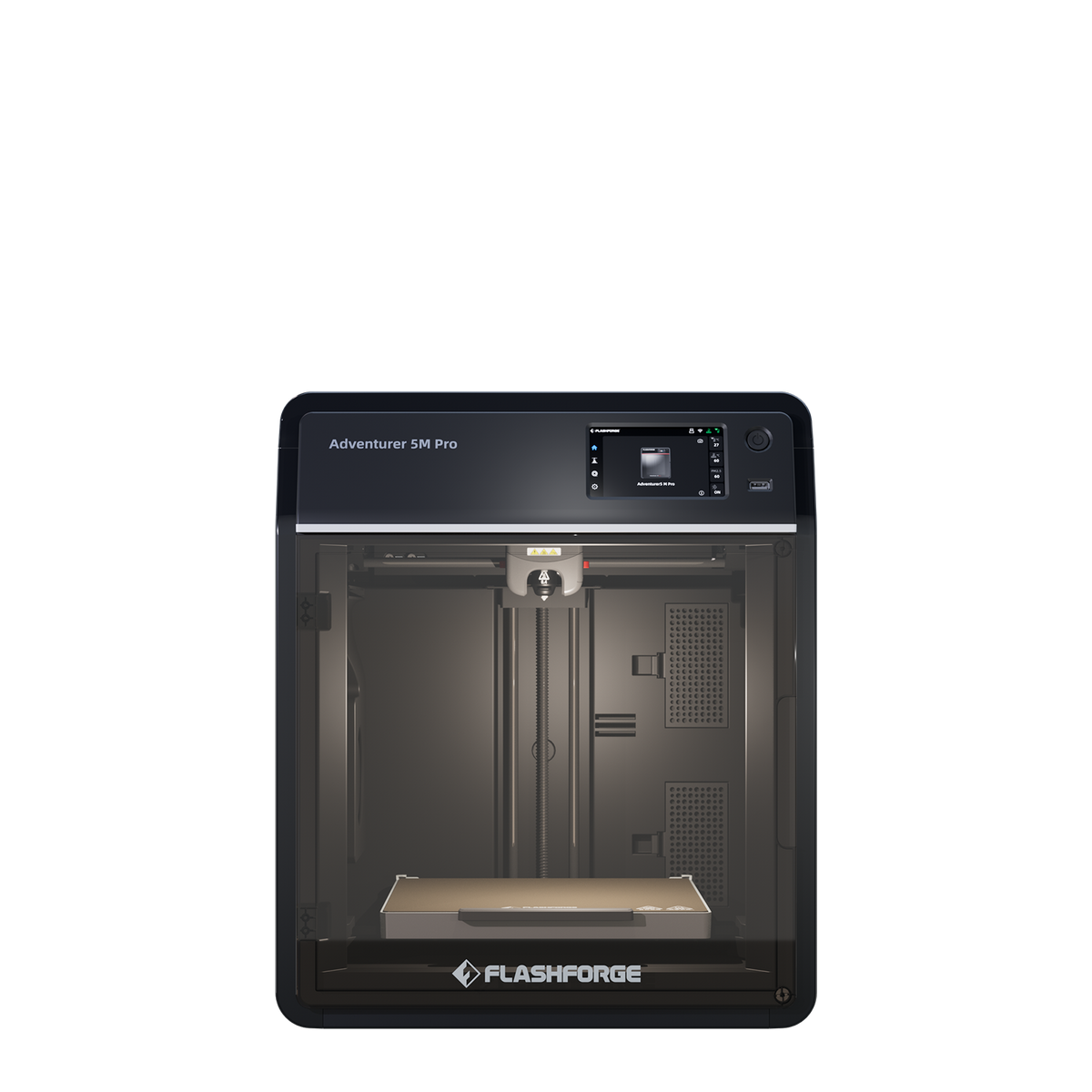
Best for a classroom overall: FlashForge Adventurer 5M Pro
Check the model name twice before ordering. The Adventurer 5M and the 5M Pro are different machines and only one belongs in a classroom: the plain 5M is open-frame with no filtration. This is the Pro.
FlashForge Adventurer 5M Pro
Adventurer 5M Pro (enclosed, with dual HEPA and carbon filtration) — not the open-frame Adventurer 5M
The only machine here arriving enclosed with both filter stages the CLEAPSS guidance names, and the only one publishing a noise rating. No filter replacement interval is published, and the warranty term depends which route you buy through.
- Build volume
- 220 × 220 × 220 mm
- Technology
- FDM / FFF CoreXY, direct drive, single extruder
- Max speed
- 600 mm/s (20,000 mm/s² acceleration)
- Enclosed
- Yes — enclosed shell with internal and external air circulation through a HEPA and activated-carbon filter
- Multi-colour
- No
- Auto levelling
- Yes — one-click fully automatic bed levelling
What we like
- Enclosed shell with HEPA and activated-carbon filtration fitted as standard, not sold separately
- Publishes a noise rating at all — 50 dB in low-noise mode, 55 dB in standard
- Ethernet alongside Wi-Fi and USB, which is the conversation your IT team will want
- One-click automatic levelling on a machine stated to arrive 95% pre-assembled
What we don’t
- No filter replacement interval published anywhere, including the manufacturer's own wiki
- The replacement filter two-pack was showing as sold out at the maker's UK store when checked
- Warranty differs by supply route — one UK education supplier caps the same terms at 400 hours
- Easily confused with the open-frame Adventurer 5M, which has no enclosure and no filtration
What earns it first place is narrow. FlashForge lists the shell as enclosed and specifies the filtration as internal and external circulation through HEPA and activated carbon — the two stages G276 names, fitted as standard rather than sold as an accessory, which no other machine here manages. It also publishes a noise rating at all, 50 dB in low-noise mode and 55 dB in standard, which matters in a room somebody teaches in. The rest is ordinary: a 220 × 220 × 220 mm plate, a 280 °C nozzle, one-click levelling, and Ethernet alongside Wi-Fi and USB — flag the Ethernet to IT.
Now the honest part. FlashForge's marketing says the filters block 99% of particles and VOCs with no test method beside the figure — a manufacturer claim, not a measurement, and it should never sit next to the HSE's 97% as the same kind of number. Worse for a risk assessment, no replacement interval is published anywhere, on either product page or in the wiki FAQ, so the school must set one itself. The replacement two-pack — around the £20 mark at FlashForge's UK store — was also showing as sold out there the day we checked. Reports on FlashForge's after-sales handling divide rather than agreeing: responsiveness draws repeated praise, and getting a warranty claim honoured or a replacement part supplied is the repeated complaint, though experiences differ widely. Cover is 12 months on the machine and 3 on the extruder, at around the £340 to £490 mark.
Buy it if you need a machine meeting the enclosure-and-filtration recommendation the day it arrives. Skip it if your risk assessment needs a manufacturer-documented filter-change interval — the QIDI at rank four has the more thoroughly specified filter.
Best for a room running several machines: Bambu Lab P1S
One printer for a class of thirty is a queue, and a queue is how a 3D printer becomes a demonstration.
Bambu Lab P1S
P1S (standard, without AMS - not the P1P, P1S Combo or P2S)
Two years of UK cover on the longest-warranted machine here, with free fleet software the manufacturer describes as running entirely on your own local network. Its filter is carbon only, with no particulate stage.
- Build volume
- 256 × 256 × 256 mm (Bambu Studio defaults to 250 mm height)
- Technology
- FDM
- Max speed
- 500 mm/s toolhead (20 m/s² acceleration)
- Enclosed
- Yes (plastic and glass; chamber temperature regulator fan and activated-carbon filter)
- Multi-colour
- Optional (AMS or AMS 2 Pro sold separately or as a Combo)
- Auto levelling
- Yes (automatic bed levelling sensor)
What we like
- Two years of UK cover, the longest term on this page
- Free fleet software described as running entirely on your local network, with no printer limit
- LAN Only mode takes the machine off the manufacturer's cloud altogether
- The maker has stated in writing that it intends to keep the model in production
What we don’t
- Activated-carbon filter only — no particulate stage, so it answers half the guidance's test
- No decibel figure published, and owners consistently name the fans as the noise source
- An oversize delivery surcharge applies at the UK retailer checked
- Three in one room is an acoustic decision the guidance would also question on ventilation
Individually it is a competent enclosed CoreXY over a 256 × 256 × 256 mm plate, with automatic levelling. Multiplied, it changes character. Bambu Farm Manager is the maker's own fleet tool, free, described as running entirely on your local network with no limit on printer count, and LAN Only mode takes the machine off the vendor cloud altogether. Two years of UK cover is the longest term here, on a model the maker intends to keep making — which matters when you want a fourth later. Expect around the £330 to £400 mark each.
Two limitations, and the first keeps it off the top spot. Its filtration is an activated carbon filter with no particulate stage, so on the two-filter test it answers the VOC half only. A recurring theme among owners printing ABS and ASA indoors is that the built-in carbon filter is treated as a partial measure rather than a complete one, with several describing ducting the exhaust outside or adding filtration, although this is not consistent across all reports.
The second is noise, which in a classroom is not minor, and Bambu Lab publishes no decibel figure to check against. Owners repeatedly trace the noise to the fans rather than the motion system, and a recurring theme is that the chamber fan is the loudest part of the machine when it is running PLA; several describe swapping the fans for quieter ones, and some say they would not run it overnight in a room next to a bedroom.
Buy it if you are equipping a print room rather than a bench, and want fleet control that stays inside the school network. Skip it if this is the department's only machine and has to pass the two-filter test alone.
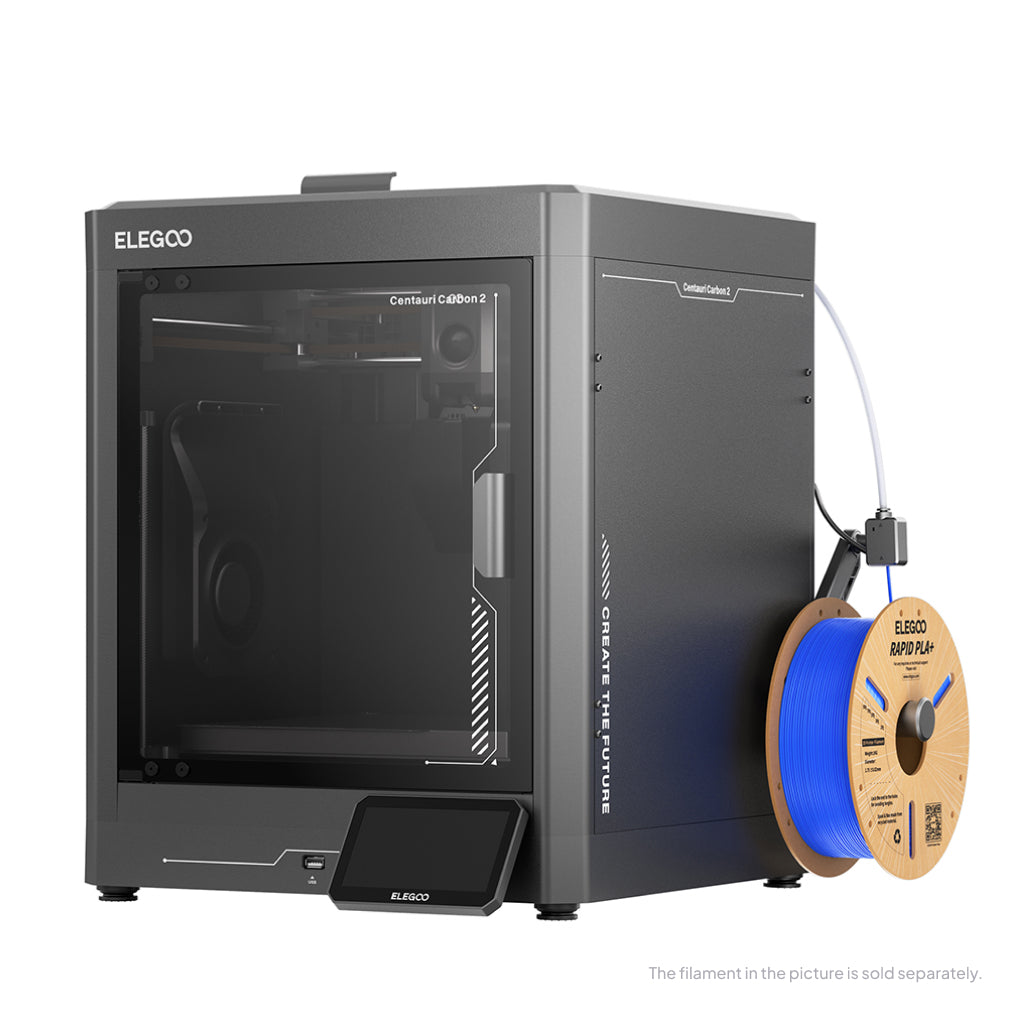
Best value enclosed machine: ELEGOO Centauri Carbon 2
Budget is what usually pushes a school towards an open-frame printer. This is the machine that makes that trade unnecessary.
ELEGOO Centauri Carbon 2
Centauri Carbon 2 (standard, without CANVAS - not Combo)
An enclosed CoreXY with HEPA and coconut-shell carbon filter media at the lowest price of the enclosed machines here, and the only one besides the top pick to publish a noise figure. Connectivity is its weak point.
- Build volume
- 256 × 256 × 256 mm
- Technology
- FDM
- Max speed
- 500 mm/s (CoreXY)
- Enclosed
- Yes (thermally regulated enclosure)
- Multi-colour
- Optional (CANVAS 4-colour system; included only in the Combo; standard unit can be upgraded)
- Auto levelling
- Yes — full-auto calibration with 121-point auto-levelling and partial bed-levelling
What we like
- Both filter stages the guidance asks for, at the lowest price of the enclosed machines here
- ELEGOO claims under 45 dB, one of only two acoustic figures published on this page
- 350 °C nozzle over a 110 °C bed — more thermal headroom than a school will call on
- Sold through ELEGOO's own UK store with full-auto calibration
What we don’t
- Wi-Fi only on the pages reached, with no wired option published — awkward on a school network
- Owner reports concentrate on flaky connectivity, with USB printing the common fallback
- Whether a filter ships in the box was not confirmed from any manufacturer page reached
- Build plate, PEI sheet, nozzle kit and tools are excluded from warranty as consumables
ELEGOO states the machine is enclosed, over a 256 × 256 × 256 mm plate with a 350 °C nozzle and full-auto calibration. The chamber filter media is described as a composite of HEPA and coconut-shell activated carbon, stated to remove ultrafine particles, VOCs and odour — both stages the guidance asks for, at the lowest price here. One caveat we could not close: whether a filter ships in the box was not confirmed from any ELEGOO page reached, so budget for one. On paper it is also the quietest machine here at under 45 dB, another manufacturer rating given without a measurement standard.
The weakness is software, and for a school it is the thing to weigh hardest. A recurring theme among Centauri Carbon 2 owners and reviewers is flaky connectivity between the printer, slicer and app, with USB printing the common fallback. Control is over Wi-Fi through ELEGOO's own slicer and app with no wired option published — the wrong shape for a managed school network, and the USB fallback means staff walking a memory stick across a room. Warranty is 12 months, with plate, nozzle kit and tools excluded as consumables, at roughly £280 to £310.
Buy it if the budget will not stretch to the top pick and you would rather have both filter stages than neither. Skip it if IT requires a wired connection — the QIDI below and the FlashForge above both offer Ethernet.
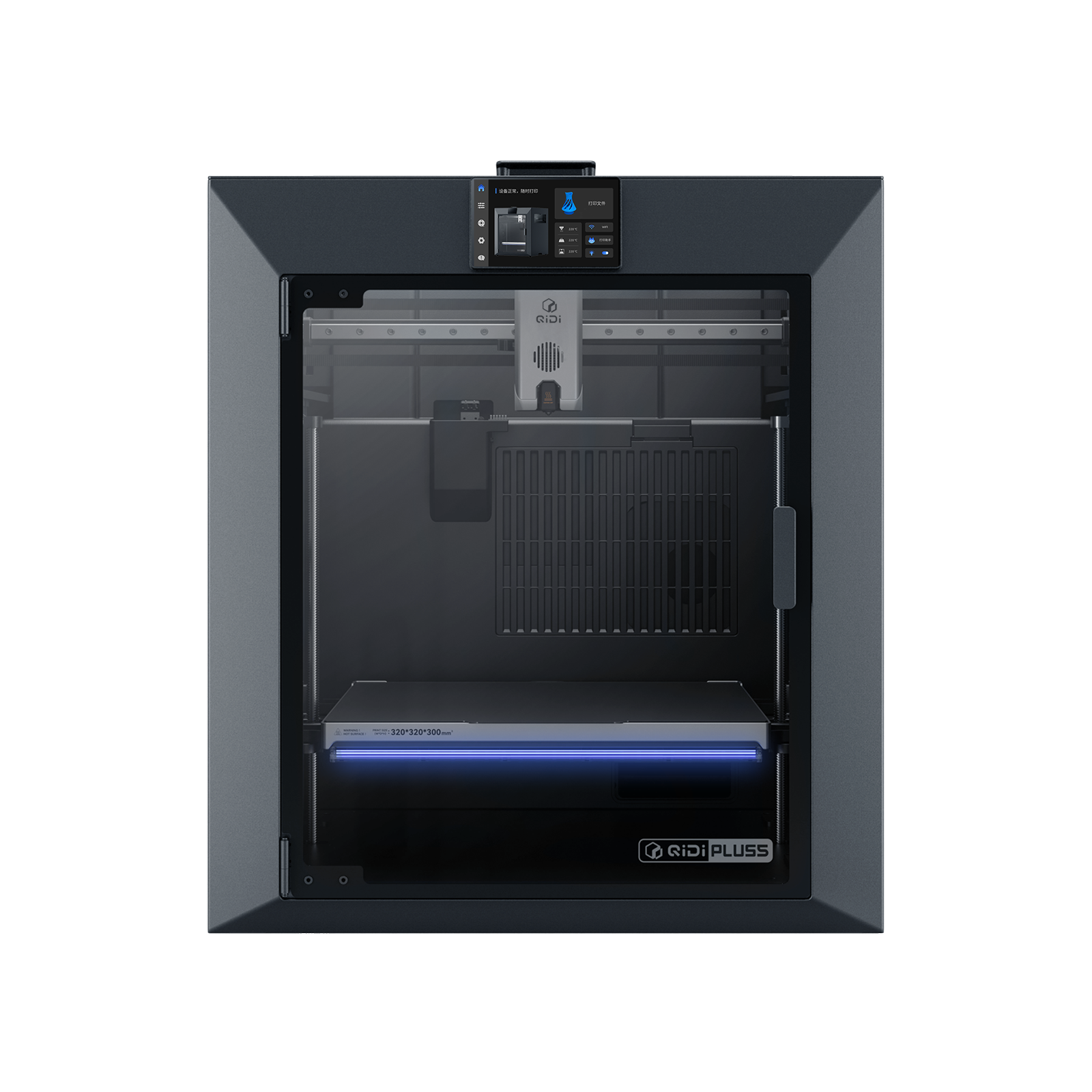
Best for sixth form and engineering work: QIDI Plus5
Somewhere around A-level a specification starts naming a material rather than "plastic". This is the STEM 3D printer on the page built for that end of the school.
QIDI Plus5
QIDI Plus5 (standard, not the Plus5 Combo with QIDI Box, and not the Plus4)
A three-stage filter, a heated chamber and the largest plate here, with Ethernet and documented fully offline printing. Heavy, a year of cover, and more machine than most of a school needs.
- Build volume
- 320 × 320 × 300 mm
- Technology
- FDM
- Max speed
- 600 mm/s toolhead (≤20,000 mm/s² acceleration)
- Enclosed
- Yes, with independent active chamber heating up to 65 °C (3rd generation)
- Multi-colour
- Optional (compatible with QIDI Box; the Combo bundles it for 16 colours)
- Auto levelling
- Yes (hands-free, loadcell sensor integrated into the hotend)
What we like
- Three-stage filtration — G3 pre-filter, H12 HEPA and coconut-shell carbon — the best specified here
- The largest working volume on the page at 320 × 320 × 300 mm
- Ethernet for wired control, and QIDI states it prints completely offline from a USB drive
- Material list runs to nylon, polycarbonate and fibre-reinforced polymers for A-level work
What we don’t
- 29 kg on a 500 mm-wide footprint — not a machine that moves between rooms
- The highest running cost here, at 500 W steady state on ABS
- One year of cover, and it reaches the UK through a retailer rather than a UK store
- A chamber heated to 65 °C is the wrong environment for the PLA a school should mostly print
The filter is why it appears on a schools page at all. QIDI specifies a three-in-one unit: a G3 pre-filter, an H12 HEPA stage and coconut-shell activated carbon — one better than the guidance's two named stages, and the only particulate stage here carrying a grade you can write into a risk assessment. Behind it sits the largest volume here at 320 × 320 × 300 mm, a 370 °C nozzle and a chamber independently heated to 65 °C, with a material list reaching nylon and polycarbonate. For a school network it is the best-behaved machine here after the Prusa: Ethernet as a wired route, the cloud optional, and QIDI stating it prints completely offline from a USB drive. QIDI's support draws consistent praise on UK review sites for responding quickly, though reports of hardware faults on arrival sit alongside it.
The costs are size, power and cover. It is 29 kg net and draws 190 W on PLA rising to 500 W on ABS, the highest running cost here. Warranty is one year, at roughly £650 to £750. A chamber that hot is also the wrong environment for the PLA a school should mostly print.
Buy it if the work has outgrown the smaller plates above and you want the best-specified filter on the page. Skip it if this is a general-purpose classroom machine — the Centauri Carbon 2 gives both filter stages for less than half the money.
Best for a technician who has to keep it running: Prusa CORE One+
Ask a DT technician what they want and the answer is rarely a specification. It is that when the machine stops in week three of term, they can find out why, order the part and fit it.
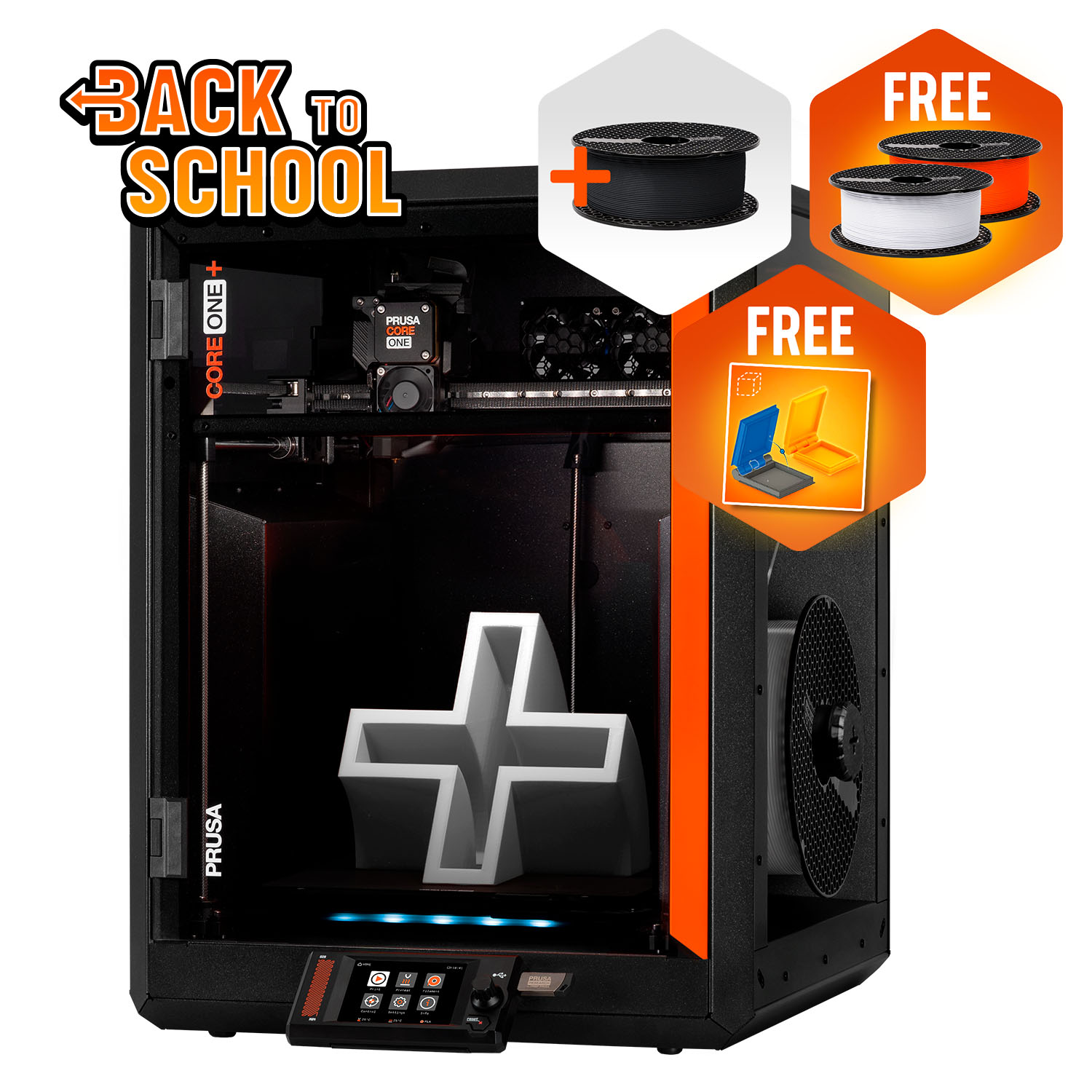
Prusa CORE One+ (Gen 2)
CORE One+ (Gen 2), assembled
The only maker here that sells every part of the machine and publishes the repair, and the only one stating the printer never has to touch a network. Filtration is a separate purchase, and a UK buyer gets one year of cover.
- Build volume
- 250 × 220 × 270 mm
- Technology
- FDM
- Max speed
- Not stated on manufacturer product page - Unverified
- Enclosed
- Yes (fully enclosed CoreXY; active chamber heating up to 55 °C)
- Multi-colour
- Optional (MMU3 5-filament unit or INDX tool-changer up to 8 tools, sold separately)
- Auto levelling
- Yes (fully automatic load-cell first-layer calibration)
What we like
- 773 individual spare parts listed by model — the deepest parts supply on this page
- Prusa states the printer can be run entirely offline and never has to be connected at all
- The lowest power draw here at 90 W printing PLA, with the chamber vent opening automatically
- Actively heated chamber to 55 °C above a 120 °C bed, with ABS, ASA, HIPS and nylon available
What we don’t
- Advanced Filtration is not included — the most expensive machine here arrives unfiltered
- A UK buyer gets one year of cover whether they buy as a person or as a school
- Prusa's own handbook instructs the owner not to leave the printer unattended while it is on
- No noise figure published, and owners report a resonant rattle on fast moves
The repair case is not a gesture: the spare-parts catalogue ran to 773 items organised by model when checked, a measurable answer where most makers give none. Owner reports on the manufacturer's own forum describe repairs that come down to ordering the individual failed part and fitting it in minutes, and in the same breath describe a long troubleshooting sequence before support agrees to send one, with some owners simply making the part themselves instead.
The second argument may be decisive for a school: Prusa states the printer runs entirely offline and that you never have to connect it to a network, not even once. No account, no vendor cloud, nothing for a data protection review to weigh. The hardware is a fully enclosed CoreXY over a 250 × 220 × 270 mm plate, chamber actively heated to 55 °C, drawing 90 W printing PLA — the lowest running cost here.
Three things keep it at rank five. Filtration is the important one: Advanced Filtration is sold separately, so the most expensive machine here arrives not meeting the enclosure-and-filter recommendation until you buy more. A UK buyer gets one year of cover however they buy. And, awkwardly for a department wanting overnight prints, Prusa's own handbook instructs the owner not to leave the printer unattended while it is on. Expect around £1,150 to £1,300.
Buy it if you have a technician, intend to keep the machine for a decade, and need it to work with no network connection at all. Skip it if this is the department's whole allocation — it is three classroom machines' worth of money and still needs the filtration kit.
Best small budget, with a condition attached: Bambu Lab A1 mini
Two of the pages we read put this first, and many primary schools have already bought it. It is the easiest 3D printer for teachers to get a result from on day one, and it is last here for a reason that has nothing to do with how it prints.
Bambu Lab A1 mini
A1 mini (standard, without AMS lite)
The fastest route from box to first print on this page, with two years of UK cover at the lowest price. It is open-frame, so the CLEAPSS guidance points to an exposure control cabinet over it — budget for that, not just the printer.
- Build volume
- 180 × 180 × 180 mm
- Technology
- FDM
- Max speed
- 500 mm/s toolhead (10 m/s² acceleration)
- Enclosed
- No
- Multi-colour
- Optional (AMS lite sold separately; up to 4 spools)
- Auto levelling
- Yes (fully automatic)
What we like
- The quickest machine here from box to a usable print, with fully automatic levelling
- Two years of UK cover at the lowest price band on the page
- Draws at most 150 W and weighs 5.5 kg — it fits on a shelf in a way nothing else here does
- Rated for PLA, PETG, TPU and PVA, which points the same way as the guidance on materials
What we don’t
- Open-frame, so the guidance points to an exposure control cabinet over it — a second purchase
- Wi-Fi and microSD only, with no wired option
- No acoustic rating published anywhere in the full specification sheet
- Owners repeatedly report the main-board fan running constantly, including at idle
The condition first, because it changes what you are buying. Bambu Lab lists the A1 mini as not enclosed, and for an open-frame machine the guidance recommends an exposure control cabinet over it — a second purchase to site and maintain. That does not make it a bad choice; it makes the advertised price a partial one. Comparing it against the Centauri Carbon 2 on price alone compares a printer against a printer-plus-cabinet.
What you get is real. Levelling is fully automatic on a 180 × 180 × 180 mm plate, it weighs 5.5 kg so it fits on a shelf, and cover is two years at roughly £170 to £270. Bambu Lab rates PLA, PETG, TPU and PVA as ideal and does not recommend ABS or ASA — pointing the same way as the guidance. Owners and reviewers repeatedly describe reaching a good first print quickly and without changing slicer settings, with a small number instead describing an uneven plate that needed the manufacturer's re-levelling procedure first.
Connectivity is Wi-Fi and microSD with no wired option, and no acoustic rating is published at all. A recurring complaint among A1 mini owners is the constantly running main-board fan, which some find intrusive at idle, although others describe the machine as quiet enough for a living space. One reassurance, since it is often muddled: the 2024 heatbed cable recall named the full-size A1, not the mini.
Buy it if the budget is small, the space smaller, and you will fund a cabinet or dedicated extraction alongside it. Skip it if the purchase must satisfy the enclosure recommendation on its own — at which point the Centauri Carbon 2 costs more as a printer and less as a solution.
Getting it on the network, and who can start a print
Two questions decide whether a school 3D printer joins the timetable or becomes an expensive ornament. Will IT let it on the network? And can a pupil set it running when nobody is watching?
School networks are segmented and governed, and a device that works only by talking to a manufacturer's servers may simply be refused. Four here give you a way out: the Prusa runs with no network connection at all, the QIDI offers wired Ethernet and prints offline from USB, the FlashForge has Ethernet alongside Wi-Fi, and the P1S has a LAN Only mode that takes it off the vendor cloud. The ELEGOO publishes Wi-Fi only.
The second question is where guidance and hardware pull apart. CLEAPSS asks that access to the space be controlled by responsible individuals and the printer be fixed in place. Not one machine here offers an equivalent control in software: there is no setting on any of them requiring a login before a job starts. A recurring theme among people siting these machines in schools is that there is no way to require a login before a print starts, so access control ends up physical — lockable cabinets, blocked card slots, padlocked switches — with several also describing a separate network for the printer, though views differ on whether a network-dependent machine belongs in a classroom at all.
So the answer to "who can start a print" has to be built by the school, not bought — price the cabinet, the lock or the separate room into the bid.
UK running costs, including the one nobody budgets for
The electricity is trivial, the filament is predictable, and the third line gets left out of the bid. Everything below is an estimate built from published figures, with the assumptions shown.
Electricity. The two machines here publishing a steady-state draw rather than a rated maximum bracket the rest: 90 W on the Prusa printing PLA and 190 W on the QIDI. Against Ofgem's capped unit rate of 26.32 pence per kWh — a domestic figure where a school buys commercially, so an order of magnitude only — an hour of printing costs roughly 2p to 5p, and five hours a day through a 190-day school year is roughly £23 to £48 a year.
Filament. Ordinary 1 kg PLA runs from about £14 to £18 a spool including VAT, so a 30 g pupil print costs around 40p to 55p in material and one spool covers roughly a class set of thirty. Budget by the term.
Filters, which is the line that matters. This is the recurring cost the LEV duty above creates. For our top pick it means replacement media, sold as a two-pack for around the £20 mark and showing as sold out at the maker's UK store the day we checked — and with no replacement interval published on any of its own pages, the school has to set one in its risk assessment and defend it. Ask your supplier to put an interval in writing before committing a department to a machine. Nozzles and build plates are consumables everywhere here too, and several makers exclude them from warranty explicitly.
Warranty, support and UK availability for a school buyer
Read the warranty terms carefully, because one changes by route rather than by brand. FlashForge's UK store states 12 months on the machine and 3 months on the extruder. A UK education supplier states the same two periods, each capped at 400 hours of use. Neither page resolves the difference, and 400 hours is roughly seventeen days of continuous running — a department printing hard through a term could reach it. Get whichever term you are being sold written onto the quotation.
That supplier is also the one verified education route we found: it lists our top pick for classroom use, prices it excluding VAT at a little over the £440 mark, and sells a setup and training day at your school priced above a two-printer bundle. Training costing more than hardware is not as absurd as it looks, as the next section explains.
The rest sorts cleanly. Bambu Lab gives two years on both its machines here, the longest on the page; QIDI one; Prusa one year for a UK buyer however they buy, on the most expensive machine here. Owners on UK review sites frequently describe Prusa's support as fast and knowledgeable, with the main complaints reserved for shipping-date slippage.
One availability note for anyone buying more than one: a UK stockist held five units of the top pick for same-day despatch when we checked, with a ten-week lead time quoted beyond that.
Where school 3D printing actually goes wrong
The UK has one government study of 3D printers in schools and almost nobody writing about classroom printers uses it. In 2012-13 the Department for Education funded a project across twenty-one schools, and its findings are about people rather than machines: teachers needed a few months to become familiar enough with the printer and its software to use it confidently, and the report states plainly that a 3D printer will not instantly change teaching and that time and training are required. The hardware has changed beyond recognition since; that has not.
What separated the schools where it worked was equally unglamorous: senior managers offering financial backing rather than approval alone, teachers who were not left to work it out alone, and the plain observation that the machine needed technical support and that networking software was a problem.
The failure mode is not a broken printer. It is a working printer nobody uses. A recurring theme in owner discussion of whether to buy at all is that having something specific to print matters more than which machine is chosen, and several describe printers that fell out of use once the novelty models were done, although others describe steady use years later. Name whoever owns the machine and give them time in their timetable, before choosing between brands.
Why there is no resin printer here. Resin is the wrong tool for a room of children: uncured resin is a skin sensitiser, the wash stage needs isopropyl alcohol, and the waste needs handling. A sixth form with a technician and controlled storage is a different conversation — start with the best resin printers uk guide. If the budget will not reach an enclosed machine, the best budget 3d printers uk guide covers the cheaper end honestly, but read the enclosure section above first.
The verdict for a UK school
The FlashForge Adventurer 5M Pro is the pick for a narrow reason rather than an enthusiastic one: it is the only machine here arriving enclosed with both of the filter stages the guidance names. The ELEGOO Centauri Carbon 2 does the same job for less money with weaker connectivity. None of these machines is a risk assessment, and no filter substitutes for a ventilated, supervised room. Buy the printer, then budget for the filters nobody publishes an interval for, and the hour a week of somebody's timetable that decides whether it gets used.
- Buy it if
- You want one machine that meets the CLEAPSS enclosure-and-filtration recommendation on the day it is unboxed, and you can set and defend your own filter-change interval.
- Skip it if
- Your risk assessment needs a manufacturer-published filter interval, or the department needs several machines — in which case price the Centauri Carbon 2 for a bench and the P1S for a print room.
How this article was researched
Desk research, not a test report: nothing here was bought, opened or run. Specifications come from manufacturer pages, official wikis and published warranty terms; the safety framework from CLEAPSS guide G276 and the HSE research behind it; the classroom findings from the Department for Education's own project report. UK prices were checked at UK supply routes in September 2026 and given as bands. Owner experience is drawn from manufacturer forums and public review pools and is never presented as a specification. Where a figure could not be confirmed from a primary source it has been left out and the absence stated.
Common questions
- What safety features do schools need?
- The answer is not a feature list, it is a document. CLEAPSS guide G276, written with the HSE and endorsed by it, says the best solution is a printer that is fully enclosed including filters to remove particulate and chemical emissions, and an exposure control cabinet over the machine where it is not. It names two filter stages for two different contaminants — a HEPA-class filter for ultrafine particles and a carbon filter for volatile organic compounds — so a machine advertising 'a filter' may be answering only half of it. Around that sit the things no specification sheet mentions: a lockable key-controlled shut-off in a workshop, supply through conduit from a fused labelled isolating switch rather than a 13 A plug, the printer fixed in place, controlled access to the room, and a clearance wait before anyone opens the enclosure after a print. PLA as the main filament, with the nozzle run at the low end of the supplier's melt range. None of that is satisfied by a purchase order, and the printer is one control measure inside a COSHH risk assessment the school still has to write.
- Which printer is easiest for a classroom?
- On time from box to first print, the Bambu Lab A1 mini, comfortably — owners and reviewers converge on reaching a good print without opening slicer settings. The catch is that it is open-frame, so the easiest machine to start with is also the one that needs a cabinet bought alongside it. If 'easiest' means easiest to keep running through a school year without a technician, the FlashForge Adventurer 5M Pro is the better answer: one-click levelling, 95% pre-assembled, and nothing to buy before it meets the enclosure recommendation. Whichever you choose, the harder part is not the machine. The Department for Education's own twenty-one-school project found teachers needed a few months to become confident with the printer and its software, and that the schools where it worked had senior management backing and someone who could actually get support. Name the person who owns the machine and give them time in their timetable — that decides more than the brand does.
- What support and warranty matter for schools?
- Two things, and the first is that terms here change by supply route rather than being fixed by the brand. FlashForge's UK store states twelve months on the machine and three on the extruder; a UK education supplier states the same two periods each capped at 400 hours of use, which a department printing hard could reach inside a term. Get the term you are being sold written onto the quotation. The second is spare parts, because a warranty only helps if the machine comes back. Prusa lists 773 individual parts by model, which is a measurable answer where most makers give none, and it is why that machine earns a place despite arriving without filtration. Elsewhere: Bambu Lab gives two years, QIDI one, ELEGOO twelve months with plate, nozzle kit and tools excluded as consumables. One absence is worth planning around — no manufacturer of any machine here publishes UK education pricing or a purchase-order route on its own pages, so invoicing conversations happen with a reseller.