Best Budget Resin Printers UK 2026
The best budget resin printers in the UK, ranked from about £150 to £450, with what each step up the ladder buys and what the whole setup really costs.
Independent and reader-funded. We earn a commission if you buy through our links, at no extra cost to you. How this works.
For most people buying a first resin machine in the UK, the best budget resin printer is the ELEGOO Mars 5 Ultra: it automates the setup that ruins most early prints, inside the £210–£260 bracket rather than above it. If the ceiling is closer to £150, look at the Anycubic Photon Mono 4. If you want the big plate, the ELEGOO Saturn 4 gets you one for around the £250 to £310 mark.
Price tells you very little here. Two machines below sit within a few pounds of each other and differ by roughly double on the specification that decides how a surface looks. And the printer is not the whole bill: the wash-and-cure routine, the alcohol and somewhere ventilated to put it all are what turn a cheap printer into a working one. This page ranks six machines and then prices the rest of it. For resin at every price, see our guide to the best resin printer uk.
The six printers compared
Read the resolution row against the price row first. They do not track each other, and that is the single most useful thing to know before spending anything at this end of the market.
| Specification | 1 ELEGOO Mars 5 Ultra Best overall on a budget | 2 Anycubic Photon Mono 4 Best under £200 | 3 ELEGOO Mars 5 Cheapest way in | 4 ELEGOO Saturn 4 Biggest plate near the ceiling | 5 Anycubic Photon Mono 4 Ultra Best step up from the entry pick | 6 ELEGOO Saturn 4 Ultra 12K Worth stretching for |
|---|---|---|---|---|---|---|
| Best for | A first machine that just works | Detail on the smallest budget | Finding out if resin suits you | Printing several things at once | The same pixel, sooner | Spending a little more, once |
| XY resolution | 18 × 18 μm | 17 × 17 μm | 35 × 35 μm | 19 × 24 μm | 17 × 17 μm | 19 × 24 μm |
| Plate | 153 × 78 mm | 153 × 87 mm | 143 × 90 mm | 219 × 123 mm | 153 × 87 mm | 219 × 123 mm |
| Levelling | Yes, one-click | No, 4-point manual | Yes, one-click | Yes, one-click | No, 4-point manual | Yes, hands-free |
| Connectivity | USB and Wi-Fi | USB only | USB only | USB only | USB and Wi-Fi | USB and Wi-Fi |
| Max speed quoted | 150 mm/h | 50 mm/h | 70 mm/h | 70 mm/h | 80 mm/h | 150 mm/h |
| Typical UK price | £210–£260 | £150–£210 | £140–£170 | £250–£310 | £240–£290 | £350–£450 |
| UK availability | ELEGOO UK, 3DJake | Anycubic UK, 3DJake | ELEGOO UK, 3DJake | ELEGOO UK, 3DJake | Anycubic UK, 3DJake | ELEGOO UK, 3DJake |
How we picked these budget resin printers
These recommendations are research-based. No machine here was bought, run or measured for this article; specifications come from each manufacturer's own page, sheet or manual, and where a figure could not be confirmed from a primary source it has been left out rather than guessed. How this site reaches a recommendation is set out in our review methodology. All six are MSLA machines — a monochrome LCD masks a UV light source so a whole layer cures at once, which is why a full plate takes about as long as one model. What changes on a budget page is which questions get asked of them.
- What the money buys, rung by rung. Each machine was compared against the one below it in price, because here the question is not "is this good" but "is this worth another hundred pounds".
- What has been taken out. An affordable resin printer earns its price by removing things — automatic levelling, Wi-Fi, a camera, a faster release. We looked at whether you would notice.
- Pixel size against price, not against marketing. A screen's K rating counts pixels; how big each one is depends on how far they are spread. The two figures move independently.
- Whether the workflow is affordable too. A printer you cannot wash, cure, ventilate or dispose of safely is not a cheap printer.
- UK stock, checked per model, from the manufacturers' UK stores and an authorised UK retailer on 10 September 2026, in pounds, not converted from dollars.
Two candidates fell at that last hurdle. The Anycubic Photon Mono M5s, still recommended on a UK page ranking for these terms, no longer resolves on Anycubic's UK store; the Photon Mono 2 is listed but unavailable. Creality's Halot range is absent because its store would not respond when this page was researched.
Best budget resin printer overall: ELEGOO Mars 5 Ultra
Ranking this first is not a close call, and the reason has little to do with print quality. It is the machine here that removes the most ways to waste an evening.
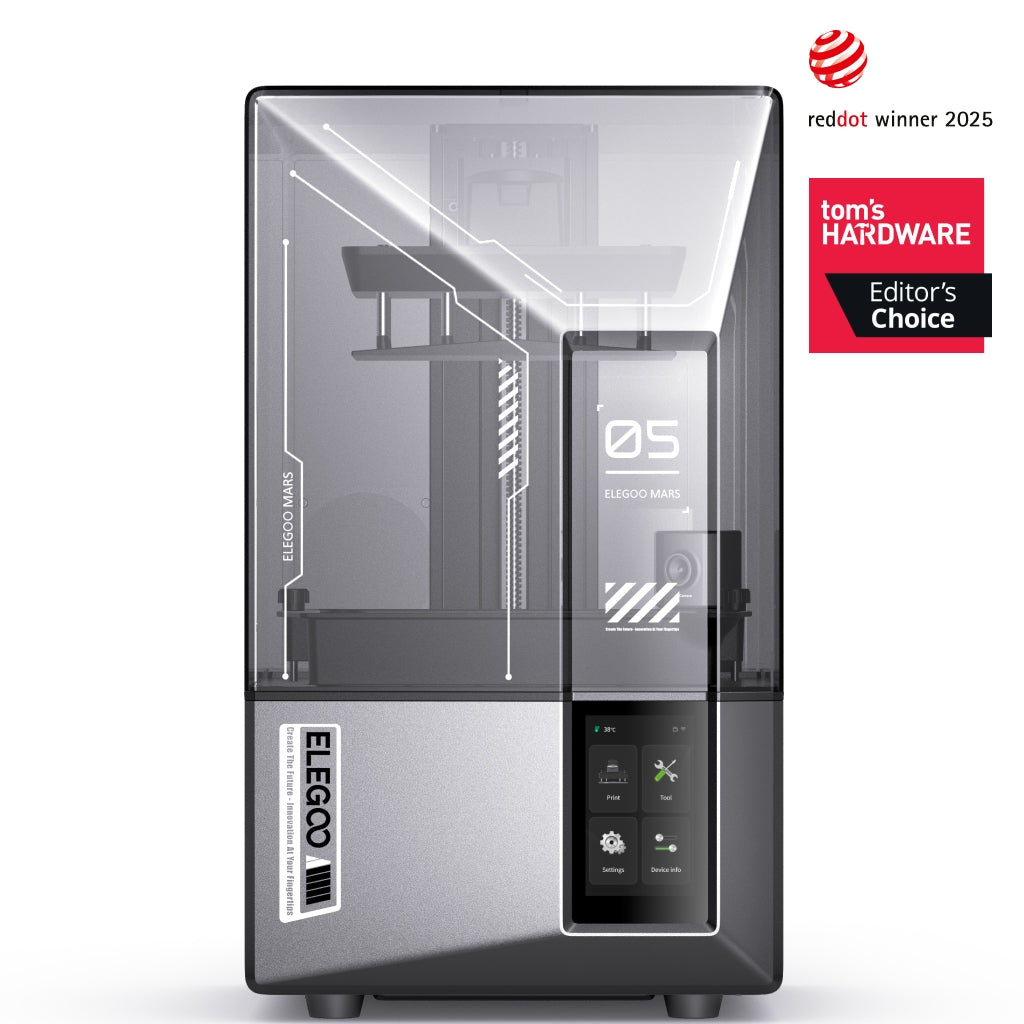
ELEGOO Mars 5 Ultra
Mars 5 Ultra 9K (not the non-Ultra Mars 5)
Automatic levelling, Wi-Fi and a camera at a price where those usually disappear.
- Build volume
- 153.36 × 77.76 × 165 mm
- Technology
- Resin (MSLA)
- Max speed
- Up to 150 mm/h (manufacturer maximum)
- Enclosed
- Lid (acrylic UV cover)
- Multi-colour
- No
- Auto levelling
- Yes (one-click automatic levelling)
What we like
- One-click levelling and Wi-Fi at a price where both usually disappear
- 18 × 18 μm square pixels — the same surface either way round on the plate
- Reviewers rate it as one of the easiest resin printers to start on
- Both UK routes stock it, and it is shelf-sized at 8.8 kg
What we don’t
- 153 × 78 mm plate — the smallest printable area of the auto-levelling machines here
- Prints grip the plate hard until bottom-layer exposure is dialled back
- LCD covered for three months against Anycubic's six
- No heated vat and no filtration of its own
The screen is a 7-inch 9K mono at 8520 × 4320, giving 18 × 18 μm — square pixels, so a surface resolves the same however the model is turned. The plate is 153.36 × 77.76 × 165 mm: a handful of models at a time, not a batch. Layers run 0.01 to 0.2 mm, ELEGOO quotes up to 150 mm/h, and it takes most 405 nm resins.
The specifications are not the argument. Levelling is one click and there is Wi-Fi alongside USB, neither of which the cheaper machines have. Reviewers repeatedly describe the Mars 5 Ultra as one of the easiest resin printers to start with, needing very little setup before the first print.
It is not faultless. Several reviewers report that prints grip the plate more firmly than expected at first, and that reducing the bottom-layer exposure a little is the usual fix. The failure-detection camera earns credit for catching problems mid-print, while noting it cannot see the very early layers where most failures actually begin. ELEGOO covers the machine for 12 months and the LCD for three, with both UK routes in stock at around the £210 to £260 mark.
Buy it if this is your first resin printer and you would rather spend evenings printing than calibrating. Skip it if you already know you want a large plate — the Saturn 4 costs a little more and gives nearly three times the area.
Best under £200: Anycubic Photon Mono 4
What makes this entry level resin printer worth arguing about: on paper it has the finest pixel on this page, and it is the cheapest that does.
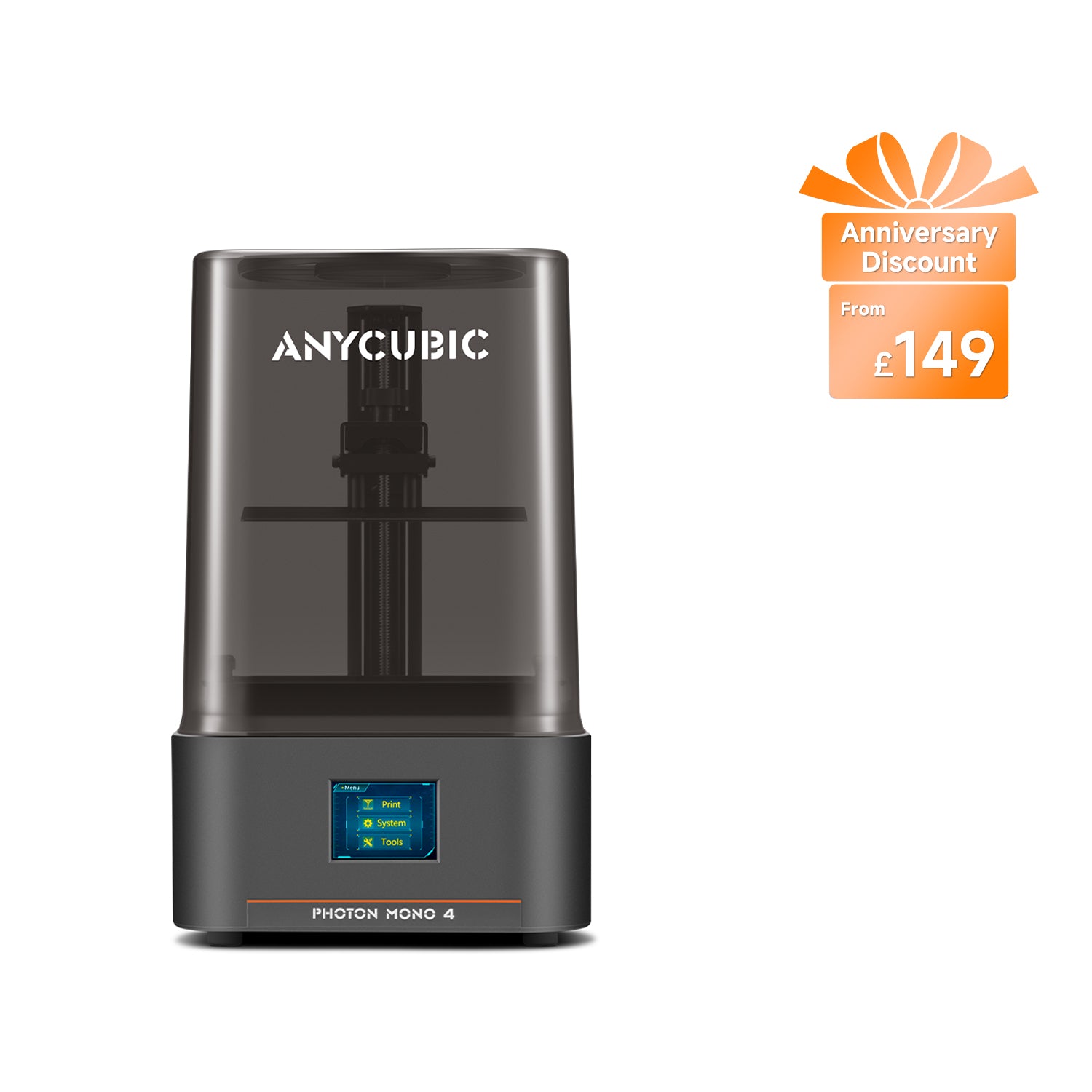
Anycubic Photon Mono 4
Photon Mono 4 (7-inch 10K — not the Photon Mono 4 Ultra, Photon Mono 4K or Photon Mono 2)
The finest pixel here, at the lowest price here. You pay in manual levelling and half the speed.
- Build volume
- 153.4 × 87 × 165 mm (2.2 L)
- Technology
- Resin (MSLA)
- Max speed
- Max ≤50 mm/h; standard resin at 0.1 mm ≤50 mm/h, high-speed resin at 0.1 mm ≤70 mm/h (manufacturer maxima)
- Enclosed
- Removable UV cover (Anycubic lists no hinged cover)
- Multi-colour
- No
- Auto levelling
- No — 4-point manual levelling
What we like
- 17 × 17 μm — the finest pixel on this page, on the cheapest machine that has it
- 4 kg and 54 W, the lightest and most frugal here by a clear margin
- Six months on the LCD, twice ELEGOO's screen cover
- Power-loss resume survived the cost-cutting
What we don’t
- Four-point manual levelling, redone whenever the plate is reseated
- ≤50 mm/h on standard resin — the slowest machine on this page
- USB only: no Wi-Fi, no app, no camera, no resin sensor
- Reviewers report the resolution step is less visible than the marketing implies
The screen is a 7-inch 10K mono LCD at 17 × 17 μm — square, and marginally finer than the Mars 5 Ultra's 18 × 18 μm. The plate is 153.4 × 87 × 165 mm with layers from 0.03 mm, and at 4 kg and 54 W it is the lightest and most frugal machine here.
What was removed to reach the price is a long list: four-point manual levelling, USB transfer with no app, Wi-Fi, camera or resin sensor, and up to 50 mm/h on standard resin against the Ultra's 80. Power-loss resume did survive.
A recurring criticism is that the machine is light enough to slide on a smooth surface while the levelling screws are being tightened, and that the vat pours untidily. And on the headline number: reviewers repeatedly describe the output as clean and more than good enough for hobby work, while cautioning that the jump in screen resolution is less visible in practice than the marketing suggests. The light source is a parallel matrix rated about 3,000 μW/cm² rather than the COB-and-lens arrangement on dearer models, which is the likeliest reason.
Anycubic gives 12 months on main components and six on the LCD — twice ELEGOO's screen cover. Its UK store had it shipping in 24 hours when checked, though the retailer route was awaiting restock, at around the £150 to £210 mark.
Buy it if the budget genuinely stops around the £200 mark and you will level a plate yourself. Skip it if you want to press print and walk away — that is the Mars 5 Ultra, for about fifty pounds more.
Cheapest way into resin: ELEGOO Mars 5
This is the lowest price on the page, ranked below a dearer machine deliberately, because the saving has a cost.
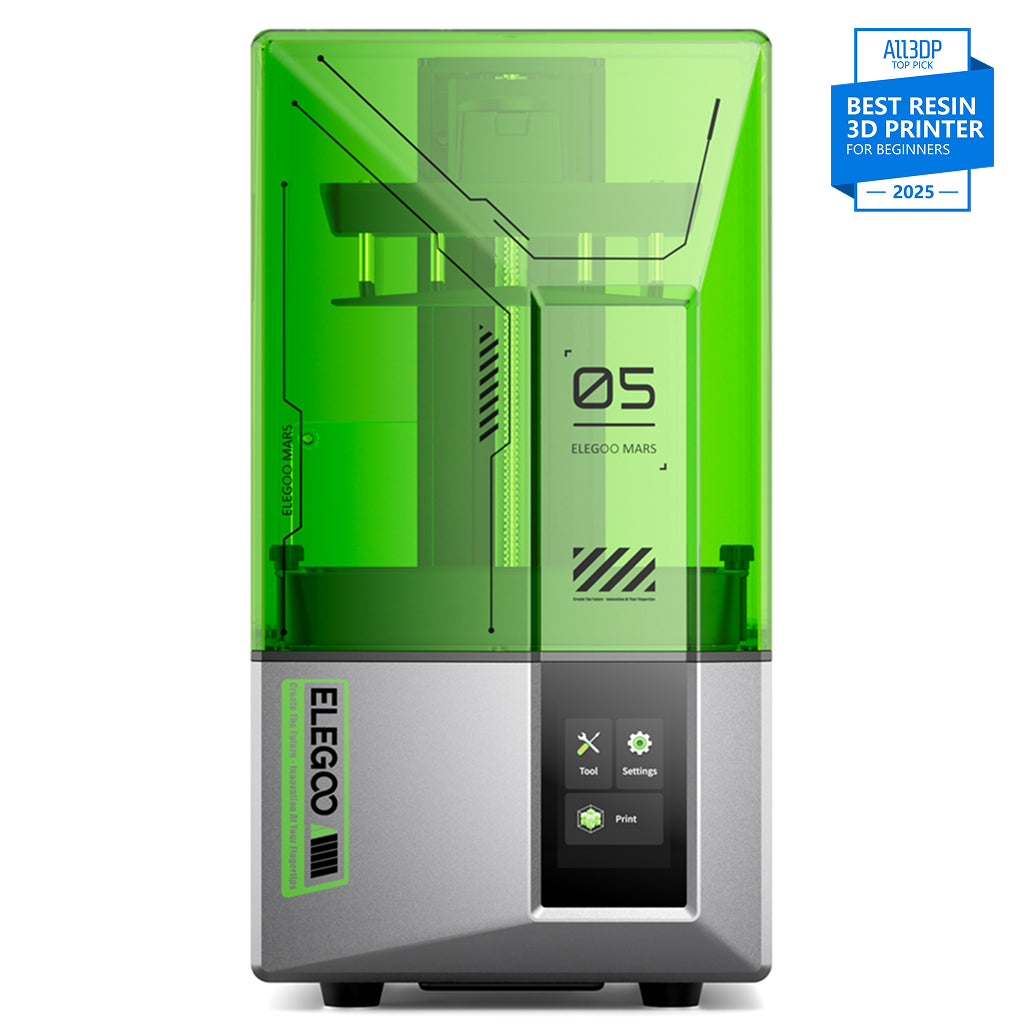
ELEGOO Mars 5
Mars 5 (4K, 6.6-inch - not the Mars 5 Ultra)
A well-equipped entry machine on a screen roughly twice as coarse as everything else here.
- Build volume
- 143.43 × 89.6 × 150 mm
- Technology
- Resin (MSLA)
- Max speed
- Up to 70 mm/h
- Enclosed
- Hinged cover (no filtration; compatible with the Mars Mate air purifier)
- Auto levelling
- Yes (one-click automatic levelling)
What we like
- The lowest price on this page by a clear margin
- One-click levelling with resin, residue and levelling alarms
- 6.6 kg and shelf-sized, and it takes most resins including water-washable
- Reviewers find the 4K panel enough for most hobby printing
What we don’t
- 35 × 35 μm — roughly double the pixel of everything else here
- 143 × 90 mm plate, the smallest of the six
- USB only, with no Wi-Fi, app or camera
- The levelling-failure alarm means draining and filtering the resin
The number that decides it: 35 × 35 μm at 4098 × 2560 on a 6.6-inch 4K mono LCD. Set that against the Photon Mono 4's 17 × 17 μm at a price only a little higher and the trade is stark — roughly double the pixel, on the specification that decides how a curved surface looks. The plate is 143.43 × 89.6 × 150 mm, the smallest here, at up to 70 mm/h.
Everything else is better than the price suggests. It levels itself in one click and carries resin-shortage, residue and levelling-failure alarms, runs a 405 nm COB source, slices in ChiTuBox over USB, and takes most resins including water-washable. At 6.6 kg it lives on a shelf.
Reviewers generally describe the 4K panel as enough for most hobby printing and limiting mainly at the fine end, such as jewellery masters or display pieces examined closely. For terrain, brackets and anything you will sand or paint over, the coarser screen is not the problem people assume. One wrinkle — reviewers report that the levelling-failure alarm does fire in normal use, and that clearing it means draining and filtering the resin.
It has no filtration, and ELEGOO's purifier cannot even be powered from the printer's USB port. Both UK routes stock it at around the £140 to £170 mark.
Buy it if you want to find out whether resin suits you before committing, or you print chunky, paintable things where the pixel is not the limit. Skip it if fine detail is why you want resin at all — the step up to the Photon Mono 4 is the best-value fifty pounds here.
Biggest plate near the ceiling: ELEGOO Saturn 4
Plate area is what budget buyers most often give up without meaning to. This machine hands it back: the same screen and printable area as the Saturn 4 Ultra for roughly two-thirds of the money.
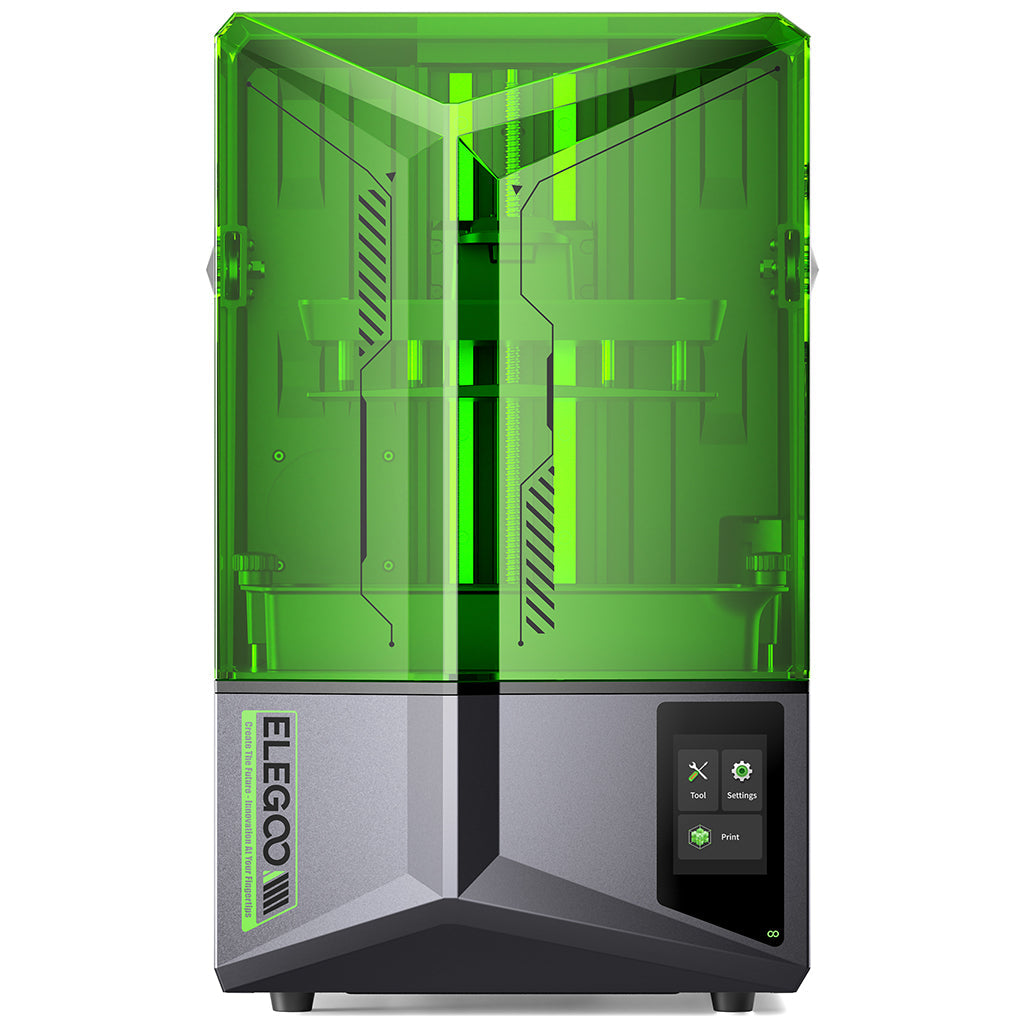
ELEGOO Saturn 4
Saturn 4 (10-inch 12K — not the Saturn 4 Ultra or Saturn 4 Ultra 16K)
The full 10-inch Saturn plate with one-click levelling. You give up speed, Wi-Fi and the tilt release.
- Build volume
- 218.88 × 122.88 × 220 mm
- Technology
- Resin (MSLA)
- Max speed
- MAX 70 mm/h (manufacturer maximum)
- Enclosed
- Acrylic UV cover (not a heated enclosure)
- Multi-colour
- No
- Auto levelling
- Yes — one-click automatic levelling with smart mechanical sensor
What we like
- 219 × 123 mm plate — roughly twice the area of anything below it here
- The same 12K screen and 19 × 24 μm pixel as the Saturn 4 Ultra
- One-click automatic levelling with residue and shortage alarms
- 9H tempered-glass screen protector as standard
What we don’t
- 70 mm/h against the Ultra's 150 mm/h — no tilt release on this model
- USB only, with a 3.5-inch resistive touchscreen and no Wi-Fi
- 13.5 kg and 548 mm tall: a permanent surface, not a shelf
- The two UK sellers were about sixty pounds apart on the same machine
The plate measures 218.88 × 122.88 × 220 mm behind a 10-inch 12K mono LCD at 11520 × 5120, giving 19 × 24 μm — identical to the Ultra. Because resin cures a whole layer at once, that area is really about how many things fit in one overnight job. Layers run 0.01 to 0.2 mm under a 405 nm COB source with a Fresnel lens.
Two things separate it from the Ultra. Speed: a maximum of 70 mm/h against 150 mm/h, because this model lifts the plate straight up rather than tilting the vat. And connection: USB only, with no Wi-Fi, app or camera. Against that it levels itself in one click, with residue and shortage alarms.
Reviewers repeatedly credit the one-click automatic levelling with making first prints more likely to succeed for someone new to resin. On the missing tilt mechanism they are equally consistent: reviewers comparing this machine with the Ultra repeatedly point to the missing tilt release as its real weakness, describing it as more exposed to early-layer failures and harder on the release film.
At 13.5 kg and 548 mm tall this wants a permanent surface, and it has no filtration of its own. One oddity: it straddles the £300 mark. Both UK routes had stock when checked, about sixty pounds apart on the same printer, which is why the band runs from £250 to £310. Check both.
Buy it if you want to print several things at once, or one large thing, and can live without Wi-Fi. Skip it if your queue is a model at a time — the plate will not earn its money, and the Mars 5 Ultra does that job in less space.
Best step up from the entry pick: Anycubic Photon Mono 4 Ultra
This is the most useful comparison on the page: the Photon Mono 4 Ultra and the Photon Mono 4 share a pixel size and a plate, so whatever the extra hundred pounds buys, it is not resolution.
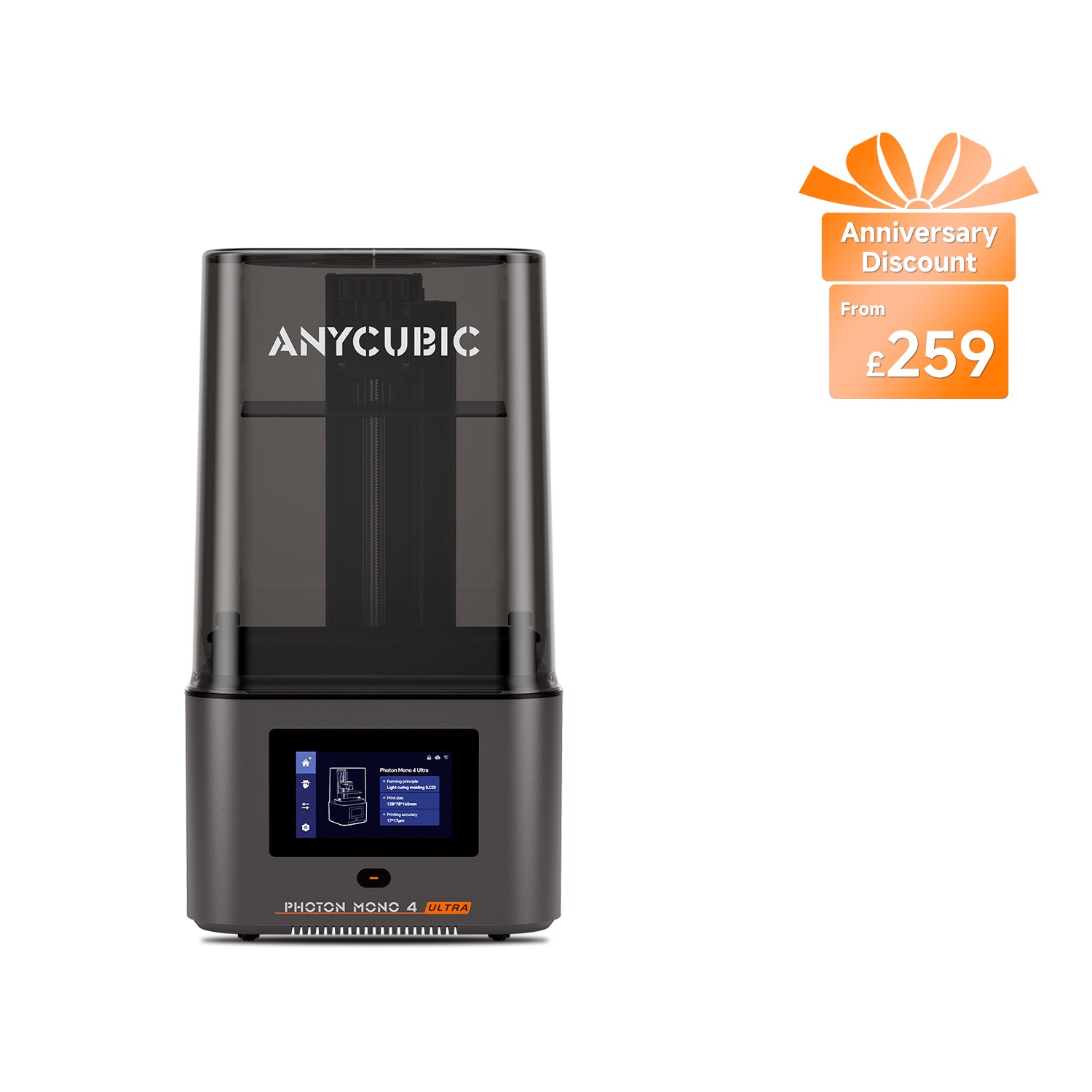
Anycubic Photon Mono 4 Ultra
Photon Mono 4 Ultra (not the Photon Mono 4 or Photon Mono 4 Max)
The same pixel and plate as the Photon Mono 4, at roughly double the throughput. Still levelled by hand.
- Build volume
- 153.4 × 87 × 165 mm (2.2 L)
- Technology
- Resin (MSLA)
- Max speed
- Max ≤80 mm/h; standard resin at 0.1 mm ≤80 mm/h, high-speed resin at 0.1 mm ≤120 mm/h (manufacturer maxima)
- Enclosed
- Lid (removable UV cover; Anycubic lists no hinged cover)
- Multi-colour
- No
- Auto levelling
- No — 4-point manual levelling
What we like
- Roughly double the throughput of the Photon Mono 4 at the same 17 μm pixel
- Finer layers available, from 0.02 mm
- COB and Fresnel light source rated at 3,500 μW/cm² or better
- Reviewers describe it as dependable for small detailed models
What we don’t
- Still four-point manual levelling, and no adjustable feet
- The bundled slicer needs watching, especially automatic supports
- Reviewers suggest swapping the supplied film for a clearer type
- Same plate as the machine costing a hundred pounds less
The plate is 153.4 × 87 × 165 mm behind a 7-inch 10K mono LCD at 17 × 17 μm — the same figures as the cheaper machine. What changes is throughput: up to 80 mm/h on standard resin and 120 mm/h on high-speed against 50 and 70, with finer layers from 0.02 mm, and a COB with a Fresnel lens in place of a matrix array.
What the extra does not buy is levelling: four-point and manual here too. Levelling on this model is a manual step, which some reviewers see as a good thing, though the lack of adjustable feet means an uneven surface has to be corrected another way. On output, reviewers repeatedly describe this printer as dependable for small detailed models, with one multi-part hands-on test reporting no failures across its run. Several also report that the bundled slicer needs watching, with automatic supports worth checking on each plate and no automatic orientation to fall back on.
It ships with ACF film, draws 66 W, weighs 5 kg, and carries six months on the LCD. Both UK routes list it at around the £240 to £290 mark.
Buy it if you want the Photon Mono 4's pixel without the Photon Mono 4's pace. Skip it if you print occasionally — the cheaper machine gives the same surface for meaningfully less, just more slowly.
Worth stretching for: ELEGOO Saturn 4 Ultra
Every budget page needs an answer to "what if I can find a bit more". This is it: the first machine past the bracket where ownership genuinely changes.
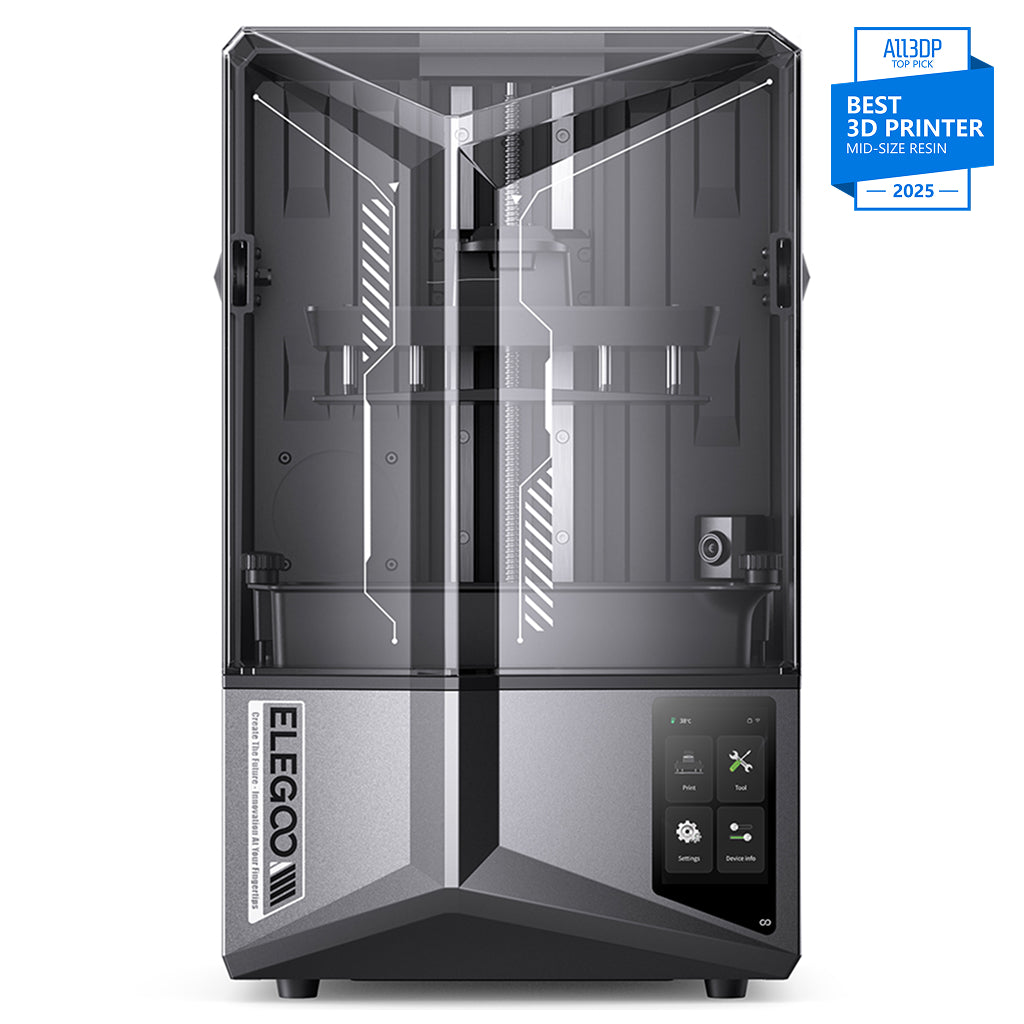
ELEGOO Saturn 4 Ultra 12K
Saturn 4 Ultra 12K (not the 16K variant)
The Saturn 4 plus a tilting vat, double the quoted speed and remote monitoring. Reliability, not resolution.
- Build volume
- 218.88 × 122.88 × 220 mm
- Technology
- Resin MSLA
- Max speed
- Up to 150 mm/h (fast mode)
- Enclosed
- N/A (resin printer with hinged UV cover)
- Multi-colour
- No
- Auto levelling
- Yes (hands-free automatic levelling; tilt-release platform)
What we like
- Tilting vat and up to 150 mm/h, against 70 mm/h on the Saturn 4
- Hands-free levelling, Wi-Fi and a failure-detection camera
- Credited by owners and reviewers with fewer failures than earlier Saturns
- Same large plate as the Saturn 4
What we don’t
- Costs more than the bracket this page is about
- No sharper than the Saturn 4 — identical screen, plate and pixel
- No heated vat, and cold resin is a recurring cause of failures
- The self-levelling plate is awkward to clean between resins
Be clear what the premium does not buy. The plate is 218.88 × 122.88 × 220 mm, the screen a 10-inch 12K mono, the pixel 19 × 24 μm — every one identical to the Saturn 4. Nothing you print will be sharper.
What it buys is the release mechanism. The vat tilts to break each layer free rather than the plate hauling straight up, and ELEGOO quotes up to 150 mm/h against the Saturn 4's 70. Levelling is hands-free, there is Wi-Fi, and a camera with failure detection. Owners and reviewers repeatedly credit the tilting vat and automatic levelling with fewer failed prints than earlier Saturn models.
Temper the extras. Several owners and reviewers treat the camera's failure detection as a nice-to-have rather than something to rely on. And this model has no heated vat: owners of the 12K version often cite cold resin as a cause of failures, whereas 16K owners praise the built-in vat heater but note it must be switched on ahead of a job.
At 14.5 kg it needs the same desk as the Saturn 4. Both UK routes carry it at around the £350 to £450 mark — which is why it sits last rather than first. It is the right machine for many people; it is not a budget one.
Buy it if you can stretch past the bracket and expect to print often enough that failed plates and waiting cost real time. Skip it if the budget is the constraint that brought you here — the Saturn 4 prints the same thing, more slowly, for a good deal less.
What each step up the budget actually buys
If you are looking for the best resin printer under £300, the useful question is where the extra fifty or hundred pounds goes at each rung.
Around the £150 mark, you are buying a screen. The gap between the two cheapest machines is almost entirely resolution: 35 × 35 μm on the Mars 5 against 17 × 17 μm on the Photon Mono 4, for roughly fifty pounds. That is about double the pixel, on the specification that decides how a curve or a fine edge resolves. If you spend nothing else on this page, spend it here.
Around the £250 mark, you are buying your evenings back. Levelling stops being your job — one click on the Mars 5 Ultra and on the Saturn 4 — and Wi-Fi appears, so files stop travelling on a memory stick. Resolution barely moves: 18 × 18 μm is not a visible step up from 17 × 17 μm.
Around the £300 mark, you are buying area, and past it, speed. The Saturn 4's 218.88 × 122.88 mm plate is roughly twice the footprint of the plates below it; the Saturn 4 Ultra's tilting vat lifts the quoted maximum to 150 mm/h against 70. Treat that last figure carefully, though. Reviewers repeatedly point out that the quoted maximum speed is not what anyone actually runs, since the resin and the layer time set the pace, which narrows the on-paper gap to faster machines.
The pattern across all of it: resolution is cheap and convenience is expensive. The finest pixel here belongs to one of the cheapest machines, and everything above it sells a printer that needs less of your attention.
What resin printing really costs to start in the UK
The honest answer to "how much should a first resin printer cost" is that the printer is roughly half the question. Every figure below is an estimate built from published UK prices on 10 September 2026, not a quote.
The kit that is not optional. A print comes off the plate coated in uncured photopolymer, so it has to be washed, usually in isopropyl alcohol, then cured under UV before it is safe to handle or paint. Jars and sunlight work, but a combined wash-and-cure station runs around the £79 to £113 mark — half the price of the cheapest printer here again. Add gloves, a covered surface, filters and a waste container.
Resin is the recurring number. Common resins on a manufacturer's UK store run roughly £16 to £28 a kilogram, with speciality types above that and five-kilogram bottles below.
Consumables are the ones people forget. Release film is a wear part on every machine here, and the screen under it eventually is too. Reviewers repeatedly frame resin, release film, alcohol and an eventual screen as an annual cost rather than a one-off, and warn that the printer price understates a year of printing.
Electricity is the small line. Under the Ofgem price cap the domestic rate is about 26p per kWh. The Photon Mono 4's supply is rated 54 W and the Mono 4 Ultra's 66 W, so at full draw that is roughly 1.4p and 1.7p an hour — eight hours a night for a month comes in under a fiver. A value resin printer is not expensive to run; it is expensive to feed.
So what should you budget? A printer around the £150 mark, a wash-and-cure station, a kilogram of resin, alcohol, gloves and a spare release film lands nearer three hundred pounds than one hundred and fifty — the number worth planning around, and the one the price tag does not tell you.
Buying in the UK: stock, warranty and spare parts
Every machine here has two UK routes, which is not a given at this price. ELEGOO sells the Mars 5, Mars 5 Ultra, Saturn 4 and Saturn 4 Ultra through its own UK store, with 3DJake UK stocking them too, and Anycubic does the same for the Photon Mono 4 and Mono 4 Ultra. The prices are not always close: on the Saturn 4 the two were roughly sixty pounds apart on the day this was checked.
Read the screen cover, not the headline warranty. Both makers give 12 months on the machine and both treat the LCD as a wear part, but ELEGOO covers the screen for three months where Anycubic covers it for six. On the part most likely to need replacing, that is twice the cover. Release film is excluded by both, as a consumable should be — and so is a resin leak onto the LCD, which is the classic way to turn a cheap printer into a dead one. The supplied screen protectors are the cheapest insurance on the machine.
Support is worth weighing separately. Owners on UK review sites more often than not describe ELEGOO's support as quick to respond, with the recurring complaints being transit damage and slower progress once a case needs a physical replacement. Whichever brand you buy, your legal rights sit with the retailer rather than the manufacturer, under the Consumer Rights Act 2015 — a reason to prefer a seller you can reach. This is general information, not legal advice.
And check stock before you settle on a model. Availability moves quickly here: two machines a ranking page still recommends have quietly gone. The six above were confirmed as purchasable in the UK on 10 September 2026.
Who should think twice about a cheap resin printer
A cheap resin printer uk shopper is usually weighing one against a cheap filament printer, and for many people the filament machine is the right answer. The category has real objections, and a low price softens none of them.
The air is the big one. Uncured resin is a skin and respiratory irritant — the manufacturers' own manuals require gloves, eye protection and a well-ventilated area — and none of these machines filters as standard. Reviewers consistently treat a ventilated room, or a separate purifier running alongside, as part of buying this machine rather than an optional extra. A purifier reduces odour; it does not replace ventilation. If your only space is a bedroom with a closed window, this is the wrong hobby to start on a budget.
It stays wet, and the waste is real. Gloves, alcohol, drips, a plate to scrape and a bin that cannot take liquid resin. Specialist reviewers stress that uncured resin should be cured before disposal rather than washed away, and that resin-contaminated alcohol is hazardous waste. The Health and Safety Executive sets out the principles; your council will say where hazardous waste goes locally. These printers also have a removable UV cover — not machines to leave running where a child or a pet might lift the lid.
Noise and space are the quieter objections. None of these makers publishes a noise rating, so expect a fan running as long as the job does. Space is easier to plan: the small machines are shelf-sized at 4 to 6.6 kg, but the Saturn 4 at 13.5 kg and 548 mm tall wants a permanent surface, plus somewhere to wash and cure.
And the honest test. If what you print is functional — brackets, jigs, replacement clips — resin is the wrong material at any price. Resin parts are precise and brittle; filament parts are tougher and dry to work with. If that is you, our guides to the best budget 3d printers uk and the best fdm 3d printers uk cover the same money in a better-suited technology.
Which budget resin printer should you buy?
The pattern here is worth carrying away even if you buy none of these six: at the budget end of resin, resolution is cheap and convenience is expensive. The finest pixel sits on one of the cheapest machines, and everything above it sells automatic levelling, Wi-Fi, a bigger plate or a faster release — real things, but not sharper prints. The Mars 5 Ultra is the best-balanced version of that trade, which is why it ranks first. Be careful at the very bottom: the Mars 5 is a good printer at a good price, but its screen is twice as coarse as everything else here, and if fine detail is why you want resin, that is the fifty pounds worth spending.
- Buy it if
- You want one machine that works without a fight — the ELEGOO Mars 5 Ultra, at around the £210 to £260 mark. If the ceiling is lower, the Anycubic Photon Mono 4 has the finest pixel here for the least money, provided you will level it by hand.
- Skip it if
- You print several things at once (the ELEGOO Saturn 4 and its larger plate), you want that finest pixel without the slowest machine attached to it (the Photon Mono 4 Ultra, or the Saturn 4 Ultra past the bracket), or you have nowhere ventilated to put any of them — in which case a filament printer is the better buy.
How this article was researched. No machine on this page was bought, run, measured or photographed by this site. Specifications come from the manufacturers’ own product pages and manuals; price bands, stock and warranty terms were read from their UK stores and an authorised UK retailer on 10 September 2026, in pounds. Owner-experience passages are patterns aggregated across hands-on reviews rather than any single report, and no customer review, rating or count is quoted here. Figures that could not be confirmed from a primary source were left out: the Photon Mono 4’s exact LCD pixel count, the Saturn 4’s typical power draw, and noise ratings for all six. Refreshed quarterly.
Common questions
- How much should a first resin printer cost?
- Budget for the setup rather than the printer. A capable machine starts around the £150 mark and the best-balanced one here is around £210 to £260, but the printer is roughly half the outlay. A combined wash-and-cure station runs around the £79 to £113 mark, resin is roughly £16 to £28 a kilogram, and gloves, alcohol, filters and a spare release film sit on top. A realistic first spend lands nearer three hundred pounds than one hundred and fifty. Anything you save by skipping the wash-and-cure routine you tend to spend again in failed prints.
- Which cheap resin printer has the best detail?
- The Anycubic Photon Mono 4, at 17 × 17 μm — and it is also the cheapest machine here that resolves that finely, which is the thing worth knowing. The Photon Mono 4 Ultra matches it exactly on pixel size and costs about a hundred pounds more for speed rather than sharpness, and the ELEGOO Mars 5 Ultra is a fraction coarser at 18 × 18 μm. Compare the micron figure, never the K rating: the K number counts pixels on the panel, while the micron figure tells you how big each one actually is once they are spread across the screen.
- What extra equipment is required?
- A way to wash prints in isopropyl alcohol, a way to cure them under UV, nitrile gloves, eye protection, a covered work surface and somewhere ventilated for the printer to live. None of the six filters the air as standard — filtration is an optional accessory on the Anycubic machines, and the ELEGOO purifier cannot even be powered from the printer. You also need a plan for waste: uncured resin should be cured solid before disposal, and resin-contaminated alcohol is hazardous waste rather than something to pour away.
- Is a budget resin printer worth it over a budget FDM printer?
- It depends entirely on what you print. Resin wins on fine detail and surface finish, which is why it suits miniatures, models and jewellery masters. Filament wins on toughness, size and convenience, which is why it suits brackets, jigs, replacement parts and anything structural — and it is a dry process you can run in a spare room without ventilation. If your list is mostly functional parts, the same money buys a better outcome in FDM. If the layer lines are the thing spoiling your prints, resin is the answer and these are the machines to look at.