Best CoreXY 3D Printers UK
Six CoreXY 3D printers a UK buyer can order today, ranked on what the motion system really changes: speed, materials, chamber, upkeep and price.
Independent and reader-funded. We earn a commission if you buy through our links, at no extra cost to you. How this works.
Every machine on this page moves its toolhead the same way. Two motors are bolted to the frame and never travel; two belts cross between them, so turning them together drives one axis and turning them against each other drives the other. That is why the best CoreXY 3D printer UK buyers can order today gets through a plate faster than a same-priced machine throwing the bed back and forth underneath it.
Headline speed is not the difference. These machines are rated between 500 and 600 mm/s at the toolhead, and so are plenty of machines that are not CoreXY at all. Acceleration is what moves print times. A budget bed slinger manages 2,500 mm/s²; four of the six below are rated at 20,000 mm/s², because there is almost nothing to accelerate.
Six machines, from an open-frame one at around the £260 mark to an enclosed 300 × 300 × 330 mm machine costing five times that. Nothing here was bought, assembled or run: this page is built from manufacturers' own documentation, UK supply checks, and recurring patterns in what owners report.
The six at a glance
Read the chamber row against the materials row and most of the decision is made. There is no noise column: Bambu Lab publishes no decibel rating for the P1S and Prusa none for the CORE One L+, and a column filled for four machines and blank for two would imply a comparison nobody has made.
| Specification | 1 Bambu Lab P1S Best overall | 2 ELEGOO Centauri Carbon 2 Best value | 3 Creality K1C (2025) Composites | 4 QIDI Plus5 Engineering materials | 5 Prusa CORE One L+ Large format | 6 FlashForge Adventurer 5M Open frame |
|---|---|---|---|---|---|---|
| Best for | A first enclosed machine that just works | The most machine for the least money | Carbon-fibre filled filament | Nylon, polycarbonate and composites | Big parts, and staying off the cloud | CoreXY speed without an enclosure |
| Build volume | 256 × 256 × 256 mm | 256 × 256 × 256 mm | 220 × 220 × 250 mm | 320 × 320 × 300 mm | 300 × 300 × 330 mm | 220 × 220 × 220 mm |
| Chamber | Enclosed, filtered, not heated | Enclosed, filtered, not heated | Enclosed, no chamber figure published | Enclosed and heated to 65 °C | Enclosed and heated to 60 °C | Open frame |
| Max acceleration | 20 m/s², i.e. 20,000 mm/s² | 20,000 mm/s² | 20,000 mm/s² | Up to 20,000 mm/s² | Not published (travel 500 mm/s) | 20,000 mm/s² |
| Nozzle ceiling | 300 °C | 350 °C | 300 °C | 370 °C | 290 °C, or 400 °C with the HT hot end | 280 °C |
| Materials that matter here | PLA, PETG, TPU, PET, ABS, ASA ideal; PA and PC capable | PC, PET and fibre-filled, per ELEGOO | PLA-CF and PA-CF on the standard list | PA, PC and fibre-filled polymers | PLA, PETG, PC, PP, PVB; ABS and ASA need the filtration unit | PLA, PETG, TPU, ABS, ASA, PLA-CF, PETG-CF |
| Price band | £330–£400 | £280–£310 | £350–£420 | £650–£750 | £1,500–£1,750 | £260–£400 |
| UK supply route | Bambu Lab UK store and 3DJake UK | ELEGOO's own UK store | Creality's UK store, UK warehouse | 3DJake UK, free GB delivery | Two UK retailers, GB delivery | FlashForge's own UK store |
What a CoreXY printer actually buys you
Start with what is being moved. On a bed slinger — the shape most first printers take — the Y axis is the print bed, so every forward-and-back move drags the plate, the sheet and the part. On a CoreXY machine the motors are fixed to the frame and the only thing accelerating is the toolhead.
That is why a fast CoreXY 3D printer is fast, and it is not about top speed. A budget bed slinger quotes 250 mm/s and a good one 500 mm/s — the same figure this page's top pick carries. The difference is underneath: 2,500 mm/s² of acceleration on the budget machine, 10,000 mm/s² on the better one, and 20,000 mm/s² here. Prints are mostly corners and short moves, so a head that reaches speed sooner spends more of the job at it, and a part that is not being shaken does not ring or shift.
Three things this category sells as one
An enclosure is a separate purchase. FlashForge builds the Adventurer 5M around a CoreXY frame and lists the shell, on the same page, as open.
A heated chamber is a third. An enclosure traps whatever the bed and hot end give off; a heated chamber holds a target. Only two do that — the QIDI at up to 65 °C and the Prusa at 60 °C. Creality's parameter list for the K1C publishes no chamber figure.
Neither is a licence to print carbon fibre. Bambu Lab says fibre-reinforced filament is not recommended on the P1S until the extruder and hot end are upgraded — a machine everybody except Bambu Lab sells as a composites workhorse.
When a bed slinger is the better buy
Owners who print mostly PLA and PETG repeatedly describe a bed slinger as the better buy for that work, while those who favour CoreXY tie the advantage to tall or narrow parts rather than to print quality in general — the reports disagree openly and do not settle on one answer.How these six were chosen
Our recommendations are scored on fit for the job this page describes first, then evidence quality, output quality, ease of setup, material fit, safety in a British home, UK value, support and spares, and UK availability this month. Specifications come from each manufacturer's own page or manual for the exact variant named — not from a retailer listing, which is not the manufacturer speaking. Owner experience is built from patterns in manufacturer forums and long-term reviews. Nothing was ranked higher for paying more commission.
One entry qualification did most of the work: the machine has to be CoreXY, and the maker has to say so. That sounds obvious until you read the category, where widely shared lists include machines that move the bed on the Y axis. Self-source kits are absent because there is no UK retail route and no single supplier to hold responsible. The machine at the top of this page is one its maker has confirmed it intends to keep making.
The ranking decision that needs defending is at the bottom: an open-frame machine on a list of mostly enclosed ones looks like padding. The clearest way to show CoreXY, an enclosure and a heated chamber are three purchases is to price the machine with only the first. No commercial tiebreak was used.
If you have not settled on CoreXY at all, the best FDM 3d printer uk guide covers every shape of filament machine, bed slingers included.
1. Bambu Lab P1S — the one to buy if you are not sure
The useful question for most readers is not which machine is best, but which will still be printing in eighteen months without having become a hobby. An enclosed CoreXY machine in the £330–£400 band would have been an odd sentence three years ago. That is why this one is first.
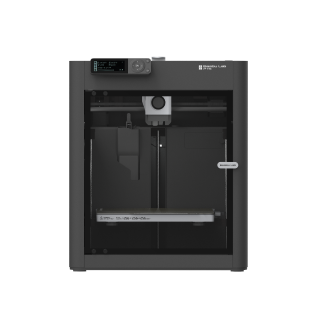
Bambu Lab P1S
P1S (standard, without AMS - not the P1P, P1S Combo or P2S)
Enclosed, quick and genuinely boring to own. ABS and ASA are on its own ideal list; carbon fibre is not, until you upgrade the hot end.
- Build volume
- 256 × 256 × 256 mm (Bambu Studio defaults to 250 mm height)
- Technology
- FDM
- Max speed
- 500 mm/s toolhead (20 m/s² acceleration)
- Enclosed
- Yes (plastic and glass; chamber temperature regulator fan and activated-carbon filter)
- Multi-colour
- Optional (AMS or AMS 2 Pro sold separately or as a Combo)
- Auto levelling
- Yes (automatic bed levelling sensor)
What we like
- Enclosed CoreXY with a chamber regulator fan and an activated-carbon filter at a mid-range price
- ABS and ASA sit on Bambu Lab's own ideal-materials list, with PA and PC listed as capable
- 32 mm³/s of hot end flow — the figure that decides how long a big part takes
- Two years of cover, two UK supply routes, and still in production
What we don’t
- Fibre-reinforced filament needs an extruder and hot end upgrade before Bambu Lab recommends it
- Fan noise is what owners consistently name as the thing they live with
- No actively heated chamber, so it traps heat rather than setting it
- A small button-and-screen interface rather than a touchscreen
What earns the rank is not the 500 mm/s at the toolhead — everything here is quick. It is 32 mm³/s of hot end flow, measured by Bambu Lab on its own ABS test part: flow is how much plastic melts per second, and on a solid part it sets print time more firmly than any speed setting. Around it, a plastic-and-glass shell with a chamber regulator fan, an activated-carbon filter, a 300 °C hot end and a 100 °C bed — enough to hold ABS and ASA flat, both on Bambu Lab's own ideal list.
A recurring theme among buyers is that the machine goes from box to a successful first print inside an hour without changing slicer settings, with the automatic calibration routine taking up most of that time. That is the case for it. The limitation you live with is acoustic. Owners repeatedly trace the noise to the fans rather than the motion system, and a recurring theme is that the chamber fan is the loudest part of the machine when it is running PLA; several describe swapping the fans for quieter ones.
Buy this if you want an enclosed CoreXY machine that works on the first evening, printing ordinary materials plus the occasional ABS part. Skip it if carbon fibre is the point of the purchase, or if fan noise is not negotiable in the room it lives in.
2. ELEGOO Centauri Carbon 2 — the most machine for the least money
A budget CoreXY printer used to mean an open frame and a weekend of assembly. This one is enclosed, filtered and calibrated out of the box, and costs less than the machine above it. It is second on support and track record, not specification.
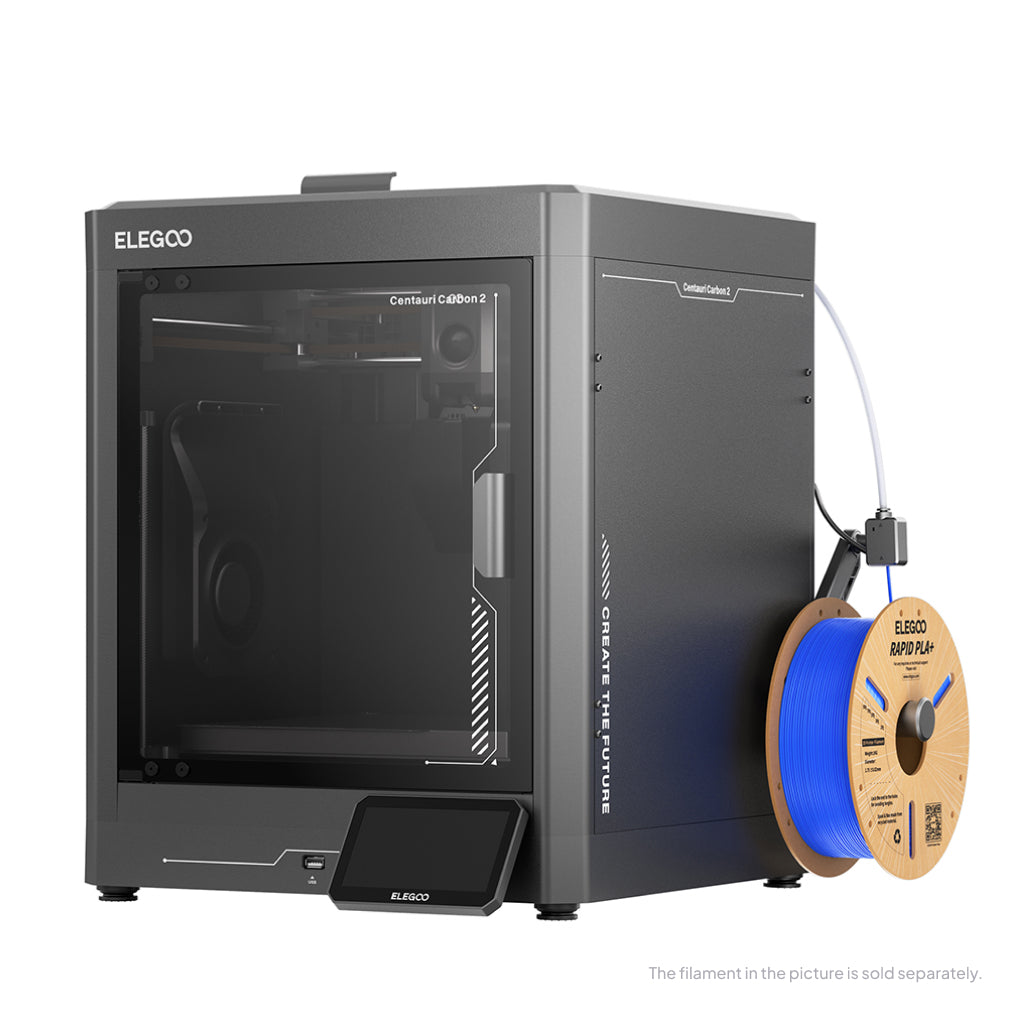
ELEGOO Centauri Carbon 2
Centauri Carbon 2 (standard, without CANVAS - not Combo)
The cheapest enclosed CoreXY here, and the only one at this money with a 350 °C nozzle. Software is where the reports cluster, not the printing.
- Build volume
- 256 × 256 × 256 mm
- Technology
- FDM
- Max speed
- 500 mm/s (CoreXY)
- Enclosed
- Yes (thermally regulated enclosure)
- Multi-colour
- Optional (CANVAS 4-colour system; included only in the Combo; standard unit can be upgraded)
- Auto levelling
- Yes — full-auto calibration with 121-point auto-levelling and partial bed-levelling
What we like
- A 350 °C hardened-steel nozzle over a 110 °C bed — the highest ceiling of any machine here under £500
- ELEGOO states the nozzle takes PC, PET and fibre-reinforced filament, with no upgrade first
- A composite filter combining HEPA and coconut-shell activated carbon
- Two independent stepper motors driving X and Y on linear rods, rated to 20,000 mm/s²
What we don’t
- Twelve months of cover, with the plate, nozzle and PTFE tube excluded and the extruder covered for six
- Owners describe connectivity between printer, slicer and app as unreliable
- ELEGOO publishes neither a rated power figure nor a net weight
- The newest machine here, so there is least long-term evidence about it
The nozzle ceiling is the headline. At 350 °C over a 110 °C bed it clears every machine here bar the QIDI, and ELEGOO states that this lets it run PC, PET and fibre-reinforced filament — a range normally found two price bands higher. Underneath is a CoreXY frame with two steppers driving X and Y independently on linear rods, rated to 20,000 mm/s², inside an enclosure with a HEPA and activated-carbon filter.
The caveats cluster on the software rather than the printing. A recurring theme among Centauri Carbon 2 owners and reviewers is flaky connectivity between the printer, slicer and app, with USB printing the common fallback. The warranty is the other gap: twelve months, with the build plate, nozzle kit and PTFE tube treated as consumables and the extruder covered for six. This page also cannot tell you what the machine weighs or draws, because ELEGOO publishes neither figure.
Buy this if you want the widest materials range available for under the £320 mark and can print over USB when the network is being awkward. Skip it if you want years of owner history behind the machine, or if twelve months with consumables carved out is not enough.
3. Creality K1C — for people buying because of carbon fibre
Composites are why many readers reach a CoreXY page at all, and the one job the top two machines handle worst. Creality states it designed this one specifically for printing carbon-fibre reinforced material — the only machine here where filled filament is standard rather than an upgrade path.
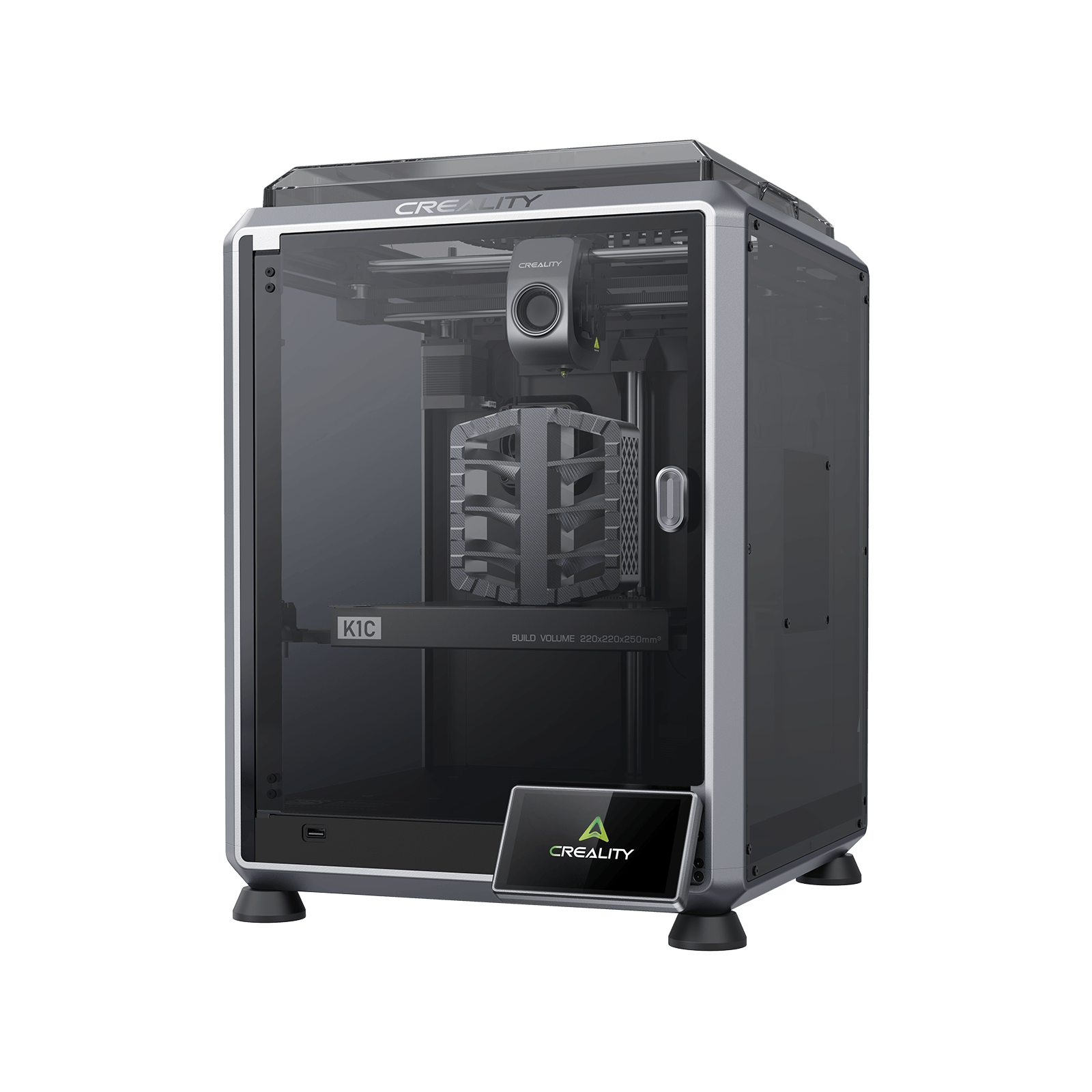
Creality K1C (2025)
K1C 3D Printer (2025 Version) - not the K1, K1 Max or K1 SE
Built for filled filament and priced sensibly for it. Support and fan noise are the two things owners consistently raise.
- Build volume
- 220 × 220 × 250 mm
- Technology
- FDM
- Max speed
- 600 mm/s (CoreXY, 20,000 mm/s² acceleration)
- Enclosed
- Yes (die-cast aluminium unibody, tinted glass sides, acrylic lid)
- Multi-colour
- Optional (Creality CFS-C multi-colour kit sold separately)
- Auto levelling
- Yes (hands-free automatic levelling)
What we like
- PLA-CF and PA-CF appear on Creality's own supported-filament list, not as an upgrade
- A tri-metal quick-swap nozzle with a hardened steel tip and a titanium alloy heatbreak
- A die-cast aluminium unibody with glass sides — the most rigid frame here for the money
- In stock from Creality's own UK warehouse, with up to 24 months of cover
What we don’t
- The smallest build volume of the six
- Creality publishes no chamber-temperature figure for it at all
- Owner reports describe fan noise well above the published rating
- Creality's UK support is the dominant complaint against the machine
A tri-metal quick-swap nozzle with a hardened steel tip and titanium alloy heatbreak runs to 300 °C, fed by an all-metal direct drive extruder, and Creality's own list carries PLA-CF and PA-CF alongside PLA, PETG, ABS, ASA and TPU 95A. Abrasive filament chews soft nozzles; this is what stops that being your problem. What you give up is space: at 220 × 220 × 250 mm it has the smallest build volume here, over a bed topping out at 100 °C.
Owners printing carbon-fibre filled filament frequently describe building their own slicer profiles rather than using a supplied preset, with first-layer adhesion and flow the usual sticking points, although experiences vary by material. Budget an evening for that. Owner reports on Creality's own forum repeatedly single out fan noise rather than the motion system, and a recurring response is to fit quieter fans or printed shrouds; several describe it as too loud for a shared room, although this is not consistent across all reports. Against a published rating of 45 dB or below, that is the largest manufacturer-versus-owner gap on this page.
Buy this if filled filament is the actual reason for the purchase and you would rather buy a machine built for it than upgrade one that was not. Skip it if the machine has to be quiet, or if you want a bigger plate. Creality's UK support is the other reason to hesitate.
4. QIDI Plus5 — when the chamber has to hold a temperature
Nylon and polycarbonate do not fail because a printer is slow. They fail because the part cools unevenly, shrinks, and lifts off the plate or splits between layers. An enclosure slows that; a heater in the chamber stops it. Two machines here have one, and this is the cheaper.
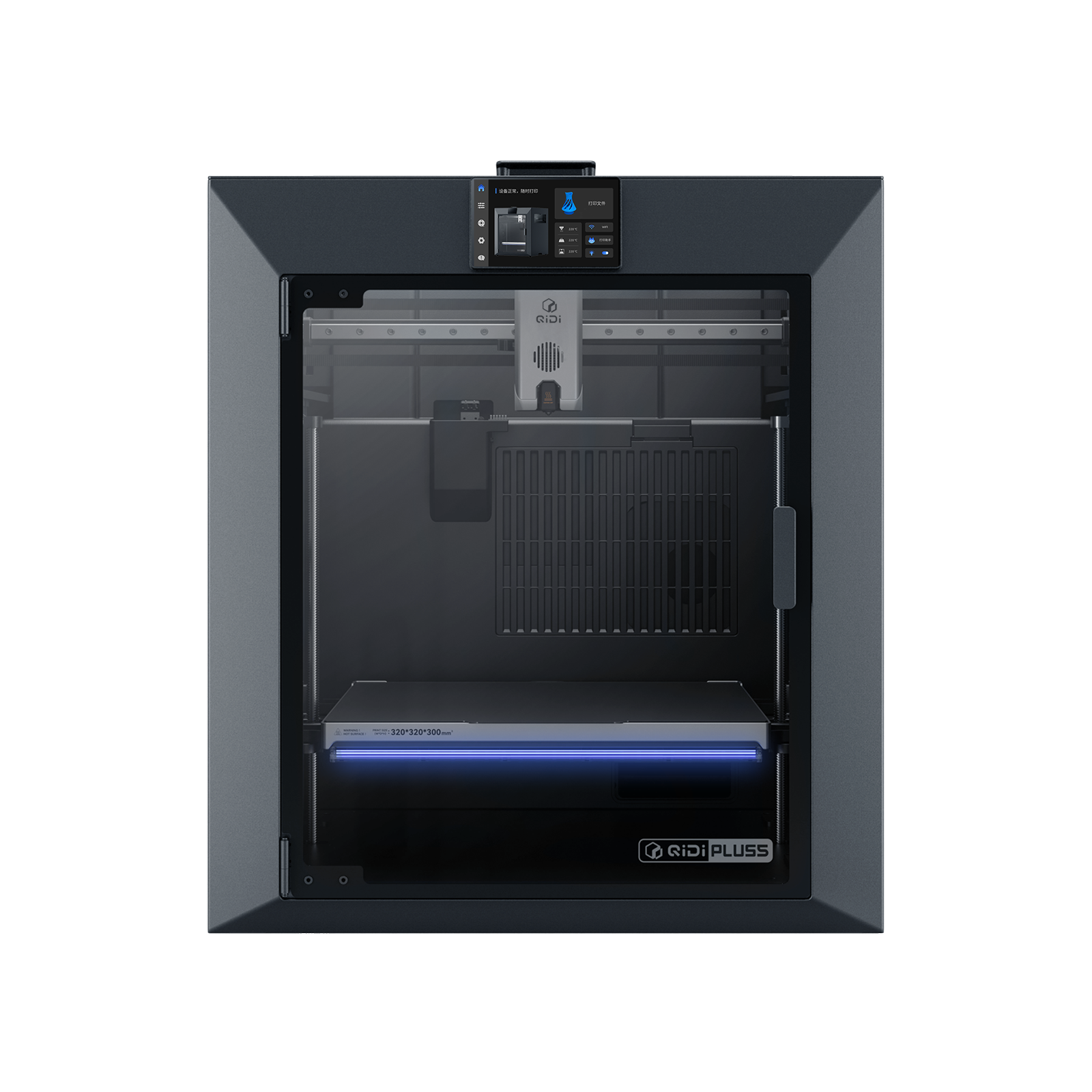
QIDI Plus5
QIDI Plus5 (standard, not the Plus5 Combo with QIDI Box, and not the Plus4)
An independently heated chamber, a 370 °C nozzle, and nylon and polycarbonate on the supported list. An engineering tool, and it behaves like one.
- Build volume
- 320 × 320 × 300 mm
- Technology
- FDM
- Max speed
- 600 mm/s toolhead (≤20,000 mm/s² acceleration)
- Enclosed
- Yes, with independent active chamber heating up to 65 °C (3rd generation)
- Multi-colour
- Optional (compatible with QIDI Box; the Combo bundles it for 16 colours)
- Auto levelling
- Yes (hands-free, loadcell sensor integrated into the hotend)
What we like
- Independent active chamber heating to 65 °C, rated separately from the bed and hot end
- A 370 °C nozzle over a 120 °C bed — the highest ceiling of any machine here
- Nylon, polycarbonate and fibre-reinforced polymers are all on QIDI's own supported list
- A three-stage filter with a HEPA element and activated carbon
What we don’t
- Roughly twice the price of the top pick
- 29 kg, and 500 mm wide — this is not a shelf machine
- Around 500 W steady while printing ABS, against roughly 190 W on PLA
- Owners describe QIDI machines as engineering tools rather than plug-and-play
The materials list is what you are buying: PLA, ABS, ASA, PETG, TPU, PA, PC and carbon- or glass-fibre reinforced polymers, the only unqualified appearance of unfilled nylon and polycarbonate on this page. Behind it, a 370 °C nozzle, a 120 °C bed and chamber heating rated to 65 °C, on a CoreXY frame with a hardened linear rail on X and two independent lead-screw motors on Z, around a 320 × 320 × 300 mm build volume — the second largest here.
The practical costs are weight and power. It is 29 kg and about 500 mm wide, so it wants a floor or a solid bench, and QIDI measures its own steady draw at roughly 190 W printing PLA and about 500 W printing ABS. The chamber heater is doing real work, and you will see it on the meter.
Owners repeatedly describe QIDI machines as engineering tools rather than plug-and-play, with a learning curve to expect. Set against that, QIDI's support draws consistent praise on UK review sites for responding quickly, though reports of hardware faults on arrival sit alongside it.
Buy this if the materials list is the specification you came for and you are prepared to learn the machine. Skip it if you will mostly print PLA and PETG: a heated chamber does nothing there, and the ELEGOO above costs less than half as much.
5. Prusa CORE One L+ — the large one, and the one that never phones home
Two readers end up here. The first needs a part that will not fit on anything above: this is the largest plate, at 300 × 300 × 330 mm. The second cannot put a cloud-connected machine on their network, which rules out most of the category.
Prusa CORE One L+
CORE One L+ (assembled; the refreshed CORE One L — not the original CORE One L, not the CORE One+)
The biggest plate here, and the only machine that works with its network module physically removed. UK buyers get half the warranty EU buyers do.
- Build volume
- 300 × 300 × 330 mm (29.7 litres)
- Technology
- FDM
- Max speed
- Travel speed up to 500 mm/s (Prusa publishes travel speed, not a maximum print speed)
- Enclosed
- Yes (fully enclosed CoreXY; Active Convection Chamber up to 60 °C, heated from the underside of the AC heatbed by two fans)
- Multi-colour
- Optional (INDX tool-changer conversion kit, sold separately; the L+ is INDX-ready)
- Auto levelling
- Yes (automatic mesh levelling via load-cell sensor; ships pre-calibrated from the factory)
What we like
- The largest build volume here, at just under thirty litres
- An actively heated chamber warmed by two fans blowing across the underside of a mains-powered bed
- Wi-Fi arrives on a module you can physically pull out — Prusa states it never needs a network
- An open-source slicer with tuned profiles, and a tool-free quick-swap nozzle
What we don’t
- One year of UK cover against the two years Prusa gives EU consumers
- ABS, ASA, HIPS and nylon are listed only with the separately sold filtration unit
- Prusa publishes no acoustic rating for this machine at all
- Belt tension arriving low from the factory is the dominant owner complaint
The chamber is the interesting engineering. Rather than fit a chamber heater, Prusa puts two fans under a mains-powered cast aluminium bed and blows chamber air across its hot underside, warming the space to a rated 60 °C. That bed holds to within 2 °C across ninety-nine per cent of the print area — which matters when the corners lift first. The hot end runs to 290 °C, or 400 °C with the optional HT unit. Wi-Fi arrives on a physically removable module, and Prusa states the machine never requires a network connection.
Three limitations, and the first is the one nobody mentions. UK buyers get one year of warranty, not the two Prusa gives consumers in the EU, Liechtenstein, Switzerland, Norway and Iceland, and direct orders ship from the Czech Republic with customs charges possible. Second, ABS, ASA, HIPS and nylon are listed only with the separately sold Advanced Filtration unit fitted. Third, Prusa publishes no acoustic rating for it at all.
A recurring theme in Prusa's CORE One L forum is belt tension arriving low from the factory, which owners describe surfacing as resonance at certain speeds, repeated homing or nozzle-cleaning cycles and erratic bed probing, and which re-tensioning to the published frequency range resolves in most of the cases that report back.Buy this if you need the biggest plate, you value an open-source toolchain, or your workplace will not allow a machine that talks to a manufacturer's servers. Skip it if budget is the constraint: this is bought for the plate and the ecosystem, not for print quality.
6. FlashForge Adventurer 5M — CoreXY with nothing wrapped around it
Last place is a statement about what the machine is for, not a verdict on it. Strip away the enclosure, the filter and the chamber, keep the motion system, and this is what is left: a CoreXY frame FlashForge calls an all-metal stable structure, on a page whose own table lists the shell as open.
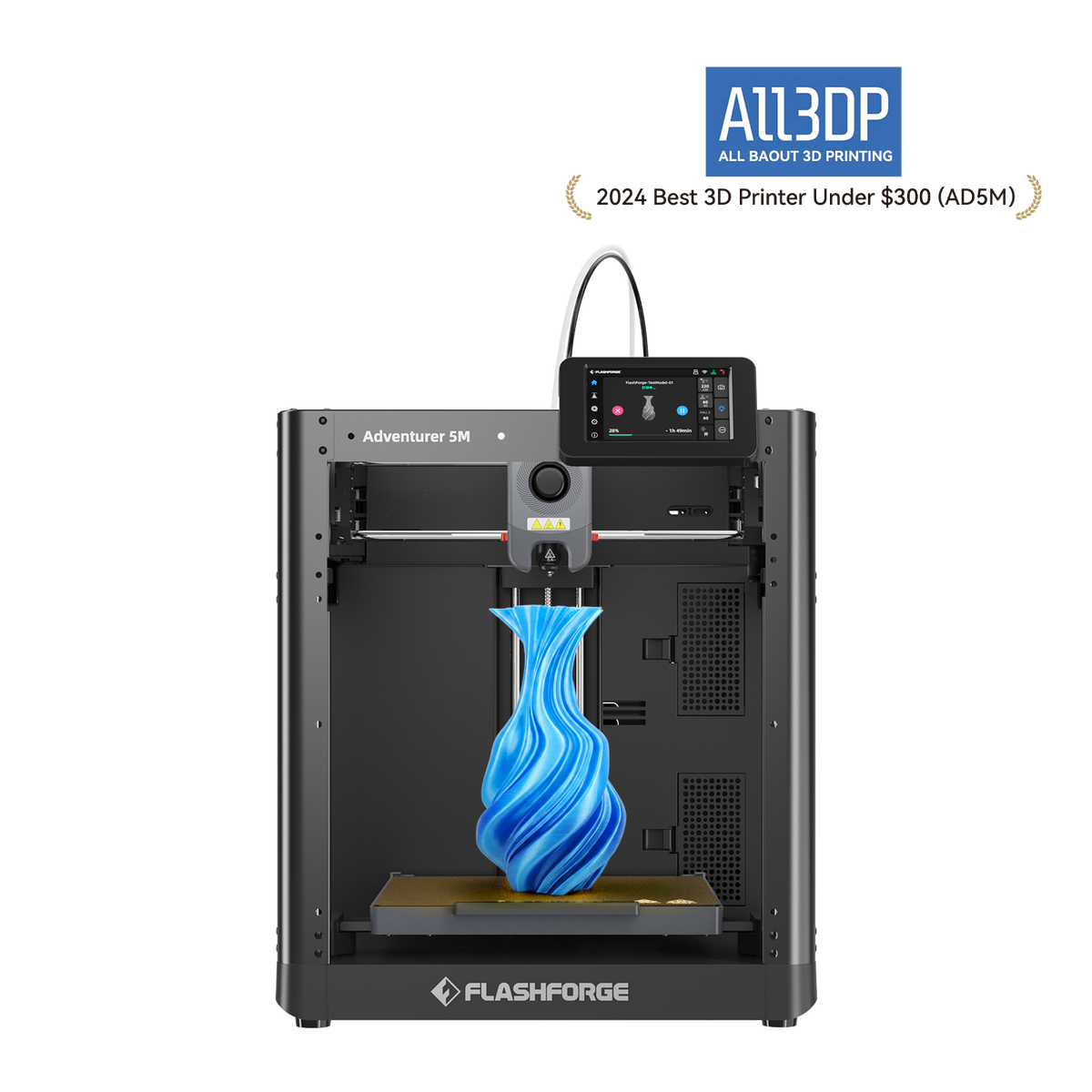
FlashForge Adventurer 5M
Adventurer 5M (open-frame standard model; not the enclosed 5M Pro)
The motion system on its own, at the lowest outlay here. Fine for PLA and PETG; the open frame is what stops it at that.
- Build volume
- 220 × 220 × 220 mm
- Technology
- FDM / FFF CoreXY, direct drive, single extruder
- Max speed
- 600 mm/s (20,000 mm/s² acceleration)
- Enclosed
- No (open frame; a DIY enclosure kit is sold separately)
- Multi-colour
- No
- Auto levelling
- Yes — FlashForge's Automatic Datum Management (ADM) auto-levelling
What we like
- CoreXY motion and 20,000 mm/s² acceleration for the least money on this page
- The hot end reaches 200 °C in around thirty-five seconds, so short jobs start quickly
- Quick-detach nozzles in four sizes, swapped without tools
- FlashForge ships a fork of the open-source OrcaSlicer with tuned profiles for it
What we don’t
- Open frame, so ABS and ASA will warp however the materials list reads
- A 280 °C hot end — the lowest ceiling here
- Three months of cover on extruder parts, twelve on the rest
- Reports on FlashForge's after-sales handling are divided
On paper the motion system gives away nothing: 600 mm/s and 20,000 mm/s² of acceleration, the same figure as machines costing three times as much, with vibration suppression working against ringing. Nozzles come off without tools in 0.25, 0.4, 0.6 and 0.8 mm.
The open frame is where the money went, and it is an honest trade rather than a hidden one. FlashForge lists ABS and ASA among the supported filaments while also stating that compatibility varies by nozzle size; with nothing holding heat in, large parts in those materials will lift at the corners whatever the list says. A DIY enclosure kit is sold separately, and once bought it closes most of the gap to the ELEGOO at rank two. The hot end tops out at 280 °C and the plate at 100 °C.
Owner discussion repeatedly turns to which slicer to run, with FlashForge's Orca fork the usual recommendation over the bundled one; where owners describe first-layer problems, the advice that recurs is to clean the nozzle and plate and re-run the calibration before adjusting the Z-offset by hand.Buy this if you want CoreXY speed for PLA and PETG at the lowest outlay. Skip it if high-temperature materials are anywhere in your plans, or if an enclosure is on your list at all.
What to look for once you have accepted they are all fast
Speed stops being a differentiator almost immediately here. Four specifications do the separating, and only one is on the box.
The nozzle ceiling decides your materials. Every filament has a temperature below which it will not bond properly, and the hot end's maximum is a hard wall. The range here runs from 280 °C to 370 °C — the difference between PLA and PETG, and polycarbonate and filled nylon. No other upgrade routes around it.
An enclosed CoreXY printer is not a heated one. Two here hold a chamber target; the rest only trap what the bed and hot end give off, which works for ABS on a warm day and not on a cold one.
Flow, not speed, sets the time on big parts. Volumetric flow is how much plastic the hot end melts per second, and on a solid part it binds long before the motion system does. The best figure here is 32 mm³/s; a headline speed tells you nothing about it.
Nozzles are consumables, so check how they come off. Abrasive filament wears soft brass quickly, and tool-free quick-swap designs turn a nozzle change into a two-minute job rather than an evening with a heat gun and a spanner.
And one thing no specification table carries — the belts are a wear item. Owner reports put belt fraying at several thousand hours of printing rather than at any published interval, and a recurring response is to keep a spare set rather than work to a schedule, although the reported failure points vary widely.
What a CoreXY machine costs to run in the UK
Less than almost everyone expects, and the rating plate is not the number to use. A printer rated at 1000 W draws that for the couple of minutes it is heating the bed, then settles to a fraction of it. Work from steady-state figures instead: QIDI measures its own machine at roughly 190 W printing PLA and about 500 W printing ABS, and Prusa publishes 16 W on standby and roughly 90 W printing PLA or 215 W printing ASA.
A worked estimate. Under the Ofgem price cap, domestic electricity is about 26p per kWh. Take the Prusa at roughly 90 W on PLA — that is 0.09 kW, so a little over 2p an hour, or around 25p for a ten-hour print. The QIDI running ABS with its chamber heater working, at about 500 W, costs roughly 13p an hour, or about £1.30 for the same ten hours: six times as much, which is what a heated chamber costs. Add the daily standing charge of around 55p, payable whether the printer is on or not.
Assumptions, stated: manufacturer steady-state figures rather than measurements taken here, the capped unit rate rather than your tariff, and preheating excluded. It is an estimate — and it points at the real running cost, which is filament and the prints that fail. Neither shows up on an electricity bill.
UK availability, warranty and spares
All six can be bought in the UK today, in pounds, with British delivery. Bambu Lab sells through its own UK store and an authorised stockist; ELEGOO, Creality and FlashForge sell direct from their own UK storefronts; the QIDI comes through a UK specialist with free delivery to Great Britain; the Prusa is stocked by more than one UK retailer.
Warranty is where they separate sharply, and it is the least-read line on any of these pages. Bambu Lab states two years. Creality advertises up to twenty-four months through its UK store. ELEGOO gives twelve months but treats the build plate, nozzle kit and PTFE tube as consumables and covers the extruder for six. FlashForge gives twelve months with three on extruder parts. QIDI gives one year. And Prusa — the most expensive here by a distance — gives UK buyers one year against the two it gives EU, Swiss, Norwegian, Liechtenstein and Icelandic consumers, with direct orders dispatched from the Czech Republic and customs charges possible. One UK stockist also adds an oversize delivery surcharge of around £45 on the top pick.
Support is the part no specification captures. Creality's own support is the dominant complaint on UK review sites, described as slow to respond and slow to resolve faults, with experiences of the machines themselves sharply split. Spares matter as much as the term: reviewers repeatedly note that P1S replacement parts are proprietary, while setup ease and reliability are the dominant praise. A long warranty on a machine whose parts one company sells is a different proposition from a shorter one on standard components.
Where buyers get this wrong
Paying for CoreXY to print PLA. The motion system buys time, and confidence on tall narrow parts. It does not make a PLA cube come out better than a well-tuned bed slinger does, and a good bed slinger is not slow — 10,000 mm/s² is half what these machines manage. For a PLA-and-PETG household the simpler machine is often the right answer, and the budget 3D printers guide is the better buy.
Forgetting that a warm chamber is a problem for PLA. A recurring theme among owners printing PLA in an enclosed machine is running it with the door open and the top lifted to keep the chamber from getting warm enough to soften the filament before it reaches the nozzle, although this is not consistent across all reports — plenty describe printing PLA with the machine shut and no trouble.
Treating a carbon filter as ventilation. A recurring theme among owners printing ABS and ASA indoors is that the built-in carbon filter is treated as a partial measure rather than a complete one, with several describing ducting the exhaust outside or adding filtration, although this is not consistent across all reports. If the machine is going in a bedroom or small office and ABS is on the plan, decide where the air goes before you decide which printer.
Shortlisting from an international list. Most widely shared CoreXY roundups price in dollars, recommend self-source kits, and still lead with a flagship no longer sold new. A machine you cannot buy or get a part for is not a candidate.
The verdict
The Bambu Lab P1S is the CoreXY machine to buy if you are not sure: enclosed, quick and undemanding, with two years of cover and two UK supply routes that matter more over three years than any specification on the box. If the budget is tighter, the ELEGOO Centauri Carbon 2 gives up warranty length and track record rather than capability. The rest are specialists.
- Buy it if
- You print enough that waiting is the problem, you want ABS or ASA on the table, or you print tall parts a moving bed would wobble.
- Skip it if
- PLA and PETG are the whole job and the machine sits idle most days — a bed slinger will do that work for less.
Whichever way you go, buy for the chamber and the nozzle ceiling rather than the speed figure. Every machine here is fast. Only some can print what you may want to print in two years' time.
How this article was researched
Nothing here was bought, assembled, run or measured. Every specification comes from the named manufacturer's own page, specification sheet or manual for the exact variant stated, and each figure carries the claim it came from. Where a manufacturer publishes no figure — no acoustic rating from Bambu Lab or Prusa, no weight or rated power from ELEGOO, no chamber temperature from Creality for the K1C — this page says so rather than borrowing a number from a retailer. UK price bands, stock and warranty terms were checked in September 2026.
Common questions
- Why are CoreXY printers fast?
- Because of what is not moving. Both belt motors are bolted to the frame and stay there; two belts cross between them so that turning the motors together drives one axis and turning them against each other drives the other, leaving the toolhead as the only thing being accelerated. A bed slinger has to throw the plate, the steel sheet and the growing part back and forth on every Y move, and mass that large cannot change direction quickly. The figure this shows up in is acceleration rather than top speed: a well-regarded budget bed slinger is rated at 2,500 mm/s², a good one at 10,000 mm/s², and the machines on this page at 20,000 mm/s². Top speed barely separates them at all — plenty of bed slingers quote the same 500 mm/s. Since a real print is mostly corners and short perimeter moves rather than long straight runs, the machine that reaches its speed in a shorter distance spends far more of the job actually travelling at it.
- Is CoreXY better than a bed slinger?
- For some work, clearly. For a lot of work, no, and it is worth being honest about which you are doing. Owner reports split openly on this: those printing mostly PLA and PETG repeatedly describe the simpler machine as the better buy for that job, while those who favour CoreXY tie the advantage to specific work — tall or narrow parts, where a moving bed can deflect the model — rather than to print quality in general. The reports do not settle on one answer. CoreXY also tends to come wrapped in an enclosure, which is what actually enables ABS and ASA, though the two features are sold together rather than being the same thing: one machine on this page is CoreXY with an open shell. The practical test is whether you are short of time or short of capability. If neither, the motion system is not what your money should buy first.
- Which CoreXY printer is easiest to maintain?
- Judge it on three things, because no manufacturer publishes a maintenance schedule worth comparing. First, how the nozzle comes off: abrasive filament wears brass quickly, and a tool-free quick-swap design turns that into a two-minute job. Second, whether spare parts are standard or proprietary — a long warranty on a machine only one company can supply parts for is a different proposition from a shorter one on a machine built from common components. Third, the toolchain: an open-source slicer with published profiles means community answers when something goes wrong, which is worth more over three years than any feature on the box. On the belts themselves, owner reports put fraying at several thousand hours of printing rather than at any stated interval, and the recurring advice is to keep a spare set rather than work to a schedule. Belt tension is the one job worth learning early: it is the dominant complaint against the most expensive machine here, and it is a half-hour fix.